


 Menu
MenuMenu


Get Sales Advice from Mon - Fri 9am - 5:00pm:
020 3337 8950POSTED: 26 January, 2026
Corsair 3500 Series Deep Dive (2026): Design, Airflow, Features & Who It’s For
Modern PC cases are no longer just about fitting components inside a steel box. Builders now expect strong airflow, clean layouts, wide hardware support, and a design that actually deserves desk space. The challenge has always been finding a case that balances all of this without becoming oversized or awkward to build in. That is exactly where the Corsair 3500 Series comes into the picture.
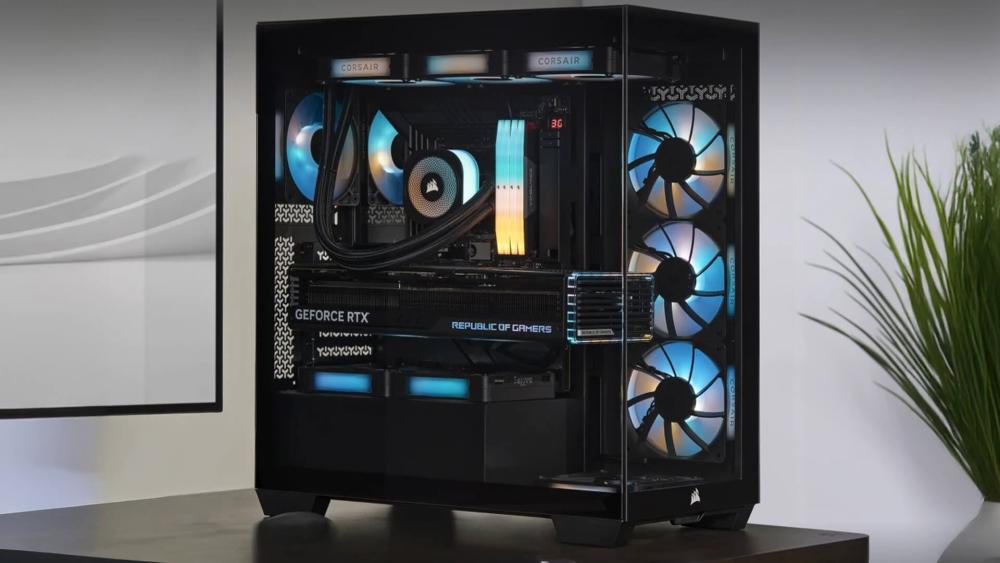
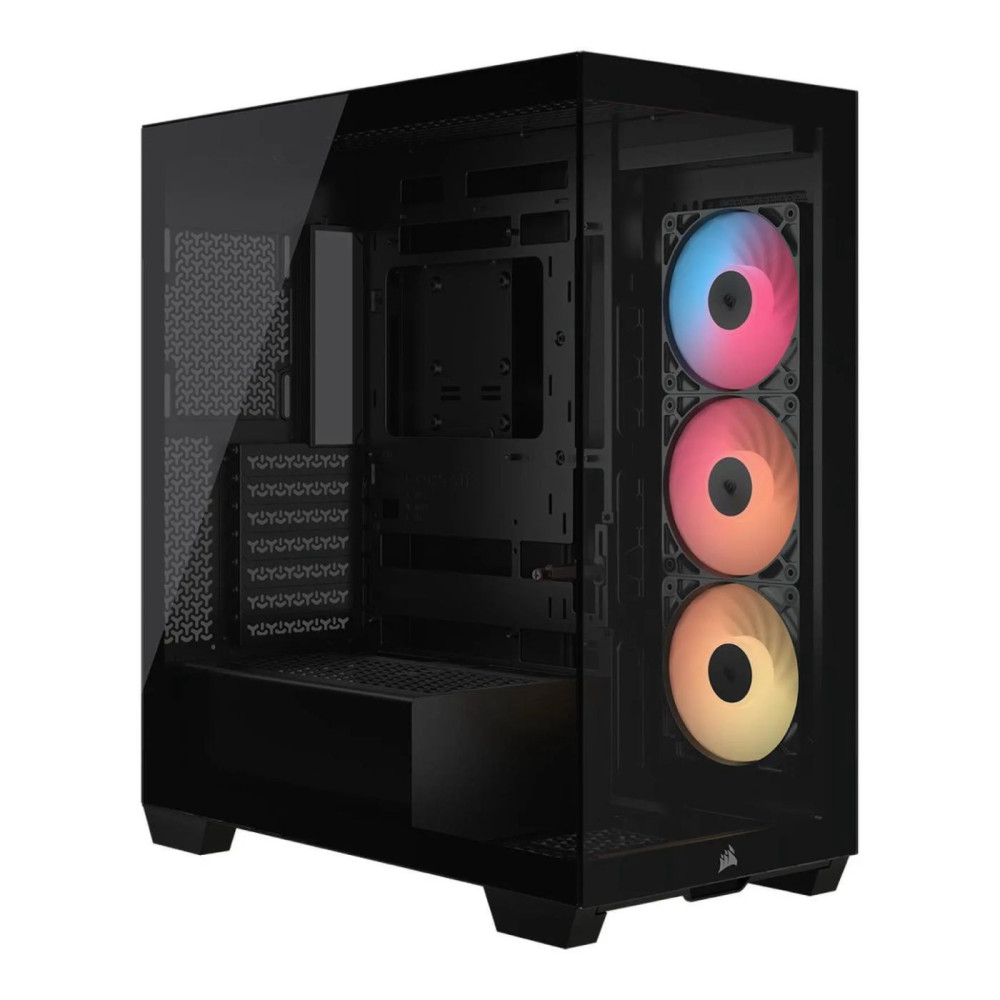
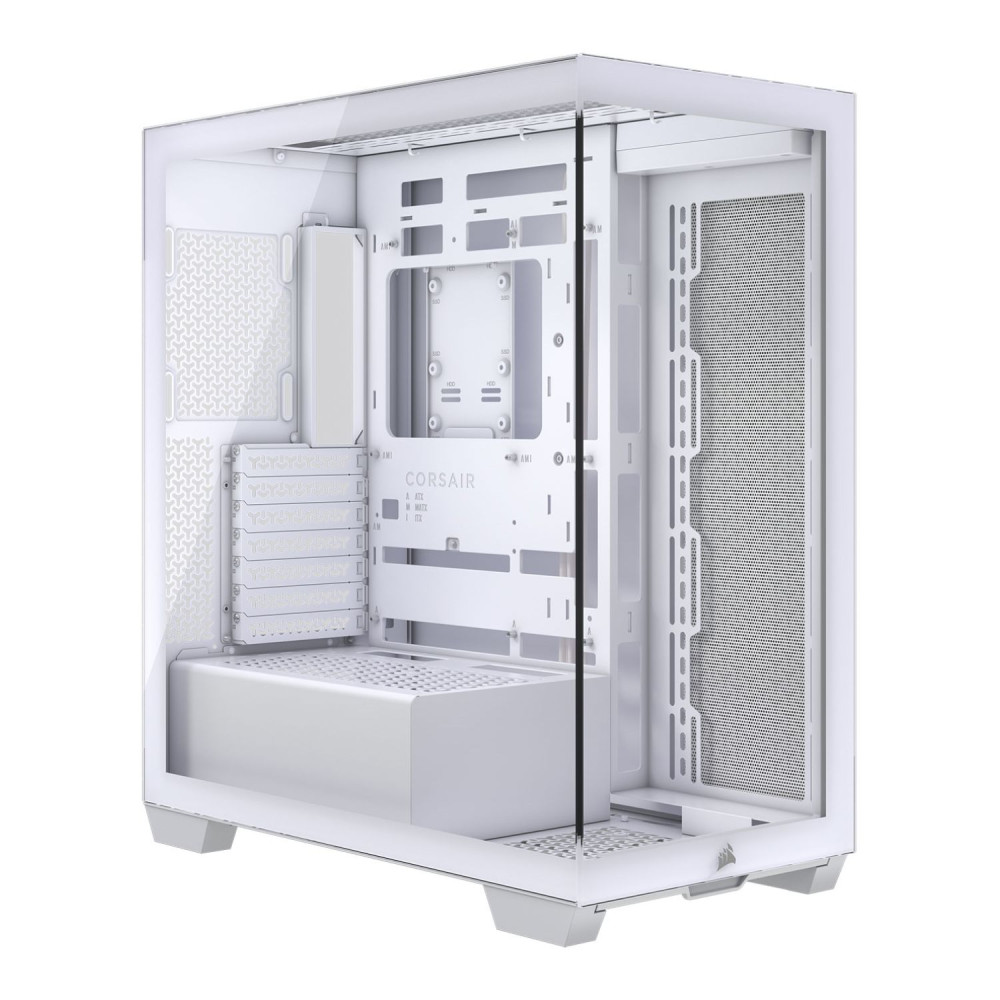
The Corsair 3500 Series strikes a careful balance between panoramic "fishbowl" aesthetics, practical dimensions, and a build-friendly layout. You get an uninterrupted view of your components thanks to the seamless tempered glass front and side panels, without the excessive width usually associated with dual-chamber designs. Importantly, this approach keeps the footprint close to a traditional mid-tower while still delivering the visual impact builders expect from modern Corsair PC cases.
In this deep dive, we will break down how the Corsair 3500 case fits into the wider Corsair lineup, how its airflow and cooling design actually work, what level of hardware it supports, and who it is really designed for. Whether you are comparing it against other PC cases or planning a fresh 2026 build, this guide will help you decide if a Corsair 3500 Series case is the right foundation for your system.
A Quick Look at The Specs of Corsair 3500 Series
Before diving deeper into design, airflow, and real-world usability, it is helpful to ground everything in a clear look at the core specifications. The Corsair 3500X Series cases are offered in three variants, but the structural design and compatibility remain consistent across the range. The only differences between models come down to included fans or lighting, not the chassis itself.
Below are the shared specifications that define what the Corsair 3500 Series can support.
Core Dimensions and Materials
- Dimensions: 506mm x 460mm x 240mm
- Materials: Steel chassis with tempered glass front and side panels
These measurements place the Corsair 3500 series firmly in the mid-tower category, while remaining noticeably slimmer than many panoramic-style PC cases.
Fan Mount Support
- Front: None
- Top: 3 × 120mm or 2 × 140mm
- Side: 3 × 120mm or 2 × 140mm
- Bottom: 3 × 120mm or 2 × 140mm
- Rear: 1 × 120mm
This layout reflects Corsair's approach to prioritise side, bottom, and top airflow instead of a traditional front intake.
Radiator Compatibility
- Front: None
- Top: 360mm, 280mm, 240mm
- Side: 360mm, 280mm, 240mm
- Bottom: 120mm
- Rear: 120mm
The radiator support makes the Corsair 3500 Series case suitable for both air-cooled and liquid-cooled builds, including larger AIO configurations.
Expansion And Motherboard Support
- Expansion Slots: 7 horizontal or 4 vertical
- Motherboard Compatibility: Mini-ITX, Micro-ATX, ATX, E-ATX (up to 305mm × 277mm)
Full support for standard and reverse-connection motherboards ensures compatibility with modern layouts such as ASUS BTF and MSI Project Zero.
Storage Options
- 2 × 2.5-inch SSD mounts
- 2 × 3.5-inch HDD mounts
This setup balances clean internal presentation with enough storage flexibility for gaming and productivity builds.
Clearance Limits
- PSU Clearance: Up to 180mm
- CPU Cooler Clearance: Up to 170mm
- GPU Clearance: Up to 410mm
The generous GPU clearance makes the Corsair 3500 Series particularly well suited for large, modern graphics cards, including vertically mounted configurations.
Worried about fitting your GPU in the PC case? Read our guide on how to make sure your GPU actually fits.
Dust Filtration and Front I/O
- Dust Filters: Top, bottom, and side
- Front I/O Ports: 2 × USB 3.2 Gen 1 Type-A, 1 × USB 3.2 Gen 2 Type-C, headphone/microphone combo jack, power button, reset button
These specifications demonstrate that the Corsair 3500 Series case is more than just about aesthetics. It is built to support high-end components, modern cooling solutions, and clean builds while staying within a practical price range.
Where The Corsair 3500 Series Sits in The Corsair Case Lineup
The Corsair 3500 Series cases are designed to sit squarely in the modern mid-tower space, bridging the gap between traditional airflow-focused designs and the newer panoramic, glass-heavy trend. Corsair already offers everything from compact designs to showcase-heavy enclosures, but the Corsair 3500 Series specifically focuses on balance rather than extremes.
Instead of leaning fully into a dual-chamber layout or an oversized frame, the Corsair 3500 cases deliver a fishbowl-style presentation in a footprint that remains practical for most desks. This makes it easier to position alongside monitors, speakers, and peripherals without dominating the workspace.
How The Corsair 3500 Series Compares to Other Corsair Mid-Tower Cases
Compared to other mid-tower designs in the Corsair PC Case series, the 3500 takes a noticeably different approach to layout and presentation. Traditional mid-tower cases often prioritise front-to-back airflow with solid or mesh front panels, while the 3500 Series removes the front intake entirely in favour of side, bottom, and top-mounted cooling. This design choice places it closer to modern showcase builds while still competing directly with other mid-tower cases in terms of component support and cooling flexibility.
Who The Corsair 3500 Series Cases Are Designed For
The Corsair 3500 Series is aimed at builders who want their system to be seen, without committing to the size or complexity of larger enclosures. It is well-suited to gamers and creators who invest in visually striking components and want them fully on display, particularly when paired with a vertical GPU mount.
At the same time, it remains practical for everyday builds, supporting a wide range of hardware typically found in modern PC cases. For users who like the look of showcase designs but are limited by desk depth or width, the Corsair 3500 Series sits in a very deliberate and well-defined position within Corsair's current lineup.
Corsair 3500 Series Design and Construction Approach
A Corsair 3500 Series case follows a design approach that prioritises precision, accessibility, and long-term usability rather than visual impact alone. Instead of relying on novelty layouts, Corsair has focused on refining how the chassis supports modern components, cooling hardware, and clean assembly, making it a practical option within today's evolving PC cases landscape.
Every structural choice in the Corsair 3500 Series is aimed at reducing friction during installation and upgrades, while ensuring the finished build remains tidy and easy to maintain.
Exterior Design, Materials, and Panel Choices
The exterior construction of a Corsair 3500 case combines a rigid steel frame with tempered glass panels chosen for durability as well as clarity. The glass thickness and mounting method help reduce vibration and flex, which is particularly important in builds using multiple fans or liquid cooling.
Panel attachment has been designed with frequent access in mind. Tool-free mounting and solid alignment ensure panels sit flush once installed, avoiding rattles or uneven gaps that can develop over time in lower-quality Corsair cases or competing designs. This attention to fit and finish helps the case retain a premium feel long after the initial build.
Internal Layout and Build-First Design Decisions
Internally, a Corsair 3500 Series case is structured to maximise usable space around core components. Mounting points are clearly positioned, tolerances are generous where modern hardware demands it, and clearance zones are well defined to avoid conflicts during installation.
The internal frame supports flexible cooling layouts and accommodates contemporary motherboard designs without requiring additional brackets or modifications. Storage mounts, power supply positioning, and cable routing paths are arranged to keep the main chamber visually clean, reinforcing the practical, build-first intent behind the Corsair 3500 Series rather than repeating common design tropes found in other PC cases.
Airflow And Thermal Design in the Corsair 3500 Series Cases
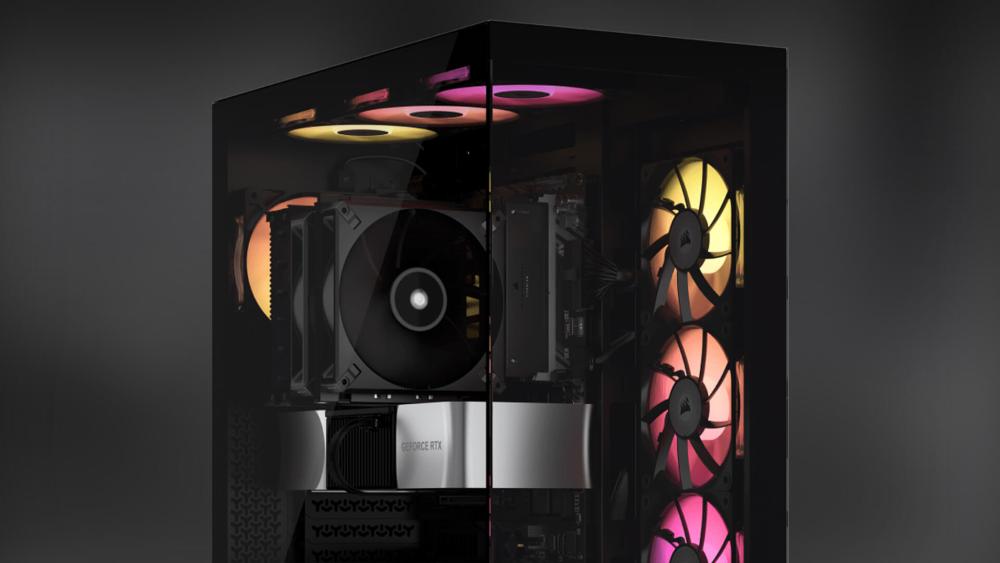
Airflow design is where a Corsair 3500 Series case separates itself from more conventional layouts. Rather than relying on a front intake, the cooling strategy is built around multiple intake and exhaust zones that work together to move air efficiently across key heat-generating components. This approach is intended to support both air-cooled and liquid-cooled systems without forcing a single cooling style.
Airflow Layout and Cooling Path Explained
The airflow path in the Corsair 3500 Series is designed to draw cool air from lower and side-mounted intake positions and exhaust warm air through the top and rear. This vertical and lateral airflow movement helps manage GPU and CPU thermals more evenly, particularly in builds using high-wattage components.
Because the airflow is not funnelled through a single intake, pressure can be balanced more effectively. This reduces hotspots and allows cooling performance to scale more predictably as additional fans or radiators are added.
Fan and Radiator Support for Different Build Goals
The cooling layout of the Corsair 3500 Series supports a wide range of configurations, from straightforward air-cooled builds to advanced liquid cooling setups. Builders can prioritise quiet operation with fewer, larger fans or focus on maximum thermal performance with higher fan density. However, under extreme load, you may still need to improve airflow in Corsair cases if you are running a gaming system, content creation rig or a workstation.
Avoiding Common Airflow Mistakes in Mid-Tower Cases
Many mid-tower designs struggle when airflow paths are restricted or poorly planned. The Corsair 3500 Series case helps avoid common issues such as uneven pressure zones or inefficient exhaust placement by offering clearly separated intake and exhaust areas. With careful fan orientation and sensible component placement, builders can achieve consistent thermal performance without resorting to excessive fan speeds.
Component Compatibility and Clearance Considerations
Component compatibility plays a major role in how flexible a case is over the life of a build. Corsair 3500 Series cases are designed to accommodate current-generation hardware comfortably, while leaving room for future upgrades without forcing layout compromises.
GPU Length, Thickness, and Modern Graphics Card Support
Modern graphics cards continue to grow in size, and the Corsair 3500 Series is built with that trend in mind. The case supports long, full-length GPUs and accommodates thicker cards without interfering with airflow or neighbouring components.
This level of GPU support makes the Corsair 3500 cases suitable for high-performance gaming and creative workloads, especially when visual presentation is a priority. The internal spacing also helps reduce cable strain, which is often overlooked in tightly packed PC cases.
CPU Cooling Options and Radiator Placement
For processor cooling, the Corsair 3500 Series cases offer ample flexibility to suit different performance targets. Tall air coolers fit comfortably, while liquid cooling users can plan multi-radiator layouts without obstructing core components.
This adaptability allows builders to match their cooling solution to their workload rather than the limitations of the chassis, an advantage for users upgrading CPUs or cooling hardware over time.
PSU Sizing, Storage Layout, and Cable Management Space
Power supply compatibility is another area where the Corsair 3500 Series focuses on practicality. There is enough space to install full-size PSUs while still allowing for clean cable routing and proper airflow around the power delivery area.
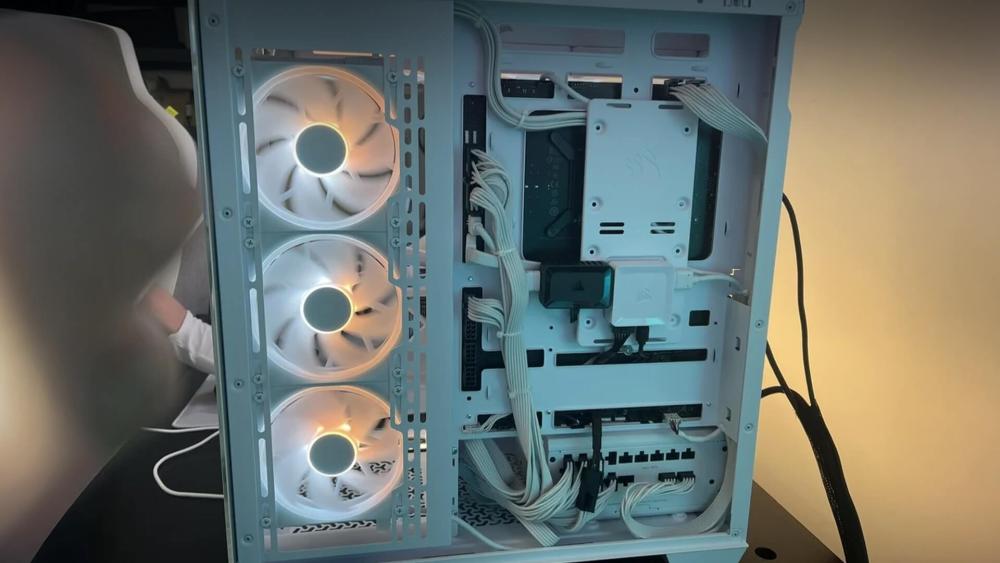
Storage mounting is arranged to keep drives accessible without intruding into the main build area, helping maintain a clean internal layout. Combined with well-defined cable routing channels, this ensures the Corsair 3500 Series case remains easy to work in, even as component complexity increases.
Building Inside the Corsair 3500 Series — Real-World Experience
Day-to-day usability is where the Corsair 3500 Series cases quietly stand out. The internal layout is arranged to keep the build process efficient, reducing unnecessary steps and making upgrades less disruptive. For builders who regularly change components or refine their setup, this practicality matters just as much as design or cooling.
Cable Management, Routing, and Build Cleanliness
Cable routing in the Corsair 3500 Series is straightforward, with clearly defined paths that make it easier to keep power and data cables organised. This helps maintain a clean internal presentation without excessive planning, particularly in builds with multiple components.
Panel Fit, Alignment, and Finishing Touches
Panel alignment on the Corsair 3500 Series cases is consistent and secure, helping the enclosure feel solid once fully assembled. Panels sit flush when reinstalled, which reduces unwanted movement or noise during operation.
Facing panel fit issues with Corsair cases? Read our in-depth guide on Corsair Case Panel Fit Issues and ensure a seamless build.
Corsair 3500 Series Compared to Other Case Sizes
Choosing the right case size is often about understanding what you actually need, rather than defaulting to something bigger. The Corsair 3500 Series case is designed to cover the needs of most modern builds without unnecessary excess, making it a strong reference point when comparing different form factors within today's PC cases market.
Mid-Tower Vs Full-Tower — When Should You Size Up?
For most users, a mid-tower offers the best balance of compatibility and practicality. The Corsair 3500 Series fits comfortably into this category, supporting high-end components while avoiding the bulk associated with larger enclosures.
Moving to larger full-tower options generally only makes sense for highly specialised builds, such as extensive custom loops or multi-GPU setups. For typical gaming and productivity systems, the Corsair 3500 Series cases provide more than enough flexibility without the downsides of extra size.
Micro-ATX And Mini-ITX Alternatives for Smaller Builds
Smaller form factors appeal to users prioritising compact setups or portability. However, these designs often come with tighter tolerances and fewer configuration options.
Compared to smaller alternatives found across all computer cases, the Corsair 3500 Series offers a more forgiving build environment, making it better suited to users who want room to upgrade or adjust their system over time.
Final Words: Is The Corsair 3500 Series Case the Right Case for Your Build?
A Corsair 3500 Series case is a strong fit for builders who want a clean, modern showcase without committing to oversized enclosures. It suits high-performance gaming and creative systems while remaining practical for everyday use. If you value visual presentation, flexible cooling, and a sensible footprint, the Corsair 3500 Series aligns well with those priorities.
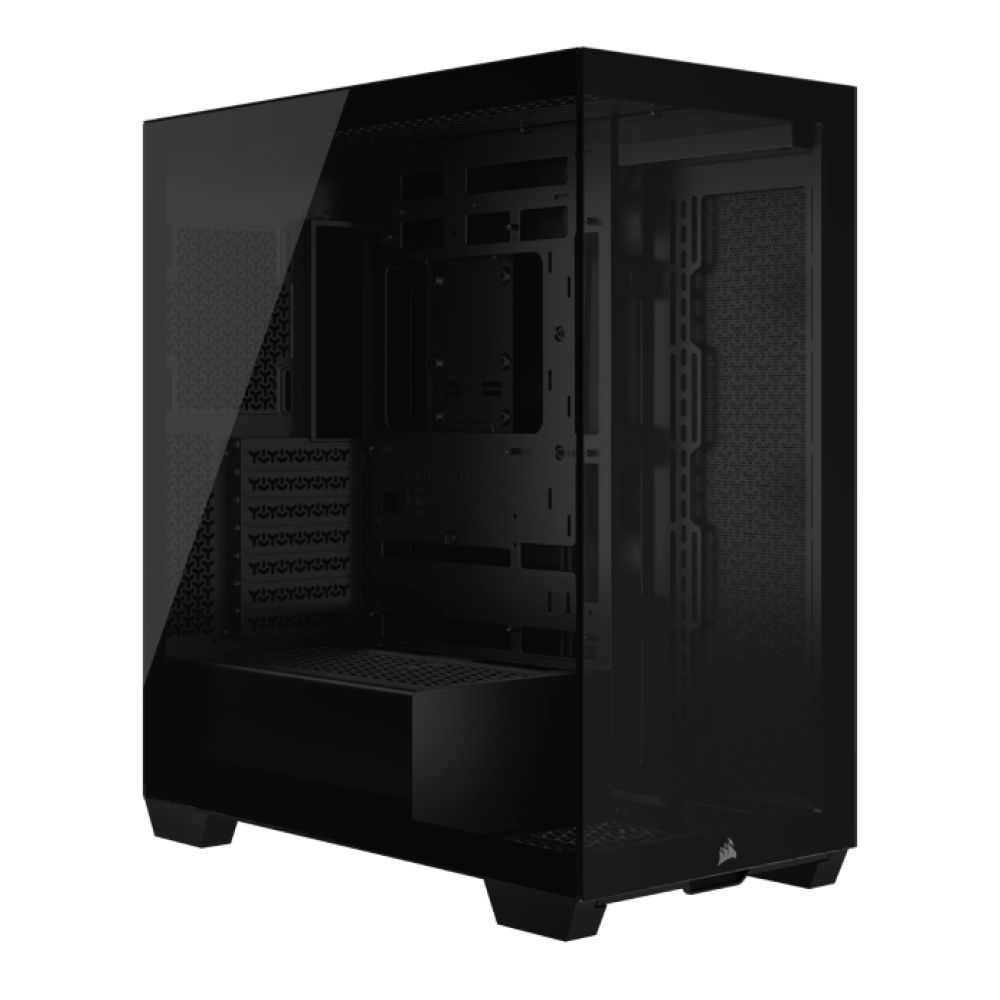
Interested in buying a Corsair 3500 Series PC Case? Check out the three variants available in this series at Box.co.uk!
Frequently Asked Questions
What is the Corsair 3500X case known for?
The Corsair 3500X is known for its panoramic tempered glass design, clean internal layout, and strong support for modern components in a mid-tower form factor.
What GPU size can the Corsair 3500 Series support?
The Corsair 3500 Series case supports graphics cards up to 410mm in length, making it suitable for most high-end, current-generation GPUs.
Is the Corsair 3500X RGB good for water cooling?
Yes, the Corsair 3500X RGB supports multiple radiator placements, allowing for flexible AIO or custom liquid cooling setups.
Do I need extra fans for Corsair 3500X Airflow builds?
That depends on your hardware and cooling goals, but adding extra fans can help optimise airflow for high-performance components.
What is the difference between Corsair 3500X and 4500X?
The Corsair 3500X focuses on a slimmer, more desk-friendly mid-tower layout, while the 4500X offers a larger chassis with different internal spacing and design priorities.
You can pay with:
*PayPal Credit Representative Example: Assumed credit limit £1,200, Representative 23.9% APR (variable). Purchase rate 23.9% p.a (variable).Terms & Conditions apply.


PayPal Credit and PayPal Pay in 3 are trading names of PayPal UK Ltd, 5 Fleet Place, London, United Kingdom, EC4M 7RD. Terms and conditions apply. Credit subject to status, UK residents only, Five Tech LTD acts as a broker and offers finance from a restricted range of finance providers. PayPal Pay in 3 is not regulated by the Financial Conduct Authority. Pay in 3 eligibility is subject to status and approval. 18+. UK residents only. Pay in 3 is a form of credit. Check if affordable and how you will repay. May make other borrowing more difficult or expensive. See product terms for more details.
Copyright © 1996-2026 Fivetech LTD | Terms and Conditions
box.co.uk & Box are trading names of Five Tech Limited. Registered office: Box LTD, Unit 10 Woodford Trading Estate, Woodford Green IG8 8HF