


 Menu
MenuMenu


Get Sales Advice from Mon - Fri 9am - 5:00pm:
020 3337 8950LAST UPDATED: February 20, 2026
CPU Cooling Guide 2026: Air vs AIO vs Custom Loops for Modern Processors
With the power of 2026’s top processors like AMD’s Ryzen 9000 and Intel’s 14th Gen chips, CPU cooling isn’t just an afterthought. It’s a necessity. The right setup keeps your system stable, your frame rates high, and your gaming PCs whisper-quiet under pressure.
This CPU cooling guide breaks down the essentials of air vs AIO vs custom loop systems, helping you choose what truly fits your build. Whether you’re chasing maximum performance or simply want efficient, reliable PC cooling, knowing how your cooler works makes all the difference.
The Importance of Efficient CPU Cooling in 2026
When you’re battling through Cyberpunk 2077 at ultra settings or exploring massive worlds in Starfield, every degree counts. Modern CPUs are faster and more power-hungry than ever, which means PC coolers now play a huge role in maintaining smooth frame rates and system stability.
Without proper cooling, processors hit their thermal limits quickly, causing throttling that tanks your FPS and slows down multitasking. Effective air cooling or liquid cooling setups prevent this by keeping boost clocks steady, extending hardware lifespan, and reducing fan noise, even during those long gaming sessions. Choosing the right CPU for your workload is just as important, and this is why it is always better to go through a processors buying guide before making the final call.
But it’s not just about temperature numbers. The best CPU coolers for gaming PCs balance heat dissipation efficiency, airflow, and aesthetics. Thanks to innovations like fan blade design optimisation, improved radiator performance, and smarter thermal control, modern CPU cooling solutions in 2026 combine high-end engineering with gamer-focused design.
In short, efficient CPU cooling isn’t just about avoiding overheating. It’s about keeping your build quiet, powerful, and ready to dominate any challenge, from ranked matches to open-world adventures.
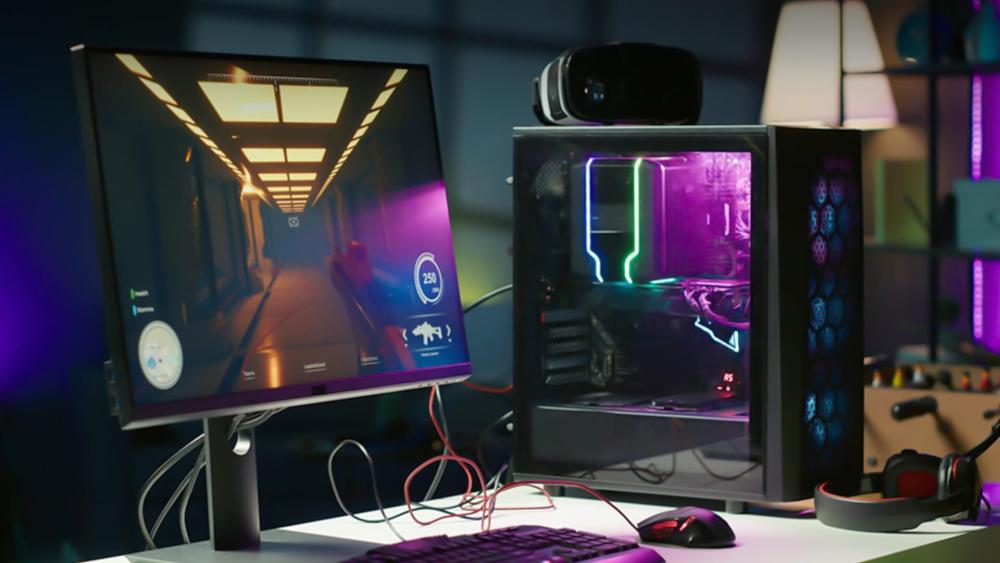
Key Performance Comparison: Air vs AIO vs Custom
Choosing the right CPU cooling setup can feel like picking your class in a game with each option having its strengths, weaknesses, and ideal playstyle. Whether you’re using an air cooler, an AIO, or a custom loop, the key is finding what fits your system, budget, and performance goals. Before you lock in your choice, here’s a quick comparison of AIO vs air cooler vs custom loop with focus on performance, noise, maintenance, and estimated price range.
| Feature | Air Cooler | AIO Cooler | Custom Loop |
| Price Range (UK) | £60–£150 | £120–£250 | £300+ |
| Noise Levels | Quiet to Moderate | Moderate | Quiet (custom-tuned) |
| Maintenance | Minimal | Low | High |
| Performance | Good | Excellent | Best |
| Ease of Installation | Easiest | Moderate | Complex |
| Lifespan | 5–10 years | 3–6 years | Variable |
Air coolers are the tried-and-true tanks of PC cooling, known for reliability and solid heat dissipation efficiency. They’re perfect for builders who value simplicity and longevity.
AIO coolers hit the sweet spot between performance and style, delivering impressive thermal control without the complexity of custom loops.
Meanwhile, custom water-cooling systems take cooling to the next level, offering the best thermal performance comparison and visual appeal for enthusiasts who want every degree of performance squeezed out of their CPU. For users comparing a custom loop with an AIO cooler, the choice comes down to the budget and what they want from their PC’s cooling.
Still, it’s worth remembering that past a certain point, CPU cooling shows diminishing returns. Ultra-low temperatures don’t always mean higher FPS, but the balance between efficiency, acoustics, and reliability is what separates a good setup from a great one.
Air vs AIO vs Custom Cooling Systems – Detailed Comparison
Air Coolers
When it comes to simplicity and reliability, air cooling still dominates. Using a metal heatsink paired with fans, these coolers pull heat away from your CPU and into your case airflow. The best air coolers for gaming CPUs can handle even high-end chips, offering great heat dissipation efficiency without breaking the bank.
They’re ideal for mid-range builds or quiet setups where you want performance without complexity. Large dual-tower CPU coolers provide better coverage and airflow, while low-profile models suit compact cases where cooler clearance and case fit matter. Builders after a solid, no-fuss solution will appreciate how air coolers combine reliability with low noise, especially during intense sessions in Call of Duty or Baldur’s Gate 3. If you are starting from scratch, it is a good idea to go through a PC case buying guide to ensure that every component including the cooling system fits in properly.
Best for: Mid-range gaming PCs, silent rigs, and balanced performance builds. The best CPU coolers include models like DeepCool AK620 and Be Quiet! Dark Rock Pro 5. Both of these are rated among the best CPU air coolers for Ryzen 9 9950X3D and other high-end CPUs.
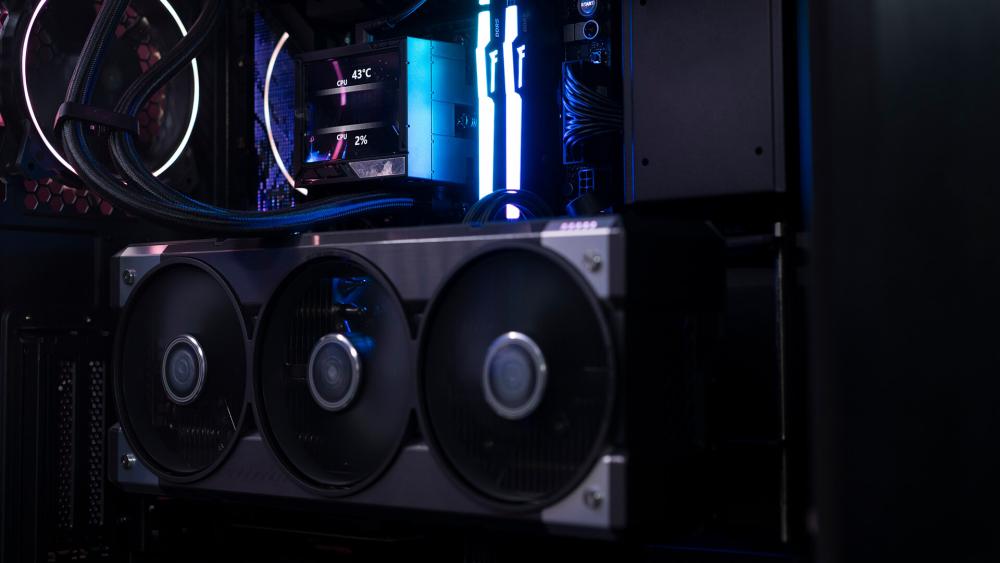
AIO (All-in-One) Liquid Coolers
For gamers who want sleek design and advanced performance, all-in-one (AIO) liquid coolers are the go-to choice. These systems circulate coolant through a radiator to transfer heat efficiently, keeping even the most demanding CPUs cool under pressure.
Compared to air setups, AIO coolers deliver better thermal consistency and quieter operation during full-load gaming. Their pump speed control, radiator size, and fan blade optimisation make them a top pick for those who want both performance and style.
If you’re wondering, how much better is a 360mm AIO compared to air cooling? The answer is often noticeable in sustained workloads like rendering or competitive gaming, where temperature stability can mean smoother gameplay.
Best for: High-performance and compact builds that need quiet, efficient cooling with a premium look. The standout AIO coolers include ASUS ROG Ryuo IV SLC 360 ARGB and NZXT Kraken 360mm Elite V2. These two liquid cooling PC solutions are a perfect example of why liquid cooling is worth your money.

Custom Water-Cooling Loops
When only the best will do, custom water-cooling systems deliver unmatched performance and visual impact. These setups use a combination of water blocks, pumps, radiators, and reservoirs, allowing full control over your liquid cooling setup for gaming PCs.
Custom loops are for enthusiasts who enjoy fine-tuning every detail — from tubing and fittings types to coolant colours and additives. They’re capable of cooling both CPU and GPU, providing superior overclocking temperature stability and near-silent operation once dialled in.
Yes, building your own loop can be intimidating, but the payoff is worth it. For those asking, can I build my own custom cooling loop? The answer is yes, with patience, planning, and a bit of maintenance.
Best for: Enthusiasts, overclockers, and showcase builds where performance, personalisation, and visuals matter.

Verdict: What’s the Right Cooler for Your Build
Picking the right CPU cooling setup depends on how you use your PC and what kind of performance you’re chasing. From quiet mid-tier rigs to overclocked gaming beasts, each cooling type suits a different kind of player.
- Casual gamers and general users: Go for a high-quality air-cooling setup if you want low maintenance and reliable performance. It’s efficient, durable, and perfect for everyday gaming or productivity without added complexity.
- Performance gamers and streamers: If you’re running demanding titles or multitasking, a 240mm or 360mm AIO cooler offers the best balance of thermals, acoustics, and aesthetics. These setups handle sustained loads better, keeping temperatures stable even when your CPU is under full pressure.
- PC enthusiasts and overclockers: When performance is everything, custom water-cooling systems are the ultimate choice. They let you push clock speeds, fine-tune your build, and achieve quiet operation that rivals even the most advanced liquid coolers.
Whether you’re fine-tuning fan curves for silence or building a showcase PC, the best CPU cooler is the one that balances your thermal needs, budget, and visual preferences, keeping your system cool and ready for whatever game or workload comes next.
Frequently Asked Questions
Do you need to refill the liquid cooling on a PC?
Most modern all-in-one (AIO) liquid coolers are sealed units and do not require refilling during their lifespan. Custom loop systems, however, do need periodic maintenance, including coolant replacement every 6–12 months to maintain performance and prevent buildup.
Is air cooling still good in 2026?
Absolutely. High-end air-cooling solutions remain highly effective, offering excellent thermal control with minimal maintenance. For most gaming PCs, air cooling rivals mid-range AIO coolers in performance while being quieter and more affordable.
How long does PC water cooling last?
A sealed AIO liquid cooler typically lasts around 3 to 6 years, depending on pump quality and usage. Custom water-cooling loops can last much longer, often 5 years or more, but they require regular maintenance such as coolant replacement and occasional component checks to ensure reliable performance.
Do AIO coolers need maintenance?
Only a little. Most modern AIO coolers are sealed systems, so you won’t need to refill them. However, it’s smart to check for pump noise or coolant evaporation every few years to ensure consistent CPU cooling performance.
Are custom loops worth it?
They are if you’re chasing extreme performance, silence, or aesthetics. Custom loops offer the best thermal performance comparison, especially when cooling both CPU and GPU. They do, however, require more setup and regular maintenance than typical PC coolers.
Which is quieter — air cooling or liquid cooling?
High-quality air coolers tend to be quieter during light use, while liquid coolers perform better under sustained heavy loads. The difference usually depends on your fan speed curve and case airflow optimisation.
What’s the best CPU cooler for overclocking?
For serious overclocking, custom water-cooling systems deliver the best results thanks to their superior heat dissipation efficiency and temperature stability. However, a good AIO cooler can still keep thermals in check for most high-end gaming CPUs.
You can pay with:
*PayPal Credit Representative Example: Assumed credit limit £1,200, Representative 23.9% APR (variable). Purchase rate 23.9% p.a (variable).Terms & Conditions apply.


PayPal Credit and PayPal Pay in 3 are trading names of PayPal UK Ltd, 5 Fleet Place, London, United Kingdom, EC4M 7RD. Terms and conditions apply. Credit subject to status, UK residents only, Five Tech LTD acts as a broker and offers finance from a restricted range of finance providers. PayPal Pay in 3 is not regulated by the Financial Conduct Authority. Pay in 3 eligibility is subject to status and approval. 18+. UK residents only. Pay in 3 is a form of credit. Check if affordable and how you will repay. May make other borrowing more difficult or expensive. See product terms for more details.
Copyright © 1996-2026 Fivetech LTD | Terms and Conditions
box.co.uk & Box are trading names of Five Tech Limited. Registered office: Box LTD, Unit 10 Woodford Trading Estate, Woodford Green IG8 8HF