


 Menu
MenuMenu


Get Sales Advice from Mon - Fri 9am - 5:00pm:
020 3337 8950LAST UPDATED: January 27, 2026
Corsair PC Case Series Explained: Complete Guide to Every Corsair Case Lineup
Corsair has built a reputation for making some of the most popular gaming computer case designs on the market, but with such a wide range available, choosing the right one is not always straightforward. From compact small form factor options to massive enthusiast-grade towers, the Corsair PC Case Lineup covers almost every type of PC build imaginable. Whether you're putting together a tidy desk setup or planning a full custom cooling loop, there's a Corsair case designed to fit the job.
What often trips builders up is how Corsair organises its case families. Model numbers, series names, and subtle design differences can make it hard to tell which corsair PC case is best for your hardware, space, and future upgrade plans. That's especially true if you're comparing a mid tower case against a full tower case, or deciding whether airflow or aesthetics should take priority.
This guide breaks down the entire Corsair PC Case Lineup in a clear, practical way. We'll explain what each series is built for, how they differ in size and cooling potential, and which options make sense for modern gaming PC builds. If you're looking for the best Corsair PC case without guesswork, this is the place to start.
How Corsair Organises Its PC Case Series
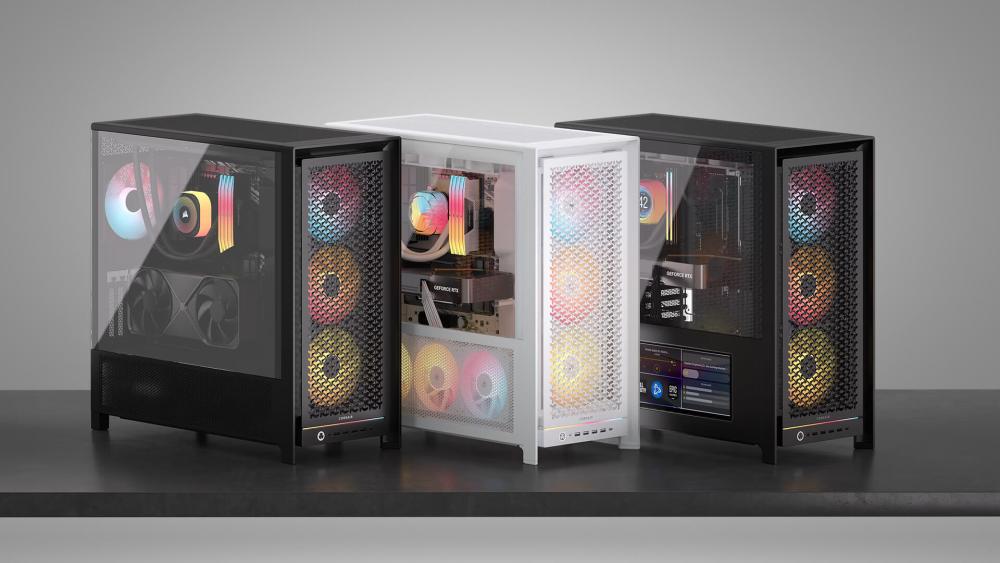
Understanding how Corsair structures its ranges makes choosing the right Corsair PC case far easier. Rather than random model names, Corsair uses a fairly logical progression that reflects size, cooling capability, and expansion potential across the wider Corsair PC Case Lineup. Once you know what the numbers and series represent, narrowing down the best pc cases for your build becomes much simpler.
What Corsair's Numbered Series Actually Mean
Corsair's case numbers generally scale with size and capability. Lower-numbered series focus on compact builds, while higher-numbered models move into enthusiast and showcase territory. This progression mirrors how most builders approach a gaming PC build, starting small and scaling up as hardware demands increase.
- Compact and small form factor ranges prioritise space efficiency and minimalist desk setups
- Mid tower case series sit in the sweet spot for most gamers, balancing airflow, hardware support, and footprint
- Full tower case and super-tower ranges are designed for extreme expansion, custom cooling, and future-proof PC builds
This structure helps when comparing different options within the wider corsair case ecosystem, especially if you're deciding between a tidy desktop case or something with room to grow.
Key Factors That Separate Each Corsair Case Family
While size is the most obvious difference, Corsair separates its case families using several practical design factors that directly affect performance and usability.
1. Size class and motherboard support
Corsair cases are built around standard ATX / mATX / Mini-ITX formats, with some ranges focusing heavily on Micro ATX cases and Mini ITX computer cases, while others cater to full ATX builds.
2. Cooling capacity and airflow
Larger cases typically support more fans, bigger radiators, and improved airflow optimisation. Mesh front panels, multiple intake options, and flexible fan layouts are common across performance-focused series.
3. Expansion and upgrade potential
Higher-end cases allow for longer GPUs, multiple storage drives, and advanced custom cooling setups. This is a key consideration when planning future upgrades or moving into custom cooling.
4. Design and usability features
Elements like PSU shrouds, cable management channels, tempered glass panels, and tool-less access vary across the Corsair PC Case Lineup, helping differentiate everyday builds from enthusiast-level systems.
By understanding these core differences, it becomes much easier to compare Corsair models against other best computer cases and decide which series fits your gaming setup best.
Complete Overview of Corsair PC Case Series
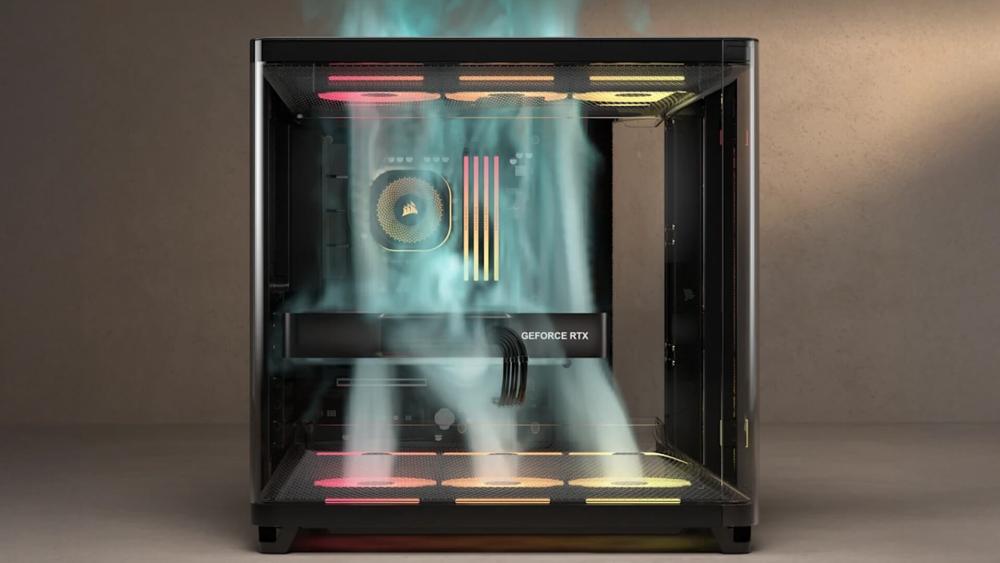
With the basics covered, it's time to break down the Corsair PC Case Lineup series by series. Each range is designed with a specific type of build in mind, from compact setups to full-blown enthusiast rigs. Whether you're browsing dedicated Corsair Cases or comparing across other cases, knowing where each series sits makes choosing the right Corsair PC case far easier.
Compact & Small Form Factor — 2000 Series
The 2000 Series is Corsair's answer to compact and small form factor PC builds. These cases are designed primarily for Mini-ITX and select Micro ATX configurations, making them ideal for space-conscious setups.
If you're building a gaming PC for a smaller desk, shared room, or minimalist environment, the 2000 Series offers a clean and efficient desktop case solution. Despite their reduced size, these cases still focus on airflow and thermal performance, though builders should be mindful of tighter GPU clearance and more limited radiator support.
This part of the Corsair PC Case Lineup is best suited for users who value footprint over expansion, especially when building a tidy gaming computer case without unnecessary bulk.
Mid-Tower Range — 3000, 3500 & FRAME Series
Mid towers are where Corsair truly shines, and this category represents the most popular part of the Corsair PC Case Lineup. These models strike a strong balance between size, cooling potential, and component compatibility, which is why mid towers dominate modern gaming PC builds.
The 3000 Series focuses on simplicity and value, offering solid airflow and compatibility for everyday gaming systems. Stepping up, the 3500 Series adds more flexibility, cleaner internal layouts, and better cable management. It has quickly become a favourite for builders who want a modern mid tower case without jumping into premium pricing. If you want a closer look, our Corsair 3500 Series deep dive breaks down why this range is gaining traction.
Corsair's FRAME Series leans into modular design, giving builders more freedom when configuring airflow, storage, and internal layouts. This makes it a strong choice for gamers who like to fine-tune their setup over time.
For most users searching for the best Corsair PC case, this mid-tower category is where the sweet spot lies, offering excellent thermal performance without the size of a full tower.
Advanced Mid-Tower — 5000 & 5000T Series
The 5000 and 5000T Series push the mid-tower concept further, bridging the gap between standard mid towers and full towers. These cases are designed for high-end gaming builds that demand stronger airflow and greater cooling flexibility.
With support for larger radiators, additional fan mounts, and longer GPUs, this part of the Corsair PC Case Lineup is ideal for powerful gaming systems and early custom cooling setups. Builders often compare these models against popular options like the corsair 4000D airflow, especially when weighing airflow versus overall size.
If you're looking for a Corsair case comparison that prioritises performance headroom without committing to a full tower case, the 5000 Series is a standout choice among today's best PC cases.
Large & Enthusiast Builds — 6500, 7000 & 9000 Series
At the top end of the Corsair PC Case Lineup sit the 6500, 7000, and flagship 9000 Series. These cases are built for enthusiasts who want maximum expansion, airflow, and long-term upgrade potential.
Designed as full tower and super full-tower options, these cases support extensive storage, oversized GPUs, and advanced custom cooling loops. Models like the Corsair 7000D are especially popular for builders who prioritise airflow optimisation and clean internal layouts.
For extreme builds, the 9000 Series offers massive fan capacity, exceptional radiator support, and space for complex multi-GPU or showcase systems. If you're planning a future-proof PC build with no compromises, this is where Corsair's most ambitious designs live.
Choosing the Right Corsair Case for Your Build
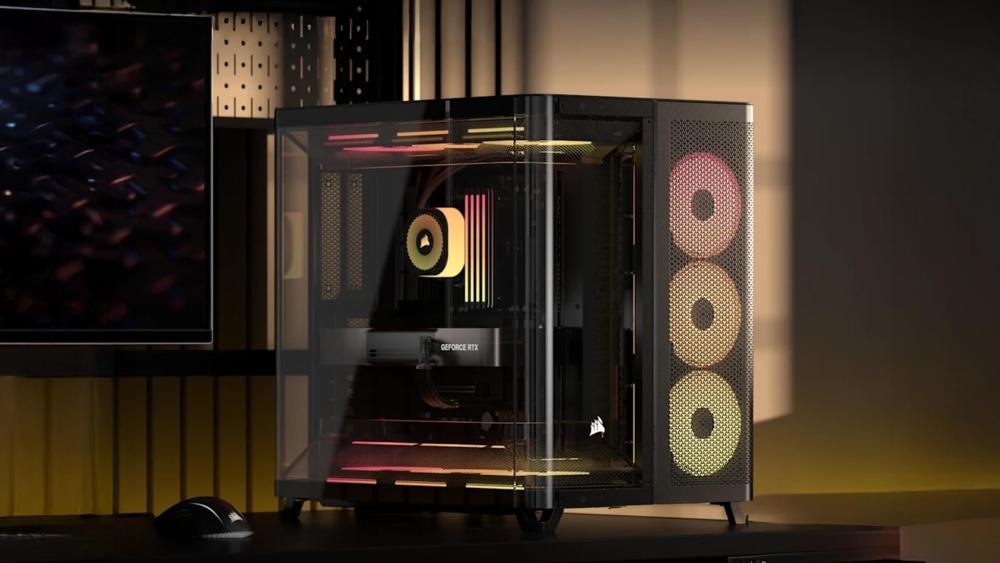 Choosing the right case is about more than just looks. The Corsair PC Case Lineup is designed to cover a wide range of build styles, so the key is matching the case to your space, hardware, and long-term plans. Whether you're after a compact setup or a performance-focused gaming computer case, Corsair has options that fit without compromise.
Best Corsair Cases for Compact & Space-Saving Builds
If desk space is limited or you're building a system for a small room, compact cases make a lot of sense. Corsair's smaller Corsair PC case options focus on efficiency while still supporting modern gaming hardware.
Small form factor designs work well for:
- Minimalist desk setups
- Bedrooms and shared spaces
- Living room gaming PCs
Many of these cases support Mini-ITX and select Micro ATX builds, which is why browsing Micro ATX Cases or Mini ITX Computer Cases is a good starting point. While airflow and cooling are still solid, builders should plan carefully around radiator support and GPU size to avoid compatibility issues.
Within the wider Corsair PC Case Lineup, compact cases are ideal if portability and footprint matter more than expansion.
Best Corsair Cases for Gaming & High-Performance PCs
For most gamers, a mid tower case offers the best balance of performance, airflow, and usability. This is where Corsair's range really excels, making mid towers some of the best computer cases for modern gaming builds.
Mid tower designs provide:
- Strong airflow positioning with mesh front panels
- Support for high-end GPUs
- Clean cable management and PSU shrouds
If you're comparing options, it's worth checking out Corsair models within mid tower computer cases. These cases suit everything from first-time builds to powerful gaming rigs and are often considered the safest choice when navigating the Corsair PC Case Lineup.
Best Corsair Cases for Expansion & Custom Cooling
Builders planning custom cooling or future upgrades should look towards larger case designs. Full towers provide the space needed for advanced layouts, additional storage, and complex cooling setups.
Full-size Corsair cases excel at:
- Multi-radiator custom cooling loops
- Large GPUs with generous GPU clearance
- Extensive fan layouts for airflow optimisation
Full Tower Computer Cases make sense if you're building a long-term system or experimenting with custom cooling. Corsair's larger cases are designed to grow with your build, making them a strong option for enthusiasts who don't want limitations.
Common Considerations Before Buying a Corsair Case
Before settling on a model from the Corsair PC Case Lineup, it's worth checking a few key details that directly affect performance, compatibility, and long-term usability. Even the best Corsair PC case can feel limiting if it's not matched correctly to your build.
Choosing the Right Case Size for Your Setup
Start by deciding whether a compact, mid tower case, or full tower case makes the most sense for your space. Desk size, room layout, and how visible the PC will be all play a part. Smaller cases suit minimalist setups, while larger cases offer easier building and better airflow but take up more room.
Understanding the mid tower vs full tower difference helps narrow down the right Corsair PC case early on.
Checking GPU and Component Clearance
Modern GPUs are bigger than ever, so GPU clearance is a must-check before buying. This is especially important if you're using high-end graphics cards or aftermarket coolers.
Alongside GPU length, check:
- CPU cooler height
- Power supply length
- Storage and cable routing space
Corsair lists clearances clearly, but it's still an easy detail to overlook when browsing the wider Corsair PC Case Lineup.
Planning Airflow and Cooling Support
Airflow has a direct impact on performance and noise levels. Corsair cases vary in their cooling layouts, fan capacity, and radiator support, so it's important to match the case to your cooling plans.
Cases with mesh front panels are better suited for airflow-focused gaming builds, while glass-heavy designs prioritise looks. If cooling is a priority, our guide on improving airflow in Corsair cases is worth reviewing before committing.
Cable Management and Build Ease
Good cable management isn't just about aesthetics. It improves airflow and makes future upgrades easier. Corsair cases typically include routing channels, tie-down points, and a PSU shroud, but these features are more refined in higher-tier models.
If this is your first build, choosing a Corsair PC case with generous rear clearance and simple internal layouts can make the entire process far smoother.
Future Upgrades and Expansion Potential
Finally, think beyond your current build. If you plan to upgrade your GPU, add storage, or move into custom cooling later, extra space matters.
Larger cases in the Corsair PC Case Lineup offer better support for future-proof PC builds, while compact cases may require compromises down the line. Planning ahead can save you from replacing your case sooner than expected.
Conclusion
Corsair's case range is one of the most structured and flexible on the market, making it easier to find a model that fits both your build and your space. From compact small form factor designs to expansive enthusiast towers, the Corsair PC Case Lineup covers everything from simple gaming setups to advanced custom cooling projects.
For most gamers, a mid tower case in the 3000, 4000, or 5000 Series delivers the best balance of airflow, compatibility, and ease of building. Smaller cases suit minimalist desks and tight spaces, while larger full tower options are ideal for builders who want maximum expansion and long-term upgrade headroom. Understanding these differences helps you choose the best Corsair PC case without overspending or limiting future upgrades.
If you're ready to explore your options, check out our full range of all computer cases and compare sizes, features, and designs. With the right case as your foundation, building a clean, well-cooled gaming PC becomes far more straightforward. And if you face any issues with the case such as the panel not fitting, check out our blog on how to fix Corsair case panel fit issues to make sure your build is perfectly secure.
FAQs
What are the best Corsair cases?
The best Corsair cases depend on your build goals. Mid tower options like the 4000 and 5000 Series are popular for gaming thanks to strong airflow, good cable management, and broad hardware compatibility.
What is Corsair's biggest case?
Corsair's largest cases sit in the 9000 Series, designed as super full-tower options. These cases offer massive expansion, high fan capacity, and extensive radiator support for custom cooling builds.
What is the difference between Corsair 5000D and 4000D?
The 5000D is larger and offers more room for cooling, storage, and larger components. The 4000D is more compact, making it better suited to standard gaming builds where desk space is limited.
Can a 4090 fit in a 5000D?
Yes, the Corsair 5000D supports large modern GPUs, including cards the size of an RTX 4090, provided standard configurations and clearances are followed.
How many fans can the 9000D hold?
The Corsair 9000D supports a very high fan count, with space for multiple intake and exhaust fans alongside large radiators, making it ideal for extreme airflow and custom cooling setups.
You can pay with:
*PayPal Credit Representative Example: Assumed credit limit £1,200, Representative 23.9% APR (variable). Purchase rate 23.9% p.a (variable).Terms & Conditions apply.


PayPal Credit and PayPal Pay in 3 are trading names of PayPal UK Ltd, 5 Fleet Place, London, United Kingdom, EC4M 7RD. Terms and conditions apply. Credit subject to status, UK residents only, Five Tech LTD acts as a broker and offers finance from a restricted range of finance providers. PayPal Pay in 3 is not regulated by the Financial Conduct Authority. Pay in 3 eligibility is subject to status and approval. 18+. UK residents only. Pay in 3 is a form of credit. Check if affordable and how you will repay. May make other borrowing more difficult or expensive. See product terms for more details.
Copyright © 1996-2026 Fivetech LTD | Terms and Conditions
box.co.uk & Box are trading names of Five Tech Limited. Registered office: Box LTD, Unit 10 Woodford Trading Estate, Woodford Green IG8 8HF