


 Menu
MenuMenu


Get Sales Advice from Mon - Fri 9am - 5:00pm:
020 3337 8950LAST UPDATED: July 27, 2026
What Does a Graphics Card Do? A Simple Guide to GPUs and Gaming
If this is your first time learning about GPUs, or you are comparing parts for a PC build or choosing between laptops, understanding what does a graphics card do makes the specifications much easier to judge.
A graphics card processes visual data and creates the images displayed on your screen, from the Windows interface and video playback to the characters, lighting and environments in a game. The graphics processing unit, or GPU, is designed to handle many similar calculations at once. This makes it particularly effective at real-time graphics rendering, while supported software can also use it for video editing, 3D work, AI and other accelerated tasks.
When thinking about the purpose of a graphics card, remember that not every computer uses a separate card. Some PCs and laptops rely on graphics built into the processor, while gaming and performance-focused systems may include a dedicated GPU. This guide explains what a GPU does, how different types work and where a more powerful GPU can make a noticeable difference.
What Is a Graphics Card and What Does It Do?
A graphics card is the hardware responsible for processing visual information and producing the images sent to your monitor. The graphics processing unit, or GPU, carries out the calculations needed to draw interfaces, play video, render 3D scenes and accelerate compatible applications. GPUs were originally developed for real-time graphics, but their parallel design now also supports creative, AI and technical workloads.
| Task | What the graphics card does |
|---|---|
| Display output | Produces the completed images shown on the monitor |
| Windows and applications | Draws interface elements, animations and visual effects |
| Gaming | Renders environments, characters, textures, lighting and each frame |
| Video playback | Helps decode and display supported video formats |
| Creative software | Accelerates editing, effects and 3D rendering where supported |
| AI and technical work | Processes compatible calculations using parallel processing |
The function of a GPU is to divide suitable workloads across many processing units so that large numbers of similar calculations can be completed simultaneously. This makes a GPU particularly effective for graphics rendering, where millions of pixels, textures and geometric elements may need to be processed for every frame.
The terms GPU, graphics card and video card are closely related, but they do not always mean the same thing:
- GPU: The processor that performs graphics and supported compute calculations.
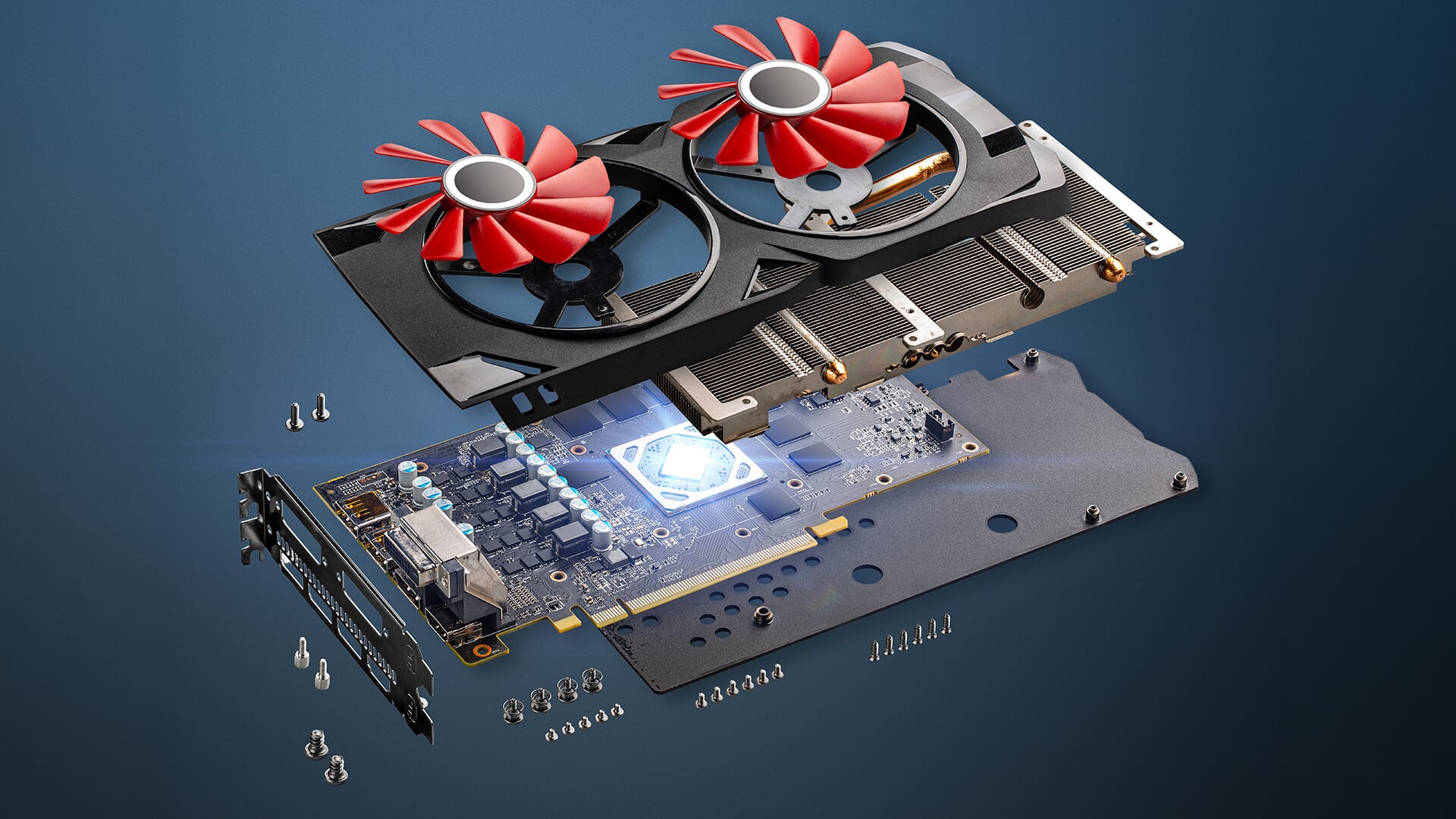
- Graphics card: The complete desktop component containing the GPU, video memory, cooling system, power circuitry, and display connections. Also known as a video card or a display card.
The function of the video card (graphics card) is therefore broader than simply providing an HDMI or DisplayPort connection. It processes visual instructions, keeps active graphics data ready in video memory and sends completed frames to the display.
When asking what a graphics card does in a computer, the simple answer is that it handles the visual workload. It allows the processor to concentrate on general system tasks while the GPU deals with graphics and other supported parallel calculations. The exact GPU purpose depends on the software, ranging from basic display output to gaming, animation, rendering and accelerated professional work.
3 Types of Graphics Card
For a simple comparison, graphics hardware can be grouped into three common configurations: integrated graphics, a discrete graphics card and an external GPU. Each provides the same basic function of processing visual data, but they differ in performance, power use and upgrade options.
Integrated Graphics
Integrated graphics are built into the processor or system platform rather than installed as a separate card. They usually share the computer’s main system memory instead of having their own dedicated video memory.
Modern integrated graphics can handle:
- Windows and everyday applications
- Web browsing and video streaming
- Multiple displays
- Basic photo or video work
- Lighter and less demanding games
Their main advantages are lower power consumption, reduced heat and a lower system cost. Performance varies considerably between processor generations, so integrated graphics should not automatically be treated as unsuitable for all games or creative work.
What Does Discrete Graphics Card Mean?
A discrete GPU, also called a dedicated graphics card, is a separate graphics processor with its own memory subsystem. In a desktop PC, it is normally fitted to the motherboard as an expansion card and includes its own cooling, power circuitry and display outputs.
Discrete graphics are better suited to demanding workloads such as:
- Modern PC gaming
- 3D modelling and rendering
- High-resolution video editing
- Complex visual effects
- Supported AI and professional applications
The additional performance comes with higher power consumption, more heat and a greater cost. A desktop card must also fit inside the case and be supported by the power supply.
What Does an External GPU Do?
An external GPU places a desktop graphics card inside a separate powered enclosure. It connects to a compatible laptop or compact computer through a supported high-bandwidth connection, commonly Thunderbolt.
An eGPU can improve gaming, rendering and other graphics-heavy tasks without placing the card inside the computer. However, compatibility must be checked carefully. The computer, connection, enclosure, graphics card, power supply and operating system must all support the setup. A USB-C port alone does not guarantee external GPU support, and the same card may perform differently than in a direct desktop installation because data must travel through the external connection.
What Is a Graphics Card in a Laptop?
A laptop graphics card may refer to integrated graphics, a dedicated laptop GPU or a system that uses both. Hybrid laptops can run lighter tasks through integrated graphics to reduce power use, then activate the discrete GPU when a game or demanding application needs more performance.
Unlike a desktop card, a laptop GPU is normally part of the laptop’s internal design and is often attached to the motherboard. This means it generally cannot be replaced as a straightforward user upgrade.
In practical terms:
- Integrated laptop graphics prioritise efficiency and battery life.
- Dedicated laptop graphics provide more performance for gaming and creative work.
- Hybrid graphics switch between the two according to the workload.
- An external GPU may provide additional performance, but only on compatible laptops.
How Does a GPU Process Graphics?
A game or application sends instructions and visual data to the GPU, which divides the work into smaller calculations and processes many of them simultaneously.
In simple terms, the process works like this:
- The application provides information about objects, textures, lighting and effects.
- Frequently needed graphics data is loaded into video memory.
- The GPU processes shapes, colours, shadows and other visual details.
- The completed image is assembled into a frame.
- Each finished frame is sent to the monitor.
This process repeats many times each second during gaming, animation and other real-time visual workloads.
GPU Cores and Parallel Processing
GPUs contain many smaller processing units designed to handle similar calculations simultaneously. This parallel processing is useful for graphics because a scene may contain millions of pixels, geometric points and lighting calculations that need to be processed for every frame.
A CPU is better suited to general system logic and tasks that must be completed in sequence. A GPU focuses more heavily on workloads that can be split across many GPU cores, including graphics, machine learning and supported scientific calculations.
The number of cores alone does not determine performance. Architecture, clock speeds, memory bandwidth, software support and the type of workload also affect how quickly the GPU completes its work.
What Does Video Memory Do?
Video memory, commonly called VRAM, stores information the GPU needs to access quickly. This may include:
- Textures and surface details
- 3D geometry
- Frame buffers
- Lighting and shadow data
- Partially rendered images
Higher screen resolutions, detailed textures and complex scenes generally require more VRAM. If the available capacity is exceeded, the system may need to move data between system memory and the graphics card more frequently, which can contribute to stuttering or reduced performance.
More VRAM does not automatically make a graphics card faster. A card still needs enough processing power and memory bandwidth to use that capacity effectively.
What Do CUDA Cores Do?
CUDA cores are processing units used within NVIDIA GPUs. They perform many of the mathematical operations required for graphics and compatible computing workloads.
CUDA-core counts should not be compared directly:
- Between unrelated NVIDIA generations
- With AMD compute units
- Without considering architecture, clock speed and memory performance
Software compatibility is a better starting point than comparing core names alone. If the applications you use rely on CUDA acceleration, you can explore NVIDIA GPU options that meet their recommended performance and video-memory requirements.
Where CUDA support is not essential, browse AMD Radeon cards and compare their real-world performance, VRAM and relevant gaming or creative features. This provides a more useful comparison than trying to match CUDA cores directly against AMD compute units.
What Does a Graphics Card Do for Gaming?
A graphics card renders the characters, environments, textures, lighting and effects shown during gameplay. It also produces each completed frame before sending it to the monitor.
The GPU mainly affects:
- Frame rate: A faster GPU can produce more frames per second, making movement appear smoother.
- Graphics quality: More processing power supports detailed textures, lighting, shadows and visual effects.
- Screen resolution: Higher resolutions contain more pixels, increasing the work required for every frame.
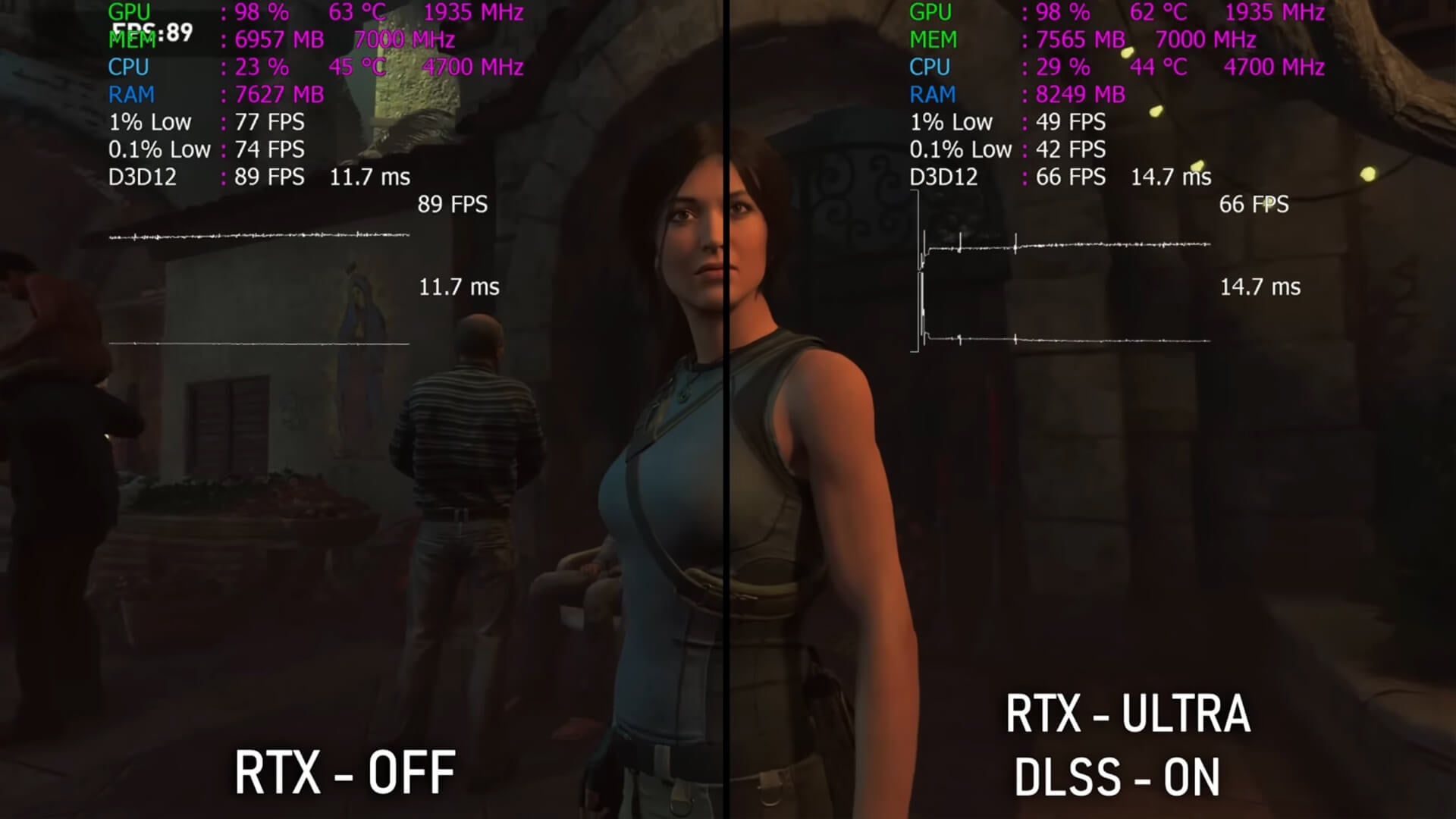
- Ray tracing: Realistic reflections, shadows and lighting add further demand, although supported upscaling technologies can help recover performance.
Video memory stores textures and other active graphics data, but greater VRAM capacity does not automatically make a slower GPU faster.
A strong graphics card can improve gaming performance, but results also depend on the processor, system memory, game settings and monitor. When shopping for gaming GPUs, match their performance and VRAM to the resolution, refresh rate and games you intend to use.
What Difference Does a Graphics Card Make?
A stronger graphics card makes the biggest difference in tasks that rely on graphics processing or GPU acceleration.
| Workload | What a stronger graphics card can improve |
|---|---|
| Gaming | Frame rates, resolution and visual settings |
| Video editing | Playback, effects and exports in supported software |
| 3D work | Viewport responsiveness and rendering times |
| Streaming | Hardware-assisted video encoding |
| AI tools | Processing speed in compatible applications |
| Office work and browsing | Usually a limited improvement once basic display needs are met |
The improvement depends on your existing hardware and the software you use. Moving from basic integrated graphics to a suitable dedicated card can noticeably improve gaming and creative work, while replacing one GPU with a similarly performing model may provide little practical benefit.
A graphics card does not make the processor, storage or internet connection faster. Before upgrading, choose the right GPU by matching its performance to your applications, monitor resolution and intended workload.
Does Every PC Need a Dedicated Graphics Card?
No. Every PC needs graphics processing to display an image, but it does not always need a separate graphics card. Many processors include integrated graphics, which are suitable for:
- Web browsing and office applications
- Video streaming and online meetings
- Basic photo or video editing
- Everyday multi-monitor use
- Lighter games
A desktop can operate without a separate card only when its processor or system includes integrated graphics and provides a compatible display output. Check the processor specifications before building a PC, as some models require a discrete GPU to produce an image.
How Does a Graphics Card Connect to the PC?
A desktop graphics card normally fits into the motherboard’s main PCIe x16 slot. This connection allows the GPU to exchange data with the processor, memory and other components.
Higher-powered cards may also need cables from the power supply. The monitor should connect to the graphics card’s HDMI or DisplayPort output rather than the motherboard when the dedicated GPU is in use.
Before buying, check:
- The available PCIe slot
- Power-supply wattage and connectors
- Card length, height and thickness
- GPU-case compatibility, clearance and airflow
- HDMI or DisplayPort support
Understanding PC component connections makes it easier to confirm that the motherboard and power supply can support the card.
How to Check, Choose or Upgrade a Graphics Card
The quickest way to check which graphics card is installed in your system is: Task Manager > Performance > GPU or Settings > System > Display > Advanced display. These areas show the detected GPU model, while Task Manager also displays current usage.
Once you know your current hardware, compare graphics card options against:
- The games and applications you use
- Monitor resolution and refresh rate
- Required video memory
- Power-supply wattage and connectors
- Motherboard PCIe slot
- Case clearance and airflow
- HDMI or DisplayPort requirements
Buyers working with a tighter budget may also view refurbished GPU options, but should still check the condition, warranty, power requirements and expected performance.
When replacing a desktop card, shut the PC down, disconnect it from mains power and unplug the GPU’s power cables before releasing it from the PCIe slot. Install the replacement securely, reconnect the required cables and update the graphics driver after Windows starts.
Planning a graphics card upgrade? Follow the steps outlined in our guide on how to safely remove a graphics card from a PC without damaging the card, motherboard slot or surrounding components.
Final Thoughts
Understanding what does a graphics card do makes it easier to judge whether integrated graphics are enough or a dedicated GPU is worth adding. The card processes visual data, renders frames and can accelerate supported gaming, creative and computing workloads.
A stronger GPU is most useful when your applications, monitor and other PC components can take advantage of it. Check the workload, video memory, power requirements, physical fit and display connections before choosing or upgrading a graphics card.
Frequently Asked Questions
What is the purpose of a graphics card?
A graphics card processes visual data and creates the images sent to your monitor. It also accelerates supported gaming, video editing, 3D rendering, AI and other parallel workloads.
Do I really need a graphics card?
You need some form of graphics processing, but not always a separate card. Integrated graphics are usually sufficient for browsing, office work, streaming and lighter applications, while demanding games and creative software may benefit from a dedicated GPU.
Can a PC run without a graphics card?
A PC can run without a separate graphics card when its processor or system includes integrated graphics. If neither integrated nor discrete graphics are available, the computer will not provide normal display output.
Does a graphics card increase performance?
It can improve performance in games, 3D work, video processing and other applications that use GPU acceleration. It will not automatically make CPU-heavy tasks, storage or internet access faster.
Does every PC have a graphics card?
Yes. Every PC has graphics capability, but not every PC has a dedicated graphics card. Many PCs use graphics integrated into the processor (CPU) instead of a separate graphics card.
How do I install a graphics card?
Turn the PC off, disconnect mains power and fit the compatible card into the appropriate PCIe slot. Secure it to the case, connect any required power cables, attach the monitor to the GPU and install the correct driver after Windows starts. Always check motherboard, power-supply and case compatibility first.
You can pay with:
*PayPal Credit Representative Example: Assumed credit limit £1,200, Representative 23.9% APR (variable). Purchase rate 23.9% p.a (variable).Terms & Conditions apply.


PayPal Credit and PayPal Pay in 3 are trading names of PayPal UK Ltd, 5 Fleet Place, London, United Kingdom, EC4M 7RD. Terms and conditions apply. Credit subject to status, UK residents only, Five Tech LTD acts as a broker and offers finance from a restricted range of finance providers. PayPal Pay in 3 is not regulated by the Financial Conduct Authority. Pay in 3 eligibility is subject to status and approval. 18+. UK residents only. Pay in 3 is a form of credit. Check if affordable and how you will repay. May make other borrowing more difficult or expensive. See product terms for more details.
Copyright © 1996-2026 Fivetech LTD | Terms and Conditions
box.co.uk & Box are trading names of Five Tech Limited. Registered office: Box LTD, Unit 10 Woodford Trading Estate, Woodford Green IG8 8HF