


 Menu
MenuMenu


Get Sales Advice from Mon - Fri 9am - 5:00pm:
020 3337 8950LAST UPDATED: March 30, 2026
The Complete Gaming Mouse Guide: Shape, DPI, Polling Rate & Performance Explained
Choosing the right mouse is no longer as simple as picking the highest DPI and moving on. Modern gaming mice come with a long list of features, from sensor specs and polling rates to weight, shape, and connectivity. On paper, many of them sound impressive. In practice, only a few of those details will change how your mouse feels in your hand and how well it performs in-game.
That is why you need to look beyond marketing terms. A great PC gaming mouse should match your grip, suit your hand size, respond consistently, and feel comfortable enough to use for hours without becoming a distraction. Whether you are buying your first PC mouse for competitive play or replacing an older favourite, understanding what really matters can save you from wasting money on features you may never notice.
In this gaming mouse guide, we will break down the key components of mouse performance in a practical, easy-to-follow way. From shape and sensor quality to gaming mouse DPI, polling rate, latency, and fit, the goal is to help you choose a mouse that works for the way you play.
What Actually Matters in a Gaming Mouse?
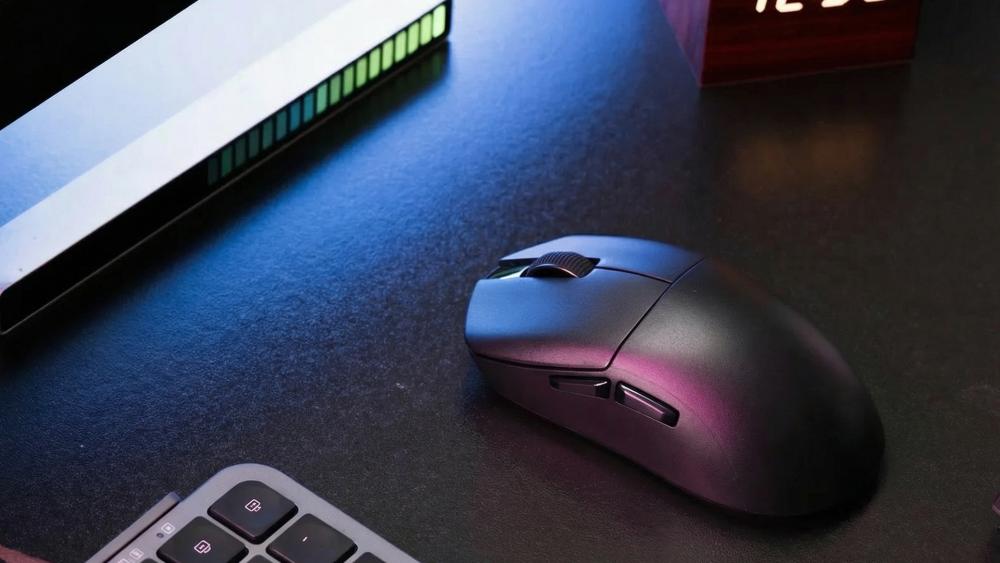
Before getting into detailed specs, it helps to understand what truly affects performance. Our gaming mouse guide focuses on the factors that make a real difference in day-to-day use, not just what looks impressive on the box.
Shape Comes First
The most important factor when choosing a gaming mouse is how it fits your hand. The right mouse shape supports your natural grip, reduces strain, and makes movements feel more controlled. If the shape is wrong, even the best hardware will feel inconsistent.
This is why many players prioritise comfort and fit over everything else. A mouse that feels natural will always perform better than one that forces you to adjust your grip.
DPI Is Important, But Often Overhyped
Mouse DPI controls how sensitive your cursor is, not how accurate it is. Higher DPI means faster movement across the screen, but it does not automatically improve precision.
In most cases, extremely high DPI numbers are more about marketing than real performance. Many players prefer moderate settings because they offer better control, especially in games where accuracy matters.
Polling Rate, Sensor, and Latency Matter After Fit
Once you have the right shape, performance features start to matter more. A reliable gaming mouse sensor ensures smooth tracking, while a gaming mouse's polling rate affects how responsive the mouse feels.
These elements contribute to overall gaming mouse latency and responsiveness, but they only make a noticeable difference when the mouse already fits well. That is why the best approach is simple: get the shape right first, then refine performance with the right specs.
Start With Shape: Why Mouse Design Changes Everything
If there's one thing this gaming mouse guide makes clear, it's that shape has the biggest impact on how a mouse performs in real use. Specs can improve responsiveness, but shape determines how naturally you can control the mouse in the first place.
Why Mouse Shape Affects Comfort and Aim
The way a mouse is designed affects how your palm rests, how your fingers sit on the buttons, and how easily you can move it across your desk. A good fit reduces strain and helps maintain consistent aim, especially during longer sessions.
A poor mouse shape can lead to awkward wrist angles, uneven pressure, and inconsistent movement. Over time, that directly affects both comfort and performance.
Hand Size and Mouse Fit
Hand size plays a major role when choosing a gaming mouse. A smaller mouse may feel fast but cramped, while a larger one may feel stable but harder to control.
The goal is to find a balance where your hand rests naturally without needing constant adjustments. This is where overall fit matters more than brand or specs.
Ambidextrous vs Ergonomic Shapes
Gaming mice generally fall into two categories:
- Ambidextrous designs are symmetrical and suit a wider range of grips
- Ergonomic designs are shaped for right-handed comfort, offering better palm support
If you need flexibility or are left-handed, a dedicated left-handed mouse or ambidextrous design is usually the better choice.
| Shape Type | Best For | Grip Support | Main Advantage | Trade-Off |
| Ambidextrous | Mixed grip styles, versatility | Claw, Fingertip | Flexible and widely compatible | Less palm support |
| Ergonomic (Right) | Comfort and long sessions | Palm, relaxed claw | Better hand support and reduced strain | Not suitable for left-handed users |
| Compact | Small hands, fast movements | Fingertip, Claw | Easy to lift and reposition | Can feel cramped for larger hands |
| Full-size | Large hands, stability | Palm, Claw | Strong control and full hand support | Slower movement for some users |
A well-matched shape makes everything else easier. Whether you're browsing different computer mice or narrowing down a specific FPS mouse, getting the design right will have the biggest impact on your overall experience.
Grip Styles Explained: Palm, Claw, and Fingertip
Your grip has a direct impact on how a PC gaming mouse feels, moves, and performs. Two players can use the same mouse and have completely different experiences simply because of how they hold it. If you're unsure which style suits you best, it's worth exploring our gaming mouse grip styles guide to understand the differences in more detail.
Palm Grip
With a palm grip, your entire hand rests on the mouse, creating a relaxed and stable feel. This style works best with larger, fuller shapes that properly support the palm and reduce strain during longer sessions.
It is often preferred for comfort-focused users, especially those who prioritise smooth, controlled movement and long-term gaming mouse comfort over rapid flicks.
Claw Grip
A claw grip features a slightly raised palm with arched fingers, giving you a mix of speed and control. This grip allows quicker clicks and sharper adjustments without losing stability.
Mice with a defined rear hump tend to suit this style well, as they provide enough support while still allowing your fingers to move freely. It's a popular choice for players who want balanced performance across different game types.
Fingertip Grip
With a fingertip grip, only your fingertips make contact with the mouse, while your palm stays lifted. This allows for fast, precise movements and quick repositioning.
Smaller, low-profile designs usually work best here, particularly if you prefer a lightweight mouse that feels easy to lift and adjust during fast gameplay.
How to Identify Your Grip Style
To find your natural grip, place your hand on your mouse without thinking about it and check where the contact points are:
- Full palm resting → Palm grip
- Arched fingers with slight palm contact → Claw grip
- Only fingertips touching → Fingertip grip
Understanding your gaming mouse grip makes it much easier to choose the right gaming mouse, as it helps you focus on shapes that will actually feel comfortable and controlled.
Grip Style vs Mouse Type
| Grip Style | Hand Contact | Best Mouse Shape | Typical Weight Preference | Best Game Types |
| Palm | Full hand on mouse | Larger, ergonomic | Medium to heavy | RPG, MMO, general gaming |
| Claw | Palm + arched fingers | Balanced, mid-size | Medium | FPS, mixed genres |
| Fingertip | Fingertips only | Small, low-profile | Lightweight | Fast-paced FPS, battle royale |
Choosing the right grip and pairing it with the right shape is one of the simplest ways to improve control, consistency, and overall performance without relying on higher specs.
DPI Explained Properly
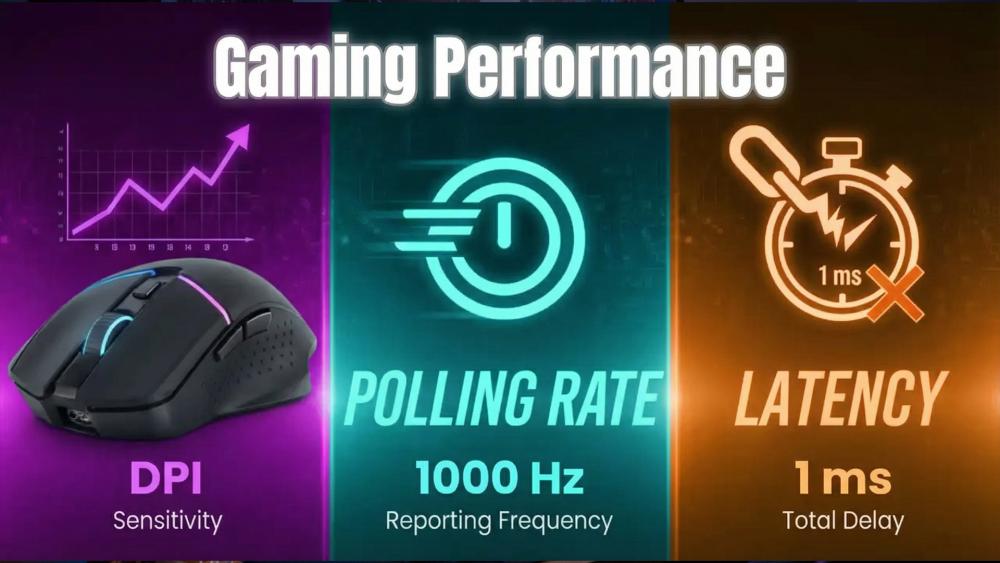
DPI is one of the most talked-about specs while browsing the latest gaming mice, but it is also one of the most misunderstood. While it plays a role in how your mouse feels, it is not the deciding factor for performance.
What Mouse DPI Actually Means
Mouse DPI (dots per inch) measures how sensitive your mouse is. The higher the DPI, the further your cursor moves on screen with less physical movement.
It is important to understand that DPI does not improve accuracy on its own. It simply changes how fast your cursor reacts to your hand movement.
Low DPI vs High DPI
Lower DPI settings require more physical movement, which often results in better control. This is why many FPS players prefer lower ranges for precise aiming.
Higher DPI settings allow faster cursor movement, which can be useful for large displays or fast-paced gameplay. However, too much sensitivity can make fine adjustments harder.
The DPI Myth
Many modern gaming mice advertise extremely high DPI numbers, sometimes going well beyond what most users will ever need. In reality, these numbers are rarely used in everyday gaming.
Most players find a comfortable range and stick to it, adjusting sensitivity through in-game settings instead. If your aim feels off, the issue is usually not DPI alone but how your mouse fits and moves.
If you're troubleshooting performance issues, it's worth looking beyond sensitivity and understanding why your gaming mouse feels off, as factors like shape, grip, and surface often play a bigger role.
Recommended DPI Ranges by Use Case
| Use Case | Typical DPI Range | Why It Works |
| Tactical FPS (CS2, Valorant) | 400 - 800 | Better control for precise gaming |
| Fast-paced shooters | 800 - 1600 | Balanced speed and control |
| MMO / MOBA | 1200 - 3200 | Faster navigation across larger interfaces |
| General use | 800 - 1600 | Comfortable for everyday tasks |
| High-resolution displays | 1200 - 2400 | Helps cover more screen space efficiently |
DPI is useful for fine-tuning your setup, but it should always come after you've found the right shape, size, and grip.
Polling Rate Explained Without the Confusion
Polling rate is often mentioned alongside DPI, but it controls something completely different. While DPI affects how far your cursor moves, the gaming mouse polling rate determines how often your mouse reports its position to your PC.
What Gaming Mouse Polling Rate Means
Polling rate is measured in Hertz (Hz), which represents how many times per second your mouse sends data to your system.
- 125Hz → 125 updates per second
- 500Hz → 500 updates per second
- 1000Hz → 1000 updates per second
- 4000Hz–8000Hz → ultra-high update rates
A higher polling rate reduces the time between updates, which can make movement feel more responsive.
1000Hz vs 4000Hz vs 8000Hz
On paper, higher polling rates reduce the gap between updates, which lowers potential input delay. However, the real-world difference is often much smaller than expected.
For most users, 1000Hz already delivers fast and stable performance. Moving to higher values like 4000Hz or 8000Hz can offer slight improvements, but only if your system and display can keep up.
If you are considering buying an 8000Hz gaming mouse for the first time, read our 8K polling rate mouse guide to understand when higher values make a difference.
Does a Higher Polling Rate Improve Aim?
Higher polling rates can improve responsiveness slightly, but they do not directly improve accuracy. Aim still depends more on control, consistency, and how comfortable your mouse feels.
In many cases, the difference between 1000Hz and higher settings is subtle, especially if your frame rate or monitor refresh rate becomes the limiting factor.
Does High Polling Rate Increase CPU Usage?
Increasing polling rate means your system processes more input updates per second. On modern systems, this usually has little impact, but on older or CPU-limited setups, it can add extra load.
This is why it's often better to focus on stable performance rather than pushing for the highest possible number.
Polling Rate Comparison
| Polling Rate | Update Interval | Best For | Downsides |
| 125Hz | ~8 ms | Casual use, battery saving | Noticeable input delay |
| 500 Hz | ~2 ms | General gaming | Slightly less responsive than 1000 Hz |
| 1000 Hz | ~1 ms | Competitive gaming | Higher power usage than lower rates |
| 400 Hz | ~0.25 ms | High-end setups | Diminishing returns |
| 8000 Hz | ~0.125 ms | Enthusiast-level performance | Increased CPU usage, minimal gains |
Polling rate is best treated as a fine-tuning option. Once you have the right mouse shape and a reliable sensor, adjusting polling rate helps refine responsiveness rather than transform performance.
Sensor Performance: What Separates a Good Mouse from a Bad One
The sensor is what translates your hand movement into on-screen action. While most modern gaming mice use high-quality sensors, there are still key differences that affect consistency and overall gaming mouse accuracy.
Optical vs Laser Sensors
Most modern PC gaming mouse models use optical sensors, and for good reason. Optical sensors track movement more consistently and avoid issues like unwanted acceleration or jitter.
Laser sensors can work on more surfaces, but they are more prone to inconsistencies. That is why competitive players generally prefer optical sensors for reliable performance.
What a Gaming Mouse Sensor Should Do Well
A good gaming mouse sensor should feel smooth, predictable, and consistent. The key things to look for are:
- No jitter or skipping during movement
- No unwanted acceleration
- Reliable tracking at different speeds
These factors matter far more than headline specs. Even a high-end mouse can feel off if the sensor behaviour is inconsistent.
Lift-Off Distance and Tracking Behaviour
Lift-off distance refers to how high you can lift your mouse before it stops tracking. This is especially important for low-sensitivity players who frequently reposition their mouse.
If the lift-off distance is too high, the cursor may still move when you lift the mouse, causing unwanted input. Understanding lift-off distance and tracking issues can help you avoid these problems and improve consistency during gameplay.
In most cases, modern sensors are already very capable. The difference comes down to how well they are tuned and how they behave in real use, rather than just the numbers listed on the box.
Wired vs Wireless: Is There Still a Performance Gap?
One of the most common questions when choosing a gaming mouse is whether to go wired or wireless. In the past, wired options were considered faster and more reliable, but that gap has largely disappeared.
Wired Gaming Mice
A wired mouse offers a simple and reliable connection with no need to worry about battery life. It delivers consistent performance and is often preferred by users who want a straightforward setup.
Many players still choose low-latency wired mice for peace of mind, especially in competitive environments where stability is a priority.
Modern Wireless Gaming Mice
Today's wireless gaming mice use advanced 2.4GHz connections that are fast enough for competitive play. In most cases, the difference between wired and wireless performance is no longer noticeable.
The main advantage is freedom of movement. Without a cable, your setup feels cleaner and less restrictive. Modern wireless mice also offer strong battery life, making them practical for both gaming and everyday use.
If you want flexibility without compromising performance, lag-free wireless mice are now a reliable option.
Which One Should You Choose?
- Choose wired if you want a simple, no-maintenance setup
- Choose wireless if you prefer a cleaner desk and more freedom of movement
For most users, the decision now comes down to preference rather than performance.
Wired vs Wireless Comparison
| Features | Wired Mouse | Wireless Mouse |
| Latency | Extremely low | Very low (modern models) |
| Reliability | Consistent connection | Stable with modern tech |
| Setup | Plug and play | Requires charging or batteries |
| Movement | Limited by cable | Completely unrestricted |
| Best For | Competitive setups | Clean setups and flexibility |
Both options can deliver excellent performance. The right choice depends on how you prefer to use your setup rather than which one is technically better.
Choosing the Right Gaming Mouse: Weight, Balance, and Control
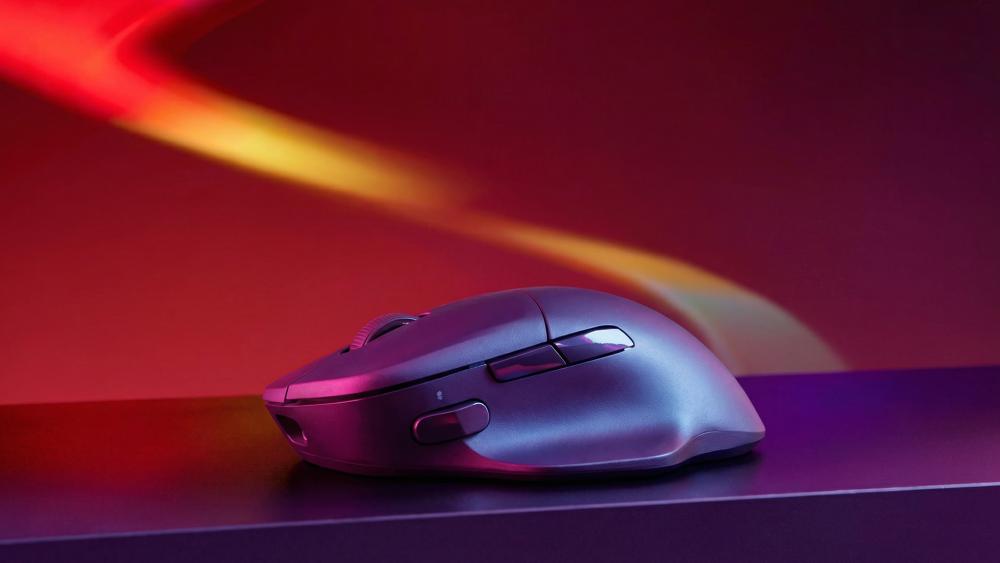
Weight is one of the first things people notice when using a mouse, but how it's distributed matters just as much as the number itself. A well-balanced PC gaming mouse will always feel more controlled than one that is simply lighter.
Lightweight Mouse vs Heavier Mouse
A lightweight mouse is easier to move quickly, making it popular for fast-paced games where speed and rapid adjustments matter. It reduces fatigue and allows for quicker flicks.
Heavier mice, on the other hand, can feel more stable. Some players prefer the added resistance because it helps with controlled movements and prevents overshooting targets.
Why Balance Matters More Than Raw Weight
Weight alone doesn't tell the full story. A mouse that is front-heavy or rear-heavy can feel awkward, even if it is technically light.
Good balance ensures smooth movement across the surface, improving overall gaming mouse control. This is especially noticeable during tracking and small adjustments, where uneven weight can make movements feel inconsistent. Weight should support your playstyle, not define it. The best setup is one that feels comfortable and predictable in your hand.
What Weight Works Best for Different Games
Different game types benefit from different weight preferences:
- FPS games: Lighter mice are often preferred for faster reactions and easier flick shots
- MOBA/MMO games: Slightly heavier mice can feel more controlled during longer sessions
- Mixed use: A balanced mid-weight option works well for both gaming and everyday tasks
Pairing your mouse with the right surface also helps. A good setup with quality gaming mouse pads can improve glide and consistency, making the weight feel more natural and easier to control.
Choosing the Right Gaming Mouse for Different Game Types
Not every PC gaming mouse is designed for the same type of gameplay. The features that work well in one genre may feel limiting in another, so it's important to match your mouse to how you play.
Best Traits for an FPS Mouse
For shooters, precision and speed are everything. A good FPS mouse should be lightweight, responsive, and easy to control during quick movements.
Most players prefer a shape that supports their grip style, combined with a reliable sensor and low gaming mouse latency. This helps maintain accuracy during tracking and flick shots without overcomplicating the setup.
Best Traits for MOBA and MMO Mice
Games like MOBAs and MMOs focus more on abilities, macros, and multitasking rather than pure aim. In these cases, extra programmable buttons can be more useful than reducing weight.
Comfort is also important, as these games often involve longer sessions. A well-designed PC mouse with good support can make a noticeable difference over time.
Best Traits for Mixed Gaming and Everyday Use
If you need a mouse for both gaming and productivity, balance becomes key. You don't always need the lightest or most specialised option.
An ergonomic mouse or a well-balanced design can handle both work and play comfortably. This makes it easier to switch between tasks without needing multiple devices.
Things to Consider Before Choosing a Gaming Mouse
With so many options available, selecting the right gaming mouse can feel overwhelming. Breaking it down into simple steps makes the process much easier and helps you avoid focusing on the wrong features.
Step 1: Start With Shape and Grip Fit
Begin with the basics. Your mouse shape and grip style should feel natural from the start. If the mouse forces your hand into an awkward position, it will affect both comfort and control.
Step 2: Choose Sensor and Polling Rate
Once the fit is right, look at performance. A reliable gaming mouse sensor keeps movement consistent and accurate, while the polling rate determines how quickly your actions are registered on screen.
There is no need to chase extreme numbers. Stable performance is more important than pushing specs that your system may not fully use.
Step 3: Decide Between Wired and Wireless
Think about how you use your setup. A wired mouse offers simplicity and consistency, while a wireless mouse provides more freedom and a cleaner desk.
Modern wireless options are fast enough for most players, so the choice comes down to preference rather than performance.
Step 4: Match the Mouse to Your Games
Different games have different demands. An FPS mouse benefits from speed and precision, while other genres may prioritise comfort or additional buttons. Choosing a mouse that fits your main games will improve your experience more than focusing on general specs.
Common Gaming Mouse Buying Mistakes
It's easy to focus on the wrong things while picking your next gaming mouse. Here are some of the most common mistakes that can affect your experience.
Buying Based on DPI Alone
One of the biggest mistakes is choosing a mouse purely for its DPI rating. High DPI numbers look impressive, but they rarely translate into better performance.
Control and consistency matter far more than sensitivity, especially when your grip and shape are not properly matched.
Ignoring Shape and Grip
A mouse that doesn't fit your hand will always feel off, no matter how good the specs are. Poor fit can lead to discomfort, inconsistent aim, and reduced control.
Choosing the Wrong Size
Size is often overlooked, but it plays a huge role in comfort and precision. A mouse that is too small can feel cramped, while one that is too large can slow down movement. The size accuracy of a gaming mouse helps improve both stability and aim.
Assuming Wireless Is Slower
This used to be true, but modern wireless gaming mice are fast and reliable. Many offer performance that matches wired options, making them suitable even for competitive play. Choosing wired or wireless should now be based on preference rather than outdated assumptions.
Overpaying for Features You Will Never Use
It's easy to get drawn in by high-end specs, but not all features are useful for every player. If your setup doesn't benefit from them, they won't improve your experience. The money you save by not overspending can be used to upgrade essential mouse accessories or invest in better competitive gaming gear, which often has a more noticeable impact on performance. If you're dealing with performance problems, it's better to understand and fix gaming mouse input lag or setup issues rather than upgrading blindly.
Top Gaming Mice to Consider in 2026
If you already know the kind of shape, weight, and responsiveness you want, it helps to look at proven options rather than getting lost in spec lists. Some of the most interesting picks right now sit in categories like high-precision gaming mice and high-accuracy computer mice, where the focus is less on gimmicks and more on reliable control, comfort, and consistent tracking.
ASUS: Among current ASUS gaming mice, the ROG Harpe Ace Aim Lab Edition and ROG Spatha X are considered the best gaming mice.
Razer: When looking through Razer gaming mice, it's easy to see how broad the range is. The Razer Basilisk V3 and the DeathAdder Essential are rated as the most popular options.
Logitech: Not every buyer needs an aggressive competitive design, and that is where Logitech gaming mice and adjacent Logitech options can still appeal. The Logitech M235 and Logitech M185 are the top picks.
Final Thoughts
At the end of the day, choosing a gaming mouse comes down to how it feels in your hand, not just what's listed on the box.
Our gaming mouse guide shows that features like polling rate, DPI and sensor of a gaming mouse are important, but they are not the starting point. Shape, grip, and overall comfort will always have a bigger impact on how a PC gaming mouse performs in real use.
Once you get the fit right, everything else becomes easier to fine-tune. Whether you prefer wired or wireless gaming mice, lightweight designs or something more stable, the best choice is the one that feels consistent and natural every time you use it.
Instead of chasing numbers, focus on control, comfort, and reliability. That approach will always lead you to selecting the best computer mouse.
Frequently Asked Questions
What is the most important factor when choosing a gaming mouse?
The shape and fit are the most important. If a mouse feels comfortable and natural in your hand, everything else becomes easier to adjust.
Is higher DPI better for gaming?
Not necessarily. Higher DPI increases sensitivity, but most players prefer moderate settings for better control and accuracy.
What polling rate should I use for gaming?
For most users, 1000Hz is the best balance of performance and stability. Higher rates offer small improvements in specific setups.
Are wireless gaming mice good for competitive play?
Yes. Modern wireless mice are fast and reliable enough for competitive gaming, with no noticeable lag in most cases.
How do I know if a mouse fits my hand properly?
If your hand rests naturally without strain and you don't need to adjust your grip often, the fit is likely right.
Does mouse weight affect performance?
Yes. Lighter mice are easier to move quickly, while heavier ones can feel more stable. The best choice depends on your playstyle.
What causes mouse input lag?
It can come from low polling rates, system limitations, or software issues. It is not always related to the mouse itself.
Do I need a gaming mouse pad?
It helps. A good surface improves consistency, control, and overall feel, especially during fast movements.
What is the lift-off distance on a mouse?
It is the height at which the mouse stops tracking when lifted. Lower lift-off distance is preferred for better control.
You can pay with:
*PayPal Credit Representative Example: Assumed credit limit £1,200, Representative 23.9% APR (variable). Purchase rate 23.9% p.a (variable).Terms & Conditions apply.


PayPal Credit and PayPal Pay in 3 are trading names of PayPal UK Ltd, 5 Fleet Place, London, United Kingdom, EC4M 7RD. Terms and conditions apply. Credit subject to status, UK residents only, Five Tech LTD acts as a broker and offers finance from a restricted range of finance providers. PayPal Pay in 3 is not regulated by the Financial Conduct Authority. Pay in 3 eligibility is subject to status and approval. 18+. UK residents only. Pay in 3 is a form of credit. Check if affordable and how you will repay. May make other borrowing more difficult or expensive. See product terms for more details.
Copyright © 1996-2026 Fivetech LTD | Terms and Conditions
box.co.uk & Box are trading names of Five Tech Limited. Registered office: Box LTD, Unit 10 Woodford Trading Estate, Woodford Green IG8 8HF