


 Menu
MenuMenu


Get Sales Advice from Mon - Fri 9am - 5:00pm:
020 3337 8950LAST UPDATED: March 30, 2026
Inside an 8K Polling Rate Mouse: Does It Really Improve Your Aim in Competitive Games?
In the world of competitive gaming, every millisecond matters. Whether you're flicking in CS2, tracking targets in Apex Legends or holding angles in Valorant, your hardware can directly influence your performance. One of the latest advancements in gaming peripherals is the 8K polling rate mouse, also known as an 8000Hz mouse.
But does a higher polling rate actually improve your aim, or is it just another marketing term?
In this guide, we'll break down how gaming mouse polling rate works, what makes 8K different, and whether upgrading to a high polling rate mouse can give you a real competitive advantage.
If you're looking to upgrade your setup, you can explore a wide range of high-performance gaming mice designed for competitive play.
What Is Polling Rate in a Gaming Mouse?
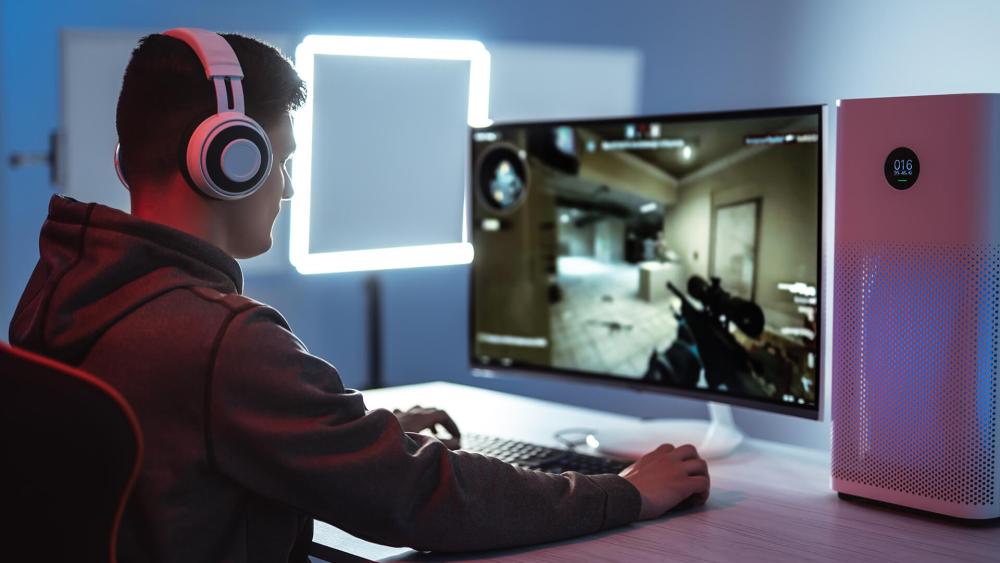
Polling rate refers to how often your mouse reports its position to your PC. It is measured in Hertz (Hz), which represents the number of times per second data is sent.
For example:
- 125Hz = 125 updates per second (every 8ms)
- 1000Hz = 1000 updates per second (every 1ms)
- 8000Hz = 8000 updates per second (every 0.125ms)
The higher the mouse response rate, the more frequently your system receives updated input data. This reduces mouse input delay and improves responsiveness.
If you're choosing a new setup, it's worth reading The Complete Gaming Mouse Guide to understand what features make a difference in real gameplay.
125Hz vs 1000Hz vs 8000Hz
For years, 1000Hz has been the standard for a competitive gaming mouse, offering low latency and smooth tracking. However, 8K polling rate pushes this even further.
- 125Hz: Noticeable lag, not suitable for gaming
- 500Hz: Acceptable for casual use
- 1000Hz: Standard for competitive gaming
- 8000Hz: Ultra-low latency, cutting-edge performance
An 8000Hz polling rate reduces input delay to fractions of a millisecond, which is especially important in fast-paced competitive games.
Why Polling Rate Matters for Competitive Gaming

In competitive environments, even small improvements in gaming mouse latency can make a difference. A higher polling rate:
- Reduces input delay
- Improves tracking precision
- Makes movement feel more responsive
- Syncs better with high refresh rate displays
For esports players, this can translate into more accurate flicks and smoother tracking.
What Makes an 8K Polling Rate Mouse Different?
An 8K polling rate mouse (8000Hz) reports its position to your computer 8000 times per second, which means it updates every 0.125 milliseconds. This is eight times faster than a standard 1000Hz gaming mouse, which updates every 1 millisecond.
In simple terms, this higher reporting rate allows the mouse to send more frequent movement data, resulting in lower input latency, smoother tracking, and more consistent cursor movement. However, the real difference comes from how this increased data improves responsiveness and stability during gameplay.
1- Lower Input Latency and Faster Response
One of the biggest advantages of an 8K polling rate mouse is reduced input latency. Because the mouse updates more frequently, the delay between your physical movement and what appears on screen is slightly reduced.
At 1000Hz, updates happen every 1 millisecond, while at 8000Hz they occur every 0.125 milliseconds. This means your system receives input data more quickly, helping movements feel more immediate and responsive.
Although the difference is very small, it contributes to a tighter connection between your hand and in-game actions, especially in fast-paced competitive scenarios.
2- Smoother and More Consistent Tracking
Another key difference is how movement is captured and displayed. With more frequent updates, an 8000Hz mouse provides a denser stream of movement data.
This results in:
- More fluid crosshair movement
- Reduced "stepping" between updates
- Improved consistency during fast motion
Instead of movement appearing slightly segmented, it feels smoother and more continuous. This is particularly noticeable when tracking moving targets or making rapid flicks in FPS games.
Not sure why your aim feels inconsistent? Our guide on mouse grip styles explained can help you find a grip that improves both comfort and control.
3- Improved Precision During Fast and Fine Movements
Higher polling rates also improve how accurately your movements are recorded.
An 8K polling rate mouse captures more detailed input data, which helps maintain accuracy during:
- Fast, sweeping movements
- Quick flick shots
- Small micro-adjustments
This is especially beneficial for players using low sensitivity or higher DPI settings, where precise control and consistent tracking are important.
8000Hz Reporting Explained
An 8K polling rate mouse reports its position 8000 times per second, compared to 1000Hz on standard gaming mice. This means your movements are captured more frequently, allowing the cursor to follow your hand more closely.
With more updates per second, motion appears smoother and more continuous, especially during fast flicks or when tracking moving targets. This is particularly noticeable in fast-paced games where precision matters.
The Role of Modern Sensors
High polling rates work best with modern sensors. Today's high performance gaming mice use advanced sensors that track movement accurately, even at high speeds.
At 8000Hz, more of this movement data is captured and transmitted, resulting in better tracking consistency and more precise control, especially during fast or fine movements.
Does 8K Polling Rate Actually Improve Aim?
The idea behind an 8K polling rate mouse is simple: by sending input data more frequently, it should reduce delay and improve responsiveness. However, whether this actually improves your aim depends on several factors, including your hardware, the games you play and your skill level.
An 8000Hz mouse updates every 0.125 milliseconds, compared to 1 millisecond at 1000Hz. This creates a more "continuous" stream of movement data, which can improve smoothness and consistency. But in practice, the impact on aiming is far more nuanced than it might first appear.
Benefits in Fast FPS Games
In fast-paced competitive shooters, an 8000Hz mouse can make aiming feel noticeably smoother rather than dramatically faster. Because the mouse is updating more frequently, your crosshair movement appears more fluid, especially when tracking moving targets or making rapid flicks.
This increased update frequency reduces the gaps between movement samples, which helps your aim feel more "locked-in" during continuous tracking. On high refresh rate displays, particularly 240Hz and above, this smoother motion becomes easier to see, as the screen can actually display the additional input data.
The reduction in latency is also real, although small. Moving from 1000Hz to 8000Hz reduces input delay by less than 1 millisecond. While this is technically faster, it is not something most players will consciously feel. Instead, the benefit comes from improved consistency and responsiveness rather than raw speed.
For high-level players in games like Valorant, CS2 or Warzone, where tracking precision and reaction timing are critical, these small improvements can contribute to a more refined aiming experience.
If you're noticing delays or stuttering during gameplay, take a look at our tips to fix gaming mouse input lag and get things running smoothly again.
Situations Where You May Not Notice a Difference
Despite the technical advantages, many players will not notice a significant improvement when switching to an 8K polling rate mouse.
This is largely because the benefits depend heavily on your overall setup. If you are using a 60Hz to 144Hz monitor, the display cannot show the extra input updates clearly, which limits the perceived difference. Similarly, if your system cannot maintain consistently high frame rates, the additional input data from 8K polling may not translate into smoother gameplay.
Another important factor is system performance. High polling rates place additional load on the CPU, and on mid-range or older systems, this can introduce frame-time instability or stuttering. In these cases, the negative impact on performance can outweigh the benefits of reduced latency, potentially making aim feel worse rather than better.
For slower-paced games, single-player titles or general use, the difference between 1000Hz and 8000Hz is often negligible. A standard 1000Hz polling rate already provides low latency and reliable performance for most scenarios.
The Influence of Player Skill
It's important to understand that hardware improvements alone do not directly improve aim. While an 8K polling rate mouse can enhance responsiveness and consistency, it does not replace the fundamentals of good aiming.
Factors such as crosshair placement, positioning, reaction time and overall game sense play a far greater role in performance. Even with the most advanced hardware, players still need practice and mechanical skill to see meaningful improvements.
For most users, the difference between 1000Hz and 8000Hz will not transform their gameplay. Instead, 8K polling should be seen as a refinement tool that enhances an already optimised setup rather than a shortcut to better aim.
Hardware Requirements for 8K Polling Rate
Using an 8K polling rate mouse (8000Hz) requires more than just compatible hardware; it needs a system that can consistently handle extremely high input frequency. Because the mouse sends 8000 updates per second, your PC must process a constant stream of data in real time. If your system isn't powerful enough, this can lead to stuttering or unstable performance, which can hurt your gameplay instead of improving it.
Why CPU Performance Matters Most
The most important component for running an 8K polling rate mouse smoothly is your CPU, especially its single-core performance.
At 8000Hz, your system is handling thousands of input signals every second. This places a heavy load on the processor, and weaker or older CPUs may struggle to keep up. When this happens, you may experience:
- Micro-stuttering during gameplay
- Frame-time inconsistency
- Reduced overall smoothness
To avoid this, a modern processor such as AMD Ryzen 5000 series or Intel 12th Gen (or newer) is recommended. If your system struggles, lowering the polling rate to 4000Hz often provides a more stable and consistent experience.
The Role of Your GPU and Frame Rate
While the CPU handles input processing, your GPU plays a key role in maintaining high frame rates.
An 8K polling rate reduces input delay, but to actually benefit from this, your system must be able to deliver consistently high FPS. If your frame rate is low or unstable, the advantages of faster input updates are much harder to notice.
In simple terms, smoother input needs to be matched by smoother visuals.
Why High Refresh Rate Monitors Are Essential
To see the benefits of 8K polling, you need a display that can keep up. A high refresh rate monitor (240Hz or higher) is strongly recommended.
At lower refresh rates like 60Hz or 144Hz, the screen cannot display the extra input updates from an 8000Hz mouse. This means:
- The difference in smoothness is harder to see
- Input improvements feel minimal
On 240Hz, 360Hz or higher displays, the increased polling rate becomes more noticeable, resulting in smoother tracking and more responsive movement.
Use the Right USB Port for Stability
Connection quality is often overlooked but is critical for high polling rates.
At 8000Hz, your mouse sends a large amount of data through the USB connection. For the best performance, you should:
- Plug directly into a rear motherboard USB port (USB 2.0 or 3.0)
- Avoid USB hubs or front panel connectors
Using unstable connections can lead to inconsistent polling, input lag spikes or reduced performance.
Optimal Settings for 8K Polling
To fully utilise an 8K polling rate mouse, your settings also need to be properly configured.
- Using a higher DPI: typically 1600 DPI or above ensures the sensor generates enough movement data to match the high polling frequency. At lower DPI settings, the mouse may not produce enough data, reducing the effectiveness of 8000Hz.
- Use Newer OS: It's also recommended to use Windows 10 (21H2+) or Windows 11, as newer operating systems are better optimised for handling high-speed input.
- Game and Software Compatibility: Not all games are designed to handle extremely high polling rates. Some older or less optimised game engines may struggle with 8000Hz input, which can result in inconsistent input behaviour, stuttering or instability, and no noticeable improvement. In these cases, lowering the polling rate can improve overall smoothness.
8K Polling Rate vs 1000Hz: Real Gaming Differences
When comparing an 8K polling rate mouse (8000Hz) to a standard 1000Hz gaming mouse, the differences are real but often subtle. While 8K offers faster updates and lower latency, the actual impact depends on your setup and how you play.
For most users, the difference is less about raw speed and more about how smooth and consistent the mouse feels during gameplay.
Latency Improvements in Real Gameplay
On paper, 8K polling reduces input delay from 1ms (1000Hz) to 0.125ms (8000Hz). In real gaming scenarios, this doesn't feel like a dramatic jump but it does make input slightly more immediate.
For example, in games like Valorant or CS2, players using 8K often describe their aim as feeling more "connected" to their hand movements. Quick flicks and small corrections feel slightly tighter, especially when reacting to sudden enemy movement.
However, most players won't consciously notice the latency difference. It becomes more relevant at a competitive level, where even tiny delays can affect timing during high-pressure moments.
Experiencing jittery or inaccurate movement? Our breakdown of mouse tracking problems explains common causes and how to fix them quickly.
Sensor Responsiveness and Tracking Feel
The biggest difference users report is not speed, but smoothness and tracking consistency.
At 1000Hz, fast movements can feel slightly less refined, especially on high refresh rate monitors. With 8000Hz, movement appears more fluid because the mouse sends more frequent updates.
In practical terms:
- Tracking a fast-moving enemy in Apex Legends feels smoother
- Crosshair movement in Warzone appears more stable during recoil control
- Flick shots feel more controlled rather than slightly "stepped"
Players often describe this as a "locked-in" feeling, where the cursor follows movement more naturally, particularly during continuous tracking.
Competitive Advantages in Esports Scenarios
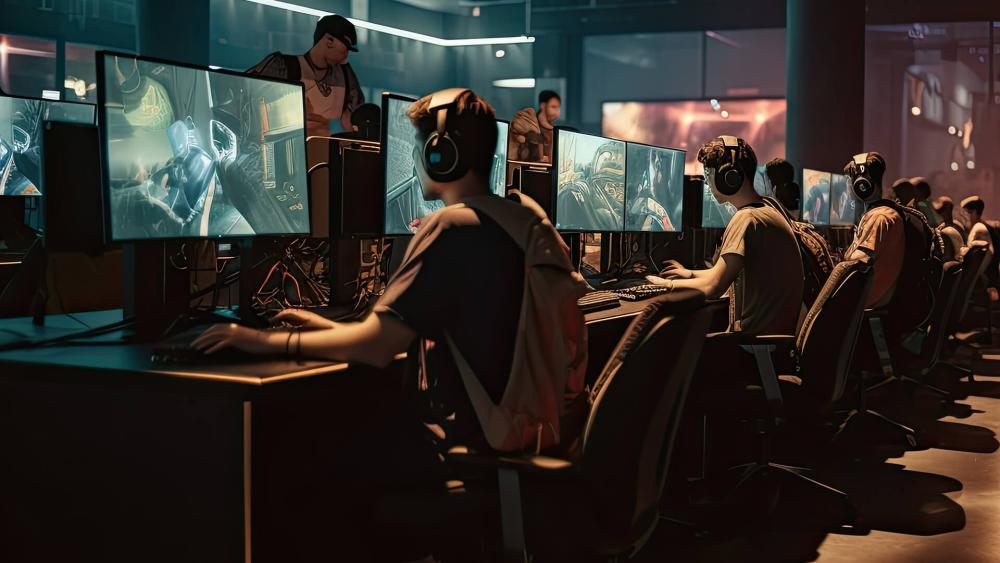
For competitive players, 8K polling can provide a small edge but only in the right conditions.
In high-level gameplay:
- Micro-adjustments during long-range fights feel more precise
- Tracking targets at high speeds becomes more consistent
- Rapid aim corrections feel slightly more responsive
For example, a player using a 240Hz+ monitor and 300+ FPS setup may notice that their aim feels smoother during tracking-heavy situations, such as following a strafing opponent.
However, this advantage is incremental. Many professional players still use 1000Hz or 4000Hz, as the difference between 4K and 8K is often minimal.
Real User Experience: What Most Gamers Notice
From real user feedback and testing, the experience can be summarised simply:
- Casual players often notice little to no difference
- Competitive players notice smoother tracking, not faster aim
- High-end setups benefit the most
- Lower-end systems may perform worse due to CPU load
Many users report that 4000Hz feels almost identical to 8000Hz, but with better system stability.
When an 8K Polling Rate Mouse Is Worth It
| User Type | Is 8K Polling Worth It? | Why It Matters |
| Competitive FPS Players | Yes (with the right setup) | Smoother tracking and more consistent aim in fast-paced games like Valorant, CS2 and Warzone. Best with 240Hz+ monitors and high FPS. |
| Esports / High-Level Players | ️Sometimes | Provides small gains in responsiveness and consistency, but benefits are marginal. Many pros still use 1000Hz–4000Hz for stability. |
| Casual Gamers | Not necessary | Minimal noticeable differences in everyday gaming. 1000Hz already provides smooth and responsive performance. |
| General Use / Work | No | No practical benefit for browsing, office tasks or non-competitive gaming. |
Final Thoughts: Is 8K Polling Rate Marketing or Real Advantage?
An 8K polling rate mouse offers real performance improvements, particularly in terms of reduced input latency and smoother tracking, but these gains are small and highly dependent on your setup. It delivers the most benefit in competitive environments where every millisecond counts, especially when paired with a 240Hz+ monitor, stable high FPS and a powerful system. For most users, however, the difference is subtle and more noticeable in how aiming feels rather than a direct improvement in accuracy.
To truly maximise its potential, an 8K mouse should be used alongside high accuracy PC mice, precision gaming mouse pads and high-performance processors, as these components work together to ensure consistent tracking, responsive input and stable performance. Overall, 8K polling is not just marketing; it's a precision-focused upgrade that makes the most sense for competitive players with high-end setups, rather than a must-have feature for every gamer.
Frequently Asked Questions
What is an 8K polling rate mouse?
An 8K polling rate mouse reports its position to your PC 8000 times per second (every 0.125ms), reducing input delay and improving tracking smoothness compared to standard 1000Hz mice
Can polling rate affect aim?
Yes, polling rate can affect aim by improving input consistency and responsiveness, but the impact is small. It helps aim feel smoother rather than directly increasing accuracy.
Is 8000 Hz polling rate good for gaming?
Yes, but mainly for competitive gaming on high-end setups. It offers smoother tracking and lower latency, but most players won't notice a big difference over 1000Hz or 4000Hz.
What CPU can handle 8000 polling rate?
A modern CPU with strong single-core performance, such as AMD Ryzen 5000 series or Intel 12th Gen (or newer), is recommended to handle 8000Hz polling without causing stutters.
You can pay with:
*PayPal Credit Representative Example: Assumed credit limit £1,200, Representative 23.9% APR (variable). Purchase rate 23.9% p.a (variable).Terms & Conditions apply.


PayPal Credit and PayPal Pay in 3 are trading names of PayPal UK Ltd, 5 Fleet Place, London, United Kingdom, EC4M 7RD. Terms and conditions apply. Credit subject to status, UK residents only, Five Tech LTD acts as a broker and offers finance from a restricted range of finance providers. PayPal Pay in 3 is not regulated by the Financial Conduct Authority. Pay in 3 eligibility is subject to status and approval. 18+. UK residents only. Pay in 3 is a form of credit. Check if affordable and how you will repay. May make other borrowing more difficult or expensive. See product terms for more details.
Copyright © 1996-2026 Fivetech LTD | Terms and Conditions
box.co.uk & Box are trading names of Five Tech Limited. Registered office: Box LTD, Unit 10 Woodford Trading Estate, Woodford Green IG8 8HF