


 Menu
MenuMenu


Get Sales Advice from Mon - Fri 9am - 5:00pm:
020 3337 8950LAST UPDATED: July 22, 2026
Canon vs Epson Printers: What’s Your Pick for Home & Office Use?
Choosing between Canon and Epson printers depends on your print volume, the type of documents or photos you produce and the features you need. Both brands offer cartridge-based models for occasional use and refillable ink-tank printers for households or offices that print more regularly.
Canon’s PIXMA range includes practical home and photo printers, while its MegaTank models are designed for users who want refillable ink. Epson provides compact Expression models alongside EcoTank printers aimed at reducing cartridge replacements and ongoing printing costs.
This Canon vs Epson printers comparison covers ink costs, tank systems, photo output, durability and everyday features. It also reviews four current models to help determine whether an Epson or Canon printer is better suited to your home or office.
Quick Verdict: Canon or Epson Printer?
In the Canon vs Epson printer comparison, neither brand is automatically better for every user. The right choice depends on print volume, document features, photo requirements and whether you prefer cartridges or refillable ink tanks.
| Main requirement | Suitable starting point | Why |
|---|---|---|
| Occasional home printing | Canon PIXMA or Epson Expression | Cartridge-based models can offer a lower initial cost for light use |
| Frequent family printing | Canon MegaTank or Epson EcoTank | Refillable tanks reduce the need for regular cartridge replacements |
| Home photo printing | Photo-focused Canon PIXMA or Epson model | Ink colours, borderless printing and paper support matter most |
| Home-office documents | All-in-one model with an automatic document feeder (ADF) | Better suited to multi-page scanning, copying and regular paperwork |
| Compact desk setup | Smaller cartridge-based all-in-one | Easier to accommodate where space is limited |
| Regular colour printing | Refillable tank printer | Higher upfront cost may be balanced by lower running costs |
| Shared household use | Wireless all-in-one | Wi-Fi and mobile printing allow several devices to connect |
If you are doing a Canon and Epson printer comparison, focus on the individual model before you browse Canon printing deals or compare Epson printer models.
Canon vs Epson Printers Cost
The cheaper printer is not always the less expensive one to own. A proper Canon vs Epson printers cost comparison should include the purchase price, replacement ink and expected print volume.
| Cost factor | What to compare |
|---|---|
| Printer price | Cartridge printers usually cost less upfront, while tank models require a larger initial spend |
| Replacement ink | Compare the price of cartridges or a complete set of ink bottles |
| Page yield | Use figures measured under similar testing conditions |
| Cost per page | Divide the ink price by the stated yield |
| Included ink | Check how much ink comes with the printer |
| Print frequency | Occasional and frequent users may benefit from different systems |
| Maintenance | Consider replaceable maintenance cartridges or other consumable parts |
Cartridge printers can make sense for occasional printing because their lower purchase price is easier to justify. However, replacing ink cartridges regularly may increase the overall cost for families or offices producing larger volumes.
A refillable ink tank printer normally costs more at the start but can offer a lower cost per page for frequent use. Published page yield figures remain estimates, as photos, graphics, print quality settings and cleaning cycles can all affect actual ink consumption.
The best-value option is therefore the one that balances the printer price with realistic long-term running costs for your workload.
Canon Ink vs Epson Ink
When comparing Canon ink vs Epson ink, look beyond the price of one cartridge or bottle. Check its stated yield, whether larger-capacity options are available and whether the printer uses separate colours or a combined cartridge.
Photo printers may require additional ink colours, while tank models use bottles designed for much higher print volumes. Neither brand is always cheaper, so the comparison should be made between equivalent models and consumable sizes.
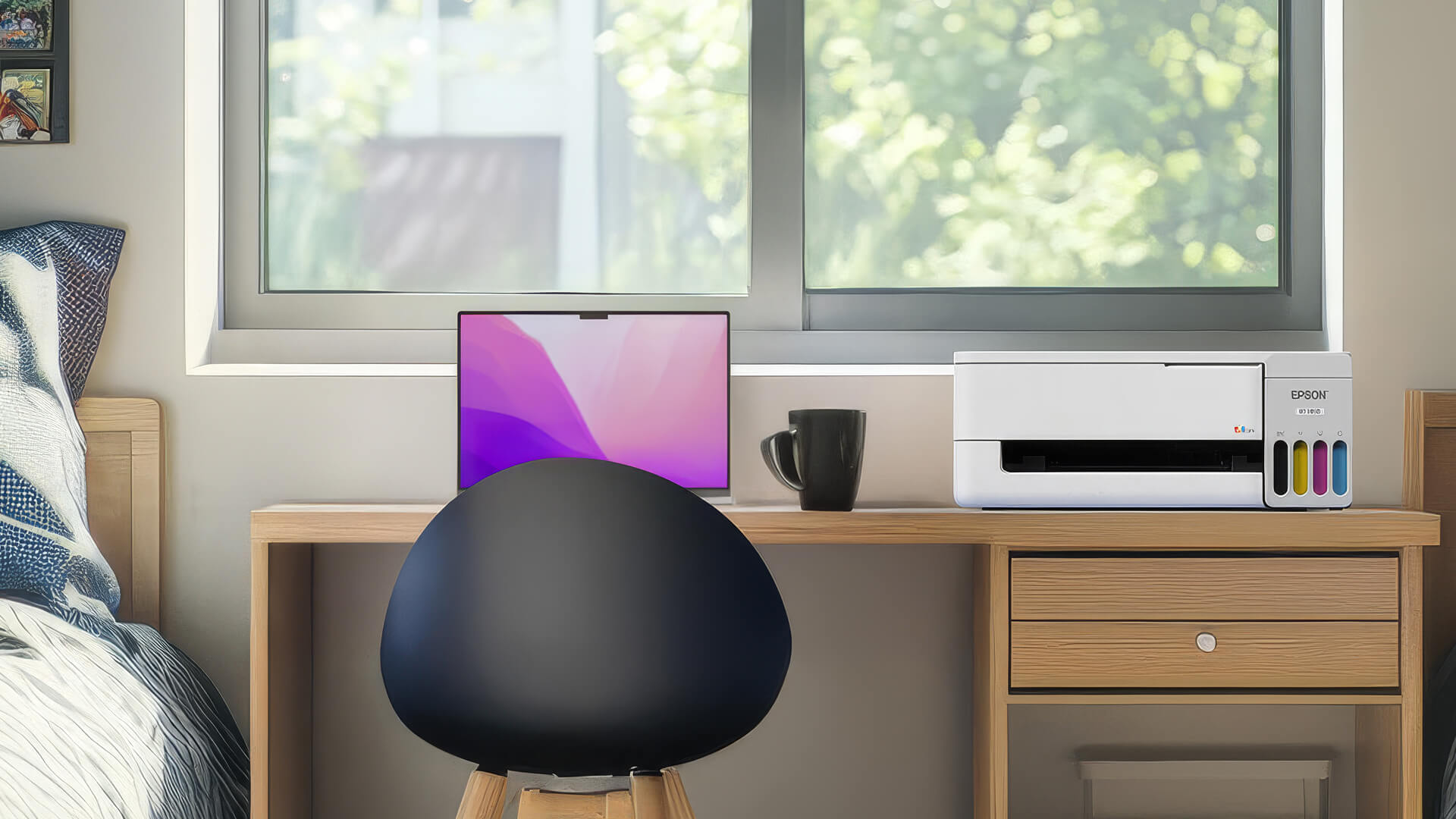
Canon vs Epson Tank Printers
Canon MegaTank and Epson EcoTank printers both use built-in tanks filled with bottled ink, making them suitable for homes and offices that print regularly. The main differences come from the individual model, including print speed, paper handling, scanning features, connectivity and the number of ink colours.
A Canon or Epson ink-tank printer may cost more initially than a cartridge model, but the higher page yields can reduce long-term printing costs. Light users should still compare expected print volume before paying extra for a refillable system.
Canon PIXMA MegaTank vs Epson EcoTank
When comparing Canon PIXMA MegaTank and Epson EcoTank printers, pay attention to the following features:
- Document features: Check scanning, copying, fax, ADF support and whether duplex printing is automatic or manual.
- Paper handling: Compare tray capacity, supported paper sizes and borderless printing.
- Print performance: Review black and colour speeds using like-for-like figures.
- Ink system: Check the included ink, replacement bottle yields and number of colours.
- Connectivity: Confirm Wi-Fi, mobile printing, Wi-Fi Direct, USB and Ethernet support where required.
- Maintenance: Look for user-replaceable maintenance parts and straightforward access to the ink tanks.
The better choice between Canon and Epson tank printers is the model that provides the right functions and running costs for your workload.
Canon vs Epson Photo Printers
A useful Canon vs Epson photo printer comparison should focus on the individual ink systems, supported paper types, and intended print sizes. Both brands offer general home models and more specialised options for regular photography.
| What to compare | Why it matters |
|---|---|
| Number of ink colours | Expanded ink sets can improve tonal transitions and greyscale output |
| Ink type | Dye inks often suit glossy photos, while pigment inks may be preferred for selected fine-art work |
| Maximum paper size | Check whether the printer supports A4, A3 or A3+ output |
| Borderless printing | Confirm which photo sizes can be printed without margins |
| Paper compatibility | Review support for glossy, matte, fine-art and heavier media |
| Running costs | Additional inks and photo paper increase the cost of each print |
Canon’s PIXMA range includes accessible home-photo printers and specialist models with expanded ink systems. Epson offers photo-focused Expression printers alongside selected EcoTank models that combine refillable ink with additional colours.
Overall, a dedicated photo printer is better for people who print frequently. If you are comparing the best Canon photo printers with top Epson models, compare output size, media support and colour controls rather than relying on resolution figures alone. For more details, check out our photo printer guide that covers the main ink, paper and format choices.
Canon vs Epson Printer Durability
Canon vs Epson printer durability depends more on the individual model, print volume and maintenance than the brand alone. A compact home printer used occasionally faces a different workload from an office model handling documents every day.
For longer and more reliable use:
- Choose a model designed for your expected monthly print volume.
- Print regularly to help keep the ink flowing through the nozzles.
- Use the correct paper and compatible consumables.
- Run a nozzle check before starting repeated cleaning cycles.
- Keep the paper path clear of dust, scraps and unsuitable media.
- Check whether the maintenance cartridge or printhead is replaceable.
- Compare the included warranty and available support for the exact model.
If you already own a Canon printer and are facing some problems, it is better to troubleshoot the Canon printer before going for a new one. The same is the case with the Epson printers. Neither brand has a universal durability advantage. Long-term reliability depends more on the individual model, print volume, maintenance and operating conditions.
Canon vs Epson Printer: Which Is Better for Home Use?
For home use, the better option depends on print frequency, available space and whether the printer will mainly handle documents, schoolwork or photos.
| Home requirement | Suitable starting point | What to prioritise |
|---|---|---|
| Occasional documents | Canon PIXMA or Epson Expression | Compact size and lower purchase price |
| School and family printing | Wireless all-in-one | Scanning, copying and mobile printing |
| Frequent printing | Canon MegaTank or Epson EcoTank | Ink capacity and running costs |
| Home photos | Photo-focused Canon or Epson model | Ink colours and borderless paper support |
| Limited desk space | Compact cartridge printer | Dimensions with trays open |
| Mixed home and work use | All-in-one with duplexing and ADF | Document handling and connectivity |
A cartridge-based home printer can suit occasional documents and schoolwork, while regular users may benefit from a refillable model. A wireless printer is also useful in a shared household because several phones and computers can connect without relying on one wired device.
When comparing home-ready printer options, check the full dimensions, scanning functions and paper handling rather than choosing by brand alone. Smaller desks may suit compact printer picks, although tray position and the space needed to open the scanner should still be measured.
Which Is Better for Office Use?
The better Epson or Canon printer for office use is the model that matches the expected document volume.
- All-in-one functions: An all-in-one printer can handle printing, scanning and copying from one device.
- Document feeder: An ADF saves time when scanning or copying several pages.
- Duplex printing: Automatic two-sided printing can reduce manual work and paper use.
- Paper capacity: Larger trays need less frequent refilling.
- Connectivity: Reliable Wi-Fi or Ethernet is useful for shared office access.
- Print speed: Compare standard document speeds rather than draft-mode figures.
Frequent colour printing may favour a tank model, while offices mainly producing large volumes of black text should also consider whether a laser printer is more suitable.
What Should You Compare Before Buying?
Before choosing a Canon or Epson printer, check:
- Print volume: Estimate how many documents, colour pages and photos you print each month.
- Ink system: Decide between cartridges and a refillable tank.
- Functions: Confirm whether you need scanning, copying, faxing or an automatic document feeder.
- Duplex printing: Check whether two-sided printing is automatic or manual.
- Paper handling: Compare tray capacity, supported paper sizes and borderless printing.
- Connectivity: Look for Wi-Fi, Wi-Fi Direct, Ethernet, USB and mobile printing where required.
- Running costs: Compare ink prices, page yields and replaceable maintenance parts.
- Printer size: Measure the available space with the trays and scanner cover open.
Most home users will be well served by an inkjet model for everyday documents, colour pages and occasional photos. Once you have decided between cartridges and refillable tanks, you can view inkjet printer choices that match your print volume and required features.
For a broader comparison across different technologies and workloads, shop all printer options after checking paper handling, connectivity and ongoing consumable costs. Offices producing large volumes of text should also compare inkjet and laser printers, as laser models may offer faster document printing while inkjets remain useful for colour and photo output.
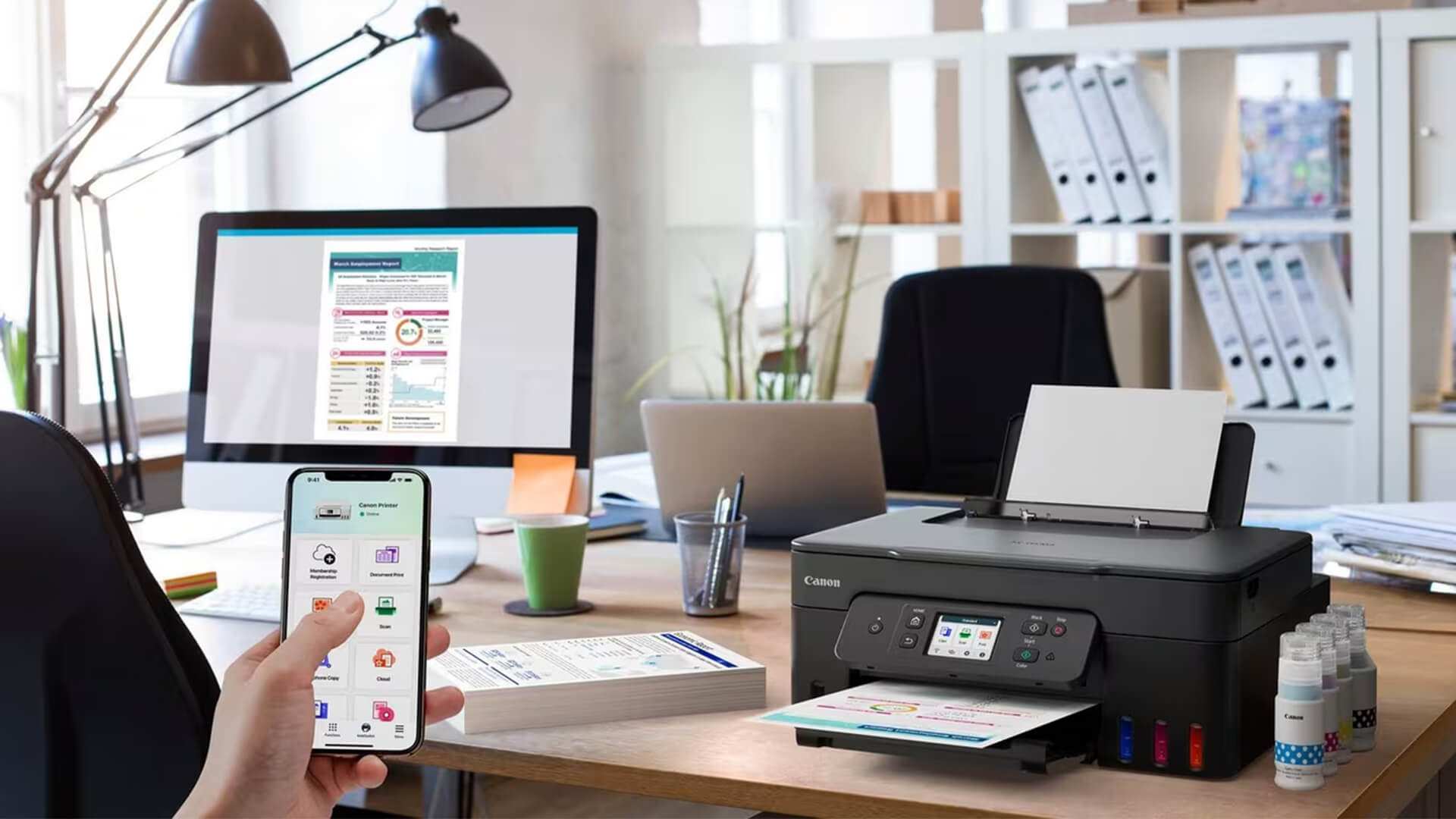
Best Canon and Epson Printers to Consider
Here are the best picks from Canon and Epson. These four models suit different home, office and photo-printing needs.
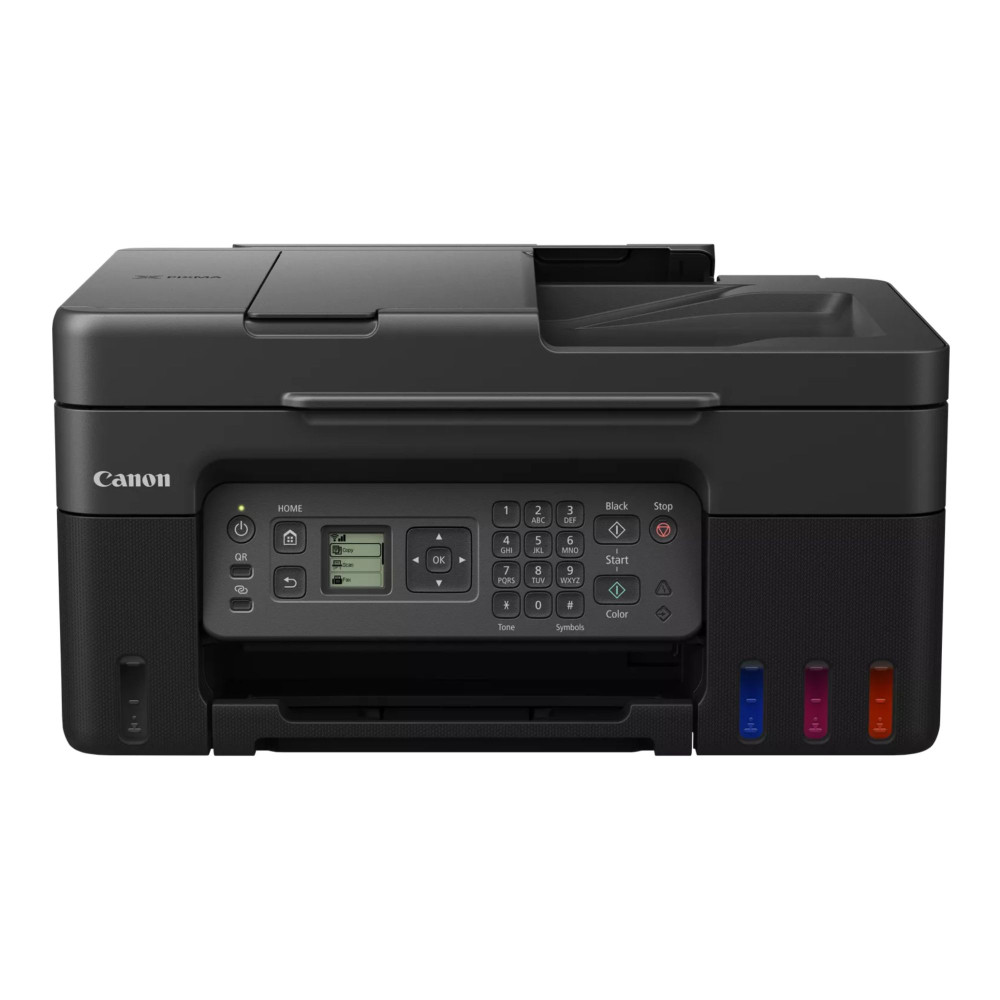
Canon PIXMA G4570
MPN: 5807C008
The Canon PIXMA G4570 is a practical MegaTank option for home offices that need faxing and multi-page document handling. It combines refillable ink with printing, scanning, copying and faxing, while its 35-sheet ADF helps manage multi-page documents. Wi-Fi and mobile printing also make it suitable for shared home-office use.
Key features
Functions: Print, copy, scan and fax
- Ink system: Four-colour refillable MegaTank
- Print speed: Up to 11 images per minute (ipm) black and 6 ipm colour
- Paper handling: 100-sheet input tray and 35-sheet ADF
- Print resolution: Up to 4800 × 1200 dpi
- Connectivity: USB-B, Wi-Fi, mobile and cloud printing
Best for: Home-office users who regularly print documents and need scanning, copying, faxing and an ADF.
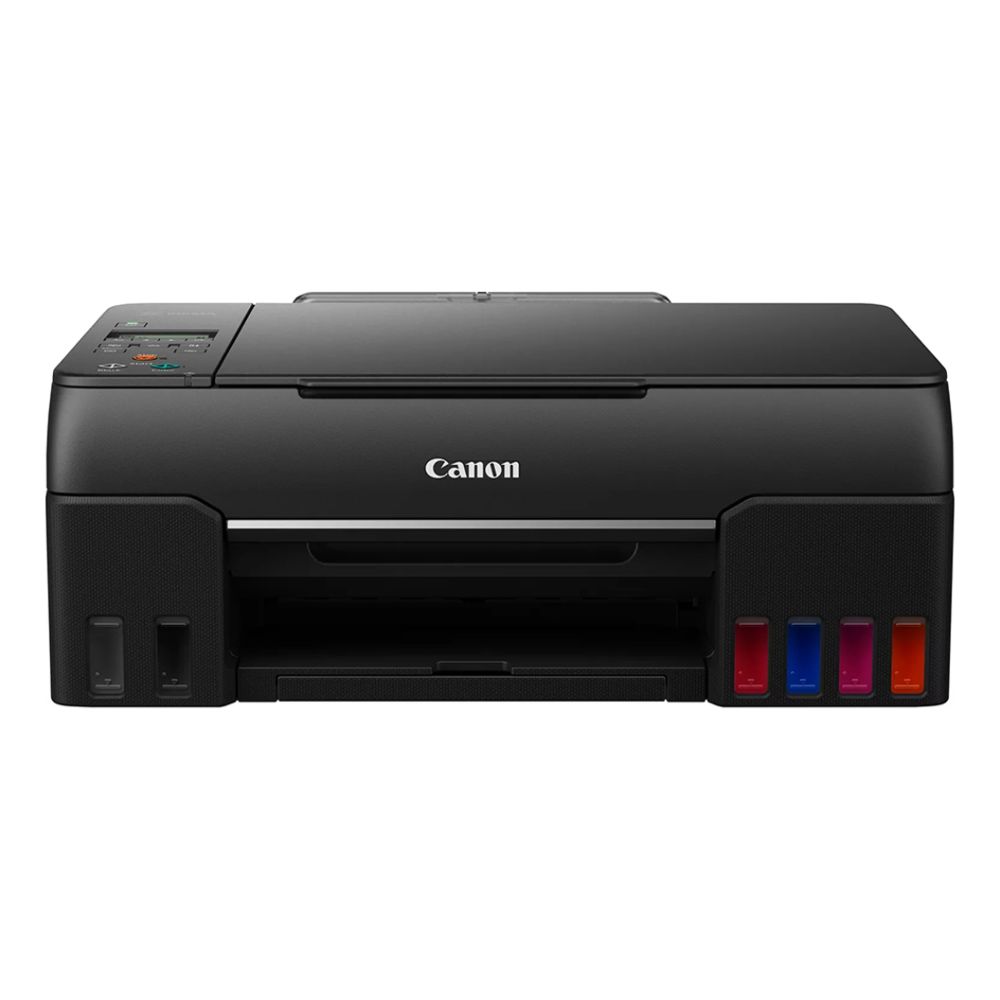
Canon PIXMA G650
MPN: 4620C008
As a Canon six-ink photo option, the PIXMA G650 combines refillable tanks with black, cyan, grey, magenta, red and yellow dye inks. It supports borderless photo printing up to A4 and includes scanning and copying, making it better suited to photography than to fast office-document printing.
Key features
- Functions: Print, copy and scan
- Ink system: Six-colour refillable MegaTank
- Print speed: Up to 3.9 ipm in black or colour
- Photo support: Borderless printing up to A4
- Print resolution: Up to 4800 × 1200 dpi
- Connectivity: USB-B, Wi-Fi and direct printing
Best for: Photography enthusiasts who want refillable ink and borderless home photo printing up to A4.
Epson EcoTank ET-2862
MPN: C11CJ67427
The ET-2862 is an Epson EcoTank value choice for families and home offices that print regularly. Its refillable tanks reduce reliance on cartridges, while print, scan and copy functions cover everyday tasks. Wi-Fi and Wi-Fi Direct support printing from compatible household devices.
Key features
- Functions: Print, copy and scan
- Ink system: Refillable Epson EcoTank
- Print speed: Up to 10 pages per minute (ppm) black and 5 ppm colour
- Print resolution: Up to 5760 × 1440 dpi
- Paper handling: 100-sheet input tray
- Connectivity: USB, Wi-Fi, Wi-Fi Direct and mobile printing
Best for: Families and home-office users wanting refillable ink for frequent documents and colour pages.
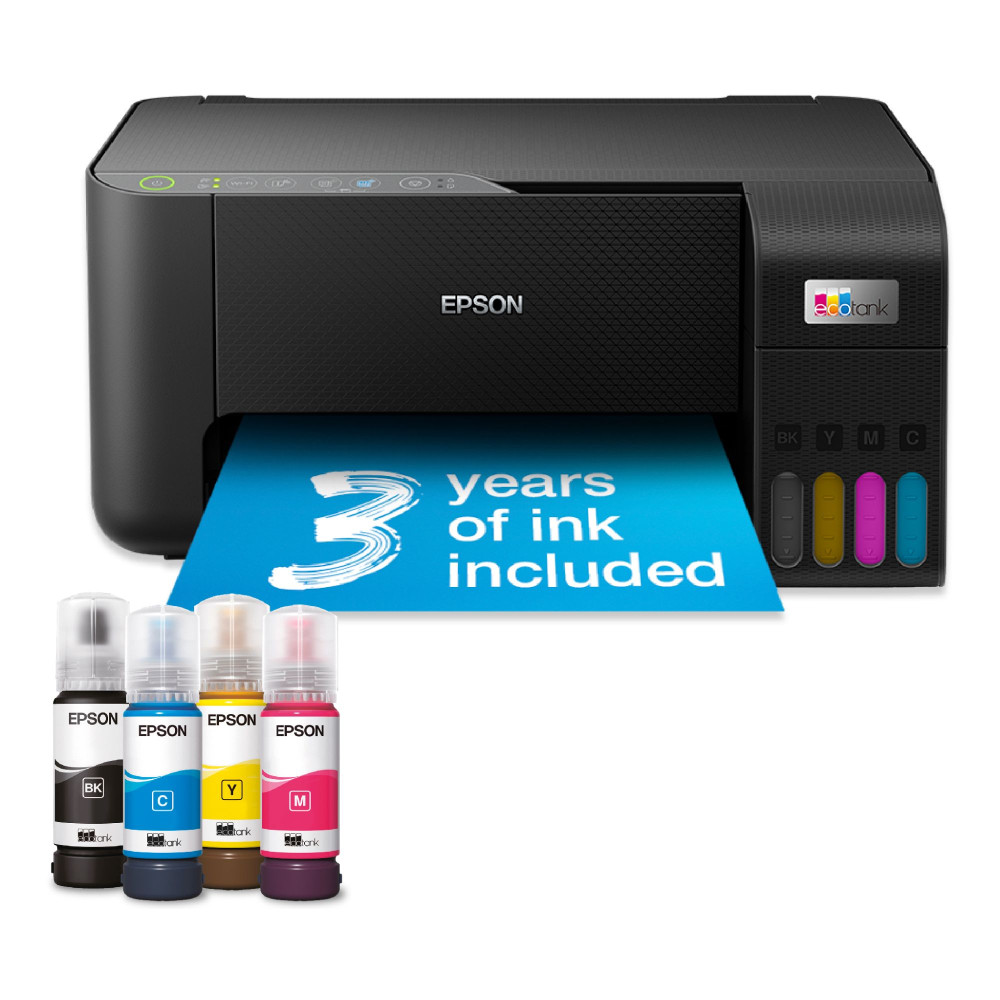
Epson Expression Home XP-3200
MPN: C11CK66401
If you are looking for an Epson compact home printer, the XP-3200 is a great choice for documents, schoolwork and everyday colour printing. It provides printing, scanning and copying, with a 3.7cm colour LCD and wireless support for shared household devices. Its cartridge system is better suited to occasional or moderate use.
Key features
- Functions: Print, copy and scan
- Ink system: Cartridge-based colour inkjet
- Display: 3.7cm colour LCD
- Print resolution: Up to 5760 × 1440 dpi
- Paper handling: 100-sheet input tray
- Connectivity: USB, Wi-Fi and mobile printing
Best for: Households wanting a compact wireless all-in-one for occasional documents, schoolwork and colour printing.

Final Verdict: Which Printer Is Better, Epson or Canon?
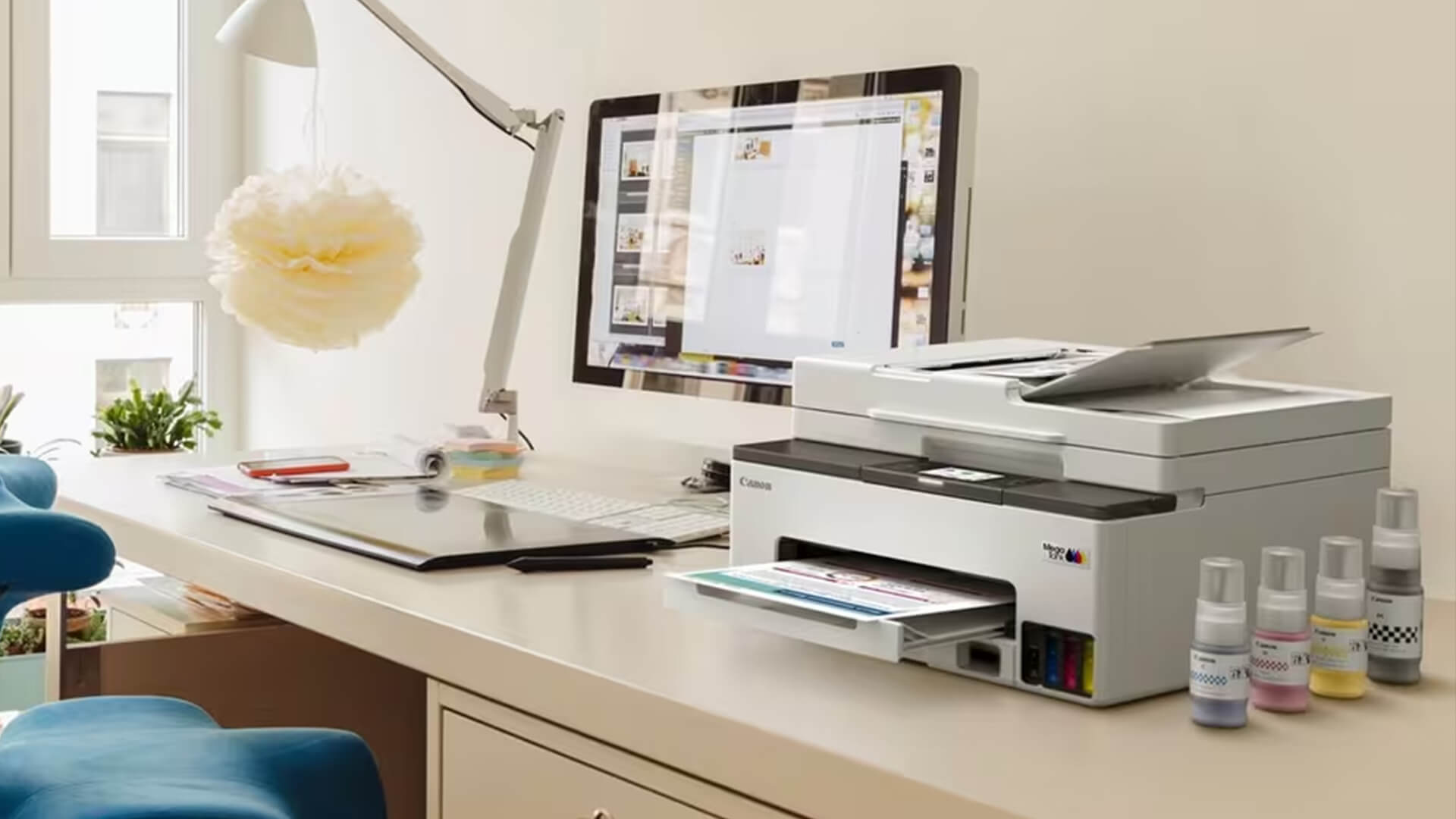
There is no single winner in a Canon vs Epson printers comparison. The better choice depends on whether you prioritise photos, document features, refillable ink or a lower initial price.
Choose Canon If
- You want a PIXMA model for a mix of home documents and photo printing.
- You need a photo-focused printer with an expanded ink set.
- A MegaTank model offers the document features you need, such as an ADF or fax.
- You have found a Canon model that provides the right paper support and connectivity for your setup.
Choose Epson If
- You want an EcoTank printer for frequent home or office printing.
- A compact Expression model suits your lighter, cartridge-based printing needs.
- You prioritise everyday document features such as wireless access and automatic duplexing.
- An Epson model provides a better combination of upfront price, included ink and expected running costs.
Whether Epson or Canon is the better printer depends on the individual model. Compare the ink system, paper handling, print volume and functions you will actually use rather than choosing by brand alone.
Frequently Asked Questions
Which printer is best, Canon, Epson or HP?
There is no universal winner. Compare the exact model’s ink system, print quality, features and running costs against your home or office needs.
Does Canon or Epson ink last longer?
Neither brand always lasts longer. Ink life depends on cartridge or bottle capacity, page yield, print coverage, settings and cleaning cycles.
Is Canon or Epson ink more expensive?
Prices vary between printer ranges. Compare the consumable price and stated page yield to estimate the cost per page for equivalent models.
What are the most common problems with Epson printers?
Common inkjet issues can include blocked nozzles after long periods of inactivity, paper-feed errors, wireless connection problems and maintenance warnings.
Why does Canon ink run out so fast?
Photos, high-quality settings, colour-heavy pages and printhead cleaning can use more ink. Smaller cartridges may also need replacing more frequently than refillable MegaTank bottles.
You can pay with:
*PayPal Credit Representative Example: Assumed credit limit £1,200, Representative 23.9% APR (variable). Purchase rate 23.9% p.a (variable).Terms & Conditions apply.


PayPal Credit and PayPal Pay in 3 are trading names of PayPal UK Ltd, 5 Fleet Place, London, United Kingdom, EC4M 7RD. Terms and conditions apply. Credit subject to status, UK residents only, Five Tech LTD acts as a broker and offers finance from a restricted range of finance providers. PayPal Pay in 3 is not regulated by the Financial Conduct Authority. Pay in 3 eligibility is subject to status and approval. 18+. UK residents only. Pay in 3 is a form of credit. Check if affordable and how you will repay. May make other borrowing more difficult or expensive. See product terms for more details.
Copyright © 1996-2026 Fivetech LTD | Terms and Conditions
box.co.uk & Box are trading names of Five Tech Limited. Registered office: Box LTD, Unit 10 Woodford Trading Estate, Woodford Green IG8 8HF