


 Menu
MenuMenu


Get Sales Advice from Mon - Fri 9am - 5:00pm:
020 3337 8950LAST UPDATED: July 03, 2026
Best Canon Photo Printer: Top Picks for A3, A4 and Home Photo Printing
A good canon photo printer should make your favourite shots look sharp, bright and worth keeping. Whether you are printing family photos, craft prints, portfolio pages or A3 posters, the right Canon PIXMA model can make home photo printing much easier.
The best choice depends on print size, ink system, running costs and whether you need scan and copy features too. Some buyers need a Canon A3 photo printer for large creative prints. Others need a compact Canon A4 photo printer for everyday family photos and school projects.
In this guide, we will break down the best Canon photo printers for different needs, including A3 and A4 printing, frequent photo use and everyday home setups. You will also find clear comparisons of key PIXMA models, advice on ink systems and running costs, and practical tips to help you choose the right printer for your space and budget.
Quick Answer: Which Canon Photo Printer Should You Choose?
| Best For | Canon Model | Why It Makes Sense |
|---|---|---|
| A3 photo prints | PIXMA TS9550a | A3 support, 5-ink system, print scan copy |
| Frequent photo printing | PIXMA G650 | 6-colour refillable ink tank system |
| Premium A4 photos | PIXMA TS8750 | 6-colour ink system, Wi-Fi, SD card printing |
| Everyday home photos | PIXMA TS7750i | Compact 3-in-1 design, Wi-Fi and AirPrint |
| Lower running costs | PIXMA G650 | MegaTank-style refillable ink approach |
| Home office and photos | PIXMA TS9550a or TS8750 | Good mix of documents and creative prints |
Why Choose a Canon Photo Printer?
Canon PIXMA printers are popular for home photo printing because they focus on colour, media flexibility and easy everyday use. A Canon photo printer model is usually a better fit than a basic document printer if you care about glossy prints, creative projects or borderless photo prints.
A Canon PIXMA photo printer can help with:
- Family photos
- A4 photo prints
- A3 photo prints
- School projects
- Craft prints
- Greeting cards
- Portfolio prints
- Posters
- Scanned memories
- Everyday documents
Inkjet Printing Works Better for Photos
For most home photo printing, inkjet printing is the right choice. Inkjet printers handle colour gradients, glossy photo paper, matte photo paper and image detail better than most basic laser printers.
If you want to compare print technologies before buying, our inkjet vs laser explained guide is a good place to start. But for photo-focused buyers, it usually makes sense to shop colour inkjet printers first.
Wireless Printing Makes Home Photo Printing Easier
A Canon Pixma wireless printer is useful if you print from phones, tablets, laptops or family devices. Wireless printing, mobile printing, AirPrint, Mopria and the Canon PRINT app can make quick photo prints much easier than transferring files to a desktop first.
This is especially handy for printing phone photos. So, whether you are printing your holiday pictures for the family album or printing out social media shots for some creative projects, Canon is good to go.
Canon Photo Printer Types Explained
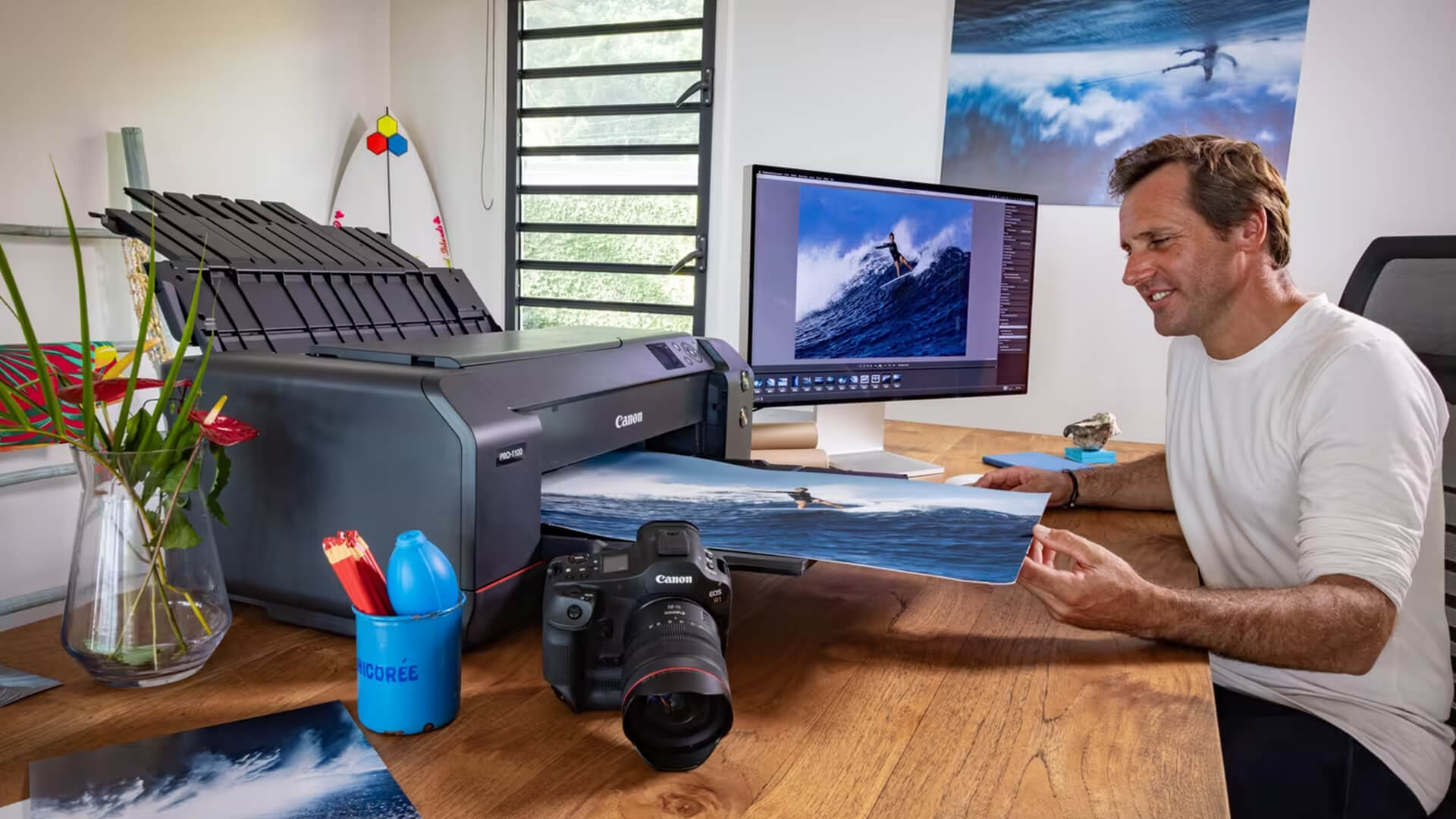
Not every Canon picture printer is built for the same job. Before choosing the best Canon photo printer, think about how you print.
Canon Inkjet Photo Printers
A canon inkjet photo printer is ideal for colour-rich photos and mixed home printing. These models usually support photo paper sizes, borderless photo prints and higher-quality colour output than basic document printers.
Choose inkjet if you mostly print colourful documents such as creative work or family photos.
Canon PIXMA All-in-One Photo Printers
A Canon Pixma all in one printer adds scan and copy features alongside printing. This is usually the best choice for homes because one device handles documents and photos.
A Canon all-in-one photo printer is useful for:
- Printing photos
- Scanning old pictures
- Copying forms
- Printing schoolwork
- Scanning ID documents
- Handling home admin
If you want this flexibility, browse multifunction printers before choosing.
Canon MegaTank Printers
A Canon MegaTank photo printer uses refillable ink tanks instead of standard cartridges. This is useful if you print a lot of photos and want to reduce running costs over time.
MegaTank-style models usually cost more upfront than basic cartridge printers, but they can be better for frequent printing.
A3 vs A4 Canon Photo Printers
A3 printers are for bigger creative work. A4 printers are better for everyday home use.
Choose A3 if you print larger photos or documents including posters, large design projects, or display work.
On the other hand, choose A4 if you print regular documents such as homework, letters, or every day documents.
Best Canon Photo Printers by Use Case
To make the choice easier for you, here are some Canon photo printer options based on your use case:
1. Best Canon A3 Photo Printer: Canon PIXMA TS9550a
The Canon A3 photo printer pick is the PIXMA TS9550a. It is the best choice here if you need A3 photo prints without moving into large office printer territory.
Why it stands out:
- A3, A4, A5 and other paper size support
- Print, copy and scan functions
- 5-ink system
- Borderless printing support
- Wireless connectivity
- 20-sheet ADF
- Colour touchscreen
- Auto duplex printing
This Canon Pixma A3 printer is a strong fit for creative home users, small offices, design students and anyone who wants to print more than standard A4 photos.
Best for:
- A3 photo prints
- Posters
- Family projects
- Craft prints
- Home office use
- Creative documents
- Portfolio pages
If you specifically need a Canon Pixma A3 model, this is the most natural pick from the list.
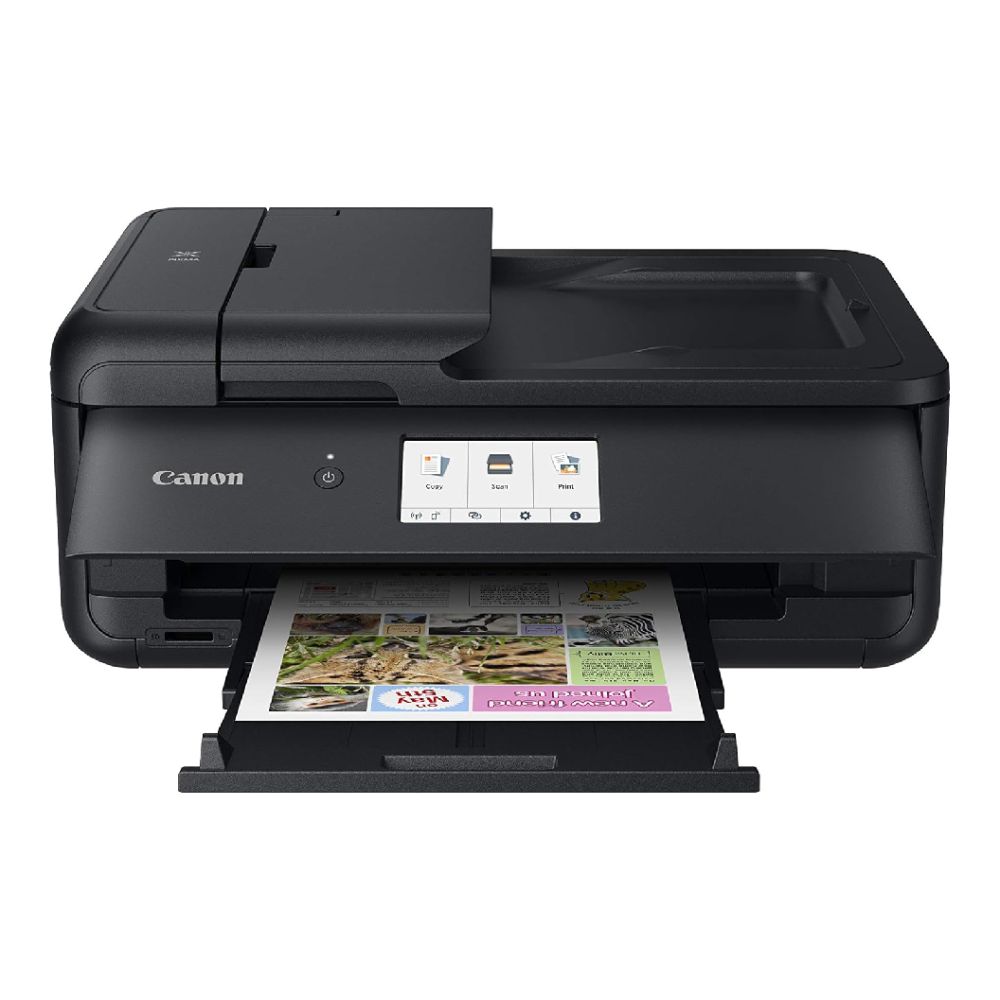
2. Best Canon Photo Printer for Frequent Printing: Canon PIXMA G650
The Canon MegaTank photo printer pick is the PIXMA G650. It is best for users who print photos regularly and want a refillable ink tank system.
Why it stands out:
- 6-colour ink tank system
- Print, copy and scan
- A4 and photo paper support
- Borderless printing support
- Wi-Fi and USB connectivity
- 100-sheet input tray
- Flatbed scanner
The 6-colour ink system is useful for photo printing because it gives the printer more colour control than a basic 4-colour setup. It is a sensible choice if you print family photos, creative work or photo sets often.
Best for:
- Regular photo printing
- Family albums
- Creative projects
- Lower running costs over time
- Colourful home prints
- A4 photo prints
This is a good Canon photography printer for users who want to print often without relying only on small cartridges.
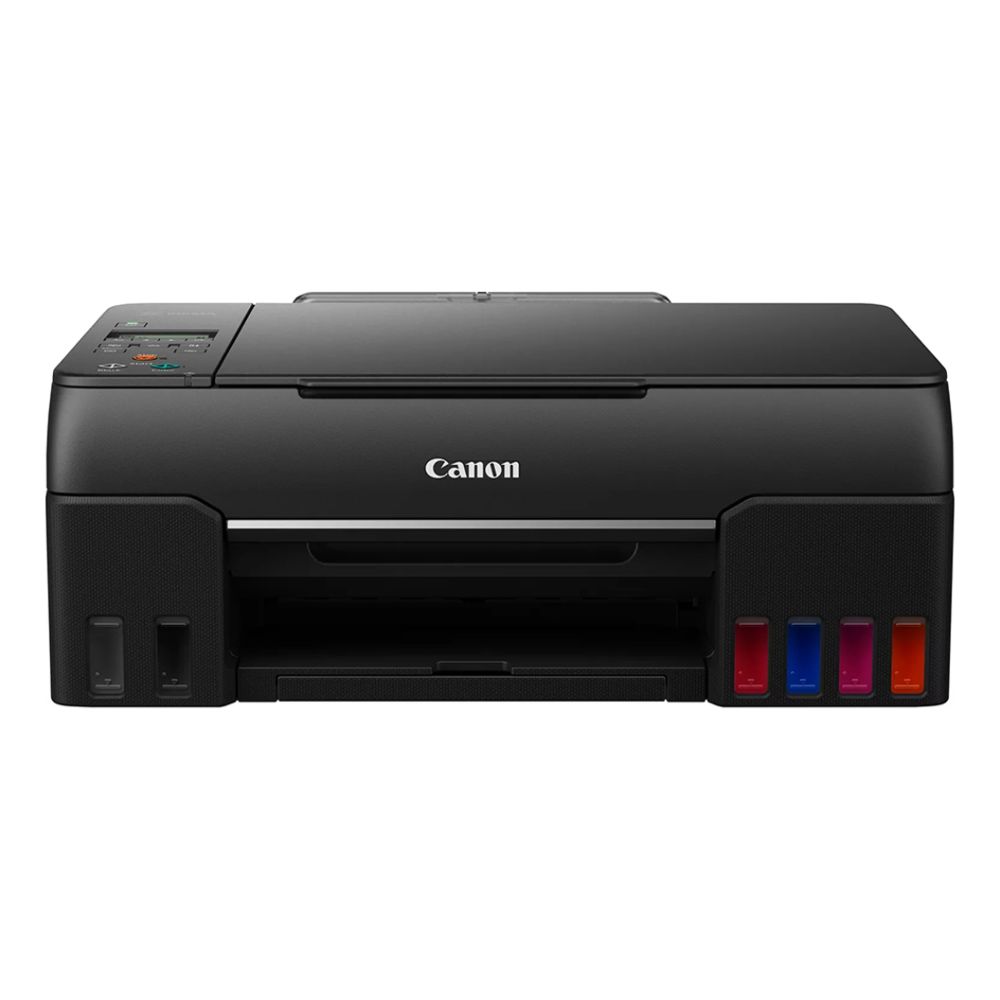
3. Best Premium PIXMA Photo Printer: Canon PIXMA TS8750
The premium PIXMA photo printer pick is the Canon PIXMA TS8750. It is a strong Canon A4 photo printer for users who want quality, convenience and a premium home setup.
Why it stands out:
- 6-colour ink system
- A4 borderless printing support
- Wi-Fi and mobile printing
- SD card printing
- 4.3-inch colour touchscreen
- Auto duplex printing
- Flatbed scanner
- Two-way paper feed
This is a great option if you want a Canon all in one photo printer for both documents and photos. It suits users who print family photos, greeting cards, artwork, assignments and everyday paperwork.
Best for:
- Premium A4 photo prints
- Home offices
- Photographers
- Family use
- School projects
- Wireless printing
- SD card photo printing
For many homes, this could be the best Canon Pixma printer for photos if A3 support is not needed.
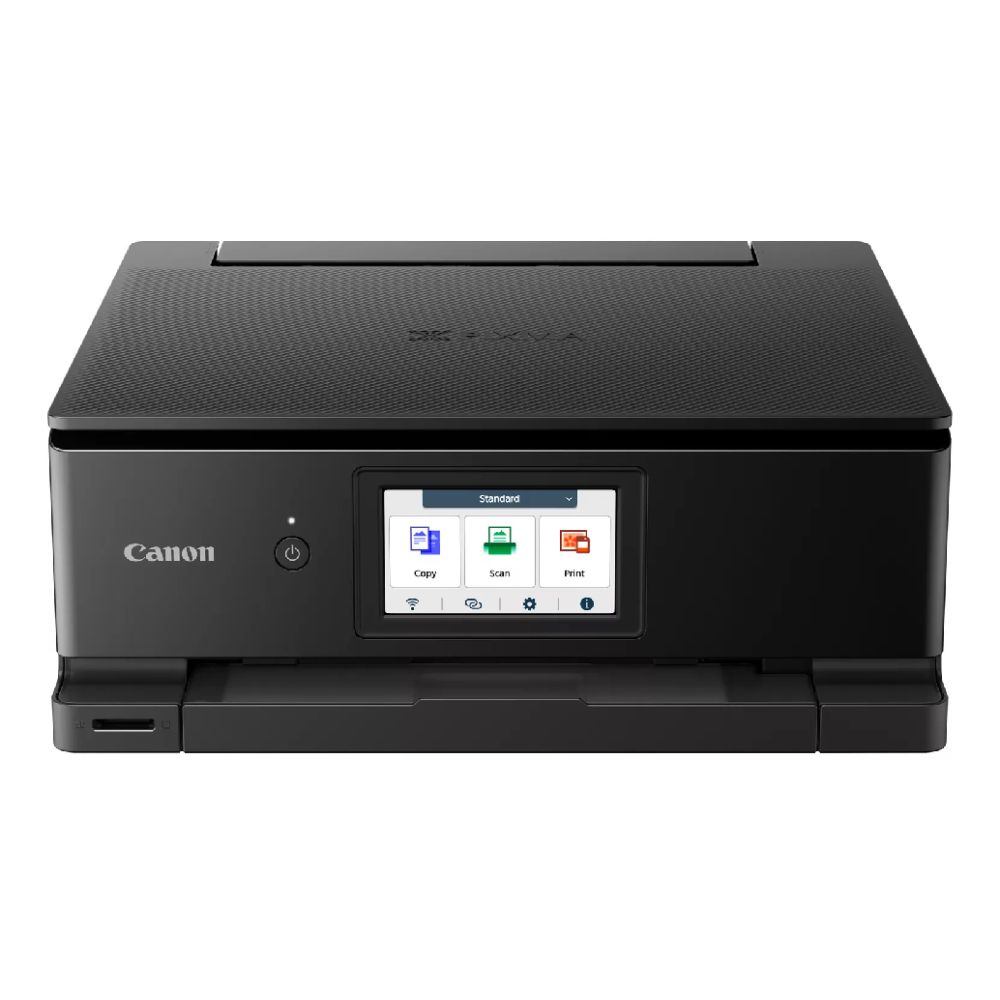
4. Best Canon All-in-One Photo Printer for Home: Canon PIXMA TS7750i
The Canon all-in-one photo printer pick is the PIXMA TS7750i. It is best for everyday users who want a compact printer for documents, photos and home admin.
Why it stands out:
- Print, copy and scan
- A4 and A5 support
- Wi-Fi and mobile printing
- AirPrint support
- 4-colour ink system
- 35-sheet automatic document feeder
- 2.7-inch touchscreen
- Automatic print duplex
This Canon compact printer is not the most advanced photo model in the list, but it is practical. It works well for families that need a printer for homework, forms, quick images and occasional glossy prints.
Best for:
- Everyday home photos
- Return labels
- Schoolwork
- Basic photo printing
- Home admin
- Wireless family use
- Compact spaces
If you want the best Canon Pixma printer for home use, this is a sensible everyday pick. You can also shop home printing options if you want to compare similar home-focused models.
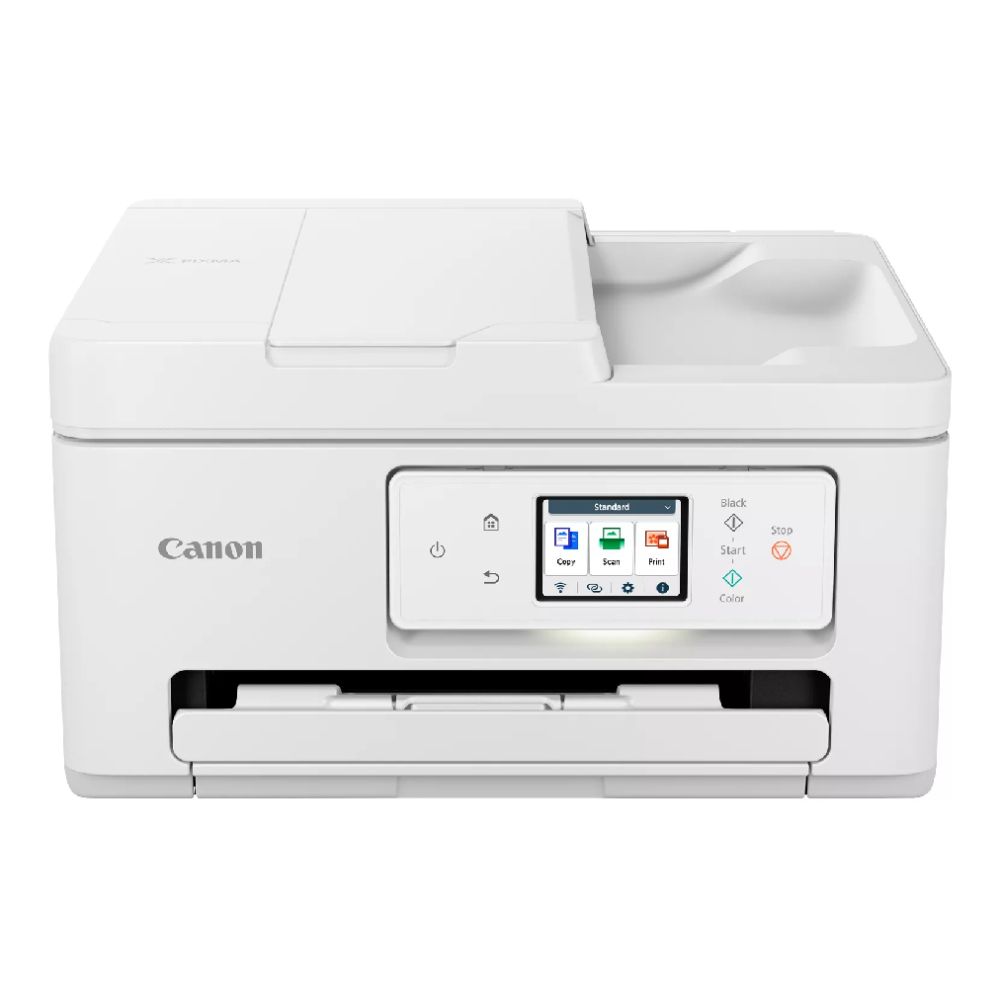
Looking for something else? Explore the Canon range at Box to find more amazing options.
Canon PIXMA Photo Printer Comparison
| Canon Model | Best For | Ink System | Max Photo Focus |
|---|---|---|---|
| PIXMA TS9550a | A3 prints and creative work | 5-ink system | A3 posters and larger prints |
| PIXMA G650 | Frequent photo printing | 6-colour ink tank system | Lower running costs over time |
| PIXMA TS8750 | Premium A4 home photos | 6-colour ink system | Colour-rich A4 and borderless prints |
| PIXMA TS7750i | Everyday home use | 4-colour ink system | Casual photos and documents |
The best Canon photo printer depends on what matters most. For size, choose the TS9550a. For running costs, choose the G650. For premium A4 photo quality, choose the TS8750. For simple home use, choose the TS7750i.
What to Look for in the Best Canon Photo Printer
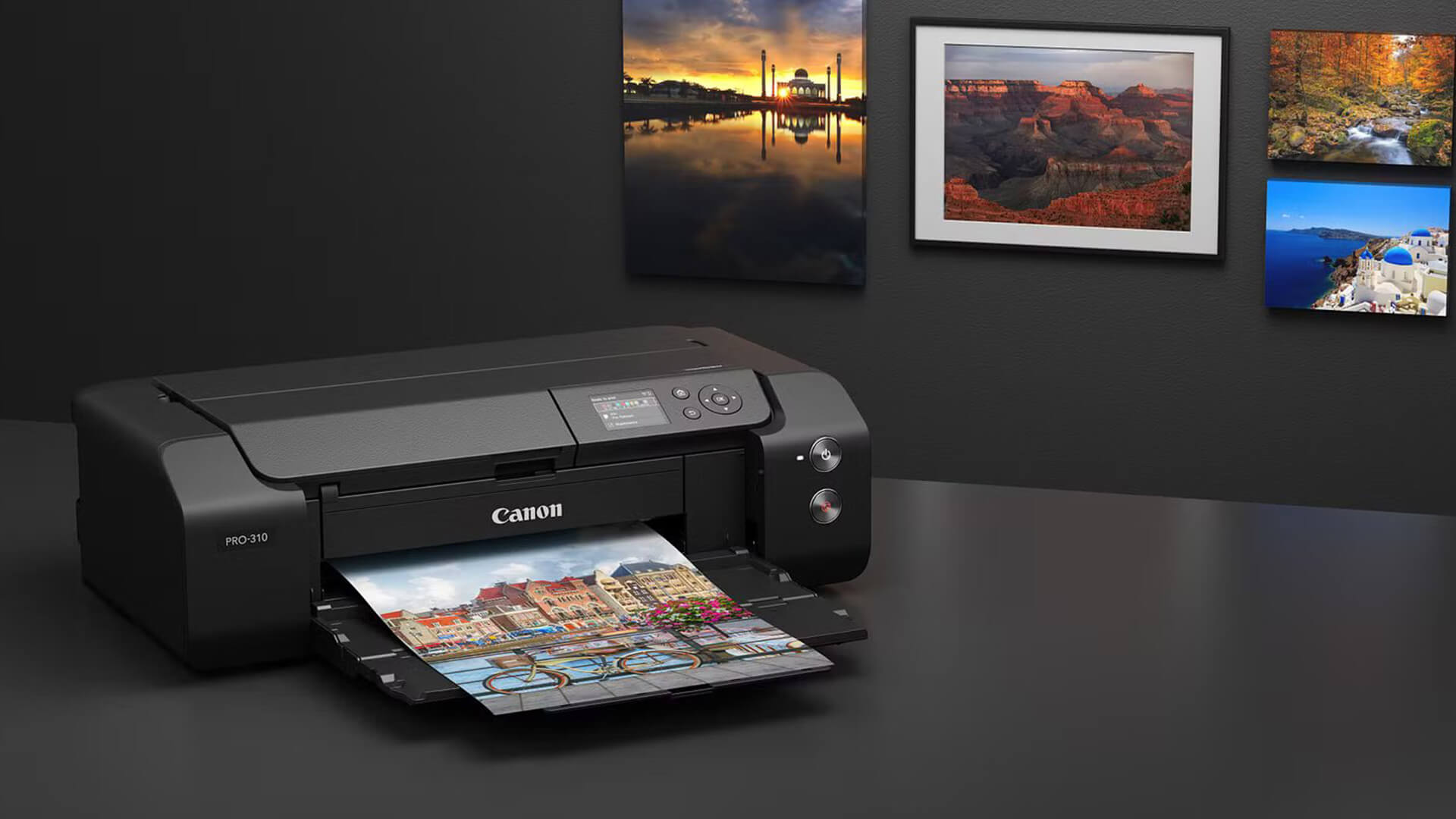
When choosing a Canon photo printer, here are some things to look at:
Print Size and Borderless Printing
Check the maximum paper size first.
Photo paper sizes can include:
- 10 x 15 cm
- 13 x 18 cm
- 20 x 25 cm
- A4
- A3
- Square photo sizes
If you want borderless photo prints, check that the printer supports borderless printing in the sizes you actually use.
Ink System and Colour Accuracy
The ink system affects print quality and running costs.
Simple guide:
- 4-Colour Ink System: Fine for everyday home photos and documents
- 5-Ink System: Better document and photo balance
- 6-Colour Ink System: Stronger for photo colour and tonal detail
- Refillable Ink Tank: Better for frequent printing and lower running costs over time
For serious photography prints, a 6-colour ink system is usually more attractive than a basic 4-colour setup.
Cost Per Print and Ink Replacement
Running costs matter if you print often. A cheaper printer can cost more over time if ink cartridges are expensive or run out quickly.
Think about:
- Ink cartridge cost
- Ink tank refill cost
- Photo paper cost
- How often you print
- Whether you print full-page photos
- Whether you need borderless prints
- Whether you waste ink through cleaning cycles
If you only print occasionally, a cartridge model may be fine. If you print batches of photos, the PIXMA G650-style tank approach is more appealing.
Photo Paper Compatibility
Use the right paper for the look you want.
- Glossy photo paper: Bright, punchy and classic
- Matte photo paper: Softer and less reflective
- Semi-gloss paper: Balanced finish
- Heavyweight paper: Better for display prints
- Creative media: Useful for cards and crafts
Poor paper can make a good printer look average. Good photo paper helps colour, detail and contrast.
Wi-Fi, Mobile Printing and App Support
For home use, wireless printing is a must-have. Look for:
- Wi-Fi
- Mobile printing
- Canon PRINT app support
- AirPrint
- Mopria
- USB connection
- Memory card printing where useful
This is especially useful if you mostly take photos on your phone.
Scan, Copy and Everyday Document Features
A photo printer can still be useful for normal tasks.
Helpful features include:
- Flatbed scanner
- Copy function
- Automatic document feeder
- Duplex printing
- Touchscreen controls
- Two-way paper feed
- Compact design
If you need one device for photos and paperwork, an all-in-one printer is usually better than a print-only photo printer.
Canon Photo Printing Tips for Better Results
A good Canon PIXMA photo printer helps, but settings and media still matter.
Use the Right Photo Paper
Match the paper to the project.
Use glossy paper for:
- Family photos
- Holiday prints
- Albums
- Colourful images
Use matte paper for:
- Art prints
- Portfolios
- Craft projects
- Soft colour styles
Use heavier paper for:
- Posters
- Display prints
- Creative work
Match Printer Settings to Paper Type
Before printing, check:
- Paper type
- Paper size
- Print quality setting
- Borderless option
- Colour settings
- Image orientation
- Image crop
Wrong settings can cause dull colours, poor sharpness, cropping issues or wasted paper.
Use High-Resolution Images
A printer cannot create detail that is not in the file. Use high-resolution images for better prints, especially for A4 and A3 photo prints.
Avoid printing screenshots, compressed images or low-resolution social media downloads at large sizes.
Keep Inkjet Printers Maintained
Inkjet printers work best when used regularly.
Good habits include:
- Print a photo or colour page occasionally
- Use genuine or suitable ink
- Store paper properly
- Keep dust away from the printer
- Run maintenance only when needed
- Avoid leaving old photo paper exposed
If you are buying your first photo printer, our printer shopping guide can help you understand common features before choosing.
For more advanced creative setups, read our guide to professional home photo printers before you buy a printer.
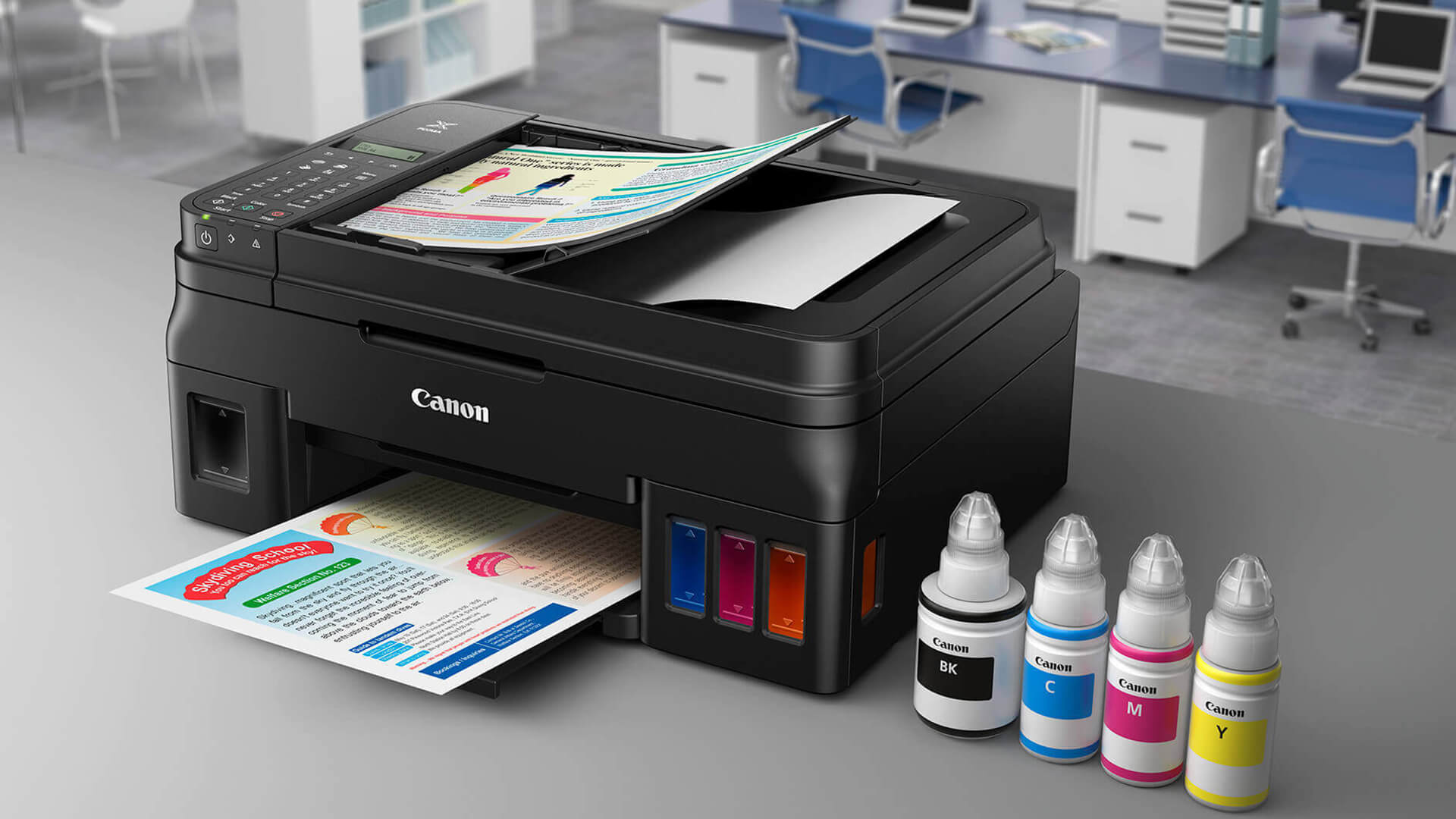
Wrapping Up
The best canon photo printer is the one that matches your print size, print volume and budget.
- Choose the Canon PIXMA TS9550a if you want a Canon A3 photo printer for posters, creative work and larger photo prints.
- Choose the Canon PIXMA G650 if you print photos regularly and want a Canon MegaTank photo printer with a 6-colour refillable ink system.
- Choose the Canon PIXMA TS8750 if you want a premium Canon PIXMA photo printer for A4 photos, SD card printing, wireless printing and everyday home use.
- Choose the Canon PIXMA TS7750i if you want a compact Canon all-in-one photo printer for casual family photos, documents and home admin.
If you are not ready to choose yet, see current printer offers at Box and compare size, ink system, paper support and running costs before buying. For options other than Canon, you can browse all printers at Box to find an option perfect for you needs. But if you wish to stick to Canon, browse Canon printer deals to find the right option.
FAQs
-
Which Canon printer is best for photo printing?
The best Canon printer for photo printing depends on your needs. The PIXMA TS9550a is best for A3 prints, the PIXMA G650 is best for frequent photo printing, the PIXMA TS8750 is best for premium A4 home photos, and the PIXMA TS7750i is best for everyday home use.
-
What is a good printer for photographs?
A good printer for photographs should be an inkjet model with strong colour output, photo paper support, borderless printing and a suitable ink system. For regular photo printing, look for a 5-ink, 6-colour or refillable ink tank printer.
-
Is a Canon photo printer good?
Yes, a Canon photo printer is a good choice for home photo printing, family photos, creative projects and borderless prints. Canon PIXMA models are especially popular for users who want strong colour output and easy wireless printing.
-
Is Canon or Epson better for photos?
Both Canon and Epson make strong photo printers. Canon PIXMA models are excellent for home photos, colour-rich prints and all-in-one convenience. Epson is also strong, especially with EcoTank models for low running costs. The better choice depends on the exact model, ink system and how often you print.
-
What do professional photographers use to print their photos?
Professional photographers often use higher-end photo printers with advanced ink systems, colour management tools and specialist photo paper. Some print at home using professional photo printers, while others use dedicated print labs for large runs, gallery prints or specialist finishes.
-
How do I choose a photo printer?
Choose a photo printer by checking print size, ink system, photo paper support, borderless printing, running costs, wireless printing and whether you need scan and copy features. A3 models are best for posters and large prints, while A4 all-in-one models are better for everyday home use.
-
What is the most inexpensive way to print photos?
The most inexpensive way to print photos depends on volume. For occasional prints, a standard inkjet photo printer may be fine. For frequent printing, a refillable ink tank model can reduce running costs over time. Always include photo paper and ink costs when comparing value.
You can pay with:
*PayPal Credit Representative Example: Assumed credit limit £1,200, Representative 23.9% APR (variable). Purchase rate 23.9% p.a (variable).Terms & Conditions apply.


PayPal Credit and PayPal Pay in 3 are trading names of PayPal UK Ltd, 5 Fleet Place, London, United Kingdom, EC4M 7RD. Terms and conditions apply. Credit subject to status, UK residents only, Five Tech LTD acts as a broker and offers finance from a restricted range of finance providers. PayPal Pay in 3 is not regulated by the Financial Conduct Authority. Pay in 3 eligibility is subject to status and approval. 18+. UK residents only. Pay in 3 is a form of credit. Check if affordable and how you will repay. May make other borrowing more difficult or expensive. See product terms for more details.
Copyright © 1996-2026 Fivetech LTD | Terms and Conditions
box.co.uk & Box are trading names of Five Tech Limited. Registered office: Box LTD, Unit 10 Woodford Trading Estate, Woodford Green IG8 8HF