


 Menu
MenuMenu


Get Sales Advice from Mon - Fri 9am - 5:00pm:
020 3337 8950LAST UPDATED: July 15, 2025
Best Rated Photo Printers for Professional-Quality Prints at Home
Your photos deserve to be more than just pixels on a screen. Whether it’s a cherished family moment or your finest creative masterpiece, there’s something truly special about holding a printed image in your hands. But with so many printers out there, from compact models for quick snapshots to powerful machines that produce stunning gallery-quality prints, how do you choose the right one?
In this guide, we’ll walk you through some of the best-rated photo printers available right now, each offering fantastic print quality, versatile features, and excellent value. We have also put together a photo printer buying advice to help you understand the key features, types, and considerations to look out for when choosing a photo printer.
So, let’s get into it!
Best All-Rounder: Canon PIXMA G650 Inkjet 3-in-1 Multifunction A4 Colour Wireless Printer

The Canon PIXMA G650 is the best home picture printer for anyone serious about high-quality photo printing. Its six dye-based refillable inks stand out, producing rich, vibrant, and finely detailed prints. It’s also cost-effective; each set of ink bottles can print up to 8,000 colour pages or around 3,800 borderless photos, making it ideal for high-volume users.
It offers great versatility with print, scan, and copy functions, and handles everything from glossy photo paper to magnetic photo paper and even fabric transfers. You can easily produce stunning A4 borderless prints and various custom sizes, including square and card formats.
Connectivity is excellent, with Wi-Fi, USB, and support for many mobile apps, including Canon PRINT, Easy-PhotoPrint Editor, AirPrint, and Mopria. Plus, it works with Amazon Alexa and Google Assistant for voice-activated printing. The front-facing refillable ink tanks also let you easily monitor ink levels - an essential for home printers for photos.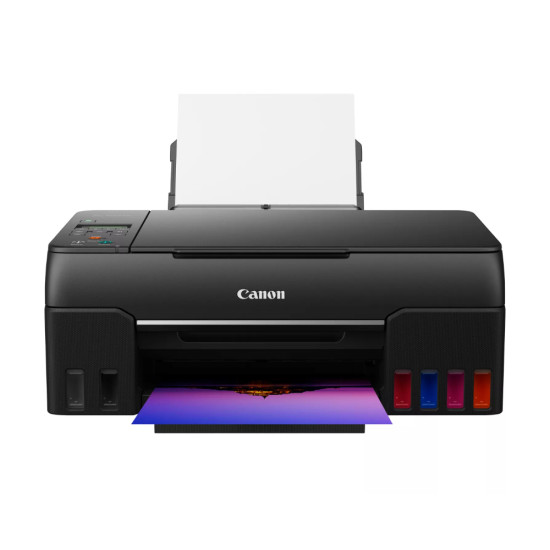
Best for Large Prints: Canon PIXMA TS9550a Wireless A3 Colour All-in-One Inkjet Touch LCD Photo Printer
The Canon PIXMA TS9550a is the best photo printer for anyone who needs professional-quality large prints at home. It can print borderless photos up to A3 size, and thanks to its five individual inks, your images will look vibrant, sharp, and rich in colour. It’s fast, too, printing a 4x6-inch borderless photo in just 21 seconds.
This isn’t just a photo printer - it’s a versatile all-in-one. It includes scanning and copying, with handy extras like a 20-sheet automatic document feeder and two-way paper feeding for easier media management. Plus, it features auto double-sided printing and even nail sticker printing for creative projects.
Thanks to the large 10.8 cm colour touchscreen, navigation is effortless, and you have flexible connectivity options, including Wi-Fi, Ethernet, and USB. You can print directly from your phone with the Canon PRINT app or use AirPrint and Mopria for quick wireless printing. Whether you’re printing stunning photos, documents, or fun craft projects, this printer easily does it.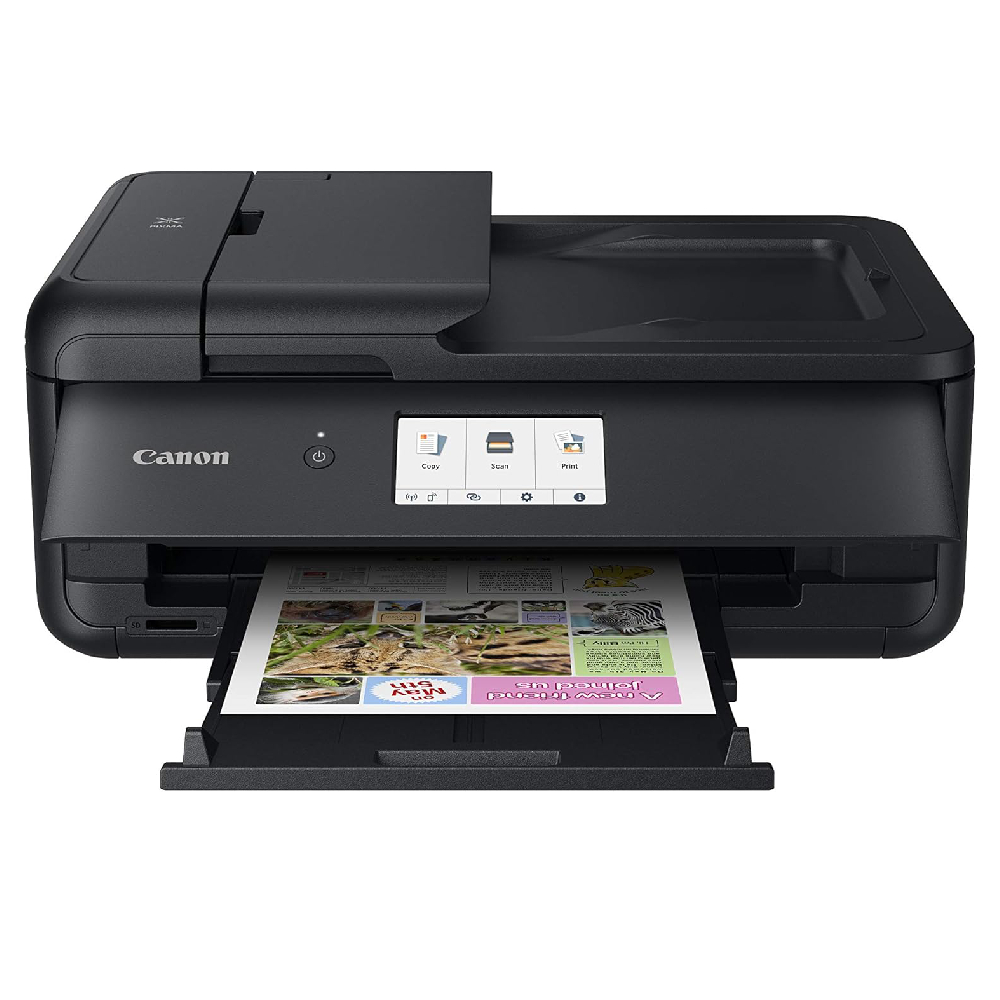
Best for Everyday Photos: Canon PIXMA TS8750 Inkjet 3-in-1 Multifunction A4 Colour Wireless Printer
The Canon PIXMA TS8750 (6152C008) is a fantastic option for compact power with top-tier print quality. It’s a sleek, stylish all-in-one with a six-ink system that produces vibrant, long-lasting photos. Whether you’re printing high-quality images or everyday documents, this printer easily handles it.
It’s packed with handy features like auto double-sided printing, two-way paper feed, and even SD card printing—so you can print your photos straight from your camera’s memory card without needing a PC. The large 10.8 cm touchscreen makes operation intuitive and simple.
Wi-Fi connectivity is seamless, and you can print wirelessly from your smartphone or tablet using the Canon PRINT app. It also supports Apple AirPrint and Mopria, with quick Wi-Fi setup that automatically fills in your password on iOS devices. This makes it a superb everyday printer for creative households.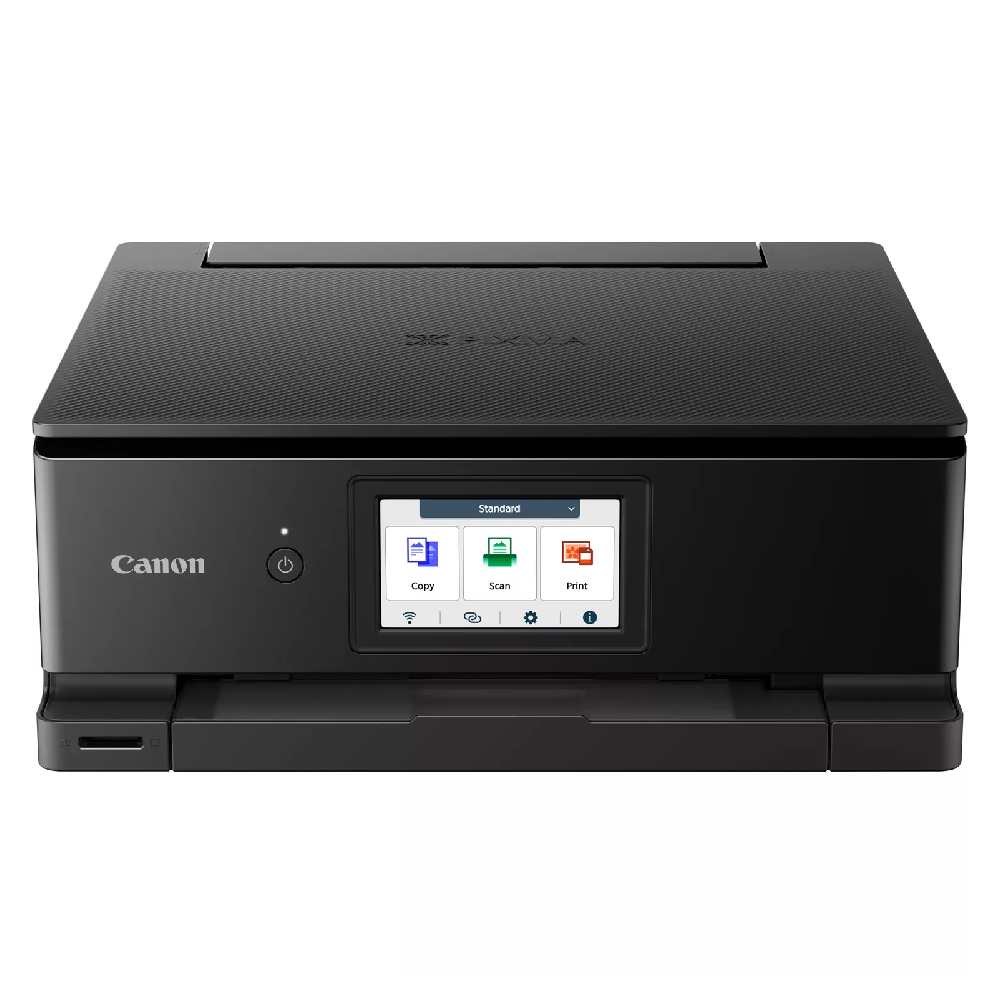
Best Compact Speedster: Epson Expression Premium XP-6100 Wi-Fi Inkjet Printer
The Epson Expression Premium XP-6100 is ideal for those after speed, quality, and a compact design. Despite its small size, this all-in-one printer delivers excellent print quality, with sharp, vibrant results and a high resolution of up to 5760 x 1440 dpi. It can print a 10 x 15 cm photo in just 15 seconds, making it a great choice for anyone seeking the best mini printer with impressive performance.
It’s also quick for documents, offering speeds of up to 32 pages per minute in both mono and colour. It also has automatic double-sided printing to help you save paper. Dual front paper trays and a rear speciality feed make switching between everyday documents and photo prints simple.
Wireless printing is a breeze with Epson iPrint and Creative Print apps, allowing you to print directly from your smartphone or tablet. Plus, the individual ink cartridges mean you only replace the colour that runs out, helping keep your costs down.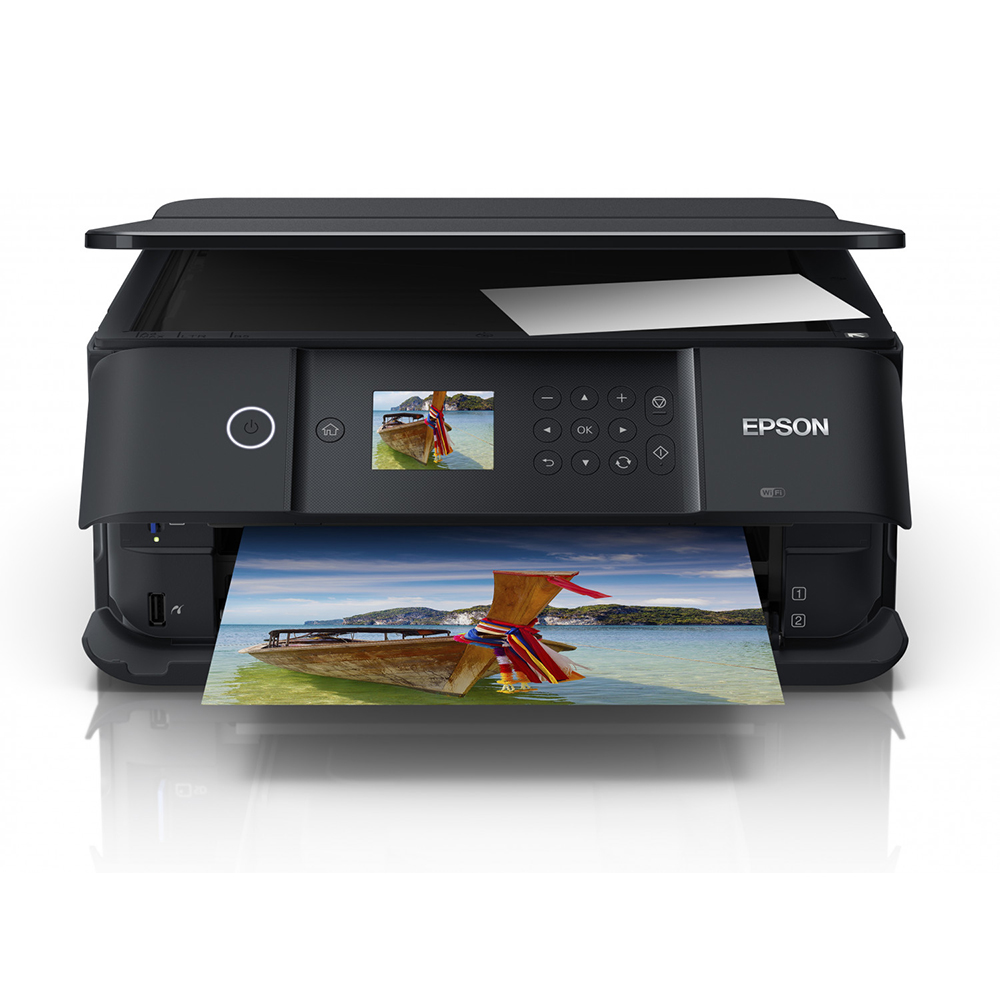
Best for Enthusiasts: Epson Expression Photo XP-970 Inkjet A3 Wi-Fi Multifunction Colour Printer
The Epson Expression Photo XP-970 is an excellent pick for anyone who wants high-quality A3 photo prints at home, especially those looking for the best budget photo printer with advanced features. Its six-colour Claria Photo HD ink system produces stunning, glossy photos with rich colours and incredible detail even at larger sizes.
It’s versatile too, offering print, scan, and copy functions. It handles a wide range of media with dual front-loading trays and a rear feed that supports up to A3 paper. It also features automatic double-sided printing for A4 documents, making it a practical choice for all kinds of printing tasks.
With Wi-Fi connectivity and Epson’s mobile printing apps, including Epson iPrint and Creative Print, you can print directly from your devices, create custom photo books, or even design greeting cards on the go.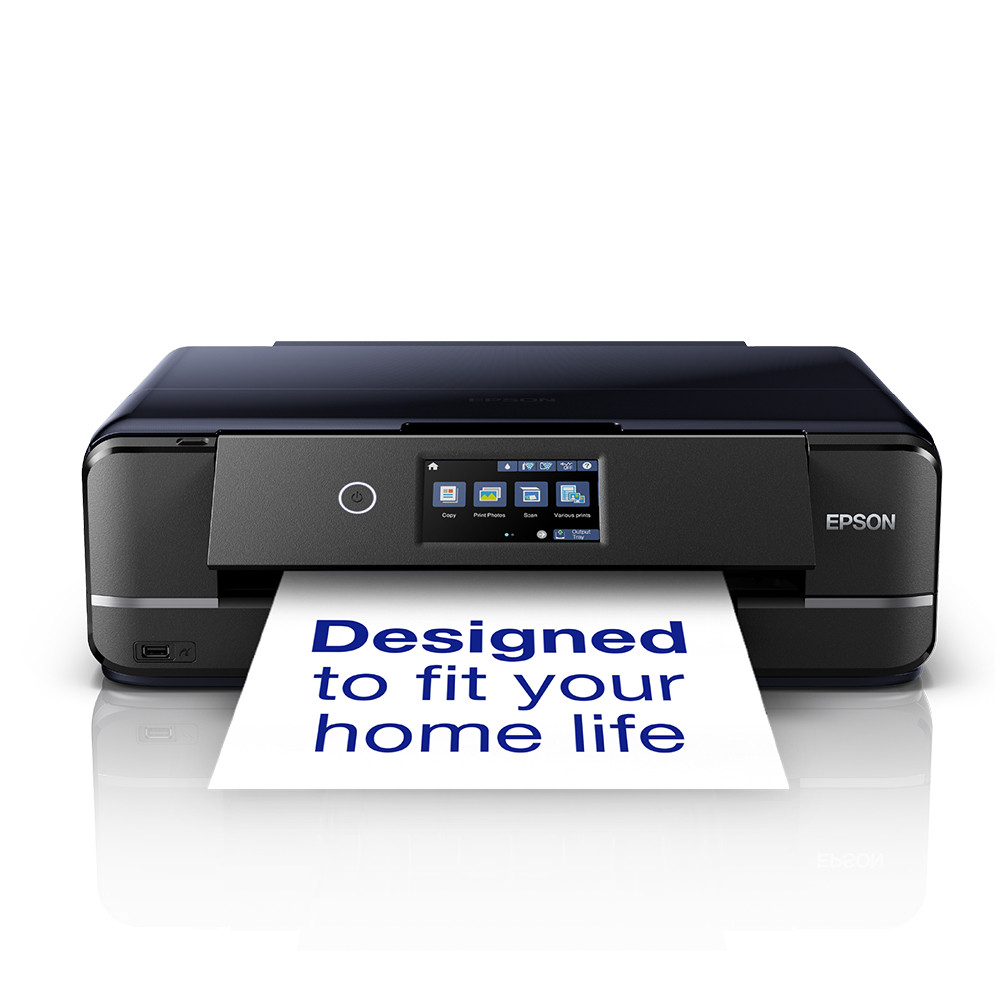
Best for Pro-Level Prints: Epson Expression Photo HD XP-15000 Inkjet A3+ Wi-Fi Colour Printer
If you’re looking for a printer that delivers stunning, gallery-worthy photos at home, the Epson Expression Photo HD XP-15000 is a top contender. It is well-regarded among the best-rated photo printers for serious enthusiasts. It uses six Claria Photo HD inks, including red and grey, for exceptional colour range, deep blacks, and smooth gradations, perfect for high-end photography.
It can handle large prints up to A3+ and delivers exceptional detail with a maximum resolution of 5760 x 1440 dpi. With print speeds up to 29 pages per minute and automatic double-sided printing for A4, it’s both efficient and versatile. The dual paper trays and rear feed support a wide variety of media, including thick cards and panoramic photo paper.
Connectivity is excellent, with Wi-Fi, Ethernet, USB, and support for mobile apps like Epson iPrint and Creative Print. You can even print directly onto CDs and DVDs. It’s ideal for photographers, artists, and creators who want professional results from home.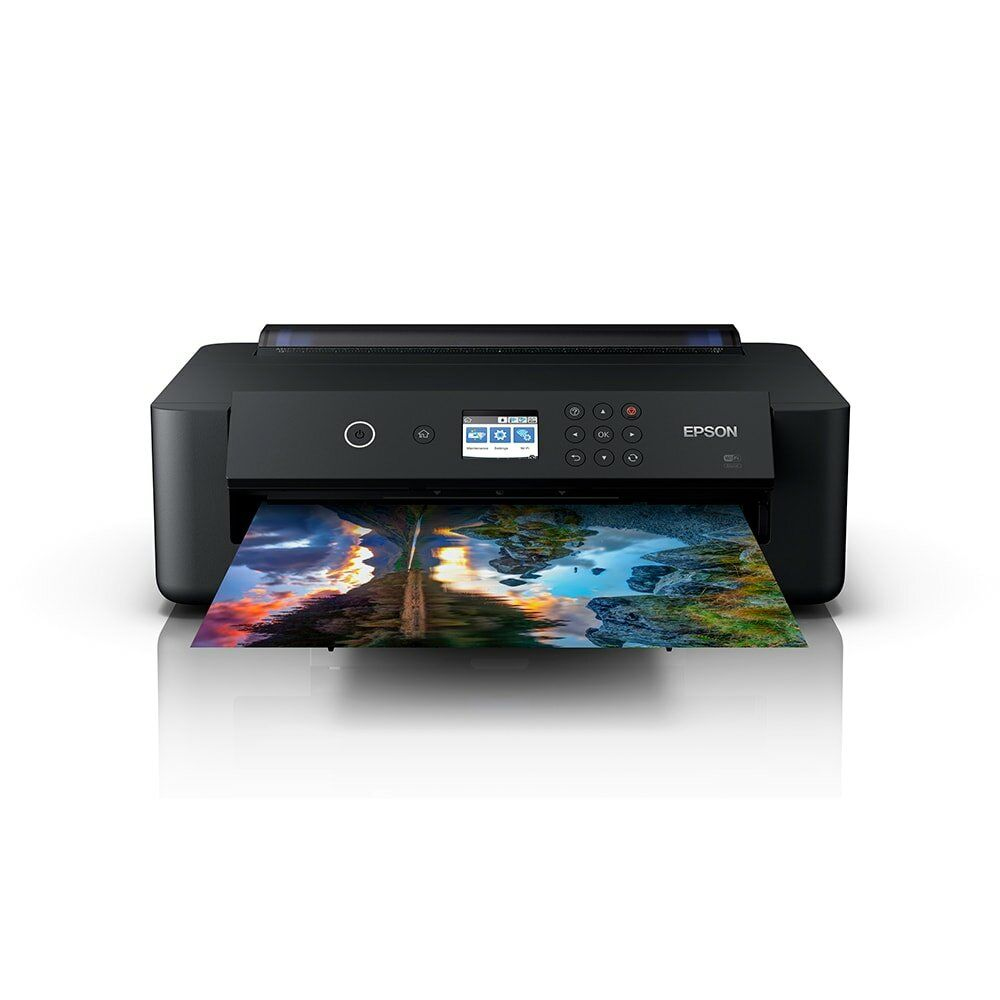
How to Choose the Right Photo Printer for Your Needs
After exploring some of our top-rated photo printers, you might already have a favourite in mind. But if you're still deciding which model best suits your needs, here's a simple guide to help you narrow it down. Finding the perfect photo printer depends on how you plan to use it. Whether you're after the best budget photo printer, the best mini printer, or the best home picture printer, we've outlined the key considerations below.
Inkjet or Dye-Sublimation: Which Printing Method Suits You?
One of the first things to consider is the printer technology that matches your goals.
Inkjet Printers
Inkjet printers work by spraying tiny droplets of ink onto paper. They're incredibly versatile, supporting everything from plain paper to high-end photo media. If you're interested in printing various projects like photos, documents, and artistic work. Best inkjet printers also support larger print sizes such as A3 and A3+.
They're also more affordable upfront, making them great for home users and creatives who need flexibility without high initial costs.
Dye-Sublimation Printers
Dye-sublimation printers use heat to transfer dye onto paper, producing smooth, vibrant prints resistant to smudging, water, and fading. This process allows colours to saturate deeply, delivering stunning results, especially for portraits or high-contrast images.
These printers excel at producing durable, professional-quality prints, although they tend to have higher running costs and smaller media size options than inkjets.
Tip: If you're after a flexible printer for a mix of photo projects, inkjet is the way to go. But if long-lasting, vibrant photo prints are your main priority, a dye-sublimation printer might suit you better.
Dye-Based vs Pigment-Based Inks: Which Is Better for You?

Once you've settled on an inkjet printer, the next question is what type of ink suits your projects best.
Dye-Based Inks
Dye-based inks soak into the paper, making them perfect for rich, glossy finishes. They're excellent for photos with vibrant colours and smooth gradients, especially on gloss or semi-gloss paper. Most consumer-level photo printers use dye-based inks because they're affordable and produce eye-catching results.
Pigment-Based Inks
Pigment inks sit on the paper's surface, offering better resistance to fading, moisture, and smudging. They're preferred for fine art prints, matte photos, and archival-quality work where longevity matters most. In contrast, colours may be slightly less vivid compared to dye inks, but pigment-based prints last much longer.
Tip: Dye-based inks will deliver the best punch if you mainly print glossy, colourful photos. But if durability and fade-resistance are key, go for pigment-based options, especially for framed prints or fine art.
Printer Size and Space Considerations
Think about how much room you have available and whether portability is a factor.
Desktop Models
If you're planning to print large-format photos or need advanced features like A3+ printing, a desktop photo printer is the best option. These models tend to be larger but offer better speed, quality, and paper handling.
Compact Models
For those with limited space, smaller desktop printers provide excellent quality for everyday photo printing. They're easy to store, quick to set up, and perfect for home use.
Portable Printers
If you're after ultra-portability for printing on the go, there are mini printers designed for wallet-sized or instant prints. While they're great for travel and events, they're not built for high-resolution or large-format prints.
Tip: Consider your available space and the size of prints you want to produce. Bigger isn't always better, but for serious photography, larger printers give you more flexibility.
Connectivity and Device Compatibility
Your printer's connectivity options are essential for smooth operation, especially in today's wireless world.
Most modern printers include Wi-Fi and USB connections as standard, allowing easy printing from computers, smartphones, and tablets. Many also support apps that let you edit and print directly from mobile devices.
For Apple users, printers with AirPrint offer a seamless experience. Some printers also allow direct printing from cameras via Wi-Fi or memory card slots, saving you the hassle of transferring photos.
Tip: Think about where your photos live your phone, camera, or PC and make sure your printer supports your preferred devices and platforms.
Paper Compatibility: Sizes, Finishes, and Weight

Not all printers handle the same types of paper, so it's important to check the options before you buy.
Paper Sizes
Most standard photo printers handle A4 or smaller sizes, but some advanced models can print up to A3+ or beyond. If you're planning large-format projects or gallery-style prints, make sure your printer supports wider formats.
Paper Finishes
Printers differ in their compatibility with paper finishes such as:
-
Glossy: Shiny and vibrant, great for colourful photos.
-
Matte: Non-reflective, ideal for subtle or fine art prints.
-
Satin/Semi-Gloss: A soft sheen with reduced glare, perfect for versatile styles.
Paper Weight (GSM)
Every printer has a recommended paper weight range (measured in gsm). Lighter paper is ideal for casual use, but for premium or fine art prints, you'll want a printer that can handle heavier paper stocks.
Tip: Always check your printer's media compatibility for the types of projects you're planning. Higher-end models usually support more finishes and heavier weights.
Ink System: Cartridges or Refillable Tanks?
Another key decision revolves around how your printer supplies its ink.
Cartridge-Based Printers
These use replaceable ink cartridges, making them simple and convenient for occasional use. However, running costs can add up over time, particularly if you print frequently.
Ink Tank Printers
These models come with large, refillable ink reservoirs that offer much lower running costs in the long term. Ink tanks are great for high-volume printing, offering thousands of pages per refill.
Tip: For frequent photo printing, ink tank models like Canon's MegaTank series offer excellent long-term savings. If you only print occasionally, cartridges might suit you better.
Useful Features to Complement Your Printing Experience

Photo printers often include helpful extras that make printing smoother and more efficient:
-
Built-in Touchscreens: Control printing settings, check ink levels, and preview images easily.
-
Mobile & Cloud Printing: Send photos from your phone or cloud storage apps.
-
Duplex Printing: Automatically print on both sides of the page, ideal for creating albums or photo books. Paper jams can happen to any printer. Check out our quick guide on how to fix printer paper jams for easy tips.
-
Direct SD Card Printing: Some models allow direct printing from memory cards, bypassing the need for a computer.
-
Custom Print Apps & Editing Tools: Many printers now include built-in access to editing apps or creative print tools, allowing you to crop, adjust colours, or add borders and filters before printing.
Tip: If convenience matters, look for printers with touchscreens and wireless app support for easier operation.
Do You Need Scan & Copy Functions?
Many photo printers also double as all-in-one devices with built-in scanners and copiers. These can be handy for digitising old photos, scanning documents, or making quick photocopies.
If your focus is purely on photo printing, a dedicated photo printer may offer better image quality. But if you occasionally need to scan or copy, an all-in-one model gives you greater versatility.
Final Thoughts: Your Perfect Photo Printer Awaits
By now, you've seen just how many fantastic options there are for best-rated photo printers, whether you're after a compact model for everyday snapshots or a powerful A3+ printer for professional-quality masterpieces. From the best mini printer to the best budget photo printer, there's something for everyone.
And if you're still weighing up your options, our photo printer buying guide above covers everything from print technologies and ink types to paper handling and handy features, helping you choose with confidence.
But remember, you don't have to navigate this alone! If you're unsure which printer will best suit your needs, even after exploring our top picks and guide, our expert team at Box.co.uk can help you find the perfect photo printer for your home or workspace.
Explore our full range of photo printers or contact us today. We'll help turn your digital memories into beautiful, lasting prints.
Need help beyond photo printers? Our full Printer Buying Guide covers everything.
You can pay with:
*PayPal Credit Representative Example: Assumed credit limit £1,200, Representative 23.9% APR (variable). Purchase rate 23.9% p.a (variable).Terms & Conditions apply.


PayPal Credit and PayPal Pay in 3 are trading names of PayPal UK Ltd, 5 Fleet Place, London, United Kingdom, EC4M 7RD. Terms and conditions apply. Credit subject to status, UK residents only, Five Tech LTD acts as a broker and offers finance from a restricted range of finance providers. PayPal Pay in 3 is not regulated by the Financial Conduct Authority. Pay in 3 eligibility is subject to status and approval. 18+. UK residents only. Pay in 3 is a form of credit. Check if affordable and how you will repay. May make other borrowing more difficult or expensive. See product terms for more details.
Copyright © 1996-2026 Fivetech LTD | Terms and Conditions
box.co.uk & Box are trading names of Five Tech Limited. Registered office: Box LTD, Unit 10 Woodford Trading Estate, Woodford Green IG8 8HF