


 Menu
MenuMenu


Get Sales Advice from Mon - Fri 9am - 5:00pm:
020 3337 8950LAST UPDATED: July 07, 2026
Best Samsung Touch Screen Laptops: Galaxy Book & Chromebook Guide
A Samsung touch screen laptop is a great choice if you want a laptop that feels more flexible than a standard notebook. With a touchscreen display, you can tap, swipe, scroll, sketch, annotate documents, and use your laptop in a more natural way.
Samsung is best known for its Galaxy smartphones and tablets, but its Galaxy Book laptops have become strong options for work, study, travel and everyday productivity. Many Samsung touchscreen laptops are slim, lightweight, and designed to work well with the wider Samsung Galaxy ecosystem.
The main choice is between a Windows-based Samsung Galaxy Book and a ChromeOS-based Samsung Chromebook. Galaxy Book models are better for full Windows productivity, business work and performance. Samsung Chromebooks are usually better for browsing, schoolwork, cloud apps and simple everyday use.
This guide explains how to choose the best Samsung touch screen laptops, including Galaxy Book 360 models, Samsung Chromebooks with touch screens, S Pen support, price expectations, 14-inch models, processor options and the best Samsung touchscreen laptop for different users.
To compare current models, browse the Samsung touchscreen laptop range, or view touchscreen laptops at Box.

Quick Answer: Which Samsung Touch Screen Laptop Should You Buy?
The best Samsung touchscreen laptop depends on how you plan to use it. If you want the most flexible Windows experience, a Galaxy Book 360 is usually the best choice because it combines a touchscreen with a convertible 2-in-1 design. If you want something slim and powerful for travel, study or business, a Galaxy Book Pro touchscreen model may be better. If you want something simple and affordable for browsing or schoolwork, a Samsung Chromebook with touch screen can be a good option.
| Buyer Type | Best Samsung Option |
|---|---|
| Best overall Samsung touch screen laptop | Samsung Galaxy Book5 360 |
| Best Samsung 2-in-1 touchscreen laptop | Galaxy Book 360 model |
| Best Samsung touch screen laptop with pen | Galaxy Book 360 with S Pen support |
| Best Samsung Chromebook with touch screen | Touchscreen Samsung Chromebook model |
| Best Samsung touch screen laptop for students | Chromebook or lightweight Galaxy Book |
| Best for business users | Galaxy Book Pro or Galaxy Book 360 |
| Best for portability | 14-inch Galaxy Book touchscreen model |
For most users, the best balance will come from a Galaxy Book 360. It gives you Windows 11, a touchscreen, a convertible design and strong everyday performance. For buyers who want a more traditional slim laptop, a Galaxy Book Pro touchscreen model is also worth considering.
Do Samsung Laptops Have Touch Screens?
Yes, Samsung does make laptops with touchscreens, but not every Samsung laptop has touch support. Some Galaxy Book models include a touchscreen display, while others are standard non-touch laptops. This is why it is important to check the exact model before buying.
A Samsung laptop touchscreen is useful if you want a more interactive and flexible experience, allowing you to tap and scroll naturally, use tablet mode on convertible models, annotate documents, take handwritten notes, sketch or mark up images, navigate Windows more easily, use creative apps with touch input and work more comfortably while travelling.
Samsung touchscreen laptops are especially useful for students, business users, note-takers, creative workers and anyone who prefers a more interactive laptop experience.
Samsung Galaxy Book Touchscreen Models Explained
The Samsung Galaxy Book range includes slim Windows laptops designed for productivity, portability and everyday performance. Some models are standard notebooks, while others include touchscreens or 2-in-1 convertible designs.
Galaxy Book touchscreen models are well suited for everyday tasks such as work documents, university notes, presentations, video calls, web browsing, light creative work, streaming and travel productivity, especially for users already within the Samsung Galaxy ecosystem.
If you already use a Samsung Galaxy phone or tablet, a Galaxy Book can feel like a natural fit because it is built to work well with Samsung’s wider device ecosystem.
For more detail on the different models, read our guide to compare Samsung Galaxy Book models.
Samsung Galaxy Book 360 vs Standard Galaxy Book Touchscreen Laptops
A Galaxy Book 360 is different from a standard touchscreen laptop because it has a 360-degree hinge. This lets you fold the screen back and use the laptop in different modes.
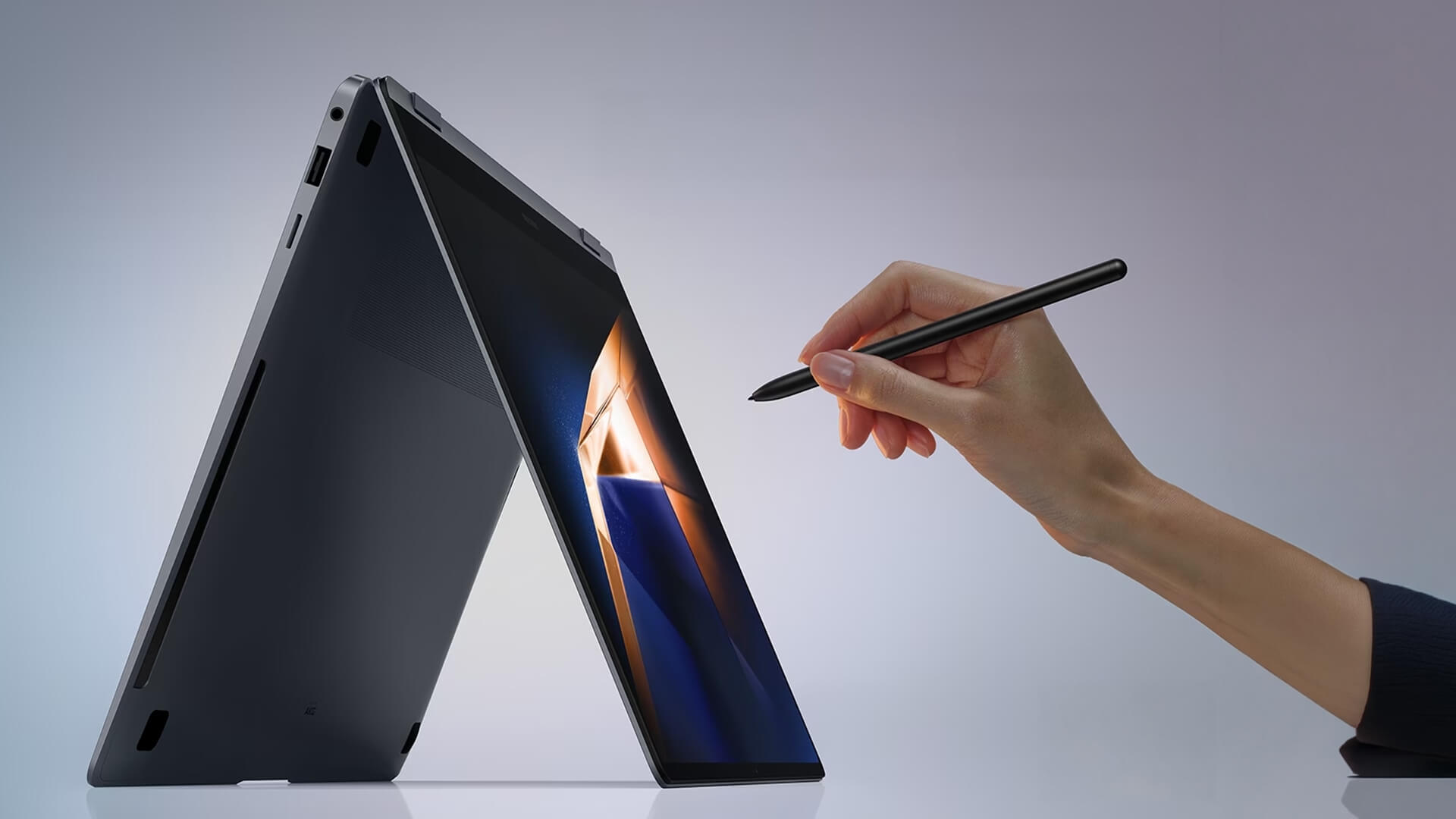
A Samsung Galaxy Book 360 can be used in laptop, tablet, tent and stand modes, making it far more flexible than a standard notebook Samsung touch screen device and ideal if you want a Samsung 2 in 1 touchscreen laptop for work, study, note-taking or presentations.
A standard Galaxy Book touchscreen laptop is better if you want a traditional laptop shape with touch support but do not need tablet mode.
Do Samsung Chromebooks Have Touch Screens?
Some Samsung Chromebooks have touchscreens, but not all of them do. If you are looking for a Samsung Chromebook touchscreen or Samsung Chromebook with touch screen, always check the exact model specification before buying.
A touchscreen Chromebook is useful for everyday tasks such as schoolwork, web browsing, Google Docs, YouTube, online learning, cloud apps, email, simple note-taking and lightweight travel use.
Some shoppers search for terms such as Samsung Chromebook touch when looking for a touchscreen ChromeOS laptop. The key is to check whether the specific Samsung Chromebook model includes a touchscreen display, as Chromebook features can vary.
You can browse ChromeOS laptops for study and browsing to compare current Chromebook options.
Samsung Galaxy Book vs Samsung Chromebook: Which Is Better?
The choice between a Samsung Galaxy Book and a Samsung Chromebook depends on what you need the laptop to do.
A Galaxy Book runs Windows, so it is better for full desktop apps, Microsoft Office, business software and more demanding multitasking. A Chromebook runs ChromeOS, so it is better for simple, cloud-based work and everyday browsing.
| Feature | Samsung Galaxy Book | Samsung Chromebook |
|---|---|---|
| Operating system | Windows 11 with full desktop apps and software. | ChromeOS focused on web and cloud apps. |
| Best for | Professionals, students and work-focused users. | Casual users and school students. |
| Everyday performance | Stronger performance for multitasking and heavier tasks. | Simpler performance for light everyday use. |
| Apps and software | Supports full Windows apps and productivity tools. | Best for web apps, Google Workspace and Android apps. |
| Storage options | More built-in SSD storage for files and offline use. | Relies more on cloud storage like Google Drive. |
| Touchscreen support | Available on selected models like Galaxy Book 360. | Available on some models only. |
| 2-in-1 flexibility | Full convertible design on Galaxy Book 360 models. | Some models offer basic convertible designs. |
| S Pen and note-taking | Supports S Pen on selected models for notes and sketches. | Limited stylus support on some models. |
| AI and future-ready features | Includes AI features on newer Core Ultra models. | Focused on basic cloud tasks rather than AI. |
| Best for work | Ideal for business apps, multitasking and productivity. | Suitable for light, browser-based work. |
| Best for study | Better for university-level work and heavier tasks. | Better for schoolwork and online learning. |
| Portability | Slim and lightweight for travel and work. | Lightweight and easy to carry. |
| Price expectation | Generally more expensive with stronger hardware. | More affordable for budget users. |
| Choose this if… | You need Windows, performance and flexibility. | You mainly use Google apps and web tools. |
| Best overall choice | Best for productivity and long-term use. | Best for simple, everyday tasks. |
For more help deciding, read our Chromebook or Windows laptop comparison or our affordable Chromebook buying guide.
Best Samsung Touch Screen Laptop Features to Look For
When choosing a laptop touchscreen Samsung model, do not only look at the touchscreen. The best laptop should also have the right display, processor, RAM, storage and design for your daily use.
Touchscreen Display Quality
The display is one of the biggest reasons to buy a Samsung laptop. Samsung is known for high-quality screens, and many Galaxy Book models offer sharp, colourful displays.
Look for:
- Touchscreen support
- AMOLED touchscreen options
- 3K AMOLED display on premium models
- Good brightness
- Strong colour quality
- Comfortable screen size
- Thin bezels
- Good viewing angles
An AMOLED touchscreen is especially useful if you watch videos, edit images, create presentations or want a premium visual experience.
S Pen Support and Note-Taking
A Samsung touch screen laptop with pen is useful if you take notes, sketch ideas or annotate documents. S Pen support can make a Galaxy Book 360 feel more like a laptop and tablet in one.
S Pen support is helpful for:
- Handwritten notes
- Lecture notes
- Meeting notes
- PDF annotation
- Creative sketching
- Mind maps
- Signing documents
- Marking up screenshots
If pen input matters, check whether the exact model supports S Pen and whether the pen is included or sold separately.
2-in-1 Convertible Design
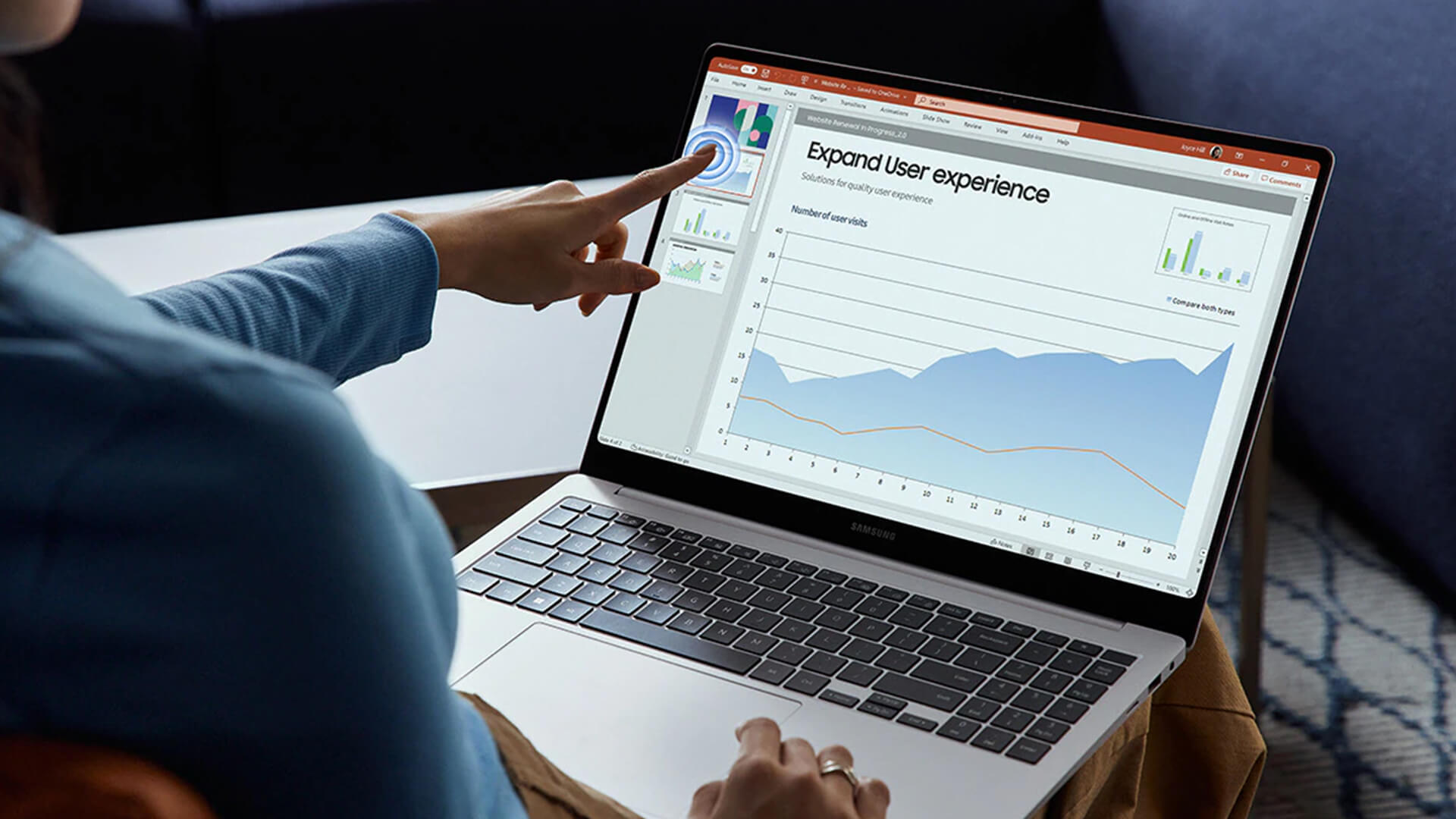
A 2-in-1 laptop gives you more ways to work. The screen can fold back, so you can use the device like a tablet or prop it up for video calls and presentations.
A Samsung 2 in 1 touchscreen laptop is useful for note-taking, drawing, reading, presenting, and travel use.
If you only need basic touch input, a standard touchscreen laptop may be enough. If you want tablet mode, choose a Galaxy Book 360 or another convertible model.
Processor Options: Intel Core i5, i7 and Core Ultra
Many people search for Samsung i5 touch screen laptop or Samsung touch screen laptop i7, but newer Samsung laptops may use Intel Core Ultra processors instead of older Core i5 or i7 branding.
For most users:
- Intel Core i5 or Core Ultra 5 is good for everyday work and study
- Intel Core i7 or Core Ultra 7 is better for heavier multitasking
- Intel Core Ultra models are better for newer AI laptop features
- Copilot+ PC models are designed for AI-ready productivity
If you want a laptop for work, study and multitasking, a Core Ultra 7 Galaxy Book is a strong choice.
RAM, SSD Storage and Everyday Performance
For smooth everyday use, RAM and SSD storage matter. A touchscreen is useful, but performance still depends on the internal hardware.
For most users, look for:
- 16GB RAM for comfortable multitasking
- 32GB RAM for heavier users
- 512GB SSD or higher
- Fast Wi-Fi
- Windows 11
- Good battery life
- Lightweight design
A student or casual user may be fine with lower specs, but business users and creators should choose more RAM and a stronger processor.
Battery Life and Portability
Samsung laptops are often slim and lightweight, which makes them good for travel, study and hybrid work. If you carry your laptop every day, weight and battery life matter just as much as performance.
Look for:
- Lightweight design
- Slim chassis
- Long battery life
- USB-C charging where supported
- Strong Wi-Fi support
- Durable build
- Comfortable keyboard
For more portable options, explore slim laptops for travel and study or read our guide to lightweight laptops with touchscreen flexibility.
Browse convertible touchscreen laptops to compare more 2-in-1 options.
Samsung Touch Screen Laptop Price: What Should You Expect?
Samsung touch screen laptop price varies depending on the model, processor, screen size, RAM, storage and whether it is a Chromebook, Galaxy Book, Galaxy Book 360 or premium Galaxy Book Pro.
A simple way to look at Samsung touch laptop price is by category.
Budget Samsung Chromebook Options
Samsung Chromebook models are usually the most affordable route into Samsung laptop ownership. A touchscreen Chromebook may cost more than a non-touch model, but it can still be a good value choice for browsing, study and basic daily use.
Mid-Range Samsung Galaxy Book Touchscreen Laptops
Mid-range Galaxy Book touchscreen laptops are better for users who need Windows, stronger performance and better multitasking. These models suit students, remote workers and everyday users who want a laptop that can handle more than browsing.
Premium Samsung Galaxy Book Pro and 360 Models
Premium Galaxy Book Pro and Galaxy Book 360 models are best for users who want higher performance, better displays and more flexible designs. These are ideal if you want a more advanced touchscreen experience, a better display or a laptop for work and study.
If you are looking for a Samsung touch screen laptop best buy, compare the price against the screen quality, RAM, processor and whether the device has 2-in-1 flexibility.
Best Samsung Touch Screen Laptop by User Type
Best for Students
Students should look for a lightweight laptop with good battery life, a comfortable keyboard and enough performance for research, essays and video calls. A Chromebook can work well for simple school tasks, while a Galaxy Book is better for university, Windows apps and multitasking.
Best for Business Users
Business users should choose a Galaxy Book with strong performance, a professional design and reliable portability. A touchscreen can help with presentations, document review and quick navigation.
A Windows 11 Galaxy Book is usually better than a Chromebook for business software and productivity workflows.
Best for Creatives and Note-Takers
Creative users and note-takers should consider a Galaxy Book 360 with S Pen support. The 2-in-1 design makes it easier to sketch, annotate, and use the laptop in tablet mode.
This is ideal for:
- Designers
- Students
- Teachers
- Project planners
- Content creators
- Business users who review documents
Best for Travel and Lightweight Use
If you travel often, choose a slim Samsung laptop with a smaller screen size, good battery life and a lightweight design. A Samsung touch screen laptop 14 inch can be a good choice because it gives you a portable size without feeling too cramped.
The compact Samsung Pro touchscreen laptop is a strong option if you want a 14-inch touchscreen Windows laptop with premium performance.
Best for Everyday Home Use
For everyday home use, choose based on your apps. If you mainly browse, stream and use Google apps, a Chromebook may be enough. If you want Windows, Microsoft Office, multitasking and stronger performance, choose a Galaxy Book.
You can also browse AI-ready laptop options if you want newer Copilot+ PC and Intel Core Ultra features.
Samsung Touch Screen Laptop Buying Checklist
Before buying a Samsung notebook touchscreen, use this checklist to make sure the model fits your needs.
Check Whether the Exact Model Has Touch Support
Not every Samsung laptop has a touchscreen. Always check the model listing before buying, especially if the title does not clearly mention touchscreen support.
Decide Between Windows and ChromeOS
Choose Windows if you need full productivity apps, business software, Microsoft Office and stronger multitasking. Choose ChromeOS if you mainly browse, stream and use cloud apps.
Choose the Right Screen Size
A 14-inch Samsung touch screen laptop is better for portability. A 15.6-inch model gives you more screen space for multitasking, presentations and entertainment.
Look for S Pen Support if You Take Notes or Draw
If you want a Samsung touch screen laptop with pen, check whether the model supports S Pen and whether it is included. This matters if you plan to take handwritten notes or sketch.
Compare RAM and Storage
For most users, 16GB RAM and 512GB SSD is a good starting point. For heavier multitasking, creative work or business use, 32GB RAM can feel smoother.
Compare Warranty, Delivery and Finance Options
When comparing Samsung touch screen laptop price, also consider warranty, delivery options, finance options and whether the laptop is in stock.
Final Verdict
The best Samsung touchscreen laptop depends on how you plan to use it. Choose a Galaxy Book 360 if you want the most flexible Samsung 2-in-1 touchscreen laptop for everyday work, study, note-taking and entertainment. Choose a compact Samsung Pro touchscreen laptop if you want premium portability, a smaller design and strong everyday performance. Choose a Samsung Chromebook with touch-screen if you want a simpler, affordable laptop for browsing, study and cloud apps.
For most buyers, the Galaxy Book 360 is the strongest all-round choice because it combines Windows, touchscreen control, convertible flexibility, and strong performance in one device.
To find the right model for your needs, explore touchscreen laptops at Box, or shop ChromeOS laptops for study and browsing at box.co.uk.
FAQs
Which Samsung laptop has a touch screen?
Selected Samsung Galaxy Book models have touchscreens, especially Galaxy Book 360 and some Galaxy Book Pro models. Always check the exact model specification before buying because not every Samsung laptop includes touch support.
Do Samsung make laptops anymore?
Yes, Samsung still makes laptops, including Galaxy Book models, Galaxy Book 360 convertibles and Chromebook options in selected markets.
Are Samsung Galaxy laptops any good?
Yes, Samsung Galaxy laptops are good for users who want slim designs, strong displays, good portability and useful productivity features. Galaxy Book models are especially strong for work, study, travel and Samsung Galaxy ecosystem users.
What is the best Samsung laptop right now?
The best Samsung laptop depends on your needs. For touchscreen flexibility, a Galaxy Book 360 is one of the best choices. For portability, a 14-inch Galaxy Book Pro touchscreen model can be better. For simple browsing and study, a Samsung Chromebook may be enough.
Do Samsung Chromebooks have touch screens?
Some Samsung Chromebooks have touchscreens, but not all of them do. If you want a Samsung Chromebook touchscreen, check the exact product listing before buying.
Which is better, HP or Samsung laptops?
HP and Samsung both make strong laptops, but they suit different users. HP offers a wide range of business, student and home laptops, while Samsung is especially strong for slim Galaxy Book designs, AMOLED displays, 2-in-1 models and Galaxy ecosystem features. The better choice depends on your budget, operating system, screen preference and daily workload.
You can pay with:
*PayPal Credit Representative Example: Assumed credit limit £1,200, Representative 23.9% APR (variable). Purchase rate 23.9% p.a (variable).Terms & Conditions apply.


PayPal Credit and PayPal Pay in 3 are trading names of PayPal UK Ltd, 5 Fleet Place, London, United Kingdom, EC4M 7RD. Terms and conditions apply. Credit subject to status, UK residents only, Five Tech LTD acts as a broker and offers finance from a restricted range of finance providers. PayPal Pay in 3 is not regulated by the Financial Conduct Authority. Pay in 3 eligibility is subject to status and approval. 18+. UK residents only. Pay in 3 is a form of credit. Check if affordable and how you will repay. May make other borrowing more difficult or expensive. See product terms for more details.
Copyright © 1996-2026 Fivetech LTD | Terms and Conditions
box.co.uk & Box are trading names of Five Tech Limited. Registered office: Box LTD, Unit 10 Woodford Trading Estate, Woodford Green IG8 8HF