


 Menu
MenuMenu


Get Sales Advice from Mon - Fri 9am - 5:00pm:
020 3337 8950POSTED: May 22, 2026
Best Lightweight and Slim Laptops in the UK: Top Picks for Work, Travel, and Students
Lightweight and slim laptops, often called ultrabooks have become one of the most popular choices in the UK. Whether you’re commuting, studying or working remotely, having a laptop that is easy to carry without sacrificing performance makes a big difference.
These thin and light laptops UK users prefer are designed to balance portability, battery life and everyday performance. But with so many options available, choosing the right one can feel overwhelming.
In this guide, we’ll explain what makes a laptop lightweight, explore the best ultrabooks, and help you choose the right device based on how you actually use your laptop.
What Is a Lightweight and Slim Laptop?
A lightweight and slim laptop often referred to as an ultrabook is designed to make everyday computing more convenient, portable and efficient. Unlike traditional laptops, which can be bulky and heavier to carry, these devices focus on reducing weight and thickness without compromising the performance needed for daily tasks.
In simple terms, a lightweight laptop is built for users who are always on the move. Whether you’re commuting to work, travelling frequently or heading to university, it allows you to carry your device comfortably while still having the power to complete your tasks efficiently.
What Qualifies as a Thin and Light Laptop
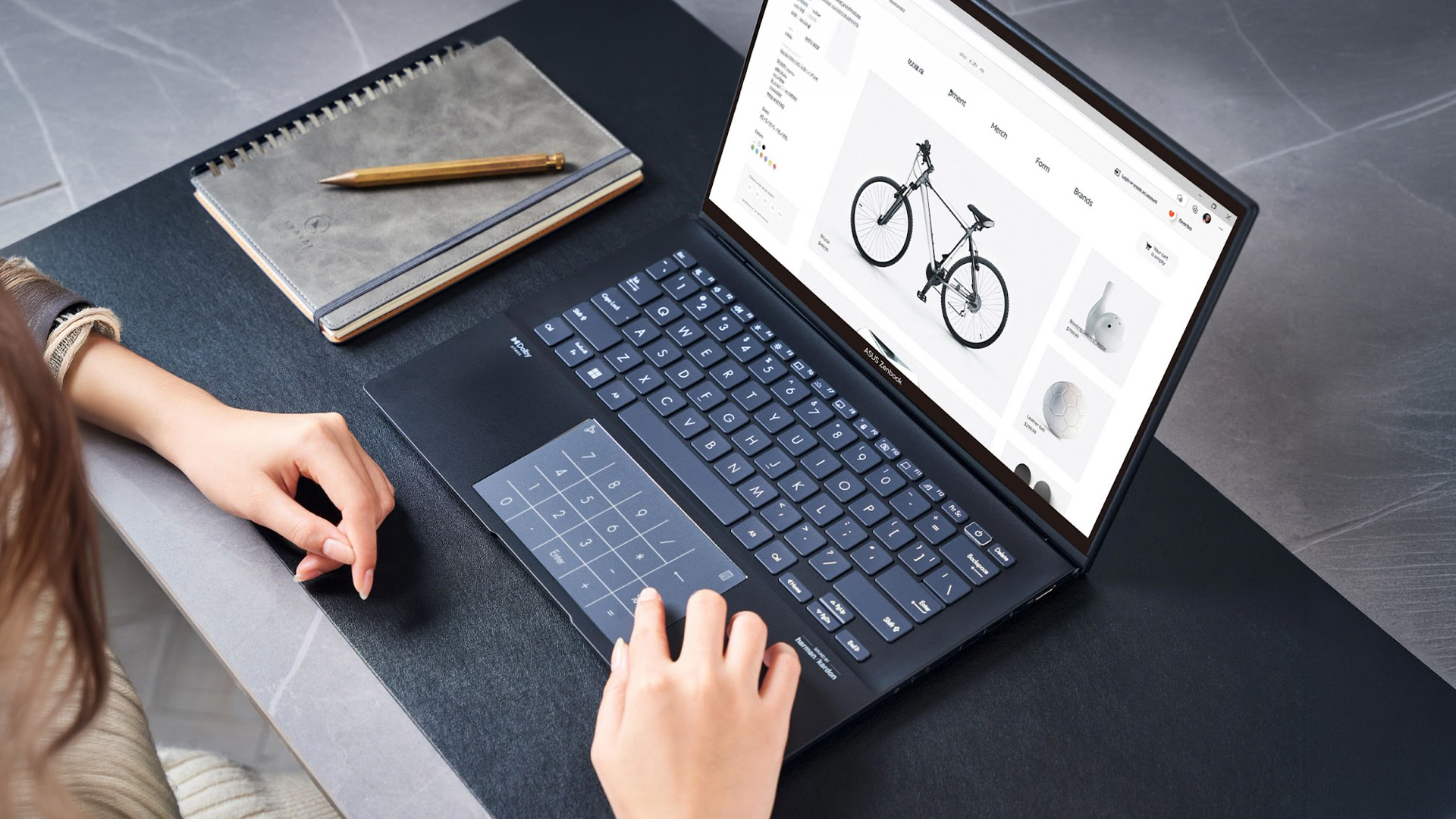
When we talk about slim laptops UK users typically look for, there are a few key characteristics that define this category.
Most lightweight laptops:
- Weigh under 1.5 kg, making them easy to carry in a backpack or shoulder bag
- Have a thin profile (usually under 18mm), which helps them fit into compact spaces
- Use efficient, modern components, designed to balance performance with battery life
These factors work together to create a device that feels effortless to carry, without sacrificing usability. For you, this means less strain when travelling and more flexibility in where and how you work.
Typical Design Features
Lightweight laptops are not just about size; they are also designed with practicality and user experience in mind. Most models include features that enhance both portability and everyday performance.
You’ll often find:
- Premium, slim materials like aluminium or magnesium, which keep the laptop light while maintaining durability
- Minimal bezels, allowing for a larger screen in a smaller body
- SSD storage, which improves speed and responsiveness
- Energy-efficient processors, helping extend battery life for all-day use
These features ensure that the laptop feels fast, modern, and reliable, whether you’re working, studying, or simply browsing.
Why Ultrabooks Are Popular in the UK
In the UK, where commuting, hybrid work and flexible lifestyles are common, portability has become a priority. Carrying a heavy laptop every day is not practical, especially for students and professionals who are constantly on the move.
This is why lightweight laptops have become increasingly popular. They offer the freedom to work from anywhere whether that’s a café, office, train or home without being tied down by a bulky device.
For many users, the appeal comes down to balance. You get a laptop that is easy to carry, long-lasting on battery and powerful enough for everyday tasks, making it one of the most practical choices in today’s market.
Why Choose a Lightweight Laptop in the UK?

Lightweight laptops have become increasingly popular in the UK, and for good reason. As work, study and daily life become more flexible, users are no longer tied to a single desk or location. This shift has made portability one of the most important factors when choosing a laptop.
1. Perfect for Commuting and Travel
For many people in the UK, daily commuting is a regular part of life. Carrying a heavy laptop on trains, buses, or while walking between locations can quickly become uncomfortable. This is where lightweight laptops make a noticeable difference.
Because they are compact and easy to carry, they reduce strain and make travelling with your device far more convenient. You can move between locations without feeling weighed down, and it becomes much easier to work while on the go.
2. Ideal for Students
For students, portability is just as important as performance. A slim laptop for students needs to be light enough to carry around campus all day, while still being powerful enough to handle coursework, research and assignments.
Lightweight laptops fit easily into a backpack, making them practical for moving between lectures, libraries and study spaces. At the same time, their efficient hardware ensures they can run essential applications smoothly.
Another key advantage is battery life. Many lightweight laptops are designed to last through a full day of lectures, reducing the need to constantly search for charging points. This makes them a reliable choice for university life.
3. Balancing Portability and Performance
One of the biggest misconceptions about lightweight laptops is that they compromise on performance. While this may have been true in the past, modern thin and light laptops UK users can choose from are much more capable.
Today’s lightweight laptops for work are equipped with powerful processors, fast SSD storage, and sufficient RAM to handle everyday tasks with ease. This means you can comfortably manage emails, documents, video calls, and multitasking without experiencing slowdowns.
For most users, this balance is what makes lightweight laptops so appealing. You get the convenience of a portable device without sacrificing the performance needed for productivity.
Best Lightweight and Slim Laptops in the UK (Top Picks)
Below are some of the best slim laptops UK users can buy, each suited for different needs whether it’s work, study, travel or flexibility.
Best Overall Lightweight Laptop
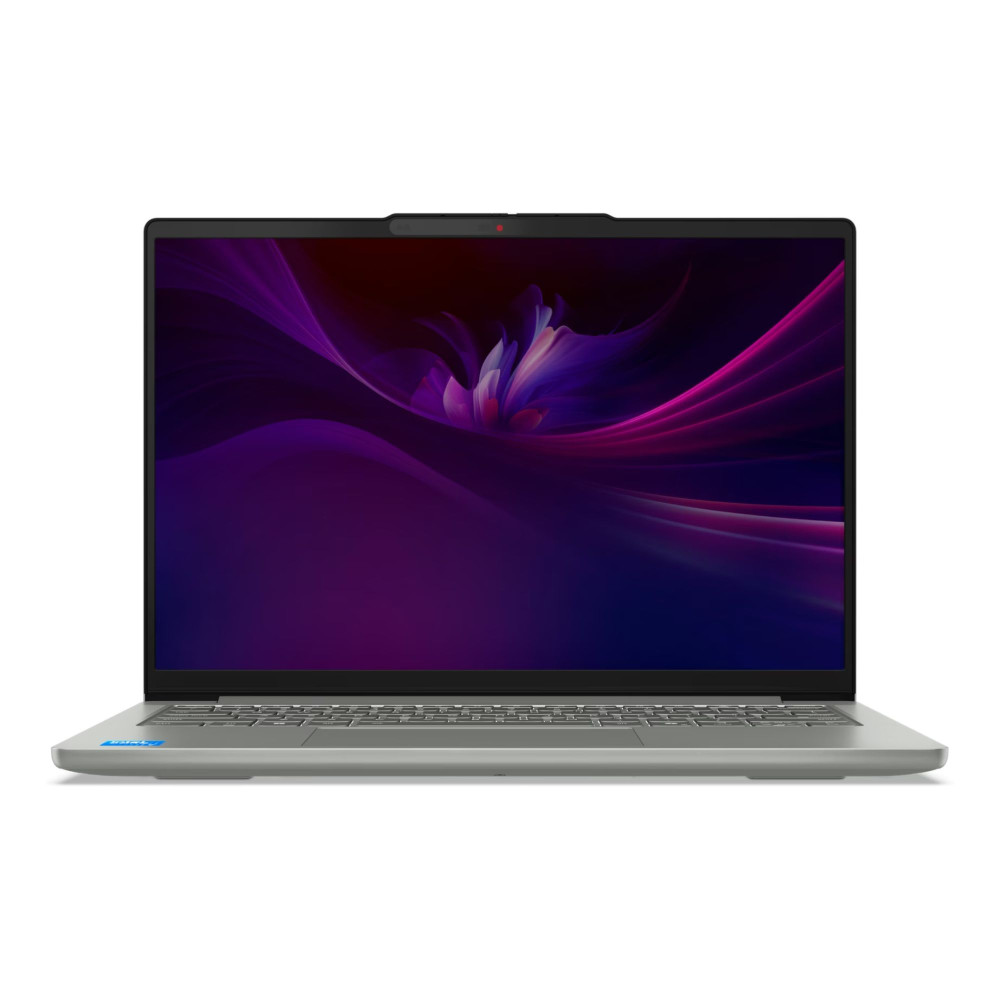
The Lenovo IdeaPad Slim 5 14IRH10 (83HR0094UK) stands out as one of the best all-round slim laptops UK users can rely on. It combines a powerful Intel Core i5 processor with 24GB RAM and 1TB SSD, which is significantly higher than what most lightweight laptops offer in this category.
What makes it particularly strong is its ability to handle multitasking, productivity, and everyday work without slowing down. Despite this performance, it still maintains a compact 14-inch design, making it easy to carry.
For users who want a balance between power, storage, and portability, this is one of the most practical choices.
Shop Lenovo IdeaPad Slim 5 14IRH10
Best Laptop for Students
The Apple MacBook Air M3 (MC8K4B/A) continues to be one of the best lightweight laptops for students in 2026. Its ultra-slim design, combined with Apple’s efficient M3 chip, delivers smooth performance for everyday tasks like research, assignments and multitasking.
One of its biggest advantages is battery life, allowing students to go through a full day of lectures without needing to charge. The lightweight build also makes it ideal for carrying around campus.
If you’re looking for a reliable, long-lasting and easy-to-use laptop, the MacBook Air remains a top choice.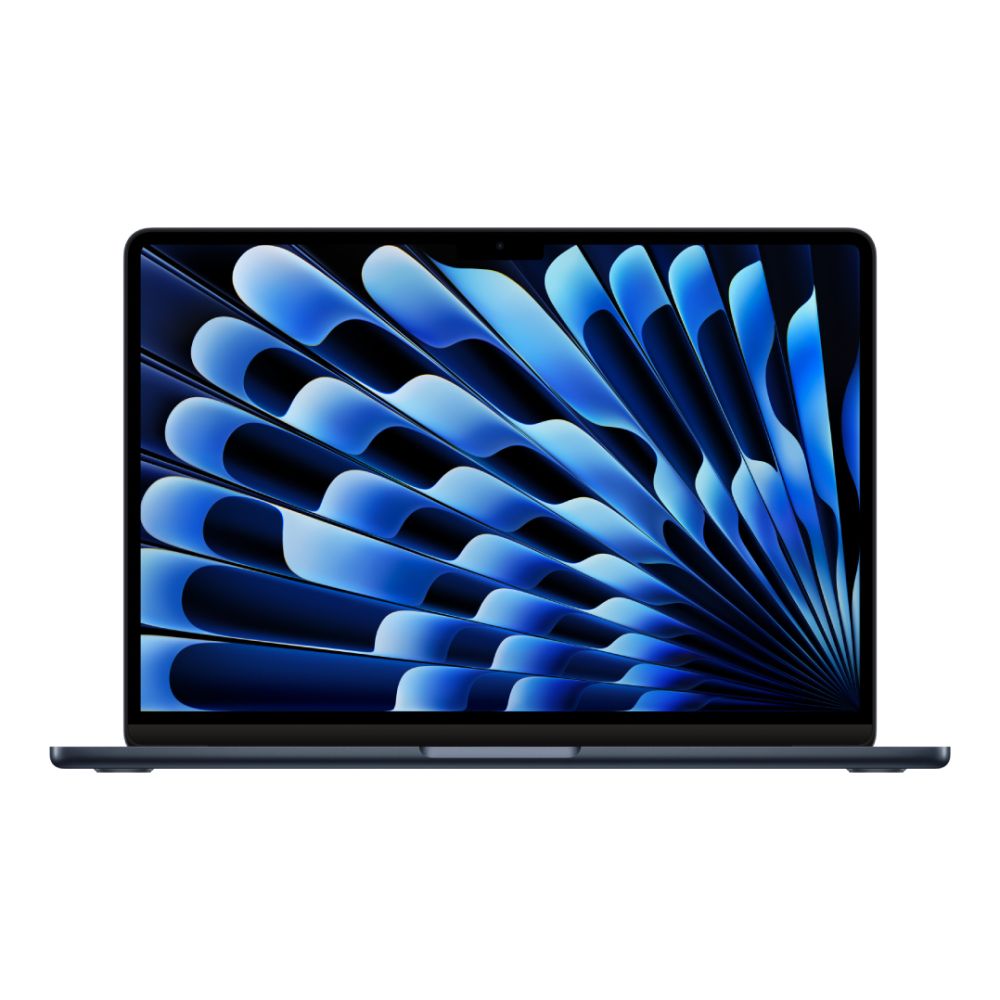
Best Premium Slim Laptop for Work
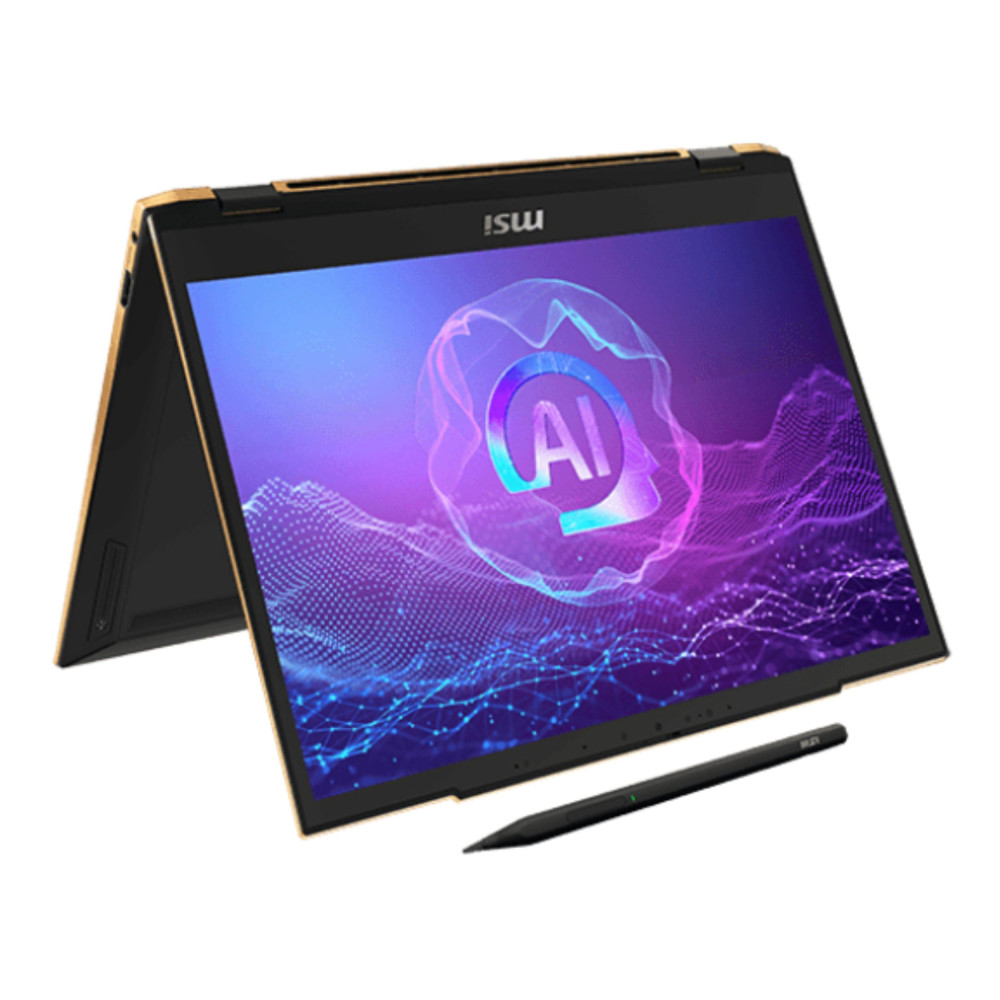
For users who want something more advanced, the MSI Summit 13 AI EVO (9S7-13P411-069-X) offers a premium experience. Powered by an Intel Core Ultra 7 processor with 32GB RAM and 1TB SSD, it is built for high performance while still maintaining a compact and lightweight form.
This laptop is particularly well suited for professionals who need powerful multitasking, AI features, and business-level performance in a portable device. The touchscreen and premium build also add to its versatility.
If your work demands more performance, but you still want a slim design, this is a strong premium option.
Best 2-in-1 Lightweight Laptop
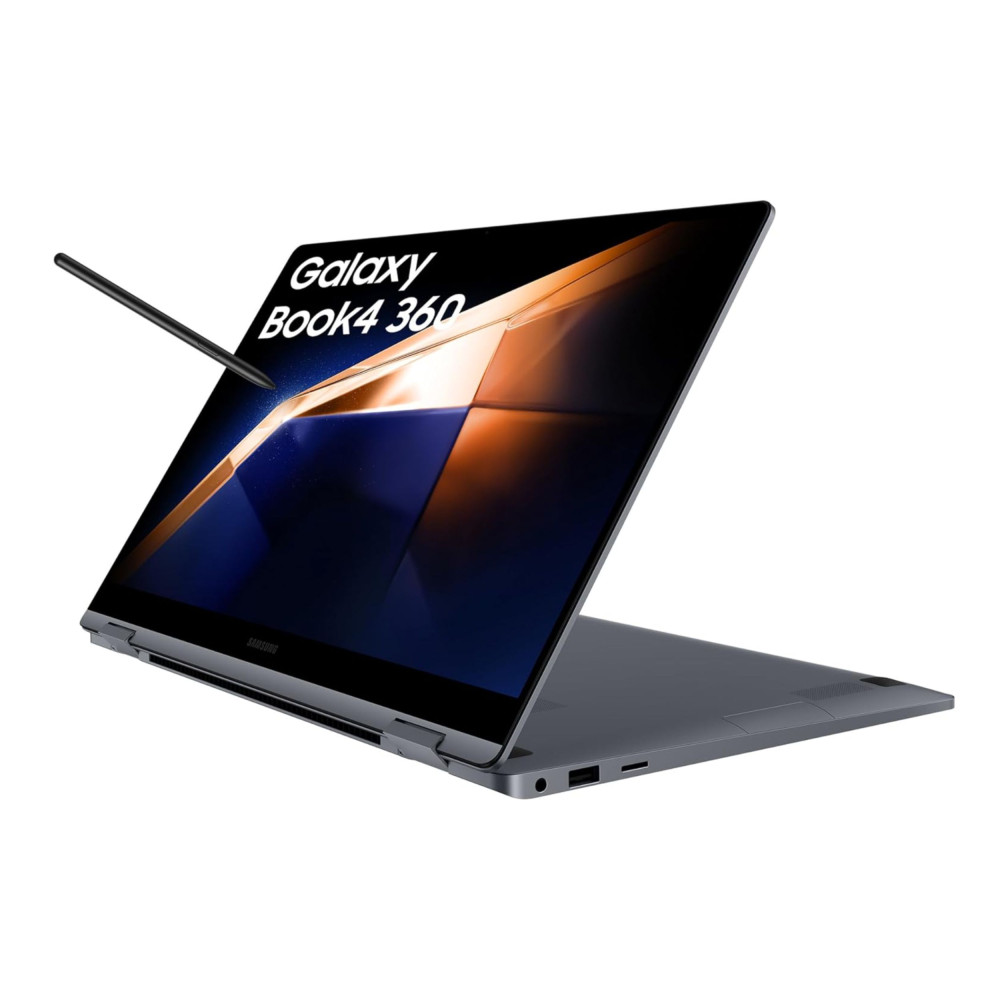
The Samsung Galaxy Book4 360 (NP750QGK-KG3UK) is an excellent choice if flexibility is a priority. As a 2-in-1 laptop, it allows you to switch between laptop and tablet modes, making it ideal for both work and study.
Its touchscreen design is particularly useful for note-taking, presentations, and creative tasks. Combined with its lightweight build, it offers a versatile experience for users who want more than a traditional laptop.
For students and professionals who value adaptability and convenience, this is one of the best options available.
Best Lightweight Mac Alternative
The Apple MacBook Neo A18 Pro (MHFE4B/A) is another strong option for users who prefer Apple’s ecosystem but want something slightly different. With its compact 13-inch design, 512GB storage, and AI-focused chip, it delivers a modern and efficient experience.
This laptop is ideal for users who want a portable, stylish, and future-ready device for everyday tasks, light creative work, and productivity.
Shop Apple MacBook Neo A18 Pro
What Features Matter Most in Lightweight Laptops?
When choosing between different slim laptops UK options, it’s important to look beyond just design and weight. While portability is the main appeal, the real value of a lightweight laptop comes from how well it performs in everyday use.
Processor Performance
The processor plays a major role in how fast and responsive your system feels. Most modern lightweight laptops come with Intel Core or AMD Ryzen processors, which are designed to balance performance with energy efficiency.
For everyday tasks like browsing, working on documents, or attending video calls, these processors provide more than enough power. However, if you plan to multitask heavily such as running multiple applications or working on larger files, it’s worth choosing a slightly more powerful processor.
For you, this means smoother performance, faster loading times, and the ability to switch between tasks without delays.
Battery Life
One of the biggest advantages of lightweight laptops is their ability to last throughout the day. Since they are built with efficiency in mind, many models offer all-day battery life, which is especially useful for students and professionals who are constantly on the move.
This allows you to work from different locations, whether it’s a café, office or university without needing to carry your charger everywhere.
In practical terms, longer battery life gives you more freedom and flexibility, making your laptop a reliable companion throughout the day.
Display Quality
The display is something you interact with constantly, so it has a big impact on your overall experience. A good screen not only improves visuals but also reduces strain during long usage.
When choosing a thin and light laptop, look for:
- Full HD or higher resolution, for clear and sharp visuals
- Good brightness levels, especially if you work in different lighting conditions
- Comfortable viewing angles, which make it easier to use the laptop for extended periods
For you, this means a more comfortable and enjoyable experience, whether you’re working, studying, or watching content.
RAM and Storage
RAM and storage directly affect how smoothly your laptop performs. If you often multitask or run multiple applications, having enough memory is essential.
- 8GB RAM is suitable for basic tasks like browsing and document work
- 16GB RAM is better for multitasking and heavier workloads
In terms of storage, most modern laptops use SSD drives, which are much faster than traditional hard drives. This results in quicker startup times, faster file access, and an overall smoother system.
The benefit here is simple you get a laptop that feels fast and responsive, even as your workload increases.
Build Quality and Durability
Even though lightweight laptops are slim, they still need to be durable enough for everyday use. Many premium models use materials like aluminium or magnesium, which help maintain strength while keeping the device light.
A well-built laptop is more resistant to wear and tear, making it a better long-term investment especially if you carry it frequently.
For you, this means peace of mind knowing your laptop can handle daily use without easily getting damaged.
Are Lightweight Laptops Good for Work and Productivity?

Modern lightweight laptops for work are no longer just about portability; they are designed to deliver reliable and efficient performance for everyday productivity. Thanks to improvements in processors, memory, and storage, these slim devices are more than capable of handling the tasks most users rely on daily.
For office-based work, lightweight laptops perform extremely well. Tasks such as creating documents, managing spreadsheets, responding to emails, and attending video calls are handled smoothly without noticeable delays. This makes them a practical choice for professionals who need a device that keeps up with their workflow throughout the day.
They are also well suited for remote and hybrid work environments. Since they are easy to carry and quick to set up, you can move between home, office or shared workspaces without any hassle. At the same time, their efficient hardware allows you to run multiple applications at once, making multitasking simple and seamless.
For most users, this means you don’t need a bulky, high-performance machine to stay productive. A lightweight laptop provides the right balance of performance and convenience, allowing you to work efficiently wherever you are.
What Are the Downsides of Slim Laptops?
While thin and light laptops UK users prefer offer many advantages, it’s important to understand that they also come with a few trade-offs. These compromises are a result of their compact design and focus on portability.
Limited Upgradeability
One of the main limitations of lightweight laptops is that they are not easily upgradeable. In most cases, components such as RAM or storage are fixed, which means you need to choose the right configuration from the start.
For you, this means thinking ahead about your needs. Selecting a laptop with sufficient memory and storage ensures it will continue to perform well over time.
Fewer Ports
Slim designs often include fewer physical ports compared to larger laptops. This helps maintain a thinner profile but may require you to use adapters or docking stations for additional connectivity.
While this is not a major issue for most users, it’s something to consider if you frequently connect external devices.
Not Ideal for Heavy Gaming or Intensive Workloads
Lightweight laptops are designed for efficiency and portability, not for high-end performance. While they handle everyday tasks very well, they are not suitable for demanding activities such as heavy gaming, advanced video editing, or 3D rendering.
If your usage involves these types of workloads, you may need a more powerful system. However, for most users focused on productivity, study or travel, this limitation is unlikely to be a concern.
How to Choose the Right Lightweight Laptop in the UK?
Choosing the right lightweight laptop can feel overwhelming, especially with so many options available in the UK market. While all slim laptops focus on portability, the best choice depends on how you plan to use your device on a daily basis.
Instead of focusing only on specifications, it’s more helpful to think about your budget, usage, and priorities. This approach ensures you get a laptop that not only fits your needs today but continues to perform well over time.
Choosing Based on Budget (£500 vs £1,000+)
Your budget is often the starting point when selecting a laptop, and it plays a key role in determining what level of performance and features you can expect.
If you’re looking in the £500–£800 range, you’ll find entry-level lightweight laptops that are ideal for basic tasks such as browsing, emails, streaming and document work. These are suitable for casual users or students with lighter workloads.
Moving up to the £800–£1,000 range, you’ll get a noticeable improvement in performance. Laptops in this category typically offer faster processors, better displays and more storage, making them suitable for multitasking and everyday productivity.
For those with a budget of £1,000 and above, premium ultrabooks become available. These laptops focus on high performance, better build quality, longer battery life and advanced features, making them ideal for professionals or users who want a more refined experience.
For you, this means choosing a budget that aligns with your needs rather than overspending on features you may not use.
Matching Specs to Your Needs
Once you’ve decided on a budget, the next step is to match the laptop’s specifications to how you actually plan to use it. This is one of the most important parts of the buying process.
For everyday use such as browsing, studying or working on documents—a laptop with a mid-range processor, 8GB RAM and SSD storage is usually sufficient. It provides smooth performance without unnecessary cost.
If your usage involves multitasking, running multiple applications or working with larger files, it’s worth upgrading to 16GB RAM and a faster processor. This ensures your laptop remains responsive even under heavier workloads.
Storage is another key factor. While 256GB SSD may be enough for basic use, opting for 512GB or 1TB gives you more space for files, applications and long-term use without needing external storage.
For you, the goal is simple—choose specifications that match your daily tasks so your laptop feels fast, reliable and capable.
When to Prioritise Battery Life vs Performance
One of the most important decisions when choosing a slim laptop is whether to prioritise battery life or performance. While modern laptops try to balance both, your usage will determine which matters more.
If you’re frequently on the move commuting, travelling or attending classes, battery life becomes a priority. A laptop that lasts all day allows you to work without constantly searching for a power outlet, making it far more convenient.
On the other hand, if your work involves heavier tasks such as multitasking, creative applications or professional workloads, performance should come first. A more powerful laptop may use more battery, but it ensures your tasks are completed efficiently without slowdowns.
For most users, the best approach is to find a balance. However, understanding your priorities helps you make a smarter decision based on how you use your laptop.
Final Verdict: Which Lightweight Laptop Should You Buy?
Choosing the right slim laptop ultimately comes down to how you plan to use it in your daily life. With so many latest lightweight laptops available in the UK, the key is to focus on what matters most to you.
If your priority is everyday productivity, a balanced lightweight laptop with solid performance and battery life will meet your needs without unnecessary cost. For students, especially those exploring the best student laptops in 2026, portability and long battery life should be at the top of the list, ensuring the device can handle lectures, assignments, and daily use with ease.
At the same time, if travel is a key part of your routine, choosing one of the latest laptops designed for mobility ensures you get the convenience and flexibility needed to work from anywhere.
To make the right choice, you can explore a wide range of latest lightweight laptops, discover the best student laptops in 2026, or browse all the latest laptops available at Box.co.uk to find the perfect device that fits your needs, budget and lifestyle.
Frequently Asked Questions
What is the lightest laptop available in the UK?
Some of the lightest lightweight laptops in the UK weigh under 1kg, with models like the LG Gram leading the category for portability.
Are lightweight laptops powerful enough for work?
Yes, modern slim laptops UK users choose today are powerful enough to handle everyday work tasks such as documents, emails, video calls and multitasking.
Which laptop is best for students in the UK?
The best student laptops in 2026 typically include lightweight models like the MacBook Air or Lenovo IdeaPad Slim, offering a balance of portability, battery life and performance.
Do slim laptops have good battery life?
Yes, most latest lightweight laptops are designed with efficiency in mind and can last a full day on a single charge, depending on usage.
Are lightweight laptops good for travel?
Absolutely. Lightweight laptops are ideal for travel due to their compact size, portability and efficient battery performance, making them easy to use on the go.
You can pay with:
*PayPal Credit Representative Example: Assumed credit limit £1,200, Representative 23.9% APR (variable). Purchase rate 23.9% p.a (variable).Terms & Conditions apply.


PayPal Credit and PayPal Pay in 3 are trading names of PayPal UK Ltd, 5 Fleet Place, London, United Kingdom, EC4M 7RD. Terms and conditions apply. Credit subject to status, UK residents only, Five Tech LTD acts as a broker and offers finance from a restricted range of finance providers. PayPal Pay in 3 is not regulated by the Financial Conduct Authority. Pay in 3 eligibility is subject to status and approval. 18+. UK residents only. Pay in 3 is a form of credit. Check if affordable and how you will repay. May make other borrowing more difficult or expensive. See product terms for more details.
Copyright © 1996-2026 Fivetech LTD | Terms and Conditions
box.co.uk & Box are trading names of Five Tech Limited. Registered office: Box LTD, Unit 10 Woodford Trading Estate, Woodford Green IG8 8HF