


 Menu
MenuMenu


Get Sales Advice from Mon - Fri 9am - 5:00pm:
020 3337 8950LAST UPDATED: January 27, 2026
The Best Ways to Use a 10-Inch Tablet at Home: Streaming, Gaming and Family Use
A 10 inch tablet for home use offers one of the most flexible setups you can have. It is large enough for comfortable streaming and gaming, yet compact enough to move from room to room without hassle. From binge-watching box sets to casual gaming sessions and shared family use, this screen size fits naturally into everyday home life.
In this guide, we look at how to get the most out of a 10 inch tablet for home entertainment, family sharing, and everyday tasks, along with simple tips to improve Wi-Fi and sound performance.
1- Streaming Films, TV and Sports on a 10-Inch Screen
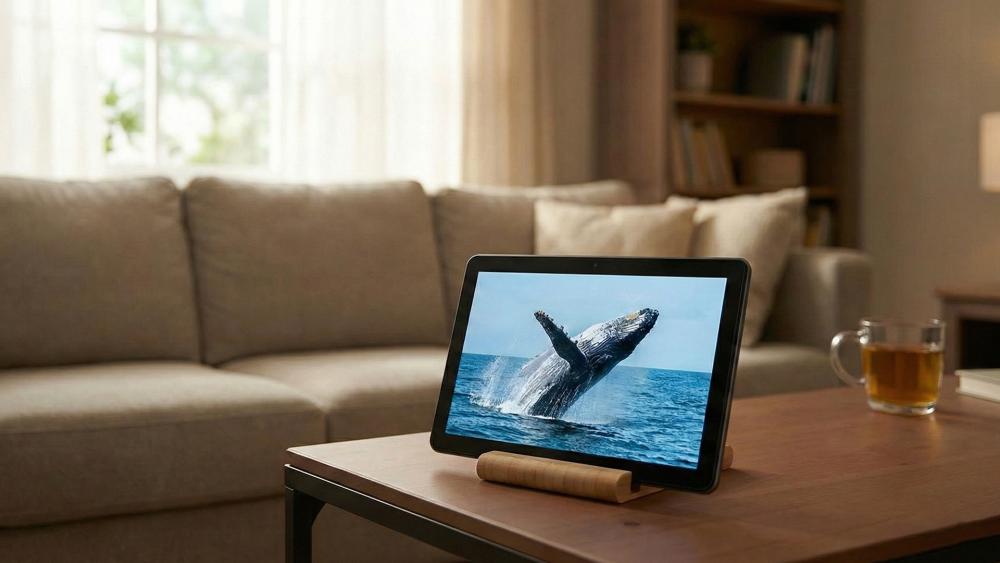
Streaming is where a 10 inch tablet for home use really shines. The screen is big enough to feel immersive without needing a TV, making it ideal for sofa viewing, late-night shows in bed, or catching live sports while someone else uses the main screen. With the right settings and habits, a tablet for streaming can easily become your go-to device around the house.
Screen Settings for Better Picture Quality
Adjusting screen brightness and colour settings can noticeably improve 10 inch tablet streaming. Indoors, slightly lowering brightness reduces eye strain while maintaining clarity. Enabling adaptive brightness also helps balance screen visibility when lighting changes throughout the day.
These small tweaks improve overall streaming quality settings and make longer viewing sessions more comfortable.
Subscriptions, Downloads, and Offline Viewing
Most major streaming services support offline downloads, which is useful even at home. Downloading content in advance reduces buffering and keeps playback smooth if your Wi-Fi is busy. This is especially helpful when multiple people are streaming at once on the same network.
Using offline downloads turns a 10 inch tablet for home into a reliable entertainment device at any time of day.
Comfort Tips for Longer Watching Sessions
For longer sessions, a stand or folio case helps position the screen at eye level. This reduces neck strain and keeps hands free. If you want to keep your device in good condition while using accessories, it is worth looking at ways to protect your 10-inch tablet during daily use.
2- Casual and Cloud Gaming on a 10-Inch Tablet
Gaming is another strong use case for a 10 inch tablet for home environments. While it is not designed to replace a gaming PC or console, it handles casual titles and cloud-based gaming surprisingly well. The key is understanding performance expectations and setting up your home connection properly.
Casual Gaming and Performance Expectations
Puzzle games, strategy titles, and mobile-friendly action games run smoothly on most modern tablets. A 10 inch tablet for home gaming offers enough screen space for clear controls without feeling cluttered.
For players curious about more demanding use, it is worth exploring gaming and streaming on a 10-inch tablet to see how far current hardware can go.
Cloud Gaming Basics and Connectivity Needs
A cloud gaming tablet relies more on your internet connection than internal hardware. Strong home WiFi coverage is essential for reducing lag and improving responsiveness. Positioning yourself closer to the router can significantly improve tablet WiFi performance during play.
Cloud gaming works best when other heavy streaming or downloads are kept to a minimum.
Controller and Accessory Setups for Home Play
Bluetooth controller support adds comfort and precision, especially for longer sessions. Pairing a controller turns a 10 inch tablet for home gaming into a more console-like experience without needing extra hardware.
3- Using a 10-Inch Tablet as a Shared Family Device
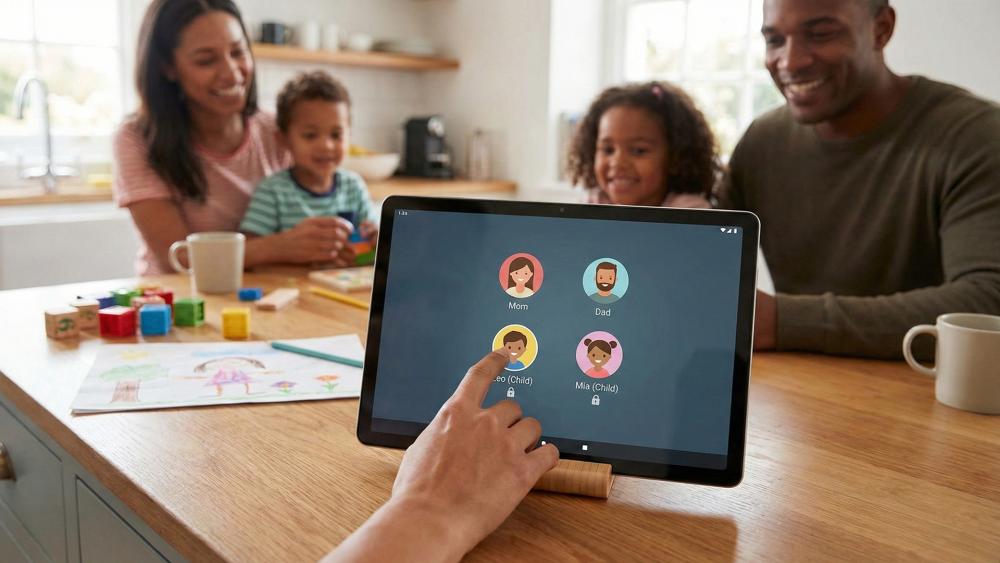
One of the biggest advantages of a 10 inch tablet for home use is how well it works as a shared device. Families can easily pass it between users for entertainment, learning, and everyday tasks, as long as things are set up properly.
User Profiles and Shared Access Basics
Creating shared tablet profiles helps keep personal apps, accounts, and preferences separate. This is essential for a smooth family tablet setup, especially when adults and children are using the same device.
App Access and Content Controls for Kids
Setting up kids' profiles and parental controls allows children to use the tablet safely without accessing inappropriate content. Time limits, app restrictions, and content filters help maintain balance while still letting kids enjoy games and videos.
Household Routines That Keep Things Organised
Charging routines, clear storage rules, and shared usage times prevent arguments and keep the tablet available when needed. A little structure goes a long way in making a shared tablet profiles system work smoothly.
4- Everyday Home Use Beyond Entertainment
A 10 inch tablet for home is not just about streaming and gaming. Its size makes it ideal for everyday tasks that benefit from portability without sacrificing readability.
Recipe Viewing and Kitchen-Friendly Habits
Tablets are excellent for following recipes hands-free. A stand keeps the screen visible while cooking, and wiping the screen regularly prevents build-up from splashes. Battery efficiency matters here too, so learning how to improve tablet battery life can help during longer kitchen sessions.
Reading, Browsing, and "Sofa Surfing" Comfort
Reading news, browsing social media, or casual shopping feels natural on a 10-inch display. It offers better comfort than smaller screens while remaining easy to hold for relaxed "sofa surfing".
Smart Home and Quick Tasks Around the House
From controlling smart lights to checking door cameras, a tablet works well as a central home control device. Keeping it in a shared space makes quick tasks easier for everyone.
5- Light Productivity and Home Admin on a 10-Inch Tablet

A 10 inch tablet for home use is not just for entertainment. It also works well for light productivity and everyday household admin, especially when you want something quicker and more comfortable than opening a laptop. For short tasks, planning, and staying organised, this screen size offers enough space to work efficiently without feeling like overkill.
Because a 10-inch tablet sits between a phone and a laptop, it is ideal for those moments when you need to get things done casually, from the sofa, kitchen table, or home office desk.
Managing Emails, Calendars, and Household Planning
Checking emails, managing shared calendars, and organising household schedules feels natural on a 10 inch tablet for home use. The larger screen makes it easier to read messages, switch between apps, and update to-do lists without constant zooming or scrolling.
Many families use tablets for shopping lists, school reminders, and weekly planning. With the right apps, a tablet becomes a central hub for household organisation rather than just an entertainment device.
Video Calls and Staying Connected at Home
The 10 inch tablet for home is well suited for video calls, offering a more comfortable view than a phone while remaining easier to position than a laptop. Placing the tablet on a stand improves camera angles and keeps hands free during longer calls.
Whether it is catching up with family, attending virtual appointments, or joining occasional work meetings, the screen size allows for clear visuals without dominating your living space.
Simple Document Viewing and Editing
Reading PDFs, viewing school documents, or checking bills is straightforward on a 10-inch display. Light document edits, such as adding comments or filling in forms, are also manageable when paired with a keyboard or stylus.
While it may not replace a full laptop for heavy workloads, a 10 inch tablet for home use handles everyday document tasks comfortably, making it a practical addition to any household setup.
Simple Tips for Better Wi-Fi and Sound at Home
Even the best tablet benefits from a solid home setup. Improving Wi-Fi and audio ensures a smoother experience whether you are streaming, gaming, or browsing.
Router Placement and Quick Wi-Fi Fixes
Placing your router centrally improves home WiFi coverage and reduces dead zones. Simple steps like restarting the router or switching to less crowded channels can help with buffering reduction during peak hours.
Bluetooth Speakers and Audio Settings
Using a Bluetooth speaker significantly improves tablet sound setup for films and sports. Adjusting audio balance and volume limits ensures clearer dialogue without distortion.
Streaming Quality Settings to Reduce Buffering
Lowering streaming resolution slightly during busy periods can stabilise playback. These streaming quality settings are especially useful when multiple devices are connected at once.
Conclusion
A 10 inch tablet for home use offers a level of flexibility that few other devices can match. It works just as well for streaming films in the evening as it does for casual gaming, shared family use, and quick everyday tasks around the house. The screen size feels immersive without becoming bulky, making it easy to move from room to room or share between users.
With the right setup, from Wi-Fi optimisation and sound improvements to user profiles and accessories, a 10 inch tablet for home can comfortably replace multiple devices. Whether it is used for entertainment, organisation, or light productivity, this screen size continues to be one of the most practical choices for modern home living. Ready to get it? Shop 10-inch tablets at Box.co.uk for a wide range and choose the right option.
FAQs
Is a 10-inch tablet a good screen size for streaming at home?
Yes, a 10 inch tablet for home use offers an ideal balance of screen size and portability, making it excellent for streaming films and TV.
Can a 10-inch tablet handle cloud gaming smoothly on home Wi-Fi?
With strong home WiFi coverage, cloud gaming on a tablet works well, especially for casual and controller-supported games.
What's the best way to share a 10-inch tablet with family members?
Using shared tablet profiles and setting up parental profiles ensures everyone has a safe and personalised experience.
Which settings improve streaming quality and reduce buffering?
Adjusting streaming quality settings, downloading content offline, and improving tablet WiFi performance all help reduce buffering.
How can sound be improved when watching films on a 10-inch tablet?
Connecting a Bluetooth speaker and fine-tuning audio settings provides a much better sound experience than built-in speakers alone.
You can pay with:
*PayPal Credit Representative Example: Assumed credit limit £1,200, Representative 23.9% APR (variable). Purchase rate 23.9% p.a (variable).Terms & Conditions apply.


PayPal Credit and PayPal Pay in 3 are trading names of PayPal UK Ltd, 5 Fleet Place, London, United Kingdom, EC4M 7RD. Terms and conditions apply. Credit subject to status, UK residents only, Five Tech LTD acts as a broker and offers finance from a restricted range of finance providers. PayPal Pay in 3 is not regulated by the Financial Conduct Authority. Pay in 3 eligibility is subject to status and approval. 18+. UK residents only. Pay in 3 is a form of credit. Check if affordable and how you will repay. May make other borrowing more difficult or expensive. See product terms for more details.
Copyright © 1996-2026 Fivetech LTD | Terms and Conditions
box.co.uk & Box are trading names of Five Tech Limited. Registered office: Box LTD, Unit 10 Woodford Trading Estate, Woodford Green IG8 8HF