


 Menu
MenuMenu


Get Sales Advice from Mon - Fri 9am - 5:00pm:
020 3337 8950LAST UPDATED: July 16, 2026
What Games Can the RTX 5060 Run Well in 2026?
The RTX 5060 can run competitive shooters, racing games, RPGs and demanding AAA releases in 2026. It performs best at 1080p, where many modern games can deliver smooth frame rates with High graphics settings. Esports titles can also take advantage of high-refresh monitors, while less demanding games may leave enough performance available for higher visual settings.
Many RTX 5060 supported games can also be played at 1440p, although performance depends more heavily on the title and selected settings. Well-optimised games can run smoothly with limited adjustments, while demanding open-world releases may need DLSS, lower ray tracing or a mixture of Medium and High settings. Maximum path tracing, Ultra textures and native 4K gaming are more likely to push the card beyond its ideal range.
This guide covers GeForce RTX 5060 games across competitive, 1080p and 1440p gaming. It also explains how ray tracing, DLSS, Multi Frame Generation and 8GB of VRAM affect performance, along with the settings that can provide a better balance between image quality and responsive gameplay.
Quick Answer: What Games Can the RTX 5060 Run Well?
The RTX 5060 is best suited to competitive games and modern AAA titles at 1080p. It can also provide a good 1440p experience in many games, although demanding releases may require DLSS, lower ray-tracing settings or a mixture of Medium and High graphics options.
| Gaming scenario | Expected experience | What to consider |
|---|---|---|
| Competitive shooters | High frame rates at 1080p | Performance may become limited by the processor |
| Esports games | Well suited to high-refresh monitors | Competitive settings usually perform better than maximum presets |
| AAA games at 1080p | Strong performance with High settings | Ultra settings may add a large performance cost for a small visual improvement |
| AAA games at 1440p | Suitable for many titles with adjusted settings | DLSS becomes more useful in demanding games |
| Moderate ray tracing | Practical in supported titles | Lower RT settings may be needed to maintain smooth gameplay |
| Path tracing | Requires significant compromise | DLSS and Multi Frame Generation may be necessary |
| 4K gaming | Possible in older or less demanding games | It is not the card’s main target resolution |
| Texture-heavy games | Generally manageable at 1080p | Ultra textures can place pressure on the 8GB memory capacity |
The range of RTX 5060 supported games covers everything from lightweight esports titles to demanding open-world releases. However, RTX 5060 gaming performance depends on the resolution and settings being used. For most players, 1080p High offers the strongest balance, while 1440p works best when settings are adjusted for the demands of each game.
How Capable Is the RTX 5060 for Gaming in 2026?
The RTX 5060 combines the Blackwell architecture with 8GB of GDDR7 memory, giving it the hardware and software features needed for a broad range of modern games. However, RTX 5060 gaming performance should be judged by more than the highest average frame rate shown on screen.
What Does “Running Well” Actually Mean?
When it comes to assessing the performance of RTX 5060 supported games, the target depends on the genre. A consistent 60 FPS can feel smooth in a story-driven title, while competitive games benefit from much higher frame rates. Stable frame pacing, responsive controls and limited stuttering are often more important than occasional performance peaks.
Desktop RTX 5060 Versus Laptop Versions
The desktop RTX 5060 and laptops with RTX 5060 GPUs support many of the same gaming technologies, but they do not deliver identical performance. The desktop card has 3,840 CUDA cores, while the laptop version has 3,328 CUDA cores and can operate across a 45–100W GPU power range. Laptop results therefore vary considerably with the power limit, cooling system, processor and memory configuration.
Competitive Games the RTX 5060 Can Run Well
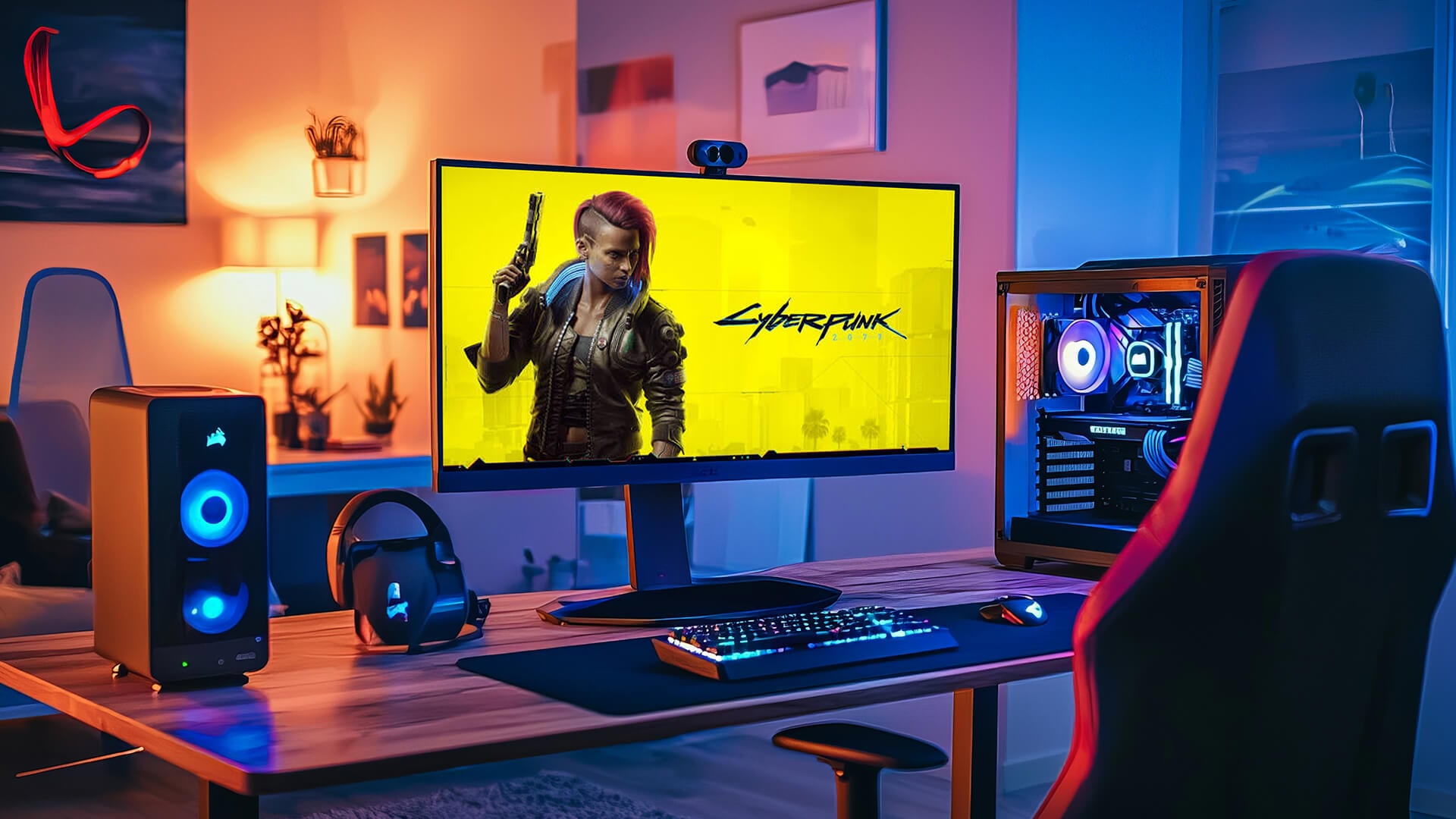
In the RTX 5060 supported games list, competitive titles stand out, especially at 1080p. The card has enough performance for fast multiplayer action, although the ideal settings depend on whether the player prioritises visual detail, responsiveness or the highest possible frame rate.
Fast-Paced Shooters and Battle Royale Games
- Apex Legends
- Call of Duty: Warzone
- Fortnite
- Marvel Rivals
- Delta Force
- THE FINALS
These games are more demanding than lightweight esports titles, particularly during large battles and effects-heavy scenes. Medium-to-High settings should provide a good visual balance, while lowering shadows, reflections and effects can improve 5060 FPS consistency. Fortnite performance can vary notably between Performance Mode and more demanding DirectX 12 settings.
Esports Games at High Refresh Rates
- Counter-Strike 2
- Valorant
- Rainbow Six Siege
- Overwatch 2
- Rocket League
These titles are well suited to high-refresh gaming, where stable competitive frame rates matter more than maximum graphics settings. Players using 144Hz or faster monitors should prioritise consistent performance and enable NVIDIA Reflex in supported games to help reduce system latency.
When the CPU Becomes the Limiting Factor
- Counter-Strike 2
- Valorant
- Rainbow Six Siege
- Fortnite in Performance Mode
At low or competitive settings, these games can become limited by the processor rather than the graphics card. A CPU bottleneck means that lowering the visual settings further may produce little improvement because the processor cannot prepare frames quickly enough. Pairing the card with capable AMD gaming CPUs, Intel CPUs, and dual-channel memory can help maintain stronger minimum frame rates.
Settings That Improve Responsiveness
- Reduce shadows, reflections and unnecessary effects.
- Disable motion blur and film grain.
- Use competitive or performance presets where available.
- Enable Reflex in supported titles.
- Avoid texture settings that cause stuttering.
- Set a sensible frame cap if performance fluctuates heavily.
Competitive settings should prioritise stable frame delivery and low input latency rather than maximum visual detail. Reducing demanding effects and enabling Reflex where supported can make controls feel more immediate without significantly affecting clarity.
AAA Games That Suit the RTX 5060 at 1080p
Modern AAA releases make up a large part of the RTX 5060 supported games list. At 1080p, the card can handle a varied mix of open-world, racing and story-driven titles, although the most demanding options may still benefit from DLSS or a few reduced settings.
Open-World and Action Games
- Cyberpunk 2077
- Assassin’s Creed Shadows
- Marvel’s Spider-Man 2
- Hogwarts Legacy
- Star Wars Outlaws
- S.T.A.L.K.E.R. 2: Heart of Chornobyl
These games place different levels of pressure on the GPU. Cyberpunk 2077 and Marvel’s Spider-Man 2 offer plenty of scalable settings, while Star Wars Outlaws, Assassin’s Creed Shadows and S.T.A.L.K.E.R. 2 may need more careful adjustments in dense areas. Ray tracing should be set separately rather than relying on the overall preset.
Racing and Sports Titles
- Forza Horizon 5
- Forza Motorsport
- F1 25
- EA Sports FC 26
Racing and sports games generally suit RTX 5060 1080p gaming well. Forza Horizon 5 and EA Sports FC 26 are relatively flexible, while F1 25 and Forza Motorsport may require lower reflections, crowd detail or ray tracing to maintain consistent performance during busy scenes.
RPGs and Story-Driven Games
- Avowed
- Kingdom Come: Deliverance II
- Black Myth: Wukong
- Indiana Jones and the Great Circle
- Final Fantasy VII Rebirth
These GeForce 5060 AAA games do not all need the same frame-rate target. A stable experience is more important than extremely high FPS in slower RPGs, but demanding lighting, large environments and heavy effects can still affect smoothness. DLSS may be useful where native performance falls below the desired level.
For comparison with an older entry-level card, see which RTX 3050 supported games still run well in 2026 and the settings they may require.
Choosing High Instead of Ultra Settings
- Reduce volumetric effects and shadows first.
- Lower reflections if they create a large performance cost.
- Keep textures high unless VRAM-related stuttering appears.
- Treat ray tracing as a separate option.
- Compare visual quality settings during normal gameplay rather than paused close-ups.
High settings usually preserve most of a game’s visual detail while avoiding the heaviest options included in Ultra presets. This makes them a sensible starting point before adjusting individual settings.
Can the RTX 5060 Handle 1440p Gaming?
The RTX 5060 can deliver a good 1440p experience in many games, but demanding releases may need a mixture of adjusted settings and DLSS. It is better suited to balanced 1440p gaming than to running every new title at native Ultra settings.
Games That Scale Well to 1440p
- Forza Horizon 5
- Resident Evil 4
- Diablo IV
- F1 25
- Marvel Rivals
- Rainbow Six Siege
- Overwatch 2
- DOOM: The Dark Ages
These games give a reasonable picture of RTX 5060 1440p gaming, covering racing, action, esports and RPG experiences. Lighter competitive titles can prioritise higher frame rates, while demanding games may need High rather than Ultra settings to remain smooth.
When DLSS Becomes Useful
DLSS Super Resolution is most useful when native 1440p performance falls below the desired frame rate. Quality mode should be the first option to try, as it usually provides the best balance between extra performance and upscaling quality.
Balanced mode can help in heavier games, but Performance mode may reduce image clarity more noticeably at 1440p. The best choice depends on the game, display size and viewing distance.
Settings to Reduce First
Not every graphics option needs to be lowered at once. Reducing the most demanding settings first can improve performance while keeping the overall presentation close to the original High preset.
- Path tracing and heavy ray tracing
- Volumetric lighting, fog and clouds
- Reflections
- Shadow quality
- Crowd density and simulation detail
- Texture quality if VRAM-related stuttering appears
When 1080p May Deliver a Better Experience
Returning to 1080p can make more sense when a game requires aggressive upscaling, struggles to maintain smooth frame pacing or cannot reach the monitor’s refresh-rate target. It may also provide a cleaner result than using a low-quality upscaling mode at the display’s native resolution.
For the most demanding games, 1080p High can therefore offer a better balance than 1440p with several major settings reductions.
How Ray Tracing Affects Game Performance
NVIDIA RTX 5060 ray tracing can improve reflections, shadows and lighting, but the performance cost depends on how extensively a game uses the technology. Enabling one or two effects is much less demanding than selecting a full ray-tracing preset.
Standard Ray Tracing Versus Path Tracing
Standard ray tracing normally enhances selected parts of the image, while path tracing calculates a much wider range of lighting interactions. On the RTX 5060, path tracing is better treated as an optional showcase feature than as a default graphics setting.
Games Where Ray Tracing Needs Careful Settings
- Cyberpunk 2077
- Alan Wake 2
- Black Myth: Wukong
- Indiana Jones and the Great Circle
- Hogwarts Legacy
- DOOM: The Dark Ages
These GPU-intensive games use ray-traced effects in different ways. Cyberpunk 2077’s RT Overdrive and Alan Wake 2’s highest options are particularly demanding, while other titles provide more flexibility through individual reflection, shadow or lighting controls.
Players who want maximum path tracing without significant compromises may need to consider more powerful NVIDIA gaming graphics cards. For the RTX 5060, the best results usually come from enabling the effects that create a noticeable visual improvement rather than switching on every available option.
Using DLSS and Multi-Frame Generation
GeForce RTX 5060 DLSS features can improve performance in demanding games, but each option serves a different purpose. Upscaling reduces the rendering workload, while frame generation increases the number of frames shown on screen.
When to Use DLSS
DLSS is most useful when a game falls below the desired frame rate at the chosen resolution. Quality mode is generally the best starting point, with Balanced mode providing additional performance when needed.
DLSS support varies between games, and not every title includes Super Resolution, Ray Reconstruction or Multi Frame Generation. DLSS 4.5 features can also be enabled through the NVIDIA app in compatible titles, while native support and the available frame-generation modes remain game-dependent.
When Multi-Frame Generation Makes Sense
Multi Frame Generation works best when the game already has a stable underlying frame rate. It can make animation appear smoother, but it does not replace strong native performance or fix heavy stuttering.
How NVIDIA Reflex Helps
Reflex reduces system latency by synchronising CPU and GPU work, helping controls remain more responsive. It is particularly useful when Frame Generation or Multi Frame Generation is enabled, although it does not replace the need for a stable underlying frame rate.
Is 8GB of VRAM Enough for Modern Games?
For most RTX 5060 8GB gaming at 1080p, the available memory is sufficient when settings are chosen sensibly. Competitive games and many AAA titles should run without memory-related problems, but demanding textures, ray tracing and higher resolutions can use the full 8GB more quickly.
When 8GB Is Usually Enough
The card should have enough VRAM for:
- Competitive and esports games
- Most AAA titles at 1080p
- High rather than Ultra texture presets
- Moderate ray tracing
- Games without large high-resolution texture packs
The amount of VRAM on the RTX 5060 becomes more important when several demanding options are enabled together.
Signs That VRAM Is Becoming a Limitation
Insufficient memory may cause:
- Sudden stuttering when entering new areas
- Delayed or blurred texture loading
- Texture pop-in
- Uneven frame delivery despite a reasonable average FPS
- Performance drops after longer gaming sessions
Lowering texture quality or texture-pool settings is usually more effective than reducing unrelated options such as animation detail.
When the RTX 5060 Ti 16GB Makes More Sense
The 16GB version of the RTX 5060 Ti provides considerably more memory headroom for demanding 1440p games, high-resolution textures, extensive mods and future releases. It may also maintain smoother performance when a game exceeds the standard RTX 5060’s 8GB capacity.
However, extra VRAM is not the only difference. The RTX 5060 Ti is also a more powerful GPU, and its 16GB capacity will not improve performance when a game is limited by the processor or raw graphics performance rather than memory. The 8GB RTX 5060 remains the more appropriate option for typical 1080p gaming, while the RTX 5060 Ti 16GB is better suited to buyers prioritising 1440p headroom and heavier texture workloads.
Best Graphics Settings for the RTX 5060
The best settings depend on the game, but a sensible starting point can prevent unnecessary performance loss. Rather than lowering the entire preset, adjust the options that place the greatest load on the GPU or its 8GB of VRAM.
Recommended Starting Point for 1080p
- Use the High preset.
- Keep the game at native 1080p where performance is stable.
- Enable DLSS Quality when extra performance is needed.
- Start with ray tracing disabled or set to Low.
- Keep textures on High unless stuttering or texture-loading issues appear.
- Use Frame Generation only after achieving a stable base frame rate.
Recommended Starting Point for 1440p
- Begin with a mixture of Medium and High settings.
- Use DLSS Quality before trying Balanced mode.
- Reduce ray tracing, volumetric effects and reflections.
- Avoid Ultra textures in memory-heavy games.
- Enable Frame Generation in suitable single-player titles.
Which Settings Should You Lower First?
To optimise RTX 5060 performance, reduce demanding options in this order:
- Path tracing and heavy ray tracing
- Volumetric lighting, fog and clouds
- Reflections
- Shadow quality
- Crowd density and simulation settings
- Texture quality when VRAM pressure causes stuttering
These optimised graphics settings should improve 5060 game performance without removing the visual detail that matters most during normal gameplay.
Which Games Need the Most Compromise on an RTX 5060?
Some RTX 5060 supported games can push beyond the card’s ideal range when maximum ray tracing, heavy textures or 4K output are selected.
Heavily Ray-Traced and Path-Traced Titles
- Cyberpunk 2077 with RT Overdrive
- Alan Wake 2 with path tracing
- Black Myth: Wukong with full ray tracing
- Indiana Jones and the Great Circle with maximum ray tracing
These modes are better treated as showcase settings. Lowering the ray-tracing preset provides a more practical experience than reducing every standard graphics option.
PC Releases with Inconsistent Performance
Games affected by shader stutter, weak CPU scaling or uneven frame delivery may not feel smooth even when the average FPS appears acceptable. Performance can also change between updates, so current patch behaviour matters when assessing results.
Large Open-World Games with Heavy Texture Use
- S.T.A.L.K.E.R. 2: Heart of Chornobyl
- Star Wars Outlaws
- Hogwarts Legacy
- Microsoft Flight Simulator 2024
Large environments, rapid traversal and high-resolution textures can place additional pressure on the card’s 8GB of VRAM. High textures may remain suitable, but Ultra texture packs can cause stuttering or delayed asset loading.
Games Targeting 4K or Ultra Settings
The most demanding GeForce 5060 AAA games may run at 4K with aggressive upscaling, but this is not the card’s strongest use case. A well-balanced 1080p or 1440p setup will usually provide a smoother result than forcing every option to Ultra.
How to Check Whether a Game Will Run Well
Start with the game’s recommended requirements rather than its minimum specifications. Check the suggested graphics card, processor, RAM and VRAM, along with the resolution and graphics preset those requirements are intended to support.
When reviewing RTX 5060 benchmarks, make sure the test shows:
- Resolution and graphics preset
- Ray tracing and DLSS settings
- Frame Generation status
- Processor and RAM configuration
- Desktop or laptop RTX 5060
- Current game and driver versions
Average FPS only shows part of the experience. 1% lows, visible stuttering and frame consistency provide a clearer picture of how smoothly a game runs during demanding scenes.
Anyone planning to build a gaming PC using RTX 5060 should also choose a capable processor, dual-channel memory and suitable cooling. These components can explain why two systems using the same graphics card produce different results.
Final Thoughts: What Kind of Gamer Is the RTX 5060 Best For?
The range of RTX 5060 supported games makes the card a practical option for mainstream PC gaming, but it is better suited to some priorities than others.
Choose the RTX 5060 If
- You mainly play at 1080p.
- You want high frame rates in competitive games.
- You are happy to use DLSS in demanding AAA titles.
- You prefer balanced High settings over maximum Ultra presets.
- You want a capable GPU for a mid-range gaming PC.
- You do not need maximum ray tracing in every game.
Consider a More Powerful Card If
- You primarily play demanding games at 1440p or 4K.
- You want to enable maximum ray tracing or path tracing.
- You regularly use Ultra textures, large texture packs or graphics-heavy mods.
- You want more than 8GB of VRAM for greater long-term headroom.
- You prefer native-resolution gaming without relying on upscaling.
- You want consistently high frame rates with maximum graphics settings.
Overall, the 5060 GPU is best suited to gamers who want strong 1080p performance and are comfortable adjusting a few settings in demanding titles.
Frequently Asked Questions
Is the NVIDIA RTX 5060 good for gaming?
Yes. It is best suited to 1080p gaming, offering strong performance in competitive titles and modern AAA games when settings are chosen sensibly.
Can the RTX 5060 run all AAA games?
It can run most modern AAA games, but demanding releases may require High rather than Ultra settings, DLSS or reduced ray tracing.
Can the RTX 5060 run Cyberpunk 2077?
Yes. The RTX 5060 can run Cyberpunk 2077 well at 1080p with suitable settings. Ray tracing requires additional adjustments, while RT Overdrive is far more demanding and benefits heavily from DLSS and Frame Generation.
Can the GeForce RTX 5060 handle ray tracing?
Yes, particularly when individual ray-traced effects are used at sensible levels. Maximum path tracing is much more demanding and may require significant compromises.
Why does the same RTX 5060 perform differently on different PCs?
Performance varies with the processor, RAM configuration, cooling, game version, drivers and graphics settings. Laptop versions can also differ because of their power limits.
Is 8GB of VRAM enough for the RTX 5060?
It is generally enough for 1080p gaming. Ultra textures, heavy ray tracing, large texture packs and demanding 1440p games can place greater pressure on the available memory.
You can pay with:
*PayPal Credit Representative Example: Assumed credit limit £1,200, Representative 23.9% APR (variable). Purchase rate 23.9% p.a (variable).Terms & Conditions apply.


PayPal Credit and PayPal Pay in 3 are trading names of PayPal UK Ltd, 5 Fleet Place, London, United Kingdom, EC4M 7RD. Terms and conditions apply. Credit subject to status, UK residents only, Five Tech LTD acts as a broker and offers finance from a restricted range of finance providers. PayPal Pay in 3 is not regulated by the Financial Conduct Authority. Pay in 3 eligibility is subject to status and approval. 18+. UK residents only. Pay in 3 is a form of credit. Check if affordable and how you will repay. May make other borrowing more difficult or expensive. See product terms for more details.
Copyright © 1996-2026 Fivetech LTD | Terms and Conditions
box.co.uk & Box are trading names of Five Tech Limited. Registered office: Box LTD, Unit 10 Woodford Trading Estate, Woodford Green IG8 8HF