


 Menu
MenuMenu


Get Sales Advice from Mon - Fri 9am - 5:00pm:
020 3337 8950POSTED: July 16, 2026
Best Gaming PC Build for RTX 5060 in 2026
An RTX 5060 build should be balanced, not overloaded with parts you do not need. The graphics card is designed for smooth 1080p gaming, strong esports performance and supported 1440p play with the right settings, so the rest of the PC should support that target without wasting budget.
That means pairing the GPU with a capable six-core or eight-core processor, dual-channel RAM, fast NVMe storage, a reliable power supply and an airflow-focused case. Spend too little on the CPU, RAM or power supply and you can create an RTX 5060 bottleneck. Spend too much and you may be better off moving to a higher graphics card instead.
This guide explains how to build a balanced RTX 5060 gaming PC in 2026, including the best CPU for RTX 5060, motherboard choice, GeForce 5060 RAM, 5060 power supply, storage, cooling and 1080p or 1440p setup.
Quick Answer: The best RTX 5060 build for most gamers uses a modern six-core or eight-core CPU, 32GB DDR5 RAM, 1TB NVMe SSD, quality 550W to 650W PSU, good airflow and a 1080p high-refresh monitor. For a more upgrade-friendly build, choose a stronger CPU, 2TB SSD, 750W PSU and a case with better cooling.
What Makes a Balanced RTX 5060 Gaming PC?
A balanced RTX 5060 build gives the graphics card enough support without overspending on parts that will not improve gaming much.
The key parts are:
- RTX 5060 graphics card
- Modern six-core or eight-core CPU
- Compatible motherboard
- 16GB or 32GB RAM
- NVMe SSD
- Quality 550W to 750W PSU
- Airflow-focused case
- Suitable CPU cooling
- High-refresh 1080p or 1440p monitor
The RTX 5060 is a PCIe 5.0 graphics card, but that does not mean every RTX 5060 PC build needs the most expensive motherboard. For most gamers, the better question is whether the motherboard supports your CPU, RAM, SSD, case, Wi-Fi needs, and future upgrade plans.
If you are starting with the graphics card, browse RTX 5060 options first, then build the rest of the PC around the exact card size, power connector, and cooling design.
Choosing the Best CPU
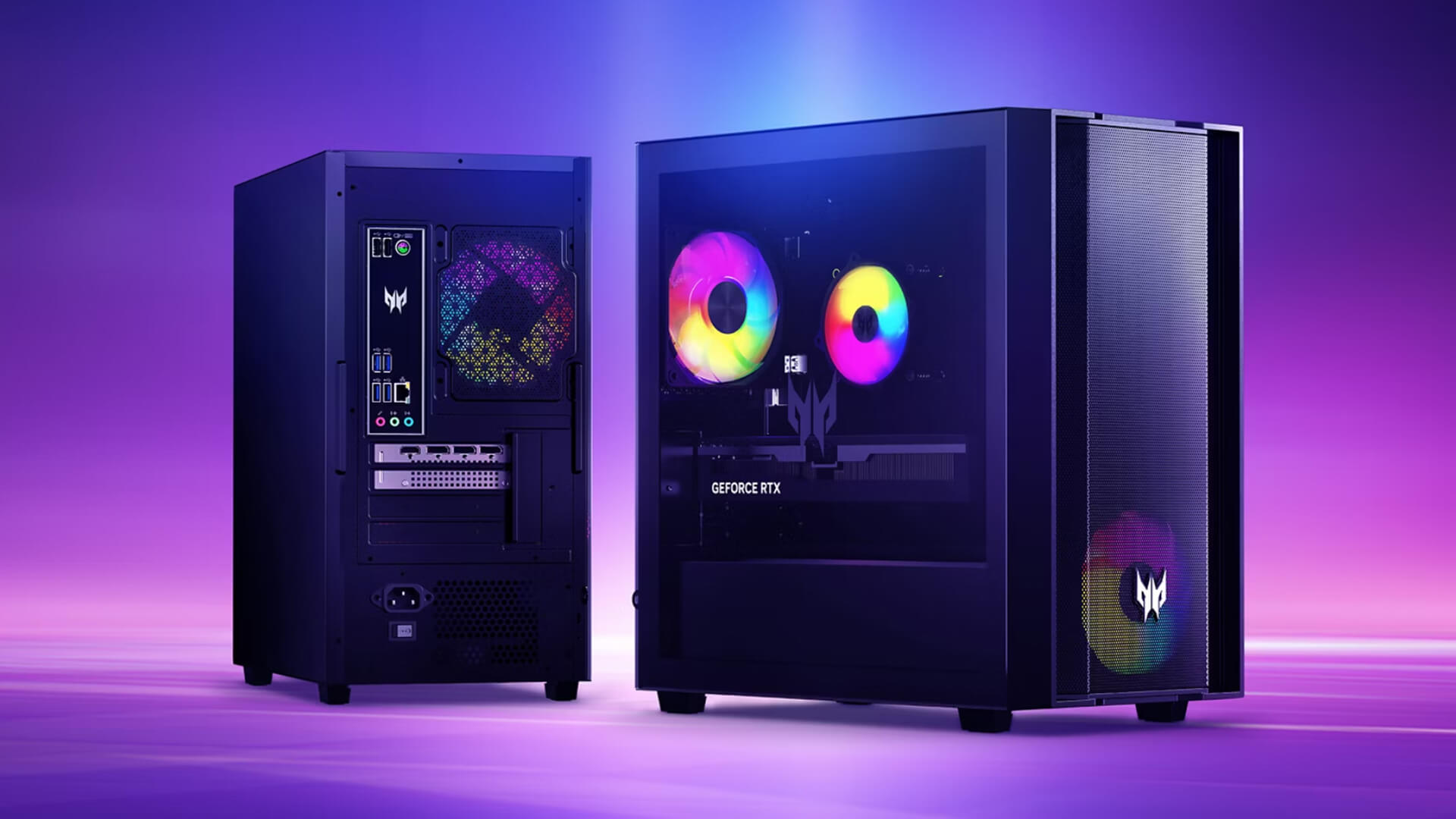
The best CPU for RTX 5060 is not always the most expensive one. You want a processor that can keep the GPU busy without pushing the total build cost too high.
For most RTX 5060 gaming PC builds, a modern six-core or eight-core processor is the right target.
Six-Core vs Eight-Core Processors
A good six-core CPU is enough for most RTX 5060 gaming, especially at 1080p and 1440p. It keeps the build affordable and leaves more budget for RAM, SSD storage, monitor quality and cooling.
Choose a six-core CPU if you:
- Mostly play esports games
- Target 1080p high-refresh gaming
- Want a budget RTX 5060 build
- Do not stream or create content heavily
- Want strong value
An eight-core CPU gives more headroom. It is better if you game while streaming, record gameplay, run Discord and browser tabs in the background or want a longer upgrade path.
Choose an eight-core CPU if you:
- Stream while gaming
- Play CPU-heavy games
- Want better 1% lows
- Use creative apps
- Keep your PC for several years
- Plan to upgrade the GPU later
AMD and Intel Options
Both AMD and Intel can work well in an RTX 5060 build.
For AMD, an AM5 gaming build makes sense if you want a modern platform with a clearer upgrade path. A Ryzen 5 or Ryzen 7 CPU is a sensible fit for the RTX 5060.
For Intel, a current Core i5 or Core i7 gaming build can also work well. Intel is a good choice if you find a strong bundle price or want a specific motherboard feature set.
When comparing gaming PC CPUs, focus on real gaming balance rather than chasing the highest CPU model in the range.
Avoiding CPU Bottlenecks
An RTX 5060 bottleneck can happen if the CPU cannot keep up with the graphics card. This is more likely at 1080p, where the GPU can produce more frames and the CPU has to work harder to feed it.
Signs of a CPU bottleneck include:
- Low GPU utilisation
- High CPU usage in games
- Frame drops in busy areas
- Weak 1% lows
- Poor performance even after lowering graphics settings
- Stuttering in open-world or simulation games
A modern six-core CPU is usually fine. A very old quad-core processor is not a good match for an RTX 5060 gaming PC.
When a Faster Processor Is Worth It
A faster processor is worth it if your frame-rate target is high, your games are CPU-heavy or your PC is used for more than gaming.
Pay more for the CPU if you:
- Play competitive shooters at high FPS
- Use a 165Hz or 240Hz monitor
- Play simulation or strategy games
- Stream and game together
- Use video editing software
- Want to upgrade to a stronger GPU later
Do not overbuy the CPU if your monitor is 1080p 60Hz or 75Hz. In that case, put more money into the display, SSD, or overall build quality.
Picking the Right Motherboard
Your RTX 5060 motherboard needs to match the CPU first. The GPU will fit into a PCIe x16 graphics slot on modern boards, but the platform choice depends on whether you build around AMD or Intel.
AMD AM5 Motherboard Options
An AM5 mobo is the best AMD route for a new RTX 5060 build. It supports modern Ryzen processors and DDR5 memory, making it a strong platform for a balanced gaming PC.
Look for:
- B650, B850, X670 or X870 class boards, depending on budget
- Enough M.2 slots
- PCIe x16 slot for the GPU
- DDR5 memory support
- BIOS support for your chosen CPU
- Good rear I/O
- USB-C, if needed
- Wi-Fi, if you do not use Ethernet
A mid-range AM5 board is usually enough for an RTX 5060 PC build. You do not need the most expensive board unless you need extra storage, more USB ports, stronger VRMs, or a bigger upgrade path.
Intel Motherboard Options
For Intel, choose the motherboard based on your CPU socket and memory plan. Some Intel platforms support DDR4 or DDR5 depending on the board, so check carefully before buying.
An Intel gaming build can be a strong fit if you want:
- Core i5 or Core i7 performance
- Strong gaming value
- DDR4 upgrade reuse on selected boards
- DDR5 for a new build
- Plenty of motherboard options
Do not mix parts without checking compatibility. CPU socket, motherboard chipset, RAM type, and BIOS support all matter.
Features Worth Paying For
Useful motherboard features include:
- Two or more M.2 slots
- Strong VRM cooling
- 2.5Gb Ethernet
- Built-in Wi-Fi
- USB-C
- BIOS flashback
- Enough fan headers
- Good audio
- PCIe 4.0 or PCIe 5.0 storage support
- Clear upgrade path
Features you may not need include extreme overclocking support, luxury RGB extras, or very high-end chipsets for a mid-range GPU build.
Wi-Fi, Expansion and Upgrade Support
If your PC is near the router, Ethernet is still the best option for gaming. If not, built-in Wi-Fi can be useful.
Also think about future upgrades:
- Will you add another SSD?
- Will you need more USB ports?
- Will you upgrade to a stronger GPU?
- Will you move from 16GB to 32GB RAM?
- Will you add capture cards or sound cards?
A good motherboard makes the RTX 5060 build easier to grow over time.
How Much RAM Does the Build Need?
For an RTX 5060 gaming PC, 16GB RAM is the minimum sensible target. For a new build in 2026, 32GB RAM is the better choice if the budget allows.
Use 16GB if you:
- Want the lowest sensible cost
- Mainly play esports games
- Game at 1080p
- Close background apps before gaming
- Do not stream or edit content
Use 32GB if you:
- Play newer AAA games
- Use mods
- Stream while gaming
- Use Discord and browser tabs
- Want better long-term value
- Run creative apps
- Want smoother multitasking
For GeForce 5060 RAM, dual-channel memory matters. Two matched sticks usually perform better than one single stick because the system gets more memory bandwidth.
When comparing DDR4 & DDR5, choose DDR5 for a new AM5 build. DDR4 can still make sense if you are upgrading an existing compatible Intel platform and want to reuse parts.
Choosing Storage for Modern Games
Storage affects loading screens, updates, game installs, and general system responsiveness.
Why an NVMe SSD Matters
An NVMe SSD is strongly recommended for an RTX 5060 build. It helps with:
- Windows boot time
- Game loading
- Large updates
- Texture streaming
- Moving files
- Launching apps
- General responsiveness
Modern games are large, and some benefit from fast storage. For fast loading times, choose a reliable NVMe SSD rather than relying on an old hard drive.
1TB vs 2TB Capacity
A 1TB NVMe SSD is the best starting point for most RTX 5060 system requirements. It gives room for Windows, apps, and a decent game library.
Choose 1TB if you:
- Play a few games at a time
- Uninstall old titles
- Use cloud storage
- Want good value
Choose 2TB if you:
- Play large AAA games
- Use Game Pass heavily
- Keep mods installed
- Record clips
- Edit video
- Hate uninstalling games
- Want fewer storage upgrades later
For a gaming PC in 2026, 500GB feels tight. 1TB is sensible. 2TB is comfortable.
Adding More Storage Later
Most modern motherboards include multiple M.2 slots, so you can add another SSD later. This is a good reason to choose a motherboard with at least two M.2 slots.
A useful setup is:
- 1TB NVMe SSD for Windows and main games
- Extra 1TB or 2TB SSD later for larger game libraries
- Optional external drive for backups and media
Avoid using a hard drive for your main modern game installs unless you only use it for older titles or bulk storage.
What Power Supply Should You Use?
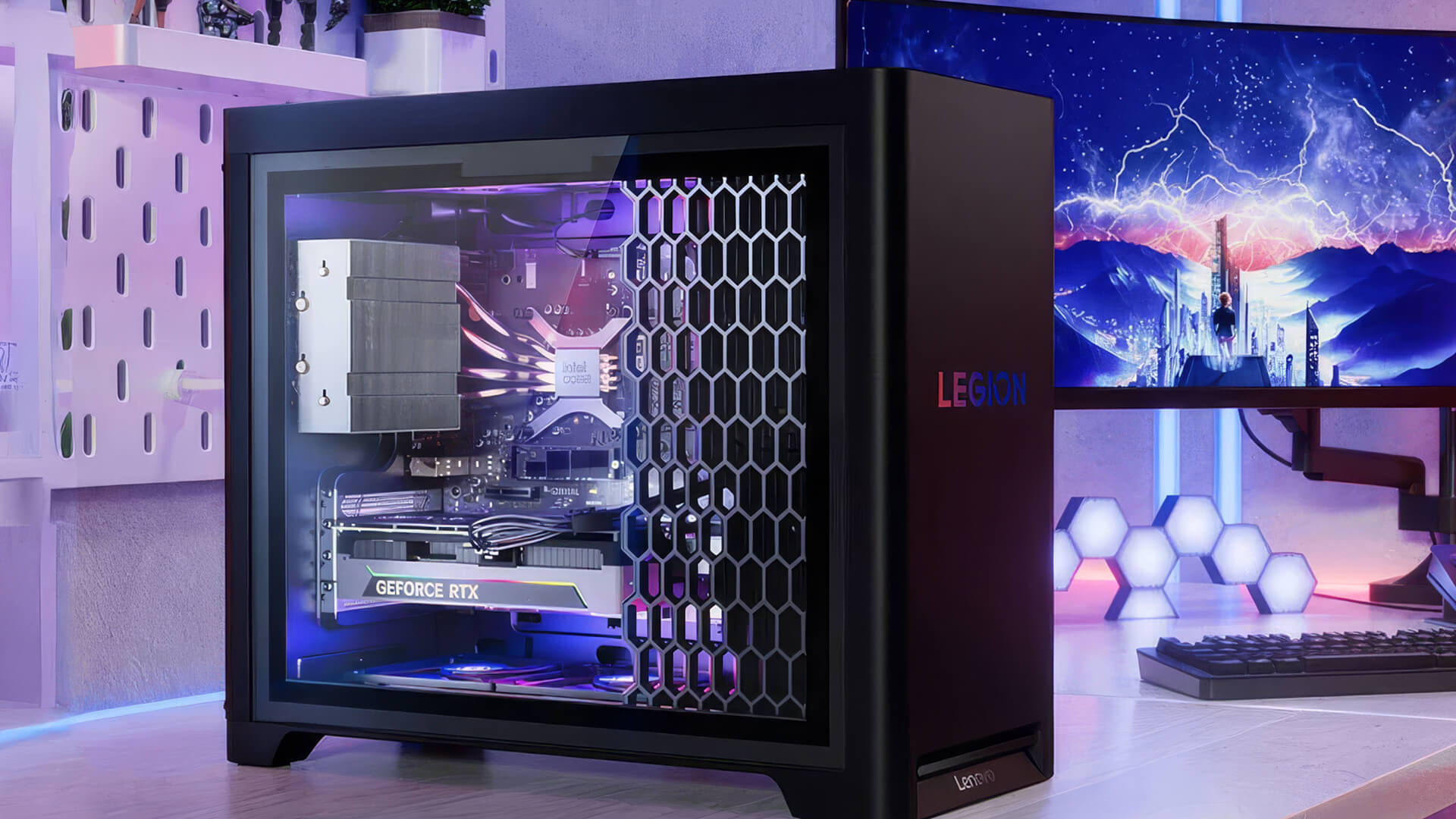
The 5060 power supply choice depends on your full system, not only the GPU. NVIDIA’s reference guidance lists 550W required system power for the RTX 5060, but your CPU, storage, fans, motherboard, and exact graphics card model can change the requirement.
For most RTX 5060 PC builds:
- 550W can work for a value-focused build
- 650W is the safer balanced choice
- 750W is better for upgrade-friendly builds
Choose a quality PSU from a trusted brand. A cheap power supply is not worth the risk in a gaming PC.
Look for:
- 80 Plus Bronze, Gold, or better
- Enough PCIe GPU power connectors
- ATX 3.0 or ATX 3.1 where possible
- Good warranty
- Stable power delivery
- Enough headroom for upgrades
Modular supplies make cable management easier and help improve airflow, especially in compact cases.
Case and Cooling Considerations
The RTX 5060 is not the hottest GPU class, but cooling still matters. Poor airflow can make the GPU and CPU run hotter, louder and less consistently.
Choose an airflow-focused case with:
- Mesh front panel
- At least two intake fans
- At least one exhaust fan
- Good GPU clearance
- Enough CPU cooler clearance
- Cable management space
- Dust filters
- Room for future upgrades
Add RGB case fans if you want better airflow and a bit of style, but do not choose looks over cooling. A clean airflow path matters more than lighting.
For the case itself, compare custom built cases based on GPU length, motherboard size, airflow, and how easy the case is to build in.
Liquid cooling is not required for most RTX 5060 builds. A capable tower air cooler is enough for many six-core and eight-core CPUs.
Best RTX 5060 Build for 1080p Gaming
An NVIDIA RTX 5060 1080p build is the easiest recommendation. This is where the card makes the most sense, especially for high-refresh gameplay.
- Value-Focused Build
- GPU: GeForce RTX 5060
- CPU: Modern six-core gaming processor
- Motherboard: Compatible mainstream chipset board
- Memory: 16GB minimum, preferably 32GB DDR5
- Storage: 1TB NVMe SSD
- Power supply: Quality 550 to 650W unit
- Cooling: Capable stock or entry-level tower cooler
- Target use: 1080p gaming and esports
This build is best if you want smooth gaming without overspending. It is ideal for Fortnite, Valorant, CS2, Rocket League, Overwatch, Minecraft, popular shooters and most 1080p AAA gaming with sensible settings.
Can an RTX 5060 Build Handle 1440p?
Yes, an NVIDIA RTX 5060 1440p build can handle 1440p gaming, but you need realistic settings. The RTX 5060 is better suited to 1080p high-refresh play, while 1440p depends more on DLSS, game optimisation, and graphics settings.
Balanced Build
- GPU: GeForce RTX 5060
- CPU: Current mid-range six- or eight-core processor
- Motherboard: B-series AMD or mainstream Intel equivalent
- Memory: 32GB DDR5
- Storage: 1TB or 2TB NVMe SSD
- Power supply: Quality 650W ATX 3.0 or ATX 3.1 unit
- Cooling: Tower air cooler or suitable liquid cooler
- Target use: High-refresh 1080p and supported 1440p gaming
For 1440p, use DLSS Super Resolution in supported games and avoid maxing out ray tracing. A good 1440p monitor can still be worth it if you play esports at high FPS and use 1440p for desktop space, streaming, and single-player games.
If you are upgrading your display, compare high-res monitors with refresh rate, response time, adaptive sync, and resolution in mind.
Upgrade-Friendly RTX 5060 Build
An upgrade-friendly RTX 5060 build gives you room to move to a faster GPU later without replacing half the PC.
Upgrade-Friendly Build
- GPU: GeForce RTX 5060
- CPU: Strong current-generation gaming processor
- Motherboard: Platform with a clear future upgrade path
- Memory: 32GB DDR5
- Storage: 2TB NVMe SSD
- Power supply: 750W quality unit for a later GPU upgrade
- Cooling: Higher-capacity air or liquid cooling
- Target use: Gaming, streaming, creation, and future upgrades
This build is better if you want the RTX 5060 now but may upgrade to a higher RTX 50 Series card later. It costs more upfront, but the stronger PSU, CPU, case, and cooling can save money when you upgrade.
Should You Build for DLSS and Ray Tracing?
Yes, but with the right expectations. The RTX 5060 supports modern NVIDIA features, but the card still sits in the mainstream gaming category. Build around smart settings, not Ultra everything.
DLSS Super Resolution
DLSS Super Resolution is one of the most useful features for an RTX 5060 gaming PC. It helps improve frame rates while keeping image quality strong in supported games.
Use:
- Quality mode at 1080p when you want a small FPS boost
- Quality or Balanced mode at 1440p
- Performance mode only when the game is very demanding
- Multi Frame Generation
DLSS Multi Frame Generation can improve perceived smoothness in supported games. It is useful when the base frame rate is already decent.
It works best when:
- The game supports it
- Latency is controlled
- NVIDIA Reflex is enabled where available
- Your base FPS is not too low
- You want smoother motion in single-player games
Do not rely on frame generation to fix a weak CPU or poor base performance.
Ray Tracing and Path Tracing
Ray tracing looks great, but it can be heavy. Path tracing is even more demanding.
For an RTX 5060 build:
- Use ray tracing selectively
- Start with Low or Medium RT settings
- Enable DLSS
- Avoid path tracing unless performance is acceptable
- Prioritise stable frame rate over maximum effects
For competitive games, turn ray tracing off. For cinematic games, use it carefully.
NVIDIA Reflex for Competitive Gaming
NVIDIA Reflex helps reduce system latency in supported games. It is especially useful for esports and shooters where responsiveness matters.
Use Reflex when available, especially with frame generation or high-refresh gameplay.
Common RTX 5060 Build Mistakes
Avoid these mistakes when planning your RTX 5060 PC build.
1. Spending Too Much on the CPU
A flagship CPU is not needed for most RTX 5060 systems. If the CPU costs more than the GPU, the build may be poorly balanced unless you have specific productivity needs.
2. Buying Too Little Storage
Modern games are huge. A 500GB SSD can fill quickly after Windows, launchers, and a few big games. Start with 1TB if possible.
3. Using a Cheap Power Supply
A low-quality PSU can cause crashes, instability, and upgrade problems. Use a proper branded unit with enough headroom.
4. Choosing a Poor Airflow Case
A closed-off case can make the PC louder and hotter. Pick airflow first, aesthetics second.
5. Ignoring RAM Configuration
One stick of RAM is not ideal. Use dual-channel memory where possible. For most new builds, 32GB DDR5 is the better long-term target.
6. Expecting Ultra 1440p Ray Tracing Everywhere
The RTX 5060 can handle supported 1440p gaming, but it is not built to max out every ray-traced AAA title at high refresh rates. Use DLSS and balanced settings.
RTX 5060 System Requirements: Practical Checklist
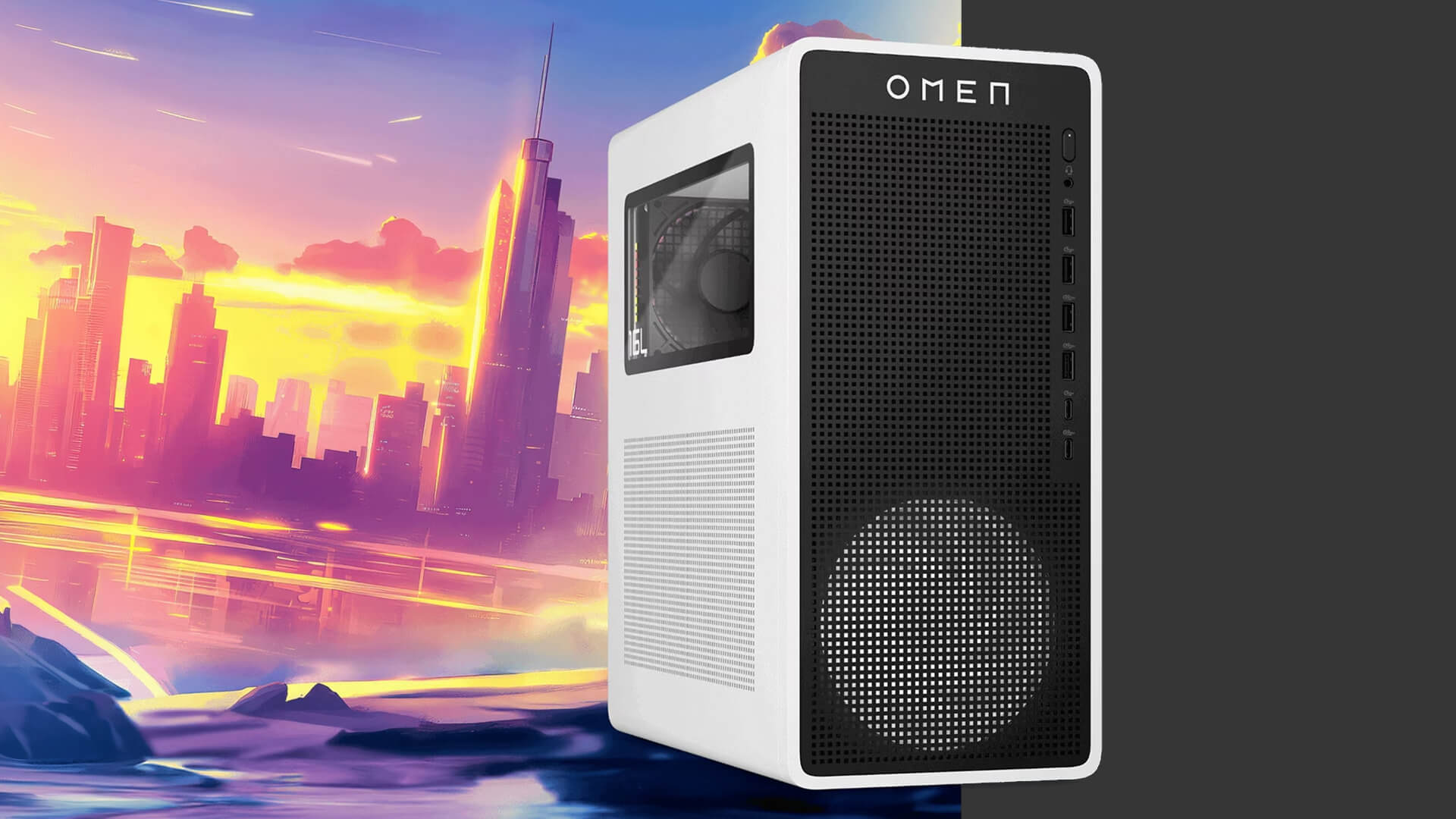
A sensible RTX 5060 system requirements checklist looks like this:
- Compatible PCIe x16 motherboard
- Modern six-core or eight-core CPU
- 16GB RAM minimum
- 32GB RAM recommended for a new build
- 1TB NVMe SSD minimum
- Quality 550W PSU minimum for many builds
- 650W recommended for balanced builds
- 750W for upgrade-friendly builds
- Case with enough GPU clearance
- Good airflow
- Latest BIOS where needed
- Latest NVIDIA drivers
- High-refresh monitor for best experience
Always check the specific graphics card manufacturer’s requirements before buying, especially power connectors and card length.
Wrapping Up
A good RTX 5060 build is about balance. The graphics card is a strong fit for 1080p high-refresh gaming and can handle supported 1440p gaming with the right settings, DLSS, and realistic expectations.
For a value build, pair the RTX 5060 with a modern six-core CPU, 16GB or 32GB RAM, 1TB NVMe SSD, a high-quality 550W to 650W PSU, and an airflow-focused case.
For a balanced build, choose a stronger six-core or eight-core CPU, 32GB DDR5, 1TB or 2TB NVMe storage, 650W PSU, and a good tower cooler.
For an upgrade-friendly build, step up to a stronger CPU, 32GB DDR5, 2TB SSD, 750W PSU, and a case with better cooling and future GPU clearance.
The simple recommendation:
- Best value: Six-core CPU, 16GB or 32GB RAM, 1TB SSD, 550W to 650W PSU
- Best balance: Six- or eight-core CPU, 32GB DDR5, 1TB or 2TB SSD, 650W PSU
- Best upgrade path: Strong CPU, 32GB DDR5, 2TB SSD, 750W PSU, better airflow
- Best resolution target: 1080p high-refresh gaming
- Best supported upgrade: 1440p with DLSS and balanced settings
Do not build the PC around one part only. Match the CPU, motherboard, RAM, SSD, PSU, case, and monitor to the kind of games you actually play.
FAQs
-
What processor is compatible with RTX 5060?
Any modern CPU platform with a suitable PCIe x16 graphics slot can work with an RTX 5060. For a balanced gaming PC, choose a modern AMD Ryzen 5, Ryzen 7, Intel Core i5, or Intel Core i7 processor.
-
Is 750W PSU enough for 5060?
Yes, a good-quality 750W PSU is more than enough for most RTX 5060 builds and gives headroom for future upgrades. Many balanced RTX 5060 systems can use 550W to 650W, but power needs depend on the full PC and exact graphics card model.
-
Should I use 16GB or 32GB of RAM with an RTX 5060?
Use 16GB RAM as the minimum for a budget RTX 5060 build. Choose 32GB RAM for a new 2026 build if your budget allows, especially if you play newer games, use mods, stream, multitask, or want better long-term value.
-
Which motherboard is good for GeForce RTX 5060?
A good motherboard for GeForce RTX 5060 should support your chosen CPU, RAM type, NVMe storage, and case size. For AMD, an AM5 B-series board is a strong option. For Intel, choose a compatible mainstream chipset board with the features you need.
-
How much storage should an NVIDIA 5060 gaming PC have?
An NVIDIA 5060 gaming PC should have at least a 1TB NVMe SSD. Choose 2TB if you play large AAA games, keep multiple titles installed, record gameplay, or want fewer storage upgrades later.
-
Is liquid cooling necessary for an RTX 5060 build?
No, liquid cooling is not necessary for most RTX 5060 builds. A good tower air cooler is enough for many six-core and eight-core CPUs. Liquid cooling only makes sense if you choose a hotter CPU, want lower noise, or prefer the look.
You can pay with:
*PayPal Credit Representative Example: Assumed credit limit £1,200, Representative 23.9% APR (variable). Purchase rate 23.9% p.a (variable).Terms & Conditions apply.


PayPal Credit and PayPal Pay in 3 are trading names of PayPal UK Ltd, 5 Fleet Place, London, United Kingdom, EC4M 7RD. Terms and conditions apply. Credit subject to status, UK residents only, Five Tech LTD acts as a broker and offers finance from a restricted range of finance providers. PayPal Pay in 3 is not regulated by the Financial Conduct Authority. Pay in 3 eligibility is subject to status and approval. 18+. UK residents only. Pay in 3 is a form of credit. Check if affordable and how you will repay. May make other borrowing more difficult or expensive. See product terms for more details.
Copyright © 1996-2026 Fivetech LTD | Terms and Conditions
box.co.uk & Box are trading names of Five Tech Limited. Registered office: Box LTD, Unit 10 Woodford Trading Estate, Woodford Green IG8 8HF