


 Menu
MenuMenu


Get Sales Advice from Mon - Fri 9am - 5:00pm:
020 3337 8950POSTED: 06 May, 2026
What Games Can RTX 3050 Run in 2026? Full Supported Games Guide
The RTX 3050 supported games list is still surprisingly big in 2026, but expectations matter. This GPU is best suited to 1080p play, especially for esports titles, older AAA games, and modern releases with sensible settings. It supports RTX features such as ray tracing and DLSS Super Resolution, but newer AAA games can push its VRAM harder, especially on 4GB models.
For most players, RTX 3050 gaming is about balance. Many games on RTX 3050 can run smoothly with the right 1080p settings, but ultra presets, heavy ray tracing, and 1440p targets are not always realistic. This guide breaks down the popular games it can run, the settings to use, and the performance expectations to keep in mind before you play or buy.
What Games Can RTX 3050 Run in 2026?
The RTX 3050 supported games list is still strong in 2026. It can run esports titles, older AAA games, indie games, and many newer releases. The key is to treat it as a 1080p card and keep settings realistic.
The RTX 3050 is best for:
- Esports games at 1080p with strong frame rates
- Older AAA games at medium to high settings
- Newer AAA games at low to medium settings
- DLSS-supported games where extra performance is needed
- Casual gaming and everyday multiplayer titles
It is not the best choice for ultra settings, heavy ray tracing, 1440p, or 4K gaming. The card supports RTX features through RT and Tensor Cores, but newer games can push it hard, especially on lower VRAM versions.
Best Performance Target
For most RTX 3050 playable games, 1080p is the right target. Lighter games can run smoothly at higher settings, while demanding titles usually need a mix of medium settings, reduced textures, and DLSS where available.
A realistic performance expectation looks like this:
- 1080p esports: smooth and responsive
- 1080p older AAA: playable at medium to high settings
- 1080p modern AAA: playable with tweaks
- 1440p: possible in lighter games, but inconsistent
- 4K: not recommended
This is why RTX 3050 game performance depends heavily on the game itself. A competitive shooter and a modern open-world title will not behave the same way.
RTX 3050 Versions Explained: 4GB vs 6GB vs 8GB
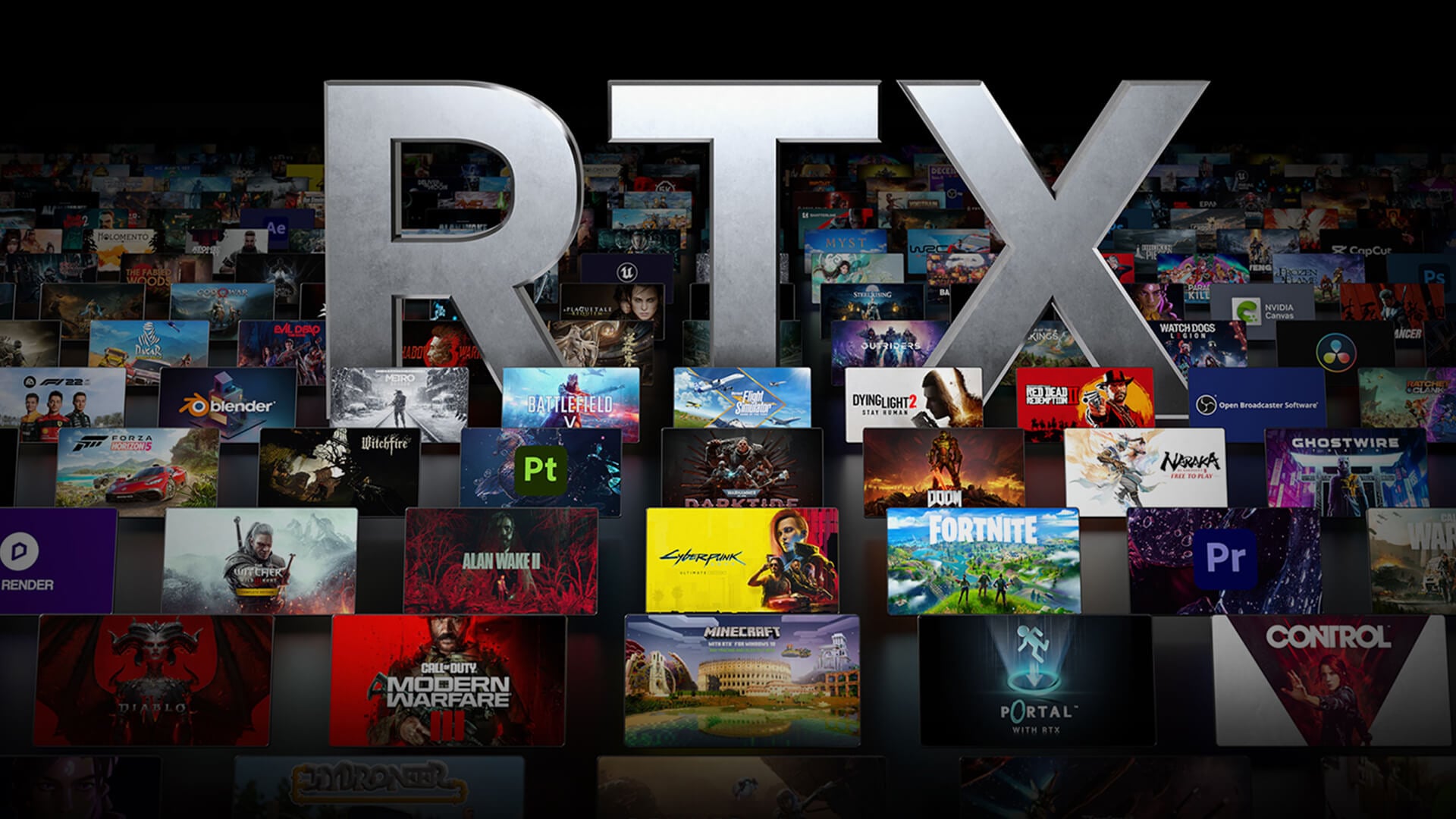
The Nvidia 3050 GPUs come in different versions, so performance is not identical across every card or laptop. For RTX 3050 gaming in 2026, VRAM and power limits matter almost as much as the GPU name itself.
Here is a quick comparison to help you understand how each variant of the card performs.
| RTX 3050 Version | Best For | Realistic 2026 Settings | Main Limitation |
| 4GB | Esports and older games | Low to medium 1080p | Tight VRAM in newer games |
| 6GB | Budget 1080p gaming | Medium 1080p | Lower headroom than 8GB |
| 8GB | Best RTX 3050 experience | Medium to high 1080p | Still entry-level for new AAA |
- RTX 3050 4GB: This is the weakest version. It is fine for esports, older titles, and lighter 1080p games, but newer AAA releases can expose its VRAM limits quickly. Expect lower textures and fewer visual extras.
- RTX 3050 6GB: The 6GB version is more usable for modern budget gaming. It has more memory than the 4GB model, but it is still a cut-down card compared with the 8GB version, with fewer CUDA cores and a narrower memory interface. That means it works best with medium settings in newer games.
- RTX 3050 8GB: The 8GB version is the best pick if you want the most stable RTX 3050 experience. It has more VRAM, more CUDA cores than the 6GB model, and a wider memory interface, which helps with smoother 1080p play. It is the better option for high settings in older AAA games and more comfortable performance in newer titles.
If you are browsing 3050 RTX laptops, always check the exact GPU version and power limit before investing.
RTX 3050 Supported Games List
A useful RTX 3050 game list should not just say “yes” or “no”. Most games can run, but the experience depends on resolution, settings, VRAM, and optimisation. For demanding titles, 1080p with adjusted settings is the safest target, especially as newer games increasingly ask for 6GB to 8GB VRAM for smoother play.
Esports and Competitive Games that Run Well
These are the strongest RTX 3050 esports games. They are generally lighter than large open-world AAA titles and are better suited to higher frame rates.
- Counter-Strike 2
- Valorant
- Fortnite
- Apex Legends
- Rainbow Six Siege
- League of Legends
- Rocket League
- Call of Duty Warzone
- Overwatch 2
- EA Sports FC
- War Thunder
Pro Tip: 1080p with low to high settings, depending on the game. Competitive players should focus on stable FPS, reduced shadows, and clean visibility.
Older and Well-Optimised AAA Games
These RTX 3050 AAA games are still a good fit, especially at 1080p. Some may need small tweaks, but they should feel more comfortable than the newest heavy releases.
- Grand Theft Auto V Enhanced
- Red Dead Redemption 2
- The Witcher 3: Wild Hunt Next Gen
- God of War
- God of War Ragnarok
- Forza Horizon 5
- Doom Eternal
- Resident Evil 4 Remake
- Dead Space Remake
- Days Gone Remastered
- Horizon Forbidden West
- Ghost of Tsushima Director’s Cut
- Mortal Kombat 1
- Lords of the Fallen
Pro Tip: 1080p medium to high settings. Heavier titles may need reduced shadows, reflections, or textures for smoother play.
Modern AAA Games that are Playable with Tweaks
These are RTX 3050 playable games, but they need more realistic settings. For many of these modern AAA titles, DLSS or careful texture control can make a noticeable difference.
- Cyberpunk 2077
- Starfield
- Alan Wake 2
- A Plague Tale Requiem
- The Last of Us Part I
- The Last of Us Part II Remastered
- Assassin’s Creed Shadows
- Black Myth Wukong
- S.T.A.L.K.E.R. 2: Heart of Chornobyl
- Star Wars Outlaws
- Dragon Age: The Veilguard
- Warhammer 40,000: Space Marine 2
- Final Fantasy VII Rebirth
- Marvel’s Spider-Man 2
- Kingdom Come Deliverance 2
- Silent Hill 2 Remake
- Senua’s Saga Hellblade 2
- Monster Hunter Wilds
- Avowed
- Indiana Jones and the Great Circle
Pro Tip: 1080p low to medium settings. Use DLSS support where available, avoid heavy ray tracing, and reduce texture quality if VRAM limits cause stutter.
Newer and Heavier 2025–2026 Titles to Treat Carefully
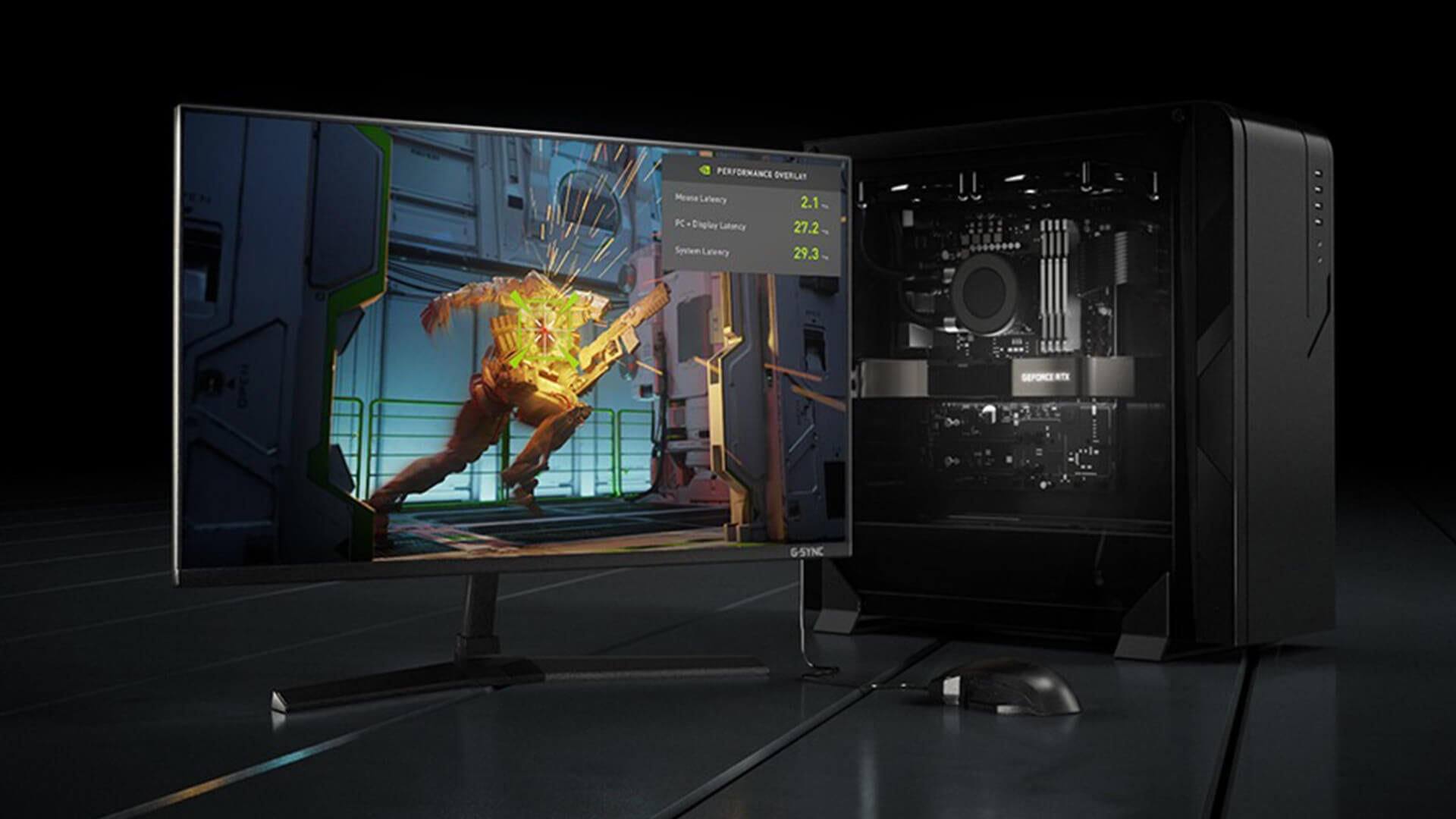
These titles are where RTX 3050 game performance may vary the most. Some will be playable with the right setup, but ultra settings are not realistic.
- DOOM The Dark Ages
- Clair Obscur Expedition 33
- Dying Light: The Beast
- Battlefield 6
- Where Winds Meet
- Stellar Blade
- Pragmata
- Cronos The New Dawn
- The Elder Scrolls IV Oblivion Remastered
- Call of Duty Black Ops 7
- Hell is Us
- Metal Gear Solid: Snake Eater
- Borderlands 4
- Ninja Gaiden 4
- Silent Hill f
- Wuchang Fallen Feathers
- Mafia The Old Country
- Rise of the Ronin
- The Outer Worlds 2
Pro Tip: 1080p low to medium settings, with graphics optimisation doing most of the work. For the best chance of smoother performance, use DLSS or upscaling where supported and keep demanding settings like ray tracing, ultra textures, shadows, and crowd density under control.
RTX 3050 Esports Performance: Why It Still Works Well
The RTX 3050 still makes plenty of sense for esports because these games are usually built to scale across a wide range of hardware. That makes esports games some of the easiest titles to run on RTX 3050, especially at 1080p.
Why Esports Games Suit RTX 3050
Competitive games often prioritise responsiveness over heavy visuals. Titles like Valorant, Counter-Strike 2, Fortnite, Apex Legends, Rainbow Six Siege, and Rocket League are a strong fit because you can lower visual settings without ruining the experience.
That is why most people look for the RTX 3050 esports games and competitive titles. You are not usually chasing ultra textures or heavy ray tracing. You are aiming for clear visibility, fast response, and stable performance.
Best Esports Settings for RTX 3050
For most esports games, start with 1080p and adjust settings around visibility and frame rate. Keep textures at a sensible level, lower shadows, reduce post-processing, and avoid heavy effects that make the image busy.
A good starting point for RTX 3050 best settings is:
- Resolution: 1080p
- Textures: medium, or high on 6GB/8GB versions
- Shadows: low
- Effects: low to medium
- Anti-aliasing: low to medium
- Ray tracing: off
- DLSS: use only if the game feels unstable
High Refresh Rate Expectations
The RTX 3050 can pair well with high-refresh 1080p monitors in lighter esports titles. The main target should be consistency. A stable frame rate often feels better than settings that look nicer but dip during fights.
For refresh rate targets, think practically and be game-focused. Valorant and Rocket League are easier to push at higher FPS. Fortnite, Apex Legends, and Warzone can need more careful settings. If you want high-refresh performance in every game, stronger and more powerful gaming GPUs will give more headroom.
Is RTX 3050 Still Good for Gaming in 2026?
Yes, the RTX 3050 is still a great option for gaming if you are aiming for 1080p and realistic settings. RTX 3050 gaming suits budget gamers, students, casual players, and anyone who mostly plays esports, older AAA games, or lighter multiplayer titles. Story-driven and open-world games can still run well, but newer releases usually need more careful settings, especially if they use large maps, detailed textures, or heavy lighting effects.
For 1440p gaming, ultra settings, heavy ray tracing, or stronger long-term AAA performance, it is worth looking higher. So, if you are wondering, is RTX 3050 worth it in 2026? The answer is simple: yes, for budget 1080p, but not for future-proof high-end gaming.
For laptops, performance can vary more than desktop cards. Cooling, power limits, RAM, and the exact GPU version all affect smooth gameplay, so two RTX 3050 laptops can feel different even with the same name on the spec sheet.
What Can Hold RTX 3050 Back in 2026?
The RTX 3050 can still run plenty of games, but a few limits affect how consistent the experience feels. These matter most in newer releases, where textures, lighting, open worlds, and system requirements are heavier than older games.
VRAM Limits in Newer Games
VRAM limits are the biggest issue, especially on 4GB models. Newer games often need more memory for textures, large maps, and detailed environments. When VRAM runs out, you may see stutter, longer texture loading, or sudden frame drops.
This is why RTX 3050 game performance is not only about average FPS. Stability matters too. A game can technically run, but still feel uneven if the GPU is short on memory. Some demanding 1080p targets now list 6GB to 8GB VRAM, depending on the preset, which shows why lower-memory cards need more care.
DLSS Helps, But Only to a Point
DLSS-enabled games can perform better when it is available. It can improve frame rate by reducing internal rendering load, which is especially useful for heavier titles.
Still, DLSS does not fix everything. It will not remove VRAM limits, weak CPU performance, low RAM, or poor game optimisation. It works best when the game is already close to playable and needs extra help to feel smoother.
Ray Tracing is not the Main Target
The RTX 3050 supports ray tracing, but it is usually not the best feature to prioritise in newer games. This GPU has dedicated RT Cores and Tensor Cores, so the feature set is there, but modern ray-traced lighting can be too demanding for this level of card.
For most modern AAA titles of 2026, standard lighting with better graphics optimisation will give a smoother result than switching ray tracing on and lowering everything else.
The Rest of the PC Still Matters
The GPU is only one part of the system. A weak processor, limited RAM, slow storage, poor cooling, or low laptop power limits can all reduce performance.
For the best performance, it helps to pair with the latest CPUs, use enough RAM, and keep games installed on fast storage. This matters even more in newer open-world games where the system has to manage large environments, AI, assets, and background loading at the same time.
Final Verdict: What Games Can RTX 3050 Run?
The RTX 3050 supported games range is still solid in 2026. It can handle esports titles, older AAA games, casual multiplayer games, and many newer releases at 1080p with sensible settings.
For most players using an RTX 3050, the expectations must be realistic. The card is not made for ultra settings, heavy ray tracing, or smooth 4K gaming. It is better for 1080p play, adjusted visuals, and smooth gameplay in games that are well optimised.
So, the simple answer is this: there are plenty of RTX 3050 playable games in 2026, but the best results come from the right GPU version, enough system memory, and using the right settings.
Frequently Asked Questions
What games can I play on RTX 3050?
You can play esports titles, older AAA games, casual multiplayer games, and many newer releases at 1080p. The best experience usually comes from using realistic settings rather than pushing every game to ultra.
Can RTX 3050 run AAA games?
Yes, RTX 3050 can run AAA games, but the experience depends on the title. Older AAA games are usually comfortable at 1080p, while newer and heavier games often need reduced textures, lower shadows, and DLSS where available.
Can RTX 3050 run new games in 2026?
Yes, but not always at high settings. Many new games will run at 1080p with compromises, especially on 6GB or 8GB versions. The 4GB version is more likely to struggle with newer textures and larger worlds.
Is the Nvidia GeForce RTX 3050 enough for 1080p gaming?
Yes, it is still enough for 1080p gaming if you are realistic about settings. It is strongest in esports, lighter multiplayer games, and older AAA titles. For newer AAA games, expect to adjust settings for smoother performance.
Can RTX 3050 run games with ray tracing?
RTX 3050 supports ray tracing because it has dedicated RT Cores, but ray tracing is usually too demanding in newer games for this level of GPU. In most cases, switching ray tracing off gives a smoother 1080p experience.
Is the RTX 3050 4GB still good for gaming?
It is still usable for esports, older games, and lighter titles. For modern AAA games, 4GB VRAM is tight and can cause stutter or force lower texture settings.
Is the RTX 3050 6GB or 8GB better for games?
The 8GB version is the better option for gaming in 2026. It gives more breathing room for newer games, especially as some demanding 1080p targets now sit around 6GB to 8GB VRAM, depending on settings.
You can pay with:
*PayPal Credit Representative Example: Assumed credit limit £1,200, Representative 23.9% APR (variable). Purchase rate 23.9% p.a (variable).Terms & Conditions apply.


PayPal Credit and PayPal Pay in 3 are trading names of PayPal UK Ltd, 5 Fleet Place, London, United Kingdom, EC4M 7RD. Terms and conditions apply. Credit subject to status, UK residents only, Five Tech LTD acts as a broker and offers finance from a restricted range of finance providers. PayPal Pay in 3 is not regulated by the Financial Conduct Authority. Pay in 3 eligibility is subject to status and approval. 18+. UK residents only. Pay in 3 is a form of credit. Check if affordable and how you will repay. May make other borrowing more difficult or expensive. See product terms for more details.
Copyright © 1996-2026 Fivetech LTD | Terms and Conditions
box.co.uk & Box are trading names of Five Tech Limited. Registered office: Box LTD, Unit 10 Woodford Trading Estate, Woodford Green IG8 8HF