


 Menu
MenuMenu


Get Sales Advice from Mon - Fri 9am - 5:00pm:
020 3337 8950LAST UPDATED: January 27, 2026
Must-Have Accessories for 10-Inch Tablets (Keyboards, Cases, Stands & More)
A 10-inch tablet is incredibly flexible, but the right accessories are what truly unlock its potential. Whether you're typing documents, watching content, studying, or setting up a desk-style workspace, choosing the right 10 inch tablet accessories can completely change how your tablet feels day to day.
This guide walks through the accessories that make the biggest difference, explains who they're for, and helps you avoid buying extras you won't actually use.
Turning a 10-inch Tablet into a Laptop-style Work Setup
One of the easiest ways to make a 10 inch tablet device feel more like a laptop is by adding a keyboard. While tablets are great for touch-based tasks, typing on a screen quickly becomes uncomfortable and slow for longer sessions. A physical keyboard changes how you use the device, making it far better suited to work, study, and everyday productivity.
For many users, this is the point where a tablet stops feeling like a secondary device and starts replacing light laptop tasks. Emails, documents, spreadsheets, and messaging all become quicker and more comfortable, especially when the tablet is used at a desk or table.
Typing-heavy Tasks and Desk-first Use
If you regularly write emails, reports, notes, or assignments, a keyboard is the most impactful upgrade you can make. A compact Bluetooth keyboard allows faster more accurate typing and improves posture by letting you keep the tablet at eye level rather than flat on a surface.
This setup works particularly well for students, remote workers, and anyone using productivity apps such as word processors, note-taking tools, or web-based platforms. Combined with a stand, a keyboard forms the foundation of a practical tablet desk setup that's comfortable for longer sessions.
Best suited accessories:
- Compact Bluetooth keyboards
- Keyboard cases designed for 10-inch tablets

Keyboard Case Vs Separate Keyboard Options
A tablet keyboard case combines protection and typing into one accessory, making it ideal for users who work on the move or want a simple, all-in-one solution. You open the case, start typing, and close it again when finished. The trade-off is extra weight and less flexibility in screen and keyboard positioning.
A separate keyboard gives you more control over your setup. You can adjust the distance, angle, and placement to suit your desk, pair it with a stand, and replace the keyboard independently if needed. This option suits home offices, shared workspaces, or users who want a more comfortable long-term setup.
If you're deciding between the two, the tablet accessories guide explains which option works best for different usage styles.
Trackpad and Mouse Setups for Precision
For tasks like spreadsheet work, document editing, or multitasking between apps, touch input can feel limiting. Adding a mouse or a keyboard with trackpad support improves accuracy and reduces fatigue, especially when selecting small on-screen elements.
Cursor-based navigation feels closer to a traditional laptop experience and works well alongside productivity-focused apps. This setup becomes even more effective when paired with external displays or desktop-style workflows, where precision and speed matter more than touch gestures.
| If your goal is to get more done on a tablet, choosing the right accessories to boost productivity can make everyday tasks like typing, note-taking, and multitasking far more efficient. |
Choosing the Right Protective Case and Screen Protector
Protecting your tablet isn't just about avoiding accidents; it's about keeping the device usable, comfortable, and looking good over time. A 10-inch tablet is large enough to be vulnerable when carried, but also thin enough that even minor impacts can cause screen or frame damage. The right combination of case and screen protection can prevent most everyday issues before they happen.
Case Types for Everyday Protection
A tablet protective case acts as the first line of defence against drops, knocks, and pressure in bags. The most common option is a folio case, which covers both the front and back of the tablet. When closed, it protects the screen from scratches, and when opened, it often folds into a stand for typing or viewing.
Folio cases are ideal for everyday home, work, and travel use because they balance protection with portability. They add minimal bulk while still guarding against common accidents like sliding off a desk or being knocked in a bag.
For users who travel frequently, commute daily, or work in more demanding environments, rugged cases are worth considering. These add reinforced corners, thicker shock-absorbing materials, and sometimes raised edges around the screen. While they make the tablet heavier, they significantly reduce the risk of damage from drops.
Screen Protector Options and Glare Control
A tablet screen protector protects the most expensive and fragile part of the device. Even with a case, screens can be scratched by keys, grit, or everyday contact, especially during travel.
Tempered glass protectors offer the highest level of protection. They absorb impact, resist scratches, and help prevent cracks if the tablet is dropped. They also maintain a smooth, glass-like feel, which is important for touch accuracy and stylus use.
Matte screen protectors focus less on impact resistance and more on usability. They reduce glare and reflections, making the screen easier to read under bright lighting. This makes them popular for reading, note-taking, or outdoor use, though they can slightly soften image sharpness compared to glass.
Choosing the right protector depends on how and where you use your tablet, but either option helps preserve display quality and touch responsiveness over time.
Travel Protection for Bags and Commuting
If your tablet leaves the house regularly, protection shouldn't stop at the case. Inside backpacks and handbags, tablets are exposed to pressure, movement, and other items that can cause long-term wear.
Using a padded sleeve alongside a case creates layered protection. The case guards against drops and scratches, while the sleeve absorbs impact and prevents bending or pressure damage from books, chargers, or laptops in the same bag.
This approach is especially useful for commuters, students, and anyone carrying their tablet daily. It reduces the risk of cracked screens, frame damage, and internal issues caused by repeated stress during travel.
For more detailed advice on selecting the right setup, the protective cases and screen protectors guide explains which combinations work best for different lifestyles.

Stands, Docks and Hubs for Desk Setups
A well-designed desk setup can completely change how a 10-inch tablet feels to use. With the right combination of stands, hubs, and charging solutions, a tablet can move from a casual, handheld device to a comfortable, semi-permanent workstation that supports longer sessions without strain.
Stands for Comfort and Posture
A tablet stand helps position the screen at eye level, which reduces neck, shoulder, and wrist strain during extended use. This is especially important if you regularly use your tablet for video calls, reading, writing, or online learning. Adjustable stands allow you to fine-tune height and viewing angle, improving ergonomics and reducing fatigue over time.
Many users overlook how much posture impacts comfort. A stable tablet stand dock keeps the device steady, improves touch accuracy, and makes typing with a keyboard or using a stylus far more natural during desk-based work.
USB-C Hubs for Ports and Storage
Most modern tablets rely on a single USB-C port, which can be limiting once you start adding accessories. A USB C hub tablet accessory solves this by expanding that single port into multiple connections, often including USB-A ports, HDMI, SD card readers, and pass-through charging.
This allows you to connect external storage, keyboards, mice, and even wired internet adapters at the same time. For users working with files, documents, or media, hubs form the foundation of a reliable docking setup that keeps everything connected without constant plugging and unplugging.
External Monitor and Charging Setups
Some 10-inch tablets support external display output via USB-C or DisplayPort Alt Mode. When paired with a monitor, the tablet can display apps on a larger screen, making multitasking, document editing, or presentations far more practical.
Using a hub that supports display output and power delivery means the tablet stays charged while driving an external monitor. This setup creates a near-laptop experience, combining portability with a larger workspace, without needing a full PC.
Stylus Options and Who They're Really For

A stylus can be one of the most useful 10 inch tablet accessories, but only if it matches how you actually use your device. For some users, it becomes an everyday tool. For others, it's an optional extra that rarely leaves the drawer. Understanding where a stylus adds value helps avoid unnecessary spending.
Note-taking and Document Markup Users
If you regularly take notes, review documents, or sign forms, a stylus offers a much more natural input method than an on-screen keyboard. Writing directly on the display feels closer to pen and paper, which many users find faster for capturing ideas during meetings, lectures, or study sessions.
Modern tablets support handwriting recognition, allowing written notes to be converted into searchable text. A stylus also makes highlighting PDFs, marking up contracts, or annotating presentations far more precise. For students, professionals, and remote workers, this turns a tablet into a flexible digital notebook rather than just a viewing device.
Creative and Drawing Users
For illustration, sketching, or design work, not all tablet stylus options are equal. Pressure sensitivity determines how line thickness changes with force, while palm rejection prevents accidental touches when resting your hand on the screen. These features are essential for creative apps such as drawing, photo retouching, or digital painting.
Creative users benefit most from styluses designed specifically for their tablet brand, as these tend to offer better accuracy, lower input latency, and smoother stroke control. When paired with a good tablet stand dock, this setup can support longer creative sessions without discomfort.
| For learners and remote study setups, investing in student-friendly accessories helps create a more comfortable, organised, and reliable tablet workspace. |
When a Stylus isn't Necessary
If your tablet use is focused on browsing, streaming, email, or typing with a keyboard, a stylus may offer little practical benefit. Touch input is usually faster for navigation, and a keyboard provides better efficiency for writing tasks.
In these cases, a stylus should be seen as a task-specific accessory rather than a core part of a tablet accessories kit. It's worth investing only if your daily tasks genuinely involve handwriting, drawing, or detailed on-screen interaction.
Stylus Accessories for Writing, Drawing and Precision
A stylus adds precision for note-taking, sketching, and on-screen navigation, especially on larger tablet displays.
Microsoft Surface Stylus Pen (Red)
MPN: EYU-000-Red
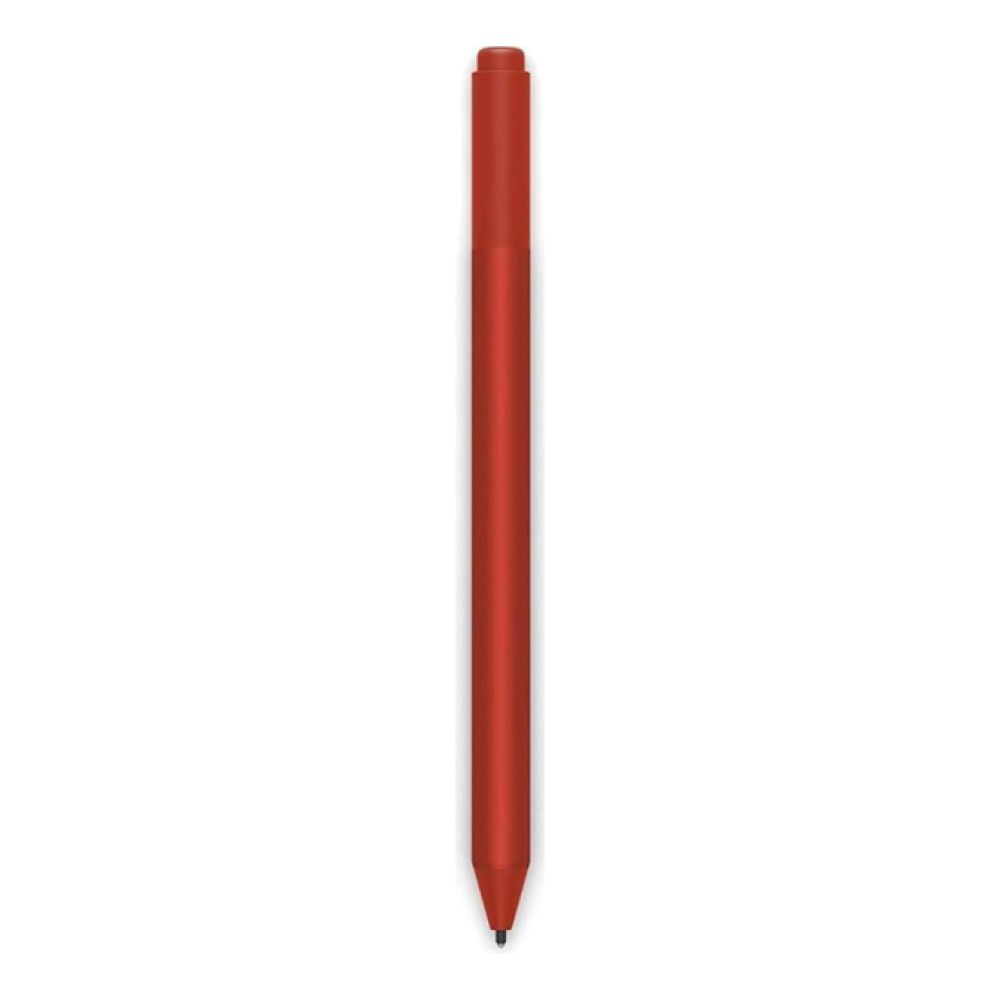
Designed for Surface tablets, this stylus offers pressure sensitivity and precise input for handwriting, drawing, and document markup. It provides a more natural writing experience than finger input, especially for longer sessions.
Best for: Students, professionals, and creatives who regularly write, annotate, or sketch on their tablet.
Final Thoughts
The right 10 inch tablet accessories can completely change how your tablet fits into your daily routine. Whether it's a keyboard that turns it into a laptop-style setup, a protective case that keeps it safe on the move, or a stylus that unlocks better note-taking and creative control, accessories are about improving comfort, efficiency, and longevity.
The key is choosing add-ons that match how you actually use your tablet, not just what looks impressive on a spec list. A well-chosen tablet accessories kit helps your device work harder, last longer, and feel more versatile without unnecessary extras. If you're building or upgrading your setup, Box.co.uk makes it easy to find compatible keyboards, cases, stands, hubs, and stylus options in one place, with expert guidance to help you choose confidently.
Frequently Asked Questions
Which accessories make the biggest difference on a 10-inch tablet?
A keyboard, protective case, and tablet stand dock usually deliver the biggest day-to-day improvement.
Does a keyboard case improve productivity on a 10-inch tablet?
Yes, especially for typing-heavy tasks, emails, and document work where touch input feels limiting.
Are screen protectors worth it for a 10-inch tablet?
A tablet screen protector helps prevent scratches and reduces glare, making it a sensible low-cost upgrade.
Do USB-C hubs help a 10-inch tablet feel more like a laptop?
Yes, a USB C hub tablet setup adds ports, external storage, and display support for desk use.
Who benefits most from using a stylus on a 10-inch tablet?
Students, professionals, and creatives who take handwritten notes, mark up documents, or draw on-screen gain the most value.
You can pay with:
*PayPal Credit Representative Example: Assumed credit limit £1,200, Representative 23.9% APR (variable). Purchase rate 23.9% p.a (variable).Terms & Conditions apply.


PayPal Credit and PayPal Pay in 3 are trading names of PayPal UK Ltd, 5 Fleet Place, London, United Kingdom, EC4M 7RD. Terms and conditions apply. Credit subject to status, UK residents only, Five Tech LTD acts as a broker and offers finance from a restricted range of finance providers. PayPal Pay in 3 is not regulated by the Financial Conduct Authority. Pay in 3 eligibility is subject to status and approval. 18+. UK residents only. Pay in 3 is a form of credit. Check if affordable and how you will repay. May make other borrowing more difficult or expensive. See product terms for more details.
Copyright © 1996-2026 Fivetech LTD | Terms and Conditions
box.co.uk & Box are trading names of Five Tech Limited. Registered office: Box LTD, Unit 10 Woodford Trading Estate, Woodford Green IG8 8HF