


 Menu
MenuMenu


Get Sales Advice from Mon - Fri 9am - 5:00pm:
020 3337 8950LAST UPDATED: February 04, 2026
Fractal Case Cooling & Hotspot Problems: Fix Poor Airflow and High GPU Temps
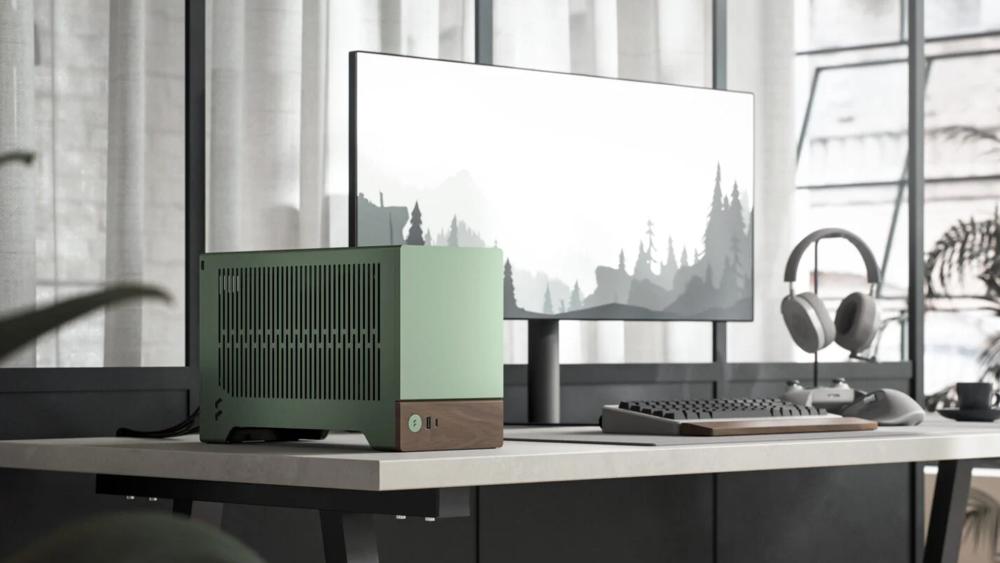
Fractal Design cases are widely used in gaming and enthusiast PC builds, but certain models can be more challenging to cool than others. Compact and design-led cases, such as Terra and Ridge, often leave little margin for error when it comes to airflow, cooler choice, and fan configuration. Even larger Fractal cases can run into thermal problems if airflow planning isn't handled correctly.
These Fractal case cooling issues usually show up as high CPU temperatures, elevated GPU hotspot readings, or uneven airflow that traps heat inside the chassis. They're most common in SFF builds, but can also affect mid-sized and full-sized setups when fan placement, component clearance, or case layout isn't matched to the hardware. This guide breaks down why these problems happen and how to fix poor airflow and high GPU temperatures without resorting to unnecessary hardware changes.
Common Cooling and Hotspot Problems in Fractal Cases
Before jumping into fixes of Fractal case cooling issues, it helps to identify the most common symptoms builders run into. Overheating problems in Fractal Design cases usually show up during longer gaming sessions or sustained workloads, where airflow weaknesses become obvious. These issues can happen in almost all PC cases, but most of them can be fixed with some tweaking and adjustments.
High GPU Hotspot Temperatures During Gaming
One of the most frequent complaints is elevated GPU hotspot temperature, even when average GPU temperatures appear acceptable. In compact Fractal Design case layouts or poorly configured builds, restricted airflow can cause hotspot temperatures to spike rapidly under load, leading to a high GPU temperature under load and inconsistent performance.
CPUs Running Hotter Than Expected in Compact Cases
In smaller Fractal builds, especially SFF layouts, CPUs can run close to their thermal limits during gaming. This often contributes to overheating in a gaming PC, particularly when low-profile coolers are pushed beyond what the case airflow can realistically support.
Heat Getting Trapped Inside the Case
In some setups, warm air simply has nowhere to go. Poor intake or exhaust balance can cause heat to linger inside the chassis, raising temperatures across the board. When airflow through the case isn't moving heat out efficiently, both CPU and GPU temperatures tend to climb together, even if individual coolers are working correctly.
Extra Noise Caused by Airflow Turbulence
Poor internal airflow doesn't just raise temperatures; it also increases fan noise. Fans ramp up aggressively to compensate for weak PC case cooling, often creating turbulence when air is forced through tight gaps or blocked by panels and components.
Why Fractal Case Cooling Issues Happen
Cooling problems in Fractal builds are rarely caused by a single fault. In most cases, they come down to how airflow, components, and internal layout interact once the system is under real load.
Tight Internal Layouts and Limited Clearance
Many Fractal cases, particularly compact designs, prioritise a smaller footprint over internal space. When components sit too close together, heat has less room to disperse. This is where PC case cooling can start to struggle, especially compared to larger mid-sized PC cases or full-tower PC cases that offer more breathing room around the GPU and CPU.
Fans Working Against Each Other
A poorly planned case fan setup can do more harm than good. When intake and exhaust fans aren't working together, hot air can be pushed back into the case instead of being expelled. Incorrect PC fan placement often leads to air recycling, which raises temperatures even when multiple fans are installed. This is why it is very important to use the right case fans for airflow and arrange them in the correct way.
Coolers That Aren't Suited to the Case
Not every cooler works well in every enclosure. In tighter layouts, an underpowered or poorly matched cooler can quickly become overwhelmed, contributing to rising temperatures across the system. Choosing the right PC cooling components for the available space is essential to maintaining stable thermals.
Dust, Blocked Panels, and Poor Maintenance
Over time, dust buildup on filters and heatsinks reduces airflow and traps heat inside the chassis. Panels that restrict intake or exhaust can worsen the problem, turning minor Fractal case cooling issues into persistent thermal limitations if regular maintenance is ignored.
Fixing Poor Airflow in Fractal Cases
Once the root causes are clear, improving airflow is usually the most effective way to resolve Fractal case cooling issues without changing major components. Small adjustments can make a noticeable difference to overall temperatures.
Getting Intake and Exhaust Working Together
Good airflow starts with balance. Cool air should enter the case cleanly, and warm air should leave just as easily. A sensible case fan setup typically uses front or bottom fans as intake, with rear and top fans handling exhaust. When airflow in a PC case follows a clear path through the chassis, heat is far less likely to build up around the CPU and GPU.
Making Better Use of Empty Fan Mounts
Many Fractal cases include unused fan positions that can help direct fresh air where it's needed most. Adding intake fans near the GPU or the bottom of the case can reduce the GPU temperature, especially in builds where the graphics card is the primary heat source. The key is improving airflow direction, not simply adding more fans.
Clearing Airflow Paths Inside the Case
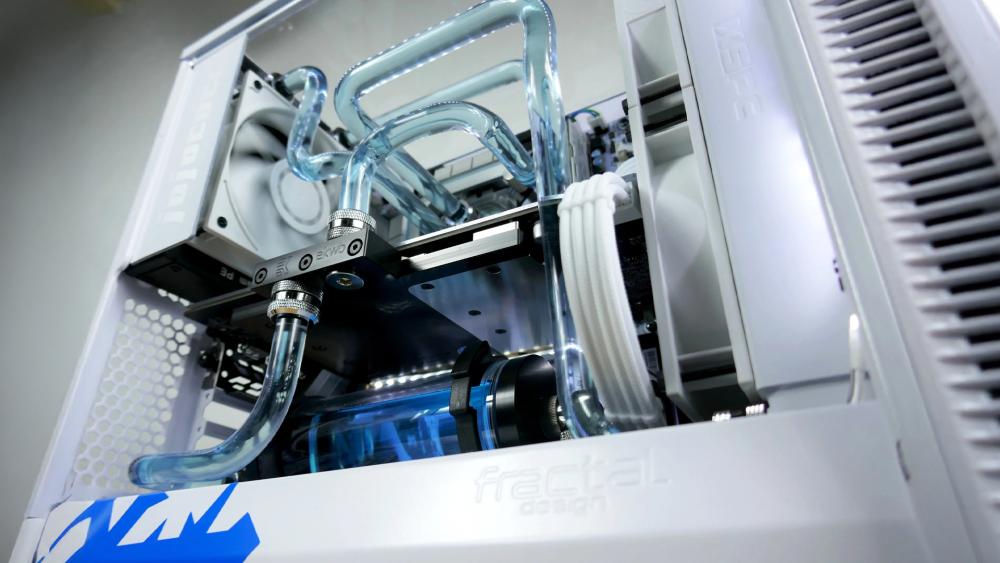
Even well-placed fans can struggle if the air can't move freely. Cables, unused brackets, and drive cages can disrupt airflow inside a Fractal Design case and create warm pockets inside the chassis. Tidying internal layouts and removing unnecessary obstructions helps restore smooth PC case cooling without additional hardware.
If you're dealing with misaligned panels or gaps that disrupt airflow, it's worth checking out our guide on Fractal case panel alignment fixes to correct fitment issues and restore proper cooling performance.
Where Your PC Sits in the Room Actually Matters
Case placement is often overlooked. A system tucked under a desk or against a wall can end up re-drawing warm exhaust air, contributing to overheating. Placing the case where intake fans can pull in cool, unobstructed air makes airflow improvements far more effective.
Bringing GPU and CPU Temperatures Under Control
Once airflow through the case is working properly, the next step is addressing component-level heat. You can deal with high GPU temperatures and CPU thermal issues by following the tips explained below.
Choosing CPU Coolers That Actually Fit and Perform
In compact or airflow-restricted cases, cooler size and design matter as much as raw performance. A poorly matched cooler can struggle to move heat away from the CPU, even if overall PC case cooling looks adequate.
Reducing GPU Hotspot Temperatures Safely
GPU hotspot readings are naturally higher than average GPU temperatures, but consistently high values often point to airflow or cooling limitations. The best GPU overheating fix is to improve airflow around the graphics card and adjust fan behaviour. It can help bring GPU hotspot temperature down to safer levels.
Fan Curves That Prioritise Cooling Without Excess Noise
Default fan profiles often favour quiet operation over effective cooling. Customising fan curves allows fans to respond more directly to rising temperatures, improving thermal control without constantly running at high speeds. A well-tuned case fan setup can reduce temperature spikes while keeping noise levels reasonable.
Using Undervolting to Lower Heat Output
Undervolting is an effective way to reduce heat without major performance loss, particularly in compact systems. By lowering power draw, both CPU and GPU generate less heat, which helps manage high GPU temperature scenarios and reduces overall thermal strain on the system.
Cooling Advice for Specific Fractal Case Types
Different Fractal Design cases behave very differently when it comes to airflow, so cooling fixes that work in one model don't always translate cleanly to another. Matching the solution to the case layout is key to avoiding recurring Fractal case cooling issues.
Managing Heat in Terra and Ridge Builds
Small form factor builds like the Terra and Ridge leave very little room for error. Tight clearances around the CPU and GPU make Fractal case cooling heavily dependent on component choice and airflow direction. In these layouts, poor airflow inside a PC case often leads to rising CPU temperatures and uneven GPU cooling, which can contribute to overheating, especially in a gaming PC.
Balancing Airflow and Acoustics in the North Series
The North series is designed to balance airflow with quieter operation and clean aesthetics. While it doesn't suffer from severe airflow restrictions, inefficient PC fan placement or an unbalanced case fan setup can still lead to warm internal temperatures. Careful fan tuning helps maintain stable Fractal case airflow without pushing noise levels too high.
Why Torrent Can Still Run Hot if Set Up Poorly
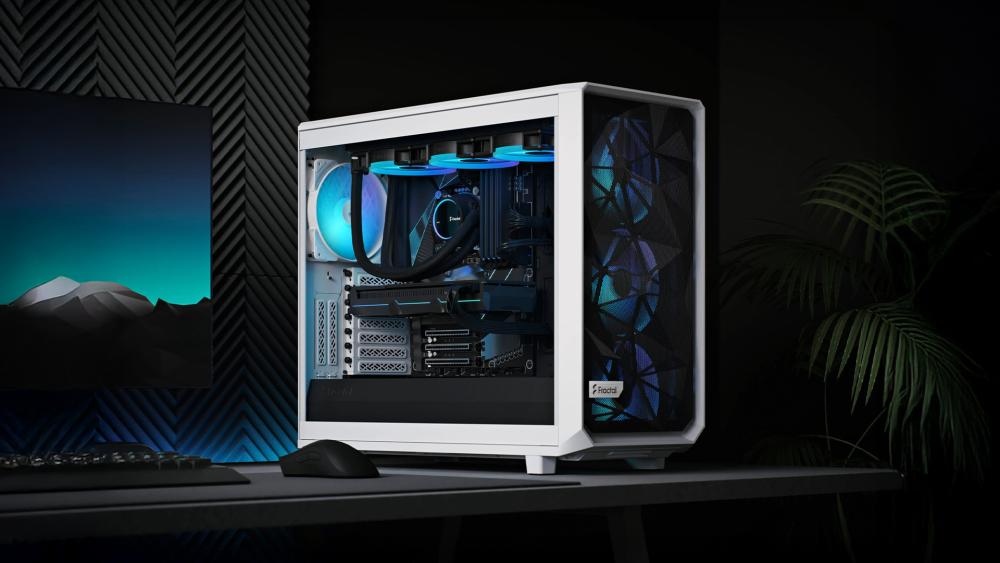
Despite its airflow-focused design, the Torrent isn't immune to cooling problems. Poor fan orientation or unnecessary fans can disrupt natural airflow paths, leading to warm air pooling inside the case. Even in larger layouts, effective PC case airflow relies on direction and balance rather than sheer fan count.
Mistakes That Make Fractal Design Case Cooling Problems Worse
Even well-built systems can struggle if a few common mistakes creep in. These issues can undermine otherwise solid airflow planning and make Fractal case cooling problems harder to resolve.
- Adding more fans instead of fixing the airflow direction: Installing extra fans without a clear plan can worsen the airflow inside a PC case. Poorly thought-out intake and exhaust balance often leads to warm air being recycled rather than expelled, regardless of how many fans are installed.
- Incorrect case fan setup and placement: Wrong PC fan placement can cause fans to work against each other, raising internal temperatures and increasing noise without improving cooling.
- Blocking airflow with cables or unused hardware: Loose cables, unused drive cages, or brackets can disrupt smooth airflow paths. This reduces overall PC case cooling efficiency and can contribute to rising component temperatures over time.
- Ignoring dust buildup and filters: Dust-covered filters and heatsinks restrict airflow and trap heat. Left unchecked, this gradually worsens Fractal case cooling and can lead to persistent overheating, even in cases that initially performed well.
When the Case Itself Is the Limiting Factor
Not every cooling problem can be solved with fan tweaks or better airflow planning. In some builds, Fractal case cooling issues come down to physical limitations of the case itself. If temperatures remain high despite tweaking the airflow inside the case, arranging fans optimally, and using suitable cooling components, the enclosure may simply be too restrictive for the hardware inside.
This is most common in compact builds or when high-wattage GPUs are paired with limited internal space. In these situations, moving to a different case within the Fractal cases range or reassessing the overall layout is often the only long-term solution. Before buying a new PC case, it is worth comparing Fractal Design case ranges to avoid fitment or cooling issues.
Final Words
Most Fractal case cooling issues come down to airflow planning, fan setup, and component choice rather than flawed hardware. With sensible airflow paths, correct fan placement, and cooling matched to the case layout, poor thermals and high GPU temperatures are usually fixable without changing the entire system.
Frequently Asked Questions
Why are my GPU hotspot temperatures so high?
Restricted airflow around the graphics card is the most common cause, especially in compact or tightly packed cases.
How many fans should I use in a Fractal case?
Use enough fans to create a clear intake-to-exhaust airflow path rather than filling every available mount.
Is undervolting safe for gaming PCs?
Yes, when done correctly, it can reduce heat output with minimal impact on performance.
Do small Fractal cases always run hotter?
Not always, but compact layouts leave less margin for airflow and cooler choice, making thermal management more important.
When should I change my case for better cooling?
If airflow, fan placement, and cooling upgrades don't reduce temperatures, the case may be too restrictive for your hardware.
You can pay with:
*PayPal Credit Representative Example: Assumed credit limit £1,200, Representative 23.9% APR (variable). Purchase rate 23.9% p.a (variable).Terms & Conditions apply.


PayPal Credit and PayPal Pay in 3 are trading names of PayPal UK Ltd, 5 Fleet Place, London, United Kingdom, EC4M 7RD. Terms and conditions apply. Credit subject to status, UK residents only, Five Tech LTD acts as a broker and offers finance from a restricted range of finance providers. PayPal Pay in 3 is not regulated by the Financial Conduct Authority. Pay in 3 eligibility is subject to status and approval. 18+. UK residents only. Pay in 3 is a form of credit. Check if affordable and how you will repay. May make other borrowing more difficult or expensive. See product terms for more details.
Copyright © 1996-2026 Fivetech LTD | Terms and Conditions
box.co.uk & Box are trading names of Five Tech Limited. Registered office: Box LTD, Unit 10 Woodford Trading Estate, Woodford Green IG8 8HF