


 Menu
MenuMenu


Get Sales Advice from Mon - Fri 9am - 5:00pm:
020 3337 8950LAST UPDATED: July 01, 2026
Why ASUS Is a Smart Choice for Laptop, Gaming and PC Setup Upgrades
ASUS is a strong option for anyone planning a laptop, gaming or PC setup upgrade because its range covers far more than one type of user. Whether you need a reliable laptop for everyday work, a portable gaming machine, a fully dedicated gaming rig, a sharper monitor or desktop components for a custom build, ASUS has product lines designed around different budgets and performance needs.
That flexibility is what makes ASUS gaming PC and laptop upgrades worth considering. You can start with a single device, such as a laptop or monitor, or build a wider setup over time with compatible displays, graphics cards, motherboards and accessories.
For everyday users, ASUS offers practical laptop ranges for work, study and home use. For gamers, ASUS gaming setup options span portable laptops, pre-built powerhouses, high-refresh-rate displays, and desktop upgrade parts. For creators and PC builders, the brand also covers performance-focused screens and components that can support more demanding workloads.
This guide breaks down where ASUS makes the most sense, which product ranges are worth knowing, and how to choose the right upgrade without buying more than you actually need.
Why ASUS Works Across Laptops, Gaming and PC Setups
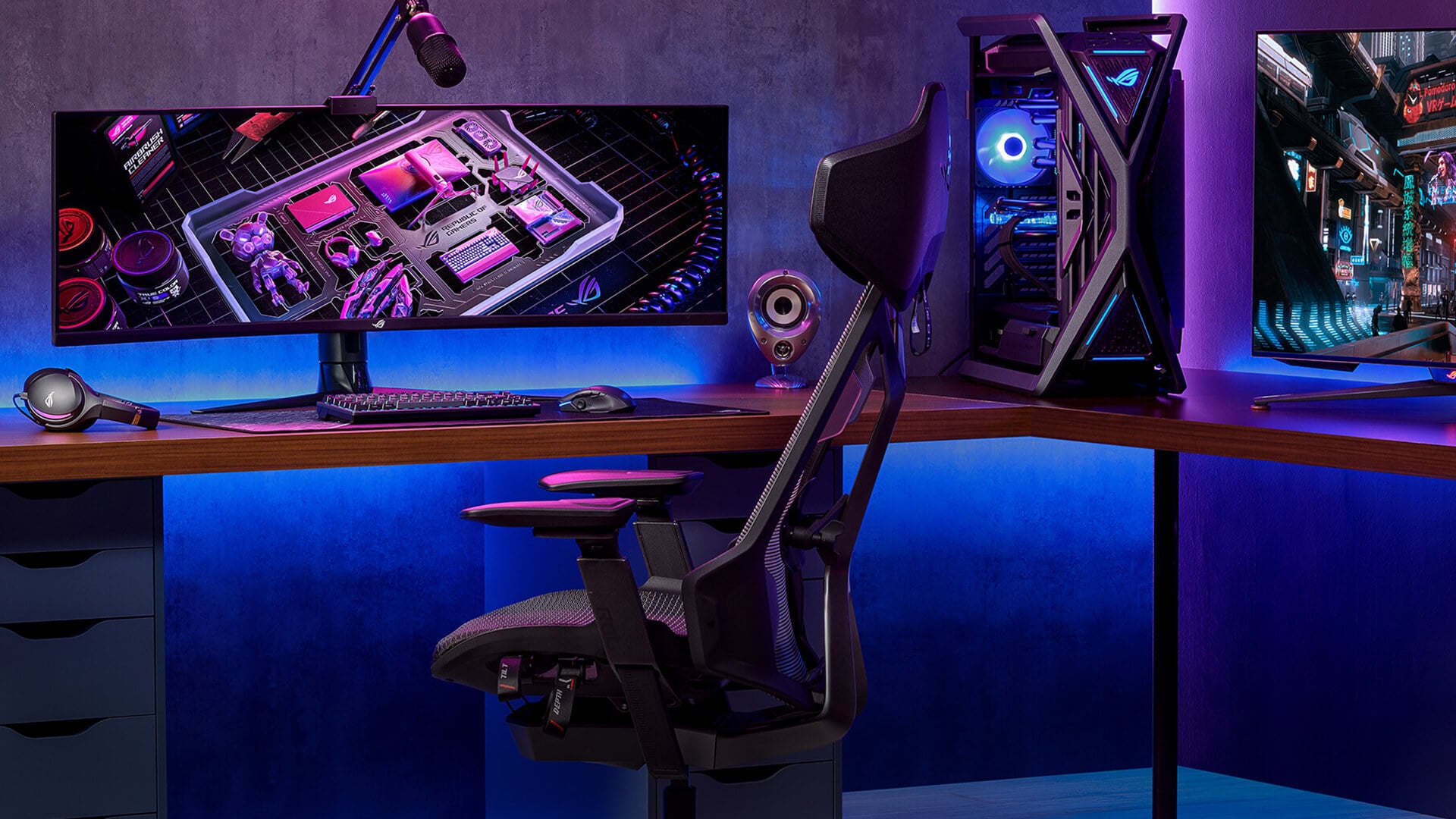
ASUS works well for users who want flexible upgrade options across productivity, gaming, creative work and PC building. You can choose one device now, then add matching ASUS displays or ASUS PC components later if your setup grows.
| Upgrade need | ASUS option to consider | Best suited for |
|---|---|---|
| Everyday computing | ASUS laptops | Work, study, browsing and home use |
| Portable gaming | ASUS gaming laptops | Gaming without needing a desktop |
| Better screen space | ASUS monitors | Multitasking, gaming and content viewing |
| Desktop performance | ASUS graphics cards | Gaming, editing and creative workloads |
| PC build foundation | ASUS motherboards | Platform upgrades and component support |
Such a wide range of upgrade options makes the brand the first choice of different types of users. A student may only need a reliable laptop, a gamer may want a portable system with strong graphics performance, while a PC builder may focus on motherboard features, cooling support and PC build compatibility.
For anyone planning an ASUS upgrade for a gaming PC or laptop setup, the main benefit is choice. You can build around portability, display quality, gaming performance, creative power or future upgrade options instead of being locked into one type of device.
ASUS Laptops for Everyday, Work and Creative Use
ASUS laptop ranges are built around different types of users, so the best choice depends on how the laptop will be used day to day. For most buyers, the key is to match the range to the workload rather than choosing by price alone.
| ASUS laptop range | Best suited for | What to look for |
|---|---|---|
| ASUS Vivobook | Home use, study and everyday productivity | Practical specs, good value and modern designs |
| ASUS Zenbook | Premium portability and focused work | Slim design, strong battery life and display quality |
| ASUS ExpertBook | Business and professional use | Durable design, security features and easy portability |
| ASUS ProArt | Creative work and visual projects | Colour-focused displays and creator-ready performance |
| ASUS OLED laptops | Entertainment, design work and sharper visuals | An OLED laptop display with strong contrast and colour depth |
- For users who need a reliable machine for browsing, documents, video calls and general productivity, ASUS laptops for everyday use are an excellent option as they cover everything from simple home tasks to more demanding workloads.
- If display quality matters, ASUS OLED laptops are worth considering. They can be useful for streaming, photo work, design tasks and any setup where colour and contrast are important. However, not every user may benefit equally from an OLED display; this is why it is important to make a well-informed purchase decision. Our blog on ASUS OLED laptop upgrade advice can help narrow down the choice.
- For work-focused buyers, ASUS offers AI-ready laptops or Copilot+ PCs. These machines are excellent if your use revolves around modern productivity tools, video meetings, multitasking and AI-supported workflows.
- For creative users, a creator laptop from the ASUS ProArt range makes more sense than a general everyday model when colour accuracy, display quality and sustained performance matter.
ASUS Gaming Laptops: ROG, TUF, Strix and Zephyrus
ASUS gaming laptop models are mainly split across two major families: ROG and TUF. ROG is aimed at gamers who want stronger performance, premium features and bolder designs, while TUF focuses on dependable gaming performance at a more accessible level.
When comparing ASUS gaming laptops for portable performance, it helps to understand where each range fits.
| ASUS gaming range | Best suited for | Key idea |
|---|---|---|
| ASUS ROG Strix | Gamers who want stronger performance | Designed for high frame rates, bold styling and serious gaming power |
| ASUS ROG Zephyrus | Gamers who want power in a slimmer design | A premium portable gaming laptop range with a more refined look |
| ASUS TUF A-series | Value-focused gaming with AMD processors | Practical performance with a focus on durability |
| ASUS TUF F-series | Value-focused gaming with Intel processors | TUF design with Intel CPU options |
- For many buyers, ASUS ROG laptops make sense when gaming performance is the main priority. ROG Strix is usually the better fit for users who want a stronger, more gaming-focused machine, while Zephyrus is better suited to users who want performance in a slimmer and more portable design.
- ASUS TUF gaming laptops are better suited to buyers who want a solid gaming experience without moving into the highest price tiers. They are often a strong option for students, casual gamers and users upgrading from a standard laptop to an RTX gaming laptop.
The main decision is simple:
- Choose ROG Strix for stronger performance and a bolder gaming feel
- Choose ROG Zephyrus for premium portability
- Choose TUF A-series if you prefer AMD-based value gaming
- Choose TUF F-series if you prefer Intel-based value gaming
Thermals also matter. A good thermal design helps a gaming laptop maintain performance during longer sessions, so it is worth checking cooling, GPU power and display refresh rate before choosing. For a deeper comparison, our guide on ASUS ROG and TUF laptop differences can help make the choice clearer.
ASUS Monitors for Work, Play and Gaming
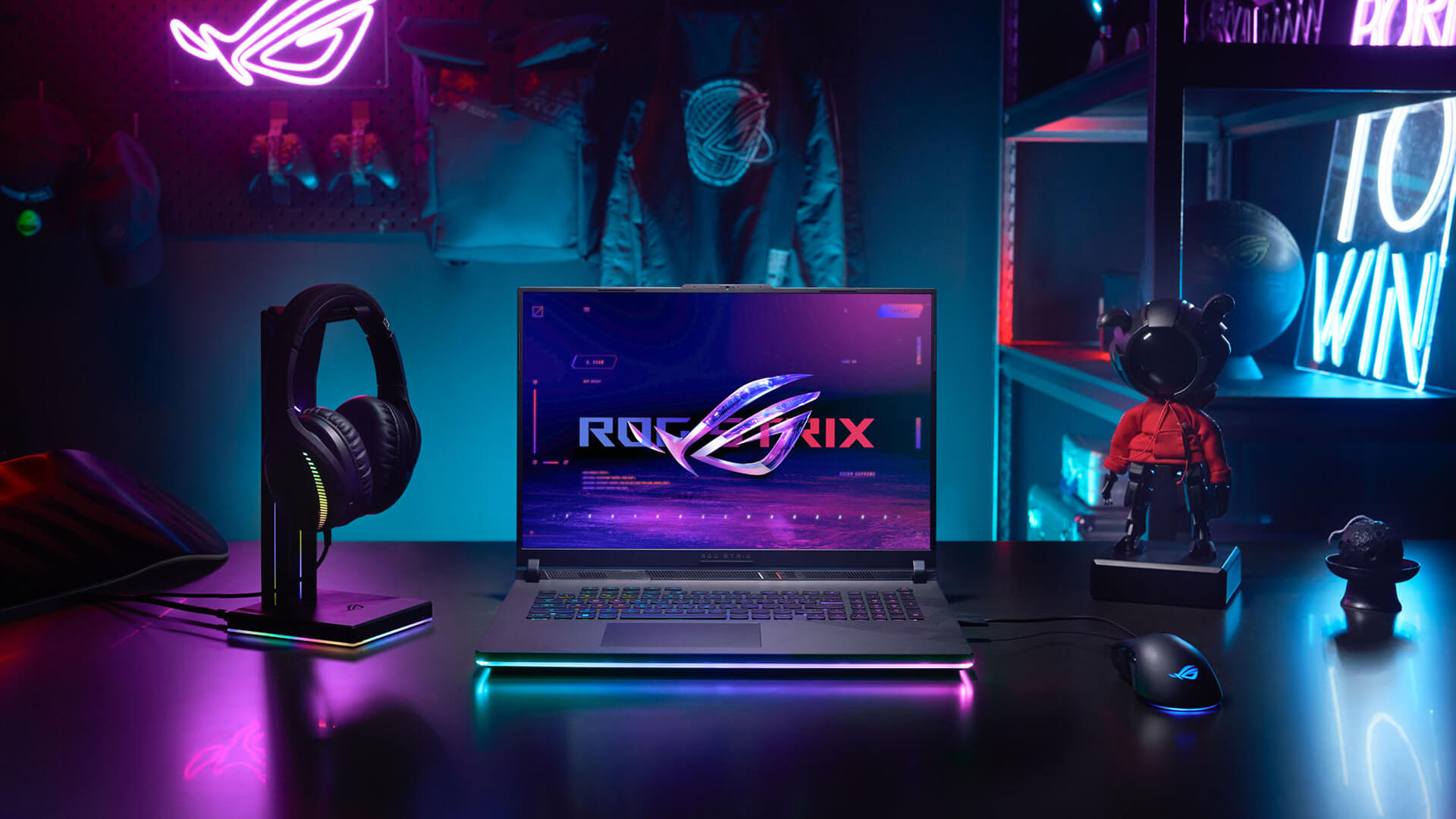
A monitor upgrade can make a setup feel more useful straight away. More screen space helps with multitasking, while a faster display can make games feel smoother and more responsive.
| Monitor need | ASUS range to consider | Why it matters |
|---|---|---|
| Work and multitasking | ASUS Business Monitors | More space for documents, spreadsheets and everyday productivity |
| Everyday entertainment | ASUS Eye Care Monitors | Comfortable viewing for longer sessions |
| Casual gaming | ASUS TUF Gaming Monitors | Smooth gameplay and responsive performance |
| Competitive gaming | ASUS ROG Monitors | High refresh rates and gaming-focused features |
| Sharp visual detail | ASUS ProArt Displays | Strong colour accuracy and visual clarity for creative work |
- For everyday use, ASUS monitors for work and play can make office work, browsing and content viewing more comfortable. Screen size, resolution and panel type matter most here, especially if the display will be used for long sessions.
- For gaming, the focus shifts to speed and responsiveness. A high refresh rate display can make fast movement look smoother, while features such as adaptive sync support and low response times can help reduce visual distractions during gameplay.
- Among ASUS gaming monitors, TUF Gaming screens are often a practical choice for mainstream gaming, while ROG displays are designed for users who prioritise competitive performance and advanced gaming features. Those looking for premium gaming-focused screens can browse ASUS ROG displays for serious gaming for more specialised options.
When searching for a new ASUS monitor, the best choice depends on the intended use. A productivity-focused display suits work and study, a 4K gaming monitor can deliver sharper visual detail, and a ProArt display is often the better fit when colour accuracy is a priority.
ASUS PC Components for Custom Builds and Upgrades
ASUS is also a strong option for desktop upgrades, especially if you are building around graphics performance, motherboard features or a longer-term upgrade path.
| Upgrade area | Why it matters | What to check |
|---|---|---|
| Graphics card | Improves gaming, rendering and creative performance | GPU series, case space, power supply and cooling |
| Motherboard | Sets the foundation for the whole build | CPU socket, memory support, storage slots and connectivity |
| Platform support | Helps with future upgrades | AM5, DDR5, PCIe generation and expansion options |
| Cooling and layout | Affects stability and fit | Case airflow, GPU size and motherboard form factor |
- For gaming and creative workloads, ASUS GPUs are worth considering if your current desktop struggles with frame rates, rendering, video editing or GPU-heavy software. ASUS offers GPUs for different budgets and build styles, so it is important to compare the ROG, TUF, Prime and ProArt options before choosing.
- If you are building a new PC, ASUS motherboards can support different platforms, features and expansion needs. The best ASUS motherboards for your setup depend on the processor you want to use, the memory standard, storage needs and future upgrade plans.
Key checks before buying:
- Make sure the motherboard socket matches your CPU
- Check whether the board supports DDR5 memory
- Look for enough M.2 slots if you plan to use PCIe storage
- Choose an AM5 motherboard if you are building around a compatible AMD processor
- Check case size, power supply and clearance before choosing the GPU
- Make sure all parts work together for proper PC build compatibility
Building a Balanced ASUS Gaming Setup
A balanced gaming setup is not about choosing the most powerful hardware in every category. It is about making sure the different parts of the setup complement each other so that no single component holds back the overall experience.
| User type | What to prioritise |
|---|---|
| Everyday gamer | A balance between performance, display quality and practicality |
| Competitive gamer | Fast response times and smooth gameplay |
| Creator-gamer | Strong visuals alongside gaming capability |
| Portable gamer | Mobility without sacrificing too much performance |
| Enthusiast builder | Upgrade flexibility and long-term scalability |
When planning an ASUS gaming PC and laptop setup, think about how and where the system will be used most often.
For example:
- Fast-paced multiplayer games benefit from smooth visuals and responsive hardware
- Story-driven and single-player games often benefit more from image quality and immersion
- Mixed work-and-gaming setups need a balance between productivity and entertainment features
- Creative users may need gaming capability alongside visual accuracy
- Long-term users should consider how easily the setup can adapt to future needs
ASUS gear is perfect for work and play at the same time. However, you have to select the right part. Rather than chasing specifications alone, focus on creating a setup that supports your priorities. The right balance will look different for every user, depending on the games they play, the applications they use, and the amount of time spent at a desk versus on the move.
How to Choose the Right ASUS Upgrade
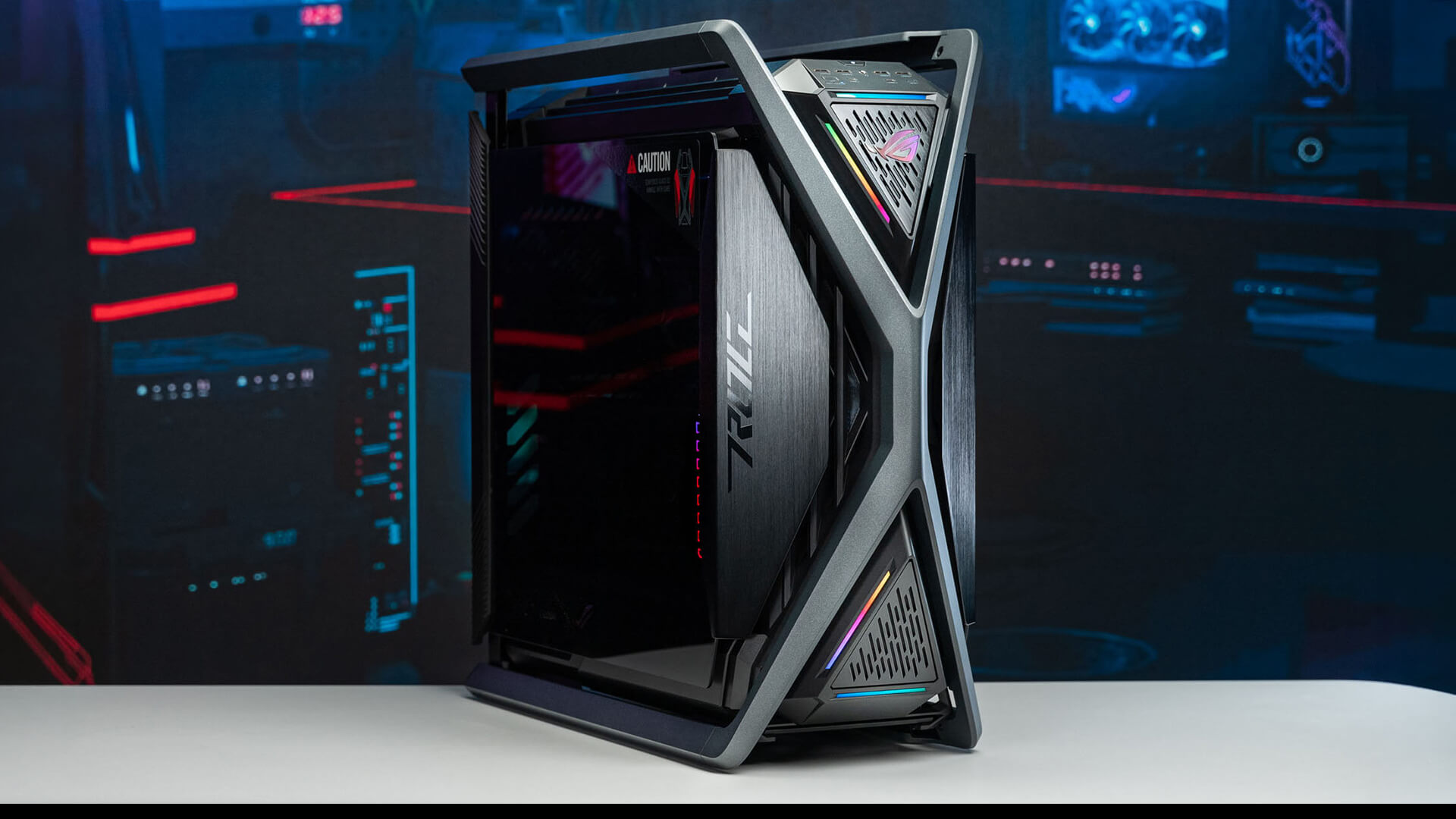
The best ASUS upgrade is the one that solves your main limitation first. Start with what feels slow, cramped or outdated, then choose the product category that fixes that issue directly.
| If your main issue is... | Choose this type of upgrade |
|---|---|
| You need a device for work, study or travel | ASUS laptop |
| You want gaming power without a desktop | ASUS gaming laptop |
| Your screen feels too small or slow | ASUS monitor |
| Your desktop struggles in games or creative apps | ASUS graphics card |
| You are planning a bigger desktop rebuild | ASUS motherboard |
| Your setup feels unbalanced | Upgrade the weakest part first |
Use this checklist before buying:
- Start with your main use case: Decide whether the upgrade is mainly for work, gaming, study, content creation or general home use.
- Check what is holding the setup back: A slow laptop, cramped screen, weak graphics card or outdated motherboard all point to different ASUS upgrades.
- Match performance to real usage: Do not overbuy if the device will only be used for browsing, documents or light gaming. Put the budget where it will make the biggest difference.
- Check compatibility for desktop parts: For PC builds, make sure the motherboard, graphics card, case, processor, memory and power supply are suitable for each other.
- Think about how long you want the setup to last: A stronger model may be worth it if you want more headroom for future games, software updates or heavier workloads.
- Balance the whole setup: A powerful laptop paired with a poor display, or a strong graphics card paired with an outdated platform, can limit the overall experience.
For most buyers, the safest approach is simple: choose the ASUS product that fixes your biggest problem now, then plan the next upgrade only if your setup still feels limited.
Conclusion
ASUS is a smart choice when you want an upgrade path that can grow with your needs. Instead of choosing tech in isolation, you can build around how you actually use your setup, whether that means better portability, stronger gaming performance, sharper visuals or more reliable desktop upgrade options.
The best ASUS gaming PC and laptop upgrades are the ones that solve a clear problem first. Start with the device or component that limits your setup most, then build from there. If you want to explore ASUS laptops, monitors, gaming hardware and PC components, the ASUS store at Box lets you compare all options side by side.
Frequently Asked Questions
What is the difference between the ASUS A series and the F series?
In ASUS TUF gaming laptops, the A series is commonly built around AMD processors, while the F series is commonly built around Intel processors. Both are part of the TUF family, so the better choice usually depends on the exact CPU, GPU, display, price and how you plan to use the laptop.
What do TUF and ROG mean?
TUF stands for The Ultimate Force, while ROG stands for Republic of Gamers. In simple terms, TUF is usually more focused on durability, value and practical gaming performance, while ROG is ASUS’s premium gaming range for users who want higher-end features and stronger performance.
Which is better, TUF or Strix?
TUF is usually better for value-focused buyers who want a dependable gaming laptop without paying for the highest-end features. Strix is part of the ROG range and is usually better for gamers who want stronger performance, bolder gaming design and more premium hardware.
Which ASUS GPU is best?
The best ASUS GPU depends on your build and budget. ROG models are usually aimed at high-end gaming; TUF models focus on durable gaming builds, Prime models suit simpler mainstream builds, and ProArt models are a better fit for creators who need strong graphics performance with a more professional design.
Are ASUS laptops reliable?
ASUS laptops are widely used across everyday, business, gaming and creator ranges, but reliability depends on choosing the right model for your workload. A laptop used for basic work, gaming or creative software will have different demands, so cooling, build quality, specification choice and regular care all matter.
You can pay with:
*PayPal Credit Representative Example: Assumed credit limit £1,200, Representative 23.9% APR (variable). Purchase rate 23.9% p.a (variable).Terms & Conditions apply.


PayPal Credit and PayPal Pay in 3 are trading names of PayPal UK Ltd, 5 Fleet Place, London, United Kingdom, EC4M 7RD. Terms and conditions apply. Credit subject to status, UK residents only, Five Tech LTD acts as a broker and offers finance from a restricted range of finance providers. PayPal Pay in 3 is not regulated by the Financial Conduct Authority. Pay in 3 eligibility is subject to status and approval. 18+. UK residents only. Pay in 3 is a form of credit. Check if affordable and how you will repay. May make other borrowing more difficult or expensive. See product terms for more details.
Copyright © 1996-2026 Fivetech LTD | Terms and Conditions
box.co.uk & Box are trading names of Five Tech Limited. Registered office: Box LTD, Unit 10 Woodford Trading Estate, Woodford Green IG8 8HF