


 Menu
MenuMenu


Get Sales Advice from Mon - Fri 9am - 5:00pm:
020 3337 8950LAST UPDATED: July 01, 2026
Work Hard. Game Harder. Why ASUS Is the Only Brand That Gets Both Right
Most people no longer use a computer for just one thing. A laptop might be used for work during the day, streaming in the evening and gaming at night. A monitor might handle spreadsheets in the morning and fast-paced gameplay after hours. A desktop PC might need to support productivity, creativity, upgrades and entertainment all in one setup.
That is where ASUS for work and gaming becomes such a strong fit. ASUS is not only known for one category. It has built a complete range across ASUS laptops, ASUS gaming laptops, ASUS monitors, ASUS PC components, graphics cards and accessories. This makes it easier to build one setup that works hard during the day and plays harder when the work is done.
Whether you need a reliable laptop for everyday performance, a powerful gaming system, a colour-rich display, a responsive monitor or future-ready PC upgrades, ASUS gives users a connected ecosystem that covers both productivity and play.
Why ASUS Works for Both Productivity and Gaming
A good work device needs to be reliable, fast, and comfortable to use. A good gaming device needs power, cooling, sharp visuals and responsiveness. The challenge is finding a brand that understands both sides.
ASUS does this well because its product range is broad. It includes slim productivity laptops, creative-focused machines, ROG and TUF gaming laptops, high-refresh monitors, components, motherboards, cooling hardware, and ASUS GPUs. This means users can build a setup around how they actually live, rather than buying separate devices for every task.
For example, someone working from home may need a laptop that can handle documents, video calls, and browser tabs all day. That same person may also want to play games, edit content or connect to a larger display after work. ASUS covers that full journey through everyday laptops, gaming systems, monitors and upgrade options.
That is what makes the ASUS ecosystem useful. It is not just about one product. It is about having devices that can support work, creativity, gaming, and entertainment together.
You can explore ASUS laptops for everyday performance if you want a machine built for daily productivity, study, hybrid work, and home use.
ASUS Laptops: Built for Everyday Performance

ASUS laptops are a strong choice for users who need a dependable device for work, study, and everyday computing. Whether you are writing documents, managing emails, joining video meetings, researching online or browsing with multiple tabs open, ASUS offers models designed to keep daily tasks running smoothly.
The main benefit of an ASUS productivity laptop is balance. You do not always need the most powerful gaming machine for office work or study. What matters more is a laptop that feels responsive, has enough memory for multitasking, offers a comfortable screen size and supports your routine without slowing you down.
ASUS also offers laptops with modern processors, OLED display options, AI-ready features, dedicated graphics and premium designs, depending on the model. This makes the range suitable for users who want more than a basic laptop and need a device that can support both productivity and entertainment.
| Features | Why It Matters |
|---|---|
| Modern processor | Helps the laptop feel fast when opening apps, browsing, working in documents, and switching between tasks. |
| 16GB RAM | Supports smoother multitasking, especially when using browser tabs, video calls, office apps, and study tools together. |
| SSD storage | Helps the laptop start quickly, load files faster, and feel more responsive than older hard drive systems. |
| Full HD display | Gives a clear screen for documents, web pages, online learning, video calls and streaming. |
| Portable design | Makes it easier to work or study from different locations, including home, office, university or shared spaces. |
| Windows 11 | Provides a modern platform for productivity apps, communication tools, and everyday software. |
| Optional graphics power | Useful if you also want light creative performance, gaming or stronger visual capability. |
Recommended ASUS Laptops
Below are two of the best everyday laptops to highlight for users who want strong ASUS performance.
| Model | Specifications | Best For |
|---|---|---|
| ASUS VivoBook 15 X1504VA-NJ1617W | Intel Core i5-1334U, 16GB RAM, 512GB SSD, 15.6-inch display, Windows 11 Home |
Everyday work, study, browsing, video calls and general productivity |
| ASUS V16 V3607VH-RP011W | Intel Core 5 210H, 16GB RAM, 512GB SSD, RTX 5050, 16-inch display, Windows 11 Home |
Users who want one laptop for work, study, creative tasks and gaming |
ASUS Gaming Laptops: Built for Serious Play
When it comes to gaming, ASUS has a strong identity through ROG and TUF Gaming. These laptops are built for players who want stronger graphics, better cooling, high-refresh displays and responsive performance.
ASUS gaming laptops are also useful because they are not only made for gaming. The same performance that helps run modern games can also support video editing, 3D work, streaming, rendering, creative software and demanding study or work tasks.
This makes it a smart choice for users who want one device for both performance and entertainment. For users who need a laptop that can handle demanding software during the day and gaming at night, ASUS laptops for gaming are a strong place to start.
| Feature | What It Means for ASUS Gaming Laptops |
|---|---|
| Form factor | They are available in slim, premium designs as well as more powerful performance-focused builds, so users can choose between portability and maximum cooling space. |
| Durability | ROG and TUF models are designed for regular gaming use, with strong chassis designs, reliable keyboards, and cooling systems built for heavier workloads. |
| Value | ASUS offers different gaming laptop ranges, making it easier to choose a model based on budget, performance needs, and long-term use. |
| Design | From clean and professional styles to bold gaming looks, ASUS gives users options for both work-friendly setups and full gaming desks. |
| Portability | Many ASUS gaming laptops are portable enough for students, remote workers and gamers who need performance they can carry between locations. |
| Performance | Powerful CPUs, fast SSDs and dedicated NVIDIA RTX graphics help these laptops handle games, multitasking and creative software smoothly. |
| Display | Larger screens, sharp resolutions and fast refresh rates help improve both gameplay and daily productivity. |
| AI features | Newer ones may include AI-ready processors or features that help with performance, efficiency, video calls and modern creative tools. |
| GPUs | Dedicated RTX GPUs support modern gaming, ray tracing, DLSS, content creation and stronger visual performance than standard integrated graphics. |
| Types of games you can play | ASUS gaming laptops can handle esports titles, AAA games, open-world games, racing games, shooters, RPGs and creative sandbox games, depending on the GPU and settings. |
| Cooling system | Advanced cooling helps manage heat during long gaming sessions, rendering work, and heavy multitasking. |
| Thermals | Good thermal design helps the laptop maintain performance for longer while reducing the risk of slowdown under pressure. |
Recommended ASUS Gaming Laptops
Below are two of the best gaming laptops to highlight for users who want strong ASUS performance for both gaming and productivity.
| Product | Key Specs | Best For |
| ASUS ROG Zephyrus G16 GA605KM-QR010W | AMD Ryzen AI 7 350, 32GB RAM, 1TB SSD, RTX 5060, 16-inch display, Windows 11 Home | Gamers, creators and hybrid users who want strong performance in a premium, portable design |
| ASUS ROG Strix G16 G615LM-S5062W | Intel Core Ultra 9 275HX, 32GB RAM, 1TB SSD, RTX 5060, 16-inch display, Windows 11 Home | Users who want high-end CPU power, strong gaming performance and a more performance-focused gaming laptop |
ASUS Monitors: One Screen for Work and Play
A great setup is not complete without the right display. A laptop screen is useful when travelling, but a dedicated monitor can completely change the way you work, create and game.
ASUS monitors are designed for different needs, including productivity, gaming, content creation and hybrid setups. Some users need a clean display for documents and video calls. Others need a high-refresh screen for fast gaming. Some need a larger panel for multitasking, while creators may want strong colour quality and sharp detail.
This is where ASUS monitors for work and gaming make sense. One monitor can support spreadsheets, meetings, editing, and web browsing during the day, then switch to gaming, streaming, or entertainment in the evening.
| Feature | What It Means for ASUS Monitors |
|---|---|
| Form factor | ASUS display screens are available in different screen sizes and designs, from compact desk-friendly displays to larger screens for multitasking and immersive gaming. |
| Durability | A good monitor is built for daily use, whether it is used for long work sessions, study, content creation, or regular gaming. |
| Value | ASUS offers options across different budgets, making it easier to choose a monitor for everyday productivity, competitive gaming or premium visual quality. |
| Design | ASUS monitors range from simple, professional-looking displays to bold gaming designs that suit full ASUS gaming setups. |
| Portability | While most monitors are designed for desk setups, some compact and slim options are easier to move between rooms or use in flexible workspaces. |
| Performance | Gaming-focused ASUS displays can offer faster response times and smoother motion, while productivity models focus on comfort, clarity, and screen space. |
| Display and graphics | Sharp resolutions, good colour quality and clear visuals help with documents, creative work, gaming, streaming and everyday browsing. |
| AI features | Some newer display setups and connected ASUS devices may support smarter visual tools, noise reduction, performance features, or AI-powered workflows depending on the wider system. |
| Connectivity | HDMI, DisplayPort, USB-C and other connection options make it easier to connect laptops, gaming PCs, consoles and accessories. |
| Refresh rates | Higher refresh rates can make gameplay, scrolling and movement feel smoother, especially for fast-paced games and responsive everyday use. |
| Adaptive sync | Adaptive sync support can help reduce screen tearing and make gaming feel smoother when frame rates change. |
Recommended ASUS Monitors
Below are two ASUS displays worth highlighting for users who want a stronger setup for work, gaming, streaming and entertainment.
| Product | Key Specs | Best For |
| ASUS TUF VG34VQL3A | 34-inch curved Wide Quad HD, 180Hz, 1ms response time, height adjustable, built-in speakers | Multitasking, immersive gaming, ultrawide productivity and hybrid work/play setups |
| ASUS ROG Strix XG32UCWMG | 32-inch OLED 4K UHD, 480Hz, USB-C, Neo Proximity Sensor, height adjustable, glossy display | Premium gaming, 4K visuals, high-speed performance, content creation and high-end desk setups |
ASUS Components: Upgrade Your PC Your Way
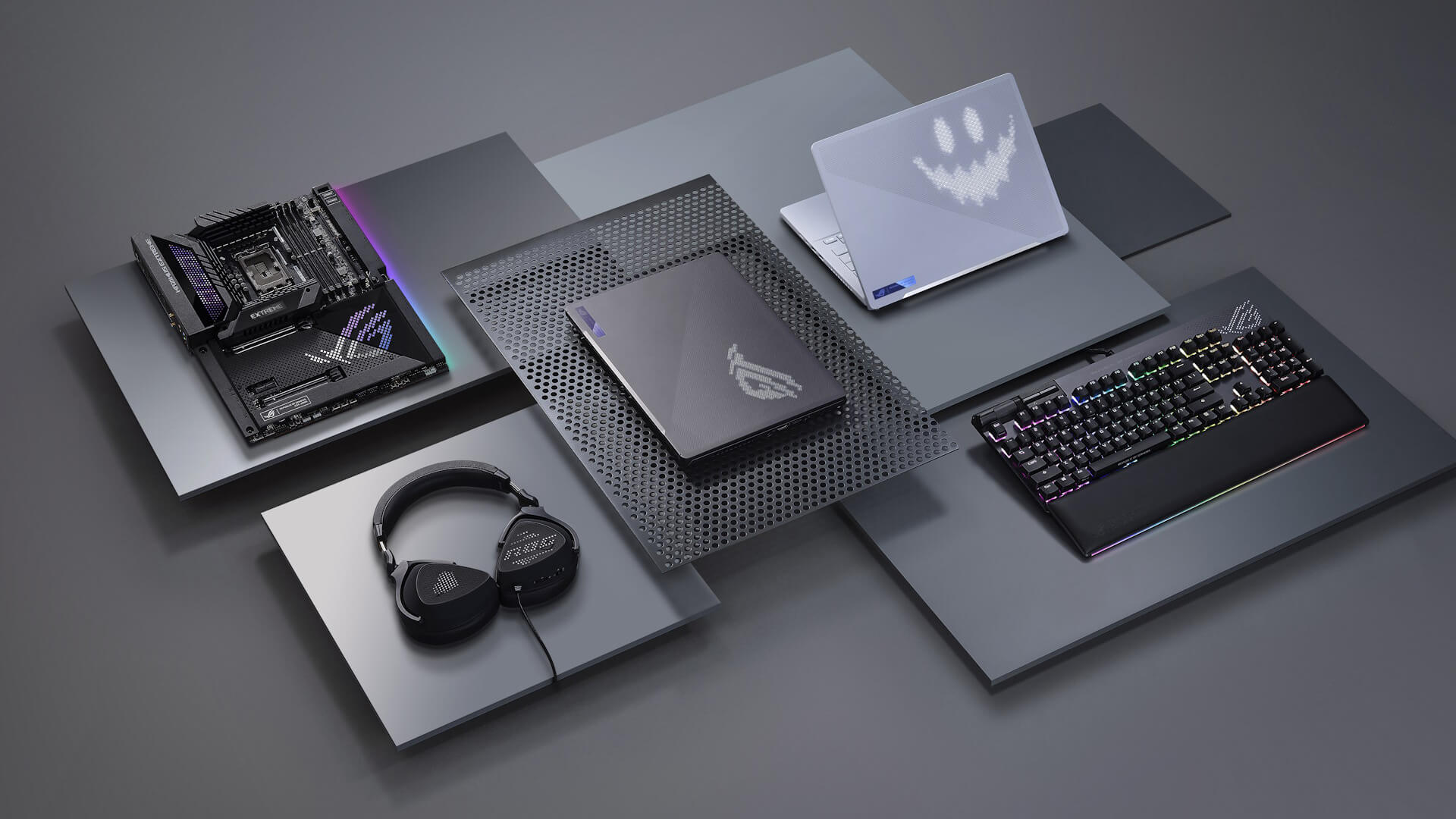
ASUS is not only about laptops and monitors. It is also a major name in PC building. From motherboards and graphics cards to power supplies, cases, cooling solutions and storage support, ASUS components help users build or upgrade a system around their exact needs.
This is important because many gamers, creators, and professionals prefer a desktop setup. A desktop PC gives more room for upgrades, stronger cooling and more performance flexibility than most laptops. It also allows users to improve one part of the system at a time instead of replacing the whole machine.
If you already have a desktop PC, ASUS upgrades can help improve performance in different ways. A new graphics card can improve gaming and rendering. A better motherboard can support newer processors, faster memory, and extra connectivity. A stronger PSU can provide stable power for demanding parts. Improved cooling can help the system stay stable under heavier workloads.
| Component | What It Does | What to Look For When Buying |
|---|---|---|
| Motherboard | Connects all major PC parts, including the CPU, RAM, GPU, storage and cooling. | Look for the right CPU socket, chipset, RAM support, PCIe slots, storage slots, USB ports and upgrade options. |
| Graphics card / GPU | Powers gaming performance, graphics quality, ray tracing, rendering and some AI or creative workloads. | Check performance level, VRAM, power requirements, case clearance, cooling design and monitor resolution target. |
| Power supply / PSU | Supplies stable power to the whole system. | Choose enough wattage for your CPU and GPU, look for efficiency ratings, modular cables and trusted build quality. |
| Fans and cooling | Helps control heat from the CPU, GPU, and case during gaming or heavy workloads. | Check radiator or fan size, case compatibility, airflow direction, noise levels and cooling capacity. |
| PC case | Holds and protects all components while supporting airflow and layout. | Check motherboard size support, GPU clearance, cooling space, airflow design and cable management options. |
ASUS components are useful for gaming PCs, creator workstations, streaming setups, custom builds, PC upgrades, performance tuning, and long-term system improvements.
For users who like to build and customise, ASUS gives more control over the setup. You can choose the right parts for your budget, performance target, design style, and future upgrade plans. Whether you are building a new PC or improving an existing one, the right ASUS component can make the system faster, cooler, cleaner, and more reliable.
ASUS GPUs: Power for Gaming and Creative Work
The graphics card is one of the most important parts of a gaming or creative PC. It affects frame rates, visual settings, rendering speed, ray tracing performance, and overall graphics quality.
ASUS GPUs are built for users who want strong gaming and visual performance. They are commonly used in gaming PCs, content creation systems, streaming setups, and high-performance workstations.
A powerful ASUS GPU can help with higher FPS in games, better graphics settings, smoother 1440p or 4K gaming, ray tracing, video editing, 3D rendering, AI-assisted creative tools, streaming and recording.
| GPU Feature | Why It Matters |
|---|---|
| VRAM | Helps with higher resolutions, detailed textures, creative apps and demanding modern games. |
| Cooling design | Keeps the graphics card stable during long gaming, rendering or streaming sessions. |
| Ray tracing support | Improves lighting, shadows and reflections in supported games. |
| DLSS or upscaling support | Helps improve frame rates while keeping visuals sharp in supported titles. |
| Power requirement | Ensures your PSU can safely support the graphics card. |
| Size and clearance | Makes sure the GPU fits inside your PC case. |
| Display outputs | Lets you connect monitors, high-refresh displays or multi-monitor setups. |
| Performance tier | Helps match the GPU to your target games, resolution and creative workload. |
Recommended GPUs
Below are two high-performance RTX 5080 graphics cards worth highlighting for users who want strong gaming, creative and visual performance.
| Product | Key Specs | Best For |
| GIGABYTE GeForce RTX 5080 AERO SFF 16GB OC Graphics Card - White | RTX 5080, 16GB VRAM, OC edition, small form factor design, white finish | High-end gaming builds, compact performance PCs, white-themed setups and creative workstations |
| ASUS GeForce RTX 5080 PRIME 16GB OC Graphics Card | RTX 5080, 16GB VRAM, OC edition, ASUS PRIME design | ASUS gaming setups, powerful PC upgrades, 1440p and 4K gaming, rendering and creative workloads |
ASUS for Creators and Professionals
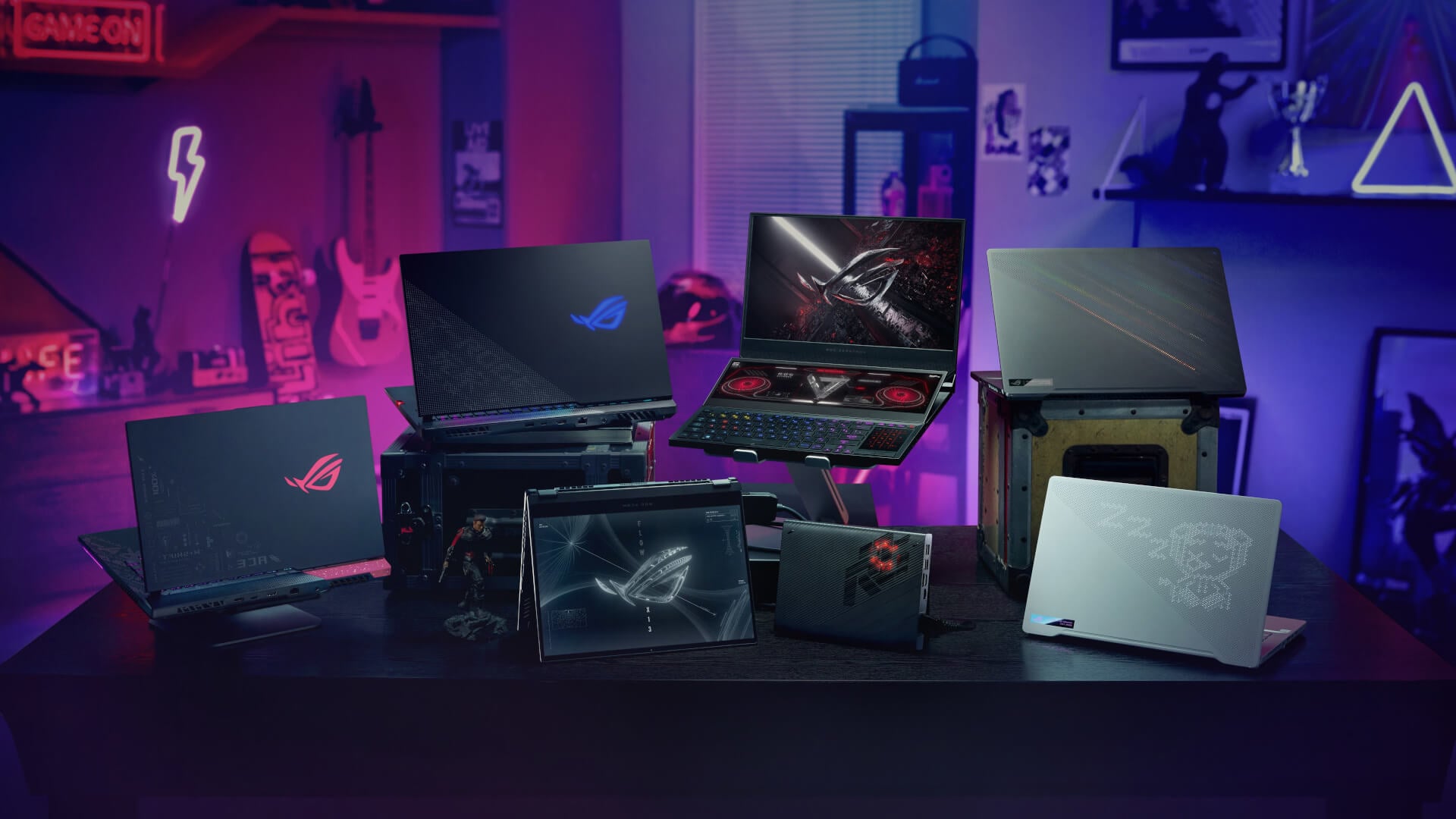
ASUS also makes sense for creators and professionals who need more than basic performance. Creative users may need strong displays, capable GPUs, fast storage, and reliable multitasking.
ASUS ProArt-style products are designed with creators in mind, while ASUS gaming hardware can also support creative tasks because gaming performance and creative performance often overlap.
For example, a powerful GPU helps with both gaming and rendering. A sharp monitor helps both productivity and design work. A strong processor helps multitasking and editing.
This is why ASUS works well for users who create content, edit videos, design graphics, stream online, or manage demanding workloads.
Final Thoughts!
ASUS understands that modern users do not fit into one category. You may need a laptop for work, a monitor for productivity, a GPU for gaming, and components for future upgrades. ASUS brings all of that together through a wide range of laptops, gaming systems, monitors, and PC hardware.
For work, ASUS offers reliable everyday performance, strong displays and practical designs. For gaming, it delivers dedicated gaming laptops, high-refresh monitors, powerful graphics cards and upgrade-ready components. For creators and hybrid users, it provides flexible options that can support productivity, entertainment, and demanding workloads.
That is why ASUS is such a strong choice for users who want one brand that can support both sides of their routine. Work hard, game harder and build a setup that can keep up with both. To build your next setup, browse the ASUS brand store at box.co.uk.
You can pay with:
*PayPal Credit Representative Example: Assumed credit limit £1,200, Representative 23.9% APR (variable). Purchase rate 23.9% p.a (variable).Terms & Conditions apply.


PayPal Credit and PayPal Pay in 3 are trading names of PayPal UK Ltd, 5 Fleet Place, London, United Kingdom, EC4M 7RD. Terms and conditions apply. Credit subject to status, UK residents only, Five Tech LTD acts as a broker and offers finance from a restricted range of finance providers. PayPal Pay in 3 is not regulated by the Financial Conduct Authority. Pay in 3 eligibility is subject to status and approval. 18+. UK residents only. Pay in 3 is a form of credit. Check if affordable and how you will repay. May make other borrowing more difficult or expensive. See product terms for more details.
Copyright © 1996-2026 Fivetech LTD | Terms and Conditions
box.co.uk & Box are trading names of Five Tech Limited. Registered office: Box LTD, Unit 10 Woodford Trading Estate, Woodford Green IG8 8HF