


 Menu
MenuMenu


Get Sales Advice from Mon - Fri 9am - 5:00pm:
020 3337 8950LAST UPDATED: June 29, 2026
ROG vs TUF vs Prime vs ProArt: Which ASUS Graphics Card Series Is Right for You?
Choosing the right ASUS graphics card goes far beyond just picking between Nvidia or AMD. ASUS has developed four distinct GPU series: ROG Strix, TUF Gaming, Prime, and ProArt each with a different purpose, cooling design, acoustic profile and target user. Whether you're building a high-refresh gaming PC, a quiet productivity workstation, or a powerful creator rig, understanding these differences helps you make the right investment for long-term performance.
In this guide, we break down each ASUS GPU family in a way that's clear, practical and user-friendly so you can confidently choose the model that suits your gaming, content creation or everyday computing needs. If you're comparing ROG vs TUF vs Prime vs ProArt, this is the most straightforward breakdown you'll find.
A Practical Breakdown of the ASUS Graphics Card Series
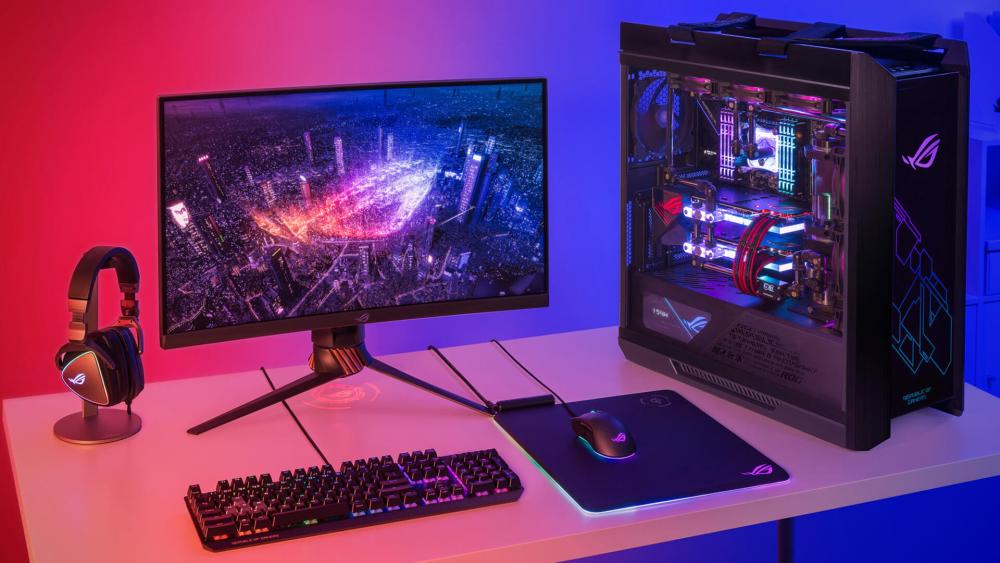
ROG – Maximum Performance, Premium Cooling & Flagship Engineering
The ASUS ROG Strix series is the absolute pinnacle of ASUS GPU design, built for gamers who want the best performance, the strongest cooling and the most premium materials possible. What makes ROG stand out is its massive heatsink size, often 3.1 or 3.2 slots thick, which gives the GPU a larger thermal mass to pull heat away and maintain higher sustained boost clocks. ROG cards use Axial-Tech fans with custom blade geometry, dual-ball bearings and reverse-spinning middle fans to improve pressure and reduce turbulence. They also offer some of the best VRM power stages on the market, allowing for cleaner power delivery and lower temperatures even under extreme load.
One of the biggest advantages of ROG is the whisper-quiet cooling, even when pushing 4K gaming at max settings. The cards rarely throttle, and thanks to their oversized cooling design, they often perform better in long gaming sessions or during demanding workloads like ray tracing.
You also get premium features like Aura Sync RGB, GPU Tweak III overclocking, dual BIOS modes (Quiet/Performance), reinforced metal backplates, and additional fan headers for case fan synchronisation. If you're running one of the top NVIDIA-powered GPUs or AMD GPUs, a ROG model ensures you're getting the highest frame rates your card can offer.
Ideal for: competitive players, 4K gamers, enthusiasts, high-end builders, overclockers, RGB-heavy showcase PCs.
Recommended Product
ASUS GeForce RTX 5080 ROG ASTRAL 16GB OC Gaming Graphics Card
Model: ROG ASTRAL RTX5080 O16G GAMING
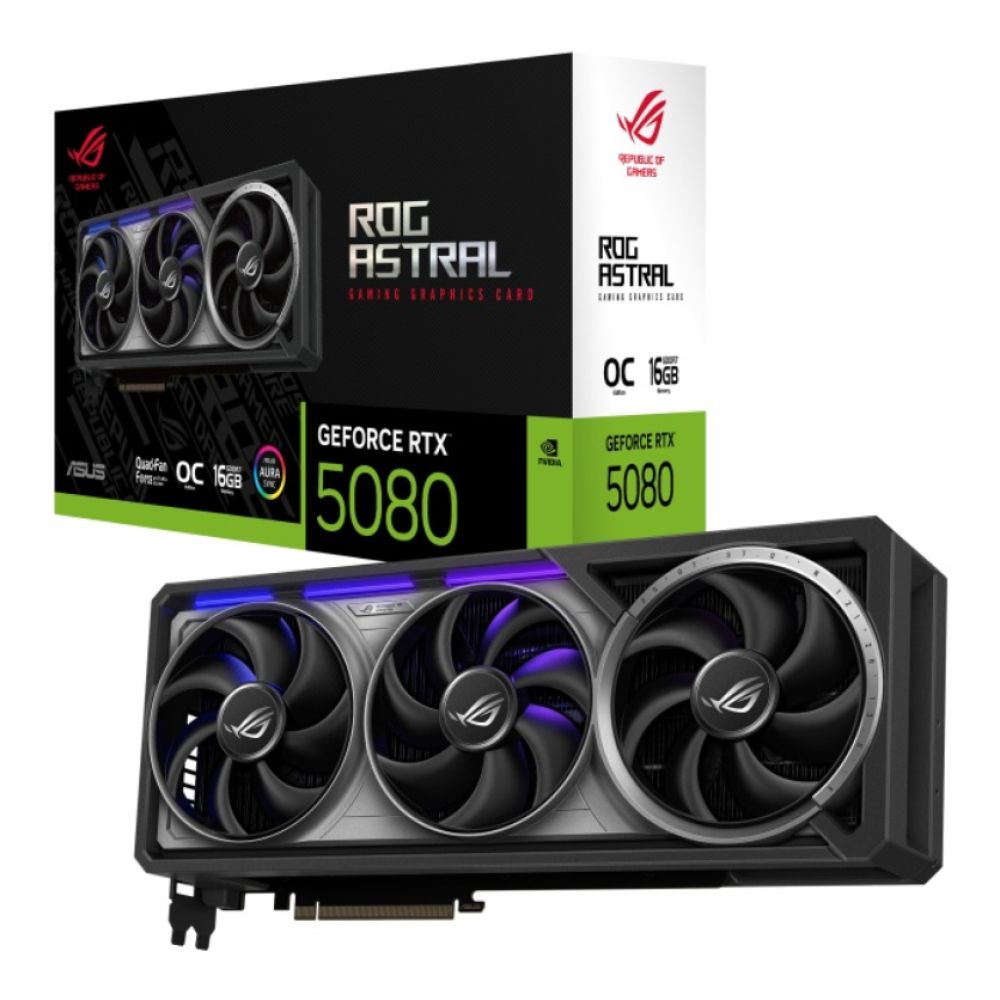
The ASUS ROG ASTRAL RTX 5080 represents the pinnacle of high-end gaming performance in the ASUS lineup. Built on NVIDIA’s powerful RTX 5080 GPU and equipped with a generous 16GB of GDDR6 memory, this card is designed for enthusiasts who demand top-tier frame rates, immersive ray tracing and fluid performance at 1440p and 4K resolutions. The ROG ASTRAL series brings premium cooling, robust power delivery, and advanced overclocking headroom, making it ideal for gamers and creators who push their systems hard. If you want the best from ASUS with performance that stays stable under load, this ROG card is a compelling choice.
TUF – Built for Reliability, Cooler Operation & Long Gaming Sessions
ASUS TUF Gaming GPUs are engineered around durability and thermal efficiency rather than aesthetics. What defines TUF is its rugged approach: military-grade chokes, capacitors and MOSFETs, combined with a thick aluminium shroud that doubles as a heat spreader. Their heatsinks are large often close to ROG size but designed with simpler, airflow-efficient geometry that focuses on stable temperature regulation.
TUF cards feature Axial-Tech fans as well, but with a tuning that prioritises low noise and long lifespan. The fans tend to spin slower than those on ROG cards yet still keep the GPU impressively cool due to the large heatsinks. The coolers also use 0dB fan modes, allowing the card to stay silent during light tasks or idle.
Unlike ROG, TUF GPUs keep styling minimal with subtle LED accents. This makes them perfect for users who want a professional or understated look while still benefiting from high-tier thermals. The reliability aspect is further reinforced by rigorous ASUS testing TUF cards undergo vibration, thermal, and electrical endurance checks that exceed standard gaming GPU certifications.
Ideal for: gamers who value stability over flashiness, long-session players, quieter builds, durability-focused systems, high-performance PCs without the ROG price premium.
Recommended Product
ASUS GeForce RTX 5080 TUF 16GB OC GAMING Graphics Card
Model: TUF-RTX5080-O16G-GAMING
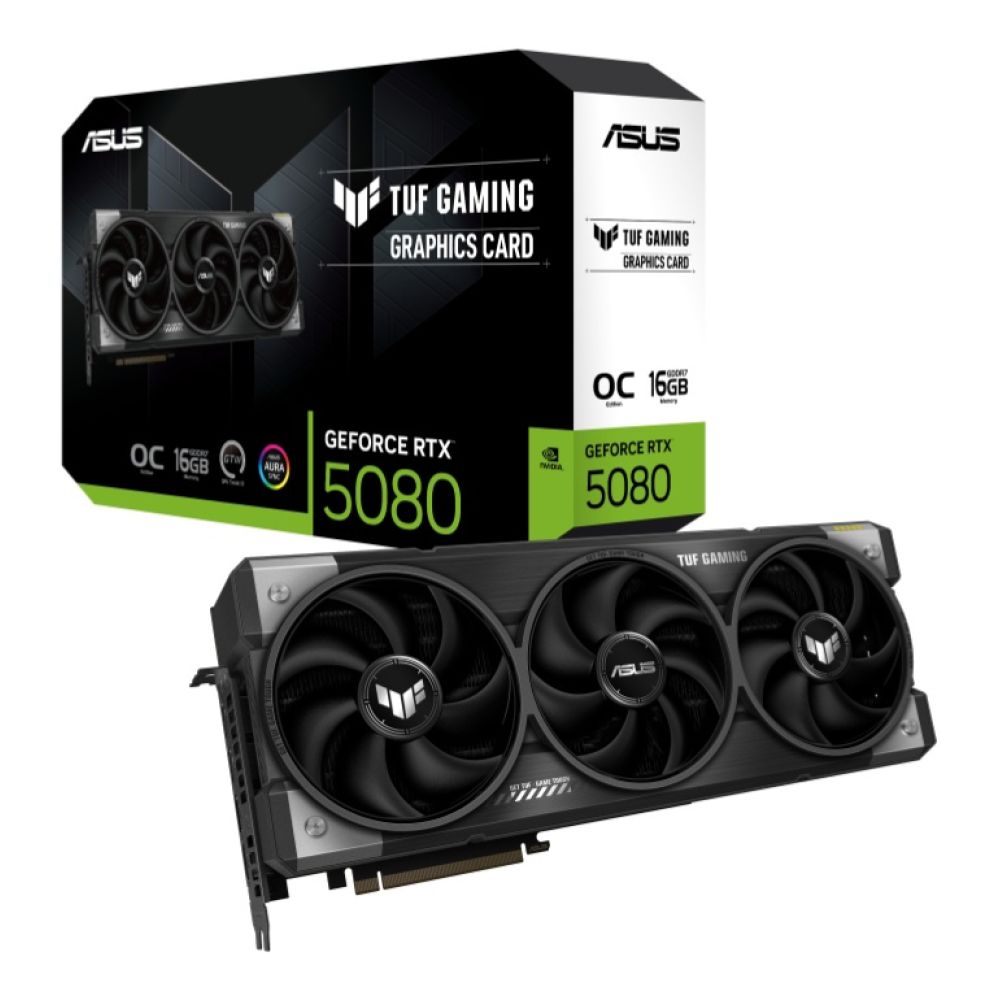
The ASUS TUF RTX 5080 strikes an excellent balance between reliability and performance. Sharing the same core RTX 5080 GPU and 16GB of VRAM as the ROG model, the TUF version focuses on durability and consistent thermal performance. With reinforced components, a rugged build and efficient cooling, it’s a great pick for gamers who want long-term stability in extended play sessions. This card excels at modern AAA titles and creative workloads without the premium price tag of flagship models, making it ideal for users who want dependable performance with a focus on longevity and everyday gaming excellence.
Prime – Clean Aesthetics, Lower Power Draw & Practical Everyday Performance
The ASUS Prime GPU series is designed for builders who want dependable performance without premium-tier features or pricing. Prime GPUs typically come in clean white or minimalist designs, perfect for white builds or compact PCs. Their cooling systems use efficient heatpipe layouts and streamlined dual- or triple-fan configurations that keep temperatures under control without needing oversized heatsinks.
Prime cards focus on low power consumption and quieter everyday operation, making them ideal for standard gaming setups, home offices, or budget-conscious builds. While they don't feature aggressive factory overclocks or extensive RGB lighting, they still provide reliable 1080p to 1440p gaming performance thanks to ASUS' consistent build quality and cooling engineering.
Prime GPUs also tend to have slimmer profiles, making them easier to fit into smaller cases while still maintaining solid airflow. This makes them a perfect match for builders who want a simple, clean, and reliable setup without the cost, noise or bulk of enthusiast-tier models.
Ideal for: casual gamers, minimalistic PC builds, white-themed setups, compact cases, energy-efficient systems, users wanting dependable performance at a practical price.
Recommended Product
ASUS Radeon RX 9060 XT Prime 16GB OC Graphics Card
Model: PRIME-RX9060XT-O16G
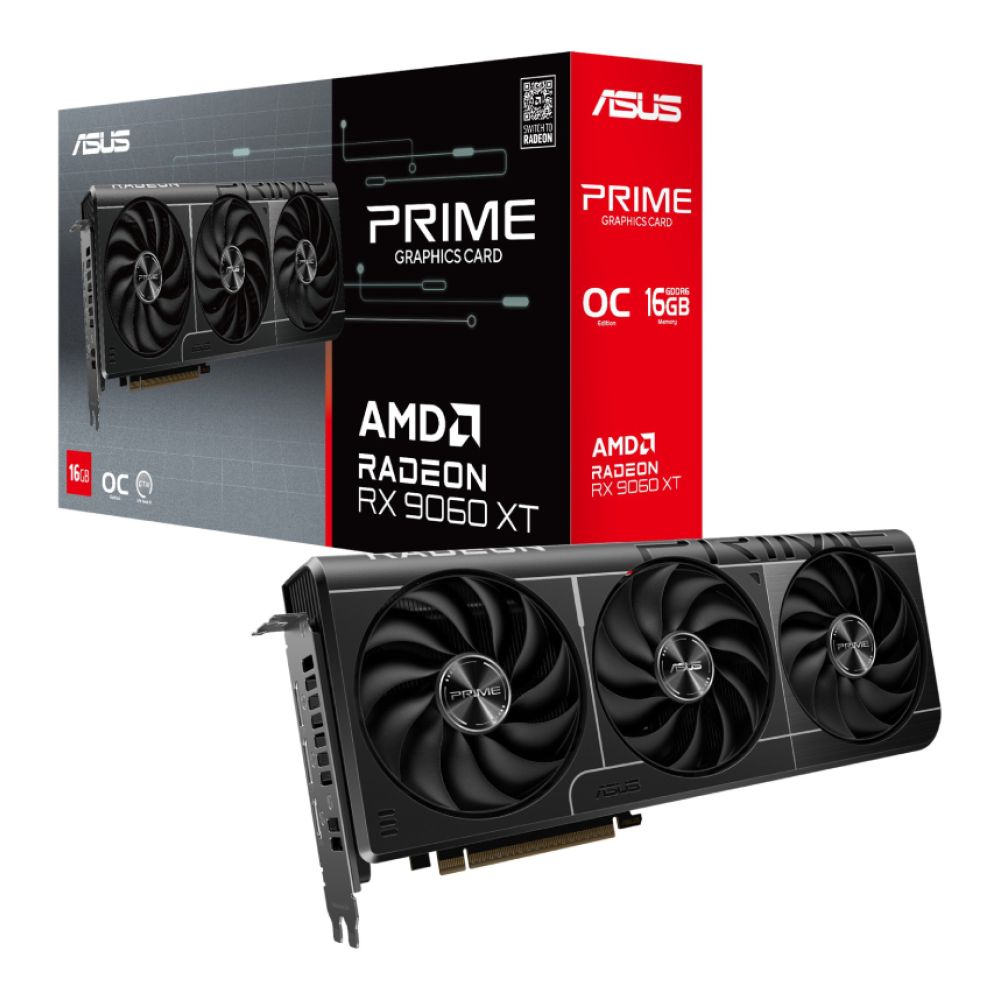
The ASUS Radeon RX 9060 XT Prime brings solid AMD performance to the Prime series with a healthy 16GB of memory, making it a versatile choice for both gaming and content creation. Positioned as a strong mid-range option, this card delivers excellent results at 1080p and capable performance at 1440p resolution in many titles. The Prime series emphasises clean thermals, balanced acoustics and broad compatibility; perfect for builders who want reliable day-to-day performance without excess flair. It’s a great alternative for those who prefer AMD architectures or want a quality card for indie titles, esports games and creative applications without stepping into the highest price brackets.
ProArt – Quietest Cooling, Colour Accuracy & Professional Workflow Support
The ASUS ProArt graphics card series is crafted for creators, 3D artists, video editors, animators and professionals who need stable, accurate and quiet GPU performance. ProArt GPUs prioritise workstation-style cooling, using acoustically tuned fans and heatsinks designed to maintain low temperatures during long render sessions instead of short gaming bursts. They are some of the quietest GPUs ASUS offers, even under heavy sustained load.
ProArt models drop RGB lights entirely to maintain a clean, professional look and reduce unnecessary power draw. The airflow is tuned to move heat efficiently while producing minimal noise, which is crucial during hours-long editing or encoding tasks. Additionally, the VRM designs and power delivery systems are optimised for consistent, stable output essential for colour-critical work, large project timelines, and multi-monitor setups used by designers and creators.
ProArt GPUs pair exceptionally well with creator monitors, calibrated displays and workstations built for Adobe Premiere Pro, DaVinci Resolve, Blender, Maya and Unreal Engine. Their cooling design ensures consistent performance without thermal throttling, making them ideal for users who value stability and acoustic comfort above RGB or gaming aesthetics.
Ideal for: content creators, video editors, animators, 3D modellers, workstation users, colour-accurate workflows, multi-monitor productivity, quiet professional environments.
Recommended Product
ASUS GeForce RTX 5070 Ti ProArt 16GB OC Graphics Card
MPN: PROART-RTX5070TI-O16G
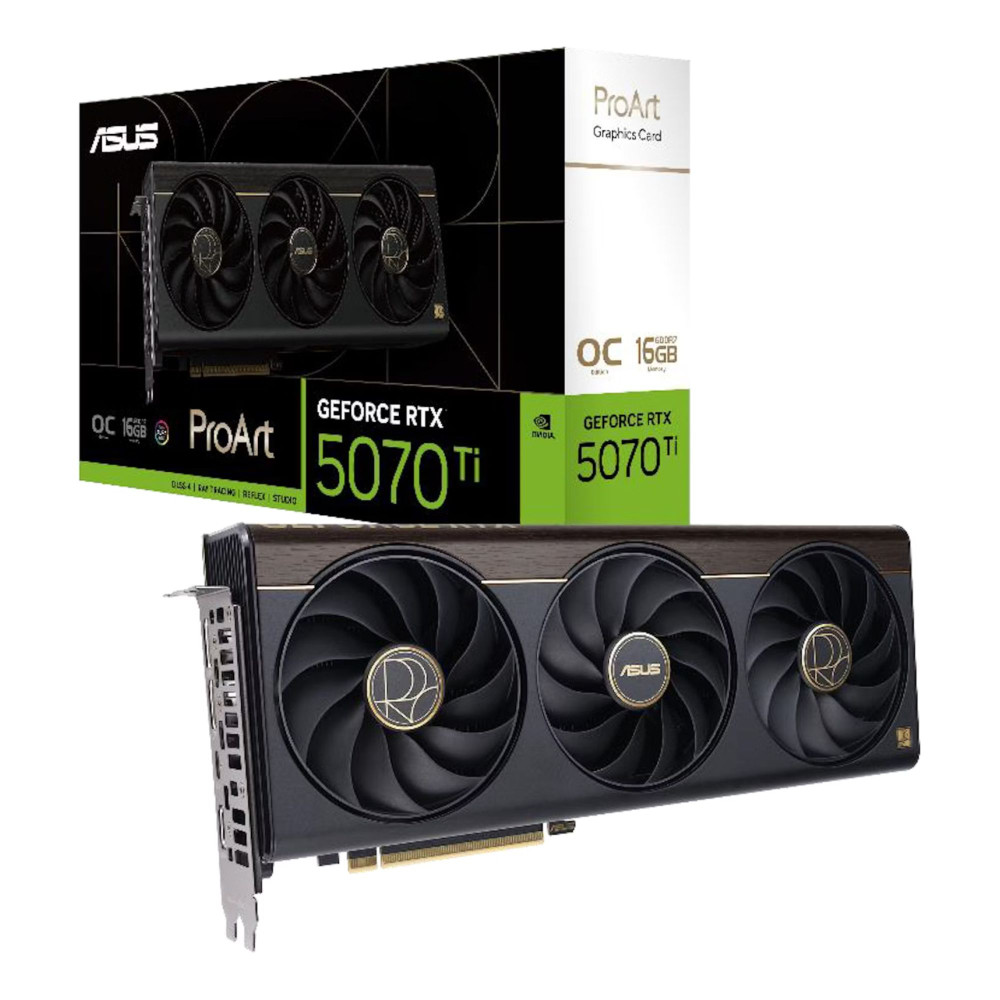
The ProArt RTX 5070 Ti OC is engineered for creators who need quiet, stable and colour-accurate performance. Its efficient cooling system, minimal noise profile and professional, non-RGB design make it ideal for video editing, 3D rendering and multi-monitor workflows. With 16GB of fast memory and creator-optimised tuning, it delivers exceptional reliability and productivity for content professionals.
Choosing the Right ASUS GPU Series for Your Type of Work
Cooling, Acoustics and Long-Term Load
When your workload includes long gaming marathons, frequent rendering or high GPU utilisation, cooling and acoustics matter more than raw specs. ROG Strix delivers the strongest long-term cooling thanks to oversized heatsinks, premium Axial-Tech fans and high-end VRM components that prevent thermal throttling. TUF Gaming follows closely behind, offering exceptional thermal stability with quieter fan tuning and military-grade components built to withstand extended workloads. Prime cards stay cooler under everyday usage thanks to lower power draw and streamlined cooling systems, making them ideal for lighter workloads. Meanwhile, ProArt cards use acoustically-optimised coolers focused on sustained thermal performance rather than short gaming bursts, which is essential for professional creators working on long render timelines or large 3D scenes.
Competitive Gaming and High Frame Rates
If your main focus is pushing high refresh rates on titles like Apex Legends, Valorant, or competitive AAA games, ROG Strix has the edge due to its higher factory overclocks and premium cooling that maintains top performance even during intense matches. TUF Gaming also performs extremely well here; its cooler stays quiet under pressure and holds boost clocks consistently without the price premium of ROG. Prime cards offer solid 1080p–1440p performance for casual or mid-range gamers, while ProArt cards prioritise creator workflows rather than esports, making them less suited for high-FPS competitive play.
Content Creation, Design and Multi-Monitor Setups
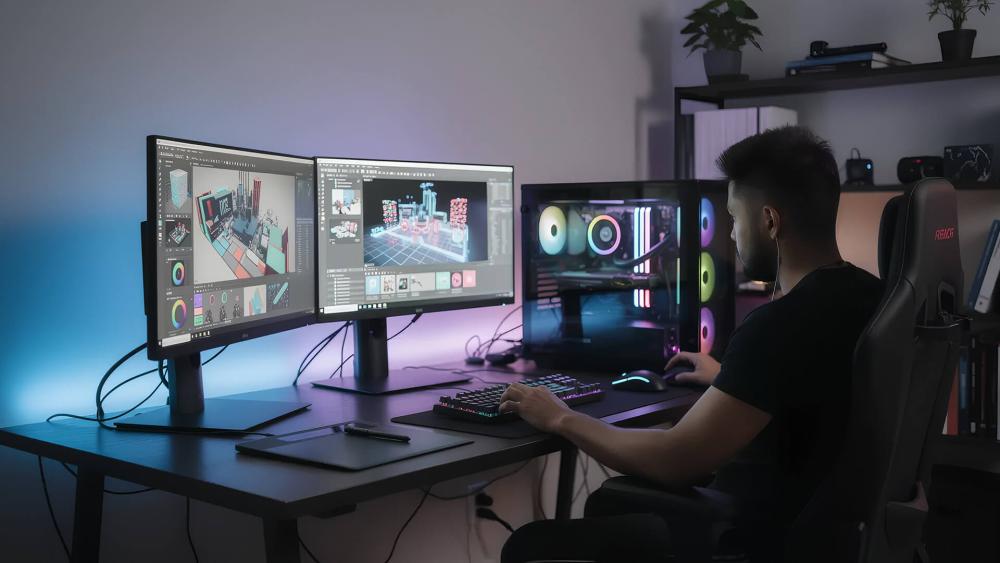
For creators working with colour-accurate displays, multi-monitor desktops, 3D modelling, video editing or animation, ProArt GPUs are the clear winner. Their quiet, stable cooling and refined acoustics allow them to stay silent even during long render sessions, and their power delivery is optimised for consistent output instead of burst-based gaming boosts. ROG Strix and TUF Gaming are also powerful enough for creative use, especially with top-tier NVIDIA and AMD GPUs, but their tuning leans toward gaming performance rather than workstation stability. Prime GPUs work well for light editing and productivity, but ProArt is specifically engineered to support professional workflows where reliability and colour consistency matter.
Everyday Builds and Budget-Conscious Systems
If you're building a clean, simple system for day-to-day use, casual gaming, or a stylish white-themed PC, Prime GPUs strike the perfect balance.
They offer reliable performance, low noise levels, cleaner aesthetics and more compact designs that fit easily into smaller cases. TUF GPUs are also excellent for budget-friendly gaming setups thanks to their strong thermal performance and durability. ROG Strix tends to be overkill for everyday systems unless you want the absolute premium experience, while ProArt GPUs are more suited for creators than everyday gaming-first PCs.
When a Powerful ASUS GPU Doesn't Behave as Expected
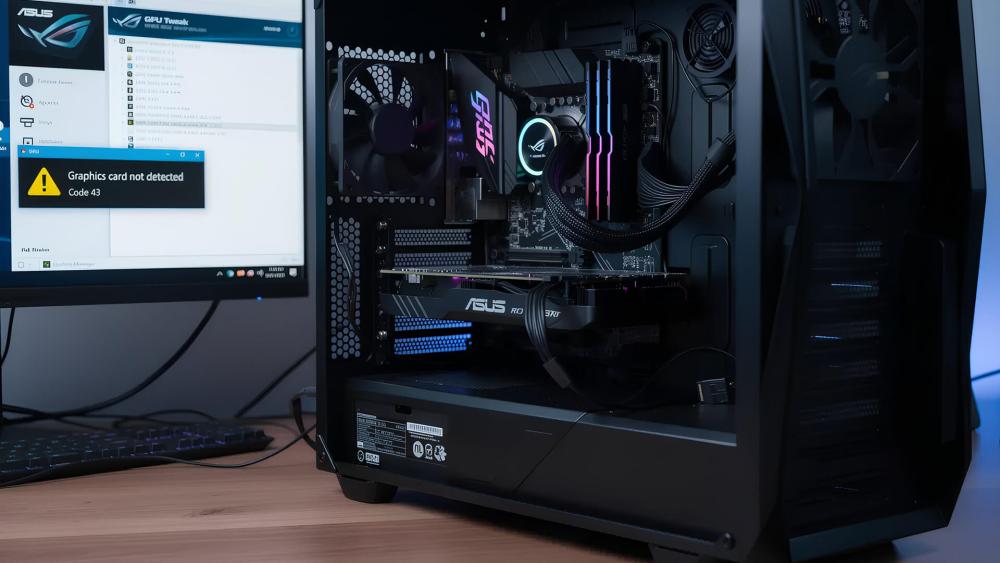
Even the most advanced GPUs from the ROG, TUF, Prime or ProArt families can run into issues if something in the system isn't set up correctly. A high-performance graphics card relies on proper detection, correct BIOS settings and stable power delivery, and if any of these elements are off, the GPU may underperform, show display issues or fail to initialise during boot. Here's what to look out for.
Detection Issues
If your ASUS GPU is not detected, it's often because the system is defaulting to the wrong display source or the card isn't making full contact with the motherboard. This can happen when the cable is plugged into the motherboard's HDMI instead of the GPU's output, or if the GPU isn't fully seated in the PCIe slot. Some BIOS settings may also enable integrated graphics first, causing your dedicated GPU to be ignored. Checking physical connections, reseating the card and ensuring the display cable is connected directly to the GPU usually resolves this. If detection problems persist, our ASUS GPU not detected guide goes into deeper troubleshooting steps.
BIOS & Slot Checks
Your motherboard's BIOS plays a major role in how your GPU communicates with the system. If PCIe speed is manually set to Gen 1 or Gen 2, the GPU may experience reduced performance or have trouble initialising at all. Ensuring the GPU is installed in the top PCIe x16 slot, which provides the full bandwidth required, is essential. BIOS settings such as "Primary Display" should be set to PCIe/PEG to prioritise the graphics card instead of the integrated GPU. Sometimes, simply updating the BIOS can fix compatibility issues with newer ASUS cards.
Power Delivery Oversights
High-performance GPUs rely heavily on clean, stable power. If your PSU is too weak, has aging cables, or doesn't provide enough amperage on the correct rails, the GPU may crash, show a black screen or fail to boost to its advertised speeds. Modern ASUS cards, especially ROG and TUF models, can draw significant power during gaming or rendering spikes, so pairing them with a power supply for high-performance GPUs is crucial for stability. Likewise, your CPU needs to be strong enough to keep up; bottlenecked systems can make even the best GPUs feel sluggish. If you're upgrading, it's worth checking to pair your GPU with a powerful processor to ensure a balanced setup.
To understand why newer GPUs sometimes demand more power or better-quality PSUs, our guide on how newer ASUS graphics cards handle power delivery differently explains the engineering changes behind today's power-hungry GPU designs and why proper power planning is so important.
Wrapping Up: Choosing the ASUS GPU Series That Fits You Best
ASUS offers four very different GPU series for a reason every type of gamer, creator and everyday user has unique needs. ROG Strix delivers the highest clock speeds, premium cooling and flagship performance for players who want the absolute best. TUF Gaming offers incredible reliability, cooler operation and stable long-session performance for users who value consistency over flash. Prime gives everyday builders clean aesthetics, efficient performance and excellent value for 1080p–1440p gaming. And for professionals, ProArt provides unmatched stability, colour accuracy and quiet operation for editing, rendering and multi-monitor creative setups.
In the end, the "best" ASUS GPU isn't the most expensive one; it's the one that matches your workload, your case layout, your power supply and the way you use your PC every day. With the right match, you'll get smoother gameplay, quieter operation, faster render times and a system that stays reliable for years.
If you're ready to choose your next GPU, you can explore the latest ASUS graphics cards, compare top NVIDIA-powered GPUs for modern builds, browse the best AMD GPUs, or upgrade your supporting hardware with PC power supplies, processors, Top Gaming Monitors, and creator monitors; all available at Box.co.uk. With the right components working together, your PC will deliver the performance, stability and experience you're aiming for.
You can pay with:
*PayPal Credit Representative Example: Assumed credit limit £1,200, Representative 23.9% APR (variable). Purchase rate 23.9% p.a (variable).Terms & Conditions apply.


PayPal Credit and PayPal Pay in 3 are trading names of PayPal UK Ltd, 5 Fleet Place, London, United Kingdom, EC4M 7RD. Terms and conditions apply. Credit subject to status, UK residents only, Five Tech LTD acts as a broker and offers finance from a restricted range of finance providers. PayPal Pay in 3 is not regulated by the Financial Conduct Authority. Pay in 3 eligibility is subject to status and approval. 18+. UK residents only. Pay in 3 is a form of credit. Check if affordable and how you will repay. May make other borrowing more difficult or expensive. See product terms for more details.
Copyright © 1996-2026 Fivetech LTD | Terms and Conditions
box.co.uk & Box are trading names of Five Tech Limited. Registered office: Box LTD, Unit 10 Woodford Trading Estate, Woodford Green IG8 8HF