


 Menu
MenuMenu


Get Sales Advice from Mon - Fri 9am - 5:00pm:
020 3337 8950LAST UPDATED: July 06, 2026
What’s the Difference Between CPU, GPU, NPU and APU?
Modern computers, laptops, and phones are no longer powered by just one type of processor. Today, many devices use a mix of CPU, GPU, NPU, and APU technology to handle different tasks more efficiently.
If you are comparing CPU vs GPU vs NPU vs APU, the easiest way to understand them is this: each one has a different job. The CPU handles general tasks, the GPU handles graphics and parallel workloads, the NPU handles AI tasks, and the APU combines CPU and GPU functions into one chip.
This guide explains the differences in a simple way, so you can understand which processor matters most for gaming, AI, productivity and everyday use.
Why Modern Devices Use Multiple Processors
Increasing Workloads: Gaming, AI and Apps
Modern devices have to do much more than basic computing. A laptop may need to run office apps, stream video, handle video calls, support AI features, power creative tools and run games. A single processor type cannot always do all of this efficiently.
That is why modern computing architecture uses specialised chips. Instead of forcing one processor to do everything, different parts of the system handle different jobs.
Specialised vs General Processing
A CPU is a general-purpose processor. It can handle many types of tasks, but it is not always the fastest option for every workload.
A GPU is better for graphics and parallel computing. An NPU is better for AI acceleration. An APU is useful when you want CPU and GPU features in one efficient chip.
This is why processor choice matters. If you need CPUs for high performance tasks, a strong CPU is important. If you need gaming or rendering power, powerful GPUs matter more. If you want AI features, look at best laptops with AI or Copilot plus PCs.
Evolution of Computing Hardware
Older computers were mostly judged by CPU performance. Today, users also care about graphics performance, AI features, battery life, gaming capability and creative workloads.
This is why CPUs, GPUs, NPUs, and APUs are becoming more important to understand before buying a laptop or desktop PC.
What Is a CPU?
The Brain of the Computer
A CPU, or central processing unit, is often called the brain of the computer. It handles the main instructions that keep the system running.
When you open an app, browse the web, type a document, or manage files, the CPU is doing a lot of the work.
General Purpose Processing
The CPU is designed to handle many different types of tasks. It is not as specialised as a GPU or NPU, but it is extremely important because almost every part of the system relies on it.
A strong CPU helps with:
- Opening apps quickly
- Running office software
- Managing browser tabs
- Handling spreadsheets
- Running operating system tasks
- Supporting games and creative apps
- Multitasking
Everyday Tasks It Handles
For everyday users, the CPU affects how responsive the computer feels. A better CPU can make the system feel faster when switching between apps, loading files, and working across multiple tasks.
If your work includes coding, video editing, large spreadsheets or demanding software, browsing CPUs for high performance tasks at box.co.uk can help you find a stronger processor for heavier workloads.
| For a closer look at laptop processor performance, compare AMD Ryzen 7 260 vs Intel Core i7-13650HX to see how modern AMD and Intel CPUs differ for gaming, productivity and efficiency. |
What Is a GPU?
Designed for Graphics and Parallel Tasks
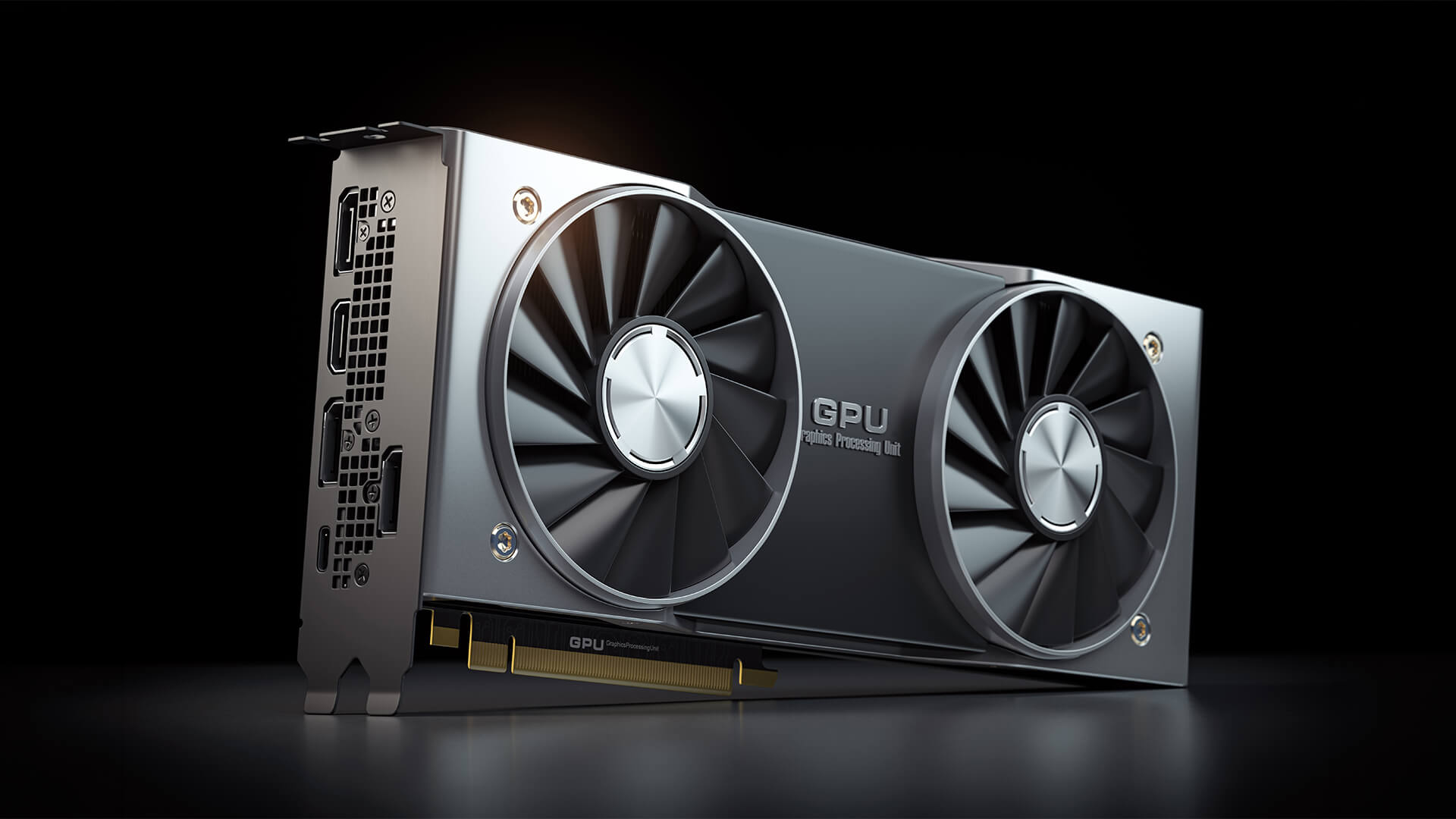
A GPU, or graphics processing unit, is designed to handle graphics and visual workloads. It is much better than a CPU at processing many similar tasks at the same time.
This is why GPUs are used for gaming, 3D rendering, video editing, visual effects, and some AI workloads.
Gaming and Rendering Performance
For gaming, the GPU is usually the most important component. It controls how well your system can handle resolution, textures, lighting, shadows, frame rates, and visual effects.
A better GPU can help with:
- Higher FPS
- Better graphics settings
- Smoother gameplay
- 1440p and 4K gaming
- Ray tracing
- Faster rendering
- Better creative performance
If gaming or visual performance matters to you, powerful GPUs are usually more important than having the fastest CPU alone.
Role in AI and Compute Workloads
GPUs are also used for AI and machine learning because they are good at parallel computing. Many AI tools, creative apps, and professional workloads can use GPU power to run faster.
This is why dedicated graphics cards are useful not only for gamers, but also for creators, developers, and users working with demanding visual tasks.
If graphics performance matters most to you, our RTX 5050 vs 5060 guide explains which Blackwell GPU makes more sense for gamers choosing between entry-level and mid-range laptop graphics.
What Is an NPU?
Built for AI and Machine Learning
An NPU, or neural processing unit, is designed for AI and machine learning tasks. It is a newer type of processor found in many modern laptops, phones, and AI PCs.
The main job of an NPU is to handle AI workloads more efficiently than a CPU or GPU would for certain tasks.
How It Improves Efficiency
An NPU can run AI features while using less power. This is useful in laptops because it can help support AI tools without draining the battery as quickly.
An NPU can help with:
- Background blur in video calls
- Noise reduction
- Eye contact correction
- AI image tools
- Smart search
- Local AI assistants
- Transcription
- AI-powered productivity features
This is why best laptops with AI and Copilot plus PCs are becoming more popular. They are designed to support modern AI features directly on the device.
Where It’s Used
NPUs are now used in AI laptops, smartphones, tablets and some desktop platforms. They are especially useful in portable devices where battery life and efficiency matter.
A CPU can run AI tasks, and a GPU can run many AI workloads very quickly, but an NPU is built to handle certain AI tasks more efficiently.
For users who need maximum CPU power, the Intel Core i9 laptops buying guide breaks down what to look for in high-performance laptops for gaming, work and creative tasks.
What Is an APU?
CPU and GPU Combined
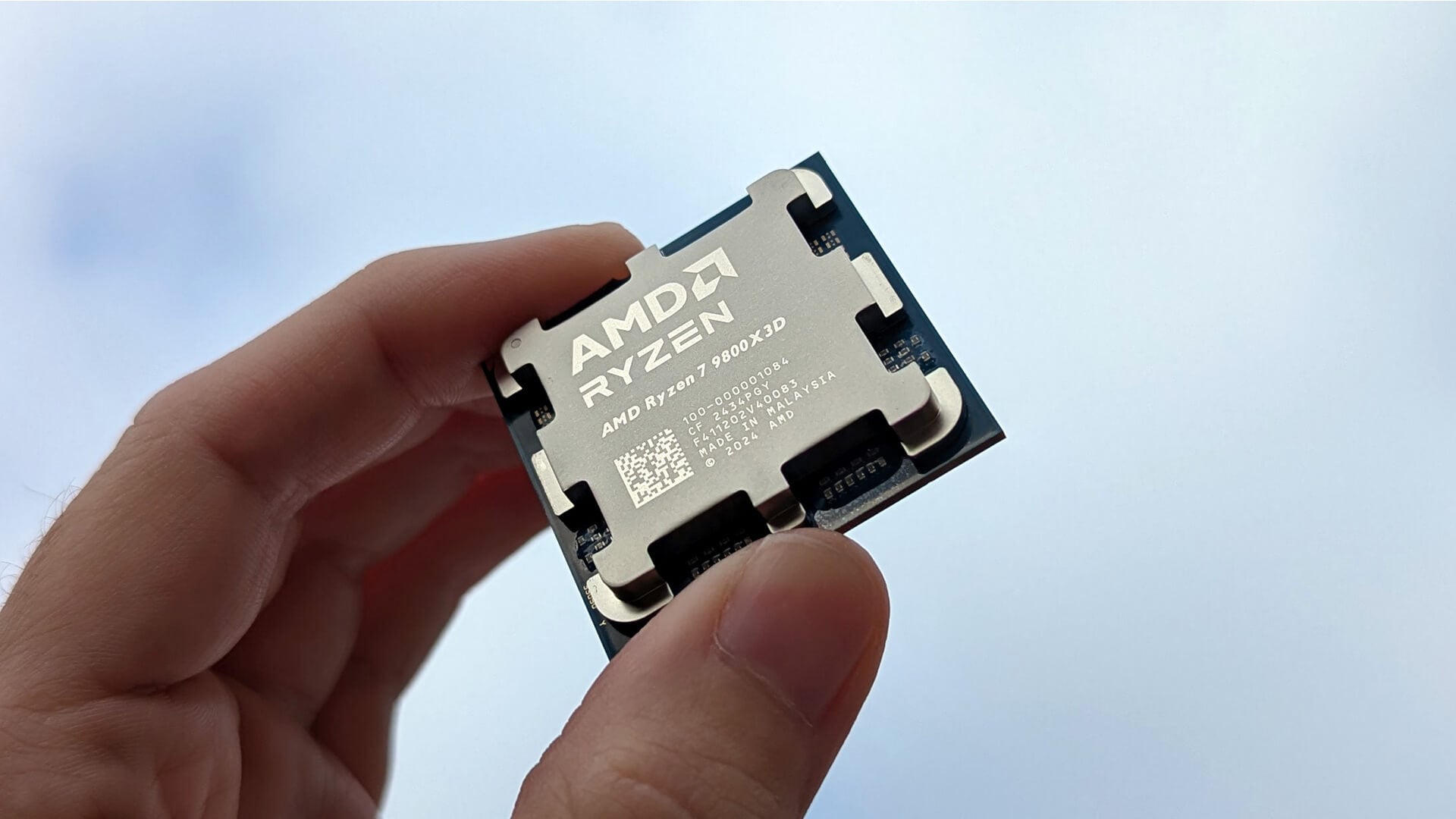
An APU, or accelerated processing unit, combines CPU and GPU technology in one chip. This means the processor can handle general computing tasks and graphics tasks without needing a separate dedicated graphics card.
When comparing APU vs CPU, the key difference is that a CPU focuses on general processing, while an APU includes integrated graphics as part of the same chip.
Benefits for Everyday Systems
APUs are useful because they keep systems simpler, cheaper, and more power-efficient. They are common in laptops, compact desktops, and budget PCs.
An APU can be useful for:
- Everyday computing
- Streaming
- Office work
- Light gaming
- Student laptops
- Small form factor PCs
- Systems without dedicated graphics
When comparing APU vs GPU, a dedicated GPU is usually much stronger for gaming, but an APU is more efficient and affordable for basic tasks.
Where APUs Are Used
APUs are common in many modern laptops and compact PCs. They are also found in gaming handhelds and some console-style systems because they combine CPU and GPU features into one efficient chip.
Some unified chip designs, such as Macbooks with Apple Silicon, also use a tightly integrated approach where CPU, GPU and AI-related processing work together inside one system-on-chip design.
If you are comparing Windows laptops with Apple devices, our guide to hidden macOS features that make MacBook Neo more powerful shows how Apple’s software and Apple Silicon work together for everyday productivity.
APU vs CPU vs GPU vs NPU: Key Differences
| Processor Type | Main Job | Best For |
| CPU | General processing | Everyday tasks, apps, multitasking |
| GPU | Graphics and parallel workloads | Gaming, rendering, visual work |
| NPU | AI acceleration | AI features, machine learning tasks |
| APU | CPU + integrated GPU | Everyday laptops, compact PCs, light gaming |
The easiest way to compare APU vs GPU vs CPU is to think about the task. If you are opening apps and multitasking, the CPU matters most. If you are gaming, the GPU matters most. If you are using AI tools, the NPU helps. If you want a simple all-in-one chip, an APU is useful.
When comparing APU vs GPU vs NPU, the APU is for general computing and integrated graphics, the GPU is for graphics and heavy parallel work, and the NPU is for AI-specific tasks.
Which One Matters Most?
For Gaming
For gaming, the GPU matters most. A strong CPU is still important, but the graphics card usually has the biggest impact on frame rates and visual quality.
If you are building or upgrading a gaming PC, focus on a balanced setup with a capable CPU and a strong GPU.
For AI and Machine Learning
For AI, the answer depends on the workload. An NPU is useful for efficient on-device AI features. A GPU is better for heavier AI workloads and machine learning. A CPU still supports the overall system and handles general instructions.
For most everyday users, an AI laptop with an NPU is useful for modern productivity features. For heavier AI work, a powerful GPU may still be needed.
For Everyday Use
For everyday use, the CPU is still the most important part. It affects how smooth the device feels when browsing, working, streaming, and multitasking.
An APU can be a good choice if you want a simple, efficient laptop or desktop for general tasks. It gives you CPU performance and basic graphics in one chip.
How These Processors Work Together
CPU + GPU in Gaming PCs
In a gaming PC, the CPU and GPU work together. The CPU handles game logic, background tasks and system instructions. The GPU renders the graphics, effects, and frames you see on screen.
A weak CPU can limit performance in some games, while a weak GPU can limit graphics quality and FPS. The best gaming systems balance both.
NPU in AI PCs and Laptops
In AI PCs, the NPU helps run AI-powered features more efficiently. This can make tasks such as video call effects, transcription and smart productivity tools feel smoother without relying fully on the CPU or GPU.
This is why Copilot plus PCs and best laptops with AI are becoming more important for users who want modern software features and better efficiency.
Unified Architectures: APUs and ARM Chips
Some chips combine several processor types into one design. APUs combine CPU and GPU features. Apple Silicon combines CPU, GPU, neural processing and memory into a unified architecture.
This kind of design can improve efficiency, reduce power use, and make laptops feel faster in everyday tasks.
The Future of Computing: AI and Hybrid Chips
Rise of AI PCs
AI PCs are becoming more common because software is starting to use more local AI features. Instead of sending everything to the cloud, more tasks can run directly on the device.
This can help with speed, privacy, and efficiency.
Integrated Superchips and Apple Silicon
Modern chips are becoming more integrated. Instead of separating every function, many systems now combine CPU, GPU, and AI processing more closely.
This is why Macbooks with Apple Silicon feel different from older laptop designs. Their chips are built around close integration between processing, graphics, memory and AI-related tasks.
What This Means for Users
For users, this means future devices will become smarter, more efficient and more specialised. You will not always need to understand every processor inside your device, but knowing the basics helps you choose better.
If you mainly work, study and browse, focus on the CPU and overall laptop quality. If you game or create visual content, focus on the GPU. If you want AI features, look for an NPU. If you want an efficient all-in-one chip, consider an APU-based system.
Final Thoughts: Do You Need All of Them?
You do not always need a separate CPU, GPU, NPU and APU. The right setup depends on what you use your device for.
For everyday work, a good CPU or APU may be enough. For gaming and creative workloads, a powerful GPU matters more. For AI features, an NPU can improve efficiency. For compact and affordable systems, an APU can offer a strong balance of performance and value.
The simple rule is this: choose based on your workload, not just the processor name.
To upgrade or compare your next device, browse CPUs for high performance tasks at box.co.uk, explore powerful GPUs, compare best laptops with AI, view Copilot plus PCs, or choose from Macbooks with Apple Silicon for a more integrated computing experience.
FAQs
What is the difference between NPU and CPU vs APU?
A CPU handles general tasks, an NPU handles AI tasks, and an APU combines CPU and integrated graphics in one chip. Each processor is designed for a different type of workload.
Is NPU better than CPU?
An NPU is better than a CPU for certain AI tasks, but it does not replace the CPU. The CPU is still needed for general computing and system performance.
Do you need a GPU if you have an APU?
Not always. An APU can handle everyday graphics and light gaming. However, you still need a dedicated GPU for serious gaming, 3D rendering, or demanding creative work.
Are NPUs used in PCs?
Yes, NPUs are now used in modern AI PCs and laptops. They help run AI features more efficiently, especially in portable devices.
Which is more powerful: CPU or GPU?
It depends on the task. A CPU is more flexible for general computing, while a GPU is more powerful for graphics, gaming, and parallel workloads.
You can pay with:
*PayPal Credit Representative Example: Assumed credit limit £1,200, Representative 23.9% APR (variable). Purchase rate 23.9% p.a (variable).Terms & Conditions apply.


PayPal Credit and PayPal Pay in 3 are trading names of PayPal UK Ltd, 5 Fleet Place, London, United Kingdom, EC4M 7RD. Terms and conditions apply. Credit subject to status, UK residents only, Five Tech LTD acts as a broker and offers finance from a restricted range of finance providers. PayPal Pay in 3 is not regulated by the Financial Conduct Authority. Pay in 3 eligibility is subject to status and approval. 18+. UK residents only. Pay in 3 is a form of credit. Check if affordable and how you will repay. May make other borrowing more difficult or expensive. See product terms for more details.
Copyright © 1996-2026 Fivetech LTD | Terms and Conditions
box.co.uk & Box are trading names of Five Tech Limited. Registered office: Box LTD, Unit 10 Woodford Trading Estate, Woodford Green IG8 8HF