


 Menu
MenuMenu


Get Sales Advice from Mon - Fri 9am - 5:00pm:
020 3337 8950POSTED: May 08, 2026
Intel Core i9 Laptops: The Complete Buying Guide for Gaming, Work & Creation
If you’re looking for top-tier performance in a laptop, Intel Core i9 laptops are often considered the best option available. These devices are designed to handle demanding workloads, from high-end gaming to professional content creation and heavy multitasking.
But with so many options available, one key question remains: are i9 laptops worth it for your needs?
The answer depends on how you plan to use your laptop. In this guide, we’ll break down everything you need to know from performance and use cases to how to choose the best Intel Core i9 laptops for gaming, work and creation.
What Are Intel Core i9 Laptops?
Intel Core i9 laptops are high-performance machines powered by Intel’s most powerful consumer processors. These CPUs are designed for users who need maximum speed, responsiveness, and multitasking capability.
Compared to lower-tier processors like Core i5 or i7, an i9 processor offers:
- More cores and threads
- Higher clock speeds
- Better performance under heavy workloads
This means tasks that would slow down standard laptops such as video editing, 3D rendering, or running multiple applications can be handled smoothly on an i9 system.
What Can an Intel Core i9 Laptop Do?

Unlike standard laptops, i9-powered machines are built for performance-heavy tasks, meaning they can handle demanding workloads that would slow down or overwhelm lower-tier systems.
In simple terms, an i9 laptop is designed to give you speed, efficiency, and the ability to do more at once. Whether you’re gaming, creating content or managing complex work tasks, the extra processing power makes a noticeable difference in how smoothly everything runs.
High-End Gaming Performance
A core i9 gaming laptop is built to handle modern games with ease, especially when paired with laptops with RTX graphics. The powerful combination of CPU and GPU ensures that your system can process game data quickly while maintaining smooth visuals.
In real-world gaming, this means you benefit from higher frame rates, reduced lag and more consistent performance, even in demanding AAA titles. Games load faster, run smoother and respond more quickly to your inputs, which improves both performance and overall enjoyment.
This is particularly important in CPU-intensive games, where the processor plays a key role in maintaining stable performance. With an i9 laptop, you’re less likely to experience bottlenecks, allowing your GPU to perform at its full potential.
If gaming is a priority, exploring the full gaming laptop range will help you find models that combine i9 processors with high-performance graphics for the best results.
Content Creation and Video Editing
For creators, an Intel Core i9 laptop for video editing offers a significant advantage in terms of speed and efficiency. Tasks that normally take time such as rendering videos, exporting projects or working with high-resolution footage are completed much faster.
This has a direct impact on your workflow. Instead of waiting for files to process, you can move quickly between tasks, edit in real time, and handle larger projects without slowdowns.
This level of performance is especially useful for video editors working with 4K or 8K content, graphic designers using advanced creative software and content creators managing large, complex files
The benefit is simple: less waiting, more productivity. If your work depends on performance, an i9 laptop can save you valuable time and make your workflow far more efficient.
Professional Workloads and Multitasking
Beyond gaming and content creation, i9 laptops are also ideal for professional use. They are built to handle heavy multitasking and demanding applications, making them suitable for business and technical environments.
In everyday use, this means you can run multiple applications at the same time without performance drops. Whether you’re working with large spreadsheets, analysing data, or running development tools, the system remains responsive and stable.
For users working in areas like development, engineering, or data analysis, the ability to run virtual machines, simulations, or complex software without lag is a major advantage.
This is why i9 laptops are commonly found in the business laptop range and mobile workstation laptops, where consistent performance is essential.
Are i9 Laptops Worth It?
The question “are i9 laptops worth it?” depends on your usage.
If you regularly run demanding applications, multitask heavily or need long-term performance, then yes, an i9 laptop is worth the investment.
However, for basic tasks like browsing, emails, or light office work, extra power may not be necessary. In those cases, a mid-range processor may provide better value.
Intel Core Ultra 9 285K vs Intel Core i9-14900K: Detailed Comparison
| Feature | Intel Core Ultra 9 285K | Intel Core i9-14900K | What It Means for You (Benefits) |
| Architecture | Arrow Lake (New) | Raptor Lake Refresh | Ultra 9 uses a newer architecture, making it more future-ready and efficient for modern workloads. |
| Cores (P + E) | 24 (8 Performance + 16 Efficiency) | 24 (8 Performance + 16 Efficiency) | Both offer strong multi-core performance, ideal for multitasking and demanding applications. |
| Threads | 24 (No Hyperthreading) | 32 (With Hyperthreading) | i9 handles more simultaneous threads, making it better for heavy parallel workloads like rendering. |
| Max Turbo Frequency | Up to 5.7 GHz | Up to 6.0 GHz | i9 delivers higher peak speeds, which can improve performance in single-threaded tasks and gaming. |
| AI Capability (NPU) | Yes (Dedicated AI Engine) | LGA 1700 | Ultra 9 uses a newer platform, offering better upgrade paths and compatibility with next-gen hardware. |
| Socket | LGA 1851 | LGA 1700 | Ultra 9 uses a newer platform, offering better upgrade paths and compatibility with next-gen hardware. |
| Performance Focus | Balanced performance with efficiency | High raw performance and power | Choose i9 for maximum speed, Ultra 9 for balanced, efficient performance. |
| Gaming Performance | Strong, efficient gaming | Excellent high-end gaming performance | i9 is better for maximum FPS, while Ultra 9 offers efficient and stable gaming. |
| Content Creation | Very capable with AI acceleration | Excellent for rendering and heavy workloads | i9 is faster for intensive rendering, Ultra 9 improves workflows with AI tools. |
| Battery / Power Efficiency | High efficiency, lower power consumption | Lower efficiency, higher power usage | Ultra 9 systems run cooler and consume less power, improving battery life in laptops. |
| Thermal Performance | Runs cooler under load | Generates more heat under load | Ultra 9 is better for quiet, cooler systems, while i9 may need stronger cooling. |
| Multitasking | Efficient workload distribution | Strong multitasking with more threads | i9 handles heavier parallel workloads, Ultra 9 is better for smart task management. |
| Use Case | Productivity, AI tasks, efficient systems | Gaming, workstation, heavy workloads | Choose based on whether you prioritise efficiency (Ultra 9) or raw power (i9). |
| Future Readiness | Built for AI-driven and modern workloads | Powerful but less AI-focused | Ultra 9 is more future-proof for AI and evolving software. |
| System Type | Modern, efficient desktops & next-gen laptops | High-performance desktops & gaming systems | Ultra 9 suits efficient, next-gen builds, i9 suits performance-heavy setups. |
What to Look for in the Best Intel Core i9 Laptops
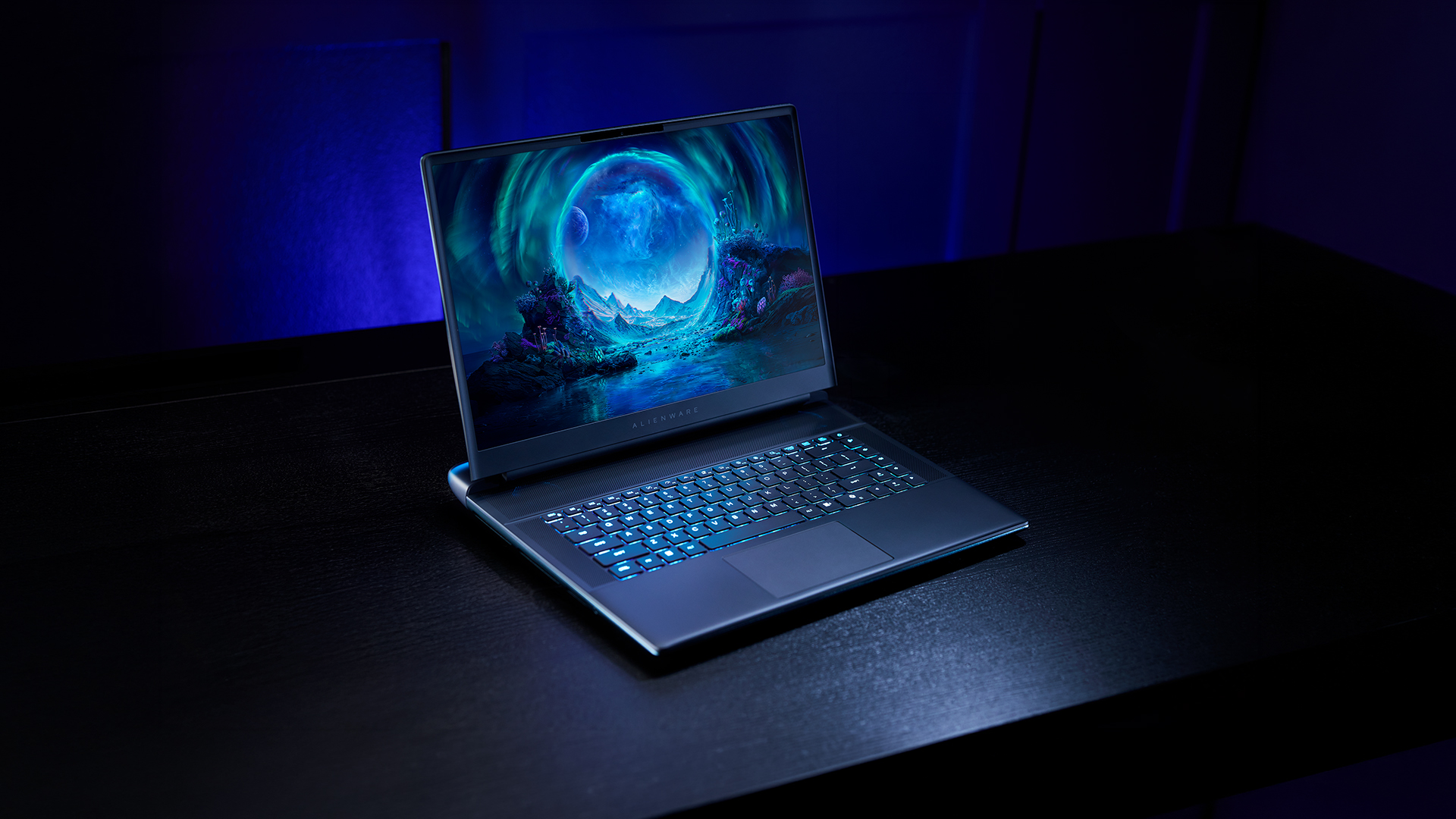
Choosing the best Intel Core i9 laptops involves more than just picking the most powerful processor. While the i9 chip delivers exceptional performance, the overall experience depends on how well the rest of the laptop’s components support that power. Each of these elements plays a key role in how smoothly your laptop performs in real-world use.
Graphics (GPU):
A powerful processor like an Intel Core i9 needs an equally capable graphics card to deliver its full potential. This is especially important if you’re planning to use your laptop for gaming, video editing, or 3D work.
Most high-performance laptops come equipped with RTX 4060, 4070 or 4080 GPUs, which are designed to handle modern games and demanding creative tasks. These GPUs not only improve visual quality but also ensure smoother frame rates and faster rendering times.
For you, this means a better overall experience whether that’s playing games at higher settings or working on complex creative projects without lag.
RAM:
RAM plays a crucial role in how well your laptop handles multiple tasks at once. With an i9 laptop, you’re likely to be running demanding applications, so having enough memory is essential.
For most users, 16GB of RAM is the minimum for smooth performance. However, if you’re working in content creation, development, or heavy multitasking, 32GB RAM is a better choice.
The benefit here is simple: more RAM allows your laptop to run multiple applications simultaneously without slowing down. It also helps future-proof your system, ensuring it stays responsive as software requirements increase over time.
Storage:
Storage affects both how fast your laptop feels and how much data you can store. Modern i9 laptops use SSD storage, which is significantly faster than traditional hard drives.
An NVMe SSD is ideal, as it delivers faster boot times, quicker file access and smoother overall performance. In terms of capacity, 512GB is a good starting point, but 1TB or more is recommended if you’re working with large files, games, or creative projects.
This ensures you have enough space while maintaining fast performance, so you don’t have to constantly manage or delete files.
Cooling System:
High-performance laptops generate heat, especially when running demanding tasks. A strong cooling system is essential to ensure the laptop can maintain its performance over time.
Without proper cooling, a laptop may slow down (thermal throttling) to prevent overheating. Good cooling systems help:
- Keep performance consistent during long sessions
- Reduce the risk of overheating
- Improve overall system reliability
For you, this means your laptop can handle heavy workloads or extended gaming sessions without losing performance.
Display Quality:
The display is where you see the results of your laptop’s performance, so it plays a major role in your overall experience.
For gaming and creative work, look for:
- High refresh rates (144Hz or higher) for smoother visuals
- Higher resolutions (QHD or 4K) for sharper detail
- Accurate colours for design and editing tasks
A better display doesn’t just improve visuals; it also makes everyday tasks more comfortable and enjoyable, whether you’re working, gaming or watching content.
Battery Life and Portability:
Battery life is an important factor to consider when choosing an i9 laptop. Because these devices are designed for high performance, they naturally consume more power than standard laptops.
However, newer 14th Gen Intel laptops are improving efficiency, offering a better balance between performance and battery life. While they may not match lightweight laptops in terms of endurance, they provide enough battery life for everyday tasks when needed.
In terms of portability, i9 laptops are often slightly heavier due to their powerful components and cooling systems. While still portable, they are best suited for users who prioritise performance over ultra-light mobility.
Best Intel Core i9 Laptops for Video Editing and Gaming

| Laptop Model | Best For | Key Specs | Performance Benefits | What It Means for You |
| ASUS ZenBook 14X OLED (UX3404VC-M3130W) | Gaming + Content Creation + Premium Everyday Use | Intel Core i9-13900H, 16GB RAM, 1TB SSD, RTX 3050, 14.5" 2.8K OLED Touchscreen | Combines strong CPU performance with dedicated RTX graphics and a high-resolution OLED display | Ideal if you want a portable yet powerful i9 laptop that can handle gaming, video editing and creative work while also offering a premium visual experience |
| ASUS Vivobook 16 (X1605VA) | Work + Multitasking + Everyday Performance | Intel Core i9-13900H, 16GB RAM, 1TB SSD, 16" Display | Focuses on CPU performance for productivity and multitasking without dedicated GPU | Best suited for users who need fast performance for work, large files and multitasking, but don’t require heavy gaming or graphics power |
Final Verdict: Should You Buy an Intel Core i9 Laptop?
Intel Core i9 laptops are built for performance. If your work or hobbies require power, speed and efficiency, they are one of the best options available.
They may not be necessary for everyone, but for users who need high-end performance, they provide a noticeable advantage in both productivity and gaming.
To find the right model, you can browse Intel Core i9 laptops, shop Intel laptops, or explore specific categories like the gaming laptop range, business laptop range, or creator laptop range at Box.co.uk.
Frequently Asked Questions
Are i9 laptops worth it?
Yes, if you need high performance for gaming, creation or multitasking.
What can an Intel Core i9 laptop do?
It can handle gaming, video editing, professional workloads and heavy multitasking.
Are i9 laptops good for gaming?
Yes, especially when paired with RTX graphics.
Is i9 better than Core Ultra 9?
i9 is better for raw performance, while Core Ultra focuses on efficiency and AI features.
Which is the best Intel Core i9 laptop?
The best option depends on your needs, but models with RTX GPUs and high RAM offer the best performance.
You can pay with:
*PayPal Credit Representative Example: Assumed credit limit £1,200, Representative 23.9% APR (variable). Purchase rate 23.9% p.a (variable).Terms & Conditions apply.


PayPal Credit and PayPal Pay in 3 are trading names of PayPal UK Ltd, 5 Fleet Place, London, United Kingdom, EC4M 7RD. Terms and conditions apply. Credit subject to status, UK residents only, Five Tech LTD acts as a broker and offers finance from a restricted range of finance providers. PayPal Pay in 3 is not regulated by the Financial Conduct Authority. Pay in 3 eligibility is subject to status and approval. 18+. UK residents only. Pay in 3 is a form of credit. Check if affordable and how you will repay. May make other borrowing more difficult or expensive. See product terms for more details.
Copyright © 1996-2026 Fivetech LTD | Terms and Conditions
box.co.uk & Box are trading names of Five Tech Limited. Registered office: Box LTD, Unit 10 Woodford Trading Estate, Woodford Green IG8 8HF