


 Menu
MenuMenu


Get Sales Advice from Mon - Fri 9am - 5:00pm:
020 3337 8950LAST UPDATED: April 15, 2026
Which AMD RX GPUs come with FSR Support?
If you are looking at AMD RX GPUs for your next upgrade, one of the biggest features you will come across is FSR, short for FidelityFX Super Resolution. It has become a key part of modern gaming performance, helping boost frame rates without needing top-end hardware.
The good news is that AMD GPUs with FSR are not limited to just the newest releases. Support spans multiple generations, from older Radeon cards to the latest models, although the level of support does vary depending on the architecture.
In this guide, we will break down exactly which AMD RX GPU series support FSR, what version they support, and what that means for real-world gaming. Whether you are using older AMD Radeon graphics or considering a newer upgrade, this will help you understand where you stand and what to expect.
What Is AMD FSR and Why Does It Matter?
AMD FidelityFX Super Resolution, usually shortened to FSR, is a performance-boosting technology designed to make games run smoother without needing more powerful hardware. Instead of rendering everything at full resolution, FSR intelligently upscales lower-resolution frames to look close to native quality.
In simple terms, it helps you get higher frame rates while keeping visuals sharp enough for a good gaming experience. This is especially useful in modern titles where performance demands continue to rise, even on capable AMD RX GPUs.
There are two main parts to how FSR works. The first is upscaling, which improves performance by rendering at a lower resolution. The second, available in newer versions, is frame generation, which adds extra frames to make gameplay feel smoother.
This is where FSR becomes particularly valuable for anyone using affordable graphics cards or mid-range systems. You do not need the most expensive hardware to enjoy stable performance in demanding games. For many players using an AMD GPU for gaming, FSR plays a key role in balancing performance and visual quality without overspending.
Which AMD RX GPUs Support FSR?
The short answer is that most modern AMD RX GPUs support FSR in some form, but the version and feature set depend on the generation. Older cards can still use basic upscaling, while newer ones unlock more advanced features such as frame generation and, in the latest cases, AI-enhanced improvements.
If you are looking at AMD's FSR-supported GPUs, it helps to think of them in three broad groups:
RX 9000 Series
These are the newest cards and the best option for AMD RX FSR support. They are built for the latest FSR features, including newer AI-assisted enhancements that older generations do not fully support.
RX 7000 and RX 6000 Series
This is where a lot of gamers still get excellent value. These cards support FSR 3 and related upscaling features well, which makes them a strong middle ground for players who want modern performance without jumping straight to the newest generation.
RX 5000 Series and Older Radeon Cards
These still support earlier FSR versions, especially for upscaling, but they do not offer the same full feature set as newer cards. They remain useful if you are gaming on a budget or mainly playing less demanding titles.
So, while support is broad, not every card gets the same FSR experience. That is why it makes sense to look at each generation separately before deciding which AMD GPUs with FSR are the best fit for your setup.
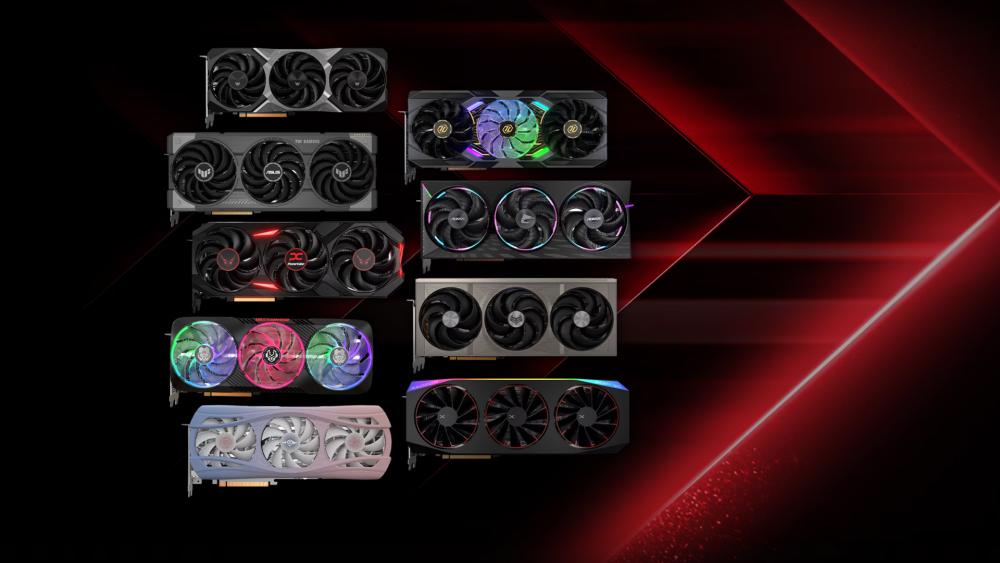
AMD RX 9000 Series – Full FSR 4 and Next-Gen Support
The RX 9000 series is where AMD RX GPUs fully step into the next generation of FSR. This is the only lineup that officially supports the latest FSR 4 technology, also referred to as the "Redstone" suite, which introduces AI-driven improvements across the board.
What Makes the RX 9000 Series Different
Unlike previous versions, FSR 4 moves beyond traditional upscaling and uses machine learning to reconstruct image detail more accurately. This results in sharper visuals, better motion handling, and fewer artefacts during fast gameplay.
Some key improvements in this generation include:
- ML-based upscaling for cleaner image quality
- Frame generation for smoother gameplay
- Advanced features like ray regeneration and improved lighting behaviour
- Better performance scaling, especially at 4K
In real-world testing, AMD has shown that FSR 4 can boost performance by up to 3.5x on supported titles, with games like Cyberpunk 2077 and Call of Duty seeing major frame rate improvements when enabled.
It is also worth noting that FSR 4.1 is currently exclusive to RX 9000 series GPUs, meaning older cards do not officially support these newer AI-based features.
GPUs in This Category
If you are looking at the latest generation, this includes:
These cards come with the top AMD RX GPU features available today. They are designed for high-end gaming, especially if you are targeting 1440p or 4K with modern titles.
For anyone building a future-proof setup or looking at high-performance AMD Radeon GPUs, the RX 9000 series is currently the only option that delivers the full FSR experience without limitations.
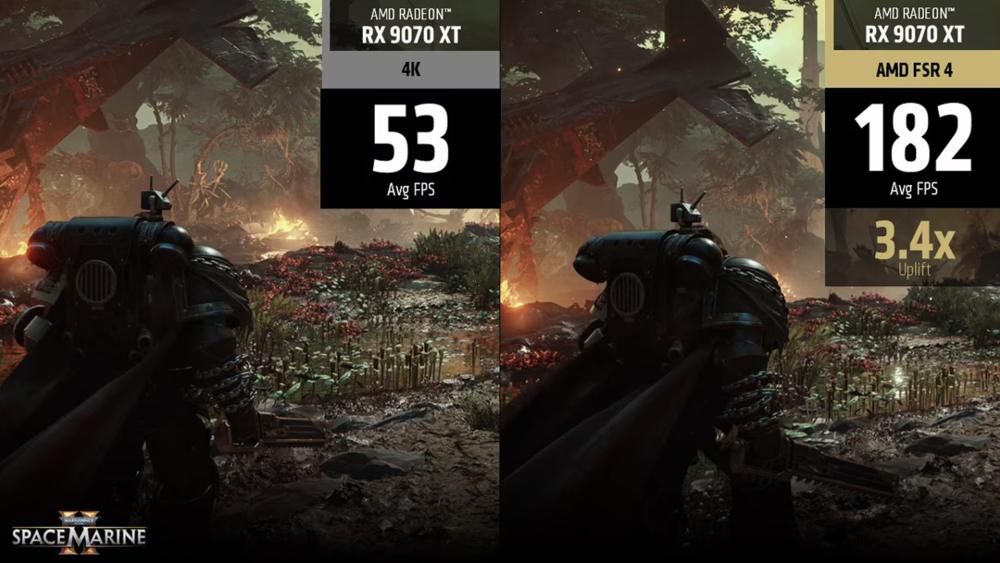
AMD RX 7000 and 6000 Series – Strong FSR 3 Support
For most gamers, the RX 7000 and RX 6000 series still sit in the sweet spot. These AMD RX GPUs do not support FSR 4, but they handle FSR 3 and 3.1 very well, which is where most current games are focused anyway.
What You Get with RDNA 2 and RDNA 3
Both RDNA 2 (RX 6000) and RDNA 3 (RX 7000) architectures support FSR upscaling across a wide range of titles, but the real step forward came with FSR 3, introducing frame generation.
Key capabilities in this range include:
- FSR 2 and FSR 3 upscaling support across hundreds of games
- Frame generation support (FSR 3), available on RX 5000 series and newer
- Solid 1440p and entry-level 4K performance depending on the GPU tier
In practical terms, AMD has shown that FSR 3 frame generation can nearly double perceived frame rates in supported titles. For example, in games like Forspoken and Immortals of Aveum, enabling FSR 3 can push performance from around 60 FPS to well over 100 FPS, depending on settings.
This makes these gaming GPUs particularly appealing for players who want modern features without stepping into the newest generation.
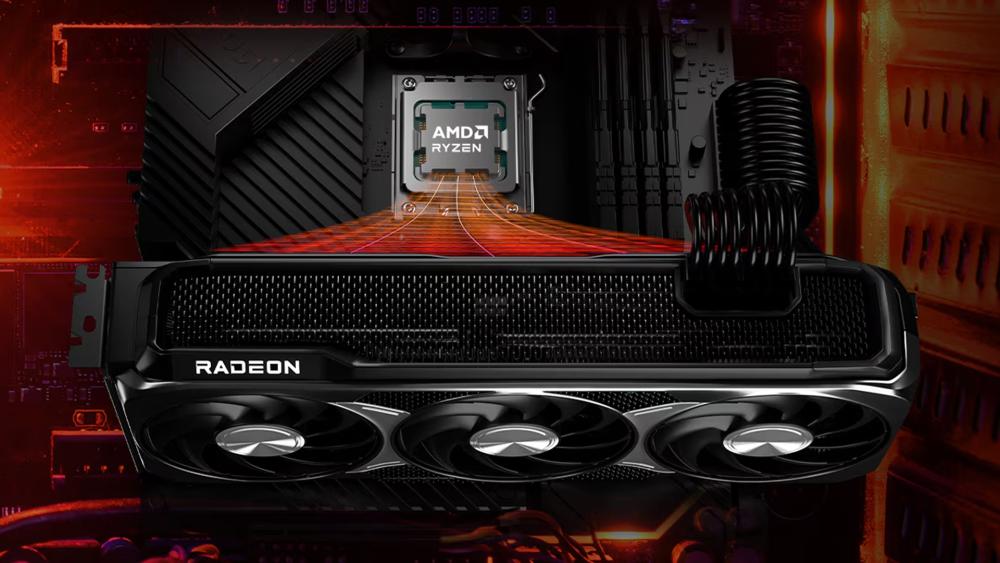
Why These Are Still Worth Buying
This is where many mid-range gaming GPUs still deliver excellent value. Cards like the RX 7700 XT or RX 7800 XT offer strong raster performance, decent ray tracing, and full access to modern FSR features used in most current releases. These AMD Gaming GPUs with Ray Tracing capabilities give players access to visual enhancements without completely sacrificing performance.
For most people building or upgrading a system today, these GPUs hit the balance between cost and capability. Whether you are upgrading from older graphics cards or building fresh, this generation still makes a lot of sense. If you are unsure where to land, our guide on picking the right graphics card for 4K gaming is a useful read.
Overall, while they are not the newest, the RX 6000 and 7000 series remain some of the most practical AMD GPUs with FSR for real-world gaming right now.
AMD RX 5000 and Older Series – Basic FSR Support
Older AMD RX GPUs, particularly the RX 5000 series and even earlier Polaris-based cards, still support FSR, but with clear limitations compared to newer generations. These GPUs can handle upscaling well, but they do not fully benefit from the latest advancements like frame generation or AI-based enhancements.
What Still Works
Even on older hardware, FSR remains useful.
- FSR 1 and FSR 2 are widely supported across many games
- Upscaling works on GPUs as old as the Radeon RX 500 series
- Performance gains can range from 30% to 70%, depending on the game and settings
FSR 2, in particular, offers a noticeable improvement over the original version by using temporal data, which results in better image stability and fewer visual artefacts. However, these cards do not support FSR 3 frame generation, which is where newer GPUs gain a significant advantage.
Who Should Consider These
This range still makes sense for budget-conscious users. If you are working with limited funds or upgrading an older system, these GPUs can still deliver playable performance in many modern titles when paired with FSR.
They are especially relevant for:
- Entry-level gaming setups
- Esports titles and lighter workloads
- Users upgrading from very old hardware
The older AMD Radeon GPUs are a great starting point if your focus is on 1080p gaming rather than pushing higher resolutions. That said, expectations need to be realistic. While FSR helps extend the lifespan of these cards, they are not built for demanding modern titles at high settings. Overall, these GPUs still benefit from FSR, but they are best seen as a budget-friendly entry point rather than a long-term solution for modern gaming.
FSR Features Explained (What You Actually Get)
FSR is not just one feature. It is a set of technologies that improve performance in different ways depending on the version and the AMD RX GPUs you are using. Understanding what each feature does helps you decide how much benefit you will actually see in real gameplay.
Upscaling (FSR 1, 2, and Beyond)
Upscaling is the core of FSR. The game renders at a lower resolution and then reconstructs the image to look closer to native quality.
- FSR 1 uses spatial upscaling, which is faster but less precise
- FSR 2 and newer versions use temporal data, improving image clarity and stability
- Performance gains typically range from 30% to 2x, depending on settings
Frame Generation (FSR 3)
Frame generation is where things start to feel significantly smoother. Instead of just improving performance, it creates additional frames between rendered ones.
- Available on RX 5000 series and newer
- Can nearly double perceived frame rates in supported titles
- Particularly effective in demanding games at 1440p and 4K
AI and Machine Learning Enhancements (FSR 4)
The latest evolution of FSR introduces machine learning into the process.
- Exclusive to newer architectures like the RX 9000 series
- Improves detail reconstruction and reduces visual artefacts
- Adds advanced features like ray regeneration and better lighting accuracy
Real-World Impact for Gamers
In real gameplay, these features combine to deliver:
- Higher frame rates without needing top-tier hardware
- Better visual quality compared to older upscaling methods
- More flexibility across different performance levels
Final Thoughts: Is FSR Worth It on AMD RX GPUs?
If you are using or planning to buy AMD RX GPUs, FSR is no longer just a bonus feature. It has become a key part of how these GPUs deliver performance across different price ranges.
The main takeaway is simple. Almost every modern AMD GPU supports FSR in some form, but the experience improves significantly with newer generations. Older cards still benefit from upscaling, mid-range options handle frame generation well, and the latest gaming GPUs unlock the full potential of newer FSR versions.
For most users, this means you do not always need the most expensive hardware to enjoy smooth gameplay. Features like upscaling and frame generation allow even mid-range AMD GPUs with FSR to handle demanding titles more comfortably.
At the same time, if you are aiming for long-term performance, especially at higher resolutions, newer architectures offer a more complete experience with better image quality and future-ready features.
In practical terms, FSR helps bridge the gap between performance and cost. Whether you are building a budget setup or upgrading to something more powerful, AMD gaming GPUs make your setup more flexible and accessible.
Frequently Asked Questions
Which AMD RX GPUs support FSR?
Most AMD RX GPUs from the RX 5000 series onwards support FSR. However, newer generations like RX 6000, 7000, and 9000 offer better support with more advanced features.
Do all AMD GPUs support FSR frame generation?
No, frame generation (FSR 3) is supported on RX 5000 series and newer GPUs. Older cards can only use upscaling features like FSR 1 and FSR 2.
Which AMD GPUs support FSR 4?
FSR 4 is currently limited to the latest RX 9000 series GPUs, as it relies on newer AI-based capabilities not available in older architectures.
Is FSR useful for low-end or budget GPUs?
Yes, FSR is especially helpful for lower-end GPUs. It improves performance by increasing frame rates, making games more playable without needing high-end hardware.
Does FSR reduce image quality in games?
FSR can slightly reduce image sharpness depending on the mode used, but newer versions like FSR 2 and above offer much better visual quality with minimal noticeable loss.
You can pay with:
*PayPal Credit Representative Example: Assumed credit limit £1,200, Representative 23.9% APR (variable). Purchase rate 23.9% p.a (variable).Terms & Conditions apply.


PayPal Credit and PayPal Pay in 3 are trading names of PayPal UK Ltd, 5 Fleet Place, London, United Kingdom, EC4M 7RD. Terms and conditions apply. Credit subject to status, UK residents only, Five Tech LTD acts as a broker and offers finance from a restricted range of finance providers. PayPal Pay in 3 is not regulated by the Financial Conduct Authority. Pay in 3 eligibility is subject to status and approval. 18+. UK residents only. Pay in 3 is a form of credit. Check if affordable and how you will repay. May make other borrowing more difficult or expensive. See product terms for more details.
Copyright © 1996-2026 Fivetech LTD | Terms and Conditions
box.co.uk & Box are trading names of Five Tech Limited. Registered office: Box LTD, Unit 10 Woodford Trading Estate, Woodford Green IG8 8HF