


 Menu
MenuMenu


Get Sales Advice from Mon - Fri 9am - 5:00pm:
020 3337 8950LAST UPDATED: April 08, 2026
AMD GPU Features You Need: FSR, Smart Access Memory, Infinity Cache & Ray Tracing
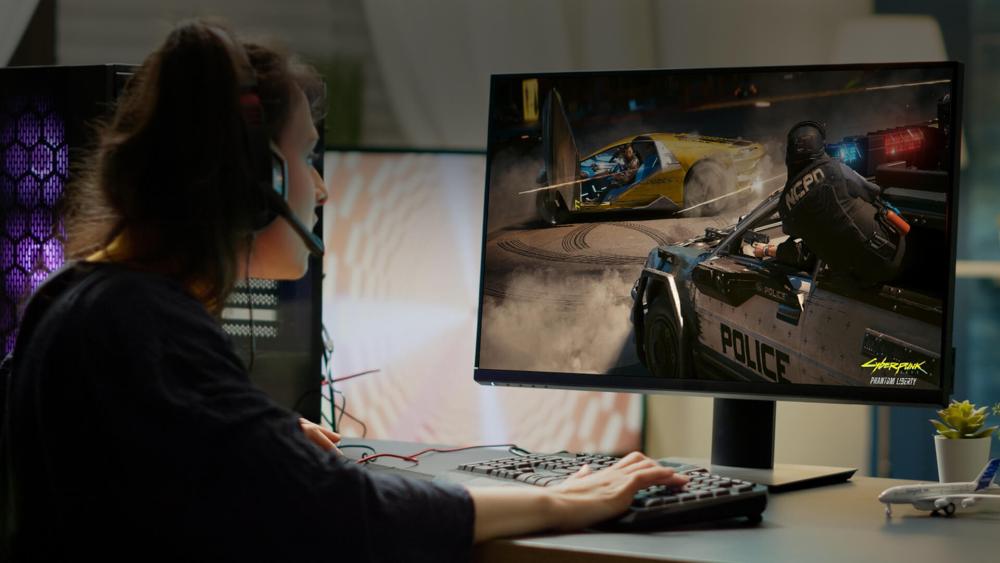
AMD’s GPU lineup heading into 2026 is firmly aimed at PC gamers and enthusiasts who prioritise real-world performance over just spec sheets. With RDNA 4 powering the Radeon RX 9000 series, modern AMD GPU Features are designed around how people actually play today. Whether you’re chasing high frame rates in Call of Duty: Warzone, smoother open-world traversal in Starfield, or better image quality in visually demanding titles like Cyberpunk 2077, these technologies make a noticeable difference.
Features such as FSR AMD, Smart Sccess Memory (SAM), Infinity Cache, and hardware-accelerated ray tracing are no longer niche extras. They directly affect how an AMD graphics card handles high refresh rate gaming, 1440p and 4K resolutions, and heavier workloads like streaming or content creation. For PC enthusiasts, tweaking settings in AMD driver features or pairing AMD Radeon GPUs with the right hardware, understanding how these features work together, from AMD Smart Access Memory to AMD FSR Redstone, is key to getting the best experience from AMD Radeon graphics in modern games.
AMD FidelityFX Super Resolution (FSR)
AMD FSR is one of the most important modern Radeon features for boosting performance in high-end games without sacrificing too much image quality. FSR AMD, short for FidelityFX Super Resolution (FSR), is AMD’s GPU upscaling and frame generation technology designed to increase performance without a major hit to image quality. For PC gamers, it’s one of the most practical AMD GPU Features, especially when pushing their video cards at 1440p or 4K.
FSR works by rendering games at a lower internal resolution and then reconstructing the image to your display resolution. This helps AMD Radeon GPUs maintain smoother frame rates in demanding titles like Baldur’s Gate 3, Hogwarts Legacy, and Starfield, where native resolution can be taxing. Compared to older scaling methods, modern FSR focuses on cleaner edges, stable motion, and reduced shimmering during gameplay.
Beyond basic GPU upscaling, newer FSR versions use temporal data and AI-driven techniques to deliver higher performance and better consistency. This makes FSR a key feature for AMD cards, particularly when paired with high refresh rate monitors or when ray tracing is enabled.
Already own a Gaming PC with an AMD GPU, but facing signal problems? Read our AMD no-signal recovery guide to fix it.
FSR Versions and Progression
FSR has gone through several major iterations, each improving image quality and performance in real-world gaming scenarios.
- FSR 1: AMD’s first GPU upscaling solution, using spatial scaling to boost performance across a wide range of graphics cards. It offered solid gains but could appear softer in motion-heavy games due to the lack of temporal data.
- FSR 2: Introduced temporal upscaling, using data from previous frames to significantly improve sharpness and stability. This version is still common in games like Deathloop and God of War, and remains a reliable option on many AMD Radeon GPUs.
- FSR 3: Added frame generation, allowing AMD cards to insert AI-assisted frames between rendered ones. This results in much higher perceived frame rates, which is especially noticeable in fast-paced titles such as Forza Horizon 5 and Avatar: Frontiers of Pandora.
- FSR 4: An AI-powered upscaling solution built for RDNA 4 hardware, using dedicated accelerators to improve detail reconstruction, reduce ghosting, and stabilise motion during intense gameplay.
- FSR Redstone: AMD’s full neural reconstruction suite, combining advanced GPU upscaling, frame generation, and image reconstruction. It is designed for future AAA games that push both traditional rendering and ray tracing workloads.
Where FSR Is Supported
One of the strengths of FSR AMD is its broad support. It’s available in a growing list of modern PC games, and unlike some competing solutions, it often works across different GPU brands. Many titles allow FSR to run on Nvidia and Intel hardware as well, although AMD cards tend to see the best optimisation and tuning.
For PC gamers running an AMD graphics card, FSR is particularly useful in visually intense games like Alan Wake 2 or large-scale multiplayer titles where consistent frame pacing matters. When combined with features like AMD FreeSync, FSR helps keep gameplay smooth even when frame rates fluctuate. This makes it a practical tool not just for high-end systems, but also for enthusiasts looking to extend the lifespan of their current AMD Radeon setup. If you want a clearer breakdown by generation, see our guide on which AMD RX series support FSR features.
How to Enable FSR (FSR 2 / 3 / 4 / Redstone)
In games
- Open Settings, then go to Video or Graphics.
- Look for Upscaling, FidelityFX Super Resolution, or AMD FSR.
- Select the available FSR version, such as FSR 2, FSR 3, FSR 3.1, or FSR 4, depending on the game.
- Choose a quality mode:
- Quality for the best image clarity
- Balanced for a mix of visuals and performance
- Performance for the highest frame rates
- If the game supports frame generation with FSR 3 or Redstone, toggle it on.
- Apply the settings and restart the game if prompted.
In Radeon Software (Adrenalin)
- Open AMD Software: Adrenalin Edition.
- Go to the Graphics tab.
- Enable RSR (AMD super resolution) for games that do not offer native FSR support.
- Adjust the sharpness slider if needed to fine-tune image quality for your display.
Smart Access Memory (SAM)
Smart Access Memory is an AMD technology based on Resizable BAR that allows a Ryzen CPU to access the full VRAM of an AMD graphics card, rather than small chunks at a time. As one of the more underrated AMD GPU Features, SAM improves how data moves between the CPU and GPU, which is especially useful in modern, asset-heavy games.
On an AMD Radeon system, this means textures, geometry, and streaming assets can be delivered more efficiently. In real terms, games like Assassin’s Creed Valhalla, Forza Horizon 5, and Call of Duty: Modern Warfare III benefit from smoother frame pacing and fewer performance dips during fast movement or scene changes.
Why Smart Access Memory Helps Performance
Smart Access Memory doesn’t magically double frame rates, but it delivers consistent, measurable gains in the right scenarios, particularly on newer AMD cards.
- Reduces memory bottlenecks between the CPU and GPU
- Improves asset streaming in open-world and large-map games
- Helps stabilise FPS during fast traversal and combat-heavy scenes
- Works well alongside features like FSR, AMD and ray tracing
If you wish to compare AMD SAM on vs off, the biggest difference is usually smoother data flow and better frame pacing rather than massive headline FPS gains. For PC gamers targeting high refresh rate monitors, SAM helps keep frame delivery smoother, which matters just as much as peak FPS.
Hardware Requirements
To use smart access memory, your system needs compatible hardware across the board:
- A supported Ryzen CPU
- A modern AMD Radeon GPU
- PCIe 4.0 or PCIe 5.0 motherboards with Resizable BAR support
- Up-to-date BIOS and drivers
A stable setup also matters. Proper cooling components and reliable PC power supplies help ensure SAM-enabled systems remain consistent under heavy gaming loads.
How to Enable Smart Access Memory (SAM)
- Update your BIOS: Make sure your motherboard firmware is fully up to date.
- Enable Resizable BAR in BIOS: Navigate to Advanced or PCIe settings and enable:
- Resizable BAR
- Above 4G Decoding
- Enable SAM in AMD Adrenalin: Open AMD Adrenalin → go to Performance → Tuning. Check the Smart Access Memory status. If it shows Enabled, it’s working correctly.
- Reboot and verify: Restart your system and confirm SAM remains enabled in Radeon Software.
Once active, smart access memory runs automatically in the background, improving performance without needing per-game adjustments.
Infinity Cache
Infinity Cache is a high-speed, on-die memory cache built directly into modern AMD graphics cards. It acts as a fast buffer between the GPU cores and GDDR6 memory, dramatically increasing effective bandwidth without relying on wider or more power-hungry memory buses. As one of the core AMD GPU Features, infinity cache plays a major role in how efficiently an AMD Radeon GPU handles high-resolution gaming.
Instead of constantly pulling data from VRAM, the GPU can access frequently used information from this ultra-fast cache. This is especially beneficial in modern games with large textures and complex scenes, where memory access speed can limit performance.
Why Infinity Cache Matters for Gaming
Infinity cache delivers its biggest benefits at higher resolutions, where memory bandwidth becomes a major bottleneck.
- Boosts performance at 1440p and 4K, where texture and geometry data loads are heavier
- Reduces reliance on expensive, high-speed GDDR6 memory
- Improves power efficiency by lowering external memory traffic
- Helps maintain stable frame rates in visually dense games like Cyberpunk 2077 and Red Dead Redemption 2
For PC gamers pushing higher resolutions or using GPU upscaling technologies like FSR AMD, infinity cache helps keep performance smooth without excessive power draw.
Infinity Cache and RDNA Evolution
Infinity cache has evolved alongside AMD’s RDNA architecture, becoming more efficient with each generation.
- RDNA 2 introduced infinity cache as a way to compete with wider memory buses
- RDNA 3 improved cache behaviour and efficiency across more workloads
- RDNA 4 further reduces latency and improves cache hit rates, benefiting modern rendering techniques and ray tracing
These refinements allow newer AMD cards to scale better in demanding titles while keeping memory bandwidth in check.
Important Note
Infinity cache is a hardware-level feature that is always active.
- It cannot be enabled or disabled
- No BIOS or driver configuration is required
- Performance benefits are automatic on supported AMD Radeon GPUs
For enthusiasts, this means one less setting to tweak and more consistent performance straight out of the box.

Ray Tracing on AMD GPUs
Ray tracing is a rendering technique that simulates how light behaves in the real world, delivering more realistic shadows, reflections, and global illumination. In modern PC games, ray tracing adds depth and realism that traditional rasterisation can’t fully match. As part of today’s modern AMD GPU Features, ray tracing is increasingly common in AAA titles and demanding single-player experiences.
Games like Cyberpunk 2077, Alan Wake 2, and Metro Exodus Enhanced Edition use ray tracing to improve lighting accuracy and atmosphere, but it also places a heavy load on the GPU. This is where AMD’s hardware and software optimisations come into play.
AMD’s Hardware Ray Accelerators
AMD handles ray tracing through dedicated ray accelerators built into its GPUs, with each RDNA generation bringing noticeable improvements.
- RDNA 2 introduced first-generation ray accelerators, enabling basic ray tracing support across AMD Radeon GPUs
- RDNA 3 improved efficiency and performance, making ray-traced effects more usable at higher resolutions
- RDNA 4, found in the Radeon RX 9000 series, includes third-generation ray accelerators that significantly boost ray tracing performance and consistency
To learn more about these generations, read our RDNA generation guide. You can also check out which AMD gaming GPUs support ray tracing if you want a clearer view of feature support across the Radeon range.
FSR and Ray Tracing (Redstone AI)
AMD’s ray tracing performance is now heavily tied to FSR AMD, with FSR Redstone marking a clear step towards closing the gap with competitors like Nvidia’s DLSS. Ray tracing is extremely demanding, and without GPU upscaling, even powerful hardware can struggle in games such as Cyberpunk 2077 or Metro Exodus Enhanced Edition. FSR helps absorb that performance hit while keeping visuals playable.
Launched on 10 December 2025, FSR Redstone is AMD’s most advanced solution so far, combining AI-driven GPU upscaling, frame generation, and improved ray-traced lighting reconstruction. AMD claims performance gains of up to around 2× in some titles when the full Redstone suite is enabled, though real-world results vary depending on the game and hardware.
Current AMD GPU support:
- RDNA 4 / Radeon RX 9000 series: GPUs like the Radeon RX 9060 XT, RX 9070, and RX 9070 XT support the complete Redstone feature set, including AI-based upscaling, frame generation, Ray Regeneration, and advanced radiance processing, powered by dedicated AI hardware and third-generation ray accelerators. These are some of the reasons the AMD RX 9070 GPU is often termed a game changer.
- RDNA 3 and RDNA 2 GPUs: These AMD cards support FSR 2 and FSR 3, including temporal upscaling and standard frame generation, but do not support the full Redstone AI pipeline. Ray tracing performance here relies more on traditional upscaling and manual settings tuning.
In practice, RDNA 4 AMD Radeon GPUs handle ray tracing far more comfortably, especially when combined with FSR. That said, Redstone’s impact is still evolving, with limited hardware support, fewer games using the full feature set, and some early performance quirks. It’s a strong foundation, but one that’s expected to improve as adoption grows and AMD refines the implementation.
How to Enable Ray Tracing
In games
- Open Options and go to Graphics settings
- Look for Ray Tracing, DXR, or Path Tracing options
- Enable the effects you want, such as:
- Ray-traced shadows
- Ray-traced reflections
- Ray-traced global illumination
- Full path tracing, if supported
- Start with Medium or High settings and scale up if performance allows
- Enable FSR AMD alongside ray tracing for smoother FPS
In AMD Software (Adrenalin)
- Ray tracing is managed on a per-game basis rather than globally
- You can improve responsiveness by enabling Anti-Lag+
- Fine-tune VRAM and power settings if needed
- Create individual game profiles to optimise performance for specific titles
For PC gamers, ray tracing on AMD Radeon GPUs is all about balance. With the right settings and support from FSR, it delivers strong visual upgrades without sacrificing playability.
Is your AMD GPU crashing? Read our guide on fixing artifacts, flicker & crashes on AMD GPUs.

RDNA 4: The Architecture Powering Modern AMD GPU Features
RDNA 4 is AMD’s latest GPU architecture, designed to efficiently combine the newest Radeon features. It improves how GPUs handle AI workloads, memory access, and ray tracing to meet the demands of modern games.
While discrete AMD Radeon graphics rely on dedicated VRAM, AMD unified memory is more relevant to AMD systems where CPU and GPU resources share memory more directly, so it is worth treating as a separate benefit rather than a core Radeon RX feature.
Key upgrades include AI accelerators for FSR 4 and Redstone frame generation, improved Infinity Cache for higher bandwidth and lower latency at 1440p/4K, PCIe 5.0 support for better Smart Access Memory performance, and third-generation ray accelerators for more consistent ray tracing.
These improvements let RDNA 4 fully unlock modern AMD GPU features, delivering smoother frame rates, better upscaling, and enhanced visuals in demanding titles.
Conclusion: Getting the Most from AMD GPU Features
AMD GPU features work best when used together. Technologies like FSR AMD, smart access memory, infinity cache, and improved ray tracing all play a role in delivering smoother gameplay, higher frame rates, and better visuals on modern AMD Radeon GPUs.
With RDNA 4 and the Radeon RX 9000 series, AMD is clearly focusing on real-world gaming performance rather than just raw specs. For PC gamers and enthusiasts, keeping drivers up to date, pairing the right hardware, and using features like GPU upscaling and smart access memory correctly can make a noticeable difference in the coming years.
Frequently Asked Questions
Is FSR better than DLSS?
FSR AMD and DLSS aim to solve the same problem but use different approaches. DLSS often has an edge in image stability due to heavier AI reliance, while FSR is more flexible, works on more hardware, and has closed the gap significantly with newer versions like FSR 4 and Redstone.
Is SAM similar to Resizable BAR?
Yes, smart access memory is AMD’s implementation of Resizable BAR. It allows the CPU to access the full GPU memory at once, improving data transfer efficiency and delivering small but consistent performance gains in supported games.
Is FSR only for AMD GPUs?
No, FSR is not limited to AMD cards. Many games allow FSR to run on Nvidia and Intel GPUs as well, although AMD Radeon GPUs usually see the best optimisation and overall results.
Does Infinity Cache matter for 1080p gaming?
Infinity cache has less impact at 1080p compared to higher resolutions, but it can still help stabilise performance in memory-heavy games. Its biggest benefits are seen at 1440p and 4K, where bandwidth demands are much higher.
What GPU is compatible with AMD SAM?
Smart access memory works on modern AMD Radeon GPUs paired with supported Ryzen CPUs and compatible motherboards. Most RDNA 2, RDNA 3, and RDNA 4 AMD cards support SAM when the system is correctly configured.
You can pay with:
*PayPal Credit Representative Example: Assumed credit limit £1,200, Representative 23.9% APR (variable). Purchase rate 23.9% p.a (variable).Terms & Conditions apply.


PayPal Credit and PayPal Pay in 3 are trading names of PayPal UK Ltd, 5 Fleet Place, London, United Kingdom, EC4M 7RD. Terms and conditions apply. Credit subject to status, UK residents only, Five Tech LTD acts as a broker and offers finance from a restricted range of finance providers. PayPal Pay in 3 is not regulated by the Financial Conduct Authority. Pay in 3 eligibility is subject to status and approval. 18+. UK residents only. Pay in 3 is a form of credit. Check if affordable and how you will repay. May make other borrowing more difficult or expensive. See product terms for more details.
Copyright © 1996-2026 Fivetech LTD | Terms and Conditions
box.co.uk & Box are trading names of Five Tech Limited. Registered office: Box LTD, Unit 10 Woodford Trading Estate, Woodford Green IG8 8HF