


 Menu
MenuMenu


Get Sales Advice from Mon - Fri 9am - 5:00pm:
020 3337 8950LAST UPDATED: February 10, 2026
Rackmount vs Desktop QNAP NAS for UK Offices: The Upgrade Triggers That Actually Matter
A desktop NAS is best thought of as shared storage. It handles file sharing (SMB), backups, snapshots, and light collaboration extremely well. For small teams, it's often the fastest way to centralise data without complexity.
A rackmount NAS, by contrast, acts as the storage backbone of the office. It's designed to sit in a rack cabinet or comms room, serve multiple departments, integrate with Active Directory or LDAP permissions, and run continuously under load. The shift isn't cosmetic; it's architectural.
When Desktop NAS Is Still the Best Move (Even for Growing Teams)
The "Sweet Spot" Workloads
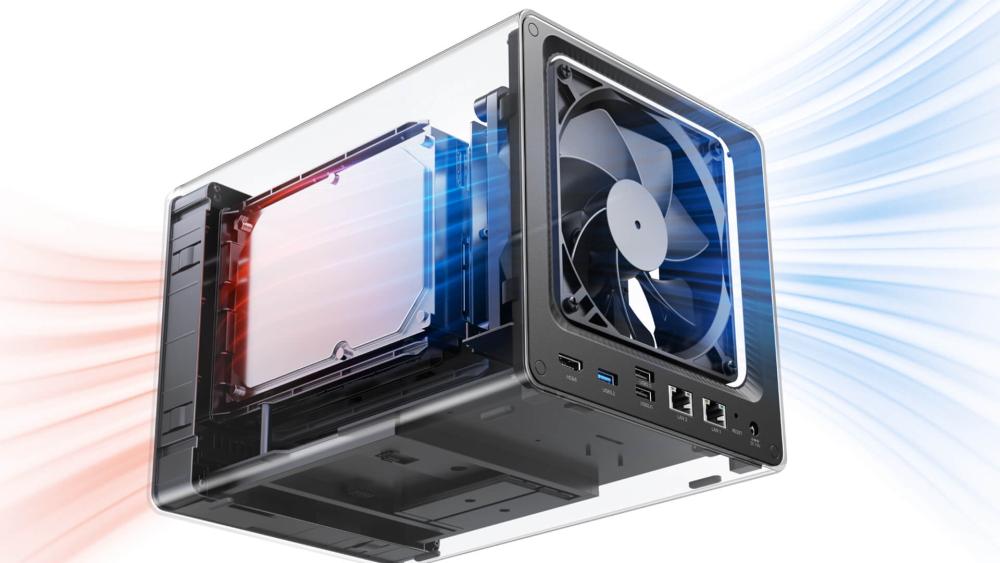
Desktop NAS systems work best when handling steady, predictable tasks rather than constant heavy workloads. For many UK offices, this includes shared file storage, scheduled backups, project folders, and basic collaboration over SMB. These workloads don't require enterprise-grade performance to run smoothly. Desktop NAS also suits archive storage and small CCTV or NVR setups with limited cameras, where access is occasional rather than continuous. For teams of around 10–15 users that aren't running VMs, databases, or heavy applications on the NAS itself, a well-configured desktop unit is usually more than capable.
The Overlooked Wins
One of the biggest advantages of desktop NAS is how naturally it fits into everyday office environments. These systems are quieter, generate less heat, and can sit in open-plan offices or shared spaces without disruption. They're also more cost-effective, as there's no need for rack cabinets, dedicated cooling, or enterprise power infrastructure. From a management perspective, desktop NAS is simpler to deploy and maintain, making it ideal for offices without dedicated IT staff. Setup, monitoring, and updates are straightforward, keeping ongoing management low-effort.
Desktop Upgrades
Many teams consider rackmount too early, when targeted upgrades would solve the real issue. Adding SSD or NVMe cache can significantly improve responsiveness for frequently accessed files. Increasing RAM helps with multi-user access, backups, and snapshots. Network improvements such as link aggregation can boost throughput for multiple users without changing the NAS itself. Some offices also add a secondary NAS purely for backups, reducing load on the primary system. These upgrades won't replace rackmount in the long term, but they can extend the life of a desktop NAS and delay a more complex upgrade until it's genuinely needed.
8 Clear Signs You've Outgrown Desktop NAS
1- You're out of drive bays and you're planning around storage
When your storage conversations start with "what can we fit?" rather than "what do we need?", the NAS is no longer supporting the business; the business is working around the NAS. Desktop systems with 2, 4, or even 6 bays eventually hit a ceiling, especially once RAID is factored in. At that point, capacity planning becomes restrictive, and future growth feels awkward instead of predictable.
2- Too many users mean slow folders, slow saves, slow backups
As user count grows, the strain shows up in subtle ways. File saves take longer; shared folders feel sluggish, and backups overrun into working hours. This usually isn't a fault; desktop NAS controllers and cooling are simply designed for lighter concurrency. When multiple users access the same datasets at once, performance drops become more noticeable.
3- You've started running VMs, CCTV, or heavy apps
Virtual machines, databases, and continuous CCTV/NVR workloads create sustained load rather than occasional bursts. Desktop NAS units can technically support these tasks, but long-term they run closer to their thermal and performance limits. If fans are frequently ramping up or performance dips during busy periods, it's a sign the workload has outgrown the enclosure design.
4- Downtime is now a business problem
Early on, a short outage might be inconvenient. As teams grow, even brief downtime can delay work, interrupt backups, or affect customer-facing systems. When availability becomes critical rather than "nice to have" higher resilience, faster recovery, and redundancy start to matter more than form factor.
5- You've got "NAS sprawl" across the office
Adding extra desktop NAS units for backups, archives, or specific teams can solve problems short term, but it increases complexity. More boxes mean more updates, more failure points, and less clarity over where data lives. If storage is spreading sideways instead of scaling cleanly, it's usually a sign that a centralised approach is needed.
6- You need cleaner permissions (AD / teams / departments)
As teams become more structured, managing permissions manually becomes time-consuming and error-prone. Rackmount NAS systems tend to integrate more cleanly with Active Directory or LDAP, making it easier to apply consistent access rules across departments without constant adjustments.
7- Your network is ready for faster speeds (2.5GbE / 10GbE)
Once an office upgrades switching to 2.5GbE or 10GbE, the NAS often becomes the limiting factor. Rackmount systems are better equipped for PCIe expansion, multiple high-speed ports, and link aggregation, allowing storage performance to scale with the network instead of holding it back.
8- You want predictable scaling, not another box
Desktop NAS scales horizontally adding more units as needs grow. Rackmount NAS scales vertically more bays, expansion shelves, and consistent performance as capacity increases. If you want growth that feels planned rather than reactive, rackmount architecture usually fits better.
Rackmount NAS Benefits That Actually Matter in Offices
Higher Uptime and Faster Recovery
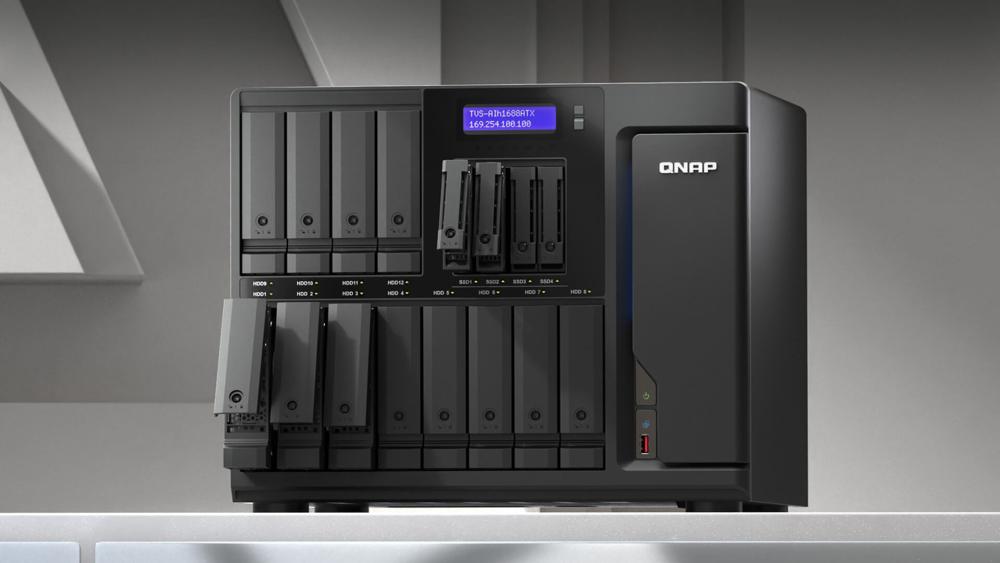
Rackmount NAS systems are designed for continuous operation. Features like dual power supplies, better airflow, and higher RAID flexibility reduce the risk of downtime and shorten recovery windows when something does go wrong. This isn't about zero failures; it's about fewer disruptions and quicker restarts.
Easier Expansion without Rethinking Everything
With rackmount NAS, adding capacity usually means installing more drives or attaching expansion units, not redesigning workflows. Users, permissions, backups, and shares remain consistent, which makes growth less disruptive for both IT teams and staff.
Cleaner Cabling and Comms-room Deployment
Placing storage in a rack cabinet or comms room keeps noise, heat, and cabling away from working areas. It also improves airflow and makes maintenance easier, particularly in offices that already centralise networking and power equipment.
Better Fit for Centralised Backup and Retention
Rackmount NAS excels as a backup target, long-term archive, or replication destination. With higher bay counts and better resilience, it suits retention-heavy workloads where data must be stored safely and accessed reliably over time.
| The QNAP NAS buying guide helps businesses choose the right system based on users, capacity, and performance needs. You can learn how to scale from a first NAS to a full rack setup without disrupting day-to-day operations. |
3 Upgrade Paths (Pick the One That Matches Your Office)
Path 1: Stay desktop: But Fix the Bottleneck
For many offices, the NAS itself isn't the real problem; it's how it's configured. If performance has dipped but workloads are still simple, staying on desktop NAS can make sense. Adding more RAM helps the system handle multiple users, snapshots, and background tasks more smoothly. Introducing SSD or NVMe cache can significantly improve responsiveness for frequently accessed files and metadata, even if bulk data still lives on HDDs.
Networking upgrades also play a role here. Link aggregation on a managed switch or moving key users to faster connections can ease congestion without changing the NAS form factor. This path works best when storage growth is moderate, downtime tolerance is reasonable, and the NAS isn't being asked to run heavy applications. It's a way to stabilise performance and buy time rather than a permanent solution.
| Using NAS-ready storage drives (HDD/SSD) improves reliability, vibration tolerance, and long-term data protection. |
Path 2: Hybrid Setup: Desktop for Backup, Rackmount for Primary
A hybrid approach is often the most balanced step for growing SMEs. In this setup, a rackmount NAS becomes the primary storage system for live data, active projects, and performance-sensitive workloads. The existing desktop NAS doesn't go to waste; instead, it's repurposed as a dedicated backup target or archive system.
This separation reduces load on the primary NAS and improves resilience, because backups are isolated from live data. It also allows offices to adopt rackmount benefits higher capacity, better cooling, cleaner scaling without fully committing to a rack-only environment. Hybrid setups work particularly well for teams introducing virtual machines, larger user counts, or higher network speeds, while still keeping costs under control.
Adding UPS backup for NAS protection prevents data corruption and supports safe shutdowns during power outages.
Path 3: Rackmount-First: For Comms-room Ready Offices
For offices with a dedicated comms room or server cabinet, starting with rackmount NAS often makes the most sense. These environments are already set up to handle higher airflow, noise, and power requirements. Rackmount systems offer higher drive density, more predictable expansion, and better suitability for 24/7 workloads such as virtualisation, CCTV, or centralised backup.
This path is most appropriate when growth is planned rather than reactive. If you know storage demands will increase, user numbers will rise, or faster networking like 10GbE is on the roadmap, rackmount-first avoids repeated migrations later. It's less about immediate performance gains and more about long-term control and consistency.
10-Minute Checklist: Desktop vs Rackmount NAS for UK Offices
Capacity + growth rate
It's not just how much storage you have left today; it's how quickly you're filling it. If data is growing steadily month-on-month, limited drive bays become a constraint sooner than expected. Rackmount systems handle predictable expansion more cleanly, while desktop NAS suits slower, flatter growth.
Users + workload type
The number of users matters, but the workload type matters more. Simple file sharing places very different demands on a NAS than virtual machines, databases, or CCTV recording. As workloads become more continuous and less burst-based, the advantages of rackmount cooling and capacity become clearer.
Network + switching
Desktop NAS works well on standard 1GbE or 2.5GbE networks. Once offices start planning 10GbE or heavier internal traffic, rackmount systems integrate more naturally with managed switches and structured cabling. The network is often the tipping point in upgrade decisions.
Backup + UPS
As reliance on the NAS increases, so does the need for proper protection. Snapshots, off-site backup, and UPS-supported shutdowns are manageable on desktop systems, but rackmount environments tend to support these more reliably at scale. This isn't about complexity; it's about reducing risk.
Space, noise, and deployment
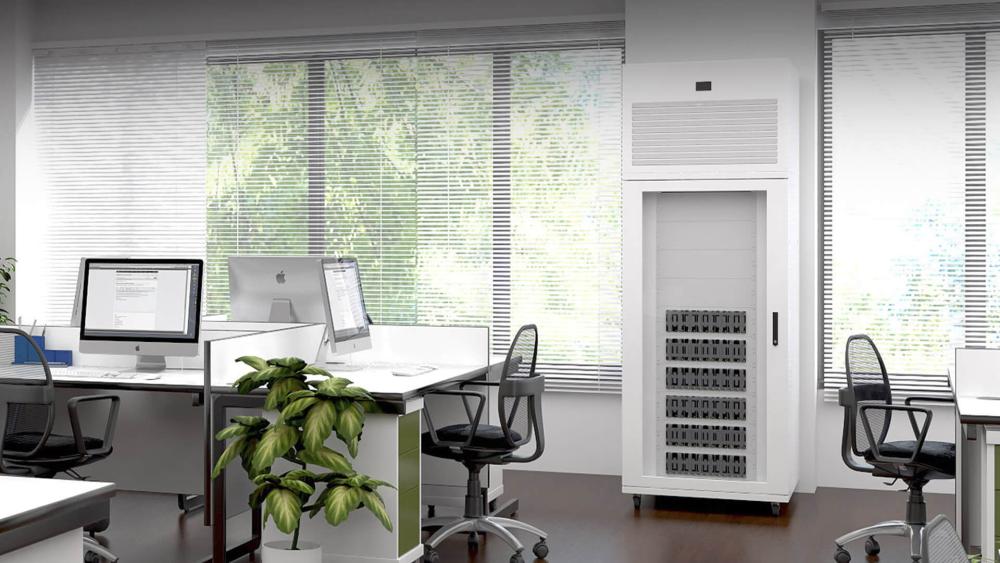
Finally, consider where the NAS actually lives. Desktop units suit desks, cupboards, and shared spaces because they're quieter and cooler. Rackmount systems belong in racks, not open offices. If the physical environment isn't ready, the technical benefits won't matter.
Wrapping Up!
If you're weighing up your next storage move, Box.co.uk makes it easy to compare desktop NAS and rackmount NAS options side by side, with clear specifications, UK availability, and business-ready configurations. You can explore all NAS options, build out a scalable setup using business networking essentials for NAS performance, choose network switches for faster office file access, and support hybrid teams with office routers for secure remote access and mesh Wi-Fi for reliable whole-office connectivity. Complete the stack with business-grade storage drives and reliable UPS protection, all in one place. Whether you're extending the life of a desktop NAS or planning a rackmount-first deployment, Box helps UK offices choose storage that fits today and scales cleanly for tomorrow. Browse the QNAP store to compare desktop and rackmount NAS solutions for offices of every size.
FAQs
Is rackmount NAS worth it for a small UK office?
Only if uptime, virtualisation, or growth demands justify it. For under 10–15 users, desktop NAS often remains sufficient.
Do I need 10GbE before moving to rackmount?
No. Many offices move first for cooling, capacity, and reliability, then upgrade networking later.
Is rackmount NAS louder and harder to manage?
It's louder, yes, which is why it belongs in a rack cabinet. Management is often easier once centralised.
Can I migrate from desktop QNAP to rackmount without downtime?
Yes. Replication and staged migration make zero-downtime moves realistic.
Is 16GB of RAM enough for a NAS?
For file sharing and backups, yes. For VMs and heavy apps, more is recommended.
How many drives should a NAS have?
4–6 bays suit small offices. 8+ bays offer better RAID flexibility and growth headroom.
You can pay with:
*PayPal Credit Representative Example: Assumed credit limit £1,200, Representative 23.9% APR (variable). Purchase rate 23.9% p.a (variable).Terms & Conditions apply.


PayPal Credit and PayPal Pay in 3 are trading names of PayPal UK Ltd, 5 Fleet Place, London, United Kingdom, EC4M 7RD. Terms and conditions apply. Credit subject to status, UK residents only, Five Tech LTD acts as a broker and offers finance from a restricted range of finance providers. PayPal Pay in 3 is not regulated by the Financial Conduct Authority. Pay in 3 eligibility is subject to status and approval. 18+. UK residents only. Pay in 3 is a form of credit. Check if affordable and how you will repay. May make other borrowing more difficult or expensive. See product terms for more details.
Copyright © 1996-2026 Fivetech LTD | Terms and Conditions
box.co.uk & Box are trading names of Five Tech Limited. Registered office: Box LTD, Unit 10 Woodford Trading Estate, Woodford Green IG8 8HF