


 Menu
MenuMenu


Get Sales Advice from Mon - Fri 9am - 5:00pm:
020 3337 8950LAST UPDATED: February 26, 2026
Building a Future-Proof QNAP Storage Stack for UK SMEs: From First NAS to Full Rackmount
For many UK SMEs, storage growth doesn't happen all at once. It creeps up quietly, more users, more files, more backups, more compliance pressure until one day the NAS that "did the job" is suddenly under strain. Performance drops, backups run into working hours, and expansion feels reactive rather than planned.
This is where thinking beyond a single device matters. A well-designed QNAP NAS for SMEs isn't just a box on the network; it's the foundation of a QNAP storage stack that can scale from a small office NAS into a structured, multi-system storage environment without disruption.
This guide walks through how UK SMEs can design storage properly from day one, scale intelligently as needs grow, and avoid the costly rebuilds that come from short-term decisions.
Why UK SMEs Need to Think Beyond a Single NAS
Growth, Data Volume, and User Pressure
Most small businesses start with modest storage needs shared folders, basic backups, maybe a file server replacement. But as teams grow and data becomes central to daily operations, that same network attached storage server ends up handling far more than it was designed for.
File sync, remote access, media storage, backups, surveillance footage, and even light virtualisation all place different demands on a NAS server. Without planning for this growth, performance bottlenecks and reliability risks become inevitable.
The Risk of Reactive Storage Expansion
Reactive expansion usually means bolting on drives, extending volumes, or replacing hardware earlier than planned. This approach often increases downtime risk and makes data harder to manage over time. It also leads to uneven performance, where critical workloads compete with long-term storage and backups.
Benefits of Planning a Storage Stack Early
Designing for NAS scalability from the outset allows SMEs to separate workloads, manage risk properly, and expand storage capacity without touching production data. A storage stack approach supports predictable growth rather than emergency upgrades.
What a "QNAP Storage Stack" Actually Means
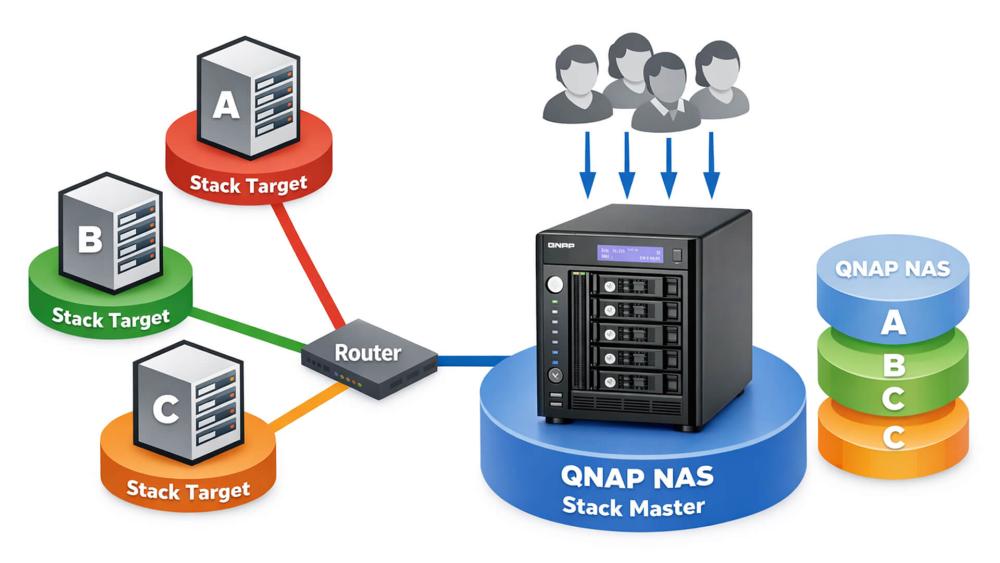
Single NAS vs Multi-NAS Architecture
A single NAS works well at small scale, but it becomes a single point of contention as usage increases. A multi NAS setup spreads responsibilities across systems, improving reliability and performance.
In a QNAP environment, systems can work independently or be linked logically, allowing data replication, snapshot synchronisation, and role separation.
Separating Workloads Across Systems
Different data types behave differently. Active project files need speed, backups need reliability, and archives prioritise capacity over performance. Splitting these across multiple QNAP network attached storage systems avoids one workload impacting another. Using dedicated QNAP network attached storage devices for specific roles improves performance consistency and makes long-term expansion easier to manage as the business grows.
Centralised vs Distributed Storage Roles
Some SMEs benefit from a centralised primary NAS with satellite systems handling backups or archives. Others operate distributed storage across departments or sites. QNAP supports both approaches, making it easier to adapt storage architecture as the business evolves.
Starting Point: Designing the First NAS With Scale in Mind
The biggest mistake SMEs make with storage is treating the first NAS as a short-term fix. In reality, your first QNAP system often becomes the anchor for everything that follows. Designing it with future scale in mind reduces disruption later and keeps costs predictable as the business grows.
Choosing a NAS That Won't Limit Expansion
Even if your current storage needs are modest, the first NAS should never be specced to its absolute minimum. Look for a system with more drive bays than you immediately require, support for RAM upgrades, and multiple network interfaces. This gives you room to increase capacity, improve performance, or repurpose the NAS later as a backup or archive system. A small NAS that can grow into a secondary role is far more valuable than one that has to be replaced entirely.
Network Readiness From Day One
Storage performance is only as good as the network it sits on. While gigabit networking may seem sufficient initially, it quickly becomes a bottleneck as more users access shared data or backups run during working hours. Planning for faster Ethernet support early ensures your network attached storage server can scale without forcing a network overhaul later.
Backup and Snapshot Foundations
Snapshots, versioning, and replication should be configured from the very beginning. These features protect against accidental deletion, ransomware, and failed updates. Establishing this foundation early makes it easier to add additional NAS units later and ensures consistent data protection as the storage stack expands.
Scaling Horizontally: Adding NAS Units as the Business Grows
As storage demands increase, scaling horizontally adding additional NAS units with specific roles is often more effective than pushing a single system harder. This approach reflects a scale out network attached storage model, where capacity and performance are expanded by adding systems rather than replacing a single device.
Dedicated Backup NAS
Introducing a separate backup NAS isolates backups from live workloads. This improves reliability, shortens recovery times, and reduces the risk of backups being affected by ransomware or system failure on the primary NAS.
Archive and Cold-Storage NAS
Not all data needs fast access. Older projects, compliance records, and historical files are better suited to an archive NAS built around high-capacity drives. This keeps primary storage fast while reducing overall storage costs.
High-Performance NAS for Active Workloads
As teams grow, performance-sensitive workloads such as design files, media assets, or databases benefit from a NAS optimised for speed. SSD caching or all-flash tiers handle active data efficiently without impacting backup or archive systems.
| Explore our guide on choosing your first QNAP NAS, which breaks down entry-level decisions in more detail. You can also look at the QNAP Store to compare NAS and rackmount solutions designed to scale with UK SMEs, from first-time deployments to full enterprise-ready storage stacks. |
When Rackmount QNAP Systems Become the Smarter Move
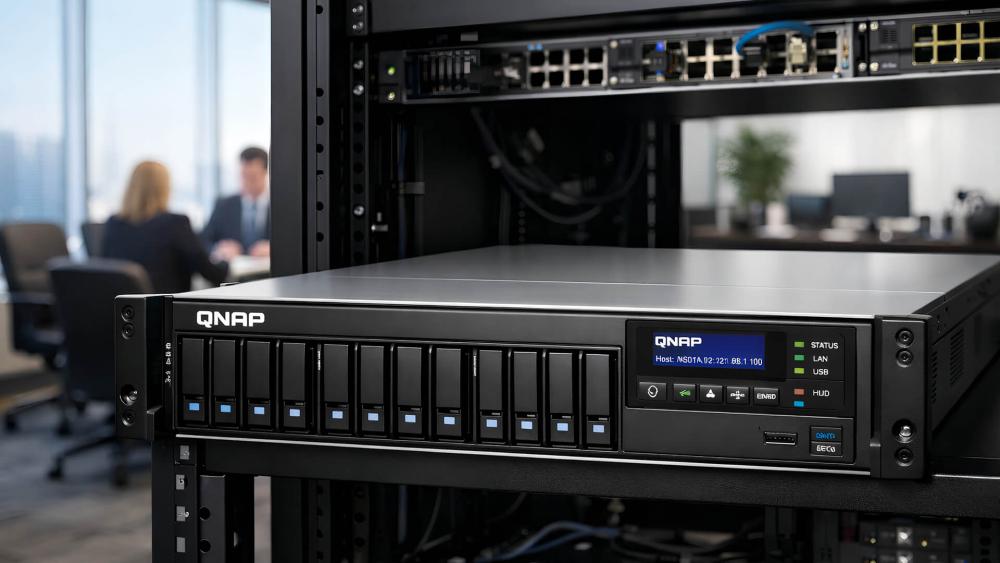
At a certain point, desktop-style NAS systems start to feel restrictive. This is where rackmount solutions offer clearer advantages.
User Count and Workload Thresholds
When user numbers rise above roughly 25-30, or when workloads include virtual machines and heavy collaboration, QNAP rackmount NAS systems provide better scalability, management, and long-term stability.
Performance and Management Benefits
Rackmount systems support higher drive counts, stronger cooling, redundant components, and easier expansion. They are designed for continuous operation, making them well suited to growing businesses with predictable storage demands.
Physical Space and Cooling Considerations
Rackmount systems require planning around airflow, power, and rack space, but they also centralise infrastructure. This simplifies maintenance and keeps the storage environment more organised as it grows.
Networking as the Backbone of a Scalable Storage Stack
A scalable storage stack depends as much on networking as it does on the NAS hardware itself.
Moving Beyond Basic Gigabit Networks
High-performance NAS systems quickly saturate gigabit links. Faster networking allows multiple users to access shared data simultaneously without slowdowns, especially during backups or large file transfers.
Switching and Segmentation for Storage Traffic
Using dedicated switches and VLANs for storage traffic prevents congestion from everyday network activity. This ensures consistent performance for critical storage operations.
Planning for Future Bandwidth Needs
Data growth often accelerates unexpectedly. Designing networking with future throughput in mind avoids repeated infrastructure changes and supports long-term scalability.
This is where enterprise-ready networking and high-capacity network switches become essential parts of the storage stack.
Storage Tiering: Balancing Performance, Cost, and Capacity
Not all data should live on the same type of storage. Tiering allows SMEs to optimise performance while controlling costs.
SSD-Led Performance Tiers
SSD tiers handle frequently accessed data and demanding workloads, keeping everyday operations fast without requiring full flash storage across the entire environment.
HDD-Based Capacity Tiers
High-capacity HDDs remain ideal for bulk storage, backups, and archives. They offer predictable scalability at a lower cost per terabyte.
Long-Term Data Retention Strategies
Clear retention policies ensure older data moves to appropriate tiers automatically. This prevents performance degradation and keeps storage costs under control.
Resilience and Continuity in a Multi-NAS Environment

As storage becomes central to operations, resilience planning becomes essential.
Backup Separation and Isolation
Separating backups from production systems reduces risk and ensures clean recovery points in the event of data loss or attack.
Power Protection and Uptime Planning
Using UPS systems and redundant power protection safeguards storage during power interruptions and prevents data corruption.
Recovery Scenarios SMEs Should Plan For
Hardware failure, ransomware, and accidental deletion are all realistic scenarios. Planning for them ensures storage supports business continuity rather than becoming a single point of failure.
Example QNAP Storage Stack Paths for UK SMEs
| Storage Feature | 10–25 Users | 25–75 Users | 75+ Users (Mixed Workloads) |
| Typical Use Case | File sharing, team collaboration, light backups | Departmental access, creative files, growing data volume | Multi-team access, VMs, databases, media, compliance |
| Primary NAS Role | Single QNAP NAS for active files | High-performance NAS for live workloads | Rackmount QNAP NAS with SSD + HDD tiers |
| Secondary / Backup NAS | Smaller NAS dedicated to backups | Isolated backup NAS | Physically separate backup NAS |
| Archive / Cold Storage | Not essential at this stage | HDD-based archive NAS for older data | Dedicated high-capacity archive tier |
| Storage Tiering | Basic HDD or small SSD cache | Hybrid SSD + HDD tiers | Full tiered storage (SSD performance + HDD capacity) |
| Network Requirements | Standard gigabit networking | Faster switching for storage traffic | Segmented storage VLANs with high-capacity switches |
| Scalability Approach | Add a second NAS when capacity runs out | Horizontal scaling with specialised NAS roles | Multi-NAS architecture with clear workload separation |
| Backup & Snapshots | Snapshots + scheduled NAS-to-NAS replication | Snapshots + scheduled NAS-to-NAS replication | Multi-layer backups with recovery testing |
| Resilience & Uptime | Basic redundancy | Improved isolation and recovery | UPS protection, redundancy, and continuity planning |
| Why This Works Long Term | Simple and flexible starting point | Prevents performance bottlenecks as teams grow | Scales without redesigning the entire storage architecture |
Recommended Products: A Reliable First NAS for SMEs
QNAP TS-453E-8G Intel Celeron J6412 4-Bay NAS
MPN: TS-453E-8G
For many UK SMEs, the first step in building a QNAP storage stack is choosing a NAS that won't limit future growth. The QNAP TS-453E-8G is well suited to this role, offering a balance of performance, reliability, and expansion potential. Its quad-core Intel Celeron J6412 processor and 8GB of RAM provide enough headroom for everyday business tasks such as file sharing, automated backups, snapshots, and light virtualisation. With four drive bays, it allows businesses to start small while leaving room to increase capacity or repurpose the unit later as a dedicated backup NAS.
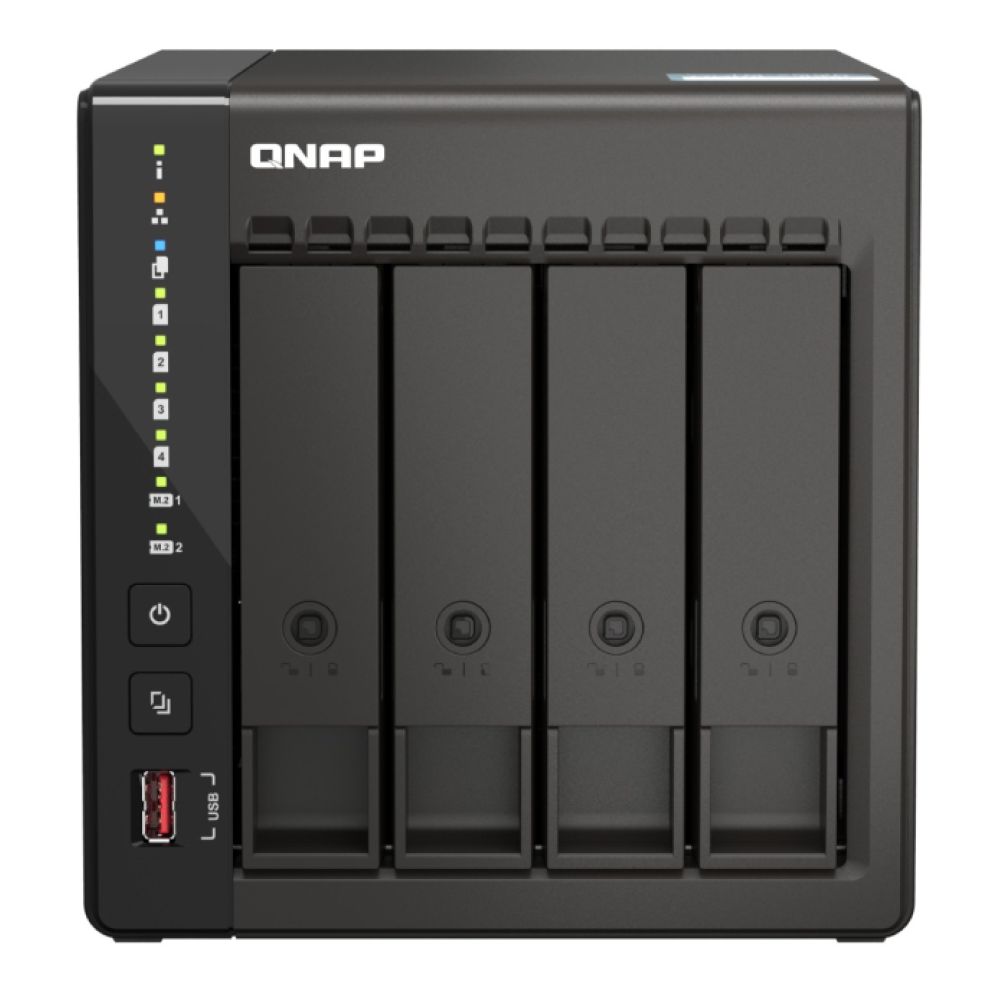
QNAP TS-673A-8G AMD Ryzen V1500B 6-Bay NAS Enclosure
MPN: TS-673A-8G
As storage demands grow beyond basic file sharing, SMEs often require stronger processing power, higher drive capacity, and more advanced networking options. The QNAP TS-673A-8G is built for this stage of expansion. Powered by an AMD Ryzen V1500B processor and 8GB of DDR4 memory, it delivers reliable performance for multi-user environments, virtualisation, backups, and heavy file access. With six drive bays supporting 3.5" HDDs, 2.5" SSDs, and dual M.2 NVMe slots, it offers flexible storage tiering and up to 96TB total capacity. Dual 2.5GbE ports and PCIe expansion slots provide room for future network upgrades, making it a strong performance-focused system within a scalable, multi-NAS QNAP storage stack.
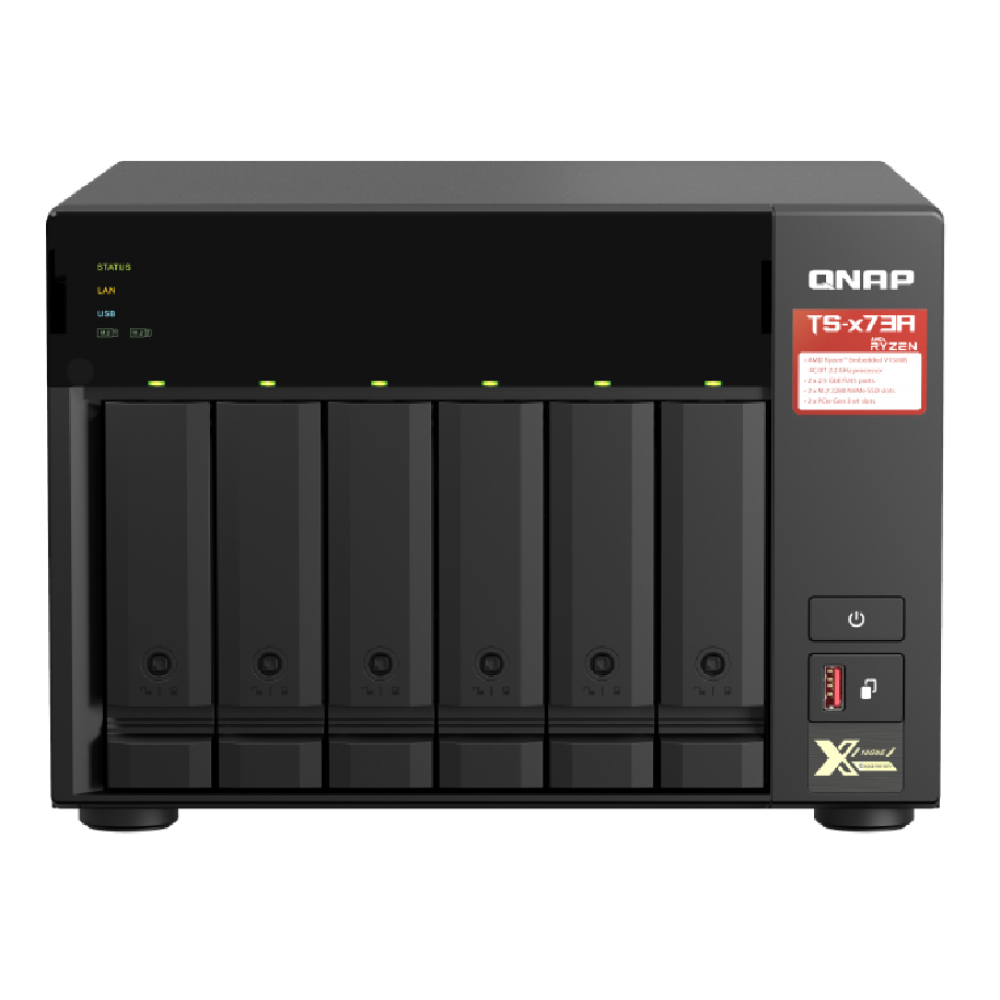
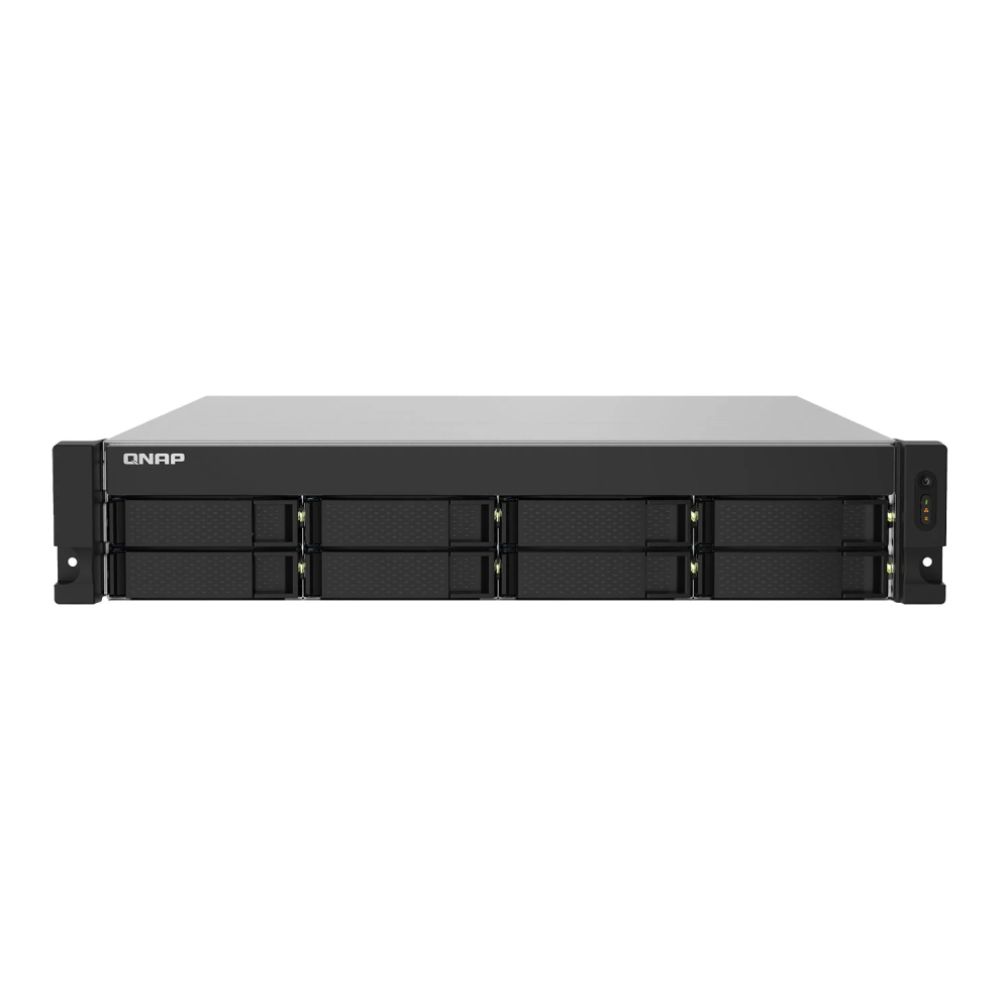
QNAP TS-832PXU-RP 8-Bay Rackmount NAS Enclosure
MPN: TS-832PXU-RP-4G
When a business reaches the point where uptime, capacity, and central management become critical, rackmount systems offer a clear advantage. The QNAP TS-832PXU-RP is designed for this stage, providing eight drive bays in a rackmount form factor suitable for server rooms and structured network environments. With support for redundant power supplies and multi-gigabit connectivity, it forms a strong backbone for a scalable QNAP storage stack. This model is ideal as a central storage server, supporting multiple desktop NAS units, backup targets, and long-term data retention strategies.
Planning a Storage Stack That Won't Need Rebuilding
Planning a QNAP storage stack that lasts isn't about buying the biggest NAS upfront; it's about avoiding decisions that force a rebuild later. One of the most common scaling mistakes SMEs make is underestimating how quickly data grows and how workloads change. Choosing a NAS with too few drive bays, overlooking network limitations, or mixing high-performance workloads with backups on the same system often leads to bottlenecks that can't be fixed without replacing hardware. A storage stack should leave headroom for expansion, both in capacity and performance, so the business isn't boxed into a corner within a year or two.
Budgeting for phased expansion is another critical part of future-proofing. Instead of overspending upfront, a well-planned QNAP storage stack allows businesses to start with a small NAS and add additional units, drives, or even rackmount systems as demand increases. This spreads costs over time while keeping infrastructure aligned with real growth. Phased expansion also reduces disruption, as new NAS units can be added alongside existing systems rather than forcing a full migration.
Most importantly, storage growth should align with business strategy, not just storage capacity. A business focused on collaboration and active file access will have very different needs from one prioritising long-term data retention or backups. Separating workloads across multiple QNAP NAS systems such as using one NAS for active data and another for backups or archives helps maintain performance, improve resilience, and simplify management as the organisation scales.
Conclusion: Build Once, Scale Confidently
For UK SMEs, building a scalable QNAP storage stack is about thinking beyond a single NAS and designing an environment that can grow without disruption. By choosing the right first NAS, planning for phased expansion, investing in proper networking, and separating workloads intelligently, businesses can avoid costly rebuilds and keep data accessible, secure, and performant as demands increase.
If you're planning your first NAS or mapping out long-term growth, you can explore all NAS options, enterprise-ready networking, high-capacity network switches, business-grade storage drives, and power protection solutions at Box.co.uk. With everything in one place, it's easier to design a QNAP storage stack that supports your business today and scales smoothly into the future.
Frequently Asked Questions
What is a QNAP storage stack?
A QNAP storage stack is a planned setup that uses one or more QNAP NAS systems together, each handling different roles such as active storage, backups, archives, or high-performance workloads. It allows businesses to scale storage gradually without replacing existing systems.
Is rackmount NAS necessary for growing businesses?
Not immediately. Many SMEs start with desktop NAS systems and add rackmount QNAP NAS models as user numbers, performance needs, or data volumes increase. Rackmount systems become useful when centralised management, higher throughput, or dense storage is required.
Does QNAP support SMB?
Yes. QNAP fully supports SMB (Server Message Block) for Windows, macOS, and Linux environments, making it suitable for file sharing, permissions management, and Active Directory integration in business networks.
Can you daisy chain QNAP NAS?
QNAP NAS systems aren't daisy chained like external drives, but they can be connected together over the network. This allows for NAS-to-NAS backups, replication, synchronisation, and workload separation across multiple devices.
Can I connect two QNAP NAS together?
Yes. Two QNAP NAS systems can be connected using standard networking to share data, replicate backups, or split workloads. This is a common approach for improving resilience, scalability, and disaster recovery in growing SME environments.
When should an SME move from desktop NAS to rackmount NAS?
Most SMEs consider moving to rackmount NAS when user numbers grow beyond 25–30, workloads include virtual machines or heavy collaboration, or uptime becomes critical. Rackmount systems offer higher drive density, stronger cooling, redundant power options, and easier integration into structured network environments, making them better suited to long-term scalability.
You can pay with:
*PayPal Credit Representative Example: Assumed credit limit £1,200, Representative 23.9% APR (variable). Purchase rate 23.9% p.a (variable).Terms & Conditions apply.


PayPal Credit and PayPal Pay in 3 are trading names of PayPal UK Ltd, 5 Fleet Place, London, United Kingdom, EC4M 7RD. Terms and conditions apply. Credit subject to status, UK residents only, Five Tech LTD acts as a broker and offers finance from a restricted range of finance providers. PayPal Pay in 3 is not regulated by the Financial Conduct Authority. Pay in 3 eligibility is subject to status and approval. 18+. UK residents only. Pay in 3 is a form of credit. Check if affordable and how you will repay. May make other borrowing more difficult or expensive. See product terms for more details.
Copyright © 1996-2026 Fivetech LTD | Terms and Conditions
box.co.uk & Box are trading names of Five Tech Limited. Registered office: Box LTD, Unit 10 Woodford Trading Estate, Woodford Green IG8 8HF