


 Menu
MenuMenu


Get Sales Advice from Mon - Fri 9am - 5:00pm:
020 3337 8950POSTED: May 19, 2026
MSI vs ASUS Motherboard: Which One Should You Choose in 2026?
Choosing the right motherboard is one of the most important decisions you make when upgrading or buying a PC. MSI and ASUS are rated among the best motherboard brands for almost every use case, but the right choice depends on your budget, CPU, chipset, BIOS preference, cooling needs and how much control you want over your build.
This MSI vs ASUS motherboard guide keeps the comparison simple. Instead of treating one brand as the automatic winner, we’ll look at where each one usually stands out, how they compare for gaming, and which makes more sense for different builders in 2026. For most people, the right answer usually depends on the exact model, not just the logo on the box
MSI vs ASUS Motherboards: Quick Comparison
A quick MSI vs ASUS motherboard comparison should start with one important point: both brands can deliver excellent results when you compare boards in the same chipset and price range. The real difference is usually in BIOS feel, feature set, cooling design, software tools and overall value each board offers for the price.
| Category | MSI Motherboards | ASUS Motherboards |
| Best fit | Gamers who want strong features at sensible prices | Builders who want polished features, tuning tools and premium options |
| Gaming performance | Very similar when the same CPU, GPU, RAM and chipset are used | Very similar when the same CPU, GPU, RAM and chipset are used |
| BIOS style | Often clean and direct, with Easy Mode, Advanced Mode, boot priority tools and BIOS search on supported boards | Usually feature-rich, with deeper tuning options and advanced control on supported boards |
| Power delivery | Strong on many mid-range and gaming-focused boards, especially higher-tier Z-series models | Strong on many mid-range and enthusiast boards, especially models with upgraded power stages |
| Modern platform features | DDR5, PCIe and M.2 Gen5, 10G LAN and Wi-Fi 7 | DDR5, PCIe 5.0, Wi-Fi 7, multiple M.2 slots, USB-C and USB4/Thunderbolt header support |
| Software tools | Practical tools for monitoring, updating and tuning, depending on the board | Broader software ecosystem on many boards, including tuning, cooling and lighting tools |
As the above table shows, there is no single winner in the MSI motherboard vs ASUS comparison. MSI can be excellent for value-focused gaming builds, while ASUS often feels stronger if you want a richer feature set and more control.
So, instead of asking which brand is better overall, compare the exact board tier. A strong mid-range MSI motherboard can beat a cheaper ASUS motherboard, and a premium ASUS board can easily beat a basic MSI option. That is why this motherboard brand comparison works best when you match price, chipset and features side by side.
Where MSI Motherboards Take the Lead
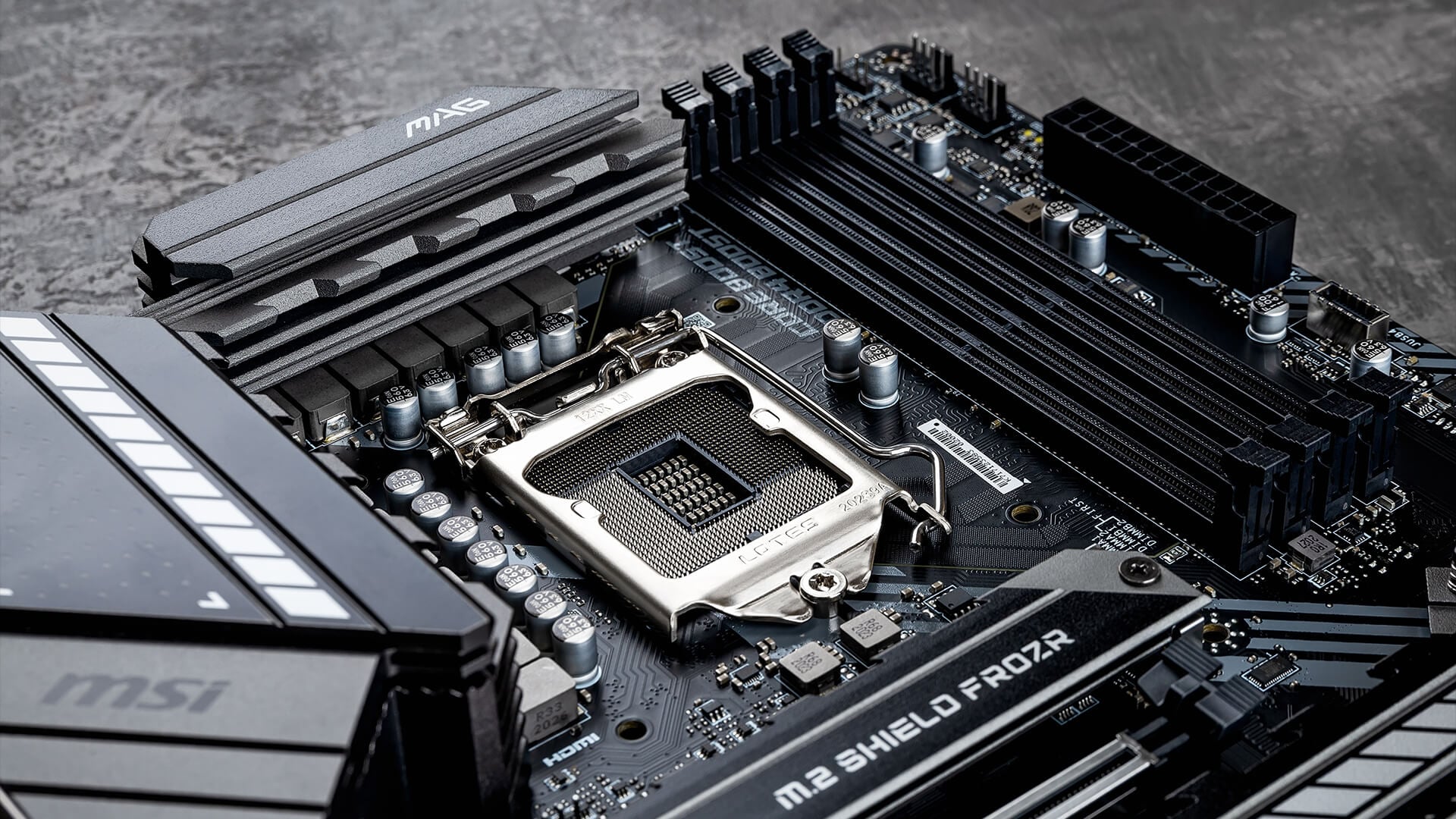
If you are comparing MSI vs ASUS motherboards, MSI is the right pick if you want solid specs without paying for every premium extra.
Strong Value Across Gaming Builds
A good MSI gaming motherboard usually focuses on the things that matter most in a gaming PC: stable power delivery, enough M.2 storage, fast networking, decent cooling and clean layout. MSI’s best motherboards offer features such as DDR5 support, PCIe 5.0, Wi-Fi 7, 2.5G LAN, and multiple M.2 connectors, giving builders plenty of room for a modern setup.
The biggest strength of an MSI motherboard is often balance. You can get boards aimed at casual gaming, mid-range builds and more powerful setups, so it is easier to match the board to the CPU and case without overspending.
Simple BIOS and Practical Features
MSI also performs well in terms of BIOS interface usability. Its Click BIOS includes Easy Mode, Advanced Mode, boot priority controls, system information, BIOS mode switching and a search function. All of these help both new builders and experienced users find key settings faster.
That is useful if your main goal is to build the PC, enable memory settings, check fans, update firmware when needed and get straight into gaming. MSI mobos are easier to set up and less intimidating for users who do not want to spend ages digging through advanced menus.
Where ASUS Motherboards Stand Out
In the MSI vs ASUS motherboard decision, ASUS often makes sense for builders who want more control over cooling, memory, overclocking and system behaviour.
Premium Features and Broad Product Range
A good ASUS motherboard is usually built around a polished feature set. The latest ASUS motherboards come with features such as PCIe 5.0 support, DDR5 memory, multiple M.2 slots, Wi-Fi 7, USB-C, USB4 or Thunderbolt header support, larger VRM heatsinks and stronger onboard cooling controls.
Tuning, Software and BIOS Control
ASUS is also strong for users who like to tune their system rather than leave everything at the default. On supported boards, AI Overclocking can evaluate CPU and cooling behaviour, then suggest optimised settings based on the system’s cooling and processor capability.
The BIOS side is another key part of the experience. ASUS’s UEFI BIOS uses a graphical interface with mouse support, and many users will see both easier basic controls and deeper advanced settings depending on the board. For someone who wants more control, ASUS mobos can be the best call.
Strong Choice for Enthusiast Builds
ASUS can be a strong pick for high-end gaming PCs, creator builds and enthusiast systems where the board is expected to do more than just hold the CPU and RAM. The stronger models usually focus on cooling, power delivery, storage expansion, connectivity and tuning tools.
This does not automatically make every ASUS board better than every MSI board. It means ASUS often appeals to buyers who care about build quality differences, advanced BIOS options and wider software ecosystem differences. If you want a board you can tweak, monitor and upgrade over time, ASUS is worth considering.
Gaming Performance: Does the Brand Really Matter?
For gaming, the brand name on the board is rarely the main reason one PC gets higher FPS than another. In a gaming PC, the graphics card, processor, RAM speed, resolution and game settings will usually make the bigger difference.
Gaming FPS Depends More on the Full Build
A proper gaming performance comparison should look at the whole system, not just the motherboard logo. If two boards support the same CPU properly, run the same GPU, use the same memory profile and sit on a similar chipset tier, gaming results are usually very close.
That is why MSI or ASUS motherboards should not be judged by FPS alone. The better question is whether the board lets your CPU boost properly, supports your RAM speed cleanly, gives your GPU the right slot bandwidth and keeps the system stable during long sessions.
Where Motherboards Can Still Affect Gaming
The motherboard can still affect the experience, just not in the same way as a GPU upgrade. Good power delivery systems help the CPU stay stable under load, while better memory support can help in CPU-heavy games where frame pacing matters. VRM quality, BIOS behaviour and RAM compatibility can all affect how smoothly the rest of the hardware performs.
When a Gaming Board Is Worth Paying For
A gaming-focused board is worth it when the extra features help the build. Better VRM cooling, more M.2 slots, stronger networking, useful debug tools, cleaner BIOS options and better expansion support can make the PC easier to build, upgrade and maintain.
Both brands can be the right fit, depending on your needs. However, before choosing, it is better to compare all mobo options by chipset, socket, memory support and expansion needs, not just by brand name.
VRM, Cooling and Build Quality
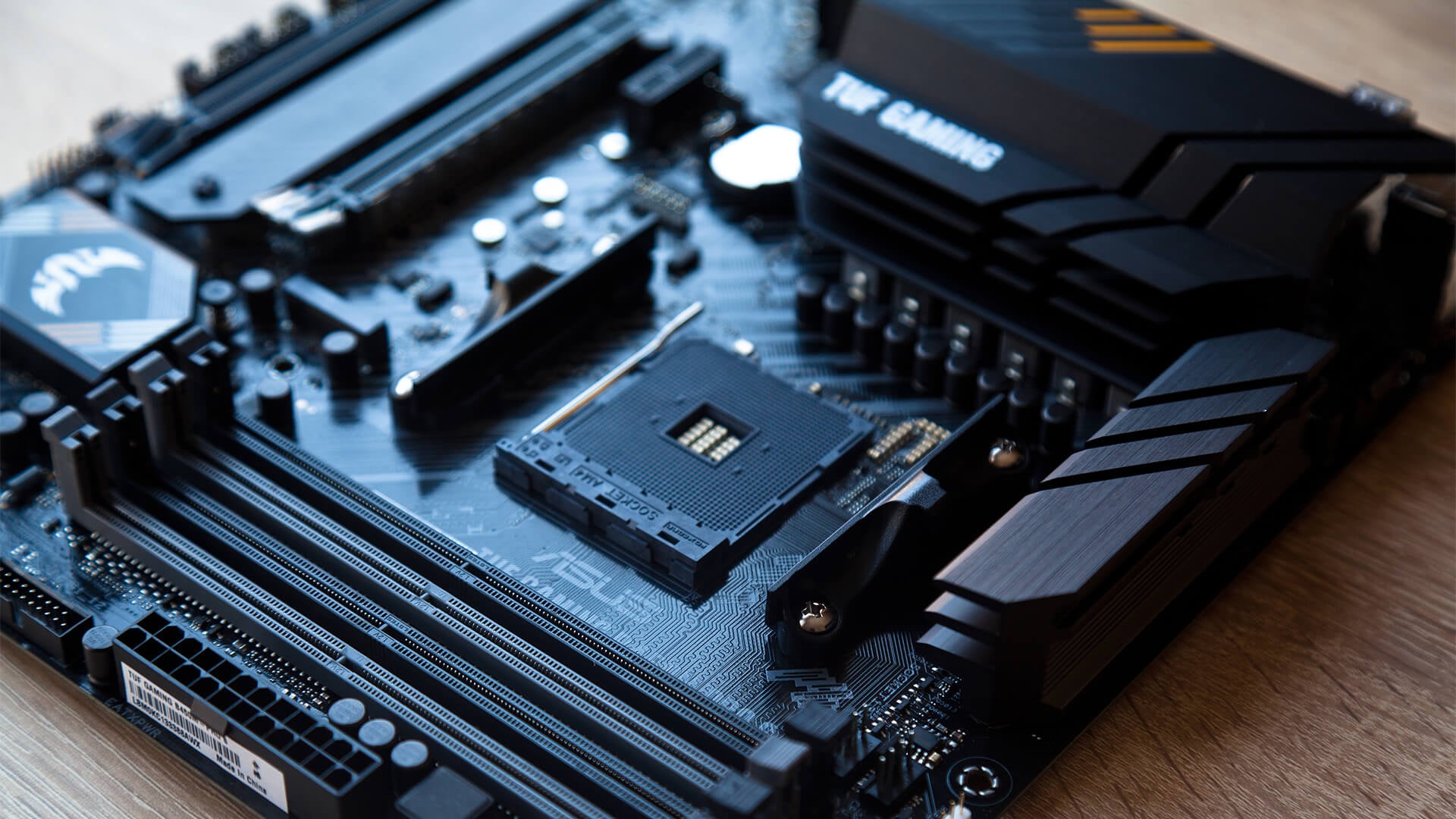
The specific model matters a lot when it comes to the MSI vs ASUS motherboards comparison. Brand reputation helps, but the real difference comes from the board’s VRM layout, heatsink design, PCB quality and how well it suits the CPU you plan to use.
VRM Design and Power Delivery
A proper VRM design comparison should look at the exact board, not just the brand. A stronger MSI or ASUS motherboard will usually have better power stages, larger heatsinks and cleaner CPU power handling than an entry-level model from either side.
MSI highlights heavy-plated VRM heatsinks, MOSFET thermal pads and additional choke pads on selected gaming boards, while ASUS lists VRM heatsinks, hybrid fan headers and fan-control tools on selected boards. These features matter most if you are using a high-power CPU, gaming for long sessions or planning any tuning.
Cooling and Layout Differences
Cooling is not only about the VRM. M.2 heatsinks, chipset cooling, fan headers and the space around the CPU socket can all affect how easy the build is to manage.
A well-designed MSI mobo may appeal if you want a practical gaming layout with clear storage, cooling and easy cable routing. A stronger ASUS board may suit you if you want more fan-control options, richer onboard tools and a cleaner premium layout. The right choice depends on the case, cooler, storage and GPU you plan to use.
BIOS, Firmware and Software Experience
The BIOS and software side can change how easy a motherboard feels to live with after the build is finished.
BIOS Usability for Beginners
For new builders, BIOS interface usability matters more than flashy extras. MSI’s Click BIOS includes Easy Mode, Advanced Mode, boot priority tools, hardware monitoring and a search function, which makes it easier to find everyday settings without getting lost. ASUS UEFI BIOS also uses a graphical interface with mouse support and an EZ Mode layout for quick access to common settings.
So, in a simple MSI vs ASUS motherboard BIOS comparison, MSI can feel more direct, while ASUS often gives more advanced options once you dig deeper. Beginners may prefer whichever layout feels clearer, not necessarily the one with the most menus.
Firmware Updates and Long-Term Support
Firmware updates matter because they can improve CPU support, memory compatibility, boot stability and security. Both MSI and ASUS motherboards can receive updates over time, but users should always download BIOS files from the correct product support page.
MSI uses M-FLASH for BIOS updates on supported boards, while ASUS offers EZ Flash on many UEFI boards. If a user is unsure, they should always look for the right motherboard firmware update process before changing anything, because a failed BIOS update can create problems.
Software Tools and Everyday Use
Software matters if you want fan control, RGB control, system monitoring or tuning inside Windows. A simple MSI setup may suit users who only want the basics, while ASUS may appeal to builders who want more control over cooling, lighting and performance behaviour.
MSI vs ASUS for Intel and AMD Builds
Platform choice matters as much as brand choice. Before comparing MSI motherboards with ASUS, check the CPU socket, chipset, RAM support and BIOS version, because those decide whether the board fits your build.
Intel Builds
For Intel systems, check the CPU generation before choosing the board. Intel 12th, 13th and 14th Gen Core processors use LGA 1700 boards such as Z790 and B760, while newer Intel Core Ultra desktop processors use Intel 800-series motherboards. That makes socket, chipset and BIOS support essential before buying.
When it comes to MSI, a Z-series board is usually the stronger fit for users who want overclocking and more premium features, while B-series boards make sense for simpler gaming builds. If you are unsure, read our Z790 vs B760 motherboard comparison and make the right call for your build.
AMD Builds
For AMD systems, the same rule applies: compare the exact board, not just the logo. Both MSI and ASUS can be excellent if they match the CPU, memory and upgrade path you want.
On the current AM5 platform, AMD supports Ryzen 9000, 8000 and 7000 Series processors on AM5 chipsets, with DDR5 and PCIe 5.0 support available depending on chipset and board tier. That makes hardware compatibility the key point, especially if you are planning future CPU or storage upgrades.
Compatibility Checklist Before Buying
Before choosing a board, check:
- CPU socket and generation support
- BIOS version needed for your processor
- DDR4 or DDR5 memory support
- Case size: ATX, Micro-ATX or Mini-ITX
- M.2 slots and storage layout
- GPU slot position and clearance
- Rear USB, networking and audio needs
- VRM quality for the CPU you plan to use
MSI vs ASUS Motherboard: Which Should You Choose?

The best choice depends on how you build, not just which brand you prefer. Both brands cover entry-level, mid-range and enthusiast boards, so compare the exact model, chipset and features before deciding.
- Choose MSI if you want strong gaming value, a straightforward setup and a board that focuses on practical features over premium extras. This route suits builders who want a capable system without overcomplicating the buying decision
- Go for ASUS if you want deeper tuning options, a richer software experience and more premium board choices. It makes sense for users who like extra control over cooling, performance settings and long-term upgrades.
- Compare models against models, not brand against brand. A higher-tier MSI board can be a better buy than a basic ASUS board, while a higher-tier ASUS board can easily beat a cheaper MSI option.
- Think about the full build before choosing. CPU support, RAM type, case size, storage needs, BIOS tools and expansion slots matter more than the logo on the heatsink.
Final Verdict
The MSI vs ASUS motherboard decision is not about one brand being better for every build. MSI is usually the easier choice if you want strong gaming value, practical features and a straightforward setup. ASUS makes more sense if you want deeper tuning, richer software tools and more premium board options. The exact model matters more than the brand. Since both brands are rated among the best, you need to check compatibility before making the final call.
Frequently Asked Questions
Are MSI motherboards good in 2026?
Yes, MSI motherboards are still good in 2026, especially for gaming builds where value, practical features and reliable performance matter.
Which motherboard brand is better for beginners?
MSI may feel easier for some beginners because many boards keep the BIOS and setup experience simple. ASUS is also beginner-friendly on many models, but it often gives more advanced controls too.
Which brand should I choose in 2026?
Choose MSI if you want strong value and a practical gaming setup. Choose ASUS if you want more premium features, deeper tuning and a broader software ecosystem.
Do MSI and ASUS motherboards perform differently in gaming?
Not by much if the CPU, GPU, RAM and chipset are similar. Gaming performance depends more on the full build than the motherboard brand alone.
You can pay with:
*PayPal Credit Representative Example: Assumed credit limit £1,200, Representative 23.9% APR (variable). Purchase rate 23.9% p.a (variable).Terms & Conditions apply.


PayPal Credit and PayPal Pay in 3 are trading names of PayPal UK Ltd, 5 Fleet Place, London, United Kingdom, EC4M 7RD. Terms and conditions apply. Credit subject to status, UK residents only, Five Tech LTD acts as a broker and offers finance from a restricted range of finance providers. PayPal Pay in 3 is not regulated by the Financial Conduct Authority. Pay in 3 eligibility is subject to status and approval. 18+. UK residents only. Pay in 3 is a form of credit. Check if affordable and how you will repay. May make other borrowing more difficult or expensive. See product terms for more details.
Copyright © 1996-2026 Fivetech LTD | Terms and Conditions
box.co.uk & Box are trading names of Five Tech Limited. Registered office: Box LTD, Unit 10 Woodford Trading Estate, Woodford Green IG8 8HF