


 Menu
MenuMenu


Get Sales Advice from Mon - Fri 9am - 5:00pm:
020 3337 8950POSTED: May 22, 2026
What is MSI QD-OLED and Is It Worth It for Gaming in 2026?
MSI QD-OLED monitors use Quantum Dot OLED panel technology to deliver deep blacks, rich colour, fast response times, and strong HDR gaming performance. For high-end gaming in 2026, MSI QD-OLED worth depends on your budget and priorities. If you want premium visuals, fast motion, and cinematic contrast, it is one of the best monitor technologies available. If you mostly play casual games or want the lowest price, a fast IPS monitor may be better value. This guide will answer all your questions about MSI QD-OLED. So, let’s start.
What is MSI QD-OLED?
MSI QD-OLED is MSI’s premium gaming monitor technology that combines OLED’s self-emissive pixels with Quantum Dot colour. In plain English, every pixel can light up or switch off individually, while the Quantum Dot layer helps improve colour range and brightness. QD-OLED is a self-luminous display that uses a light source and a quantum dot emitting layer to express colour.
If you are comparing MSI premium display monitors, QD-OLED sits above most standard IPS and VA options for contrast, HDR depth, and response speed.
How QD-OLED Technology Works
A QD-OLED monitor uses OLED pixels that can turn off completely for true black levels. Unlike LCD-based screens, it does not need a traditional backlight. The Quantum Dot layer helps produce vivid colour, wider colour coverage, and brighter highlights.
That gives QD-OLED three big strengths:
- Deep blacks and high contrast
- Wide colour gamut displays
- Very fast pixel response
For gaming, this means dark scenes look more detailed, bright effects pop harder and fast movement looks cleaner.
How It Differs from Traditional OLED
Traditional OLED and QD-OLED are both self-emissive display panel technologies, but QD-OLED adds Quantum Dot colour conversion. The practical aim is better colour volume and strong brightness without losing OLED’s deep blacks.
A standard MSI OLED monitor can still look excellent, but an MSI QD-OLED monitor is usually aimed at the premium gaming and creator market where HDR, colour and motion clarity matter more.
Why MSI Uses QD-OLED in Gaming Monitors
MSI uses QD-OLED because it suits modern gaming demands: high refresh rates, low response times, strong HDR and premium visuals. For example, MSI’s MAG 273QP QD-OLED X24 lists a WQHD QD-OLED panel, 240Hz refresh rate, 0.03ms GtG response time, DisplayHDR True Black 400 and OLED Care 2.0 burn-in risk reduction.
That makes QD-OLED useful for both competitive and cinematic gaming.
QD-OLED vs IPS and VA Panels
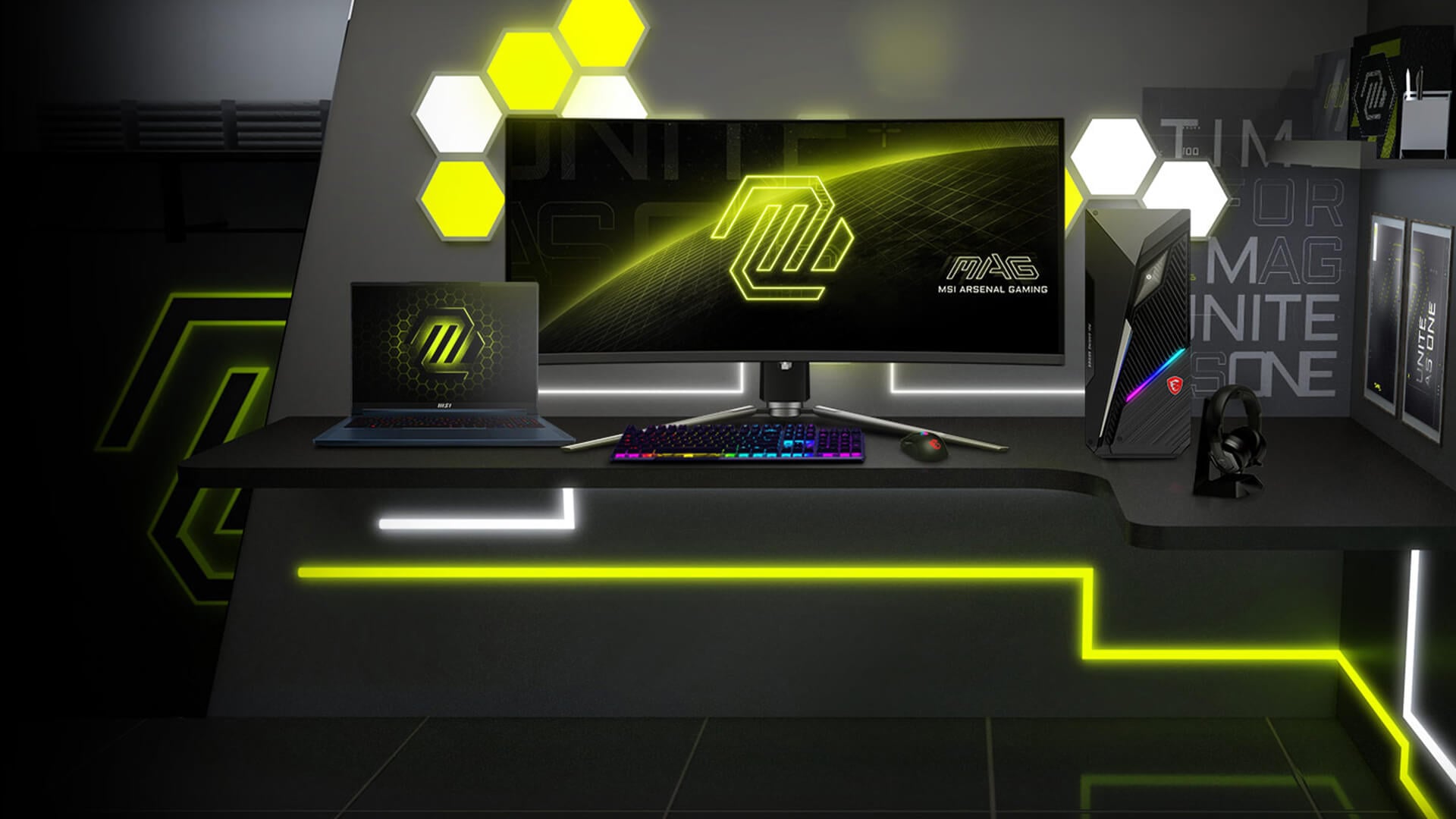
The QD OLED vs IPS debate comes down to what matters most: OLED contrast and response speed, or IPS value and brightness consistency. VA panels bring strong contrast at lower prices, but they usually cannot match OLED response times.
For gamers comparing ultra-clear MSI displays, QD-OLED is the premium option when visual quality is the priority.
Colour Accuracy and Brightness
QD-OLED is strong for colour accuracy and brightness because Quantum Dot technology helps produce rich, vibrant colour. Samsung describes QD-OLED as combining OLED with Quantum Dot technology for brighter highlights, higher colour accuracy, and a wider colour range.
IPS panels can also be colour-accurate and are still excellent for many users. The difference is that QD-OLED adds OLED contrast and pixel-level light control.
Contrast and Black Levels
This is where QD-OLED wins clearly. OLED pixels can switch off completely, which gives deep blacks and a very high contrast ratio. IPS and VA panels use backlighting, so they cannot control every pixel in the same way.
In dark games, QD-OLED can make caves, space scenes, night maps and horror environments look more convincing.
Response Time and Motion Clarity
QD-OLED is also excellent for motion clarity. MSI QD-OLED monitors commonly advertise 0.03ms GtG response times on selected models, which is far faster than typical LCD gaming panels.
IPS monitors can still be very fast, especially Rapid IPS models, but OLED pixel response is a major strength for fast camera movement, aiming and tracking.
Gaming Performance with MSI QD-OLED
An MSI QD-OLED monitor does not increase your graphics card’s FPS. Instead, it improves how those frames look and feel on screen. The benefit is clearer motion, richer HDR, deeper contrast and more responsive visual feedback.
If you are building around an ultra-clear gaming display, compare your monitor choice with the rest of your setup, including GPU power, refresh rate, resolution, and accessories for gaming.
Motion Clarity and Fast Response Times
Fast response time displays reduce blur and ghosting. With QD-OLED, pixel transitions are extremely quick, so movement looks cleaner during fast gameplay.
This helps in:
- FPS games
- Racing games
- Fighting games
- Battle royale titles
- Fast third-person action games
- Competitive multiplayer games
It does not make you instantly better, but it removes display smearing that can make targets harder to follow.
HDR and Visual Depth in Games
HDR is one of the best reasons to buy QD-OLED. Deep blacks, bright highlights, and strong colour volume make explosions, neon lighting, sunlight, fire, reflections, and night scenes more dramatic.
MSI’s QD-OLED models often use VESA DisplayHDR True Black certification on selected monitors, such as DisplayHDR True Black 400 on the MAG 273QP QD-OLED X24.
Competitive Gaming Experience
QD-OLED can be excellent for competitive gaming because of its low response time and high refresh rate options. MSI’s CES 2026 QD-OLED announcements include 5th Gen QD-OLED gaming monitors and a 34-inch ultrawide curved display with a 360Hz refresh rate, showing that QD-OLED is now competing directly in high-speed esports territory.
For competitive players, the best setup is still a balance of high FPS, low input lag, clean motion and stable network performance.
Why Gamers Choose MSI QD-OLED
Gamers choose MSI QD-OLED for the premium display experience. It is not just about one spec. The appeal is the combination of contrast, colour, response speed, and HDR.
If you are comparing high-resolution monitors, QD-OLED is most appealing when you want sharp detail and high-end image quality together.
Immersive Visual Quality
QD-OLED makes games look more dramatic. Dark areas look properly black, colours feel more vivid and bright highlights stand out against the scene.
This is especially useful for:
- Cyberpunk-style cities
- Space games
- Horror games
- Racing games
- RPGs
- Cinematic single-player titles
If you care about how a game looks, QD-OLED is a major upgrade over basic LCD panels.
Smooth and Responsive Gameplay
The combination of high refresh rate and extremely fast response time helps gameplay feel smoother. A 240Hz or 360Hz QD-OLED monitor is especially strong when your PC can produce enough frames to match it.
For the best result, use the correct cable, set Windows to the maximum refresh rate and tune your game settings for stable FPS.
Premium Gaming Experience
QD-OLED feels premium because it improves several parts of the gaming experience at once. You get deeper blacks, better HDR, fast motion, and wide colour. That is why it often costs more than standard IPS and VA monitors.
The downside is price, and OLED care still matters. MSI’s OLED Care features are designed to reduce burn-in risk, and MSI says proper care can greatly reduce the risk of OLED burn-in.
Is MSI QD-OLED the Right Choice for You?

MSI QD-OLED is worth it most for gamers and creators who will actually use the premium panel quality. If you mainly browse, play light games, or work on static documents all day, it may be more than you need.
For buyers considering premium OLED displays, QD-OLED is best judged by your games, room lighting, budget, and long-term use.
Best for High-End Gaming Setups
MSI QD-OLED makes the most sense with a strong gaming PC or console setup. If your GPU can push high FPS at 1440p, 4K or ultrawide resolutions, a QD-OLED display lets you see more of that performance.
It is especially good for:
- High-end gaming PCs
- 1440p esports builds
- 4K gaming setups
- Ultrawide gaming
- Premium console gaming
- HDR-focused gaming
If your PC is entry-level, spend on GPU performance first.
Ideal for Cinematic and Story-Driven Games
QD-OLED is brilliant for visual-heavy games. The deep blacks and HDR contrast make single-player titles feel more immersive.
It is a strong match for:
- Open-world RPGs
- Story games
- Horror games
- Racing sims
- Sci-fi games
- Adventure games
An ultrawide QD-OLED can add even more immersion if you like a wider field of view.
Great for Content Creators and Visual Work
QD-OLED is not only for games. It can suit creators who edit images, video, or visual content, thanks to colour accuracy and contrast. The wide colour gamut and high-end monitor technology make it useful for visual work, although creators should still calibrate the screen for accuracy.
For mixed gaming and creative use, QD-OLED is one of the most attractive panel choices.
QD-OLED Drawbacks to Know Before Buying
QD-OLED is excellent, but it is not perfect. A good buying guide should cover the drawbacks clearly.
Price Is Higher Than IPS and VA
QD-OLED costs more than many IPS and VA monitors. That price can be worth it for premium gaming, but not everyone needs it.
If you want pure value, a high refresh IPS monitor may be more sensible.
Burn-In Risk Still Exists
OLED burn-in risk has improved with care features, but it has not disappeared. MSI includes OLED Care features on many models to reduce risk, such as pixel refresh, panel protection, and related maintenance tools.
To reduce risk:
Avoid leaving static images on screen for hours.
Use screen sleep.
Hide the taskbar where practical.
Run panel care features when prompted.
Vary content if using the monitor for work.
Bright Rooms Can Affect Perception
QD-OLED looks best in controlled lighting. In very bright rooms, reflections or raised black perception can affect the image. This does not ruin the display, but room lighting matters more than with some matte IPS screens.
MSI QD-OLED vs Rapid IPS: Which Is Better?
An MSI rapid IPS panel is still a strong gaming choice, especially if you want speed, good colour and better value. QD-OLED is the premium visual upgrade.
Choose Rapid IPS if:
- You want a cheaper gaming monitor.
- You play mostly esports.
- You need a screen for static work all day.
- You are worried about OLED care.
- You want strong performance without premium pricing.
Choose QD-OLED if:
- You want the best contrast.
- You care about HDR.
- You want excellent motion clarity.
- You play cinematic games.
- You want a premium OLED experience.
For many gamers, Rapid IPS is the practical choice. For premium visuals, QD-OLED is better.
Best MSI Monitor Settings for Gaming on QD-OLED
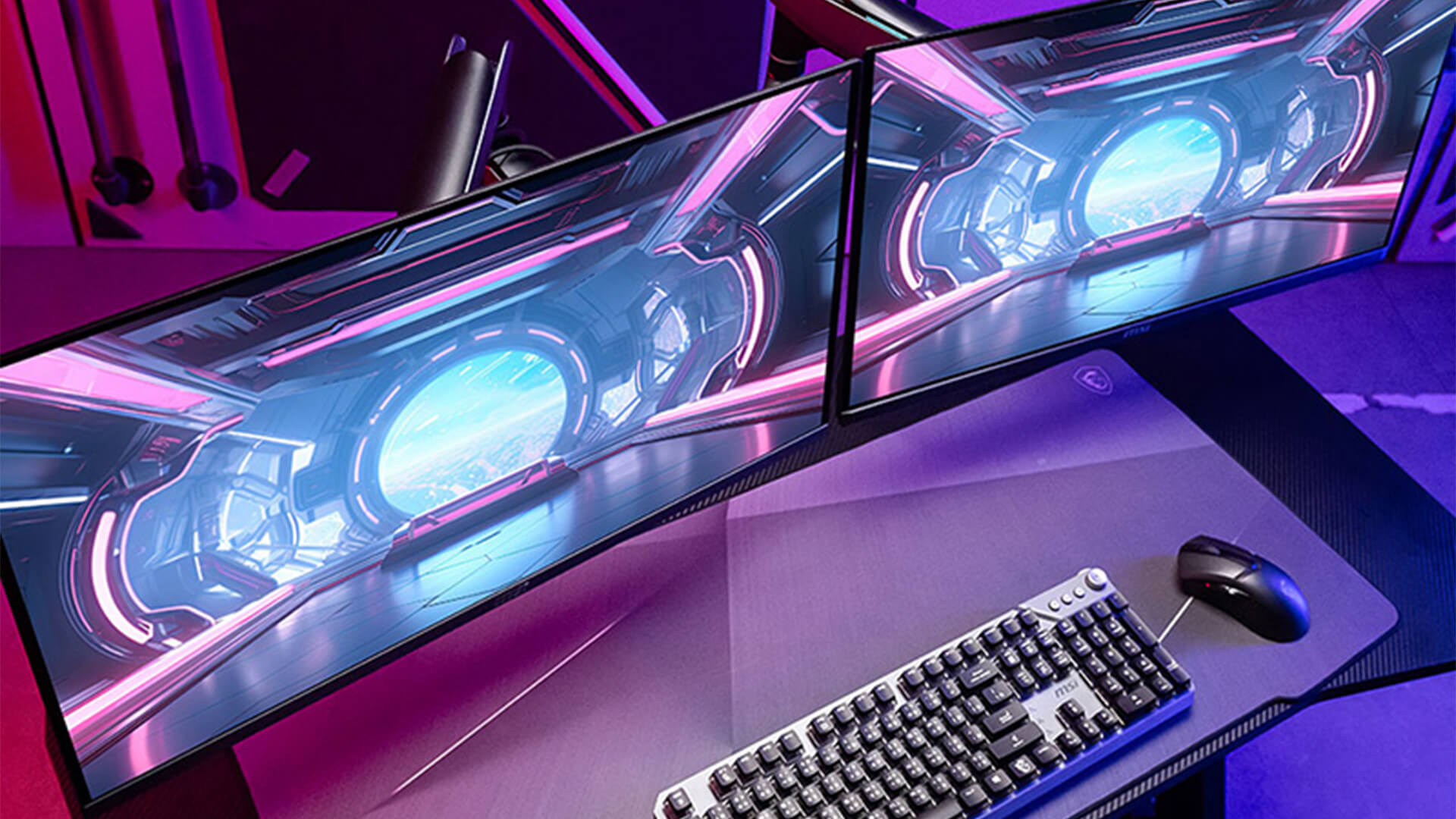
The best MSI monitor settings for gaming depend on the model, but QD-OLED users should focus on refresh rate, HDR, brightness and OLED care.
Start with this setup:
- Set Windows to the monitor’s maximum refresh rate.
- Use DisplayPort or HDMI 2.1 where supported.
- Enable adaptive sync if your GPU supports it.
- Use HDR only when the game and monitor handle it well.
- Keep OLED Care features enabled.
- Avoid maximum brightness for static desktop work.
- Use a gaming preset for FPS titles, but check colours are not crushed.
- Use creator or sRGB-style modes for colour-sensitive work if available.
For QD-OLED, do not just chase the brightest setting. The best image is usually the one that balances HDR highlights, black detail, and comfortable brightness.
Wrapping Up
So, the simple answer is, Yes, MSI QD-OLED is worth it in 2026 if you want premium gaming visuals, fast response times, and strong HDR performance. It is one of the best display technologies for high-end gaming, especially if you play cinematic games, competitive titles, or use your monitor for visual work.
It is not the best choice for every budget. If you want a cheaper monitor, play lighter games, or mostly use static desktop apps, IPS or Rapid IPS may be better value. But if you want a premium display experience, an MSI QD-OLED monitor is absolutely worth considering.
Choose MSI QD-OLED if you want:
- Deep blacks and strong contrast
- Fast response time displays
- HDR gaming performance
- Wide colour gamut displays
- Smooth high refresh gameplay
- Premium display quality
- A strong gaming and creator monitor
For high-end setups, QD-OLED is not just a nice-to-have. It can be the upgrade that makes games look and feel properly next-gen.
FAQs
-
What is MSI QD-OLED?
MSI QD-OLED is MSI’s gaming monitor technology that combines OLED’s self-emissive pixels with Quantum Dot colour. It offers deep blacks, wide colour, fast response times, and strong HDR visuals.
-
Are MSI QD-OLED monitors good for competitive gaming?
Yes. MSI QD-OLED monitors are good for competitive gaming because they offer very fast response times and high refresh rate options. They are especially useful for motion clarity in FPS and esports games.
-
Is MSI QD-OLED worth it in 2026?
Yes, MSI QD-OLED is worth it in 2026 for high-end gamers, creators, and users who want premium HDR, deep contrast, and fast motion. It is less necessary for casual users or strict budget buyers.
-
Who should buy MSI QD-OLED monitors?
MSI QD-OLED monitors are best for gamers with high-end PCs, players who enjoy cinematic games, competitive gamers who want fast response, and creators who need strong colour and contrast.
-
Is QD-OLED better than IPS?
QD-OLED is better for contrast, black levels, HDR, and response time. IPS can still be better value and may be more practical for users who mainly work with static desktop content.
-
Does MSI QD-OLED increase FPS?
No. A QD-OLED monitor does not increase FPS. Your GPU and CPU control FPS. QD-OLED improves how smooth, clear and visually rich those frames look.
-
Is OLED burn-in a problem on MSI QD-OLED monitors?
Burn-in is a risk with OLED technology, but MSI includes OLED Care features to reduce that risk. Good usage habits, screen sleep and panel care routines help protect the display.
You can pay with:
*PayPal Credit Representative Example: Assumed credit limit £1,200, Representative 23.9% APR (variable). Purchase rate 23.9% p.a (variable).Terms & Conditions apply.


PayPal Credit and PayPal Pay in 3 are trading names of PayPal UK Ltd, 5 Fleet Place, London, United Kingdom, EC4M 7RD. Terms and conditions apply. Credit subject to status, UK residents only, Five Tech LTD acts as a broker and offers finance from a restricted range of finance providers. PayPal Pay in 3 is not regulated by the Financial Conduct Authority. Pay in 3 eligibility is subject to status and approval. 18+. UK residents only. Pay in 3 is a form of credit. Check if affordable and how you will repay. May make other borrowing more difficult or expensive. See product terms for more details.
Copyright © 1996-2026 Fivetech LTD | Terms and Conditions
box.co.uk & Box are trading names of Five Tech Limited. Registered office: Box LTD, Unit 10 Woodford Trading Estate, Woodford Green IG8 8HF