


 Menu
MenuMenu


Get Sales Advice from Mon - Fri 9am - 5:00pm:
020 3337 8950LAST UPDATED: June 10, 2026
Is MSI B550M Pro the Best Budget Motherboard for Ryzen Builds in 2026?
The MSI B550M Pro is still worth considering in 2026 if you are building a budget Ryzen PC and want to keep costs under control. It uses the AMD AM4 socket, supports DDR4 memory, and gives you useful B550 features such as PCIe 4.0 and M.2 NVMe storage without forcing you into a newer AM5 build.
That makes it a practical choice for users pairing a B550 motherboard with Ryzen 5 5600, Ryzen 7 5700X or similar Ryzen 5000 processors. It is not designed to be a premium enthusiast board, but for gaming, everyday work and general desktop use, it covers the basics well.
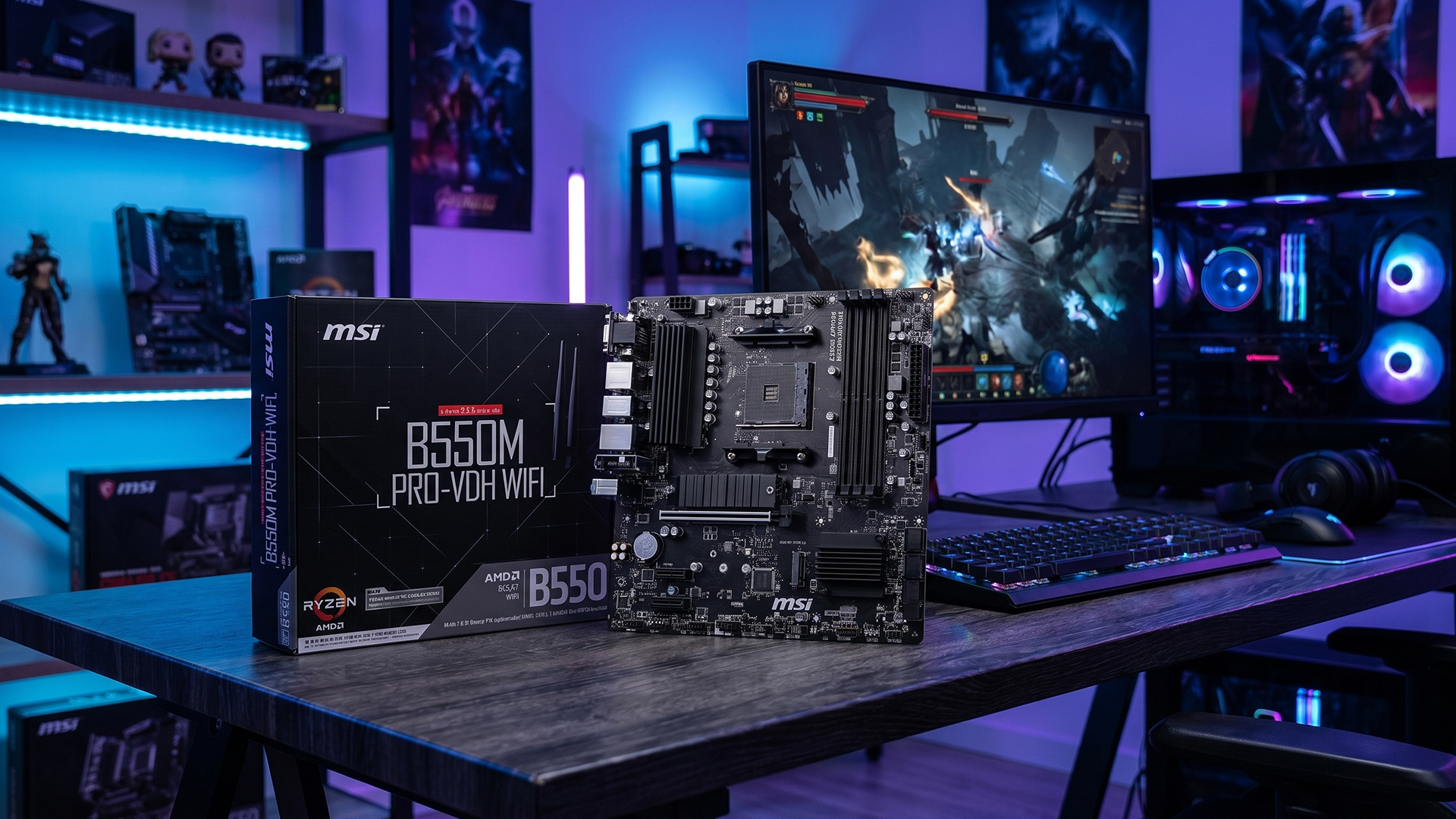
In this guide, we’ll look at the MSI B550M Pro specs and compare the B550M PRO-VDH with the B550M PRO-VDH WIFI. We’ll also cover the MSI B550M Pro motherboard features that matter most and see whether it still deserves a place among the best budget B550 motherboards for Ryzen builds in 2026.
What is the MSI B550M Pro and Who is It Designed For?
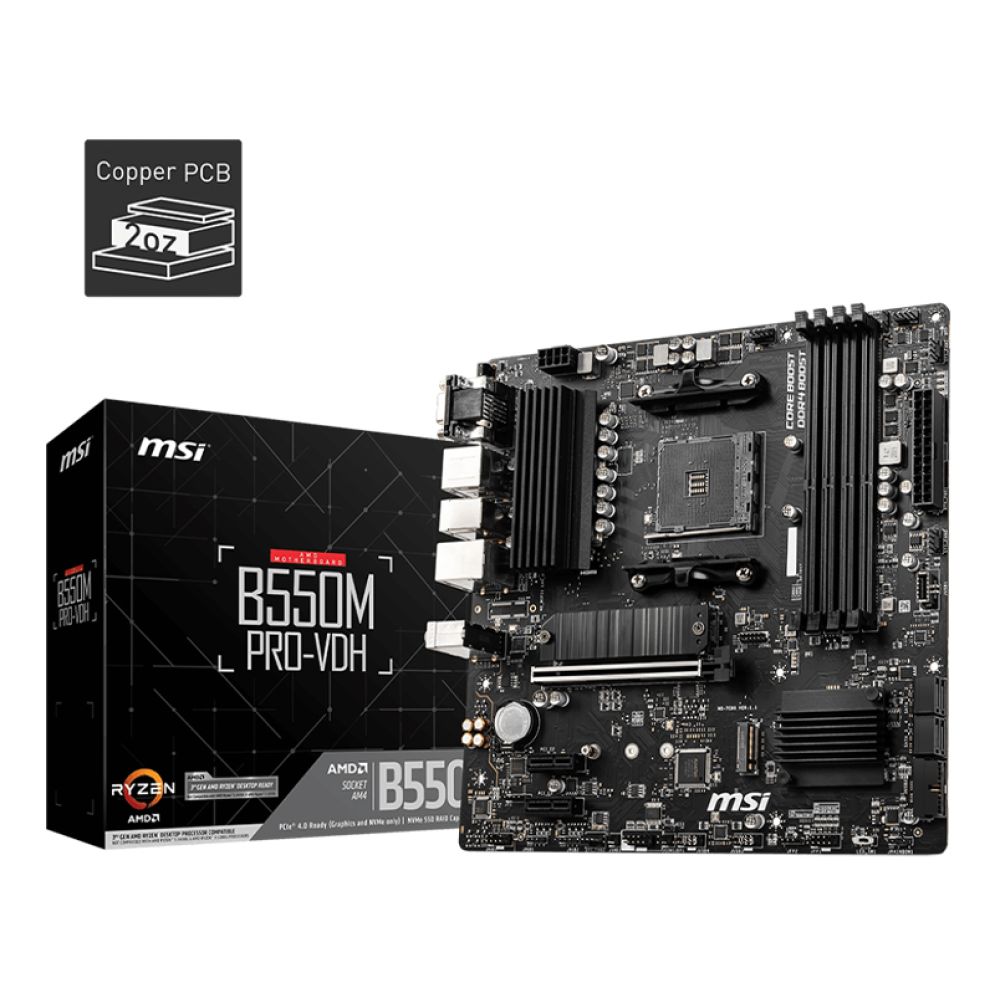
The MSI B550M Pro is a budget-friendly AMD B550 motherboard designed for users building an affordable Ryzen desktop. It uses the AMD AM4 socket, supports DDR4 memory, and comes in a micro-ATX form factor, making it one of the best motherboards for mid-sized PCs.
It is mainly designed for budget gaming PCs, everyday work systems, student desktops and simple home-office builds. It is not aimed at extreme overclocking or premium enthusiast setups, but it gives Ryzen builders the essentials they need without pushing the cost too high.
Key Specifications of the MSI B550M Pro
The table below focuses on the standard MSI B550M PRO-VDH model, as this is the main wired version of the board.
| Specification | MSI B550M PRO-VDH |
| Socket | AMD Socket AM4 |
| Chipset | AMD B550 |
| Form factor | Micro-ATX |
| Memory slots | 4 x DDR4 DIMM |
| Maximum memory | Up to 128GB |
| Memory speed support | Up to 4400MHz OC |
| Storage | 4x SATA 6Gb/s, 2x M.2 slots |
| Expansion | 1x PCIe x16 Gen 4, 2x PCIe x1 Gen 3 |
| Display outputs | HDMI, DisplayPort, VGA |
| Rear USB | 4x USB 3.2 Gen 1 Type-A, 2x USB 2.0 |
| Ethernet | Gigabit LAN, Realtek 8111HN |
| Audio | 7.1-channel audio |
| RAID support | RAID 0, 1, 10 |
| Best fit | Users building a budget Ryzen PC with wired networking |
These MSI B550M Pro specs cover the basics well for a value Ryzen build. You get DDR4 memory support, a useful M.2 NVMe slot setup, PCIe Gen 4.0 support with compatible processors, and enough storage and display connectivity for most everyday systems.
Is There a WiFi Version Available?
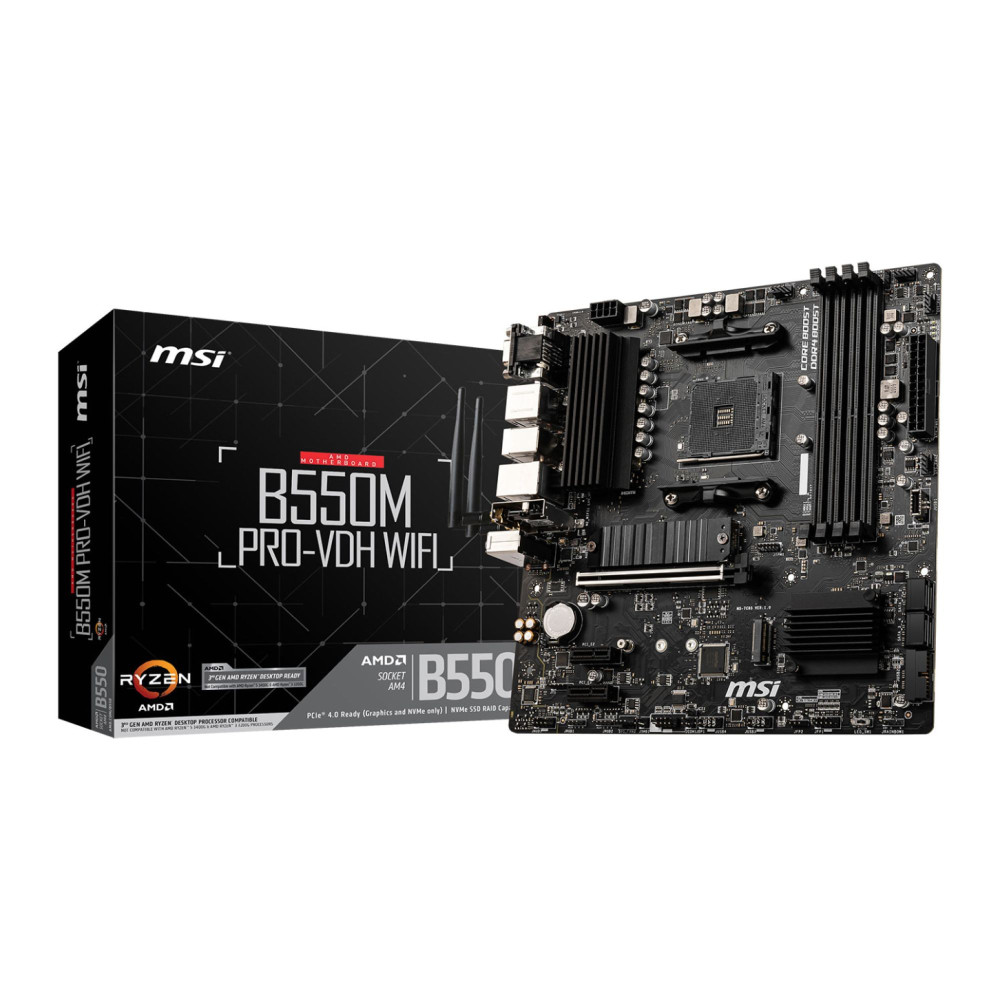
Yes, MSI also offers the MSI B550M PRO-VDH WIFI. It keeps the same core features, including the AMD B550 chipset, AM4 socket, DDR4 memory, PCIe 4.0 support, 2x M.2 slots and 4x SATA 6Gb/s ports.
The main difference is connectivity. The WiFi version includes Wi-Fi 5 and Bluetooth 4.2, while the standard B550M PRO-VDH is better for users who plan to use wired Ethernet or add their own wireless adapter later.
Supported Ryzen Processors and AM4 Compatibility
The MSI B550M Pro range supports Ryzen 5000 series and Ryzen 3000 series desktop processors, along with supported Ryzen 4000 G-Series chips. That makes it a highly compatible AMD motherboard for users who want to build around proven AM4 processors rather than move to AM5.
If you are looking for a B550 motherboard for Ryzen 5 5600, both the WiFi and simple versions make sense because they keep the build affordable while still offering strong everyday and gaming performance. It can also work well with a Ryzen 5000 series CPU based on Zen 3 architecture, although users should always check the CPU support list and BIOS version before buying or installing a processor.
Why Are B550 Motherboards Still Relevant in 2026?
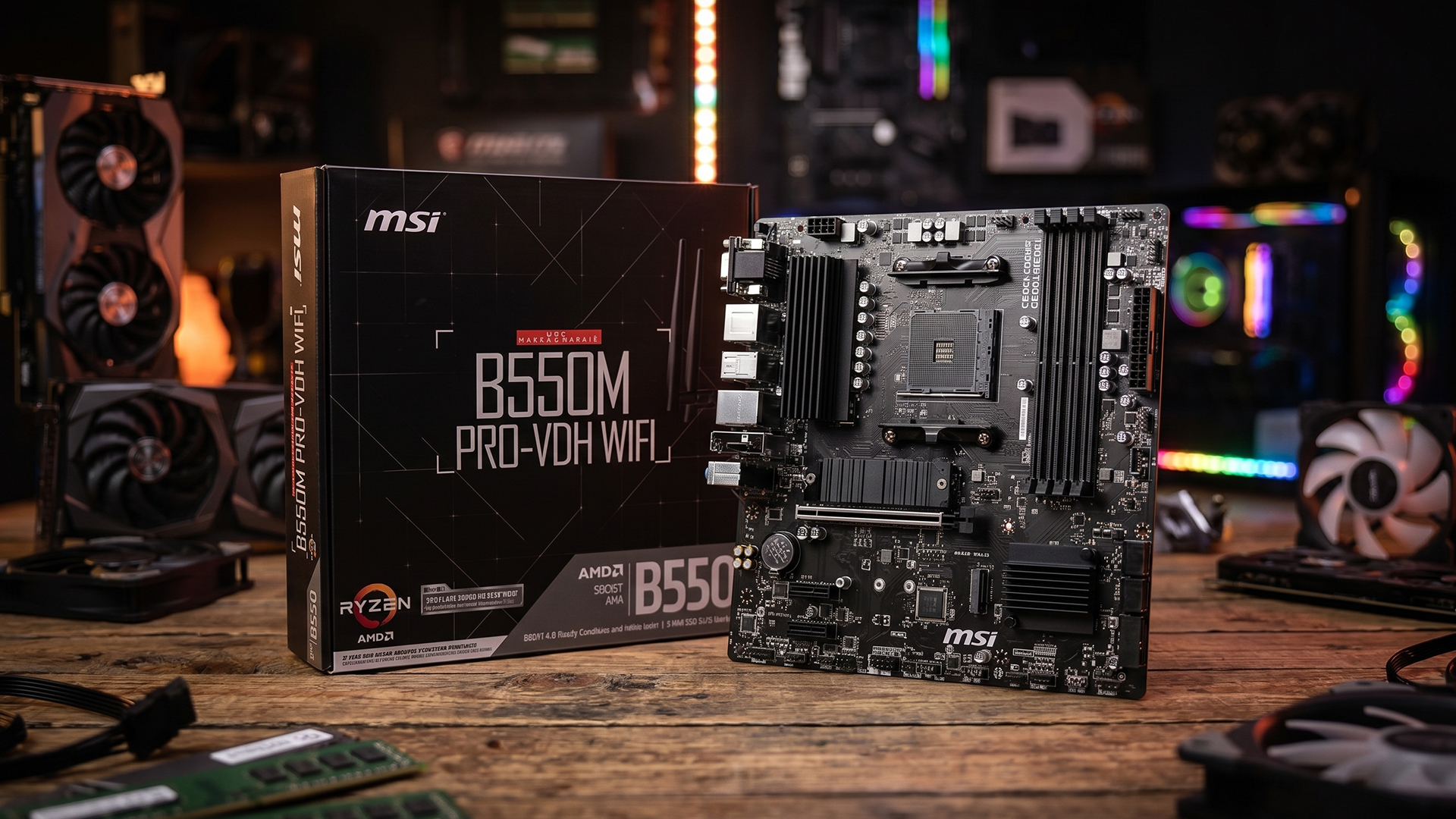
B550 motherboards are no longer the newest AMD platform, but they still make a lot of sense for budget Ryzen builds in 2026. The main reason is value. AM4 parts are widely available, DDR4 memory is still affordable, and Ryzen 5000 processors continue to offer strong performance for gaming, work and everyday use.
If you are comparing the latest motherboard models, AM5 is the better long-term platform. However, not every user needs the newest socket. For budget-focused builds, the question is not always “What is the newest option?” It is “What gives the best performance for the money right now?”
The Continued Popularity of the AM4 Platform
The AMD AM4 socket remains popular because it supports a wide range of Ryzen processors, including capable gaming chips based on Zen 3 architecture. This gives budget builders more flexibility when choosing a CPU, especially if they want to reuse existing DDR4 memory or upgrade an older AM4 system.
For gaming, Ryzen 5000 chips can still perform well at 1080p and 1440p when paired with the right graphics card. A CPU such as the Ryzen 7 5800X3D also shows why AM4 still matters, as it remains a strong gaming option for users who want to extend the life of an existing platform.
This is where B550 sits in a useful middle ground. It is more modern than many B450 boards, but usually more affordable than AM5. For users looking for the best budget B550 motherboard, that balance is exactly what keeps the platform relevant.
Cost Savings Compared to AM5 Builds
An AM5 build usually means buying a newer motherboard, DDR5 memory and a newer Ryzen processor. That can be a better choice for users who want a longer upgrade path, but it also increases the overall build cost.
By comparison, a B550 setup can keep costs lower because it uses DDR4 memory support and works with proven Ryzen 3000 and Ryzen 5000 processors. This is useful for budget gaming PCs, student desktops, office systems and general home builds where value matters more than having the newest platform.
The trade-off is future upgrade support. AM5 is the stronger choice if you want a platform with more room to grow. But if your goal is a reliable Ryzen PC at a sensible price, B550 still offers a practical route in 2026.
MSI B550M Pro Features That Matter for Ryzen Builds
Not every motherboard feature matters equally in a budget Ryzen build. With the MSI B550M Pro, the main things to focus on are power delivery, PCIe 4.0 support, memory, storage and everyday connectivity. These are the MSI B550M Pro motherboard features that make the biggest practical difference.
- VRM design and power delivery: The board uses MSI’s Core Boost design, a Digital PWM IC and a 2oz thickened copper PCB. In simple terms, solid MSI B550M Pro VRM quality helps deliver stable power to the CPU. This makes it highly suitable for sensible Ryzen 5 and Ryzen 7 builds at stock settings or light tuning, but it is not aimed at heavy CPU overclocking or extreme high-power setups.
- PCIe 4.0 support: One of the main advantages of B550 over many older B450 boards is PCIe Gen 4.0 support with compatible Ryzen processors. This gives the board support for modern graphics cards and faster Gen4 storage, making it more useful for a 2026 budget build than an older entry-level AM4 board.
- Fast M.2 storage: The board includes Lightning Gen4 x4 M.2 support and M.2 Shield Frozr. That means users can install a fast M.2 NVMe SSD for quicker Windows boot times, faster game loading and more responsive everyday performance.
- DDR4 memory support: The board supports up to 128GB DDR4, with speeds listed up to 4400MHz OC depending on the CPU and memory kit. This is one of the reasons B550 still makes sense for budget builders, as DDR4 is usually cheaper than DDR5.
- Memory tuning with XMP: Users can enable XMP profiles to run compatible RAM closer to its rated speed without manually adjusting every memory setting. This is useful for Ryzen systems because memory speed can affect overall responsiveness and gaming performance.
- Storage and expansion options: Both the standard and WiFi models include 2x M.2 slots, 4x SATA 6Gb/s ports, 1x PCIe Gen 4 x16 slot and 2x PCIe Gen 3 x1 slots. That gives enough room for a graphics card, fast SSD storage and extra drives in a practical budget system.
- Connectivity differences: Both models include Gigabit LAN, HDMI, DisplayPort and VGA outputs. The MSI B550M PRO-VDH WIFI adds Wi-Fi 5 and Bluetooth 4.2, which makes it the better option for users who do not want to rely on Ethernet or buy a separate wireless adapter. The standard model is still fine if the PC will use wired networking.
How Does the MSI B550M Pro Perform in Real-World Usage?
The B550M Pro is one of the best MSI motherboards at a practical budget, but it is important to understand what that really means. It will not increase FPS on its own, but it can provide a stable AM4 base for a sensible Ryzen gaming or everyday PC build.
- Gaming performance: For gaming, the CPU and graphics card matter more than the motherboard. When paired with a processor such as the Ryzen 5 5600, this board can support a balanced 1080p or 1440p gaming setup without pushing the overall build cost too high.
- Mid-range Ryzen support: The board also makes sense with chips such as the Ryzen 7 5700X or Ryzen 7 5800X3D, especially for users who want more cores for gaming, streaming, and multitasking.
- Everyday computing: For office work, browsing, studying, media use and light content creation, the MSI B550M Pro motherboard has more than enough platform support. DDR4 memory, NVMe storage and Ryzen 5000 compatibility make it feel responsive for daily tasks.
- Thermal behaviour: Stability depends on the full build, not only the motherboard. CPU cooler quality, case airflow, RAM settings and GPU heat all matter. The M.2 Shield Frozr helps with SSD cooling, but users should still use a case with decent airflow, especially for long gaming sessions.
- Expansion limits: The micro-ATX layout is useful for compact and mid-sized builds. However, if you need more PCIe slots, extra headers or a larger layout may prefer an ATX motherboard for gaming and work instead.
MSI B550M Pro Pros and Cons
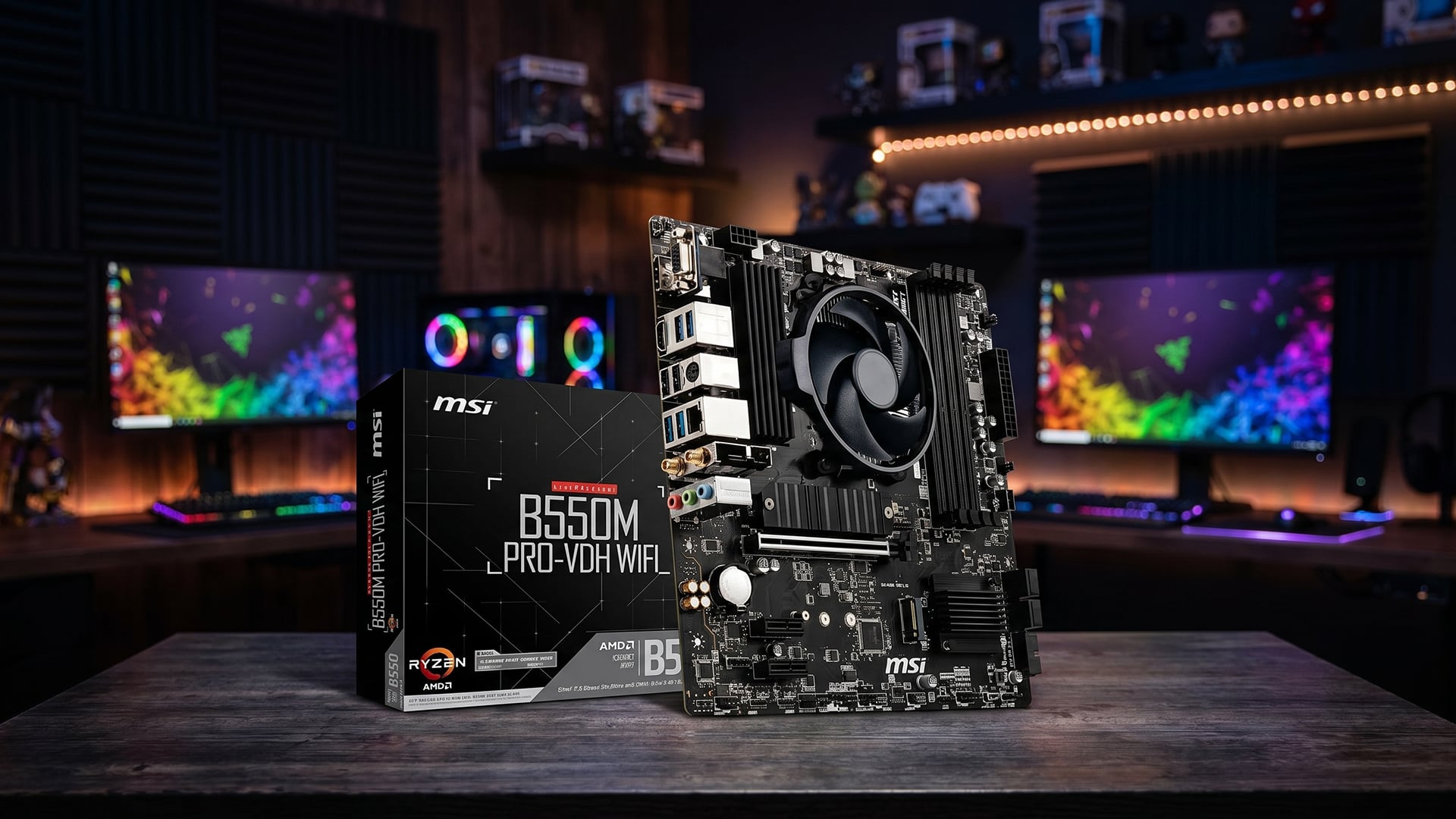
The MSI B550M Pro has clear strengths for budget Ryzen builds, but it also has limits. It works best for users who want practical AM4 value, not premium enthusiast features.
Pros
- Affordable entry into the AM4 platform for budget Ryzen builds.
- Supports Ryzen 5000 and Ryzen 3000 series desktop processors.
- Includes PCIe 4.0 support with compatible Ryzen CPUs.
- Offers Gen4 M.2 support for faster NVMe SSDs.
- Supports up to 128GB DDR4 memory, helping keep build costs lower.
- Micro-ATX size makes it suitable for compact and mid-sized PC builds.
- The WiFi version adds built-in wireless networking and Bluetooth.
Limitations
- Not ideal for heavy CPU overclocking or high-power enthusiast builds.
- Fewer premium features than more expensive B550 or X570 boards.
- AM4 has a limited future upgrade path compared with AM5.
- The standard non-Wi-Fi model needs Ethernet or a separate wireless adapter.
- Rear I/O and expansion options are more basic than higher-end boards.
- Users building very compact systems may prefer efficient Mini-ITX motherboards, while users needing more slots may prefer full ATX.
MSI B550M Pro vs Other Budget B550 Motherboards
If you are planning to compare the MSI B550M Pro with budget B550 boards from other manufacturers, the comparison below can help you quickly understand the differences in features, connectivity and overall value before deciding.
| Feature | MSI B550M PRO-VDH | ASUS Prime B550M-A | Gigabyte B550M DS3H | ASRock B550M Pro4 |
| Socket | AMD AM4 | AMD AM4 | AMD AM4 | AMD AM4 |
| Chipset | AMD B550 | AMD B550 | AMD B550 | AMD B550 |
| Form factor | Micro-ATX | Micro-ATX | Micro-ATX | Micro-ATX |
| Memory support | Up to 128GB DDR4 | Up to 128GB DDR4 | Up to 128GB DDR4 | Up to 128GB DDR4 |
| PCIe 4.0 support | Yes | Yes | Yes | Yes |
| M.2 slots | 2 | 2 | 2 | 2 |
| SATA ports | 4 | 4 | 4 | 6 |
| Networking | Gigabit LAN | Gigabit LAN | Gigabit LAN | Gigabit LAN |
| Display outputs | HDMI, DisplayPort, VGA | HDMI, DVI-D, VGA | HDMI, DVI-D | HDMI, DisplayPort, D-Sub |
| Best for | Balanced budget Ryzen builds | Basic home and office PCs | Entry-level gaming builds | Users wanting extra storage expansion |
Which Board Offers Better Value in 2026?
As evident from the table, most of the features are the same. The major differences are SATA ports and display outputs. All of these boards are great options for mid-range builds and can handle different types of workloads well.
However, the best option depends on pricing and what the build needs. If the MSI B550M Pro is priced lower than similar alternatives, it makes strong sense for a Ryzen 5 or Ryzen 7 budget system. It gives most users the features they actually need without paying extra for options they may never use.
For buyers looking for a more budget-friendly board, the MSI B550M Pro vs B450 motherboard comparison is important. B450 can still work for very cheap AM4 builds, but B550 is usually the better choice if the price difference is small.
Also Read: MSI vs ASUS Motherboard: Which One Should You Choose in 2026?
Best Ryzen CPUs to Pair With the MSI B550M Pro
The MSI B550M Pro works best with value-focused AM4 processors rather than high-power enthusiast chips. For most users, the sweet spot is a Ryzen 5 or Ryzen 7 CPU that keeps the build balanced without putting too much stress on a budget motherboard.
- Ryzen 5 5600: This is the best budget pairing for most gaming builds. When paired with the right GPU, this build gives you strong 1080p gaming performance, low platform cost and a sensible upgrade path from older AM4 systems.
- Ryzen 5 5600X: A slightly faster option than the standard 5600, but only worth choosing if the price difference is small. It feels responsive for gaming, everyday work and general multitasking.
- Ryzen 7 5700X: A strong mid-range choice if you want more cores for gaming, streaming or productivity. It gives the MSI B550M Pro more long-term usefulness without moving into extreme power demands.
- Ryzen 7 5800X: A capable 8-core option, but it runs hotter than the 5700X. It can work well, but good case airflow and a decent CPU cooler are more important here.
- Ryzen 7 5800X3D: One of the strongest AM4 gaming CPUs, especially for users trying to maximise FPS on the platform. It is a powerful match, but it makes more sense if the board is well-cooled and the price is reasonable.
- Ryzen 5 5600G: A useful option if you need integrated graphics for a simple office or home PC. It is not the best choice for dedicated gaming builds, but it works well for basic systems without a separate graphics card.
- Ryzen 7 5700G: A better APU option for users who want more cores and integrated graphics. It suits compact work PCs or general-use systems where a dedicated GPU is not required.
Final Thoughts: Should You Buy the MSI B550M PRO in 2026?
Yes, if you want an affordable AM4 motherboard for a budget Ryzen build. The MSI B550M Pro offers DDR4 support, PCIe 4.0 and M.2 storage at a reasonable price.
It pairs well with CPUs like the Ryzen 5 5600 and Ryzen 7 5700X. However, if you want AM5 upgrades, heavy overclocking or premium features, look elsewhere.
For value-focused Ryzen builds, it remains one of the best budget B550 motherboard options in 2026.
Frequently Asked Questions
Is the MSI B550M Pro compatible with Ryzen 5000 series processors?
Yes, the MSI B550M Pro supports Ryzen 5000 series desktop processors. You should still check the BIOS version before installing a CPU.
Is the MSI B550M Pro good for gaming?
Yes, it is good for budget and mid-range gaming builds when paired with a suitable Ryzen CPU and graphics card.
Can I overclock on the MSI B550M Pro?
Basic tuning is possible, but it is better suited to stock settings or light tuning rather than heavy CPU overclocking.
What is the difference between MSI B550M PRO-VDH WIFI and B550M PRO-VDH?
The WiFi model includes built-in Wi-Fi 5 and Bluetooth 4.2. The standard model is better for wired Ethernet setups.
What Ryzen CPU is best for the MSI B550M Pro?
The Ryzen 5 5600 is the best budget pairing. The Ryzen 7 5700X is better if you want more cores for multitasking or productivity.
Does the MSI B550M Pro support DDR5 RAM?
No, it supports DDR4 memory only. If you want DDR5, you will need an AM5 motherboard.
You can pay with:
*PayPal Credit Representative Example: Assumed credit limit £1,200, Representative 23.9% APR (variable). Purchase rate 23.9% p.a (variable).Terms & Conditions apply.


PayPal Credit and PayPal Pay in 3 are trading names of PayPal UK Ltd, 5 Fleet Place, London, United Kingdom, EC4M 7RD. Terms and conditions apply. Credit subject to status, UK residents only, Five Tech LTD acts as a broker and offers finance from a restricted range of finance providers. PayPal Pay in 3 is not regulated by the Financial Conduct Authority. Pay in 3 eligibility is subject to status and approval. 18+. UK residents only. Pay in 3 is a form of credit. Check if affordable and how you will repay. May make other borrowing more difficult or expensive. See product terms for more details.
Copyright © 1996-2026 Fivetech LTD | Terms and Conditions
box.co.uk & Box are trading names of Five Tech Limited. Registered office: Box LTD, Unit 10 Woodford Trading Estate, Woodford Green IG8 8HF