


 Menu
MenuMenu


Get Sales Advice from Mon - Fri 9am - 5:00pm:
020 3337 8950LAST UPDATED: July 20, 2026
Glossy vs Matte Monitor: Which Screen Should You Choose?
The finish on a monitor affects how clearly you can see the screen under different lighting. Matte screens soften reflections from windows, desk lamps and overhead lights, making them a practical choice for offices and brighter rooms. Glossy screens can look sharper and more vivid, but visible reflections may become distracting when the lighting is difficult to control.
The matte vs glossy monitor decision should therefore begin with the room and how the display will be used. Matte is usually better for long working sessions and changing daylight, while glossy can suit gaming, films and visual work in a carefully lit setup.
This guide explains how both finishes affect glare, image clarity, colour, gaming and productivity. It also covers 4K and OLED screens, helping you choose a finish that suits your desk, daily tasks and viewing preferences.
Quick Verdict: Is a Matte or Glossy Monitor Better?
Neither finish is better in every setup. The right choice depends on your lighting, daily tasks and tolerance for visible reflections.
| Your priority or setup | Better choice | Why |
|---|---|---|
| Shared office or changing daylight | Matte | Offers more consistent visibility as lighting changes |
| Long sessions with documents or code | Matte | Defined reflections are less likely to interrupt reading |
| Competitive gaming | Usually matte | Bright objects in the room are less likely to obscure details |
| Films and visually rich games | Glossy | Can produce a cleaner, more striking presentation |
| Photo or design work | Model-dependent | Calibration, panel quality and colour coverage matter more than the finish alone |
| Frequent daytime and evening use | Matte | Requires less ambient light control |
| Dim room with adjustable lamps and blinds | Glossy | Lets image clarity takes priority over reflection management |
| Shared or frequently touched display | Matte | Smudges are generally less noticeable |
A matte screen monitor is the more flexible option for mixed environments, while a glossy screen monitor suits users who can arrange the room around the display. For most buyers comparing a matte vs glossy monitor, consistent viewing comfort is more useful than choosing solely for the most vivid image.
How Matte and Glossy Monitor Coatings Handle Light
The main difference in the matte vs glossy monitor comparison lies in how each surface redirects light from the display and the surrounding room.
| Area | Matte finish | Glossy finish |
|---|---|---|
| Surface treatment | Textured anti-glare coating | Smooth glass or polished layer |
| Incoming room light | Spreads across a wider area | Returns a more direct reflection |
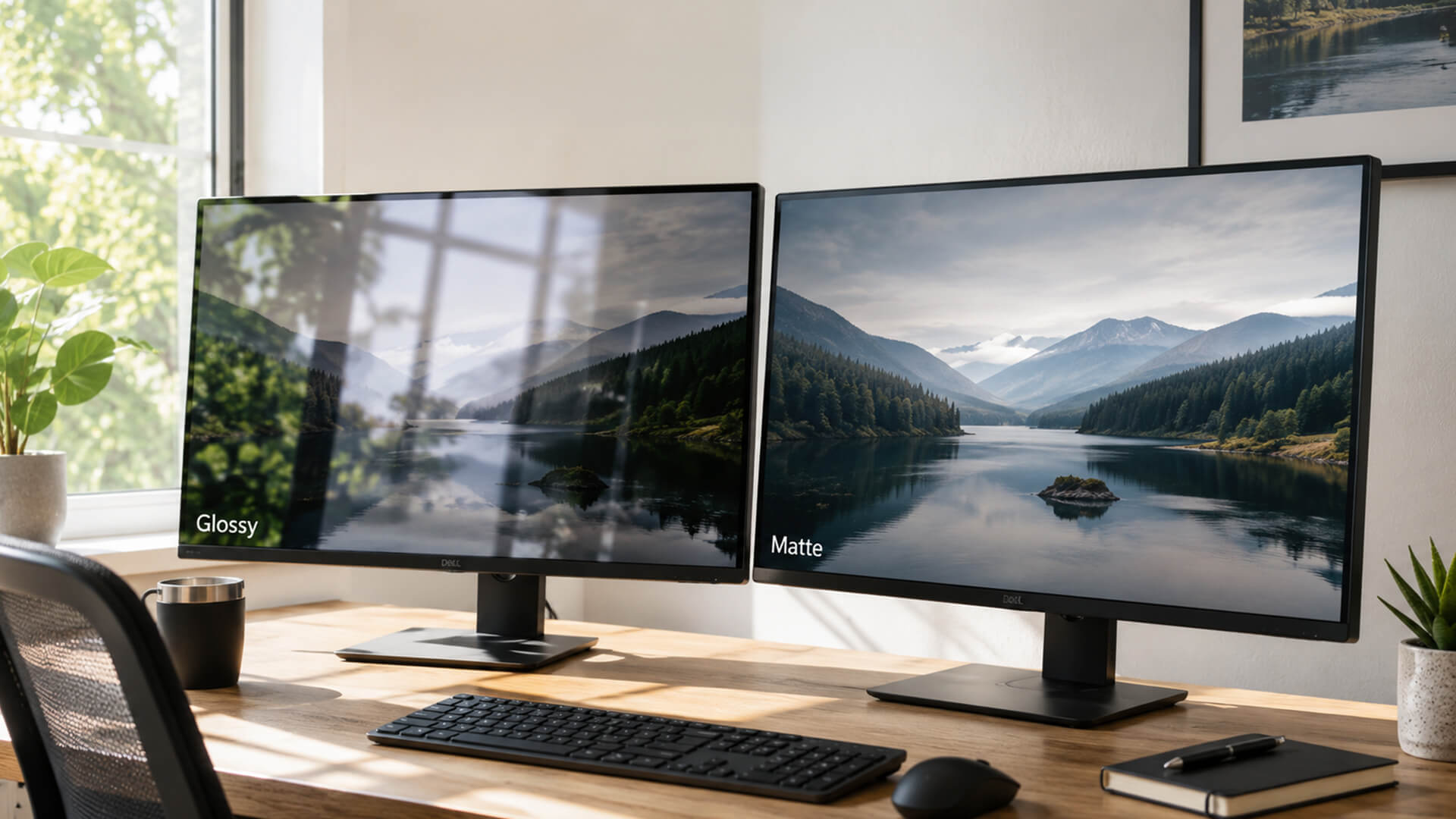
| Reflection appearance | Soft, diffused patches | Defined, mirror-like reflections |
| Image presentation | May introduce slight softness | Retains stronger apparent clarity |
| Main consideration | Possible screen grain | Greater sensitivity to room lighting |
On a matte display monitor, microscopic surface texture creates light diffusion. This reduces recognisable reflections, although the scattered reflected light can form a hazy patch when a strong lamp or window faces the screen.
A glossy monitor uses a smoother surface with less diffusion. This can preserve stronger perceived contrast, colour saturation and image sharpness, but bright objects in front of the display may remain clearly visible.
The strength and quality of the coating also matter. Two matte monitors can show different levels of grain, just as two glossy models can handle reflections differently when one includes a more effective anti-reflective treatment.
Which Screen Finish Is Better for Your Room?
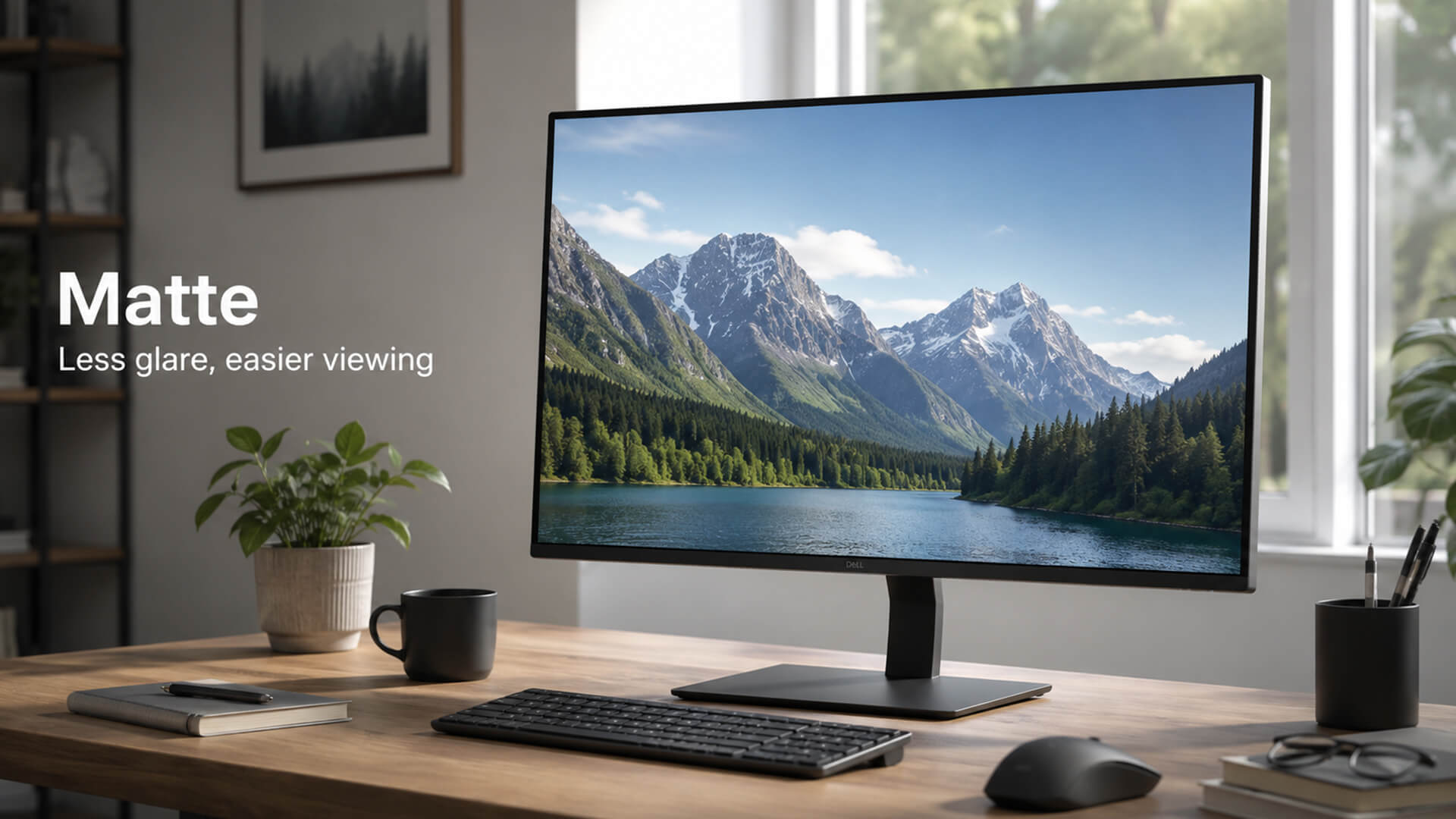
Room layout should be checked before choosing a screen finish. Note where daylight enters, which lights remain on during use and whether bright objects will sit behind you.
Choose Matte for Bright or Unpredictable Lighting
A matte monitor is usually the more practical choice when:
- The desk sits opposite or close to a window.
- Direct daylight regularly reaches the desk and cannot always be controlled.
- Fixed office lighting is visible from the seating position.
- Lamps cannot be moved away from the display.
- Several people use the monitor from different positions.
A matte computer screen can make objects in the room less recognisable on the panel. However, strong light may still create a pale or hazy area, so blinds and sensible monitor placement remain useful.
Choose Glossy for Controlled Lighting
A glossy PC monitor is easier to enjoy when:
- Curtains or blinds can manage daylight.
- Lamps can be placed beside or behind the screen.
- Bright objects do not sit directly behind the user.
- The room mainly uses soft, indirect light.
- The display is often used in the evening.
Under controlled lighting, reflections are less likely to interfere with darker images. In a brightly lit room, the same surface may reveal windows, lamps and nearby objects more clearly.
Check Monitor Brightness as Well
Brightness should match the lighting around the desk. A brighter screen can remain easier to read during the day, but it will not remove windows or lamps reflected from a glossy surface.
Choosing a suitable monitor brightness in nits is therefore about balance. The display should be bright enough for the room without looking harsh during evening use, while blinds, lamp placement and screen position should handle the remaining glare.
Matte vs Glossy for Work, Design and Gaming
The best finish depends on what you do most often. Screen coating affects how the image looks in your setup, but it should be considered alongside resolution, panel type, colour performance and refresh rate.
| Main use | Better starting choice | What else matters |
|---|---|---|
| Documents and spreadsheets | Matte | Resolution, text clarity and ergonomics |
| Coding and office work | Matte | Screen size, USB-C and adjustable stand |
| Photo and video editing | Either | Calibration, panel uniformity and colour coverage |
| Graphic design | Either | Resolution, colour accuracy and viewing consistency |
| Competitive gaming | Usually matte | Refresh rate, response time and adaptive sync |
| Cinematic gaming | Glossy where lighting permits | Contrast, HDR performance and panel type |
| Films and streaming | Glossy where lighting permits | Black levels, resolution and HDR support |
For long working sessions, a matte display monitor is usually the more flexible choice. When comparing productivity monitors, also check the stand adjustment, screen resolution, text clarity and connectivity rather than choosing by coating alone.
The finish is only one consideration for gaming. Competitive players may prefer a less reflective surface, while glossy displays can suit visually rich single-player games. If you are comparing PC gaming monitors, give equal attention to refresh rate, response time, adaptive sync and HDR performance.
Neither finish guarantees accurate colour. The best monitors for designers combine a suitable surface with reliable calibration, consistent brightness and coverage of the required monitor colour gamuts, such as sRGB, Adobe RGB or DCI-P3.
Panel type should also be assessed separately. Monitors with IPS panels can use matte, glossy or low-reflection surfaces, so IPS does not indicate which coating the screen will have.
Does Screen Finish Affect Colour Accuracy and Text Clarity?
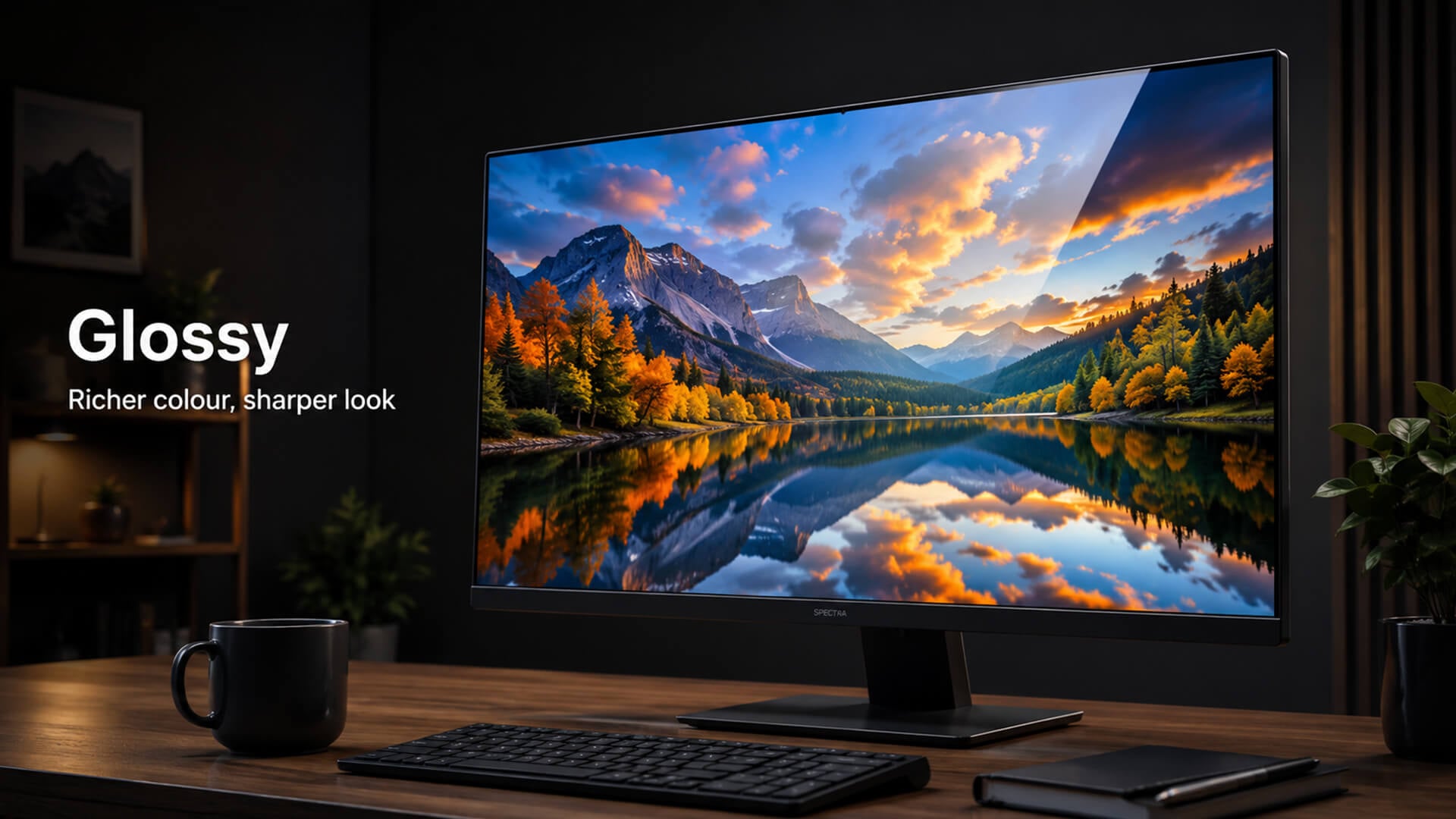
A glossy screen monitor can make colours appear richer and dark areas look deeper, but this does not automatically make it more colour-accurate. Accuracy depends more on the panel, calibration, colour coverage and picture settings.
A matte screen monitor may slightly soften fine detail when it uses a stronger anti-glare treatment. However, resolution, pixel density, display scaling and subpixel layout usually have a greater effect on text clarity than the finish alone.
For design work, choose a calibrated display with suitable colour coverage. For reading and office tasks, compare text at the monitor’s native resolution and check that the coating does not introduce distracting grain.
Glossy 4K and OLED Monitors: What Should You Know?
Resolution, panel technology and screen coating are separate specifications. A monitor can combine 4K resolution with a matte, glossy or lower-reflection surface.
A Glossy 4K Monitor Can Look Exceptionally Clear
A 4K monitor with a glossy screen can produce crisp text and detailed images because the smooth surface adds little visible texture. This makes a glossy 4K monitor appealing for media, design work and visually rich games in a well-managed room.
However, 4K resolution does not reduce reflections. A glossy PC monitor can still mirror lamps, windows and bright objects, particularly when displaying dark content.
OLED Screens Can Be Matte or Glossy
OLED refers to the panel technology, not the surface finish. Current OLED monitors are available with glossy coatings as well as matte or glare-reducing treatments.
Glossy OLED models often prioritise clear-looking images and strong visual depth, while glare-free OLED screens provide more flexible placement in brighter rooms. Buyers should check the listed coating rather than assuming every OLED monitor uses the same finish.
Semi-Gloss and Low-Reflection Finishes
A semi-gloss coating sits between strongly matte and fully glossy surfaces. It may preserve more apparent clarity than a heavier anti-glare layer while making reflections less defined than they would be on untreated glass.
A low-reflection coating has a similar goal, but the result varies between manufacturers and models. These terms do not describe one universal finish, so reflection handling should be assessed alongside the monitor’s brightness, panel and intended room.
Cleaning and Looking After Matte and Glossy Screens
Glossy surfaces tend to make dust, smudges and fingerprint visibility more noticeable. Matte finishes may hide marks better, but their textured coating still needs gentle care.
One thing that remains the same in the matte vs glossy monitor comparison is display cleaning:
- Switch off and unplug the monitor.
- Remove loose dust with a clean, dry microfibre cloth.
- Use a slightly dampened cloth for stubborn marks.
- Apply any suitable cleaning solution to the cloth, not the screen.
- Wipe gently without pressing heavily on the panel.
- Avoid paper towels, abrasive materials and household glass cleaners.
- Check the manufacturer’s instructions before using any cleaning product.
Final Thoughts
Screen finish should be one part of the wider monitor decision, not the only one. Once you have compared resolution, panel type, colour performance, refresh rate and connectivity, choose the coating that creates the fewest compromises in your actual setup.
The final takeaway in the matte vs glossy monitor debate is this: for most mixed-use setups, matte is the more flexible option, while glossy is better suited to carefully managed rooms where image clarity takes priority over reflection control.
Frequently Asked Questions
Is it better to get glossy or matte?
Matte is generally more practical for bright rooms and offices. Glossy suits controlled lighting where sharper, more vivid-looking images take priority.
Are matte monitors better for the eyes?
Matte screens are not inherently healthier for your eyes, but they can improve comfort by making reflections less defined. Brightness, viewing distance, room lighting, text size and regular breaks also affect eye comfort.
Are OLED screens matte or glossy?
OLED monitors can have matte, glossy or low-reflection finishes. Check the coating listed for the individual model rather than assuming all OLED screens use the same surface.
Do glossy OLED screens scratch easily?
Glossy OLED coatings can be damaged by abrasive materials or incorrect cleaning. Use a soft microfibre cloth, avoid strong pressure and follow the manufacturer’s cleaning instructions.
Is a matte screen good for gaming?
Yes. Matte screens work particularly well in bright rooms and competitive setups where reflections could obscure detail. Glossy may suit cinematic games when the lighting is controlled.
You can pay with:
*PayPal Credit Representative Example: Assumed credit limit £1,200, Representative 23.9% APR (variable). Purchase rate 23.9% p.a (variable).Terms & Conditions apply.


PayPal Credit and PayPal Pay in 3 are trading names of PayPal UK Ltd, 5 Fleet Place, London, United Kingdom, EC4M 7RD. Terms and conditions apply. Credit subject to status, UK residents only, Five Tech LTD acts as a broker and offers finance from a restricted range of finance providers. PayPal Pay in 3 is not regulated by the Financial Conduct Authority. Pay in 3 eligibility is subject to status and approval. 18+. UK residents only. Pay in 3 is a form of credit. Check if affordable and how you will repay. May make other borrowing more difficult or expensive. See product terms for more details.
Copyright © 1996-2026 Fivetech LTD | Terms and Conditions
box.co.uk & Box are trading names of Five Tech Limited. Registered office: Box LTD, Unit 10 Woodford Trading Estate, Woodford Green IG8 8HF