


 Menu
MenuMenu


Get Sales Advice from Mon - Fri 9am - 5:00pm:
020 3337 8950LAST UPDATED: May 19, 2026
LG Monitor Buying Guide: Screen Size, Resolution and Panel Type Explained
Choosing the right monitor sounds simple until you start comparing real options. One screen is 24 inches and Full HD, another is 27 inches and QHD, another is 34 inches and UltraWide, and then you still have to think about IPS, VA, OLED, refresh rates, ports, ergonomics, and what you actually plan to use it for. That is exactly why this LG monitor buying guide is important. The best LG monitor is not the one with the longest spec list. It is the one that fits the way you work, play, and use your desk every day.
LG's monitor range is broad enough that you can now buy everything from a straightforward 24-inch IPS screen for day-to-day work to a 45-inch OLED UltraGear display aimed at high-end gaming. You can also find standard Full HD office-friendly screens, QHD gaming models, UltraWide productivity displays, and 4K and OLED options all sitting under the same brand umbrella.
This guide is built to make that range easier to understand. It explains how to choose an LG monitor by breaking the decision into the three areas that shape the experience most: screen size, resolution, and panel type. From there, it also covers refresh rate, response time, ports, stand adjustments, and the extra features that matter for gaming, creative work, general productivity, and mixed everyday use. If you are browsing LG monitors and want to narrow the field properly, this guide is where to start.
Why LG Monitors are Worth Comparing Carefully
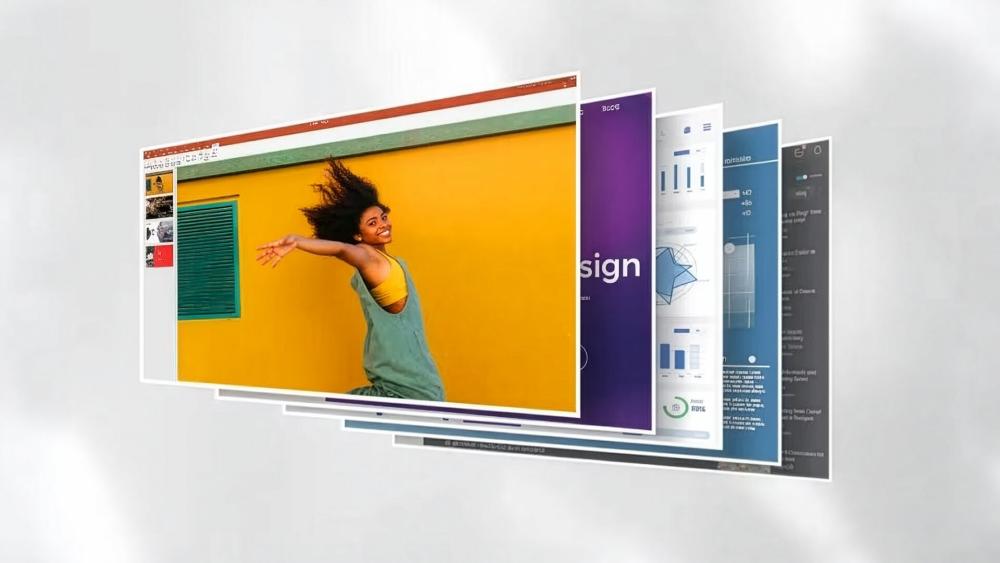
LG is one of those brands that covers multiple monitor categories without making them all feel like the same product in different sizes. Its range includes:
- Standard everyday displays
- LG UltraWide monitors
- LG UltraGear gaming screens
- 4K productivity and creator-style displays
- Premium OLED models
That is useful for buyers, but it also means you can end up comparing monitors that are aimed at completely different people. A 24-inch Full HD IPS panel for office work should not really be judged the same way as a 27-inch 4K UltraGear gaming monitor or a 40-inch 5K2K curved UltraWide display. When the range is this broad, the smartest way to shop is to focus on the fundamentals first, such as screen size, resolution, panel type, refresh rate, and the kind of tasks you actually want the monitor to handle.
That is why the smartest LG monitor buying advice is not to start with brand hype or one "best" model. It is to begin with your actual use case:
- office work and browsing
- mixed work and entertainment
- gaming
- media and creator work
- multitasking across multiple windows
- console use
- desk space limitations
Once that is clear, the right LG monitor becomes much easier to identify.
Screen Size Explained: What Size LG Monitor Should You Buy?
Screen size is usually the first thing people notice, but it only makes sense when matched with desk space, resolution, and the kind of tasks you do most.
24-inch to 25-inch LG Monitors
This is still one of the most practical sizes for general use. A 24-inch screen is easy to fit on smaller desks, comfortable for everyday office tasks, and often a strong value option if you mainly want browsing, documents, streaming, and casual gaming.
A screen in this size range makes most sense if:
- your desk is compact
- you sit fairly close to the display
- you mainly use one window at a time
- you want a simpler monitor for work, study, or mixed casual use
27-inch LG Monitors
For many buyers, 27 inches is the sweet spot. It is large enough to feel immersive and spacious, but still practical for most desks. It is also one of LG's strongest size categories because it works well across Full HD, QHD, and 4K, depending on the use case.
A 27-inch LG monitor is usually the safest recommendation if you want:
- a main monitor for mixed work and entertainment
- sharper text and more desktop room than 24 inches
- a gaming screen that still feels practical
- a better balance between immersion and desk fit
32-inch and Above
Larger monitors make more sense once you know why you want the extra size. A 32-inch QHD or 4K screen can feel excellent for gaming, content viewing, multitasking, and media-heavy work, while larger curved and UltraWide models are often aimed at immersion or productivity rather than simple everyday browsing. LG's official lineup includes sizes stretching well beyond 32 inches, including 44.5-inch, 39-inch, 40-inch, and 49-inch models depending on category.
A larger LG monitor makes sense if you want:
- more workspace without using two displays
- more immersive gaming
- stronger video and media presence
- an UltraWide workflow with several windows open side by side
Quick Screen Size Guide
A practical LG monitor screen size guide looks like this:
- 24-inch: best for basic work, smaller desks, and straightforward everyday use
- 27-inch: best all-round size for most buyers
- 32-inch: better for immersion, mixed gaming and work, or more screen room
- 34-inch and above UltraWide: best for multitasking and cinematic gaming
- 40-inch to 49-inch: best for premium workspace replacement or highly immersive setups
Resolution Explained: What Resolution is Best for an LG Monitor?
Screen size only makes sense when paired with resolution. A bigger monitor with too little resolution can look soft, while a sharper resolution can make text, games, and media look much cleaner.
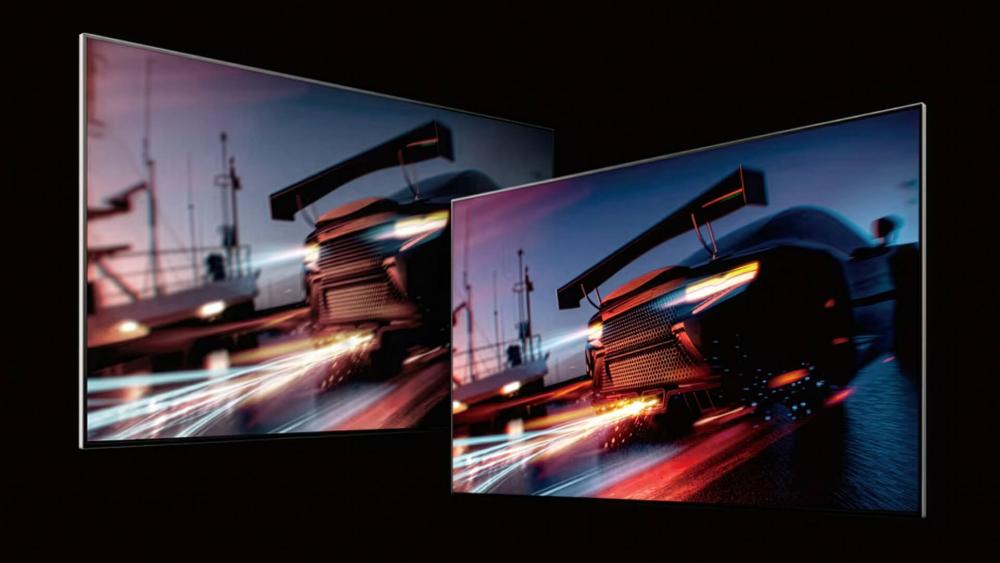
Full HD (1920 x 1080)
Full HD still has a place, especially on smaller screens and lower-cost monitors. At 24 inches, it can still look perfectly fine for general use, and it also makes sense on entry-level high-refresh gaming displays where the goal is smooth performance rather than maximum sharpness.
Choose Full HD if:
- you want a more affordable LG monitor
- you mostly use 24-inch screens
- you prioritise refresh rate over resolution
- your PC is not built for QHD or 4K gaming
QHD / Quad HD (2560 x 1440)
This is the most balanced resolution for many buyers. On a 27-inch monitor in particular, QHD often feels like the ideal upgrade over Full HD because it gives you more detail, more desktop space, and a sharper overall look without demanding the same hardware or budget as 4K.
Choose QHD if:
- you want a strong all-round monitor
- you game on PC and want sharper visuals
- you use 27-inch or 32-inch screens
- you want more workspace without moving to 4K
4K / UHD (3840 x 2160)
4K makes the biggest sense when detail matters. It is ideal for sharper media, cleaner text, high-resolution gaming, and more premium productivity. You can check the best LG 4K monitors in our guide to compare options and buy the one that suits you best. UHD and higher resolutions are stronger options for clarity and premium use.
Choose 4K if:
- you want maximum sharpness
- you edit photos or video
- you use a 27-inch or 32-inch premium display
- you have a GPU that can justify higher-resolution gaming
UltraWide and 5K2K resolutions
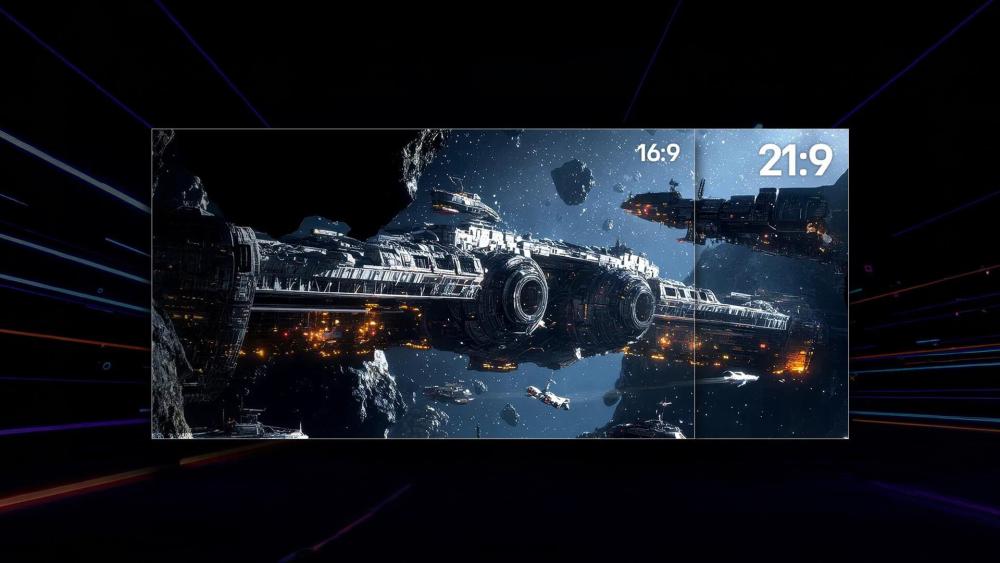
UltraWide monitors are a strong option if you want more screen space without moving to a dual-monitor setup. Instead of stacking work across two displays, an UltraWide screen gives you one continuous workspace that feels cleaner and more flexible for multitasking, creative work, and immersive gaming.
Resolutions in this category can vary, but they are generally designed to give you more horizontal room rather than just a sharper version of a standard 16:9 screen. That makes them especially useful for:
- Large spreadsheets
- Editing timelines
- Side-by-side documents or browser windows
- Simulation, racing, and open-world gaming
- Replacing a two-monitor desk setup with one larger display
A 5K2K display takes that idea further by combining the width of LG UltraWide monitors with a much higher pixel count. That makes it particularly appealing if you want a sharper premium workspace for creative tasks, media work, or heavier multitasking.
UltraWide resolutions make the most sense if:
- you want to replace two screens with one
- you work across large timelines, spreadsheets, or multiple windows
- you want more immersive gaming in supported titles
- you prefer screen width and workspace flexibility over a standard 16:9 layout
Panel Types Explained: IPS, VA and OLED
Panel type has a big impact on what a monitor actually feels like to use. Two displays can have the same size and resolution but still look and behave very differently depending on whether they use an IPS, VA, or OLED panel. That affects colour, viewing angles, contrast, motion clarity, and overall suitability for different tasks.
IPS Panels
IPS is still the safest recommendation for most buyers. It is the most balanced option if you want strong colour quality, good viewing angles, and a display that works well across general use, work, media, and gaming.
IPS is best if you want:
- accurate and vibrant colours
- wide viewing angles
- mixed work and entertainment use
- a safe all-round panel type
For most buyers, IPS is the easiest place to start because it suits the widest range of users.
VA Panels
VA panels are often chosen for their stronger contrast. They can make darker scenes look deeper and richer, which is one reason they appeal to people who want a monitor for gaming, entertainment, or media use. They often work particularly well in curved displays, where the added contrast can make the experience feel more immersive.
VA is best if you want:
- stronger contrast than IPS
- a curved gaming monitor
- good all-round media performance
- a gaming-first display without stepping into OLED prices
VA can be a great fit if you care more about contrast and immersion than the broader all-round strengths of IPS.
OLED Panels
OLED sits at the premium end of the monitor market. It offers exceptional contrast, very fast response times, and a much more dramatic visual feel, especially for gaming and media. OLED panels are the ones that feel most obviously high-end when you see them in use, particularly in darker scenes or fast-moving games.
OLED is best if you want:
- the fastest response times
- premium contrast and richer-looking visuals
- a top-end gaming monitor
- a display built for image quality as much as speed
If gaming is the main focus and you want something more premium, OLED is where the conversation becomes much more performance-led and visually dramatic. You can see the best LG gaming monitors in our guide to make the choice easier for you.
Which Panel Type Is Best?
If you want a faster decision between LG monitor panel types, here's what you need to consider:
- IPS: best for most people
- VA: best for contrast-focused value and curved gaming
- OLED: best for premium gaming and visual performance
Refresh Rate and Response Time: How Much Do They Matter?
This is one of the easiest areas to either overvalue or ignore completely. Refresh rate and response time matter, but how much they matter depends entirely on what you actually do with the monitor.
For Everyday Use
For normal office work, browsing, streaming, and general desktop use, you do not need extremely high refresh rates. That said, smoother displays are no longer just for gamers. A monitor in the 100Hz to 120Hz range can make scrolling, window movement, and general interaction feel noticeably cleaner and more polished.
If you mainly want a monitor for day-to-day use, you do not need to chase esports-level numbers. A smoother-than-standard refresh rate is often enough to improve the overall feel of the display.
For Gaming
Gaming is where refresh rate matters most. If you play fast-paced shooters, racing games, or anything highly reactive, higher refresh rates can make motion feel clearer and more responsive. Slower titles still benefit too, but the difference is usually more obvious in competitive or faster-moving games.
Here's a little LG monitor refresh rate guide to help you understand this better:
- 60Hz to 75Hz: basic everyday use
- 100Hz to 120Hz: smoother mixed use and productivity
- 144Hz to 200Hz: strong gaming range for most PC players
- 240Hz and above: enthusiast gaming and esports-focused setups
Response time matters alongside refresh rate because it affects how quickly pixels change. A high refresh rate monitor with weak response behaviour can still look less sharp in motion than expected. That is why gaming-focused displays tend to prioritise both speed and refresh rate together.
What Other Features Should You Look For in an LG Monitor?
Once you have size, resolution, and panel type in mind, the remaining features help narrow the field down properly.
Stand Adjustment and Ergonomics
A good monitor is not just about the panel. It also has to feel comfortable on your desk. Height adjustment, tilt, swivel, and pivot can make a real difference, especially if the monitor will be used for work every day. Ergonomics are easy to overlook when comparing specs, but they affect your experience every time you sit down.
Connectivity
Ports matter more than many buyers expect. Before choosing a monitor, think about what you will actually connect to it:
- HDMI
- DisplayPort
- USB hubs
- USB-C for laptops and cleaner desk setups
- Thunderbolt for more premium workspace use
The right ports can make a monitor much easier to live with, especially if you are using it across multiple devices.
HDR
HDR can improve brightness, contrast, and visual depth, but the quality of HDR support varies a lot between monitors. It is worth treating HDR as a bonus that improves the experience when implemented well, rather than assuming every HDR-labelled display will feel equally premium.
Adaptive Sync
If you game, adaptive sync is worth paying attention to. Features like AMD FreeSync, FreeSync Premium, and G-SYNC compatibility help gameplay feel smoother by reducing tearing and improving consistency when frame rates vary.
For a gaming-focused buyer, this is one of the most useful features outside of panel type and refresh rate.
A Simple Way to Choose the Right LG Monitor
If you want the quickest route through this LG monitor comparison guide, this is the easiest way to narrow things down.
Choose a 24-inch or 27-inch IPS monitor if:
- you want a safe everyday work and entertainment display
- you use standard desk space
- you want general all-round value
Choose a 27-inch or 32-inch QHD gaming monitor if:
- you want the most balanced gaming setup
- you need a monitor that still works well for general use
- you want sharper visuals without moving all the way to 4K
Choose a 4K LG monitor if:
- you care about image detail and sharpness
- you do visual work or want more premium clarity
- you have the hardware to support higher-resolution gaming
Choose an UltraWide LG monitor if:
- you multitask heavily
- you want more horizontal space
- you prefer one large display instead of two smaller ones
Choose an OLED gaming monitor if:
- gaming is your top priority
- you want top-end response times and contrast
- you are shopping at the premium end of the market
Final Thoughts
So, concluding this LG monitor buying guide, the best advice is actually quite simple: start with how you use the screen, then let size, resolution, and panel type narrow the range.
If you want the safest all-round option, a 27-inch IPS QHD monitor is hard to beat. If you want a productivity-focused screen, UltraWide and higher-resolution displays usually make more sense. If gaming comes first, higher refresh rates, faster response times, and adaptive sync become much more important. And if you want the premium end of the market, OLED is where the biggest visual and performance gains tend to appear.
That is why the right answer is rarely just "buy the biggest" or "buy the most expensive". The smartest monitor is the one that fits your desk, your workflow, your games, and your expectations for how the screen should feel every day.
FAQs
How do I choose the right LG monitor?
Start with your use case first. Think about whether the monitor is mainly for work, gaming, media, or mixed everyday use. Then choose the right size, resolution, and panel type around that.
What size LG monitor should I buy?
For most buyers, 27 inches is the safest all-round size. 24 inches still works well for smaller desks and basic use, while 32 inches and above make more sense for immersive gaming, multitasking, or more premium setups.
What resolution is best for an LG monitor?
It depends on the screen size and what you want from it. Full HD suits basic everyday use, QHD is the most balanced option for many buyers, and 4K is best for sharper detail and more premium work or gaming setups.
Which panel type is best for an LG monitor?
For most people, IPS is the best all-round panel type because it balances colour quality and viewing angles well. VA is better if contrast matters more, while OLED is the premium option for top-end gaming and image quality.
What features should I look for in an LG monitor?
The most important features are the ones that match your use. Focus on screen size, resolution, panel type, refresh rate, response time, stand adjustment, ports, HDR support, and adaptive sync if you plan to game.
You can pay with:
*PayPal Credit Representative Example: Assumed credit limit £1,200, Representative 23.9% APR (variable). Purchase rate 23.9% p.a (variable).Terms & Conditions apply.


PayPal Credit and PayPal Pay in 3 are trading names of PayPal UK Ltd, 5 Fleet Place, London, United Kingdom, EC4M 7RD. Terms and conditions apply. Credit subject to status, UK residents only, Five Tech LTD acts as a broker and offers finance from a restricted range of finance providers. PayPal Pay in 3 is not regulated by the Financial Conduct Authority. Pay in 3 eligibility is subject to status and approval. 18+. UK residents only. Pay in 3 is a form of credit. Check if affordable and how you will repay. May make other borrowing more difficult or expensive. See product terms for more details.
Copyright © 1996-2026 Fivetech LTD | Terms and Conditions
box.co.uk & Box are trading names of Five Tech Limited. Registered office: Box LTD, Unit 10 Woodford Trading Estate, Woodford Green IG8 8HF