


 Menu
MenuMenu


Get Sales Advice from Mon - Fri 9am - 5:00pm:
020 3337 8950POSTED: May 08, 2026
HP ZBook vs MacBook Pro: Which Laptop Is Better for Professionals in 2026?
Choosing between HP ZBook vs MacBook Pro is not really about picking the more famous name. It is about choosing the machine that fits the kind of professional work you actually do. In 2026, that decision matters more than ever because the two ranges are built around very different ideas. HP’s ZBook line is still firmly positioned as a mobile workstation family for technical and creative professionals who need high performance on the move, while the current MacBook Pro line is built around Apple Silicon, long battery life, high-end displays, and a creator-first macOS workflow. HP says ZBook mobile workstations are designed for high-performance, secure computing for technical and creative professionals, while Apple positions MacBook Pro as its most advanced Mac laptop for demanding tasks with M5, M5 Pro, or M5 Max chips and up to 24 hours of battery life.
That makes HP ZBook vs MacBook Pro a much more specific comparison than many buyers expect. If your day revolves around CAD, engineering software, certified workstation workflows, or Windows-heavy enterprise tools, ZBook usually enters the conversation with a clear advantage. If your work leans more toward video editing, content creation, motion graphics, or Apple-first workflows, the MacBook Pro becomes much harder to ignore. The goal of this guide is to make that split easier to understand, so you can work out which option makes the most sense for your setup. So let’s get started.
HP ZBook vs MacBook Pro: Core Differences
Before comparing performance, battery life, or software support, it helps to understand what these two laptops are actually built to do. The HP ZBook vs MacBook Pro debate is not just about raw power. It is about two different approaches to professional computing, with one focused more on workstation flexibility and certified Windows workflows, and the other built around an integrated creator-first Apple ecosystem.
-
What is a Workstation Laptop?
A workstation laptop is designed for professional workloads that go beyond everyday office use. That usually means heavier CPU and GPU tasks, larger memory ceilings, higher storage capacity, support for engineering or 3D tools, and better alignment with professional software requirements. HP describes ZBook mobile workstations as AI workstation laptops for technical and creative professionals who need ultimate performance on the go, focusing heavily on rendering, visualisation, AI workflows, and software certification. HP also says its Z workstations go through rigorous ISV testing and certification to help ensure peak performance and compatibility with selected professional applications.
-
What is MacBook Pro designed for?
The MacBook Pro is aimed at demanding professional work too, but with a different balance. Apple’s current MacBook Pro range centres on M5, M5 Pro, and M5 Max chips, Apple Intelligence, long battery life, Liquid Retina XDR displays, fast unified memory, and a macOS-first workflow. Apple also explicitly frames M5 Pro as a fit for scientists, engineers, software developers, and creative pros, while M5 Max is pitched toward more extreme workflows such as 3D VFX, AI development, film scoring, and 8K post-production. That gives the MacBook Pro serious performance credibility, but it still approaches “pro” work from a more integrated Apple ecosystem angle rather than the modular Windows workstation angle used by ZBook.
-
Key Philosophy Differences
This is the part of the ZBook vs Macbook Pro comparison that matters most. ZBook is built around flexibility, certification, Windows workflow compatibility, and workstation-style expansion. MacBook Pro is built around efficiency, display quality, long battery life, and a tightly integrated Apple hardware and software stack. HP pushes its ZBook Fury G1i as a desktop-class CPU in a laptop with up to 256GB memory and 16TB storage, while Apple pushes MacBook Pro around high-speed unified memory, powerful media engines, Apple Silicon acceleration, and up to four external displays depending on chip choice. Both are professional machines, but they are not solving the same problem in the same way.
Performance Comparison
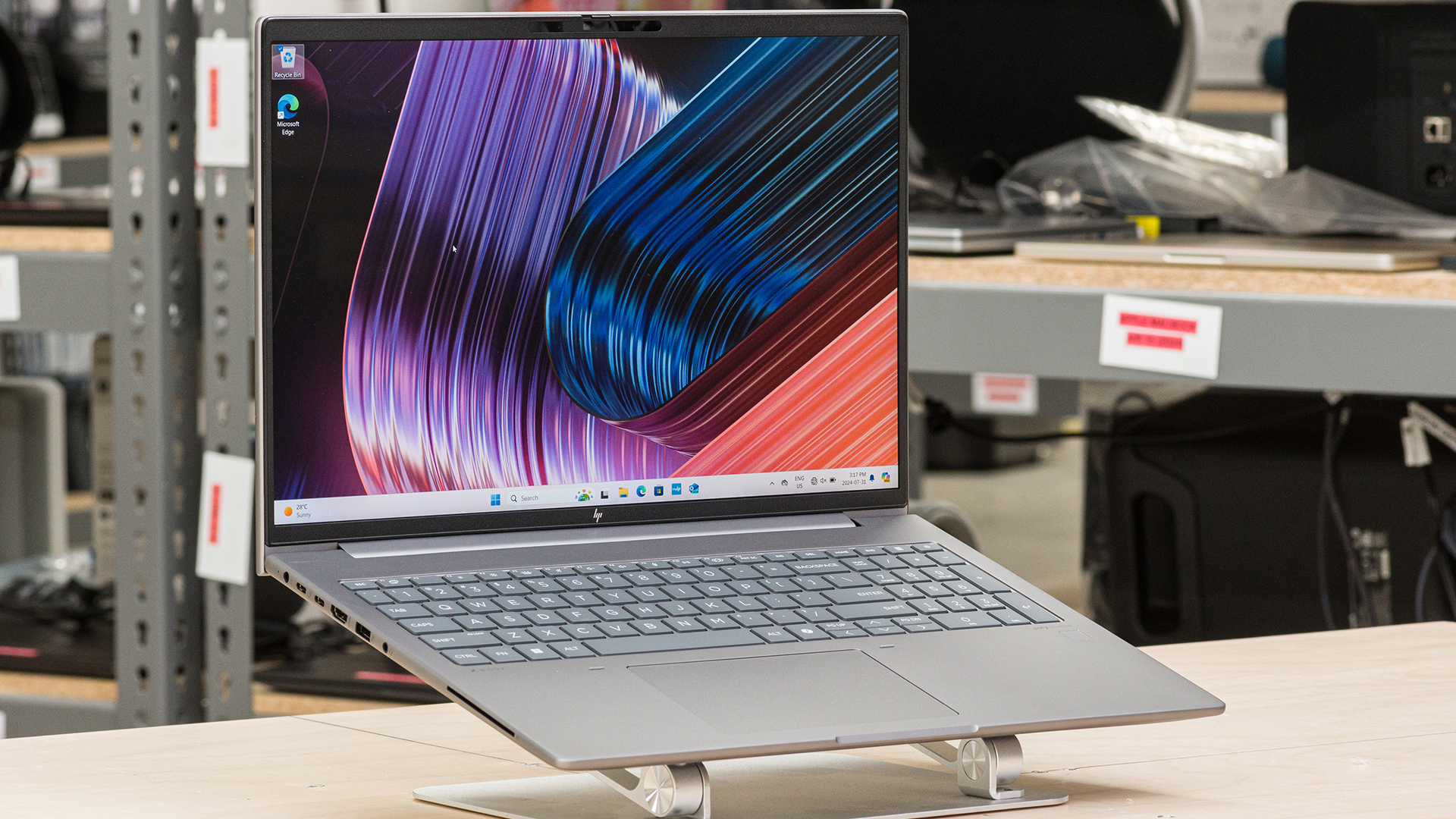
When it comes to performance, both laptops bring their unique set of features. Here’s how they compare:
-
CPU and GPU Performance
On raw workstation flexibility, ZBook still has the clearer edge. The HP ZBook Ultra G1a can be configured with up to an AMD Ryzen AI Max+ PRO 395 processor, while the ZBook Fury G1i goes further with an Intel Core Ultra 9 vPro HX processor and up to an NVIDIA RTX PRO 5000 Blackwell Laptop GPU. HP also highlights up to 256GB of DDR5 memory and up to 16TB storage on the Fury line, which is classic workstation territory. That makes a big difference for engineers, 3D professionals, simulation-heavy users, and anyone who needs certified pro graphics rather than consumer-oriented GPU behaviour.
The MacBook Pro takes a different route. Apple’s current lineup runs on M5, M5 Pro, and M5 Max, with up to 128GB unified memory and up to 8TB SSD storage. Apple also claims faster unified memory, faster SSD performance, hardware-accelerated ray tracing, dedicated media engines, and Neural Accelerators built into the M5 family. In practical terms, that makes the MacBook Pro extremely strong for creator workflows, high-end general professional use, and AI-assisted local tasks, even though it is not a Windows-style certified workstation.
-
Sustained Workload Performance
For sustained heavy work, the distinction becomes clearer. HP describes the ZBook Fury G1i as able to edit 8K video and render in 3D on the go, with desktop-class CPU capability and large memory and storage headroom. That is exactly the kind of wording you expect from a workstation line that is built to sit under long, intense loads rather than just feel quick in short bursts. The MacBook Pro is also strong under sustained work, but Apple frames that strength more around efficiency and chip integration, especially in professional creation, AI, and development workflows.
-
Thermal Handling
HP and Apple do not describe thermals in the same language, but the design priorities are still obvious. ZBook Fury is thicker, heavier, and much more clearly designed to make room for desktop-class workstation behaviour, pro graphics, and internal expansion. MacBook Pro is thinner, more power-efficient, and designed to balance serious performance with mobility and battery life. In other words, if your work looks like full-fat workstation use for hours at a time, ZBook makes more sense. If your work needs strong sustained performance without carrying a much larger machine, MacBook Pro has the cleaner argument.
Software Compatibility and Workflow
For many professional buyers, choosing the right performance focused work laptops comes down to software compatibility and workflow. The hardware matters, but the software you rely on every day often matters more. In the HP ZBook vs MacBook Pro comparison, workflow compatibility can quickly make one option feel like the obvious fit and the other feel like the wrong tool, even before performance differences come into play.
-
CAD and Engineering Software
This is one of the clearest parts of HP ZBook vs Macbook Pro. If your work depends on a Windows-first engineering stack, a ZBook is usually easier to recommend. HP’s Z workstation strategy is built around ISV certification, and HP says its workstations are tested and certified by independent software vendors to help ensure peak performance and reliable application compatibility. That matters in CAD, engineering, architecture, simulation, and other professional environments where validated hardware is a real part of the buying decision. This is exactly why HP ZBook for CAD and engineering software is such a natural fit for the workstation conversation.
That does not mean the MacBook Pro is useless for CAD. Autodesk explicitly says AutoCAD for Mac offers the same functionality as the Windows version and points to other Mac-compatible CAD tools such as Fusion 360 for Mac. So if your CAD workflow is built around tools with solid macOS support, a MacBook Pro can absolutely be viable. The bigger issue is that the broader engineering and enterprise workstation world still leans more naturally toward Windows-certified hardware than toward Apple’s more closed workstation story.
-
Creative Software
If your work is more creative than engineering, the balance changes. Apple’s case is strongest in video editing and creator software. Final Cut Pro is an Apple-first tool built for Mac and iPad, and Apple presents it as part of its wider creator stack, with direct Apple Silicon optimisation and strong MacBook Pro integration for HDR editing, grading, and delivery. Apple also describes the MacBook Pro display as ideal for HDR work and places Final Cut Pro directly in the MacBook Pro creative workflow story.
Adobe does not make the choice as simple, because Adobe’s current compatibility guidance shows that many Creative Cloud apps work on Apple Silicon, though some still rely on Rosetta 2 in certain cases. That means the MacBook Pro remains strong for Adobe-led work, but it is not quite the same as saying every creative workflow is equally native and identical on macOS. ZBook, by contrast, keeps the advantage of a more familiar Windows and RTX-style environment for mixed creator and technical workflows.
-
Windows vs macOS Limitations
The real MacBook vs HP decision is often about operating system limits rather than hardware limits. ZBook gives you Windows 11 or, on some models, Linux options such as Ubuntu. MacBook Pro gives you macOS. That sounds obvious, but it matters a lot. If your software stack or enterprise policy expects Windows, ZBook fits more naturally. If your workflow is Apple-first, Final Cut-heavy, or tightly connected to the wider Apple ecosystem, MacBook Pro becomes more attractive. This is why many buyers end up deciding the software question before they finish deciding the hardware question.
Display and Build Quality
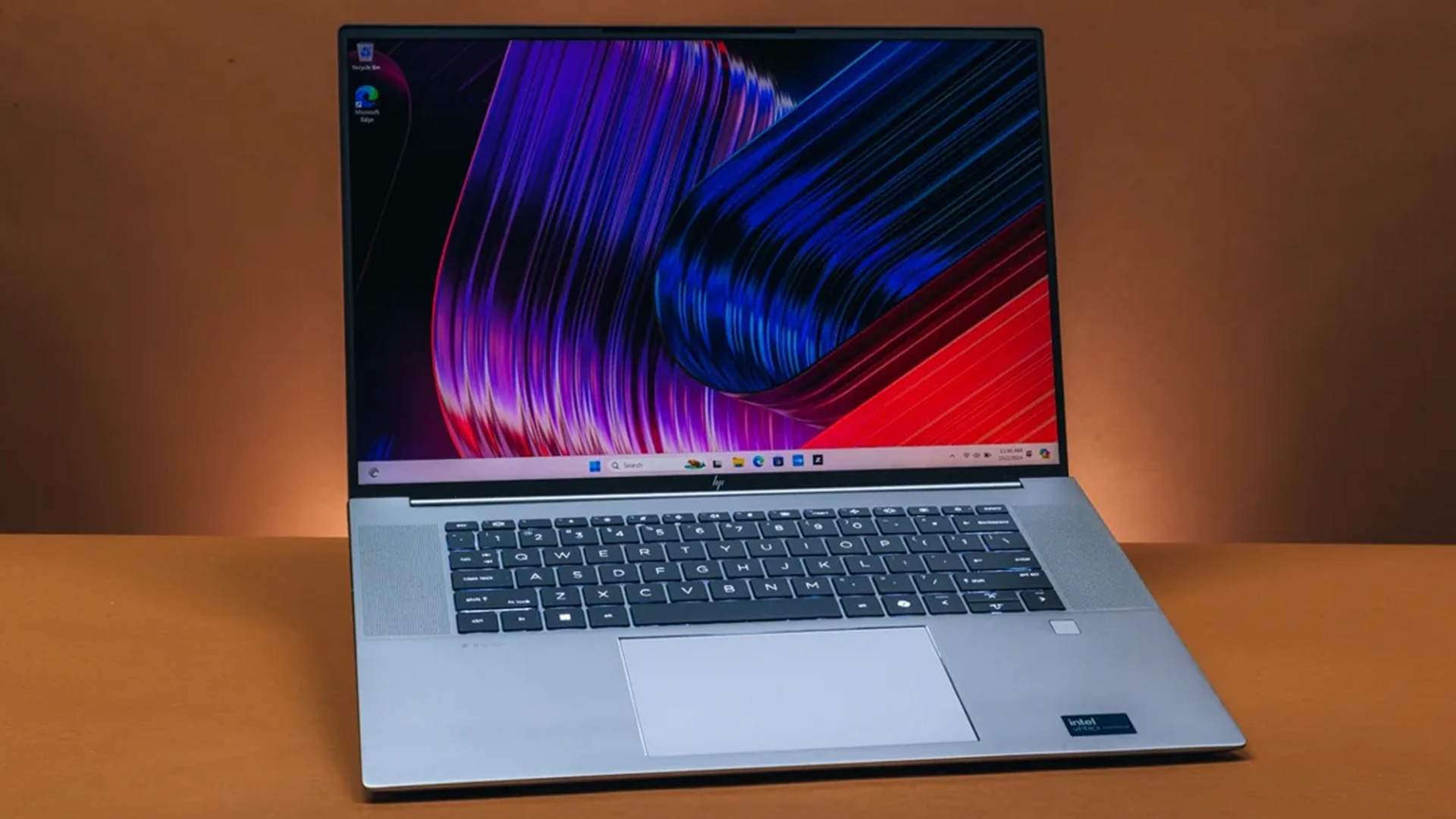
The display and build quality part of the HP ZBook vs MacBook Pro comparison is less about raw speed and more about what the laptop feels like to use every day. Display quality, build, ports, and expandability all shape the experience in different ways, especially for professionals who spend long hours on screen or rely on specific accessories and workflows.
-
Colour Accuracy and Panel Options
MacBook Pro is one of the easiest premium laptops to recommend on display quality alone. Apple says the Liquid Retina XDR display delivers 1600 nits peak HDR brightness and a 1,000,000:1 contrast ratio, with wide colour and ProMotion support up to 120Hz. That gives it a very strong case for editors, photographers, and creative professionals who care about colour and HDR viewing.
ZBook fights differently. HP gives buyers multiple panel choices depending on the model, including DreamColor options on the Fury family, which makes it more configurable around specific professional needs. That flexibility matters if the display has to be matched to a specialist workflow rather than simply being generally excellent. For buyers who want choice, the powerful laptop machines side of the Windows market is still more modular than Apple’s one-screen-quality-fits-all approach.
-
Build Quality and Design
Both machines are premium, but they express it differently. Apple says the MacBook Pro is made with 100% recycled aluminium in the enclosure and is designed to withstand daily use. The overall design is still cleaner, thinner, and more visibly refined. ZBook quality is more functional and work-led. The ZBook Ultra G1a is HP’s sleek and thin answer, while the Fury G1i is much more clearly a performance-first tool. If you want the machine that feels more polished in hand, MacBook Pro usually wins. If you want the machine that feels more like a professional tool built around specialised work, ZBook still has its own appeal.
-
Port Selection and Expandability
This is an easier win for ZBook. MacBook Pro is no longer sparse on ports, and Apple’s current models include MagSafe 3, HDMI, SDXC, headphone jack, and three Thunderbolt 4 or Thunderbolt 5 ports depending on the chip. That is a strong modern port selection. But HP goes further on workstation practicality with tool-free access to components, very large storage and memory ceilings, and a more classic expansion mindset. HP even describes the Fury family as offering desktop-level storage and memory with easy expansion and extensive port selection. For professionals who plan around long-term internal flexibility, that still matters.
Portability and Battery Life
Portability and battery life often make the difference between a laptop that looks powerful on paper and one that actually fits your working routine. In the HP ZBook vs MacBook Pro comparison, this section is really about how each machine balances performance with mobility, especially for professionals who spend as much time away from a desk as they do at one.
-
Mobility Comparison
If mobility is the main priority, MacBook Pro usually has the cleaner story. Apple’s current MacBook Pro range is available in 14-inch and 16-inch sizes and is still built around portability in a way that the larger ZBook Fury is not. HP’s ZBook Ultra G1a is clearly the company’s thinner, more battery-conscious answer, but the Fury line is much heavier and more obviously built for users who accept extra size in exchange for workstation muscle. HP lists the Fury G1i 16-inch at a starting weight of 2.43 kg and the 18-inch version at 3.52 kg, which tells you a lot about where it sits.
-
Battery Efficiency
Battery life is where the MacBook Pro makes its strongest practical case. Apple claims up to 24 hours of battery life on the current MacBook Pro line, with official testing for the 14-inch and 16-inch models detailed on its spec pages. HP describes the ZBook Ultra G1a as battery-efficient, but it does not make the same kind of headline promise for the heavier workstation side of the range, and HP also notes that battery life varies substantially by model, configuration, and workload. In plain terms, if long unplugged use is critical, the MacBook Pro is usually easier to back.
-
Work-on-the-go Use Case
This is where the difference becomes practical. If your work happens on trains, flights, cafés, meeting rooms, and on set, MacBook Pro is often the better companion. If your work happens on-site, in studios, in engineering environments, or in workflows where laptop mobility still needs workstation-grade hardware behind it, ZBook has the stronger case. If you want a wider read around portability and work habits, we have a guide on the best laptops for hybrid working that might help you understand this better.
Who Should Choose HP ZBook?
Here’s who this series of HP workstation laptops for professionals suits in every day workflows:
-
Engineers and Designers
If your workflow leans into CAD, simulation, engineering, product design, or enterprise software that expects certified hardware, ZBook is the safer answer. That is particularly true if your work depends on Windows, pro graphics drivers, or ISV-certified configurations.
-
Heavy Workload Users
If your laptop is expected to behave like a portable desktop, the ZBook family is easier to justify. The Fury G1i in particular is built for users who need extreme memory, storage, pro graphics, and a more upgrade-friendly platform. It is the machine you buy when the workload comes first and portability is important but not the first priority.
-
Enterprise Users
ZBook is also the better fit for many enterprise environments simply because it aligns more naturally with Windows deployment, workstation certification, IT control, and hardware choice. If that is your world, the comparison often ends here.
If you are leaning more towards the HP ZBook, you might also want to check out our G1A vs G1I ZBook comparison to check specific models in detail and compare them.
Who Should Choose MacBook Pro?
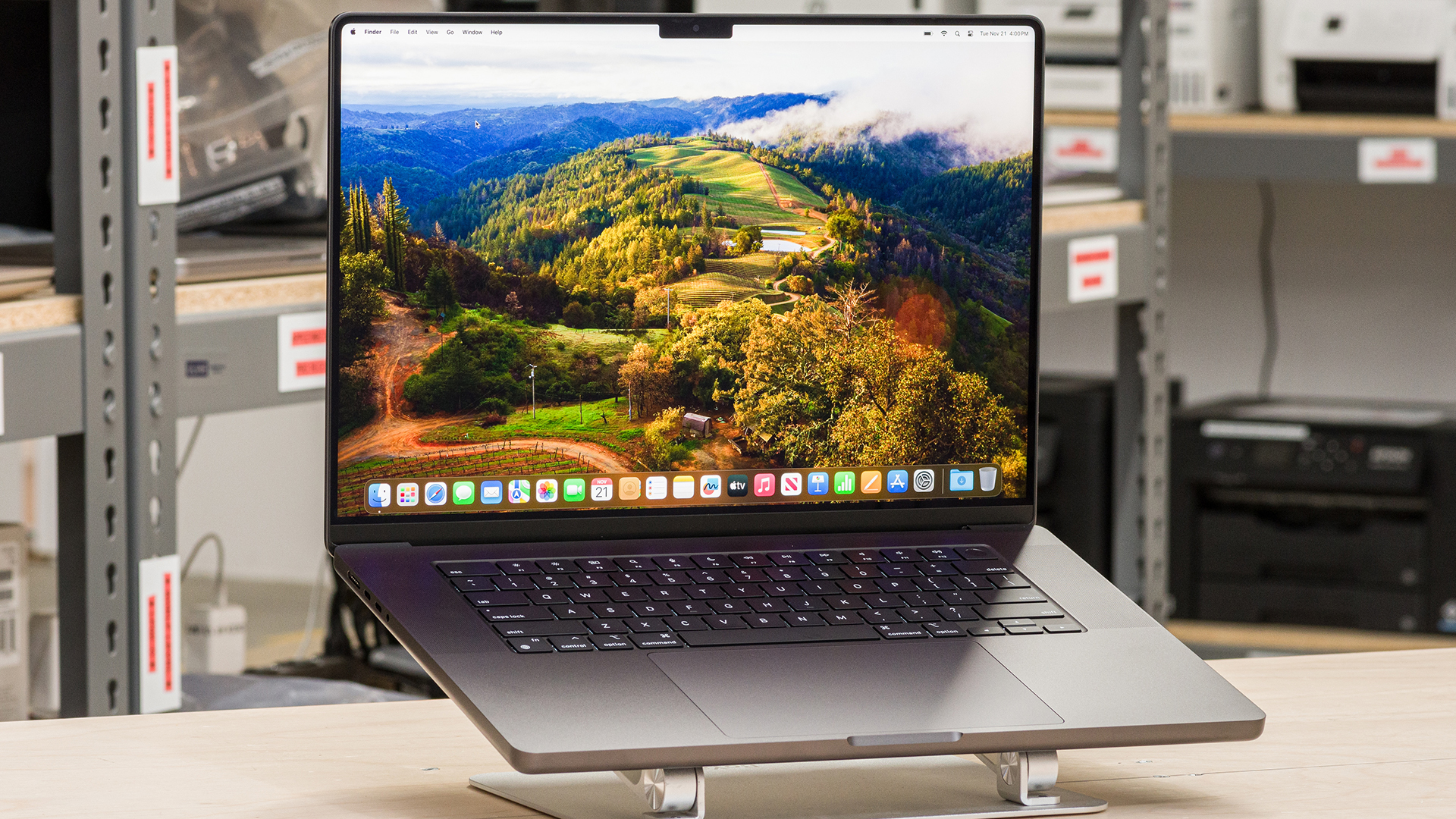
If you are leaning more towards the MacBook Pro, here’s who it suits:
-
Content Creators
MacBook Pro is one of the strongest all-round choices for creators who want performance, display quality, portability, and battery life in one system. It is particularly compelling if your work is more media-led than CAD-led and if you value the quality of the built-in display as part of the workflow. These are the reasons why Apple MacBook Pro for creators is an excellent choice.
-
Video Editors
If video editing is the centre of your work, the MacBook Pro has a very strong case because of Final Cut Pro, Apple Silicon media engines, HDR display quality, and long battery life. That does not make ZBook a weak editing machine, especially on high-end configurations, but Apple’s platform story is simply cleaner for many editing-focused users.
-
Apple Ecosystem Users
If your work already lives inside Apple’s wider ecosystem, the MacBook Pro becomes much easier to justify. That is not only about convenience. It is about getting a machine that fits your broader workflow without friction, especially if you already rely on macOS-first apps and Apple services.
Wrapping Up
The best answer to HP ZBook vs MacBook Pro depends on what “professional” means in your actual work. If it means CAD, engineering, ISV-certified applications, Windows deployment, pro graphics, and workstation-style expansion, ZBook is the better fit. If it means content creation, editing, long battery life, premium display quality, and a smoother Apple-first workflow, the MacBook Pro is usually the stronger choice. Both are serious professional machines. They are just serious in different ways.
So the practical way to decide is simple. Choose ZBook when software compatibility and workstation flexibility are the priority. Choose MacBook Pro when efficiency, mobility, and creator-friendly integration matter more. If you want to browse beyond these two, check out our complete laptop range to find an option that fits you perfectly. And if you are comparing Windows-first professional laptops more broadly, you might be interested in our EliteBook vs Dell XPS comparison to see which business laptop is right for you.
FAQs
-
Is HP ZBook better than MacBook Pro?
It depends on the workload. HP ZBook is usually better for Windows-based professional workflows, ISV-certified software environments, and workstation-style flexibility. MacBook Pro is usually better for Apple-first creative workflows, long battery life, and premium portable performance.
-
Can MacBook Pro run CAD software like ZBook?
Yes, some major CAD tools are available on Mac. Autodesk says AutoCAD for Mac delivers the same functionality as the Windows version, and Fusion 360 for Mac is also available. But that does not remove the wider advantage ZBook still has in Windows-heavy certified workstation environments.
-
Which is better for video editing, ZBook or MacBook Pro?
For many editors, MacBook Pro is the easier recommendation because of Final Cut Pro, strong media engines, high-end display quality, and battery life. ZBook can still be excellent for editing, especially in higher workstation configurations, but the MacBook Pro has the cleaner creator-first story.
-
What is the HP ZBook used for?
HP ZBook is used for professional workstation workloads such as 3D rendering, engineering, CAD, data-heavy tasks, AI workflows, and other technical or creative jobs that need more than a standard business laptop. HP specifically describes ZBook mobile workstations as AI workstation laptops for technical and creative professionals who need ultimate performance on the go.
-
What can I use the MacBook Pro for?
MacBook Pro is designed for demanding professional work including software development, creative production, video editing, AI-assisted tasks, and high-end everyday productivity. Apple positions the current MacBook Pro as its most advanced Mac laptop for demanding tasks and highlights use cases ranging from engineering and development to 3D VFX and video post-production.
You can pay with:
*PayPal Credit Representative Example: Assumed credit limit £1,200, Representative 23.9% APR (variable). Purchase rate 23.9% p.a (variable).Terms & Conditions apply.


PayPal Credit and PayPal Pay in 3 are trading names of PayPal UK Ltd, 5 Fleet Place, London, United Kingdom, EC4M 7RD. Terms and conditions apply. Credit subject to status, UK residents only, Five Tech LTD acts as a broker and offers finance from a restricted range of finance providers. PayPal Pay in 3 is not regulated by the Financial Conduct Authority. Pay in 3 eligibility is subject to status and approval. 18+. UK residents only. Pay in 3 is a form of credit. Check if affordable and how you will repay. May make other borrowing more difficult or expensive. See product terms for more details.
Copyright © 1996-2026 Fivetech LTD | Terms and Conditions
box.co.uk & Box are trading names of Five Tech Limited. Registered office: Box LTD, Unit 10 Woodford Trading Estate, Woodford Green IG8 8HF