


 Menu
MenuMenu


Get Sales Advice from Mon - Fri 9am - 5:00pm:
020 3337 8950LAST UPDATED: July 31, 2025
HP EliteBook vs Dell XPS: Which Business Laptop Should You Buy in 2025?
In 2025, the business laptop market has become more competitive and demanding than ever before. Professionals are no longer tied to desks or offices; they expect their devices to perform flawlessly in boardrooms, airport lounges, cafés, and remote locations alike. Whether you're managing sensitive data, designing on the go, or juggling a hybrid workflow, your laptop must be lightweight, powerful, secure, and smart enough to keep up with your day.
Two of the most respected names in this space are the HP EliteBook and Dell XPS. Both are premium laptop series trusted by professionals worldwide, and both have evolved significantly to meet the changing demands of modern business users. But which one is better for you in 2025?
In this blog, we’ll break down everything, from build quality and performance to AI integration, battery life, and security, to help you decide between the HP EliteBook vs Dell XPS. Whether you're an executive, creative professional, remote worker, or enterprise buyer, this guide will help you choose the best business laptop for your needs.
Design and Build Quality:
When it comes to business laptops, first impressions matter. From how a device feels in your hand to how it looks in the boardroom or during a client presentation, design and durability play a significant role in your daily experience. Both HP EliteBook and Dell XPS have refined their aesthetics and build quality in 2025, but they cater to slightly different preferences.
HP EliteBook: Corporate-Grade Elegance:
The HP EliteBook laptops continue to champion the traditional business aesthetic. It features a minimalist design with sharp edges, a matte aluminium chassis, and a lightweight form factor, often weighing around 1.2 kg. Built with MIL-STD-810H durability, these laptops are designed to withstand drops, temperature shifts, and daily travel stress, making them a dependable companion for executives and mobile professionals.
HP Laptops also keep practicality in mind. The EliteBook's keyboard is backlit and spill-resistant, with a tactile feel suited for long typing sessions. Ports are plentiful, with many models offering USB-A, Thunderbolt 4, HDMI, and even nano-SIM support for 4G/5G connectivity. All things considered, you can easily find the best HP laptop for business in this series.
Dell XPS: Premium Minimalism
The Dell XPS lineup takes a more lifestyle-oriented approach. With machined aluminium bodies, carbon fibre palm rests, and ultra-thin bezels, XPS laptops are some of the most visually striking devices on the market. The InfinityEdge display, which spans nearly edge-to-edge, is one of Dell’s most recognisable design features, giving the laptop a modern, borderless look.
The XPS 13 is particularly portable, weighing around 1.2–1.3 kg, while the Dell XPS 15 and XPS 17 bring larger displays in sleek, thin frames. While the port selection is more minimalist (often limited to USB-C and Thunderbolt 4), the visual appeal and craftsmanship make it a go-to for professionals who blend business with creativity.
Performance and Specs for Professionals:
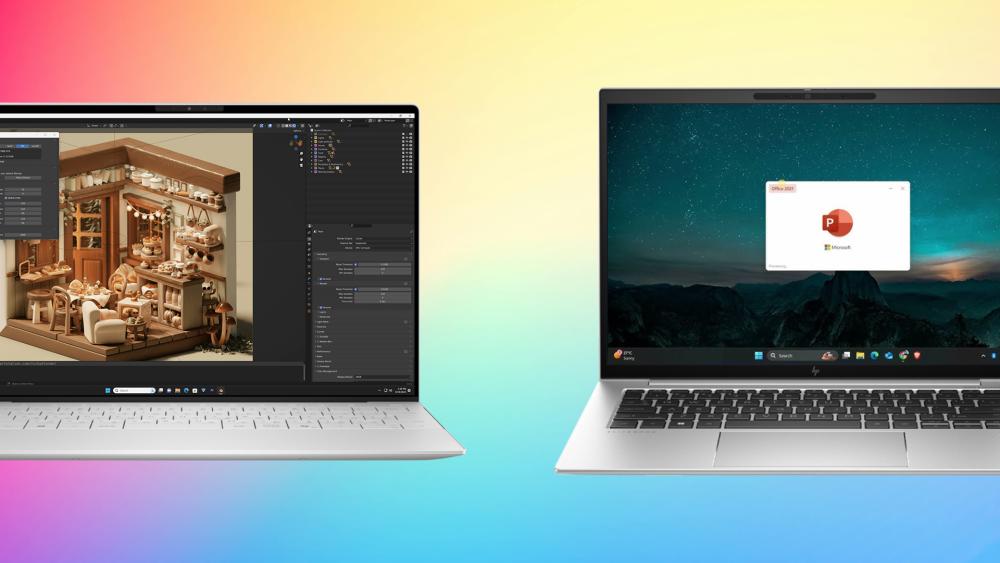
Whether you're crunching numbers in Excel, training AI models, editing 4K videos, or managing dozens of tabs during remote meetings, performance is key. In 2025, both the HP EliteBook and Dell XPS series have been upgraded with the latest silicon, faster memory, and better thermal designs, but they’re built with different types of users in mind.
HP EliteBook: Built for Business Productivity:
The HP EliteBook series is engineered with business-first performance in mind. The latest EliteBook Ultra G1i is powered by Intel Core Ultra 5 and Ultra 7 processors, featuring integrated AI-powered NPUs (Neural Processing Units) to accelerate productivity tasks and power tools like Microsoft Copilot locally. Whether you're multitasking with office apps, attending video calls, or automating workflows, the EliteBook handles it all efficiently.
You can configure most models with 16GB to 32GB LPDDR5x RAM and up to 2TB PCIe Gen4 SSDs, offering a snappy experience for professionals who need reliability over raw power. It’s not built for heavy GPU workloads, but for data analysts, consultants, and finance professionals, it delivers precisely what you need, with enterprise-ready efficiency.
Highlights:
- Intel Core Ultra CPUs with integrated NPU
- Up to 32GB RAM, 2TB SSD
- Great thermal efficiency for business tasks
- Lightweight performance focus
Dell XPS: High-End Performance for Hybrid Workflows:
The Dell XPS series, especially the XPS 15 laptop and Dell XPS 17, is aimed at professionals who need extra muscle for creative or compute-intensive workloads. In 2025, Dell offers up to Intel Core Ultra 9 275HX processors paired with discrete NVIDIA RTX 4070 or 4080 graphics, making the XPS ideal for video editors, software developers, 3D designers, and AI practitioners.
With RAM options up to 64GB and SSD configurations up to 4TB, XPS laptops are true multitasking powerhouses. You can run a Jupyter notebook with a live ML model, render a 3D scene in Blender, and edit a 4K video, all on one machine. The thermals are improved as well, with vapour chamber cooling and quieter fans.
Highlights:
- Intel Core Ultra 7/9 CPUs with optional RTX GPUs
- Up to 64GB RAM, 4TB SSD
- Built for creative, development, and AI workflows
- Great for professionals juggling multiple high-power apps
Display & Visual Experience:
A laptop’s display can make or break your daily experience, especially if your workflow involves long hours of reading, creating, editing, or presenting. In 2025, both the HP EliteBook and Dell XPS offer impressive visual experiences, but they cater to slightly different use cases.
HP EliteBook: Bright, Functional, and Easy on the Eyes:
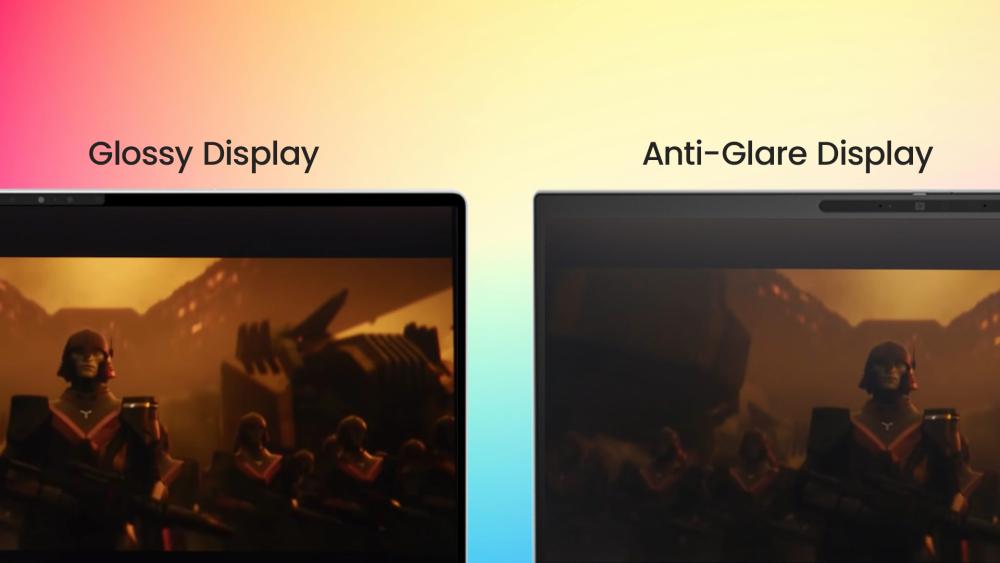
The latest models, such as the HP EliteBook Ultra G1q and G1i, come with up to a 14-inch 2.8K OLED display running at 120Hz. These screens offer excellent contrast, rich colour reproduction, and smooth scrolling for everyday use. HP’s anti-glare and low blue light technology reduces eye fatigue, making it ideal for professionals who spend hours in front of their screens.
Touchscreen support is available on select configurations, and the panel is certified for Eyesafe® compliance, helping users stay focused without eye strain.
- Best for: Reading, presentations, spreadsheets, and secure enterprise environments
- Display Specs: 2.8K OLED, 120Hz, anti-glare, touch-enabled (optional), Eyesafe®
Dell XPS: Stunning Visuals for Creative and Visual Workflows
The Dell XPS series has long been known for its industry-leading displays, and it continues to impress. The XPS 13 offers up to a 3K OLED InfinityEdge display, while the XPS 15 and XPS 17 push things further with 4K+ Ultra HD OLED touchscreens, perfect for photographers, video editors, and developers.
Dell’s displays are factory-calibrated for 100% DCI-P3 or Adobe RGB coverage, offering highly accurate colour reproduction and ultra-sharp visuals. With support for HDR500, these panels are ideal for HDR video playback and design-critical work.
- Best for: Designers, content creators, developers, and multimedia professionals
- Display Specs: Up to 4K+ OLED (Touch), InfinityEdge, 100% DCI-P3, HDR500
Battery Life and Portability:
When you work from anywhere, such as coffee shops, airport lounges, client offices, or even park benches, battery life and portability are no longer “nice-to-have” features. They’re essential. Both HP EliteBook and Dell XPS models offer mobile-friendly designs in 2025, but their approach to power and portability differs depending on the user.

HP EliteBook: All-Day Battery with Light Travel Weight
Elitebook models, such as the HP EliteBook Ultra, are built with mobility in mind. Weighing just around 1.19 kg, these models are one of the lightest HP business laptops in their class. Thanks to the efficiency of Intel Core Ultra processors and on-device AI acceleration, EliteBooks deliver up to 12 hours of battery life under typical business use. HP also includes fast charging, giving you up to 50% charge in just 30 minutes, perfect for recharging between meetings.
The lightweight form factor, combined with its long-lasting battery and enterprise-ready build, makes it a go-to choice for professionals who travel frequently or work remotely.
- Battery Life: Up to 12 hours
- Charging: Fast Charge (50% in 30 mins)
- Weight: Approx. 1.19 kg
- Best for: Frequent travellers, executives, remote work
- Dell XPS: Strong Battery with Balanced Performance
The Dell XPS 13 is incredibly portable, just slightly heavier than the EliteBook, but it offers a respectable 8–10 hours of battery life, depending on screen configuration (OLED panels tend to consume more power). The XPS 15 and XPS 17 deliver more power and higher screen resolution, which can reduce battery longevity to around 6–8 hours, especially with discrete GPUs.
Still, Dell has made improvements in power efficiency for 2025, including dynamic thermal tuning and improved battery optimisation with Windows 11 Pro. It’s not the longest-lasting machine, but it balances performance and mobility well, especially if you value visuals or need GPU power.
- Battery Life: 6 to 10 hours (model dependent)
- Charging: ExpressCharge (60% in under an hour)
- Weight: XPS 13 ~1.25 kg | XPS 15 ~1.9 kg
- Best for: Hybrid workers, designers, creative pros on the go
AI Integration and Smart Features:
In 2025, AI integration is no longer exclusive to high-end creative workstations. It’s now a core part of business productivity. Both the HP EliteBook and Dell XPS series embrace AI at the hardware level with Intel Core Ultra processors, which come equipped with neural processing units (NPUs). But how these AI Laptops leverage that AI power differs slightly in focus.
HP EliteBook: AI-First for Business:
HP has leaned heavily into AI in its EliteBook lineup, positioning the EliteBook Ultra G1i as one of the first “AI business PCs.” With the Intel Core Ultra 5/7 CPU and a dedicated AI NPU, this laptop is built to handle modern productivity workloads without relying on the cloud.
HP uses this AI power for features like:
- HP Smart Sense: Adjusts performance, fan noise, and thermals based on your usage
- AI-based background noise removal for meetings
- Real-time camera framing, lighting, and blur during video calls
- AI-enhanced security via presence detection and smart privacy filters
The EliteBook is also optimised for Microsoft Copilot, letting users generate content, automate tasks, and summarise meetings using on-device AI, all with enterprise-grade security.
This series is best for executives, consultants, and enterprise users who want AI to enhance their business tools and security.
Dell XPS: AI Meets Creative Freedom:
The 2025 Dell XPS series, especially with models running Intel Core Ultra 7 and 9 processors, also features advanced AI capabilities through Windows Copilot and integrated tools like Dell Optimiser with AI-based performance tuning.
Dell’s AI approach supports:
- Creative workflows like AI-assisted photo and video editing
- AI-enhanced thermal and battery management
- Automatic app launch & window placement when docked or connected to displays
Real-time AI camera and mic enhancements for streamers, creators, and presenters
The focus here is less about IT management and more about enhancing the user’s productivity and creativity, especially for hybrid professionals and digital creators.
This series is best for creatives, developers, and hybrid users who want a smart and seamless workspace powered by AI.
Security and Enterprise Features:
For business, data security is non-negotiable. Whether you’re working with sensitive client data, internal business files, or enterprise-grade systems, your laptop needs to protect against both physical and digital threats. This is where the HP EliteBook and Dell XPS start to show clear differences.
HP EliteBook: Enterprise-Grade Security, Built In:
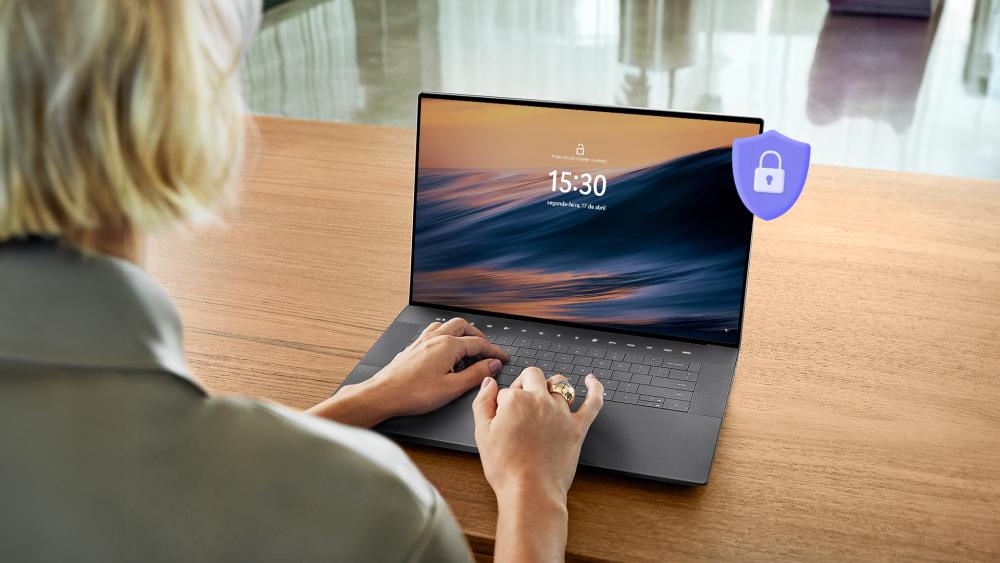
The HP EliteBook is specifically designed for security-conscious organisations. It comes packed with HP Wolf Security for Business, a multi-layered solution that protects against BIOS attacks, phishing, ransomware, and more. It includes advanced features like:
- HP Sure Start: Self-healing BIOS
- HP Sure Click: Opens files and links in isolated containers
- Tamper-resistant hardware: Including secure TPM 2.0 modules
- AI-based threat detection: Works with Intel NPU for smart on-device protection
Presence detection & auto-lock: Locks your screen when you walk away
HP also offers integration with enterprise IT management tools, making it easier to deploy and secure EliteBooks across large teams.
The HP Elitebook series is perfect for enterprises, finance, legal, and government teams needing ironclad security and remote management features.
Dell XPS: Strong But Consumer-Centric Security:
While the Dell XPS series is a premium offering, its security features are more tailored to individual professionals than large IT-managed organisations. That said, it still includes:
- TPM 2.0 for secure authentication
- Windows Hello (facial recognition or fingerprint login)
- BitLocker encryption (enabled with Windows Pro)
- Dell Optimiser Privacy: Automatically dims screen when someone looks over your shoulder
Dell also supports ExpressSign-In (on select models), which uses a proximity sensor to log you in or out based on your presence, similar to HP’s Presence Aware tech.
However, it lacks the broader, built-in enterprise security suite of HP Wolf Security, and advanced BIOS-level protections may not be as robust.
The XPS models are best for independent professionals and small business users who want a secure machine, but don’t need advanced IT deployment tools.
Price & Value Proposition:
When investing in a business laptop, it’s important to consider not just the upfront cost but what you’re getting for your money in terms of longevity, features, and total cost of ownership. Both HP EliteBook and Dell XPS laptops command a premium price, but their value is shaped by who they’re built for.
HP EliteBook: Premium Investment for Enterprise Needs
HP EliteBook models, especially the Ultra G1i and higher-end configurations, typically start around £1,400 to £1,900, with fully spec’d versions exceeding £2,200. That premium price brings not just strong performance, but enterprise-ready features:
- Business-grade security (HP Wolf Security Suite)
- AI acceleration and Windows Copilot integration
- Lightweight and MIL-STD durability for field work
- IT management compatibility (HP Endpoint Manager, Windows Autopilot)
If you’re buying for a company or require multi-device deployment with secure oversight, the EliteBook is worth every penny.
These machines provide the best value for large organisations, security-focused industries, and remote teams needing consistency and control. If you are looking for a more affordable option with these features, HP ProBook laptops can be a great fit.
Dell XPS: High Performance That Feels Personal
Dell XPS laptops offer a wider range of pricing and configurations, starting as low as £1,100 for base XPS 13 models and going up to £2,400+ for XPS 15 or 17 models with RTX 4070 GPUs and 4K OLED displays.
You’re paying for:
- Gorgeous display options (including touch and OLED)
- Top-tier build quality and sleek design
- High-end CPU + discrete GPU power for content creation
- AI-ready performance with hybrid workloads in mind
Dell also provides the flexibility to configure XPS models to your exact needs, making it a smart choice for freelancers, consultants, and small businesses.
They offer the best value for hybrid workers, creative professionals, AI developers, and anyone needing high performance in a stylish frame.
Which One Should You Choose?
With both the HP EliteBook and Dell XPS offering strong performance, premium build quality, and modern features in 2025, the decision ultimately comes down to your workflow, priorities, and environment. Here’s a simple breakdown to help you choose the right business laptop for your needs:
Choose the HP EliteBook if you...
- Work in enterprise or IT-managed environments
- Need top-tier security for handling sensitive data
- Prioritise battery life and portability for frequent travel
- Use tools like Microsoft Copilot and benefit from built-in AI acceleration
- Value reliability, remote manageability, and long-term business support
- The EliteBook series is ideal for executives, consultants, government workers, finance professionals, and corporate buyers.
Choose the Dell XPS if you...
- Work in creative, design, or developer-heavy workflows
- Need powerful GPUs for 3D rendering, AI model testing, or media editing
- Prioritise a stunning display and high-end performance
- Want a machine that’s as stylish as it is capable
- Prefer a customisable, performance-oriented setup
- The XPS series is ideal for content creators, hybrid workers, software engineers, developers, and visual storytellers.
Final Thoughts:
Choosing between the HP EliteBook and Dell XPS in 2025 comes down to understanding how you work and what your priorities are.
If your focus is on security, manageability, and day-long reliability, the HP EliteBook is a clear winner. It’s built for enterprise, designed to integrate seamlessly into corporate IT environments, and comes with a host of intelligent features powered by AI, all wrapped in a lightweight and durable design.
On the other hand, if you're a power user, creative professional, or developer who values stunning visuals, GPU performance, and customisation, the Dell XPS offers exceptional value and flexibility. Its refined design, OLED display options, and high-performance specs make it a dream machine for hybrid workers and digital creators.
Ultimately, both laptops are built for professionals, but with slightly different priorities in mind. Whichever you choose, you’ll be getting one of the best business laptops of 2025, designed to help you work smarter, faster, and more efficiently from anywhere.
FAQs – HP EliteBook vs Dell XPS:
Which is better for business: HP EliteBook or Dell XPS?
Both are excellent business laptops, but it depends on your needs. The HP EliteBook is ideal for enterprise users who require strong security, IT management tools, and all-day battery life. Dell XPS is better suited for professionals in creative or development roles who need high-end performance and premium displays.
Are Dell XPS laptops secure enough for business use?
Yes, Dell XPS laptops include TPM 2.0, biometric login options (like fingerprint readers and facial recognition), and support Windows BitLocker encryption. However, they lack enterprise-grade security tools like HP Wolf Security, which makes the EliteBook more suitable for regulated industries.
Can the HP EliteBook handle creative workloads like video editing or AI development?
While the HP EliteBook is capable of handling light media tasks and AI-assisted workflows thanks to Intel Core Ultra processors and onboard NPUs, it's not designed for GPU-intensive work. For video editing or AI model training, the Dell XPS with discrete NVIDIA graphics is a better fit.
Which laptop is more portable for travel and remote work?
The HP EliteBook is lighter, more compact, and offers better battery life, making it ideal for professionals who travel frequently. Dell XPS laptops, particularly the 13-inch model, are also highly portable but may offer less battery life if configured with 4K or OLED displays.
Do both laptops support AI tools like Microsoft Copilot?
Yes, both HP EliteBook and Dell XPS models with Intel Core Ultra processors support Microsoft Copilot and other AI productivity tools. HP takes it further by optimising on-device AI with its own enhancements like Smart Sense and AI-based presence detection.
You can pay with:
*PayPal Credit Representative Example: Assumed credit limit £1,200, Representative 23.9% APR (variable). Purchase rate 23.9% p.a (variable).Terms & Conditions apply.


PayPal Credit and PayPal Pay in 3 are trading names of PayPal UK Ltd, 5 Fleet Place, London, United Kingdom, EC4M 7RD. Terms and conditions apply. Credit subject to status, UK residents only, Five Tech LTD acts as a broker and offers finance from a restricted range of finance providers. PayPal Pay in 3 is not regulated by the Financial Conduct Authority. Pay in 3 eligibility is subject to status and approval. 18+. UK residents only. Pay in 3 is a form of credit. Check if affordable and how you will repay. May make other borrowing more difficult or expensive. See product terms for more details.
Copyright © 1996-2026 Fivetech LTD | Terms and Conditions
box.co.uk & Box are trading names of Five Tech Limited. Registered office: Box LTD, Unit 10 Woodford Trading Estate, Woodford Green IG8 8HF