


 Menu
MenuMenu


Get Sales Advice from Mon - Fri 9am - 5:00pm:
020 3337 8950LAST UPDATED: June 29, 2026
From Commute to Café: The Best Laptops for Hybrid Working
The landscape of work in the UK has undergone a significant transformation in recent years. According to the Office for National Statistics, as of autumn 2024, 28% of working adults in Great Britain were engaged in hybrid working arrangements, splitting their time between home and the office. This shift reflects a broader trend towards flexibility in the workplace.
Hybrid working offers numerous benefits, including improved work-life balance and increased productivity. A study by Owl Labs found that 76% of workers felt more motivated when given the flexibility to work from different locations. Additionally, professionals are increasingly utilising travel time effectively, with a 31% rise in footfall at transport hub-based workspaces since 2022.
As we embrace the flexibility of modern work, having the right tools becomes essential. A versatile, portable, and efficient laptop can seamlessly transition between home, office, café, and on-the-go environments. Whether you're revising in the library, working from a park bench, or catching up on emails from a train, the right device ensures you stay productive wherever you are.
Spring Forward Tech: Embrace the flexibility of modern work with laptops that fit your lifestyle.
In this guide, we'll explore the key features to consider in a hybrid laptop and highlight top picks to help you work smarter, wherever you go.
Key Features to Consider in a Hybrid Laptop
Battery Life: All-Day Efficiency
In the world of hybrid working, battery life is more than just a feature – it's a lifeline. Whether you’re commuting, working from a café, or attending back-to-back virtual meetings, having a laptop that can go the distance is essential. Aim for laptops with at least 10+ hours of battery life, ensuring you stay powered through the entire workday without constantly searching for a power outlet.
A perfect example of all-day efficiency is the HP EliteBook 630, equipped with a powerful Intel Core i5-1335U processor and a long-lasting battery that keeps you connected whether you’re at your desk or on the move. It also features fast-charging technology, allowing you to get up to 50% battery in just 30 minutes.
For students and lighter workloads, the HP Chromebook 14a-nf0000na offers impressive battery life without breaking the bank. Powered by an Intel i3-N305 processor, it provides reliable performance for note-taking, browsing, and streaming, all while lasting through extended study sessions.
The takeaway? A hybrid work laptop needs to deliver consistent power throughout the day without compromising on performance. Look for devices with adaptive battery modes that help conserve energy based on usage patterns – a crucial feature when working remotely or travelling. 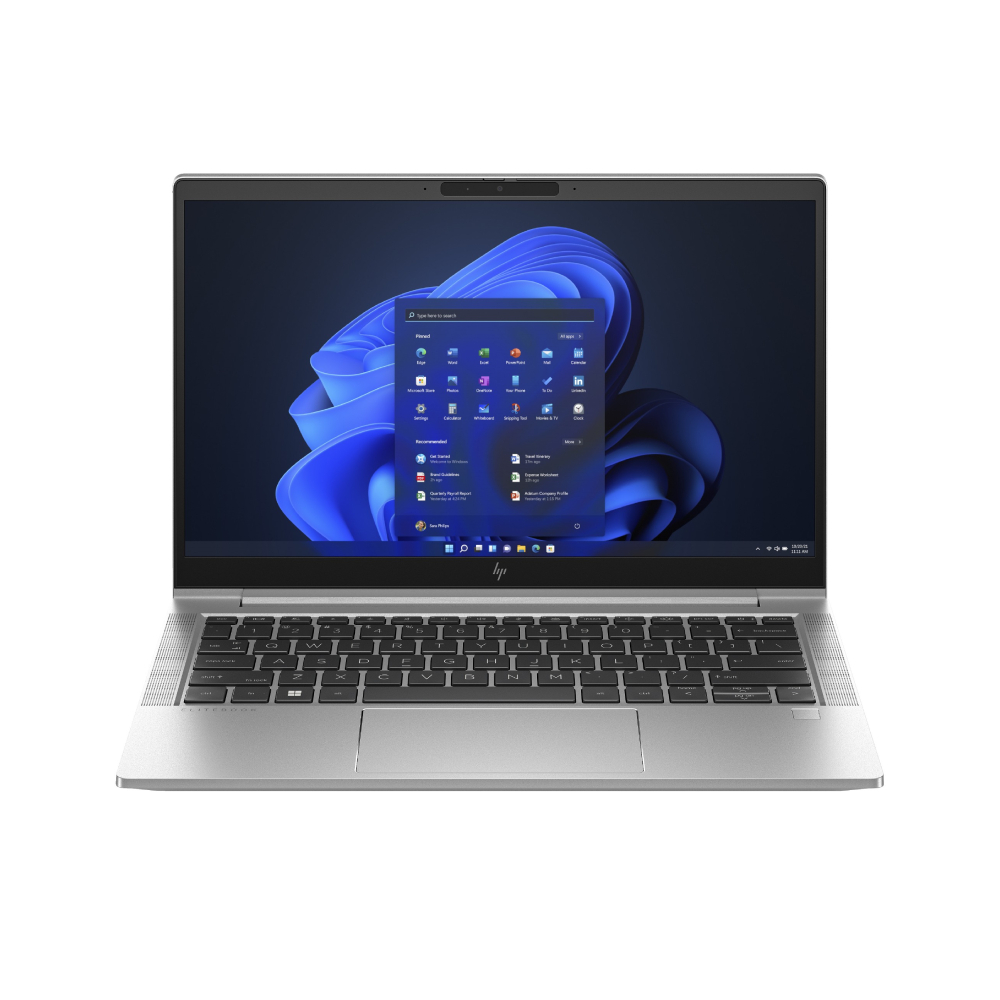
Lightweight Build: Portability Without Compromise
When hybrid work demands that you move between locations frequently, a lightweight laptop can be a game changer. A compact, sub-1.5kg build ensures you can slip your device into a backpack or tote without feeling weighed down, allowing you to stay productive on the go.
The Lenovo ThinkBook 16 is an ideal choice for students and professionals alike. Despite its 16-inch screen, it remains lightweight and portable, making it perfect for those who want a larger display without sacrificing portability. Plus, the AMD Ryzen 5 processor delivers ample power for multitasking across apps.
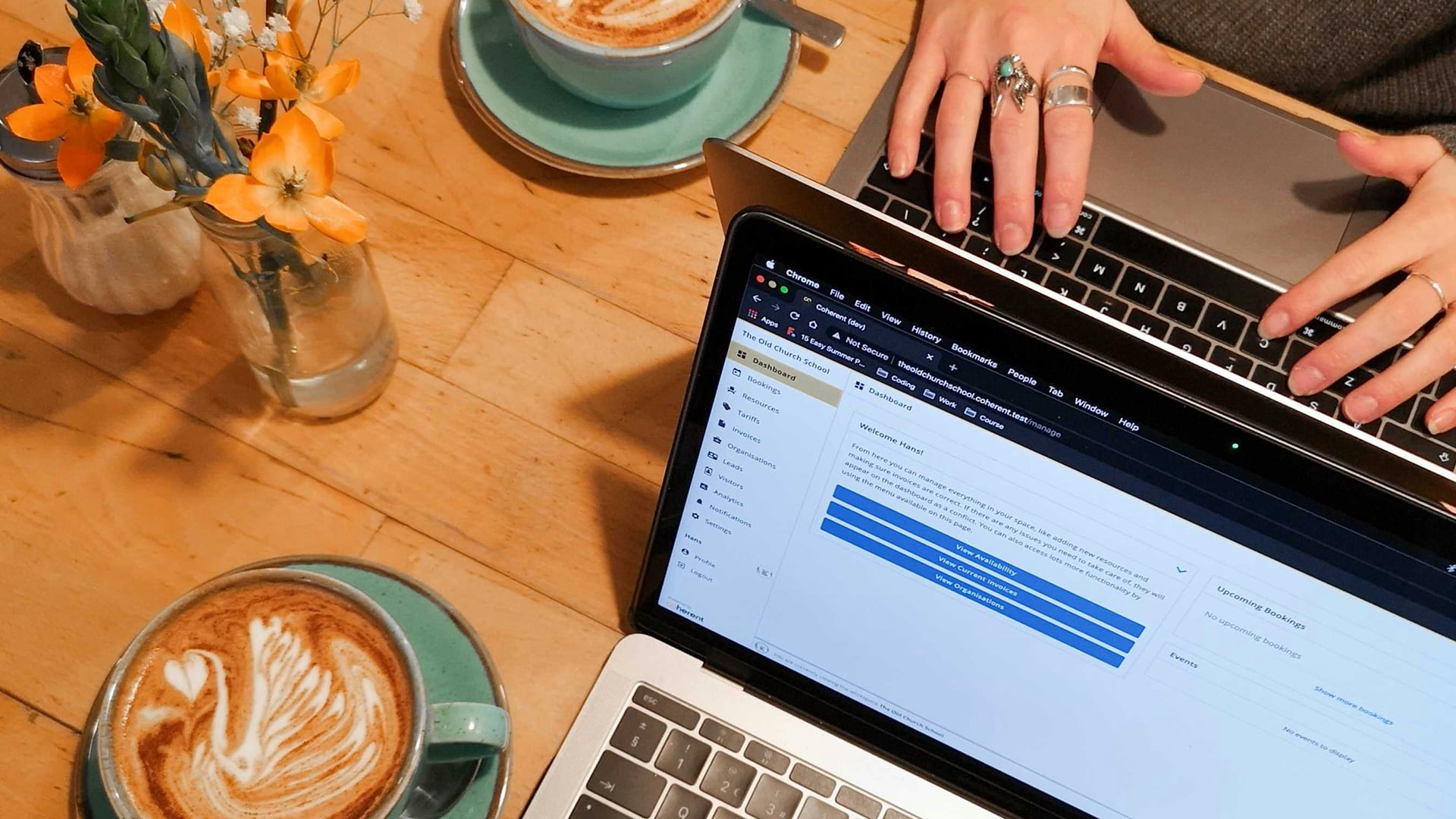
For business users, the HP EliteBook 840 is another top pick. It combines a thin, sleek profile with a durable, lightweight chassis, ensuring that you can carry it effortlessly from meeting rooms to co-working spaces.
If budget is a consideration, the ASUS Chromebook CX1 is a great entry-level option. Weighing just over 1.4kg, it’s easy to carry and perfect for students who need a reliable device for class and study sessions.
Choosing a lightweight laptop doesn’t mean compromising on performance – it means selecting a device that is both practical and powerful, ideal for the hybrid worker.
Performance: Power Through Tasks
When it comes to hybrid working, multitasking is the name of the game. Your laptop needs to be capable of running multiple apps smoothly without lag. Look for Intel Core i5 or Ryzen 5 processors and above for optimal performance, especially if you handle resource-intensive tasks like data analysis, video editing, or running multiple virtual meetings.
For business professionals, the HP EliteBook 840 is built to handle heavy workloads with ease. Featuring 16GB RAM and an Intel Core i5 processor, it ensures that demanding applications run seamlessly, whether you're working on complex spreadsheets or conducting video conferences.
Students, on the other hand, can opt for the Lenovo ThinkBook 16, which combines the power of a Ryzen 5 processor with a spacious 16-inch display, making it perfect for research, writing essays, or streaming educational content.
If your workflow involves lighter tasks such as browsing, document editing, and streaming, the ASUS Chromebook CX1 provides adequate performance at an affordable price point. Powered by an Intel Celeron N4500 processor, it’s perfect for everyday tasks without the hefty price tag.
For those who require a bit more power, consider the HP EliteBook 630, equipped with the latest Intel Core i5-1335U processor. It delivers exceptional speed, making it ideal for running multiple applications simultaneously – a must-have for hybrid workers juggling between meetings, emails, and projects.
Quiet, Minimal Design: Perfect for Shared Spaces
In hybrid work scenarios, quiet operation is key – especially when you’re in shared spaces like libraries, cafés, or co-working hubs. The best hybrid laptops feature advanced cooling systems and fanless designs that minimise noise without compromising on performance.
The HP EliteBook 630 is engineered for quiet operation, making it perfect for open office plans or coffee shop work sessions. Its whisper-quiet fans ensure that you can stay focused without causing distractions to those around you.

If you’re looking for a sleek, quiet Chromebook, the HP Chromebook 14a is a strong contender. Its fanless design makes it almost silent, ensuring that your laptop remains discreet even during intensive browsing or streaming sessions.
For those who need a bit more power while maintaining a quiet profile, the Lenovo ThinkBook 16 incorporates AI-powered cooling technology, which adapts to workload intensity, reducing noise when performing lighter tasks like note-taking or document editing.
In shared spaces, the last thing you want is a laptop that sounds like a jet engine. Opt for models with advanced cooling systems or fanless designs to ensure you can work quietly and efficiently, wherever you are.
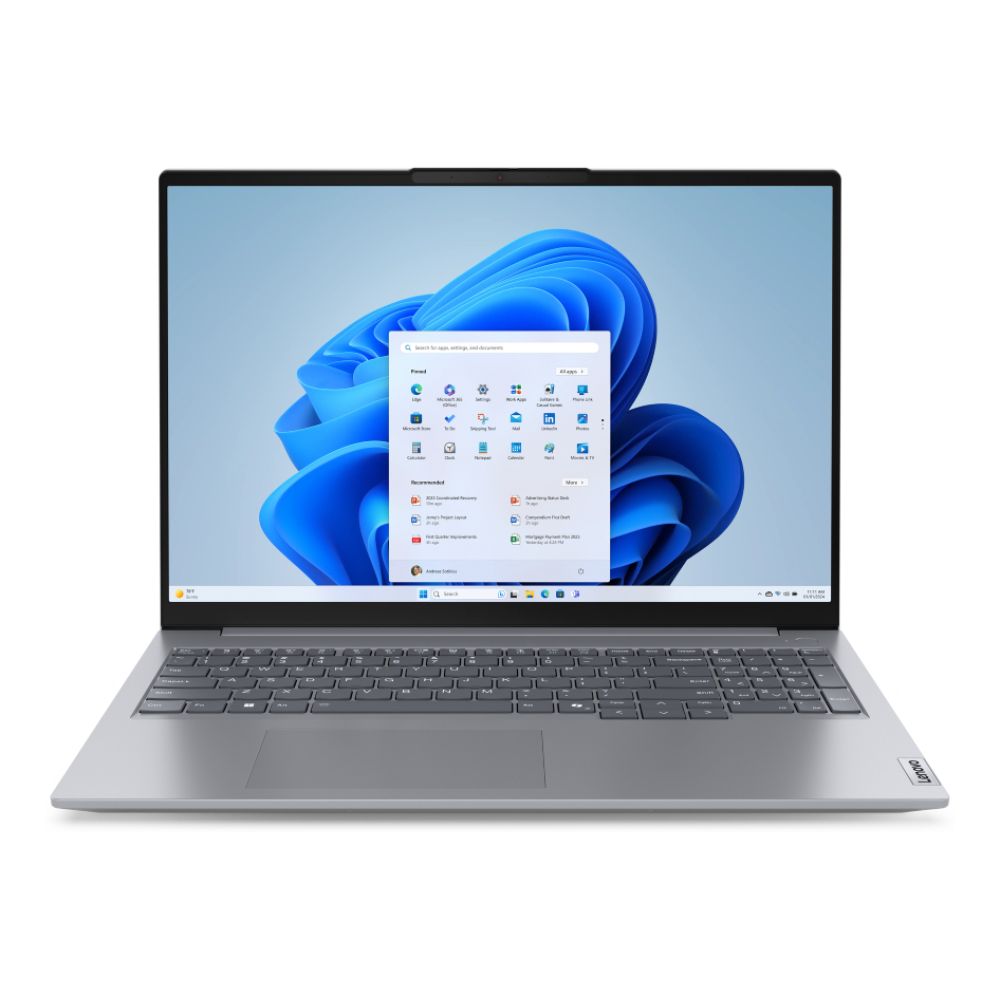
Which Hybrid Business Laptop is Best?
Imagine this: You’re dashing from a client meeting to a coffee shop to squeeze in a quick video call. You need a laptop that’s as agile as you are – powerful enough to handle intense multitasking yet light enough to slip into your bag without a second thought. Enter the HP EliteBook 840.
Why is it a hybrid work essential? Picture a laptop that boots up faster than your morning espresso, with the power of an Intel Core i5-1335U processor and 16GB of RAM. Whether you’re jumping between spreadsheets, video conferences, and research tabs, it’s got your back – no lags, no delays. Plus, the battery life? It’s like a personal assistant reminding you to charge less and do more.
But what really seals the deal? Security. Imagine working in a bustling café, surrounded by prying eyes. The EliteBook’s HP Sure View Reflect feature transforms your screen into a private work zone, keeping sensitive data safe from wandering eyes. And the adaptive battery mode learns your work habits, ensuring you’re never scrambling for a charger mid-presentation.
Not in the mood to splurge? The Lenovo ThinkBook 16 offers a spacious 16-inch display – perfect for side-by-side document editing – and a wallet-friendly price. It’s the hybrid worker’s dream: big screen, small weight, and serious performance.
So, what’s the best hybrid business laptop? It’s the one that keeps pace with your workday – from the office to the train to your favourite coffee spot. Work smarter, wherever you go. Explore the latest hybrid laptops here.
Must-Have Accessories for the Hybrid Worker
Portable Monitors: Expand Your Workspace
When working remotely or in hybrid setups, having a second screen can be a game changer. Portable monitors offer the convenience of dual-screen functionality without the bulk, making them ideal for hybrid workers who need to stay productive on the go. Whether you’re a student revising for exams or a business professional preparing a presentation, a portable monitor enhances workflow by expanding your workspace.
For those using lightweight laptops, the ASUS ZenScreen is an excellent choice. It’s slim, easy to carry, and connects via USB-C, making it compatible with various devices, including Dell laptops, Asus laptops, and MacBook Pro M2 models. If you're on a budget, consider pairing your Portable Chromebook with a secondary screen to extend your workspace effectively.
Students using Chromebooks like the HP Chromebook 14a can use screen mirroring apps to create a cost-effective dual-screen setup. For business users, the HP EliteBook 630 can handle more demanding tasks, making it a great choice for multitasking with a portable monitor.
Dual screens not only boost productivity but also reduce eye strain, enabling you to stay organised and efficient, whether you're working from a café, co-working space, or a park bench.
Wireless Mice: Comfort on the Go
When it comes to hybrid laptops, portability and convenience are key – and that includes accessories like wireless mice. A compact, ergonomic wireless mouse provides the flexibility to work comfortably, whether you’re in a coffee shop or on a train.
For business professionals using slim business laptops like the HP EliteBook 840, investing in a high-performance wireless mouse is a must. Look for models with adjustable DPI settings for precision and long battery life to ensure you stay productive without frequent recharging.
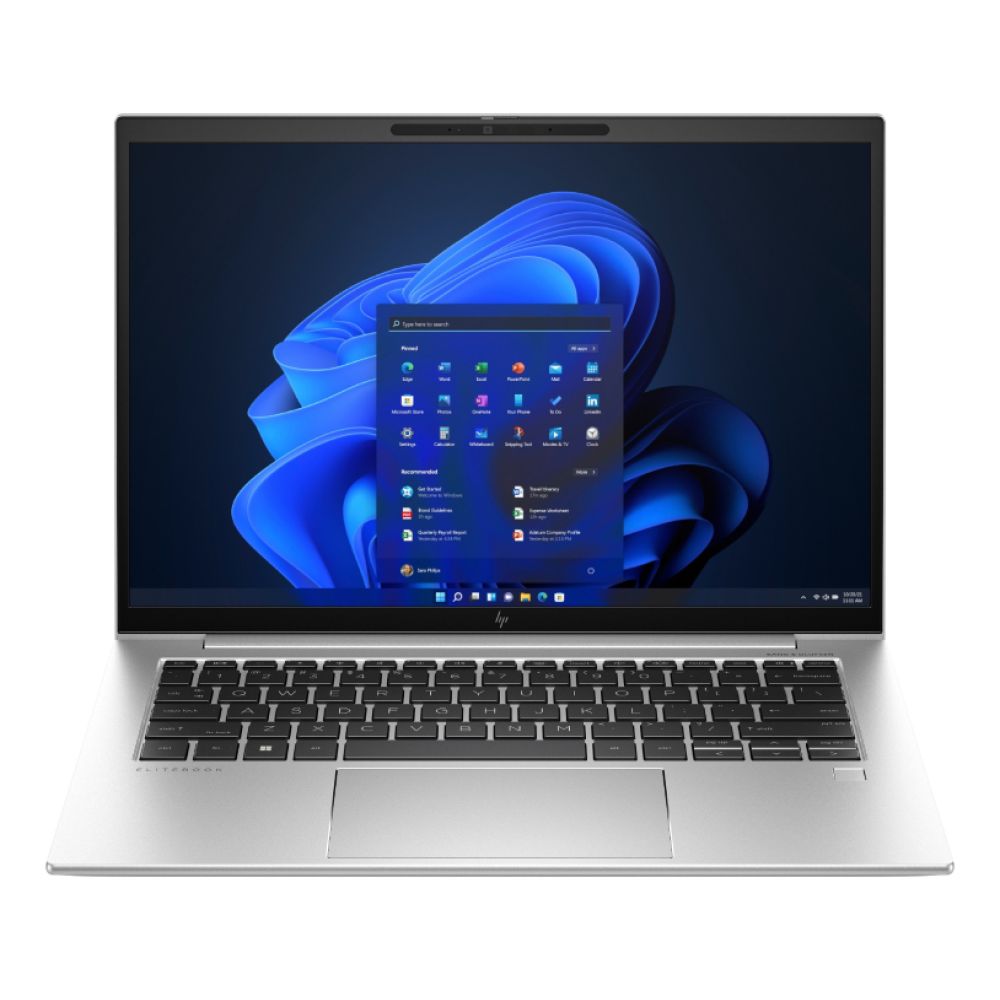
Students and casual users might prefer budget-friendly options like the HP Wireless Mouse 250, which pairs well with Chromebooks and lightweight laptops. Its plug-and-play setup and compact design make it easy to carry in your bag without adding unnecessary weight.
For those using MacBook Pro M2, consider a Bluetooth mouse with a sleek design that complements Apple’s aesthetic while providing seamless connectivity. By choosing the right wireless mouse, you can significantly improve your workflow, reducing wrist strain and maintaining comfort during long work sessions.
Laptop Stands: Elevate Your Setup
Maintaining a healthy posture is crucial when working remotely, especially if you're using a lightweight laptop on various surfaces. A laptop stand is a simple yet effective accessory that elevates your screen to eye level, reducing neck and back strain.
For hybrid workers who frequently switch locations, a portable, foldable stand like the Nexstand Laptop Stand is a practical choice. It’s adjustable, sturdy, and fits slim business laptops like the HP EliteBook 840, allowing you to work comfortably wherever you go.
Students using Portable Chromebooks can benefit from affordable stands that lift the screen for better ergonomics. This not only enhances comfort but also improves airflow, preventing overheating – a common issue for Dell laptops and Asus laptops under heavy workloads.
For users who require a more advanced setup, the MOFT Z 5-in-1 Sit-Stand Desk adapts to multiple angles, allowing you to transition between sitting and standing positions effortlessly. By investing in a laptop stand, you can work smarter and maintain a comfortable posture, whether you're in the office or at a park bench.
Charge Less, Do More: Maintaining Battery Health
Tips to Maximise Battery Life
One of the biggest challenges for hybrid laptops is maintaining battery life throughout a busy day. To stay powered up, it’s essential to adopt energy-saving habits that extend runtime without compromising performance.
- Adjust Screen Brightness: Lowering screen brightness can significantly reduce battery drain, especially when working on lightweight laptops like the HP EliteBook 630.
- Close Background Apps: Applications running in the background consume unnecessary power. Monitor battery usage in settings and close resource-heavy apps.
- Enable Battery Saver Mode: Many Dell laptops, Asus laptops, and Chromebooks include a power-saving mode that limits non-essential functions, extending battery life.
- Optimise Browser Usage: Certain browsers can drain your battery faster. Switch to battery-friendly browsers or enable power-saving extensions.
- Turn Off Wi-Fi and Bluetooth: If you’re working offline, disable wireless connections to reduce battery consumption.
By incorporating these tips, you can maximise your laptop’s battery life, ensuring that you stay productive even during long commutes or café work sessions.
Choosing Laptops with Adaptive Battery Modes
Adaptive battery technology is a game-changer for hybrid workers who need their laptops to last through long workdays. Unlike standard battery modes, adaptive settings learn your usage patterns and adjust power output accordingly, preventing overcharging and preserving battery health.
The HP EliteBook 840 is equipped with adaptive charging features that intelligently regulate power consumption, making it ideal for intensive multitasking. Similarly, the ASUS Chromebook CX1 includes battery management tools that optimise power usage during light browsing and video streaming.
For students who need a balance of affordability and power, the HP Chromebook 14a offers adaptive charging, reducing wear on the battery and ensuring a longer lifespan – perfect for revising in libraries or attending back-to-back classes.
By choosing hybrid laptops with adaptive battery modes, you can work confidently without worrying about sudden power drops, making them indispensable for remote workers and frequent commuters.

Final Thoughts: Work Smarter, Wherever You Go
As the workplace continues to evolve, hybrid laptops have become essential for maintaining productivity across different locations. Whether you're commuting to the office, working from a café, or revising for exams, having the right combination of lightweight laptops, portable monitors, and wireless accessories can significantly enhance your workflow.
From the slim business laptops like the HP EliteBook 840 to budget-friendly options like the ASUS Chromebook CX1, the choices are vast. Selecting a laptop with adaptive battery modes, ergonomic accessories, and powerful processors ensures that you stay connected and productive, regardless of your location.
Work smarter, wherever you go.
Explore the best hybrid laptops that fit your lifestyle and elevate your work setup with must-have accessories that keep you powered up, connected, and comfortable.
You can pay with:
*PayPal Credit Representative Example: Assumed credit limit £1,200, Representative 23.9% APR (variable). Purchase rate 23.9% p.a (variable).Terms & Conditions apply.


PayPal Credit and PayPal Pay in 3 are trading names of PayPal UK Ltd, 5 Fleet Place, London, United Kingdom, EC4M 7RD. Terms and conditions apply. Credit subject to status, UK residents only, Five Tech LTD acts as a broker and offers finance from a restricted range of finance providers. PayPal Pay in 3 is not regulated by the Financial Conduct Authority. Pay in 3 eligibility is subject to status and approval. 18+. UK residents only. Pay in 3 is a form of credit. Check if affordable and how you will repay. May make other borrowing more difficult or expensive. See product terms for more details.
Copyright © 1996-2026 Fivetech LTD | Terms and Conditions
box.co.uk & Box are trading names of Five Tech Limited. Registered office: Box LTD, Unit 10 Woodford Trading Estate, Woodford Green IG8 8HF