


 Menu
MenuMenu


Get Sales Advice from Mon - Fri 9am - 5:00pm:
020 3337 8950LAST UPDATED: March 25, 2026
DDR5 Memory Stability Problems: Why RAM Crashes and How to Fix It
Modern PC builders upgrading to DDR5 RAM often expect immediate performance gains, but some users encounter unexpected stability issues after installation. DDR5 stability problems can appear in the form of random crashes, system freezes, or boot loops, especially when memory is running at high speeds. These issues are not always caused by faulty hardware; they are often linked to configuration limits, firmware behaviour, or how the memory controller interacts with high-frequency RAM.
Many systems become unstable after enabling performance profiles such as XMP memory on Intel platforms or AMD EXPO profiles for DDR5 RAM on AMD systems. These profiles automatically push memory beyond standard JEDEC profile speeds to achieve higher performance, but not every system can maintain perfect stability at those settings. As a result, some users experience scenarios where DDR5 becomes unstable, leading to crashes, application errors, or sudden system resets.
In this guide, we'll explore the most common causes behind DDR5 crashes, explain why high-speed memory profiles sometimes fail, and walk through practical steps to restore DDR5 stability. By understanding how memory configuration, firmware updates, and system tuning affect performance, you can fix instability and keep your system running reliably.
Why DDR5 Stability Problems Are More Common Than You Think
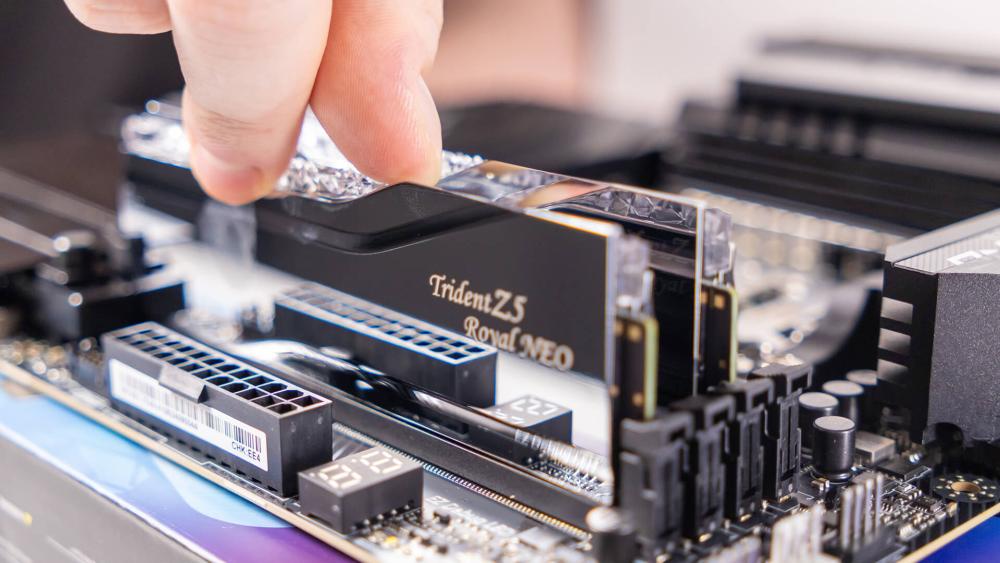
Although DDR5 RAM, compared to DDR4, delivers major improvements in bandwidth and efficiency, it also introduces new factors that can affect system reliability. Many users who upgrade their systems encounter DDR5 stability problems not because the memory itself is defective, but because high-speed RAM places greater demands on the motherboard, processor, and firmware configuration.
Higher Speeds Increase Sensitivity
One of the defining features of DDR5 RAM is its significantly higher operating frequency compared to previous generations. While these speeds improve overall performance, they also make the system more sensitive to small variations in voltage, timings, and motherboard signal quality.
Performance profiles such as XMP memory profiles on Intel systems or EXPO profiles for DDR5 RAM on AMD platforms allow the memory to run beyond standard JEDEC speeds. These profiles are designed to simplify setup, but enabling them can sometimes lead to situations where DDR5 becomes unstable, particularly on systems running very high memory frequencies.
Memory Controller Limits on Modern CPUs
Another important factor behind DDR5 stability is the processor's integrated memory controller (IMC). The memory controller determines how efficiently the CPU can communicate with installed RAM and maintain stable operation at higher speeds.
Even when using high-quality DDR5 memory kits, the memory controller inside the processor may not always sustain aggressive speeds enabled through XMP or EXPO profiles. When the memory controller is pushed beyond its comfortable limits, users may experience DDR5 crashes, random errors, or instability during heavy workloads.
BIOS Maturity and Platform Updates
Early DDR5 platforms often required several BIOS updates before reaching optimal stability. Motherboard manufacturers regularly release firmware updates that improve memory training, compatibility, and voltage control.
If a system experiences instability after enabling XMP Intel memory profiles or applying EXPO settings, updating the BIOS firmware can often improve DDR5 stability. These updates refine compatibility with newer DDR5 RAMS, improve how DIMM slots initialise during boot, and reduce the chances of memory-related crashes or BSOD errors.
Common Symptoms of DDR5 Instability
When DDR5 stability problems appear, the system rarely reports them directly as a memory error. Instead, instability usually shows up through unpredictable behaviour such as crashes, freezing, or sudden performance drops. Recognising these symptoms early can help you identify whether the DDR5 RAM is causing the issue before assuming other hardware is faulty.
Random Crashes and Blue Screens
One of the most common signs of unstable DDR5 RAM is random system crashes or BSOD errors. These crashes often occur during demanding workloads, gaming sessions, or when switching between applications. When memory settings pushed through XMP memory profiles or EXPO profiles for DDR5 RAM are not fully stable, the system may fail under load and trigger repeated DDR5 crashes.
Games Closing Unexpectedly
Instability can also appear during gaming. If a game suddenly closes without warning, freezes during loading, or returns to the desktop, the cause may be unstable memory settings rather than a graphics issue. High-speed RAM configurations can sometimes cause DDR5 to become unstable when the system is heavily utilising both CPU and memory.
System Freezing Under Load
Another common DDR5 stability problem is the system freezing during tasks such as rendering, compiling code, or running stress tests. When the memory controller (IMC) struggles to maintain signal integrity at higher memory frequencies, it can lead to system lockups that require a forced restart.
Instability After Enabling XMP or EXPO
Many users first notice instability immediately after enabling XMP or activating AMD EXPO profiles for DDR5 RAM in the BIOS. While these profiles allow DDR5 memory kits to reach their rated speeds automatically, not every CPU and motherboard combination can run those settings perfectly. In some cases, enabling these profiles can trigger boot loops, crashes, or performance instability if the system configuration cannot sustain the higher memory frequency.
The Most Common Causes of DDR5 Crashes
Most DDR5 stability problems come from configuration, compatibility, or tuning limits rather than faulty memory. High-speed RAM can work perfectly in one system and become unstable in another, depending on the motherboard, CPU, BIOS version, and memory profile being used.
Aggressive XMP or EXPO Profiles
Factory-rated memory profiles are convenient, but they are still overclocked settings rather than guaranteed baseline speeds. Enabling an XMP or EXPO profile can sometimes push the memory controller and motherboard harder than the system can handle reliably. That is why some users notice instability only after turning these settings on.
Incompatible Motherboard or BIOS Version
A motherboard may support DDR5 in general while still struggling with certain kits, speeds, or profile settings. Older BIOS firmware can also cause poor memory training, failed boots, or random instability. This is one reason why checking compatibility with motherboards while buying a new RAM and keeping firmware up to date matters when troubleshooting DDR5 crashes.
Mixing Different DDR5 Kits
Even if two memory kits appear identical on paper, mixing them can cause instability. Small differences in memory chips, subtimings, or voltage behaviour may prevent the system from training memory correctly. For the best chance of stable operation, DDR5 should be installed as a single matched kit rather than combining separate sets.
Four DIMMs at High Speed
Running four modules places more strain on the memory controller (IMC) than running two. As that load increases, stability often becomes harder to maintain at higher frequencies. This is a very common reason DDR5 is not stable in systems filled with all DIMM slots, especially when trying to run aggressive speeds.
Incorrect Voltage Settings
Memory stability depends heavily on correct voltage behaviour. If the voltage is too low, the system may crash under load. If settings are pushed too far, stability can become inconsistent, or boot behaviour can worsen. In many cases, DDR5 stability issues come from auto settings that are too aggressive, rather than obviously wrong manual tuning.
Step-by-Step Fix: How to Stabilise DDR5 Memory
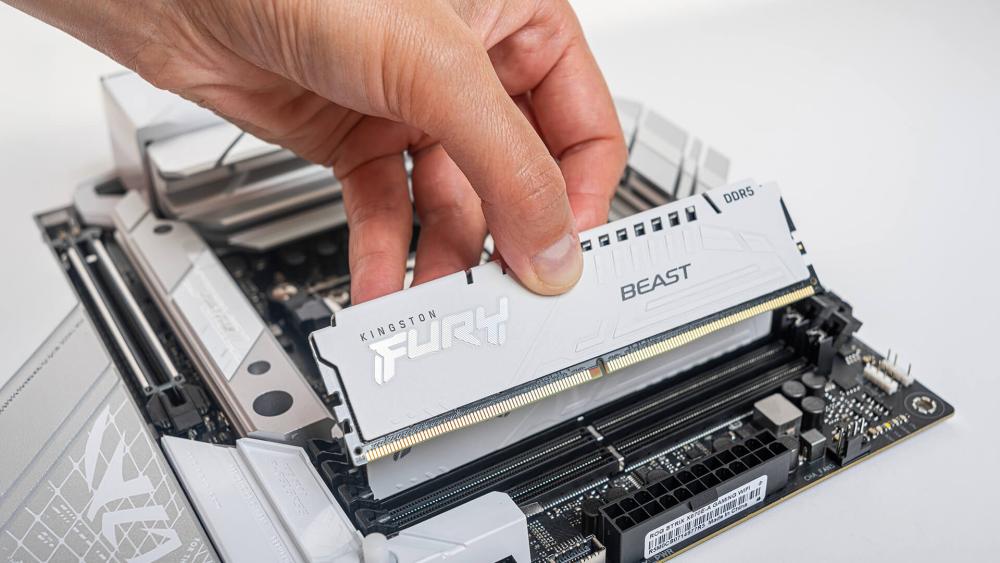
If your system is experiencing DDR5 stability problems, the solution is often a combination of firmware updates, configuration adjustments, and proper testing. The steps below help identify whether the issue is related to settings, compatibility, or the memory kit itself.
Update BIOS to the Latest Version
The first step when troubleshooting unstable DDR5 RAM is updating the motherboard BIOS firmware. Early DDR5 platforms frequently received updates that improved memory training, compatibility with newer kits, and overall DDR5 stability. A simple BIOS update can often resolve random crashes or boot issues without requiring any hardware changes.
Reseat Modules and Check Slot Order
Improperly seated memory modules can cause detection errors or instability. Power off the system, remove the modules, and reinstall them firmly into the correct DIMM slots recommended by the motherboard manual.
If the system previously showed behaviour where DDR5 was not detected during boot, reseating the modules and ensuring correct slot placement can resolve the issue quickly.
Disable XMP or EXPO and Test at JEDEC Speeds
If instability started after enabling memory profiles, temporarily disable the XMP profile (Intel system) or EXPO profile (AMD system) and allow the system to run at the default JEDEC profile speed. This provides a baseline stability test.
If the system becomes stable at JEDEC settings, the issue is likely related to memory overclocking rather than faulty DDR5 RAM.
Manually Reduce Frequency Slightly
Not every processor's memory controller (IMC) can sustain the maximum rated memory speed. Reducing the memory frequency slightly, such as from 6400 MT/s to 6000 MT/s, often improves DDR5 stability while maintaining most of the performance benefit.
Understanding the DDR5 RAM speed, timings and capacity of DDR5 RAMs supported by your platform can help determine a safe and stable configuration.
Adjust Voltage Carefully (If Needed)
Sometimes a small adjustment to memory voltage can improve stability when using performance profiles. This process is known as voltage tuning and should always be done cautiously. Increasing voltage slightly may help stabilise XMP memory or EXPO configurations, but excessive voltage can generate heat and reduce component lifespan.
Test with MemTest or Stability Tools
Once changes are made, stability should always be verified using proper stability testing tools. Utilities such as MemTest86 can perform deep memory diagnostics to detect errors that might not appear during normal system use. Running these tests helps confirm whether the adjustments have resolved DDR5 crashes or if further tuning is required.
2 Sticks vs 4 Sticks: Stability Considerations
Memory configuration can have a significant impact on DDR5 stability. While installing more RAM may seem like a simple upgrade, the number of modules used can directly affect how hard the system's memory controller has to work.
Why 2 DIMMs Are Usually More Stable
Using two memory modules in dual-channel mode is generally the most stable configuration for modern systems. With only two sticks installed, the motherboard traces are easier for the memory controller (IMC) to manage, allowing the system to run at higher frequencies with fewer errors. This is why most high-speed DDR5 memory kits are designed as 2-stick configurations rather than four separate modules.
Memory Controller Stress Explained
When four modules are installed across all DIMM slots, the processor's integrated memory controller has to handle more electrical load. At higher frequencies, this increased load can cause signal integrity problems, which may lead to crashes, failed memory training, or random instability.
As a result, systems running four sticks often struggle to maintain the same speeds that are easily achievable with two modules.
When You Should Reduce Speed for Reliability
If your system becomes unstable after filling all memory slots, lowering the memory frequency slightly can improve reliability. Reducing speeds by a small margin often restores DDR5 stability while still providing strong overall performance.
For many users building or upgrading systems, prioritising a balanced configuration rather than chasing maximum frequency can help build a stable gaming PC setup that runs consistently without random crashes or memory errors.
When It's Actually Faulty RAM (And Not Settings)
While many DDR5 stability problems are caused by configuration or compatibility limits, sometimes the issue genuinely comes from defective hardware. Identifying the difference between unstable settings and a faulty memory kit is important before replacing components unnecessarily.
Identifying True Hardware Failure
If your system crashes even at default settings using the JEDEC profile, the problem may not be related to XMP memory or EXPO tuning. True hardware faults often appear as persistent errors regardless of speed or configuration.
Common signs include repeated DDR5 crashes, boot failures, or errors appearing immediately after installing new DDR5 RAM.
Running Proper Memory Diagnostics
To confirm whether the memory itself is faulty, proper stability testing is essential. Tools such as MemTest86 are designed to perform deep memory diagnostics by running repeated read and write tests across the entire memory range.
If these tests consistently report errors, the issue likely lies with the RAM kit rather than BIOS settings or memory configuration.
When to Replace the Kit
If instability continues after testing at JEDEC speeds, updating the BIOS firmware, and verifying slot placement, replacing the memory kit may be the safest option. Faulty modules can cause long-term system instability and unpredictable behaviour.
When replacing memory, choosing validated DDR5 memory kits that are known to work with compatible motherboards can help avoid recurring stability issues and ensure smoother operation in the future.
Preventing DDR5 Stability Issues in New Builds
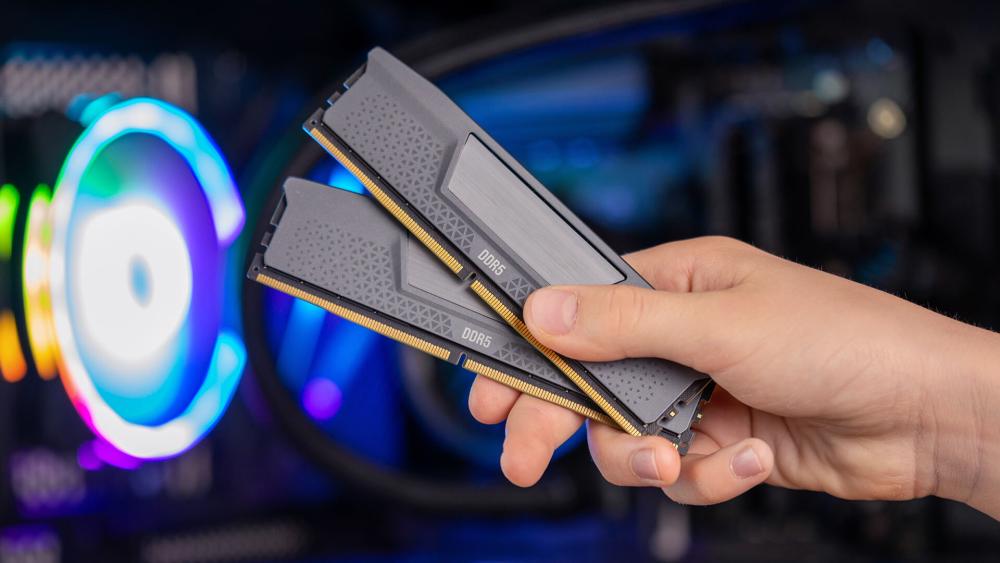
When building or upgrading a system, careful component selection and configuration can prevent many DDR5 stability problems before they occur. DDR5 platforms offer excellent performance, but stability often depends on choosing compatible hardware and avoiding overly aggressive configurations.
Choosing the Right DDR5 Speed for Your CPU
Not every processor can reliably run extremely high memory frequencies. While premium DDR5 memory kits advertise very fast speeds, the system's memory controller (IMC) ultimately determines what can run stably.
For most users, selecting a balanced memory speed rather than the highest advertised specification improves long-term DDR5 stability and reduces the chances of crashes or boot failures.
Checking the Motherboard QVL
Motherboard manufacturers publish a QVL list (Qualified Vendor List) that shows which memory kits have been tested for compatibility. Checking this list before purchasing DDR5 RAM can significantly reduce the risk of crashes or failed memory training.
Avoiding Mixed Memory Kits
Even if memory modules appear identical, mixing different kits can cause subtle timing or voltage conflicts. DDR5 systems are particularly sensitive to these differences, which can lead to instability or random errors.
Installing RAM as a single matched kit helps maintain proper dual-channel operation and improves the likelihood of stable performance.
Sensible Upgrade Planning
When planning upgrades, it is often better to start with the correct capacity rather than adding additional modules later. Filling every memory slot can increase stress on the memory controller and may require reducing memory speed to maintain stability.
In some cases, improving overall platform balance, such as ensuring the system has a strong CPU and stable memory support, may even require users to upgrade the processor for better stability if the existing memory controller struggles with higher-speed DDR5 configurations.
Final Recommendations for Stable DDR5 Performance
Stable memory performance is more important than pushing DDR5 to its absolute limits. While DDR5 RAM is capable of extremely high speeds, many DDR5 stability problems appear when systems try to run aggressive profiles without considering CPU memory controller limits, motherboard support, or BIOS maturity.
In most cases, slightly reducing frequency, ensuring firmware is updated, and using matched DDR5 memory kits can eliminate random DDR5 crashes and improve overall system reliability. Prioritising balanced settings and proper stability testing helps ensure your system delivers consistent performance without unexpected instability.
Frequently Asked Questions
Does DDR5 have stability issues?
Early DDR5 platforms sometimes experienced instability because BIOS support and memory tuning were still evolving. Most modern systems run reliably as long as the RAM kit, motherboard, and CPU memory controller are compatible and properly configured.
What temperature does DDR5 become unstable at?
DDR5 memory is generally designed to operate safely up to around 85°C. In most systems, modules run much cooler than this, and instability is usually related to configuration or compatibility rather than temperature.
Can reseating RAM fix crashes?
Yes. If memory modules are not fully seated or installed in the recommended slots, systems can experience crashes, boot failures, or detection problems. Reseating the RAM and ensuring correct slot placement can sometimes resolve these issues.
Should XMP be enabled for DDR5?
XMP allows memory to run at its rated performance speed. However, if enabling it causes instability, lowering the frequency slightly or adjusting BIOS settings can help maintain a more stable system.
Why is my DDR5 RAM unstable even with XMP enabled?
High-speed memory profiles can push the system beyond what the CPU's memory controller or motherboard can consistently support. Reducing memory speed slightly or updating the BIOS often resolves instability.
Can high DDR5 speeds cause system crashes?
Yes. Extremely high memory frequencies can increase strain on the memory controller and motherboard signal paths. When the system cannot maintain stable signalling, crashes or freezing may occur under load.
Is running four sticks of DDR5 less stable than two?
In many systems, using four memory modules places more load on the memory controller than using two. This can make high speeds harder to maintain, and lowering memory frequency may be necessary for stable operation.
Can a BIOS update fix DDR5 stability problems?
Yes. BIOS updates frequently improve memory compatibility, memory training behaviour, and voltage management, which can help resolve stability problems without requiring hardware changes.
You can pay with:
*PayPal Credit Representative Example: Assumed credit limit £1,200, Representative 23.9% APR (variable). Purchase rate 23.9% p.a (variable).Terms & Conditions apply.


PayPal Credit and PayPal Pay in 3 are trading names of PayPal UK Ltd, 5 Fleet Place, London, United Kingdom, EC4M 7RD. Terms and conditions apply. Credit subject to status, UK residents only, Five Tech LTD acts as a broker and offers finance from a restricted range of finance providers. PayPal Pay in 3 is not regulated by the Financial Conduct Authority. Pay in 3 eligibility is subject to status and approval. 18+. UK residents only. Pay in 3 is a form of credit. Check if affordable and how you will repay. May make other borrowing more difficult or expensive. See product terms for more details.
Copyright © 1996-2026 Fivetech LTD | Terms and Conditions
box.co.uk & Box are trading names of Five Tech Limited. Registered office: Box LTD, Unit 10 Woodford Trading Estate, Woodford Green IG8 8HF