


 Menu
MenuMenu


Get Sales Advice from Mon - Fri 9am - 5:00pm:
020 3337 8950LAST UPDATED: March 03, 2026
Cooler Master Fan Series Compared: MF, SickleFlow, CF - Which One Fits Your Build?
When you're building or upgrading a gaming PC, airflow is everything and choosing the right Cooler Master fan can be the difference between a cool, quiet system and a noisy, heat-soaked machine. With multiple fan series on the market such as MF, SickleFlow, and CF, it can be confusing to know which one is best for airflow, noise, value, or RGB effects.
This guide breaks down each series clearly, compares their performance, explains real-world use cases, and helps you pick the best option for your build whether you’re chasing silence, aesthetics, gaming performance, or budget efficiency.
What Each Series Is Designed For
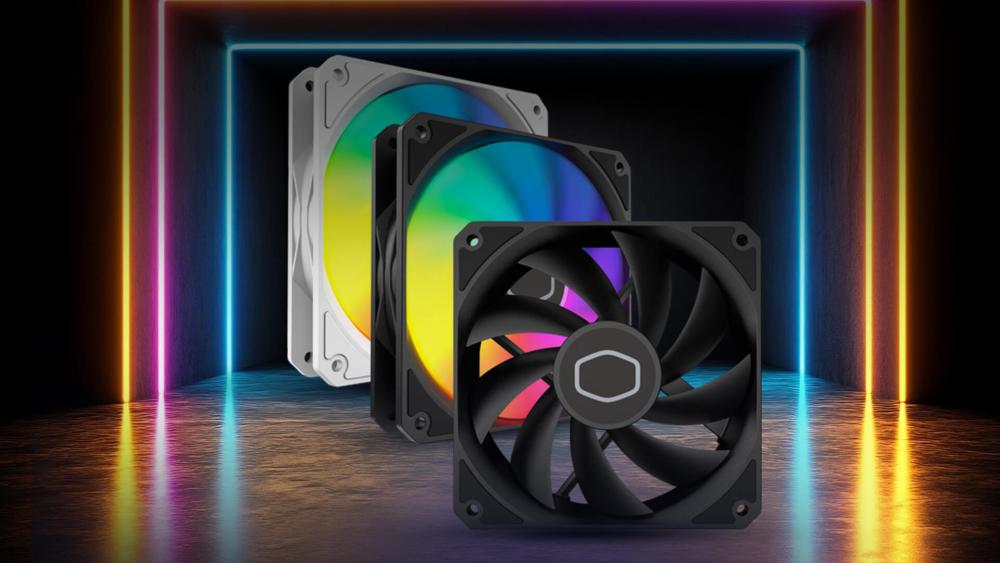
Cooler Master develops each of its fan families with different performance goals, cooling priorities, and aesthetic features. Below is a detailed look at the MF, SickleFlow, and CF series; what each one excels at, where it fits best, and why you might choose one over the others.
MF Series – Premium Segment (Performance + Aesthetics)
The MF Series sits at the top tier of Cooler Master’s fan lineup, designed for users who want strong performance and striking visuals in equal measure. Models like the MF120, MF140, and especially the MF120 Halo are known for combining top-tier cooling with premium ARGB effects and smoother, quieter operation.
Unlike basic budget fans, MF models use upgraded bearing systems, precision-balanced fan blades, and refined frame designs to minimise vibration and improve airflow consistency. This makes them highly effective for both case airflow and high static pressure scenarios such as AIO liquid coolers and densely finned radiators.
What makes the MF Series premium?
- High static pressure capability: Essential for radiators, AIO cooler PC setups, or cases with restrictive mesh/dust filters.
- Superior ARGB lighting: MF Halo fans, in particular, deliver dual-loop ARGB lighting rings with sharper diffusion, making them favourites for showcase/gaming PC builds.
- Low noise thanks to advanced bearings: Premium rifle or sealed bearings minimise motor noise and vibration, ensuring quieter operation even at high RPM.
- Better material quality: Sturdier frames, thicker plastic, and anti-vibration pads increase longevity and reduce rattling.
Best for:
- High-end gaming rigs
- AIO cooler radiators
- Tempered-glass showcase builds
- Users who want the best balance of performance + aesthetics
If you want a fan that performs superbly and looks outstanding doing it, the MF Series is the "best of everything" option in the Cooler Master family.
SickleFlow Series: Mid-Airflow Workhorse (Strong Airflow, Great Value)
The SickleFlow Series, especially the SickleFlow V2 generation, is Cooler Master's most popular mainstream option. It offers a blend of high airflow, solid static pressure performance, and affordability; making it the go-to choice for many PC builds.
The "SickleFlow" name comes from the curved, turbine-style blade design that pushes air efficiently while reducing turbulence. The V2 update added improved blade angles, better bearings, and updated ARGB diffusers, making the SickleFlow far more capable than its older versions.
Why SickleFlow is trusted by most PC builders:
- High airflow output: Great for intake and exhaust positions in modern cases.
- Improved static pressure: Not as high-end as MF, but still excellent for radiator use and front mesh cases.
- Great performance-to-price ratio: Premium performance without the MF premium price tag.
- Multiple variants (ARGB, RGB, PWM, non-RGB): Lets builders pick exactly what they need.
- Quiet and durable: V2 bearings improve lifespan and reduce humming or rattling noises.
Best for:
- General-purpose PC builds
- Gaming systems that need strong case airflow
- Mixed-use systems (gaming + productivity)
- Users wanting ARGB without overspending
For most people looking for dependable PC case fans that won’t break the bank, the SickleFlow Series is the safest, most balanced choice.
Recommended Model:
Cooler Master SickleFlow Edge 360 ARGB 120mm PWM Case Fan – Black
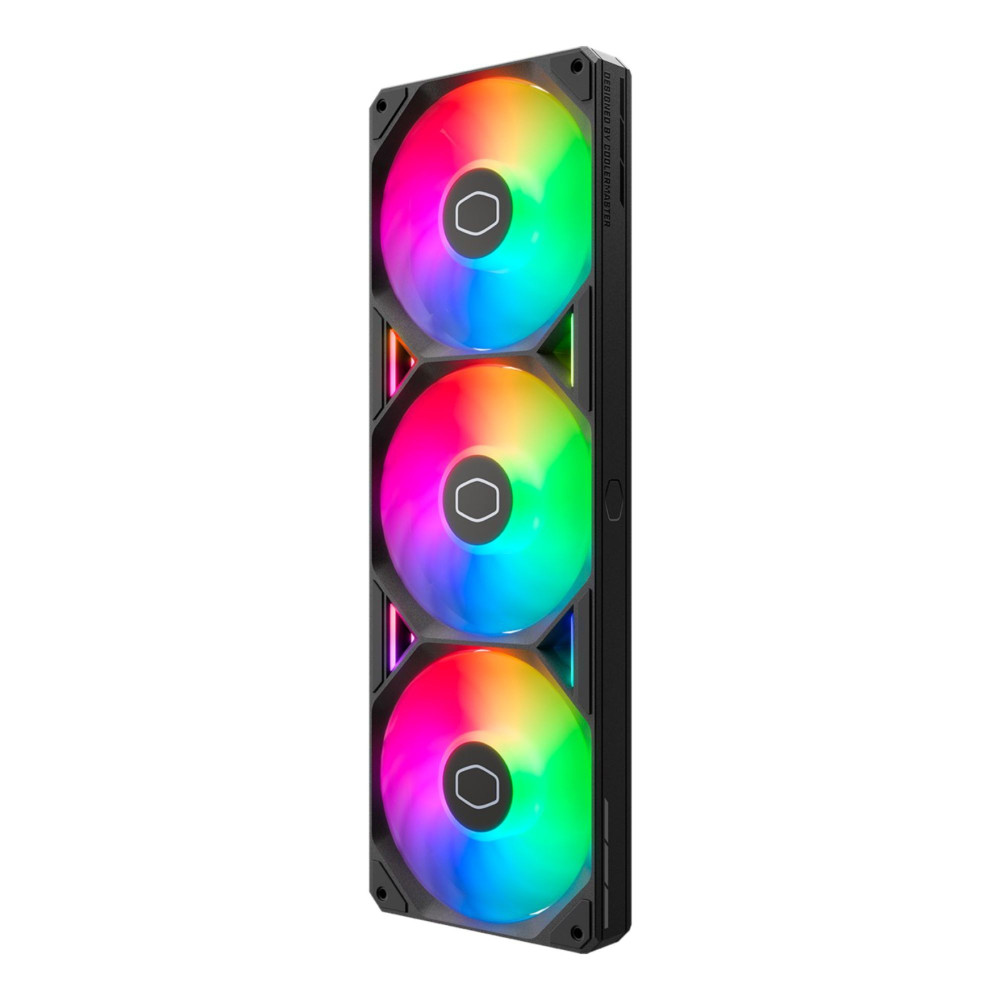
This is a high-performance 120mm PWM case fan from Cooler Master, featuring a unique "Edge" design and Addressable RGB (ARGB) lighting for effective cooling and vibrant customization within a PC.
| RGB Fan Lighting Issues Fixed: If you're experiencing flickering lights, inconsistent colours, or RGB fans not syncing correctly, our upcoming guide on RGB fan lighting issues fixed will walk you through the most common causes and how to resolve them quickly. |
CF Series: Value & Budget Option (Good, Simple, Affordable)
The CF Series is Cooler Master’s entry-level option, designed for builders who need affordable rgb fans, basic airflow improvement, and reliable cooling without the cost of premium bearings or advanced blade designs.
CF fans focus on providing solid performance for everyday cooling needs. They’re typically found in budget-conscious builds, office PCs, starter gaming rigs, or as supplementary fans in non-critical locations (bottom, PSU shroud, rear exhaust).
While CF fans don’t have the same performance ceiling as MF or SickleFlow, they are a great fit for users who care more about style on a budget than about static pressure or ultra-low noise.
What to expect from the CF Series:
- Most models are 120mm: Keeping costs low and ensuring wide compatibility.
- Basic bearings: Sleeve or simple ball bearings make them cheaper but slightly noisier over time.
- Simple RGB effects: Lighting is appealing but less advanced than SickleFlow or MF Halo.
- Lower static pressure: Better for open airflow positions than dense radiators.
- Excellent value: Ideal for adding RGB flair for minimal cost.
Best for:
- Budget gaming PCs
- Entry-level airflow upgrades
- Workstation builds
- Users who want RGB on a tight budget
If you want your build to look good without stretching your budget, the CF Series delivers reliable, attractive fans at the lowest price point in Cooler Master’s lineup.
Size, Feature & Performance Specifications Compared
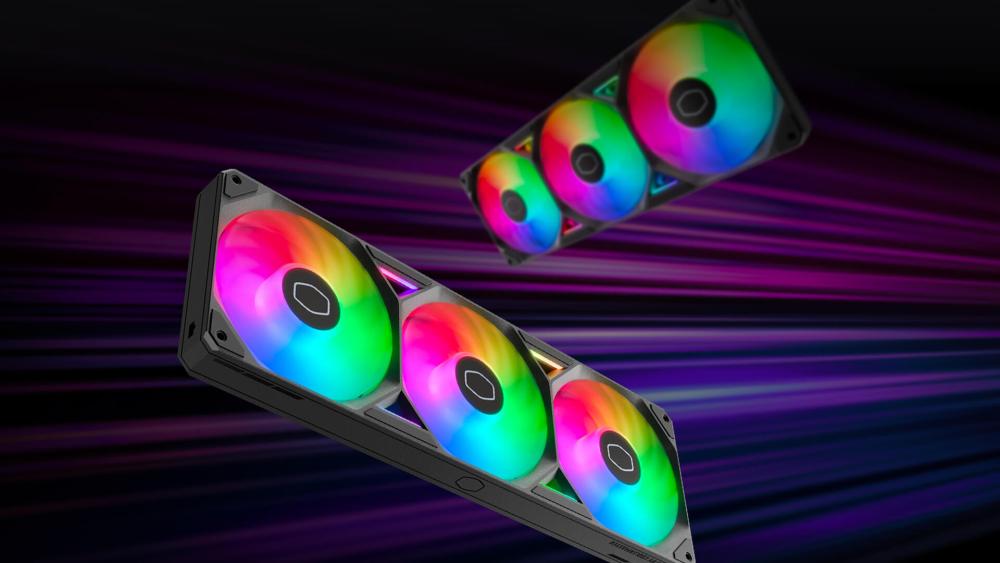
Choosing the right Cooler Master fan involves understanding the differences in size, airflow, pressure, noise and features. Each series is optimised for different types of PC builds and knowing how these specifications compare makes it much easier to choose the best one for your system.
Fan Sizes: 120mm vs 140mm
Fan size affects both cooling performance and noise. Cooler Master offers most of its MF and SickleFlow fans in both 120mm and 140mm options, while the CF series focuses mainly on 120mm to keep costs down.
140mm fans move more air at lower RPM, which makes them ideal for quieter, high-performance builds. Their larger blades can push higher airflow with less effort, creating smoother airflow with minimal turbulence. They work especially well in mid-tower and full-tower cases with larger mounting spaces.
120mm fans, however, remain the universal choice. Nearly all cases, radiators and airflow layouts support them. They’re easier to fit in compact builds and more flexible when working around front panels, coolers and cable layouts. For small-to-mid size cases, 120mm fans are usually the most reliable option, and this is why the budget-friendly CF series relies heavily on this size.
Airflow vs Static Pressure
Airflow determines how much air the fan can move, while static pressure reflects how well it can push air through obstructions like dust filters or radiators. These measurements are important for matching the fan to the right part of your PC.
The SickleFlow 120 V2 is well-known for balancing both metrics efficiently. Its curved blade design produces strong airflow (around 67 CFM) and enough pressure to work in most case positions. It's ideal for general intake and exhaust because it handles open airflow paths extremely well.
The MF series, particularly MF Halo models, provides stronger static pressure thanks to more advanced blade shaping and motor tuning. This makes them highly effective on AIO coolers, radiators or restrictive front panels, where air needs more force to move through tight spaces.
The CF series focuses primarily on airflow rather than pressure. These fans are great for open areas front intake, rear exhaust or bottom intake. However, they can struggle with radiators or heavily filtered front panels because they aren’t designed to overcome resistance like MF or SickleFlow models.
Features: Lighting, Bearings & Noise
Beyond airflow numbers, each series includes different lighting styles, fan bearings, and noise characteristics.
The MF series stands out for premium ARGB lighting, especially MF Halo fans, which use dual halo rings for a clean, vibrant showcase look. They also use higher-grade bearings that reduce friction, making them quieter and more durable over long-term use. These fans are perfect for high-end, or glass-panel builds where aesthetics and quiet performance are key.
The SickleFlow series blends performance and value. Their updated ARGB options are bright and modern without being overdone, and their improved rifle bearings give them a good balance of quiet operation and durability. They aren’t as visually advanced as the MF Halo models, but they deliver excellent cooling with far less noise than older SickleFlow fans.
The CF series provides simple, appealing RGB lighting and basic bearings to keep costs low. They’re slightly louder than MF or SickleFlow fans, especially at higher speeds, but still perfectly suitable for everyday PCs or budget gaming rigs. Their lighting is more modest but still adds a styled look for users wanting RGB without premium pricing.
Matching Series to Your Build Use-Case

Now that you understand how Cooler Master’s fan series differ in size, airflow, pressure and features, it becomes much easier to match each one to the type of PC you’re building. Every build has different cooling needs, noise limitations and aesthetic goals and choosing the right fan series ensures your system stays cool, quiet and visually consistent.
Below is a more detailed explanation of which series fits each type of PC build.
Gaming & High-Performance Builds
For gaming rigs, especially those running powerful GPUs or high-watt CPUs, cooling performance is the top priority. These systems generate sustained heat, and the fans must deliver reliable airflow and strong static pressure to keep components operating within safe temperatures.
The MF Series and SickleFlow Series are the best matches here because both offer a strong balance of airflow, cooling pressure and durability. MF fans excel on radiators and high-resistance areas thanks to their premium bearings and advanced blade design. SickleFlow fans, on the other hand, provide excellent case airflow at an accessible price and work very well for front intake or rear exhaust positions. Both series also come with attractive RGB/ARGB options, making them perfect for modern gaming setups with tempered-glass panels.
If you're building a gaming PC that needs both cooling efficiency and visual appeal, either MF or SickleFlow will serve extremely well.
|
How Many Fans Do You Actually Need? For a breakdown of ideal fan layouts for gaming PCs, airflow-optimized cases, and quiet builds, check out our guide: "How many fans do you need?" |
Silent or Showcase Builds (Aesthetics-Driven PC Builds)
If your goal is a quiet PC that also looks amazing; the kind often shown in PC showcases or RGB-themed setups, the MF Series is the top choice, especially models like the MF Halo. These fans are engineered with premium bearings that reduce noise even at higher speeds, creating smoother acoustic performance.
The MF Halo models stand out with their signature dual-ring ARGB design, providing a clean, refined lighting effect that enhances any glass-panel build. Because MF fans also offer strong static pressure at lower RPM, they can cool effectively without needing to spin loudly, making them ideal for silent or aesthetic-focused builds.
If you want fans that deliver the quietest operation while elevating the look of your PC, the MF Series is the perfect fit.
Budget or Workstation Builds
If you're assembling a budget PC, productivity workstation or general-purpose system, you likely don’t need the advanced lighting or high static pressure of premium fans. In these cases, the CF Series is a great fit because it focuses on essential cooling performance without the cost of higher-end bearings or advanced RGB diffusers.
CF fans provide respectable airflow for everyday tasks such as office work, content viewing or light gaming. Their simpler RGB options still allow your build to look stylish without additional expense. For users who want slightly better performance but still want to stay cost-efficient, the budget-friendly variants of the SickleFlow series offer a great middle ground.
If value matters more than premium lighting or silent performance, CF fans deliver exactly what you need.
Mixed or Hybrid Builds
Many PC builds benefit from using more than one type of fan, especially when different parts of the case require different airflow profiles. For example, you may want strong airflow in the front but high static pressure for radiators or top exhaust.
A common and effective hybrid setup uses SickleFlow fans for front intake, where strong airflow is most important, and MF fans for radiator cooling or top exhaust, where pressure and quietness matter more. Some builders add CF fans in secondary locations such as the bottom chamber, PSU shroud area or behind storage cages places that don’t require high-power airflow.
Mixing Cooler Master fan series is completely fine as long as the PWM control is managed correctly in BIOS or software. This ensures that each fan responds to temperature changes appropriately without creating uneven airflow patterns.
If you want the absolute best balance of performance, cooling and value, combining MF and SickleFlow fans is one of the most effective airflow strategies available.
Final Thoughts: Choosing the Right Cooler Master Fan for Your Build
Selecting the right fan series for your PC makes a dramatic difference to airflow, temperatures, noise levels and overall build quality. Cooler Master’s MF, SickleFlow and CF lines each offer strengths tailored to different types of systems, whether you're building a high-performance gaming rig, a silent showcase PC or a budget-friendly workstation.
The MF Series remains the premium choice for users who want powerful cooling, refined bearings and stunning ARGB effects; ideal for AIO coolers or glass-panel cases.
No matter which series you choose, Cooler Master fans are designed to improve airflow and make your system cooler, quieter and more efficient. If you're planning an upgrade, this is the perfect time to Check out Cooler Master cooling solutions, explore airflow-ready Computer Cases, browse gaming PC builds ready for airflow mods, or look through all cooling components available at Box.co.uk. With the right fans and hardware combination, you can build a PC that stays cool under load and looks exactly the way you want.
Frequently Asked Questions
Are Cooler Master fans and coolers good?
Yes, Cooler Master fans and coolers are widely respected for reliability, performance, and value. They offer strong airflow models, high static pressure options, ARGB PWM fans, and both air and AIO liquid CPU coolers making them suitable for gaming PCs, silent builds, and budget systems alike.
What are the best PC case fans (120mm vs 140mm)?
The best PC case fans depend on your case size and cooling goals.
- 120mm fans are more common and fit most cases. They’re ideal for balanced airflow and tighter builds.
- 140mm fans move more air at lower RPMs, making them quieter and better for larger cases.
For most gaming PCs, a mix of front intake and rear/top exhaust fans provides optimal airflow.
What’s the difference between high static pressure vs airflow fans?
Understanding high static pressure vs airflow fans is key to building the right cooling setup:
- Airflow fans are best for open case areas (front intake or exhaust) where air moves freely.
- High static pressure fans are designed to push air through resistance, making them ideal for radiators, heatsinks, and restricted front panels.
If you're using an AIO cooler, high static pressure fans are typically the better choice.
What is the best CPU cooler – Air or AIO liquid?
Choosing the best CPU cooler (air vs AIO liquid) depends on performance needs and budget:
- Air coolers are affordable, reliable, and easy to install. Great for mid-range gaming builds.
- AIO liquid coolers provide stronger thermal performance and cleaner aesthetics, especially high-end CPUs.
For most users, a quality tower air cooler is enough. For overclocking or flagship processors, an AIO is often better.
What is the best AIO cooler for gaming?
The best AIO cooler typically features a 240mm or 360mm radiator, strong static pressure fans, and PWM control for balanced cooling and noise levels. Look for models with ARGB lighting if aesthetics matter, and ensure compatibility with your case before purchasing.
What are ARGB PWM fans?
- ARGB PWM fans combine two features:
- ARGB (Addressable RGB) lighting for customisable colours and effects.
PWM (Pulse Width Modulation) control for automatic fan speed adjustment based on temperature.
They’re ideal for gamers who want both performance and visual customisation.
What are the best quiet PC fans for silent builds?
The best quiet PC fans (low noise / silent builds) are typically larger (140mm), run at lower RPMs, and use fluid dynamic or rifle bearings.
For silent systems:
- Use fewer, larger fans
- Enable fan curves in BIOS
- Choose vibration-dampened mounts
This helps maintain airflow without excessive noise.
What are the best budget case fans?
The best budget case fans offer reliable airflow, decent build quality, and PWM support without premium pricing. For entry-level gaming builds, a simple airflow-focused 120mm PWM fan setup is usually enough to maintain stable temperatures.
How can I make my PC quieter?
If you're wondering how to make a PC quieter, consider the following:
- Replace high-RPM fans with low-noise models
- Adjust fan curves in BIOS
- Improve cable management for better airflow
- Use rubber anti-vibration mounts
- Upgrade to a more efficient CPU cooler
Balancing airflow and noise is key to a quiet, efficient build.
What is the best cooling setup for a gaming PC?
The best cooling setup for a gaming PC typically includes:
- 2–3 front intake fans
- 1 rear exhaust fan
- Optional top exhaust fans
- A quality CPU cooler (air or AIO)
This creates balanced airflow, reduces hotspots, and maintains stable temperatures during long gaming sessions.
You can pay with:
*PayPal Credit Representative Example: Assumed credit limit £1,200, Representative 23.9% APR (variable). Purchase rate 23.9% p.a (variable).Terms & Conditions apply.


PayPal Credit and PayPal Pay in 3 are trading names of PayPal UK Ltd, 5 Fleet Place, London, United Kingdom, EC4M 7RD. Terms and conditions apply. Credit subject to status, UK residents only, Five Tech LTD acts as a broker and offers finance from a restricted range of finance providers. PayPal Pay in 3 is not regulated by the Financial Conduct Authority. Pay in 3 eligibility is subject to status and approval. 18+. UK residents only. Pay in 3 is a form of credit. Check if affordable and how you will repay. May make other borrowing more difficult or expensive. See product terms for more details.
Copyright © 1996-2026 Fivetech LTD | Terms and Conditions
box.co.uk & Box are trading names of Five Tech Limited. Registered office: Box LTD, Unit 10 Woodford Trading Estate, Woodford Green IG8 8HF