


 Menu
MenuMenu


Get Sales Advice from Mon - Fri 9am - 5:00pm:
020 3337 8950LAST UPDATED: January 08, 2026
Common Case Fan Buying Mistakes (and How to Avoid Them)
Building or upgrading a PC is exciting for new hardware, better performance, fresh airflow. But case fans? They're often the part people rush through. It's easy to assume "a fan is just a fan," only to install them and end up with a PC that runs hotter, louder, or more unstable than before.
The truth is: choosing the right case fans matters just as much as choosing a good CPU cooler or graphics card. A fan that doesn't suit your case layout, airflow design or cooling needs can quietly hold back your entire system. That's why so many PC builders, even experienced ones, unknowingly make the same mistakes when buying system fans mistakes that affect performance, noise and longevity.
This guide breaks down the most common case fan buying mistakes, how to spot them, and what you should be doing instead.
Choosing the Right Case Fan
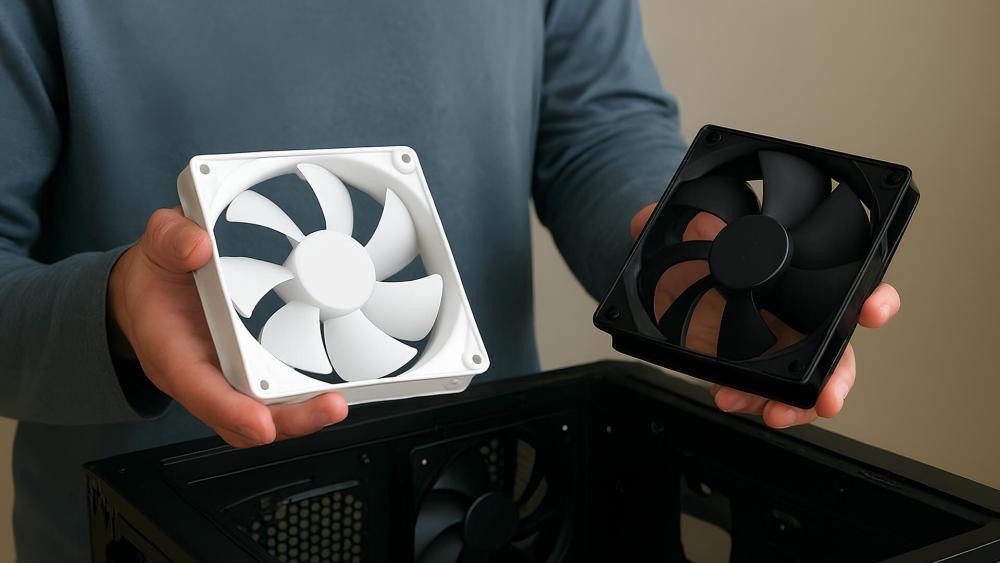
1. Airflow Fans: Best for Open, Unrestricted Cases
Airflow-optimised case fans are designed to move large amounts of air in and out of the system.
They work best when installed in:
- Mesh-front PC cases
- Wide, open intake vents
- Top or rear exhaust positions
- Builds prioritising general airflow
These fans perform quietly because they don't need to fight against barriers.
2. Static Pressure Fans: Best for Restricted or High-Resistance Areas
Static pressure fans are engineered to push air through tight spaces and obstacles.
Use them when your case includes:
- Solid front panels
- Narrow side vents
- Dust filters
- Radiators or AIO coolers
- GPU shrouds or tight drive cages
If you install airflow fans in these restricted positions, temperatures will rise even if the fans are "high performance."
3. Silent / Acoustic FansBest for Quiet Builds
For users who want silent operation:
- Look for fluid dynamic bearings
- Choose fans with smooth blade geometry
- Use PWM models for precise low-RPM control
These fans maintain airflow while keeping acoustics extremely low; perfect for work PCs, content creation or quiet gaming.
4. The Most Misunderstood Spec: Airflow vs Static Pressure
Most case fan buying mistakes happen because builders misunderstand these two specs:
| Spec | Best For | Avoid When |
| CFM (Airflow) | Unrestricted mesh cases | Tight or filtered intakes |
| Static Pressure (mmH₂O) | Radiators, restricted cases | Wide-open airflow zones |
Matching the right fan to the right location solves 80% of cooling and noise problems instantly.
| If your fans are noisy, rattling or vibrating, our Fan Noise and Vibration Fixes guide walks you through simple ways to make your PC quieter instantly. |
The Most Common Case Fan Buying Mistakes and How to Avoid Them
Choosing the right case fans plays a much bigger role in cooling performance, noise levels and overall PC stability than most people realise. Many builders' beginners and experienced users alike often run into avoidable issues simply because a fan was installed in the wrong location, controlled incorrectly or chosen for the wrong purpose.
Below, we explain the most common mistakes, how they impact your system in real-world scenarios, and the best ways to avoid them.
Buying Airflow Fans for Restricted Intakes
The Mistake:
One of the most common mistakes is buying high-airflow fans and placing them behind a solid front panel, dense dust filter, or narrow side vent. Airflow fans are designed for open spaces, not resistance. When you put them behind obstructions, their performance drops dramatically, leading to higher GPU and CPU temperatures even if the fans are spinning fast. This often surprises users who expect the "best computer fan" to deliver immediate improvements.
The Fix:
To avoid this, match the fan to the environment. Static pressure fans are built to push air through tight or restricted areas, making them the right choice for radiators, AIO coolers, and filtered intakes. A simple change from airflow to static pressure fans can instantly fix overheating in cases with limited front-panel ventilation.
Chasing RPM Instead of Real Cooling and Noise Performance
The Mistake:
Many buyers assume a higher RPM rating means better cooling, but RPM alone rarely tells the whole story. Two fans spinning at the same speed can produce completely different airflow and noise depending on blade design, bearing type and build quality. This often results in someone buying extremely high-RPM fans expecting better cooling, only to find their PC becomes dramatically louder with little temperature improvement.
The Fix:
The real solution is to choose fans with efficient aerodynamics and quality bearings, then control them through a proper PWM fan curve. A well-engineered fan running at moderate speed can outperform a poorly designed fan running much faster while keeping noise levels far lower.
Choosing the Wrong Size: 120mm vs 140mm
The Mistake:
Another mistake is defaulting to 120mm fans when the case supports 140mm options. Larger fans move more air at lower speeds, meaning they cool better and run quieter. Many users unknowingly limit their cooling potential simply because they don't check their case's fan compatibility.
The Fix:
Before buying, review the supported fan sizes in your PC chassis. If 140mm fans are supported, choosing them is almost always the superior option for both airflow and acoustics.
Mixing Fans Without an Airflow Plan
The Mistake:
Even with high-quality fans, poor airflow planning can create heat pockets inside the system. Some builders install fans in random directions or combine various types without thinking about how air travels through the case. This often leads to warm air recirculating, dust buildup, or higher GPU temperatures during gaming.
The Fix:
A good airflow setup pulls cool air from the front or bottom and exhausts warm air through the rear or top. Keeping air moving in one clear direction ensures temperatures stay stable, and components remain dust-free. Balanced airflow is key; too many exhausts or too few intakes can both create problems.
Ignoring PWM vs DC Control and Motherboard Header Limits
The Mistake:
Another overlooked issue comes from mixing PWM and DC fans without checking motherboard control options. PWM fans offer precise speed control and smoother acoustics, while DC fans rely on voltage changes and often struggle to maintain low-RPM operation. When users connect multiple types to the same splitter or hub, fans can stutter, pulse, or run louder than expected.
The Fix:
To avoid this, always check whether your motherboard headers support PWM or DC. Pair fans accordingly and, if you need to run several system fans, consider using a PWM hub instead of daisy-chaining splitters. This ensures consistent control and avoids overstressing motherboard headers.
| If you're unsure which fan type suits your build, our How to Choose a Case Fan guide breaks everything down step-by-step so you can select the perfect cooling setup. |
Overlooking Fan Airflow Direction

The Mistake:
Installing fans the wrong way around is more common than most builders admit. Fans always pull air from the open side and push it out through the side with the support frame, but when building quickly, it's easy to mount a fan backwards. This disrupts airflow balance and can dramatically increase system temperatures.
The Fix:
A quick visual check before tightening screws can prevent this. Most fans also include directional arrows on the frame, making it simple to confirm airflow direction during installation.
If These Mistakes Happened, Here's What You'll Notice
1. Unexpected Noise or Fan Ramping
If the wrong fan type is used or airflow is unbalanced, your PC may suddenly get louder even during light tasks. You might hear humming, whirring, or fans constantly ramping up and down. This usually happens when airflow fans fight resistance, or when PWM/DC fans are mixed and receive inconsistent signals.
2. Higher Temperatures Despite "Better Fans"
A very common sign of a fan mistake is when temperatures rise after installing new fans. This occurs when airflow fans are used behind filters, fans are mounted backwards, or intake/exhaust isn't balanced. The CPU or GPU may run hotter than normal or reach thermal throttling much faster during gaming.
3. Unstable or Pulsing Fan Speeds
If fans repeatedly surge, stop, or fluctuate unpredictably, it often means the motherboard headers are overloaded, or the fan modes are mismatched. Using too many splitters, incorrect PWM/DC assignments or low-quality hubs can cause this inconsistent behaviour.
4. Hotspots Around the GPU or Motherboard
Poor airflow direction can trap heat inside the case, especially around the graphics card. You may notice the side panel feeling unusually warm, GPU fans spinning up aggressively or games stuttering under load because the hot air has nowhere to go.
5. Reverse Airflow and Excess Dust
Fans installed backwards will pull air the wrong way, disrupting circulation entirely. You may feel warm air blowing from the front, see dust building up quickly, or notice that cooling performance feels worse even though you added new fans.
Recommended Case Fans for Different User Types
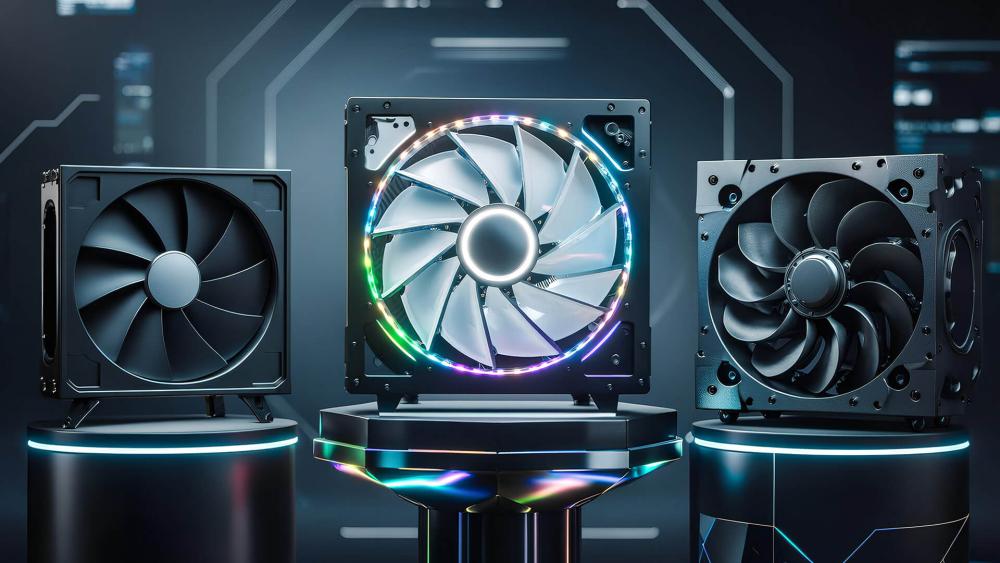
Choosing the right fan becomes much easier when you know what kind of PC user you are. Here are three excellent case fan options, each suited to a different type of setup, silent builds, aesthetic showcase systems, and high-end performance-focused PCs.
be quiet! Pure Wings 3 140mm PWM Case Fan
Best for: Quiet, cool, everyday or workstation builds
The Pure Wings 3 series is designed for users who want excellent cooling without noise. Its 140mm size allows it to move a large amount of air at very low RPM, and the refined blade geometry keeps turbulence to a minimum. The result is strong airflow with whisper-quiet performance ideal for office PCs, productivity systems, or anyone who wants a cool rig without audible fan noise. It's also perfect for cases that support larger fans and for users who prefer clean, stealthy builds with no RGB.
Lian Li UNI SL120 INF Reverse Blade ARGB 120mm Fan (Black)
Best for: Aesthetic showcase builds and side-intake configurations
This fan is built for users who care about both cooling and visual impact. The reverse-blade design allows the fan to show its front-facing RGB even when mounted as an intake—something standard fans can't do. With its modular daisy-chain connection system, cable clutter is reduced dramatically, making it a top choice for clean, premium-looking builds. It fits perfectly into side-intake setups, tempered-glass cases, and RGB-heavy gaming rigs where aesthetics matter as much as performance.
Corsair iCUE Link QX120 RGB 120mm PWM Fan – Triple Pack (Black)
Best for: High-end gaming PCs and advanced cooling control
The Corsair QX120 RGB fans are engineered for enthusiasts who want cutting-edge cooling and smart ecosystem control. These fans use the iCUE Link system, allowing multiple fans to connect in a chain with a single cable for both power and control. The result is a clean setup with extremely precise RPM control, advanced lighting effects, and excellent airflow. This triple pack is perfect for powerful gaming PCs, high-refresh-rate GPU builds, or systems that will be used for streaming, rendering or all-day gaming.
Conclusion:
Case fans might seem like a small part of your setup, but choosing the right ones and installing them correctly can completely transform how cool, quiet and stable your PC feels. Once you understand the difference between airflow and static pressure fans, plan intake and exhaust properly, and ensure your fans match your motherboard's PWM/DC controls, your system will run quieter and more efficiently, even under heavy load. Avoiding common sizing or placement mistakes also helps maintain consistent airflow throughout your build, preventing heat pockets and unnecessary noise.
If you're ready to optimise your cooling or upgrade your system the right way, you can explore high-quality PC case fans, browse the latest PC cases, or pair your airflow improvements with the best motherboards and best PSUs for stable PC builds; all available at Box.co.uk. With the right components working together, your PC will run cooler, quieter, and perform exactly the way you want.
You can pay with:
*PayPal Credit Representative Example: Assumed credit limit £1,200, Representative 23.9% APR (variable). Purchase rate 23.9% p.a (variable).Terms & Conditions apply.


PayPal Credit and PayPal Pay in 3 are trading names of PayPal UK Ltd, 5 Fleet Place, London, United Kingdom, EC4M 7RD. Terms and conditions apply. Credit subject to status, UK residents only, Five Tech LTD acts as a broker and offers finance from a restricted range of finance providers. PayPal Pay in 3 is not regulated by the Financial Conduct Authority. Pay in 3 eligibility is subject to status and approval. 18+. UK residents only. Pay in 3 is a form of credit. Check if affordable and how you will repay. May make other borrowing more difficult or expensive. See product terms for more details.
Copyright © 1996-2026 Fivetech LTD | Terms and Conditions
box.co.uk & Box are trading names of Five Tech Limited. Registered office: Box LTD, Unit 10 Woodford Trading Estate, Woodford Green IG8 8HF