


 Menu
MenuMenu


Get Sales Advice from Mon - Fri 9am - 5:00pm:
020 3337 8950LAST UPDATED: March 06, 2026
Which Tablets Are Best for Work and Remote Teams in the UK?
If your workday involves juggling emails, documents, video calls, and shared files, it's natural to wonder whether a tablet can keep up. For many people across the UK, finding the best tablet for work is no longer about replacing a laptop outright, but about adding flexibility to how and where work gets done. As hybrid and remote roles become the norm, tablets are increasingly used alongside laptops to handle everyday tasks more comfortably.
When it comes to choosing a tablet for work, the decision isn't straightforward. There are many factors to consider, beyond raw specifications alone. Rather than focusing purely on technical specs, this guide looks at how tablets perform in real working environments. Whether you're working from home, moving between locations, or supporting a distributed team, it helps clarify which devices genuinely earn a place in your workflow, and which ones make sense based on how you actually work day to day.
Are Tablets Good Enough for Work and Remote Teams?
For many roles today, the question isn't whether tablets are powerful enough, but whether they fit the way people actually work. As work becomes more flexible, tablets are increasingly used for tasks that don't require a full desktop setup, especially in remote and hybrid environments.
In practice, tablets for remote work are well-suited to roles that involve communication, light document handling, and frequent meetings. They offer a more portable and relaxed way to stay productive, particularly when working away from a desk. However, they aren't a universal solution, and understanding where tablets perform well and where they fall short is key before deciding if one can replace or complement a laptop in a professional setup.
What Types of Work Tablets Handle Well
Tablets for work perform best when tasks revolve around everyday productivity rather than heavy processing. Tablets for office work excel in tasks such as email management, document editing, scheduling, and internal communication. Many professionals also rely on tablets for reviewing files, annotating documents, and handling quick admin tasks without needing to open a laptop.
Thanks to improvements in multitasking and app design, tablets used for productivity tasks are now capable of handling split-screen work and multiple apps at once, making them practical for focused, lightweight workflows.
Limitations of Tablets for Remote Work
That said, tablets do have limits. For roles that involve heavy multitasking, specialist desktop software, or extended typing, tablets may still feel restrictive on their own. While accessories can bridge some gaps, tablets are generally most effective when used alongside a laptop rather than as a full replacement in demanding remote roles.
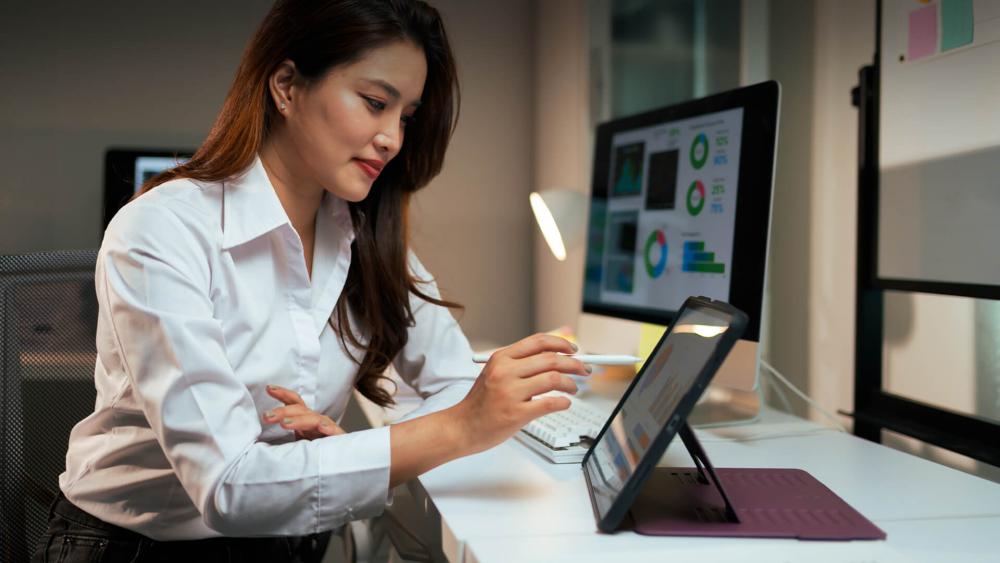
What to Look for in a Tablet for Work
Once you've decided that a tablet fits your workflow, the next step is understanding which features genuinely affect day-to-day use. Not all work tablets are built with the same priorities, and small differences in hardware can have a noticeable impact over time. This section focuses on what actually matters when choosing a tablet for productivity, especially for people working remotely or across hybrid setups.
Key Features to Prioritise in a Work Tablet
The table below provides a quick overview of the key features to consider before buying a tablet for work.
| Features | What to Look For | Why It Matters for Work |
| Performance | Modern CPUs with 8GB RAM or more | Keeps apps responsive during multitasking |
| Display Size | 11–13" screens, 400+ nits brightness | Reduces eye strain during long workdays |
| Keyboard Support | Detachable keyboard or keyboard folio | Essential for documents and emails |
| Battery Life | 9-14 hours real-world use | Supports remote and hybrid work |
| Connectivity | USB-C, optional LTE/5G | Enables flexible work setups and travel |
Performance for Multitasking and Productivity
For most people, performance is about consistency rather than raw power. Modern tablets for business use typically ship with processors such as Apple's M-series chips, Qualcomm Snapdragon platforms, or Intel Core i5-class CPUs in Windows tablets. Paired with 8GB–16GB of RAM, these setups comfortably handle email, document editing, web apps, and video calls without lag. This level of performance is now common across many ARM-based tablets, making them practical for everyday multitasking rather than just light, single-app use.
Screen Size and Comfort for Long Workdays
Screen size has a direct impact on comfort. Tablets in the 10-inch range are easy to carry, but many professionals prefer devices with 12–13-inch displays when spending hours reviewing documents or working in split views. Higher-resolution panels and brightness levels around 400–600 nits are increasingly common, making tablets easier to use in different lighting conditions, including shared workspaces and home offices.
Keyboard and Trackpad Support
Typing directly on glass quickly becomes limiting. A quality detachable keyboard or keyboard folio transforms a tablet into a far more practical work device, especially for emails, reports, and spreadsheets. Most of the best tablets for work come with keyboard and trackpad support. This is great for people who multitask, as it makes switching between apps quick and easy.
Battery Life for Remote and Hybrid Work
Battery life remains one of the biggest advantages of tablets. Thanks to improved efficiency and smarter battery optimisation, many tablets designed for working from home deliver 9–12 hours of real-world use, with some stretching beyond that for lighter workloads. This makes them ideal for flexible working, where access to power is not always guaranteed.
Connectivity and Ports for Work Setups
Connectivity often determines how well a tablet fits into a broader setup. Features like USB-C tablet charging allow a single cable to handle power, data, and displays, while reliable external display support makes it easier to use a tablet alongside a monitor. Optional LTE and 5G models are also worth considering for professionals who work away from fixed networks.
If you're comparing different options, it's worth taking the time to browse work-ready tablets and check how well each model supports accessories, displays, and everyday connectivity needs.

Tablets vs Laptops for Remote Work
Once you understand what to look for in a work-focused device, the next step is comparing how tablets and laptops perform in remote and hybrid roles. For many people, this decision isn't about choosing one over the other, but about understanding where tablets for remote work genuinely fit and where a laptop still makes more sense.
In modern workflows, tablets for work are often used alongside laptops rather than replacing them entirely. They offer flexibility, portability, and convenience for specific tasks, while laptops continue to handle heavier workloads that demand sustained performance and extensive multitasking.
Tablets as Laptop Replacements
In some roles, tablets can act as a primary work device. For example, tablets for office work are well-suited to emails, document reviews, and video calls, especially when paired with accessories for remote work. For professionals who spend most of their time in browser-based tools or productivity apps, this setup can feel more than adequate.
However, when work involves complex spreadsheets, specialist software, or constant switching between multiple windows, laptops still provide a smoother experience. This is work tablets tend to work best as a companion device rather than a full replacement.
Best Tasks Suited to Tablets
Tablets shine in tasks that benefit from speed and simplicity. Tablets designed for productivity are particularly effective for meetings, note-taking, reviewing documents, and managing day-to-day administration. They are also well-suited for presentations and collaboration, where a lightweight device is easier to handle than a traditional laptop. For many users, this makes tablets an ideal secondary device, handling focused tasks while leaving heavier work to a laptop or desktop.
Hybrid Setups for Remote Teams
For remote teams, hybrid setups are increasingly common. A tablet can handle communication, planning, and light work throughout the day and when working remotely, while a laptop is reserved for tasks that require more power or precision. This approach gives teams flexibility without compromising efficiency.

Best Tablets by Work Use Case
Not every role needs the same kind of device. Some people spend most of their day answering emails and managing documents, while others live in meetings, travel constantly, or juggle creative and collaborative work. Here are some of the best tablets for work in the UK.
Tablets for Emails, Documents, and Admin Work
For admin-heavy roles, the priority is reliability, a comfortable screen, and smooth performance with everyday apps rather than raw power. These tablets for working from home are designed to handle email, documents, browser-based tools, and light multitasking without friction.
Apple iPad 11" A16 128GB Wi-Fi Tablet
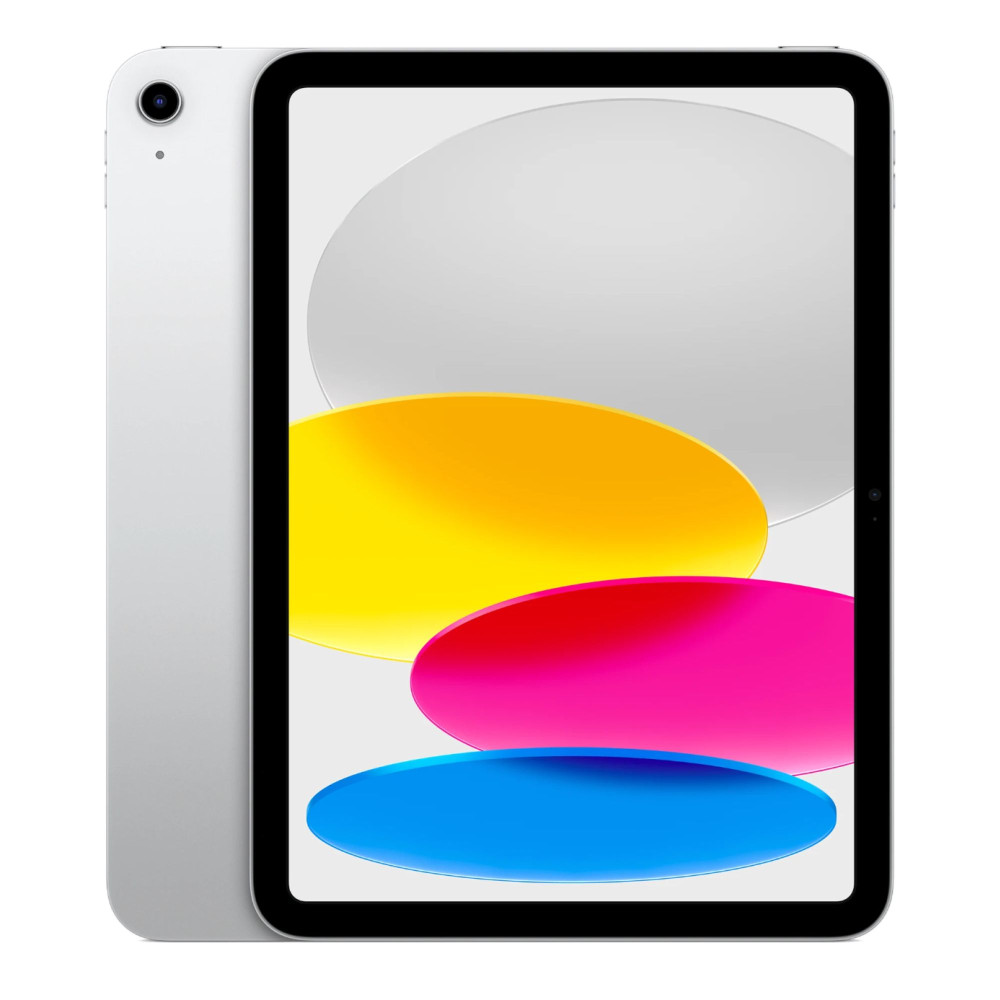
Key Specs:
- Apple A16 processor
- 11" Liquid Retina display (2360 × 1640)
- 128GB storage
- iPadOS 18
- USB-C tablet charging
Why it Works Well for Emails and Document Handling: It is one of the best Apple iPads for office and remote work, and handles emails, documents, and everyday tasks smoothly. iPadOS works well with a keyboard folio, making it a practical option for tablets for business use focused on productivity rather than specialist software.
Lenovo Tab K11 Plus 11.4" Tablet
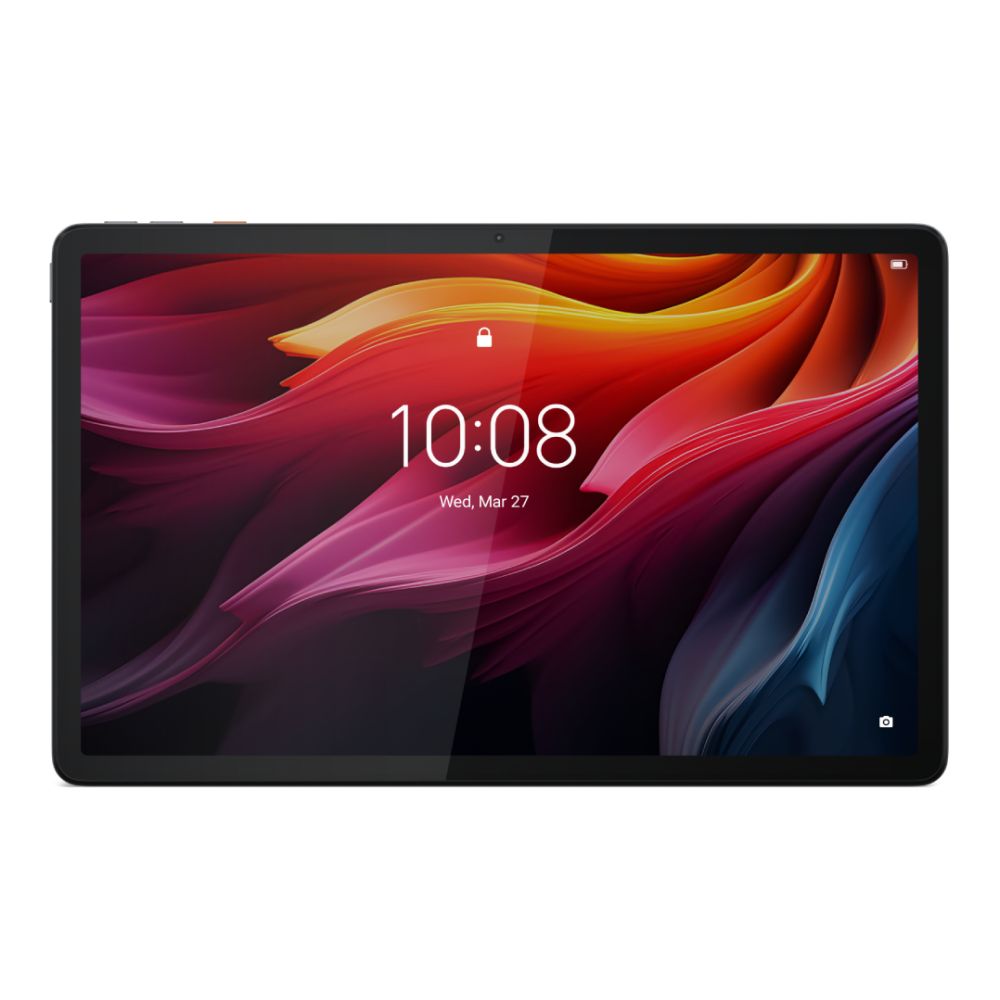
Key Specs:
- Qualcomm Snapdragon SDM680 processor
- 11.4" 2K display (2000 × 1200)
- 8GB RAM, 256GB storage
- Android tablet OS
- USB-C tablet charging
Why it Works Well for Admin Tasks: This Lenovo tablet is well-suited for everyday admin work, offering plenty of memory for multitasking and a sharp display for long document sessions. With split-screen multitasking and broad app support, it works well as a practical option among tablets for working from home and general office-based productivity.
Tablets for Video Calls and Meetings
For frequent video calls, screen clarity, front camera quality, and stable performance matter more than raw power. These tablets suit meetings, presentations, and collaborative work throughout the day.
Apple iPad Air 11" M3 Wi-Fi Tablet
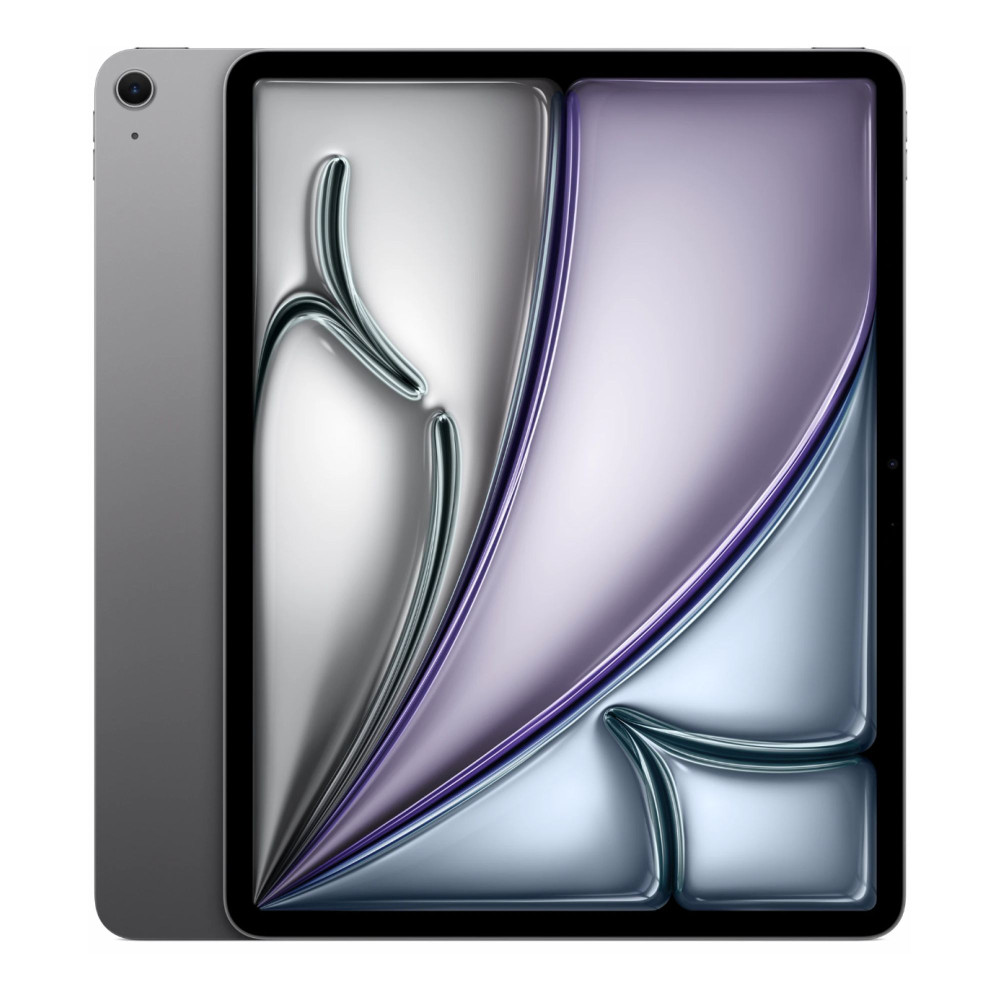
Key Specs:
- Apple M3 processor
- 11" Liquid Retina display (2360 × 1640)
- 128GB storage
- iPadOS 18
- USB-C tablet charging
Why it Works Well for Video Calls: The iPad Air offers a sharp display and reliable front camera performance, making it ideal for daily meetings and client calls. Combined with iPadOS video conferencing apps and accessory support, it is an excellent tablet for meetings and remote collaboration.
Samsung Galaxy Tab Active4 Pro
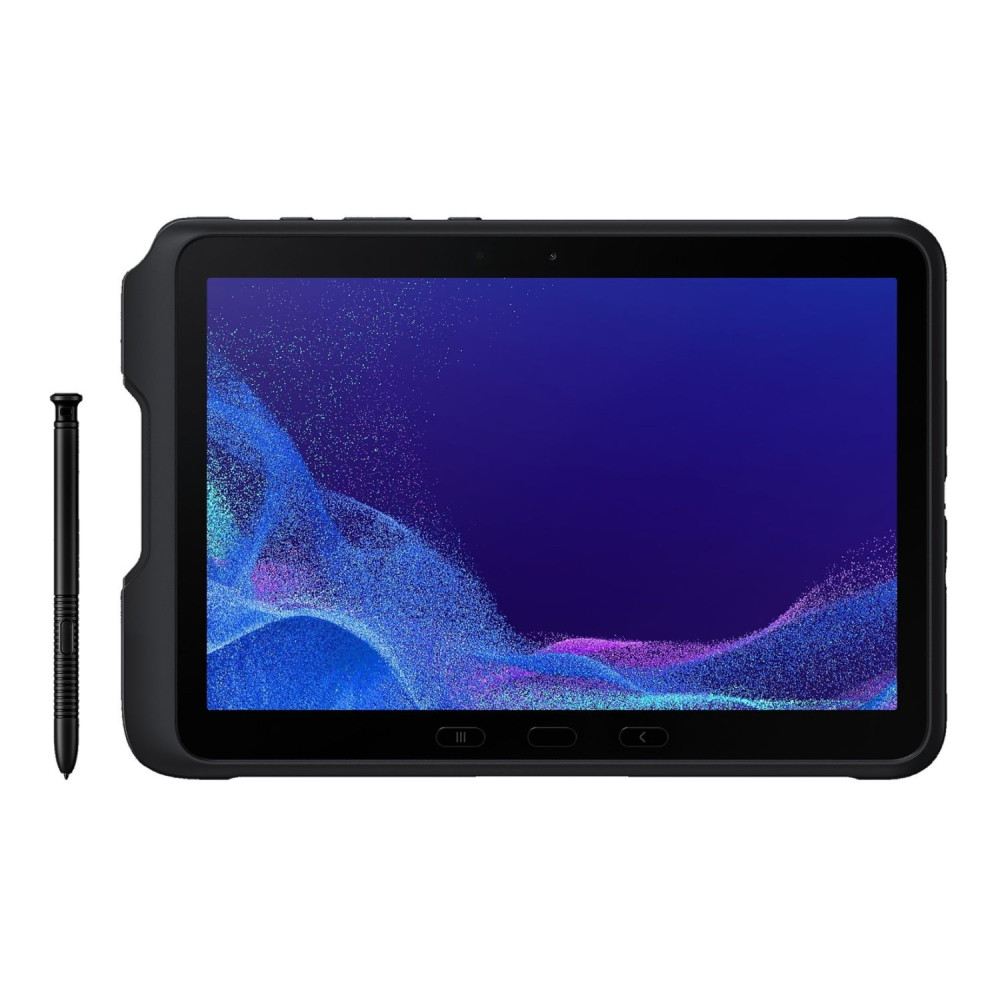
Key Specs:
- Octa-core processor
- 10.1" WUXGA display (1920 × 1200)
- 6GB RAM, 128GB storage
- Android 12
- USB-C tablet charging
Why it Works Well for Meetings and Field Work: Designed for reliability, this Samsung tablet suits professionals who move between offices, sites, and meetings. Its durable build and stable connectivity with headsets make it a practical tablet for meetings and field-based work, where consistency matters more than ultra-thin design.
Tablets for Freelancers and Consultants
Freelancers and consultants need tablets that can shift easily between focused work and client-facing tasks. Portability matters, but so does performance when it comes to document handling, presentations, video calls, and light multitasking throughout the day.
Apple iPad Air 13" M3 256GB Wi-Fi Tablet
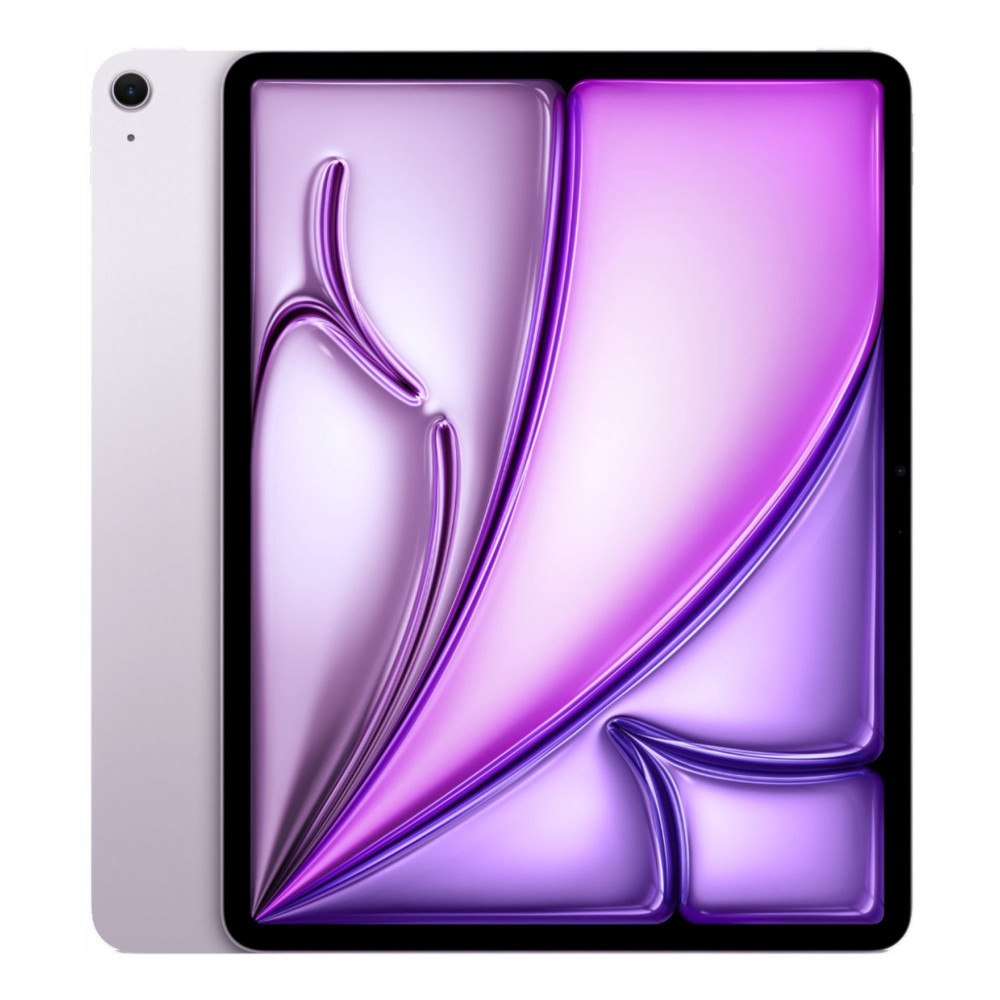
Key Specs:
- Apple M3 processor
- 13" Liquid Retina display (2732 × 2048)
- 256GB storage
- iPadOS 18
- USB-C tablet charging
Why it Works Well for Freelancers: The larger display makes multitasking across documents, presentations, and video calls more comfortable. Paired with a detachable keyboard, it's a perfect tablet for professionals who want performance and portability without carrying a full laptop.
Microsoft Surface Pro 11 Copilot+ Tablet
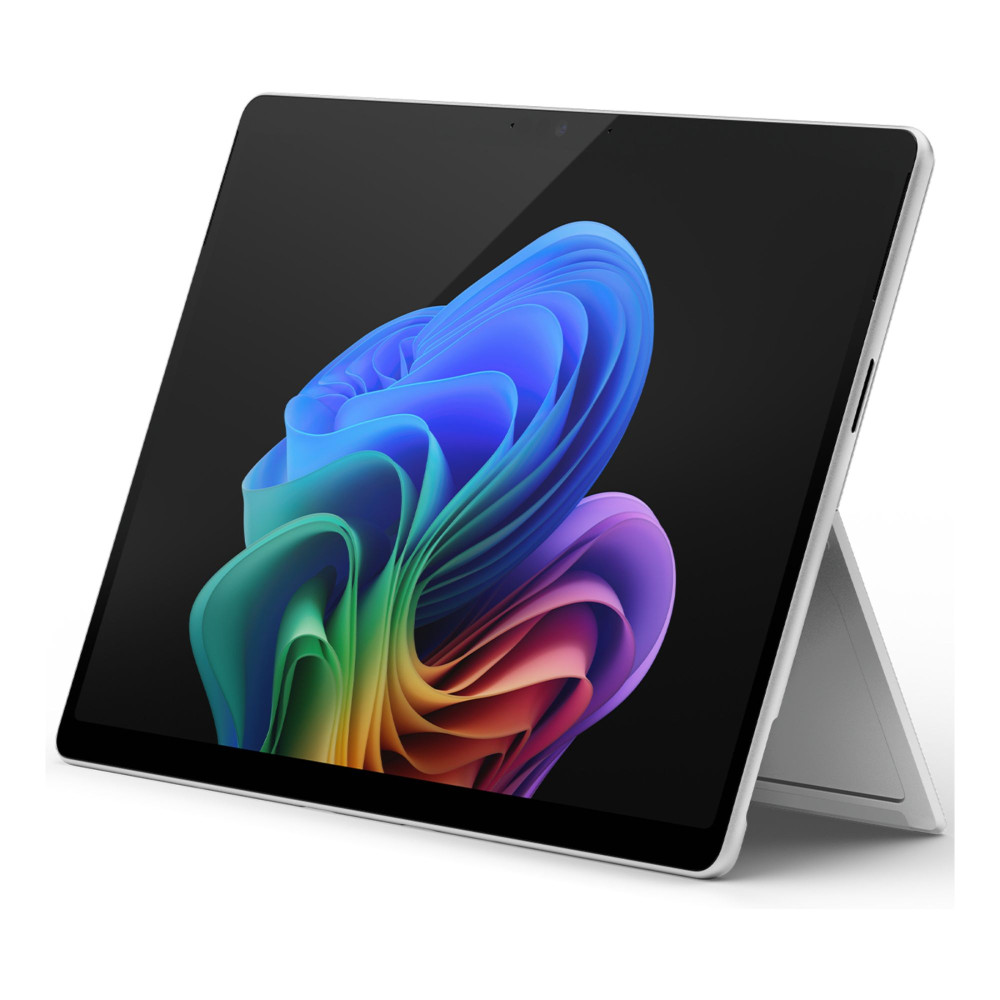
Key Specs:
- Qualcomm Snapdragon X processor
- 13" OLED PixelSense display (2880 × 1920)
- 16GB RAM, 256GB SSD
- Windows 11 Pro
- External display support via USB-C
Why it Works Well for Consultants: Being one of the best Windows tablets for business tasks, it is ideal for freelancers who rely on full desktop software rather than mobile apps. With native Windows support and a detachable keyboard, it fits workflows that need traditional PC tools while still benefiting from a tablet form factor.
Tablets for Creative and Collaborative Teams
For creative and collaborative work, tablets need strong performance, high-quality displays, and smooth multitasking to support design, review, and real-time collaboration.
Apple iPad Pro 13" M4 256GB Wi-Fi Tablet
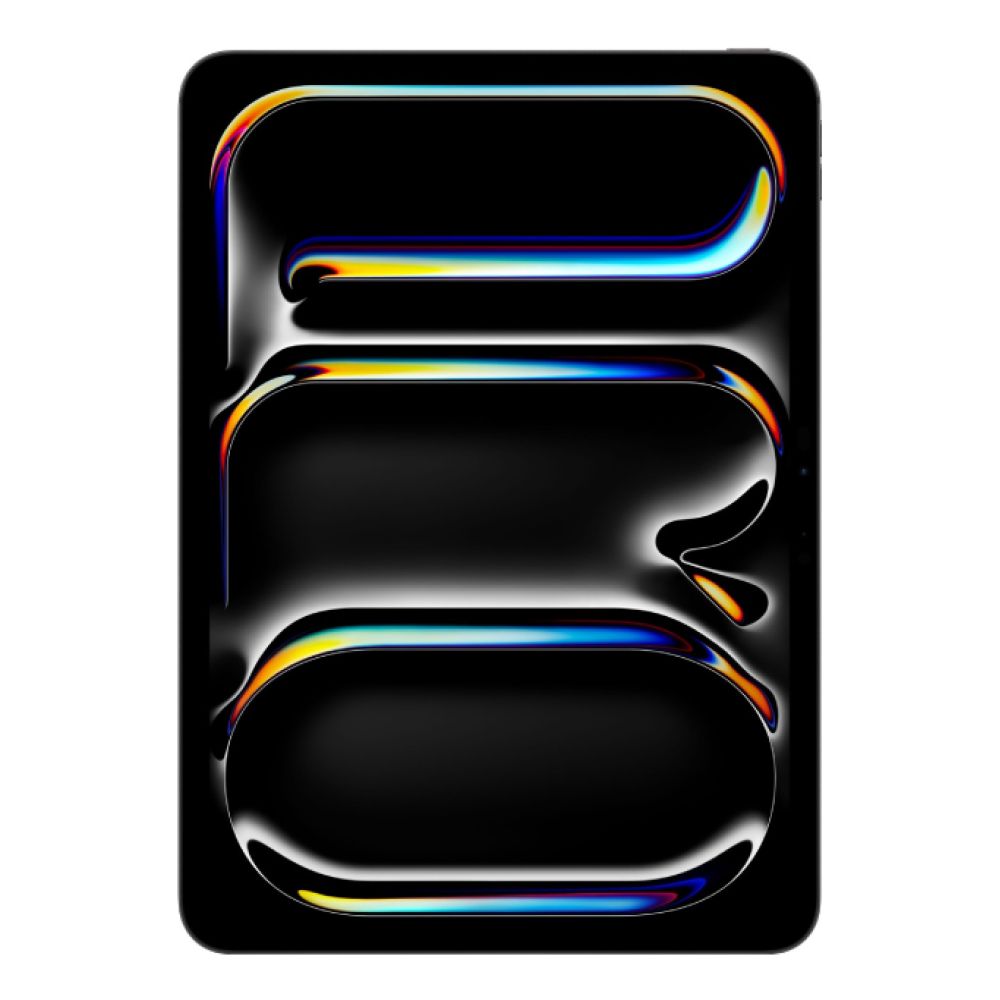
Key Specs:
- Apple M4 processor
- 13" Ultra Retina XDR OLED display (2752 × 2064)
- 256GB storage
- iPadOS
- USB-C tablet charging with external display support
Why it Works Well for Creative Teams: The M4-powered iPad Pro delivers excellent performance for design tools, media editing, and collaborative workflows. The large, colour-accurate display and smooth multitasking make it one of the best tablets for productivity in creative and review-heavy environments.
Oppo Pad 3 Pro 12GB RAM / 256GB Storage Tablet
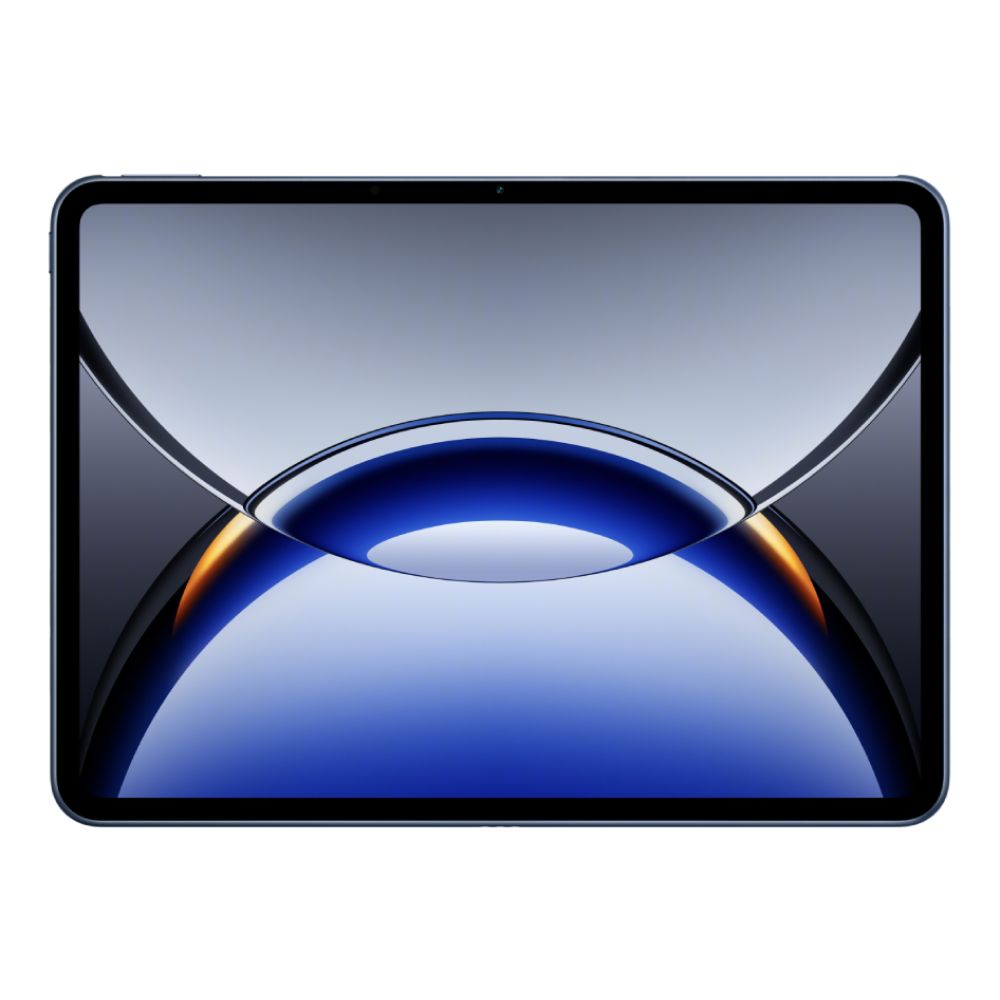
Key Specs:
- Qualcomm Snapdragon 8 Gen 3 processor
- 12.1" 3K display (3000 × 2120)
- 12GB RAM, 256GB storage
- Android tablet OS
- USB-C tablet charging
Why it Works Well for Collaboration: With a high-resolution display and generous memory, this tablet handles multitasking, shared documents, and cloud-based creative tools smoothly. It's well-suited to teams relying on Android tablets for work and day-to-day tasks.
Tablets for Travel and Flexible Work
For people who work on the move, portability matters just as much as performance. Lightweight designs, strong battery optimisation, and fast responsiveness make these tablets easy to rely on while travelling or switching locations.
Apple iPad Mini A17 Pro 128GB Wi-Fi Tablet
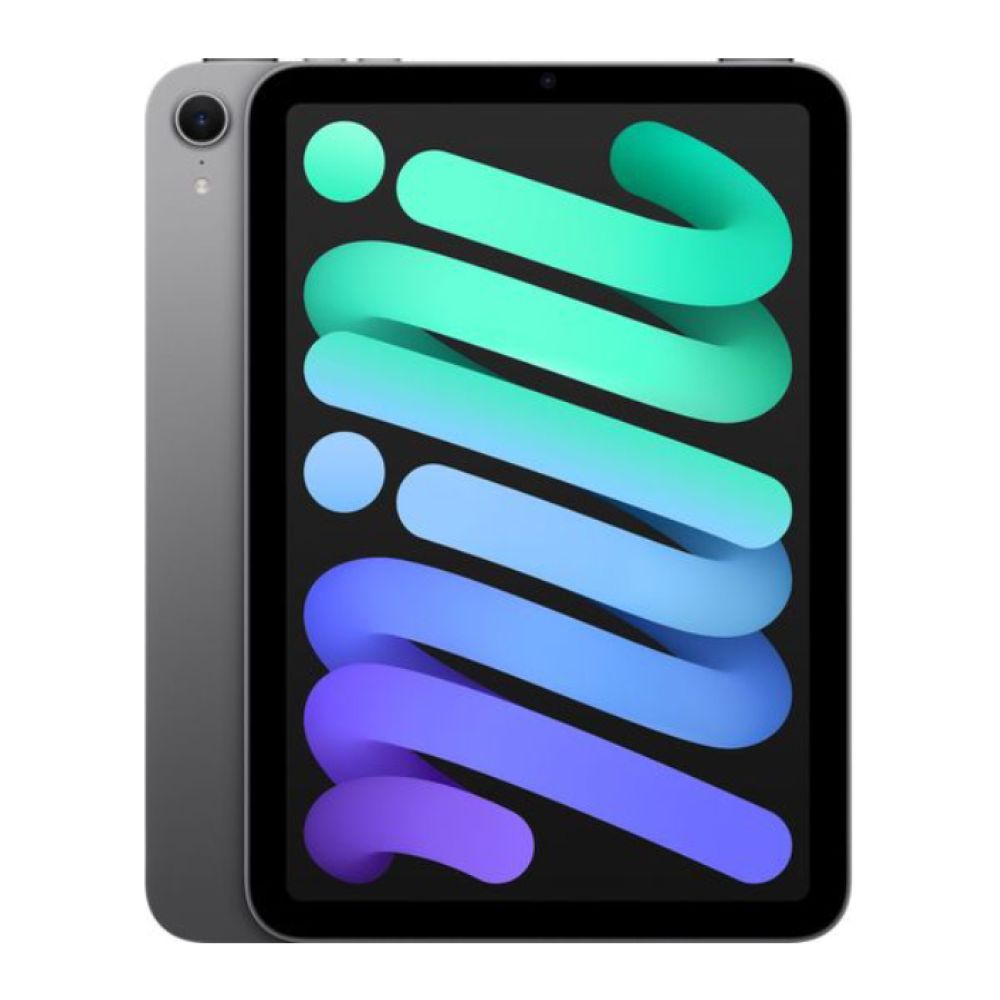
Key Specs:
- Apple A17 Pro processor
- 8.3" Liquid Retina display (2266 × 1488)
- 128GB storage
- iPadOS
- USB-C tablet charging
Why it Works Well for Flexible Work: The iPad Mini combines strong performance with exceptional portability, making it a practical tablet for work when desk space is limited. It's well-suited to travel-heavy roles that involve emails, document review, note-taking, and quick meetings on the move.
Lenovo Legion Tab 8.8" Snapdragon 8 Gen 3 Tablet

Key Specs:
- Qualcomm Snapdragon 8 Gen 3 processor
- 8.8" 2.5K display (2560 × 1600)
- 12GB RAM, 256GB storage
- Android tablet OS
- USB-C tablet charging
Why it Works Well on the Move: Despite its compact size, this tablet offers strong multitasking performance and a sharp display, making it suitable for tablets for remote work that need to stay capable without becoming bulky. It's a good fit for users who want Android flexibility in a travel-friendly form factor.
Final Thoughts
Choosing the best tablet for work comes down to how and where you work each day. Whether you're part of a remote team, a freelancer, or supporting office tasks on the move, the right tablet can add flexibility without replacing your entire setup. By focusing on performance, accessories, and real-world usability, you can pick a device that genuinely supports productivity rather than getting in the way.
Frequently Asked Questions
Can a tablet really be used for work?
Yes, modern tablets handle emails, documents, video calls, and cloud-based tools comfortably with the right accessories.
Is a tablet enough for remote work?
For many roles, yes. Tablets work well for communication, admin tasks, and light productivity, especially when paired with a keyboard.
Do I need a keyboard with a work tablet?
A keyboard isn't essential, but it significantly improves typing speed and comfort for longer work sessions.
Which operating system is best for work tablets?
iPadOS, Android, and Windows all work well; the best choice depends on the apps and software your work requires.
How much storage do I need in a work tablet?
For everyday work, 128GB is usually sufficient, especially if you rely on cloud storage for files.
You can pay with:
*PayPal Credit Representative Example: Assumed credit limit £1,200, Representative 23.9% APR (variable). Purchase rate 23.9% p.a (variable).Terms & Conditions apply.


PayPal Credit and PayPal Pay in 3 are trading names of PayPal UK Ltd, 5 Fleet Place, London, United Kingdom, EC4M 7RD. Terms and conditions apply. Credit subject to status, UK residents only, Five Tech LTD acts as a broker and offers finance from a restricted range of finance providers. PayPal Pay in 3 is not regulated by the Financial Conduct Authority. Pay in 3 eligibility is subject to status and approval. 18+. UK residents only. Pay in 3 is a form of credit. Check if affordable and how you will repay. May make other borrowing more difficult or expensive. See product terms for more details.
Copyright © 1996-2026 Fivetech LTD | Terms and Conditions
box.co.uk & Box are trading names of Five Tech Limited. Registered office: Box LTD, Unit 10 Woodford Trading Estate, Woodford Green IG8 8HF