


 Menu
MenuMenu


Get Sales Advice from Mon - Fri 9am - 5:00pm:
020 3337 8950LAST UPDATED: May 05, 2026
BenQ Brightness Intelligence Plus (B.I+) Explained: Is It Worth It?
If you have ever used a monitor that looked perfect in the morning, too dim by midday, and far too bright once the room got darker, you already understand why BenQ Brightness Intelligence Plus exists. Screen brightness is rarely a one-time setting. It changes with daylight, room lighting, the kind of content on screen, and how long you have been working. BenQ’s B.I+ is a smarter version of its brightness technology that responds not only to ambient light, but also to colour temperature in the room and even usage time. On newer BenQ materials, the feature is increasingly referred to as Visual Optimizer, but BenQ also states that this is the updated name for what was previously called Brightness Intelligence Plus.
That matters because BenQ Brightness Intelligence Plus is not just a marketing label for raising or lowering brightness. BenQ describes it as a feature that automatically adjusts on-screen brightness and colour temperature to suit the environment, with the goal of making the image feel more comfortable and natural over time. In practice, that places it firmly in the display-comfort and eye-care category rather than the pure image-tuning category. So if you are looking at BenQ display screens and wondering whether B.I+ is something you will actually notice day to day, the real question is not “does it work?” but “does it solve a real viewing problem for the way I use a monitor?”. This guide will answer that and your other questions about BenQ B.I+. So without any further ado, let’s get started.
What Is BenQ Brightness Intelligence Plus?
BenQ Brightness Intelligence Plus is BenQ’s adaptive screen-comfort feature that adjusts brightness and colour temperature automatically based on your surroundings. BenQ now also refers to it as Visual Optimizer on some newer models, so the naming may vary depending on the monitor and support material.
The main purpose of BenQ Brightness Intelligence Plus is to make the screen feel more comfortable without needing constant manual adjustments. Instead of leaving the monitor on one fixed brightness setting all day, it responds to changes in room lighting and helps keep the image looking balanced.
That is useful because screen discomfort often comes from the mismatch between the display and the room around it. If your space shifts from bright daylight to warmer indoor lighting, static settings can start to feel too harsh or too dull. This is the gap BenQ Brightness Intelligence is designed to address.
How Does B.I+ Technology Work?
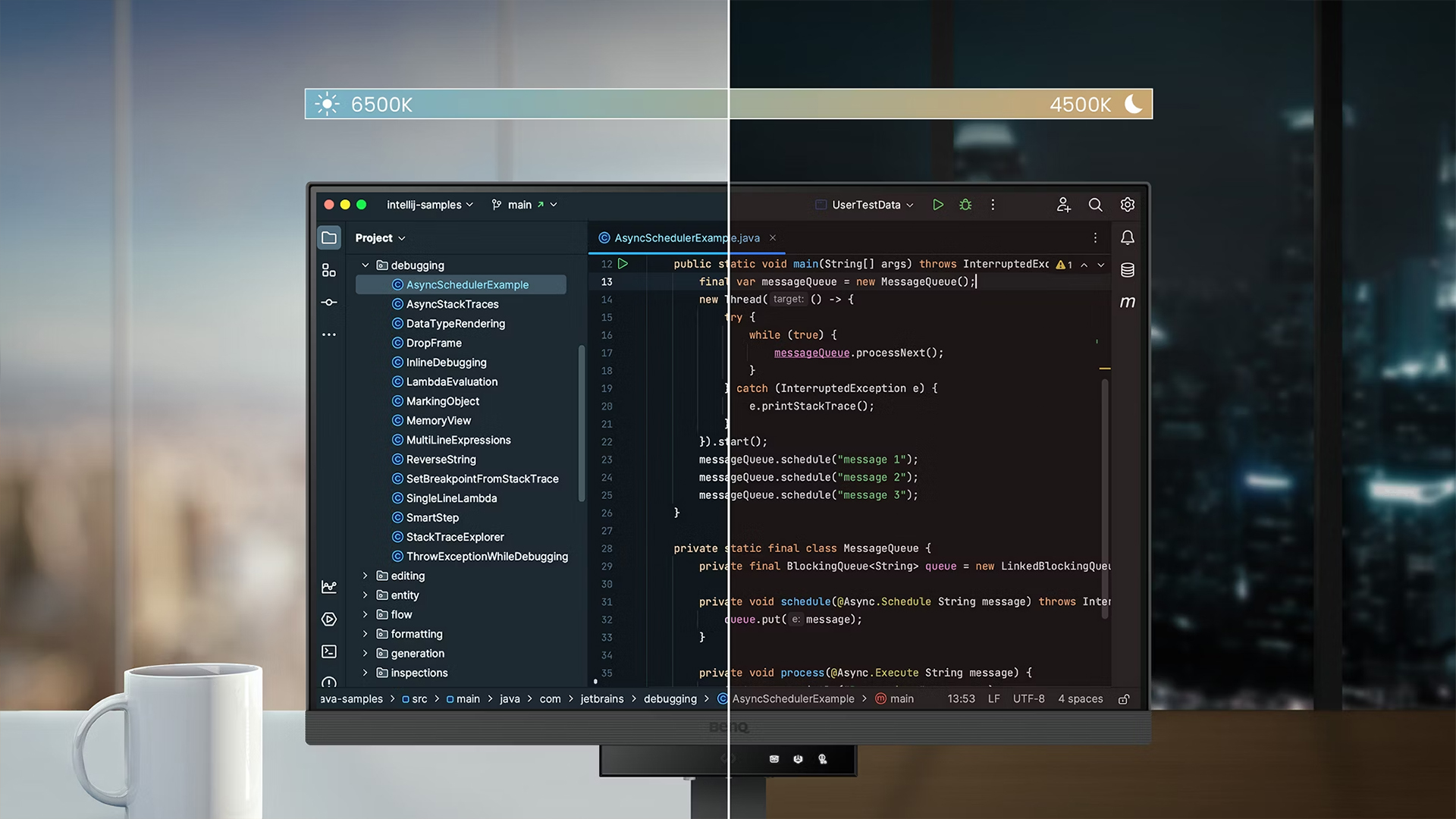
BenQ Brightness Intelligence Plus works through a built-in ambient light sensor. It reads the lighting around the monitor and adjusts the screen to suit the environment rather than leaving brightness fixed in one position.
It also responds to the content on screen, not just the room itself. That means it is designed to balance brightness, contrast, and colour temperature in a way that keeps the image comfortable and easier to read, instead of simply making it brighter or darker.
In daily use, BI+ BenQ runs in the background as an automatic optimisation feature. On supported models, users can switch between automatic brightness modes and combined brightness plus colour temperature modes, depending on how much adjustment they want the monitor to handle on its own.
Why Static Brightness Settings Are a Problem
Wondering why you can’t just keep static brightness settings? Well, here are a few reasons why the Battery Intelligence Plus is a great technology:
-
Changing Lighting Conditions
The main weakness of static monitor brightness is that your room is not static. Morning daylight, cloudy afternoons, overhead office lighting, desk lamps, and evening use all change the way a screen feels. A brightness level that looks fine at 10am can feel harsh or washed out later in the day. That is the basic problem BenQ Brightness Intelligence Plus is trying to solve. BenQ’s own explanation focuses on changing light levels and environmental colour temperature precisely because those are the things that fixed settings ignore.
-
Eye Strain from Incorrect Brightness
BenQ directly links its Eye-Care features and B.I+ sensor behaviour to visual comfort and eye-health during long viewing sessions. That does not mean the feature is a cure-all, but it does support the idea that poor brightness matching contributes to visual fatigue. If the screen is too bright for the room, or too dim for the task, your eyes do more work than they need to. That is one reason BenQ eye care features have become such a visible part of the brand’s monitor messaging.
-
Productivity Impact Over Time
Comfort matters for productivity because monitor settings affect how long the screen feels usable without irritation. Comfort, screen clarity, and visual usability are factors that influence productivity during longer desk sessions, which fits naturally with why BenQ Brightness Intelligence Plus exists in the first place. A screen that stays readable and comfortable through changing conditions tends to be less distracting than one that constantly needs manual correction. If you are looking for monitors designed for long work sessions, that is exactly the sort of everyday benefit worth paying attention to.
B.I+ vs Standard Brightness Control
Static brightness control can work perfectly well in a fixed setup, but most real workspaces do not stay the same all day. Light shifts, screen use changes, and what feels comfortable in one moment may feel too harsh or too dim later on. That is where the difference between standard brightness control and BenQ Brightness Intelligence Plus becomes easier to see in everyday use.
-
Manual vs Automatic Adjustments
The most obvious difference between BenQ Brightness Intelligence Plus and standard brightness control is that one expects you to manage the screen manually and the other does some of that work for you. Manual control is simple and familiar. The downside is that it only stays correct for as long as the conditions stay the same. B.I+ is designed to remove that small but constant maintenance job. BenQ even notes that if you still prefer manual adjustment, you can switch back and set brightness yourself, which suggests the feature is meant to complement user preference rather than replace it entirely.
-
Consistency in Screen Visibility
What BenQ Brightness Intelligence Plus really offers is consistency. It aims to keep the screen feeling balanced as the room changes, rather than leaving visibility to drift until the user notices. BenQ’s description of improved dark-area detail and reduced overexposure is important here because it shows that the system is trying to preserve image usability, not only comfort. That is a stronger selling point than basic “auto brightness” on its own.
-
Benefits for Daily Use
For everyday use, the benefit of BenQ adaptive brightness is that it reduces fiddling. If you spend your day moving between documents, video calls, web work, and media in a room where the lighting changes naturally, B.I+ is the kind of feature you are likely to notice over time rather than instantly. It is less about “wow factor” and more about the screen feeling easier to live with. That makes it especially relevant on high resolution screens for productivity, where you are often staring at text and UI elements for hours at a time.
When Should You Use B.I+?
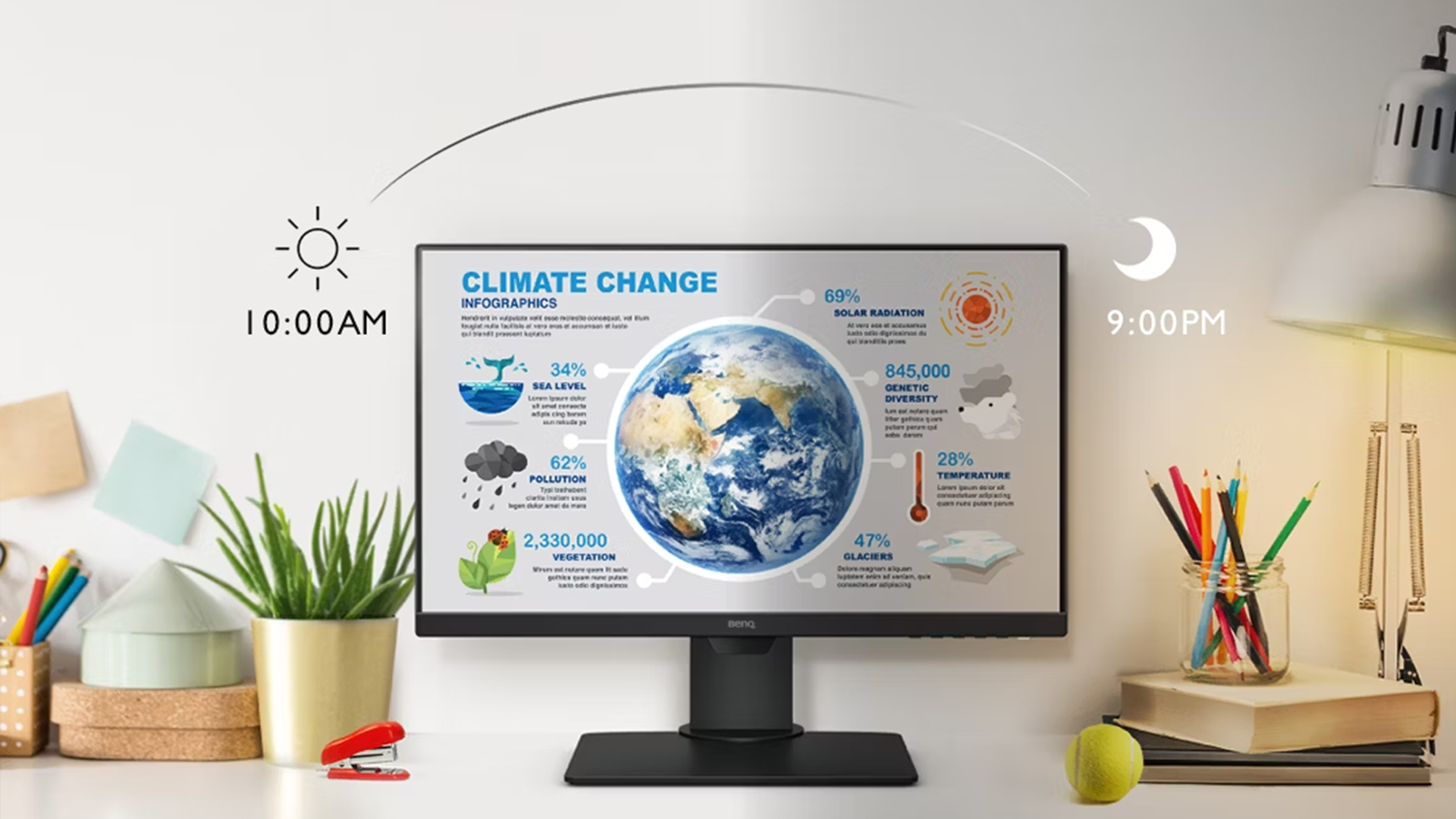
BenQ Brightness Intelligence Plus is most useful when your screen is used in conditions that change throughout the day. If your lighting, workload, or viewing habits stay exactly the same, fixed settings may be enough. But if your monitor is used across longer sessions or in mixed lighting, B.I+ becomes much more relevant.
-
Working from Home or Office
BenQ Brightness Intelligence Plus makes the most sense in real work setups where lighting changes during the day. That includes home desks near windows, hybrid offices with uneven overhead lighting, and rooms where you switch between natural and artificial light. BenQ’s explanation of the technology is built around these shifts in the viewing environment, so it is easy to see why it suits office and home-office use particularly well.
-
Long Screen Time Usage
The longer you spend at your desk, the more reasonable BenQ Brightness Intelligence Plus starts to look. BenQ explicitly links the feature and its Eye-Care positioning to long sessions at the desk. If you only use a screen for short bursts, the feature may feel less important. If you spend full days in front of it, the appeal is much clearer.
-
Mixed Lighting Environments
This is probably the strongest use case for BenQ Brightness Intelligence Plus. If your room lighting is inconsistent, B.I+ has more to do and more value. That makes it especially relevant for users who work near windows, move between daylight and evening lighting, or use the same screen for daytime work and night-time media. It is less essential in a completely controlled studio-style room where lighting barely changes.
Alternatives to B.I+ Technology
BenQ Brightness Intelligence Plus is not the only way to improve screen comfort. Some users prefer to handle brightness manually, while others rely on blue light modes or changes to their room lighting instead. These alternatives can still help, but they do not all solve the same problem in the same way.
-
Manual Brightness Adjustment
The simplest alternative to BenQ Brightness Intelligence Plus is to adjust the brightness manually whenever conditions change. That costs nothing and gives you full control. The downside is obvious: you have to keep doing it. BenQ’s own support page effectively acknowledges this by noting that manual control remains available if you prefer it.
-
Blue Light Filters
Blue light filtering is another common approach to comfort, but it does a different job. It can help make the screen feel less harsh, especially in evening use, but it does not solve the problem of the monitor being too bright, too dim, or mismatched to the room. In other words, blue light features can complement BenQ Brightness Intelligence Plus, but they do not replace what it does. BenQ’s wider Eye-Care messaging treats these features as part of a broader comfort system rather than direct substitutes for each other.
-
External Lighting Solutions
The other alternative is to control the room rather than the screen. Better desk lamps, more even ambient lighting, and fewer reflections can reduce the need for adaptive display features. This works well in fixed desk setups, but it is not always practical. For many people, especially those using shared rooms or changing workspaces, BenQ Brightness Intelligence Plus is more convenient than trying to perfect the room itself.
Wrapping Up
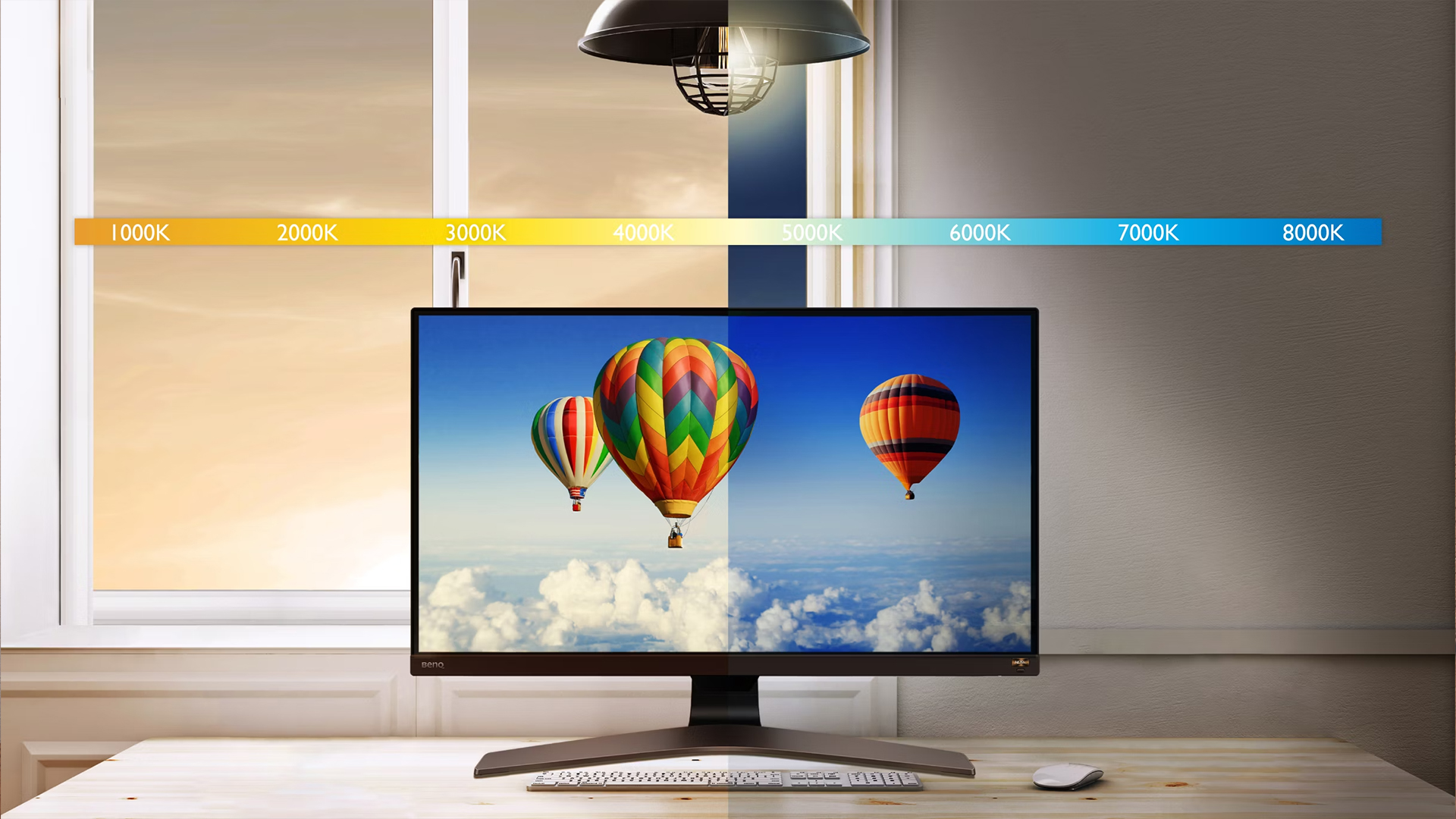
For most people, BenQ Brightness Intelligence Plus is worth it when the monitor is used for long periods in real, changing lighting conditions. It is not a headline spec in the same way as refresh rate, resolution, or panel type, but it is the kind of feature that becomes more useful the longer you live with the screen. BenQ’s own explanation shows that B.I+ goes beyond simple auto-brightness by responding to ambient light, colour temperature, content, and usage time, which makes it genuinely relevant for work, study, and mixed everyday use.
For gaming, the answer is a bit more specific. For immersive or mixed-use gaming, especially on BenQ MOBIUZ Monitors, adaptive brightness can be useful because those monitors are already built around image quality, visual comfort, and longer sessions. For esports and more fixed competitive setups, BenQ Zowie Monitors and features such as BenQ DyAc are often more relevant because that side of the range is focused more on motion clarity and consistency than on adapting to the room. If you also want a broader brand-level comparison, Box’s guide on BenQ vs Dell monitors is a useful next read. And if you want to stay with the brand but just don’t know which series to go with, our BenQ monitors series comparison guide is a must-read.
So the simplest takeaway is this: if you work long hours, use your monitor in changing lighting, or want to reduce the need for constant manual adjustments, BenQ Brightness Intelligence Plus is a genuinely useful feature. If you prefer fixed settings all the time, or mainly care about strict competitive consistency, it matters less. That is what makes it valuable for the right user rather than something every buyer automatically needs.
Frequently Asked Questions
-
What is BenQ brightness intelligence?
BenQ Brightness Intelligence is the company’s automatic screen-adjustment technology that uses a built-in light sensor to detect ambient light, image brightness, and contrast, then balances screen settings automatically. BenQ says Brightness Intelligence Plus or Visual Optimizer goes a step further by also taking colour temperature into account.
-
How to enable auto brightness in a BenQ monitor?
On supported newer BenQ models that label the feature as Visual Optimizer, BenQ says you can press the V.O. hotkey and cycle through the available options, including Auto Brightness and Auto Color Temp. + Auto Brightness. On other models, access may vary through the on-screen display, so it is worth checking the monitor’s manual or Eye Care menu.
-
What is BI+ on a BenQ monitor?
BI+ on a BenQ monitor means Brightness Intelligence Plus, which BenQ now also refers to as Visual Optimizer on newer materials. It is an adaptive screen-comfort feature that adjusts brightness and colour temperature based on ambient light, content, and viewing conditions.
-
Is B.I+ useful for gaming?
Yes, but it depends on the kind of gaming. BenQ’s own B.I+ explanation says the feature can help during gaming by adjusting screen brightness, dynamic contrast, and colour temperature based on the environment and content. For immersive and mixed-use gaming, that is useful. For strict competitive play, some users may still prefer fixed settings and esports-focused features instead.
-
Is B.I+ the same as Visual Optimizer?
On newer BenQ materials, yes. BenQ explicitly says Visual Optimizer is the new name for what was previously called B.I.+, chosen to make the function clearer to users.
You can pay with:
*PayPal Credit Representative Example: Assumed credit limit £1,200, Representative 23.9% APR (variable). Purchase rate 23.9% p.a (variable).Terms & Conditions apply.


PayPal Credit and PayPal Pay in 3 are trading names of PayPal UK Ltd, 5 Fleet Place, London, United Kingdom, EC4M 7RD. Terms and conditions apply. Credit subject to status, UK residents only, Five Tech LTD acts as a broker and offers finance from a restricted range of finance providers. PayPal Pay in 3 is not regulated by the Financial Conduct Authority. Pay in 3 eligibility is subject to status and approval. 18+. UK residents only. Pay in 3 is a form of credit. Check if affordable and how you will repay. May make other borrowing more difficult or expensive. See product terms for more details.
Copyright © 1996-2026 Fivetech LTD | Terms and Conditions
box.co.uk & Box are trading names of Five Tech Limited. Registered office: Box LTD, Unit 10 Woodford Trading Estate, Woodford Green IG8 8HF