


 Menu
MenuMenu


Get Sales Advice from Mon - Fri 9am - 5:00pm:
020 3337 8950LAST UPDATED: March 13, 2026
BenQ Monitor Series Comparison: SW, PD, ZOWIE, MOBIUZ, EX, EL, GW & V
BenQ is widely recognised as a trusted leader in display technology, offering a diverse range of monitors for gaming, creative professionals, business users, and everyday home use. From colour-accurate displays for designers to high-performance screens built for competitive play, the latest BenQ monitors reflect the brand's focus on quality, innovation, and user-centred design.
For many buyers researching displays today, this naturally raises the question: is BenQ a good monitor brand? The answer largely comes down to the company's long-standing reputation for reliable build quality, specialised monitor series, and consistent display performance across different user needs.
What sets BenQ monitors apart is their ability to meet specific user needs without sacrificing reliability. Whether you need a smooth high-refresh gaming display, a precise colour-accurate workspace, or a dependable monitor screen for daily office tasks, BenQ displays are known for consistent performance, ergonomic design, and advanced eye-care features.
This blog compares all major BenQ monitor series, including SW, PD, ZOWIE, MOBIUZ, EX, EL, GW, and V, to help you understand which range best suits your needs for gaming, creative work, business productivity, or budget-friendly everyday use.
All Major BenQ Monitor Series Compared
BenQ offers one of the most diverse monitor line-ups on the market, with each series designed around a specific use case rather than a one-size-fits-all approach. From competitive gaming and immersive entertainment to professional creative work and everyday office tasks, each BenQ range is built to deliver the features that matter most to its intended users. Understanding how these ranges differ is the key to choosing the right display without paying for features you do not need.
This BenQ monitor comparison breaks down each category, starting with gaming-focused displays and moving through professional, business, and budget options. This structure makes it easier to identify which BenQ monitor best matches your priorities, whether that is high refresh rates, colour accuracy, productivity-focused design, or simple, affordable performance for daily use.
In a hurry? Check out the comparison table below to find the right BenQ monitor for your needs.
| BenQ Monitor Series | Primary Use Case | Key Strengths | Typical Refresh Rate | Colour Accuracy Level | Ideal For |
| ZOWIE | Competitive gaming | Ultra-low input lag, motion clarity, esports features | 144Hz–240Hz | Standard | Esports and FPS gamers |
| EX | General gaming | Balanced performance and visuals | 144Hz | Good | Casual and console gamers |
| MOBIUZ | Premium gaming | Immersive visuals, HDR, audio features | 144Hz–165Hz | Very good | Cinematic and AAA gaming |
| PD | Professional creative work | Factory calibration, design-focused modes | 60Hz | High | Designers, photographers |
| SW | Colour-critical editing | Wide colour gamut, hardware calibration | 60Hz | Very High | Photo and video editing |
| EL | Business & home office | Eye-care features, ergonomic design | 60Hz | Good | Office and productivity users |
| GW | Budget multi-purpose | Affordable, everyday reliability | 60Hz–75Hz | Standard | Home and student use |
| V | Entry-level | Basic functionality, simple setup | 60Hz | Basic | First-time or secondary displays |
BenQ ZOWIE Series (eSports Gaming Monitors)
Who Should Buy ZOWIE: The BenQ ZOWIE range is built specifically for competitive gaming, where speed, precision, and consistency matter more than visual extras. This BenQ monitor series focuses on delivering a performance-driven experience trusted by professional and aspiring esports players alike.
Key Features: ZOWIE monitors are known for ultra-fast refresh rates, low input lag, and excellent motion handling. Features such as DyAc™ help reduce motion blur, while Black eQualizer improves visibility in dark scenes without overexposing brighter areas. The fully adjustable stand allows players to fine-tune height, tilt, and swivel for long gaming sessions, making this series a strong choice for serious competitive play.
BenQ EX Series (General Gaming Monitors)
Who Should Buy EX Series: The EX range is designed for gamers who want a balance between performance and visual quality. This BenQ monitor series focuses on smooth gameplay while also delivering strong colour performance for everyday use beyond gaming.
Key Features: EX monitors offer higher refresh rates for fluid gameplay, paired with IPS panels that deliver vibrant colours and wide viewing angles. Many models include HDR support and eye-care technology to reduce strain during long sessions. With versatile connectivity options, the EX BenQ monitor series integrates easily into both PC and console gaming setups while remaining practical for general use.
BenQ MOBIUZ Series (Premium Gaming Experience)
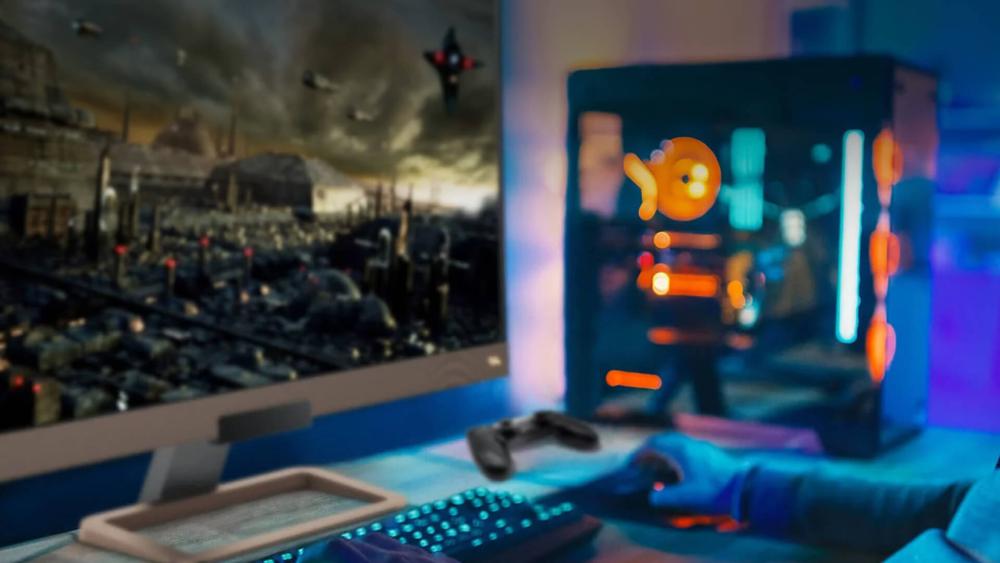
Who Should Buy MOBIUZ: The MOBIUZ range is designed for gamers who want more than just speed, combining strong performance with immersive visuals and sound. BenQ's monitors series is aimed at users who value image quality, cinematic detail, and an engaging gaming atmosphere alongside smooth gameplay.
Key Features: MOBIUZ monitors deliver fast refresh rates alongside improved colour accuracy compared to standard gaming displays, making them ideal for modern games with detailed environments. HDRi technology enhances contrast and brightness based on ambient lighting, while built-in audio features contribute to a more immersive experience. This approach makes the MOBIUZ range a natural choice within the BenQ monitor series for gamers who want both performance and visual depth.
BenQ PD Series (For Designers and Creative Professionals)
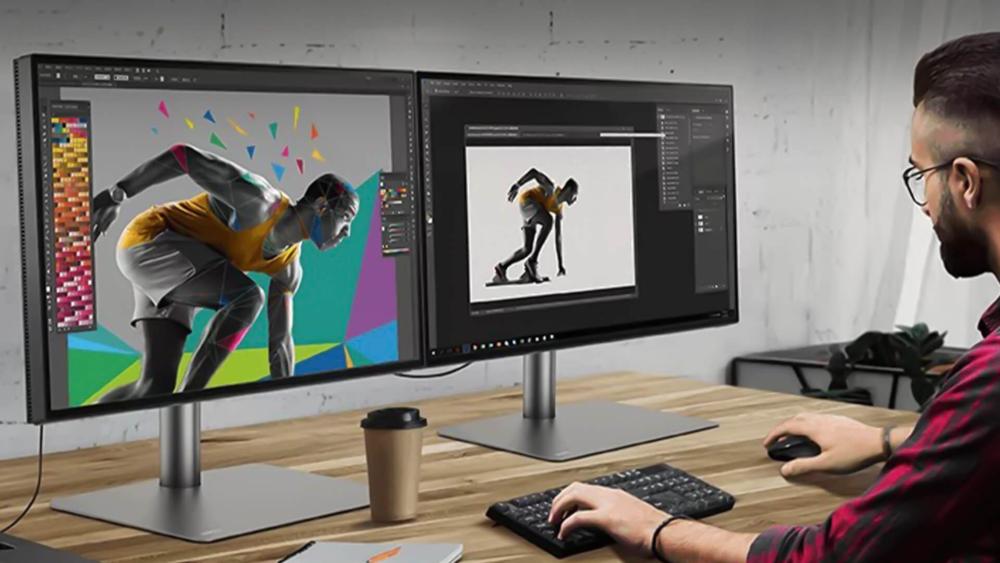
Who Should Buy PD: The PD range is built for professionals who rely on accurate visuals for their work, including designers, photographers, and content creators. This BenQ monitor series is suited to users who need consistent colour performance, sharp detail, and a reliable display for creative workflows.
Key Features: BenQ PD monitors are factory calibrated to deliver dependable colour accuracy, making them suitable for design and editing tasks where precision matters. They support industry-standard colour spaces and offer high-resolution options, including 4K displays, for detailed work. With practical connectivity options and ergonomic designs, the PD range fits seamlessly into professional setups and stands out as a trusted option within the BenQ monitor lineup for creative use and for buyers looking for eco-friendly monitors.
Wondering how to calibrate your BenQ display? Read our guide on BenQ monitor colour calibration.
BenQ SW Series (For Colour-Critical Creative Work)
Who Should Buy SW: The SW BenQ range is designed for professionals whose work depends on absolute colour precision, such as photographers, videographers, and visual artists. This series is ideal for users who require colour-accurate BenQ monitors for editing, retouching, and post-production, where consistency across devices and prints is essential.
Key Features: SW displays are built with a strong focus on colour accuracy, supporting wide colour spaces such as AdobeRGB and DCI-P3, which makes them a popular choice for creative studios. Hardware calibration ensures long-term colour stability, while high-resolution options such as BenQ 4K monitors allow for fine detail work on a single screen. Available in multiple sizes, the SW lineup is recognised as one of the best options for graphic design and professional photo or video editing.
BenQ EL Series (For Business and Home Office Use)
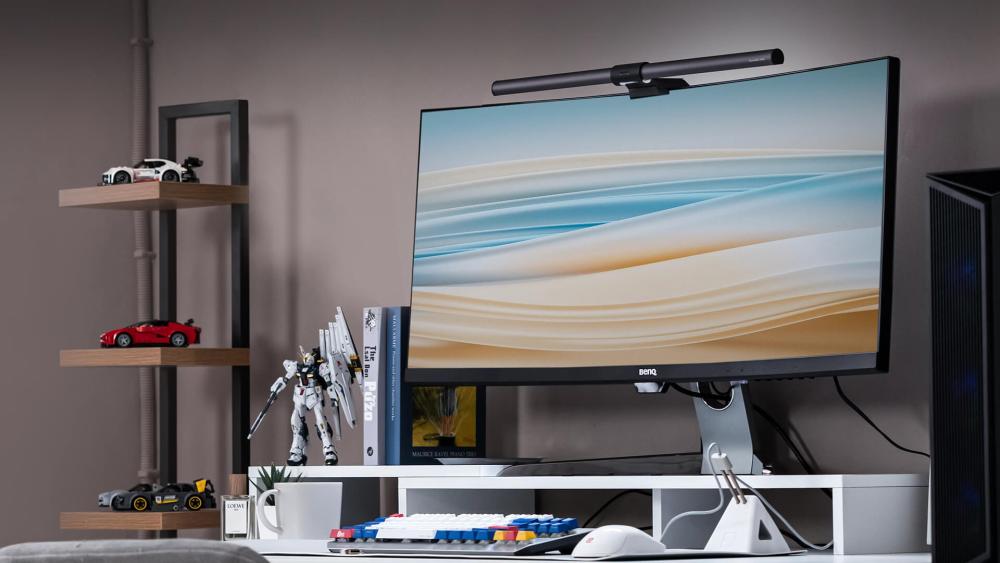
Who Should Buy EL: The EL range is designed for professionals and home users who need a dependable display for everyday productivity. This BenQ series suits those looking for the best monitor for home office tasks, including document work, video calls, and extended screen time, without the need for advanced gaming or creative features.
Key Features: EL monitors focus on comfort, clarity, and practicality. IPS panels provide consistent image quality and wide viewing angles, while eye-care technologies help reduce strain during long working hours. With clean, functional designs and flexible connectivity, these BenQ computer monitor options fit easily into modern office setups. The EL range delivers a balanced display monitor experience that supports productivity and comfort across typical business and home environments.
BenQ GW Series (Affordable Multi-Purpose Monitors)
Who Should Buy GW: The BenQ GW range is aimed at users who want a reliable, budget-friendly screen for everyday use. It is a good fit for students, home users, and offices that need a practical monitor screen for browsing, streaming, and basic work without unnecessary extras.
Key Features: GW displays are designed to offer solid performance at an accessible price point. They commonly use IPS panels for clear visuals and wide viewing angles, making them suitable for mixed tasks. With straightforward connectivity and a focus on comfort, this range is often chosen by those looking to equip multiple workstations with dependable BenQ displays. As part of BenQ's more affordable options, the GW series balances cost and functionality for everyday computing needs.
BenQ V Series (Entry-Level Monitors)
Who Should Buy V: The V BenQ monitor series is designed for users who need a simple, no-frills display for basic computing tasks. It is well-suited to first-time buyers, secondary setups, or environments where affordability and ease of use matter more than advanced features.
Key Features: V series monitors focus on essential performance, offering clear visuals for everyday activities such as web browsing, email, and document work. With straightforward designs and easy setup, they provide a practical solution for users who want a dependable BenQ monitor without additional complexity. As an entry-level option, the V range delivers reliable screen performance for basic home or office use while keeping costs to a minimum.
Are you facing signal problems on your BenQ display? Click here and learn how to fix no signal issues on BenQ monitors.
Key Features to Consider When Choosing a BenQ Monitor
Choosing the right display depends on how you plan to use it, and understanding the core BenQ monitor features can make a significant difference to your experience. Here are the different features to consider before buying your next monitor.
- Display Panel Type: IPS panels are popular for their colour consistency and wide viewing angles, making them suitable for creative and office work, while TN and VA panels are often found in gaming-focused displays where response time or contrast is prioritised.
- Resolution: Full HD works well for everyday tasks, while higher resolutions such as QHD or 4K are better suited to detailed work and larger screens, especially if you want more space for multitasking or editing.
- Refresh Rate and Response Time: For gaming, a higher refresh rate delivers smoother motion, which is particularly noticeable in fast-paced titles. Professional and office users may prioritise stability and clarity over speed.
- Colour Accuracy: If you work with visuals, accurate colour reproduction is essential. BenQ offers displays designed specifically for users who need consistent and reliable colour output.
- Connectivity and Ergonomics: Modern setups benefit from flexible connectivity options and adjustable stands. Thoughtful design, along with support for accessories such as monitor cables and adapters, helps create a comfortable and efficient workspace. Proper connections can also help avoid BenQ monitor flickering problems.
How BenQ Monitors Compare with Other Top Monitor Brands
When researching displays, many buyers look for a quick BenQ monitor comparison alongside other well-known manufacturers. BenQ monitors are recognised for specialised ranges designed for gaming, creative work, and everyday productivity. However, other brands also offer strong options depending on your priorities. Understanding these differences can help you choose the best BenQ monitor or an alternative that fits your setup.
BenQ vs Dell Monitors
In a typical BenQ vs Dell comparison, both brands are known for reliable display quality and strong build standards. Dell monitors are widely used in professional and office environments, particularly within the UltraSharp lineup designed for productivity and colour consistency. BenQ monitors, meanwhile, offer specialised series for creative professionals and competitive gamers, giving users options tailored to specific workflows and gaming needs.
BenQ vs ASUS Monitors
When comparing BenQ and ASUS monitors, both brands provide extensive monitor line-ups covering gaming, creative work, and everyday use. ASUS is well known for performance-focused gaming monitors with high refresh rates and advanced gaming technologies. BenQ displays also offer strong gaming options while maintaining a focus on colour accuracy, visual comfort features, and a dedicated monitor series designed for designers and esports players.
BenQ vs LG Monitors
LG monitors are recognised for their panel technology, particularly IPS and OLED displays that deliver strong colour performance and viewing angles. BenQ monitors similarly focus on image quality but often emphasise factory calibration, hardware calibration tools, and specialised creative displays for professional editing and design workflows.
BenQ vs Samsung Monitors
Samsung monitors are widely known for innovative display designs, including curved screens and ultrawide formats that create immersive viewing experiences. BenQ monitors focus on practical usability and specialised features across different monitor categories, making them suitable for gaming, professional creative work, and productivity-focused environments.
BenQ vs Acer Monitors
Acer monitors are popular for offering a wide variety of displays across gaming, office, and budget-friendly categories. BenQ monitors also cover a broad range of users, with an emphasis on specialised series that support competitive gaming, professional colour accuracy, and long-term visual comfort for extended use.
Conclusion
BenQ's wide-ranging monitor lineup makes it easier to find a display that genuinely fits your needs rather than settling for a compromise. From competitive gaming and immersive entertainment to colour-critical creative work and everyday productivity, each range is designed with a clear purpose in mind. Understanding how the different BenQ monitor series are positioned helps narrow down the options and ensures you invest in features that actually matter to how you work or play.
Whether you are drawn to high refresh rate gaming monitors, professional colour-accurate monitors, or reliable business and office monitors, the BenQ monitor series offers a thoughtful balance of performance, comfort, and long-term reliability. By considering how factors such as refresh rate, colour accuracy, resolution, and ergonomics align with your daily use, choosing the right display becomes a much more confident decision rather than a guessing game.
Frequently Asked Questions
What is the difference between BenQ PD and SW monitors?
The PD range is made for designers and creative professionals who need reliable colour accuracy for design and editing work, while the SW range is built for colour-critical tasks such as professional photo and video editing. SW BenQ displays support for wider colour gamuts and hardware calibration, making them better suited to precision-focused workflows.
Are BenQ and ZOWIE the same?
ZOWIE is a sub-brand created by BenQ that focuses entirely on competitive gaming. BenQ ZOWIE monitors are specifically tuned for esports performance, prioritising speed and motion clarity over visual enhancements.
What are the different types of BenQ monitors?
BenQ offers monitors across multiple categories, including gaming displays, professional creative screens, business and office monitors, and budget-friendly options. This includes everything from high-performance gaming models to entry-level screens for basic everyday use.
Are ZOWIE monitors good for gaming?
Yes, ZOWIE monitors are widely regarded as excellent for gaming, particularly for competitive and fast-paced titles. They are designed with features that support responsiveness and consistency, which are crucial in esports environments.
Which BenQ monitor series is best for design work?
For most design work, the PD series is a strong choice due to its colour accuracy and professional features. For more demanding visual work that requires precise colour control, the SW series is often considered the best monitor for graphic design and advanced creative projects.
Why are BenQ monitors expensive?
BenQ monitors can appear more expensive because many of their models are designed for specialised use cases such as competitive gaming or professional creative work. Features like factory colour calibration, high refresh rates, advanced eye-care technology, and durable build quality contribute to the higher price compared to basic displays.
Who makes BenQ monitors?
BenQ monitors are developed and manufactured by BenQ Corporation, a Taiwanese technology company founded in 2001. The brand specialises in display technology and produces monitors for gaming, creative professionals, education, and business use, with a strong focus on colour accuracy, visual comfort, and long-term reliability.
You can pay with:
*PayPal Credit Representative Example: Assumed credit limit £1,200, Representative 23.9% APR (variable). Purchase rate 23.9% p.a (variable).Terms & Conditions apply.


PayPal Credit and PayPal Pay in 3 are trading names of PayPal UK Ltd, 5 Fleet Place, London, United Kingdom, EC4M 7RD. Terms and conditions apply. Credit subject to status, UK residents only, Five Tech LTD acts as a broker and offers finance from a restricted range of finance providers. PayPal Pay in 3 is not regulated by the Financial Conduct Authority. Pay in 3 eligibility is subject to status and approval. 18+. UK residents only. Pay in 3 is a form of credit. Check if affordable and how you will repay. May make other borrowing more difficult or expensive. See product terms for more details.
Copyright © 1996-2026 Fivetech LTD | Terms and Conditions
box.co.uk & Box are trading names of Five Tech Limited. Registered office: Box LTD, Unit 10 Woodford Trading Estate, Woodford Green IG8 8HF