


 Menu
MenuMenu


Get Sales Advice from Mon - Fri 9am - 5:00pm:
020 3337 8950LAST UPDATED: July 06, 2026
ROG Swift vs ROG Strix Monitors: Which ASUS Series Is Right for Your Setup in 2026?
When it comes to ROG Swift vs ROG Strix monitors, selecting the perfect display is not as simple as picking the more expensive series. Both are part of the impressive ASUS gaming monitors lineup, but they suit different types of setups, budgets, and players.
ROG Swift is usually the better fit for gamers who want a more premium display experience, especially for high-end PC builds, OLED visuals, or sharper 4K gaming. ROG Strix, on the other hand, often makes more sense for players who want strong performance, fast refresh rates, and a better balance between features and price.
In this guide, we’ll compare these ASUS ROG displays across panel quality, gaming performance, features, design, and value. The aim is simple. By the end, you should know whether your setup needs a flagship screen or one of the more practical monitors for everyday gaming and immersive gaming displays.
ROG Swift vs ROG Strix Monitors: Major Specs Compared
The ROG Swift vs ROG Strix monitors comparison comes down to positioning. Swift usually sits closer to the flagship end of the range. Strix gives gamers more choice across price points, sizes, resolutions, and refresh rates.
Here is a quick comparison of ROG monitors to help you familiarise yourself with both series.
| Feature | ROG Swift monitors | ROG Strix monitors | What It Means |
| Positioning | More premium and flagship-focused | Performance-focused with broader pricing | Swift suits high-end setups, while Strix suits more budgets |
| Panel options | Stronger focus on premium OLED and high-end panels | OLED, QHD, fast IPS, and value-focused options | Check the exact model, not just the series |
| Resolution focus | Often strong for 4K and premium visual setups | Often strong for QHD and high-refresh gaming | Match the screen to your GPU and desk setup |
| Refresh rate | Strong high-end options, often with premium panel tech | Can offer very high refresh rates, including 500Hz on select OLED models | Strix can still be excellent for speed |
| Best fit | Enthusiasts, premium PC builds, OLED users, creators | Everyday gamers, esports players, value-focused setups | Your use case matters more than the badge |
| Value angle | Better if you want the top-end experience | Better if you want strong specs for the money | This is where the price difference matters. |
In a Hurry? Here is a Quick Answer
- Choose Swift if you want the more premium route and are looking for OLED gaming monitors.
- Choose Strix if you want strong gaming performance without always moving to the most expensive display tier.
For most buyers doing a ROG Swift vs ROG Strix comparison, the best choice is not the series name alone. It is the exact panel, refresh rate, resolution, ports, HDR capability, and price. That is why comparing ASUS gaming displays by full specification is more useful than assuming Swift always wins or Strix is always the cheaper compromise.
Display Quality, Panel Technology, and Resolution
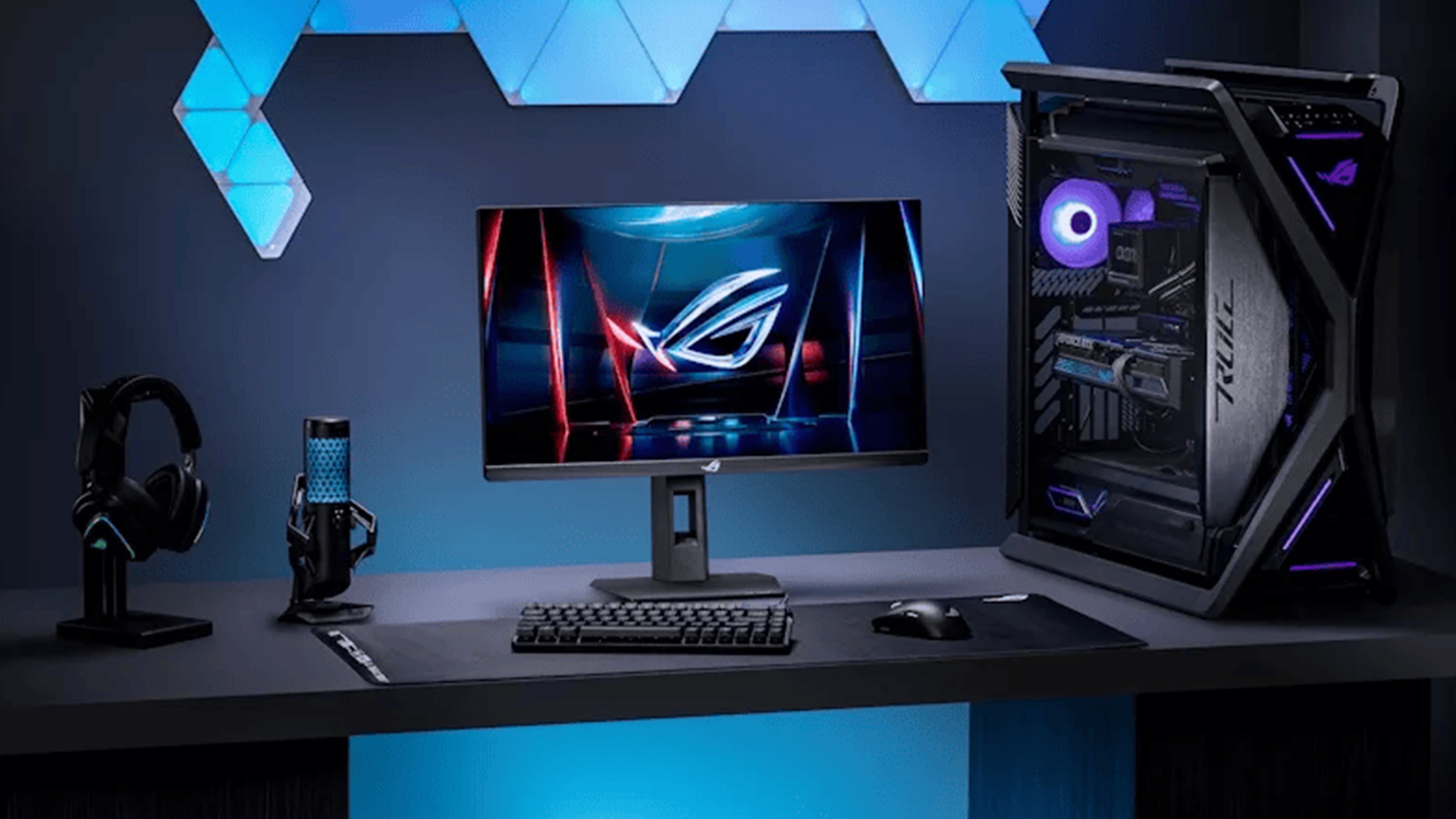
Display quality is one of the biggest differences in the ROG Swift vs ROG Strix monitors debate. Swift models often lean towards premium panels and sharper visual specs. Strix models still offer strong image quality, but usually with a wider mix of resolutions, panel types, and price points.
ROG Swift: Premium Panels and High-End Visuals
ROG Swift monitors are often a better fit for users who prioritise picture quality. ASUS ROG Swift OLED models are particularly famous among gamers who want a no-compromise screen.
Some current Swift OLED models offer:
- 26.5-inch 4K QD-OLED panels
- 240Hz refresh rate
- 0.03ms response time
- 99% DCI-P3 colour coverage
- true 10-bit colour
- DisplayHDR True Black support
Such specs give Swift a respected place in the realm of 4K gaming monitors in premium PC or console setups. Swift is also great for users who want sharper detail alongside fast performance. It also makes sense for players who care about colour accuracy and brightness, not just speed.
ROG Strix: Strong Visuals with Broader Choice
ROG Strix monitors should not be seen as basic screens. Some newer Strix OLED models now offer QHD QD-OLED panels, 500Hz refresh rates, 0.03ms response time, 99% DCI-P3 coverage, true 10-bit colour, and HDR support.
That gives Strix a strong place in the world of QHD gaming monitors. It can be a smart option for gamers who want speed, strong colour, and smooth motion without always moving into the highest price tier.
Some Strix OLED displays are a part of the premium ASUS ROG OLED monitors as well. Swift may feel more premium overall, but selected Strix OLED displays can still offer serious specs for competitive and everyday gaming.
Which Resolution Makes Sense for Your Setup?
Resolution of the gaming screens should match your PC, console, desk space, and the games you play. A 4K screen gives sharper detail, but it needs stronger hardware to run games smoothly. QHD is often easier to drive and still looks crisp on 27-inch displays.
A simple way to decide the best resolution for your setup:
- Choose 4K if you want sharper visuals and have a high-end GPU.
- Choose QHD if you want a strong balance of detail and frame rate.
- Choose OLED if contrast, response time, and deep blacks matter most.
- Choose IPS if you want strong value, good colour, and less OLED care.
- Choose ultra-wide gaming monitors if you want a more immersive field of view.
Another important thing to consider is the panel type. For this purpose, an IPS vs OLED panel comparison is important for buyers. The right choice depends on how you use the screen. OLED gives deeper blacks and faster pixel response. IPS can still be excellent for mixed use, especially if you want reliable everyday performance.
Refresh Rate, Response Time, and Gaming Performance
Gaming performance is where the ROG Swift vs ROG Strix monitors choice becomes more practical. Swift often targets buyers who want premium speed with top-end panel quality. Strix is more about strong gaming performance across a wider range of setups.
ROG Swift for High-End Competitive and Enthusiast Setups
ROG Swift models make the most sense when you want speed and premium visuals together. Current OLED options can offer 4K resolution, 240Hz refresh rates, and 0.03ms response times, which is a strong mix for high-end gaming PCs.
This suits players who want smoother motion, sharper detail, and a screen that can keep up with demanding games. It is also a better fit if your setup includes powerful GPUs for monitors, as 4K high-refresh gaming needs serious graphics performance.
ROG Strix for Fast, Balanced Gaming Performance
ROG Strix models can still be very quick. Some newer Strix OLED displays offer QHD resolution, 500Hz refresh rates, and 0.03ms response times, which makes them highly competitive for fast-paced games.
That makes Strix a strong option for players who care more about speed, smoothness, and value than chasing the most premium display tier. For many users, QHD is also easier to drive than 4K, which can help keep frame rates higher.
Motion Clarity, Input Lag, and Sync Support
When it comes to esports gaming monitors, refresh rate and response time both matter. High refresh rate monitors (144Hz, 240Hz, 360Hz) make motion feel smoother, while a fast response time (1ms, 0.03ms) helps reduce blur and ghosting.
Variable refresh support also matters. NVIDIA G-Sync/AMD FreeSync can help reduce tearing and stutter when frame rates shift during gameplay. This is useful for both competitive titles and demanding single-player games.
For most competitive gaming setups, the better choice is the monitor that matches your PC’s real frame rate. A 500Hz screen only makes sense if your system can push very high FPS. A 4K 240Hz screen makes more sense if you want sharp detail and premium visuals alongside speed. Good input lag performance comes from the full setup, not just the monitor spec sheet.
Features That Separate Swift and Strix Models

The features discussed below can make a big difference when choosing between ROG Swift monitors and ROG Strix monitors. The important thing is to check which features you will actually use, rather than paying more for specs that do not suit your setup.
HDR, OLED Care, and Brightness Features
Higher-end Swift models tend to offer more premium OLED features, especially around brightness control, burn-in protection, and HDR. For example, some Swift OLED models include DisplayHDR True Black support, 99% DCI-P3 colour coverage, true 10-bit colour, OLED Care Pro, and a proximity sensor that can switch the screen to black when you step away. Some Strix OLED models also include similar OLED care tools, HDR support, and wide colour coverage, so the exact model still matters.
For buyers comparing ASUS gaming monitors, this means Swift is often the safer choice for a premium OLED setup. Strix can still offer excellent colour accuracy and brightness, especially in newer OLED models, but usually with more flexibility around price and resolution.
Connectivity and Console Support
Ports matter more than many buyers realise. If you want 4K at high refresh rates, HDMI 2.1 and DisplayPort support become important. Some Swift models include DisplayPort 2.1a, HDMI 2.1, and USB-C with 90W power delivery. That makes them more flexible for high-end PCs, laptops, and cleaner desk setups.
Strix models can still be well equipped, with options such as DisplayPort 1.4, HDMI 2.1, USB ports, and audio output depending on the model. This is enough for many PC and console setups, especially if you are hunting for one of the best ASUS ROG monitors for PS5 and PC.
Sync, Software, and Gaming Tools
Modern ASUS ROG displays often include variable refresh support, which helps reduce tearing and stutter when frame rates move up and down. NVIDIA G-Sync/AMD FreeSync support is useful for both competitive games and demanding single-player titles, especially when your FPS is not locked all the time.
Extra features and gaming tools such as profile switching, OLED care controls, FPS counters, crosshair tools, and display software can also improve day-to-day use and help you achieve the best settings for ASUS gaming monitors.
Design, Desk Setup, and Everyday Use
Design matters because a monitor is not just a screen. It affects desk space, posture, cable management, and how comfortable your setup feels over long sessions. ASUS ROG displays are rated as the best screens when it comes to offering comfort and features to gamers.
Build Quality and Stand Design
ROG Swift models often feel more premium in the overall setup. Many are aimed at users who want a flagship-style screen with a strong stand, clean adjustment, and a more polished desk presence.
Some Swift OLED models offer practical ergonomic adjustment, including height adjustment up to around 110mm, tilt from -5° to +20°, swivel, pivot, and 100 x 100mm VESA mounting support. That gives users more flexibility for posture, multi-monitor layouts, or arm-mounted setups.
On the other hand, ROG Strix monitors are highly practical as well. Some current Strix OLED models offer 110mm height adjustment, -5° to +20° tilt, ±45° swivel, ±90° pivot, and 100 x 100mm VESA support. They are not just about gaming speed. They can also fit well into cleaner desk setups.
Screen Size and Setup Style
Screen size should match your desk depth. A 27-inch display is easier to manage on smaller desks. A 32-inch screen gives a larger visual area, but it needs more viewing distance to feel comfortable.
Ultra-wide gaming monitors are better for users who want a wider field of view. They can work well for racing games, RPGs, simulation titles, and multitasking.
For immersive gaming displays, bigger is not always better. A screen that is too large for your desk can make fast games harder to follow. It can also make long sessions less comfortable.
Gaming, Work, and Creative Use
For mixed use, think beyond gaming. A monitor used for work, editing, streaming, and general browsing needs good ergonomics and a comfortable picture, not just fast motion.
Swift tends to suit premium gaming rooms, high-end PC builds, and users who also care about visual quality. Strix often suits gamers who want strong performance while keeping the setup practical and flexible.
If you also edit photos, videos, or design assets, colour accuracy and brightness become more important. For this purpose, ASUS monitors for designers are a great option. For budget-oriented buyers, the Ultimate Force monitors (ASUS TUF series) is the right call as it offers excellent features at a highly affordable price.
Which ASUS ROG Monitor Series Should You Choose?
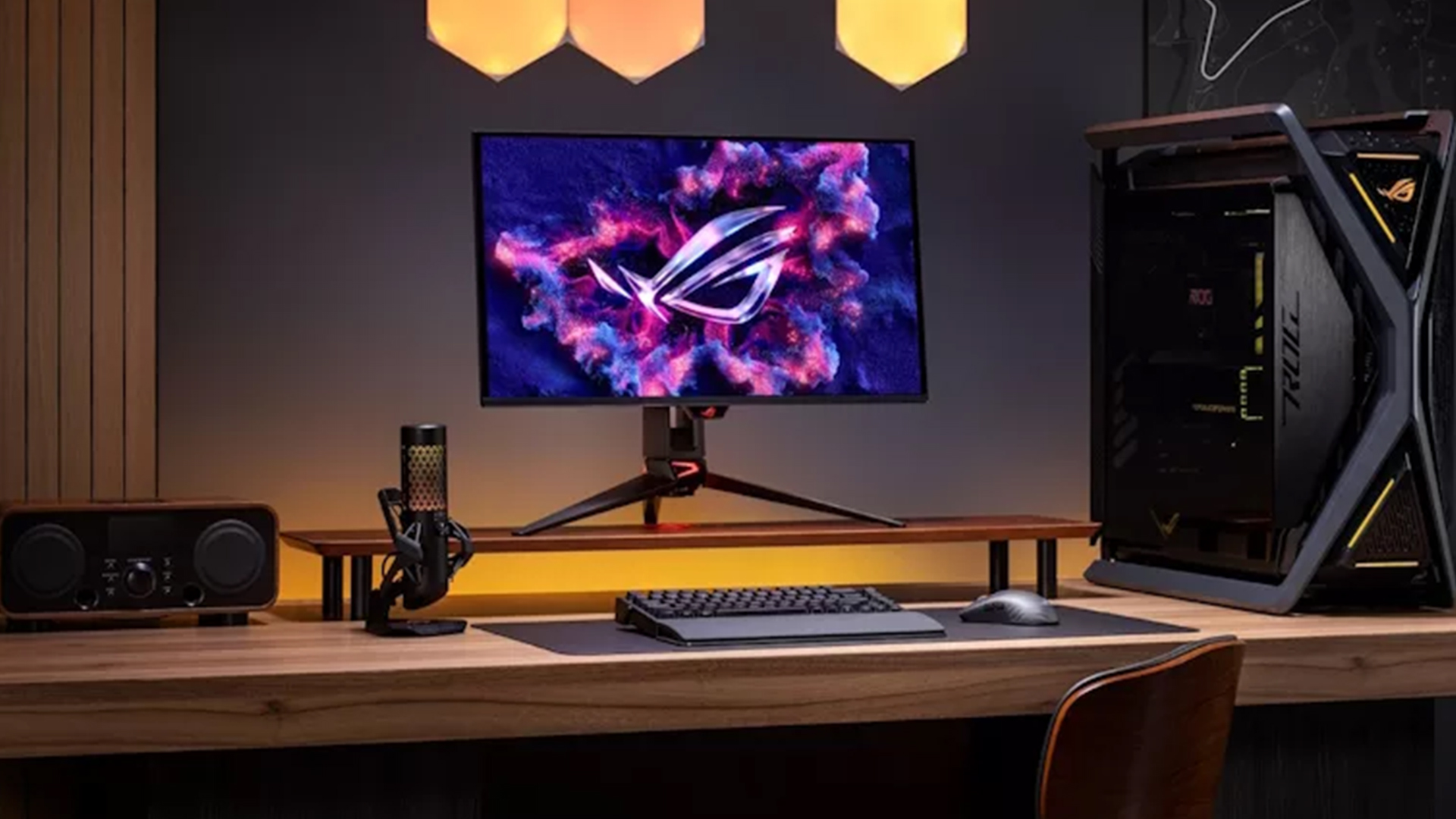
The ROG Swift vs ROG Strix monitors decision is simple. Choose based on your setup, not just the series name.
- Choose ROG Swift if You Want the Premium Option: Go for ROG Swift if you want a flagship screen for a high-end PC. It makes more sense for sharper visuals, premium OLED models, 4K gaming monitors, and users who want the best ASUS gaming monitor experience.
- Choose ROG Strix if You Want Strong Value and Speed: Go for ROG Strix if you want fast performance without paying for every premium extra. This series offers excellent QHD gaming monitors and high-refresh gaming screens for competitive gaming setups.
Final Verdict: ROG Swift vs ROG Strix in 2026
The choice between ROG Swift and ROG Strix monitors comes down to how premium you want your setup to be. Swift is the better fit if you want a flagship screen, sharper visuals, stronger OLED options, and a display that suits a high-end PC build.
Strix is the smarter choice if you want strong gaming performance without overspending. It still gives you fast refresh rates, strong panel options, and plenty of choice across different budgets.
So, the ROG Swift vs ROG Strix comparison is not about one series being better for everyone. Swift suits premium setups. Strix suits gamers who want better value and flexibility. For most buyers, the best pick is the exact monitor that matches your resolution, refresh rate, panel type, desk space, and budget.
Frequently Asked Questions
What is the difference between Swift and Strix monitors?
Swift usually sits closer to the premium end of the ROG range, with a stronger focus on flagship panels, 4K options, OLED visuals, and high-end connectivity. Strix usually offers a broader choice, strong gaming specs, and better value flexibility.
Is ROG Swift better than ROG Strix?
Not always. Swift is usually better for premium setups, but Strix can be the smarter buy if you want strong performance at a better price. The exact model matters more than the series name.
What is the difference between ROG Swift OLED PG27AQDM and ROG Strix XG27AQDMG?
Both are 27-inch QHD OLED monitors with 240Hz refresh rates and 0.03ms response times. The Swift PG27AQDM uses an anti-glare OLED panel, while the Strix XG27AQDMG uses a glossy WOLED panel with OLED Anti-flicker and ASUS OLED Care features.
Are ROG Strix monitors good for competitive gaming?
Yes. Some Strix models are very strong for competitive gaming, especially QHD OLED options with very high refresh rates, fast response times, and variable refresh support. They are not just casual gaming monitors.
Is ROG Swift worth it for 4K gaming?
Yes, if your PC can drive 4K smoothly. Swift makes more sense for high-end systems where you want sharper visuals, premium OLED quality, strong HDR, and fast refresh rates in one display.
Should I buy ROG Swift or ROG Strix for PS5 and PC?
Choose Swift if you want a more premium 4K setup for both console and PC. Choose Strix if you want strong gaming performance, QHD options, and better value. For PS5, always check HDMI support, refresh rate, VRR, and HDR before buying.
You can pay with:
*PayPal Credit Representative Example: Assumed credit limit £1,200, Representative 23.9% APR (variable). Purchase rate 23.9% p.a (variable).Terms & Conditions apply.


PayPal Credit and PayPal Pay in 3 are trading names of PayPal UK Ltd, 5 Fleet Place, London, United Kingdom, EC4M 7RD. Terms and conditions apply. Credit subject to status, UK residents only, Five Tech LTD acts as a broker and offers finance from a restricted range of finance providers. PayPal Pay in 3 is not regulated by the Financial Conduct Authority. Pay in 3 eligibility is subject to status and approval. 18+. UK residents only. Pay in 3 is a form of credit. Check if affordable and how you will repay. May make other borrowing more difficult or expensive. See product terms for more details.
Copyright © 1996-2026 Fivetech LTD | Terms and Conditions
box.co.uk & Box are trading names of Five Tech Limited. Registered office: Box LTD, Unit 10 Woodford Trading Estate, Woodford Green IG8 8HF