


 Menu
MenuMenu


Get Sales Advice from Mon - Fri 9am - 5:00pm:
020 3337 8950LAST UPDATED: March 26, 2026
Ryzen Compatibility & Setup Guide: Windows 11, Integrated Graphics, RAM & Upgrades
Upgrading or building a PC around an AMD processor often starts with a few key questions. Will your Ryzen work with Windows 11? Does your Ryzen have integrated graphics, or do you need to buy a separate GPU? What RAM speed should you choose, and which graphics card (GPU) makes sense without causing bottlenecks? These are all valid concerns, and understanding AMD Ryzen compatibility is the first step to getting it right.
The good news is that most Ryzen systems are flexible and upgrade-friendly, but compatibility depends on more than just the processor name. Windows 11 support varies by generation. Some Ryzen models include integrated graphics, while others require a dedicated GPU to even display an image. RAM support also changes depending on whether you are using an AM4 or AM5 platform, which directly affects overall performance.
This guide breaks down all of these concerns into simple, practical sections. You will learn which CPUs work with Windows 11, which Ryzen processors include integrated graphics, what RAM speeds are ideal, how to pair a GPU correctly, and when it actually makes sense to upgrade your CPU or platform. Whether you are tweaking an existing build or planning a new one, this step-by-step advice will help you make confident decisions.
Is Your AMD Ryzen CPU Compatible with Windows 11?
One of the most common concerns around AMD Ryzen compatibility is whether a specific processor will run Windows 11 without issues. Microsoft introduced stricter hardware requirements compared to Windows 10, which means CPU generation, firmware settings, and motherboard support all play a role.
Windows 11 primarily checks three things:
- Whether the CPU is on Microsoft's supported list
- TPM 2.0 availability
- Secure Boot capability
If you are wondering which AMD Ryzen processors are compatible with Windows 11? The answer is quite simple and can be summarised in a couple of lines:
In general:
- Ryzen 9000 series (Zen 5) – Fully supported
- Ryzen 8000 series (Zen 4 refresh / 8000G APUs) – Fully supported
- Ryzen 7000 series (Zen 4) – Fully supported
- Ryzen 5000 series (Zen 3) – Fully supported
- Ryzen 4000 series (Zen 2, primarily OEM desktop APUs) – Supported (model dependent)
- Ryzen 3000 series (Zen 2) – Supported
- Most Ryzen 2000 series (Zen+) – Supported
- Ryzen 1000 series (Zen 1) – Not officially supported
For most users checking AMD Ryzen compatibility, the key dividing line is first-generation Ryzen. If your CPU is 3000 series or newer, you are typically in safe territory for Windows 11. If it is 2000 series, check the exact model. If it is 1000 series, official support is unlikely.
Motherboard BIOS updates can also impact results, so platform support matters just as much as the processor itself.
Is My Ryzen 5 or Ryzen 7 CPU Compatible with Windows 11?
Although all the Ryzen 5 and Ryzen 7 CPUs are compatible with Windows 11, many users still search for the OS's compatibility with specific and famous models. If you are one of them, we have got you covered:
- Is Ryzen 7 3700X compatible with Windows 11? – Yes, fully supported.
- Is Ryzen 7 2700 compatible with Windows 11? – Yes, supported.
- Is Ryzen 7 1700 compatible with Windows 11? – Not officially supported.
- Is Ryzen 5 1600 compatible with Windows 11? – Generally not supported (depending on revision).
- Is Ryzen 5 2600 compatible with Windows 11? – Supported.
- Is Ryzen 5 3600 compatible with Windows 11? – Fully supported.
- Is Ryzen 3 1200 compatible with Windows 11? – Not officially supported.
- Is Ryzen 3 3200G compatible with Windows 11? – Supported.
When reviewing AMD Ryzen compatibility, the pattern becomes clear. Ryzen 2000 and newer CPUs are usually fine, while first-generation Ryzen 1000 chips are the main limitation.
Even if your CPU is supported, TPM 2.0 must be enabled in the BIOS, and Secure Boot needs to be active. Many systems already support this, but have it disabled by default.
How to Check Windows 11 Compatibility on a Ryzen PC
If you are unsure whether your system is compatible with Windows 11, follow these steps:
- Press Windows + R, type msinfo32, and confirm your exact CPU model.
- Download and run Microsoft's PC Health Check tool.
- Enter your BIOS and confirm TPM (often labelled fTPM on AMD boards) is enabled.
- Ensure Secure Boot is switched on.
In this way, you can check AMD Ryzen compatibility with Windows 11 without guesswork. In many cases, users only need to enable firmware settings rather than replace hardware.
What If Your Ryzen CPU Isn't Officially Supported?
If your processor is not officially supported, you still have options.
You can:
- Upgrade your CPU within the same socket, if supported.
- Move to a newer platform entirely.
Just a tip from our side: it often makes more sense to upgrade within your existing AM4 platform rather than jumping straight to a full rebuild. For example, moving from a Ryzen 5 1600 to a Ryzen 5 5600X can provide both Windows 11 support and a major performance uplift without changing everything else.
Does Your Ryzen CPU Have Integrated Graphics, or Do You Need a GPU?
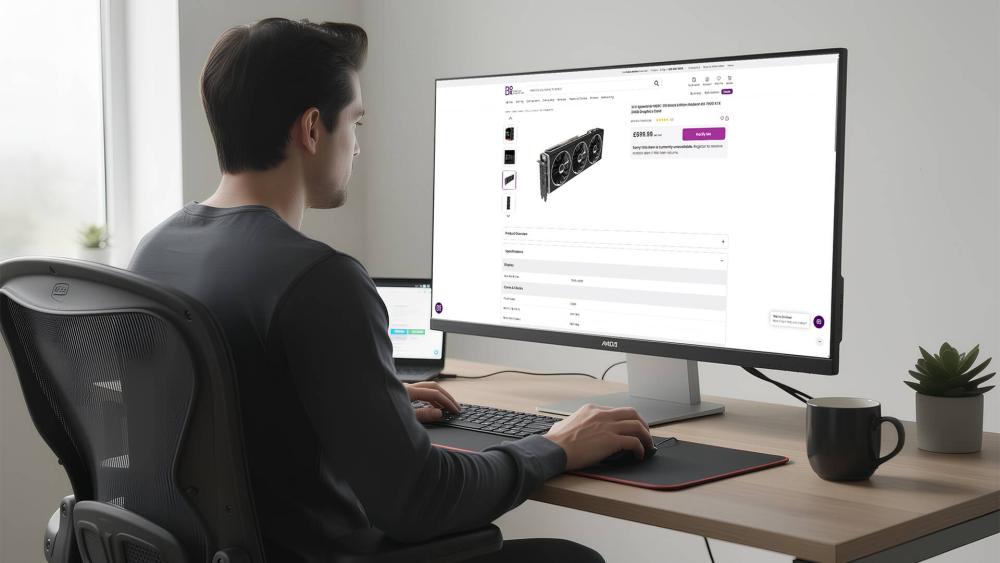
Another major concern when checking AMD Ryzen compatibility is graphics support. Many users build a system, connect a monitor, and realise there is no display output. This usually comes down to one simple rule: not all Ryzen processors include integrated graphics.
Unlike some competing CPUs, most standard Ryzen processors require a dedicated graphics card. If your CPU does not include integrated graphics and you do not install a GPU, your system will not produce a video signal.
However, there are important exceptions depending on the model and generation.
Which AMD Ryzen Processors Have Integrated Graphics?
Many people ask this common question: "Which Ryzen have integrated graphics?" The answer is straightforward once you know what to look for.
Traditionally, Ryzen processors with integrated graphics are:
- Ryzen models with a "G" suffix (for example, Ryzen 5 5600G or Ryzen 3 3200G)
- Selected newer Ryzen 7000 and Ryzen 9000 series CPUs, which include basic integrated RDNA graphics
On AM4 platforms, only "G" models include integrated graphics. Standard models like the Ryzen 5 5600X or Ryzen 7 5800X do not.
On AM5 platforms (Ryzen 7000 and Ryzen 9000), AMD includes basic integrated graphics on most non-X3D models. These are designed mainly for display output and light workloads rather than serious gaming.
Does My Ryzen Have Integrated Graphics?
If you are planning to buy a new Ryzen Processor, you may be interested in knowing whether it comes with integrated graphics or if you will need a separate GPU to run it. Here is the status of some famous models:
- Does Ryzen 5 1500X have integrated graphics?
No. The Ryzen 5 1500X does not include integrated graphics and requires a dedicated GPU.
- Does Ryzen 5 5600X have integrated graphics?
No. The Ryzen 5 5600X does not have integrated graphics. You must install a separate graphics card.
- Does Ryzen 7600 have integrated graphics?
Yes. The Ryzen 5 7600 includes basic integrated RDNA graphics for display output and light tasks.
As a rule of thumb, check the model suffix. If it ends in "G" on AM4, it includes integrated graphics. On AM5 (Ryzen 7000 and 9000), most mainstream CPUs include basic onboard graphics even without a "G" label.
This small detail makes a big difference when choosing parts.
Does AMD Ryzen Need a GPU for Gaming and Everyday Use?
When it comes to a particular setup like an everyday PC or a gaming PC, the situation is totally different.
For everyday tasks such as web browsing, office work and streaming, a Ryzen CPU with integrated graphics (such as a "G" model or newer Ryzen 7000/9000 chip) is usually enough.
For gaming, however, a dedicated GPU is strongly recommended. Integrated graphics can handle light esports titles and older games, but modern AAA gaming requires a proper graphics card for stable frame rates and higher settings.
RAM Compatibility and Best RAM Speeds for Ryzen Processors
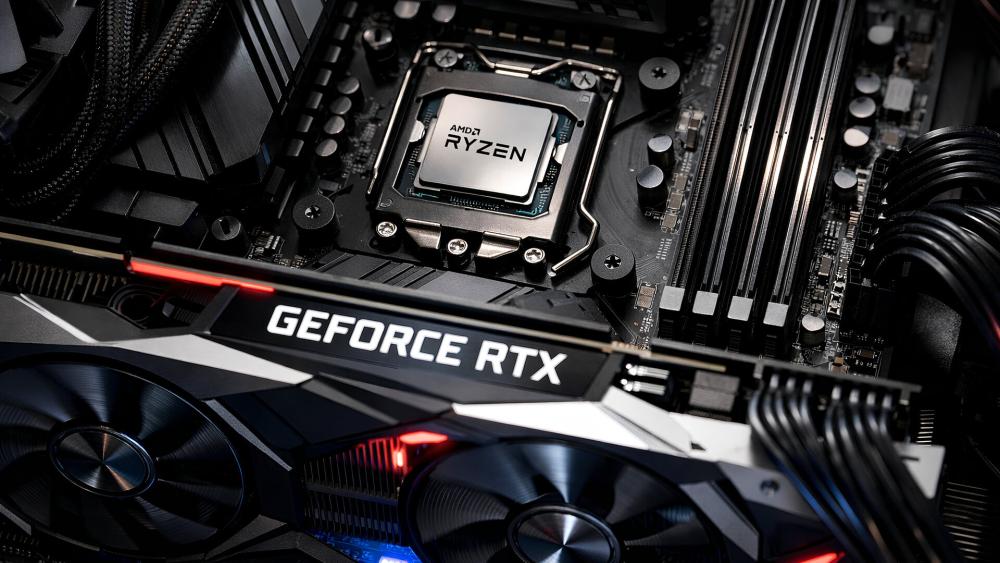
Memory plays a bigger role in performance than many users expect. When conforming AMD Ryzen compatibility, RAM type and speed are just as important as the CPU itself. Choosing the wrong memory standard or running very slow RAM can limit overall performance, particularly in gaming.
The first thing to understand is platform generation. Ryzen CPUs use different memory types depending on the socket:
- AM4 platform → DDR4 only
- AM5 platform → DDR5 only
There is no crossover support. You cannot use DDR4 in an AM5 motherboard, and DDR5 will not fit in AM4. This makes motherboard selection critical when planning upgrades or new builds.
Beyond compatibility, Ryzen processors also benefit from well-matched memory speeds due to how AMD's architecture handles memory communication.
What RAM Type Does My Ryzen CPU Use – DDR4 or DDR5?
Many people ask whether Ryzen support DDR5 or DDR4? The answer depends entirely on the generation.
- Ryzen 1000, 2000, 3000 and 5000 (AM4) → DDR4 only
- Ryzen 7000 and Ryzen 9000 (AM5) → DDR5 only
If you are comparing the performance of Ryzen CPUs with respect to DDR4 or DDR5 memory, the difference comes down to platform age and performance headroom. DDR5 offers higher bandwidth and better future upgrade potential, but DDR4 remains perfectly capable for most AM4 gaming systems.
When you are checking AMD Ryzen compatibility with different components, it is always recommended to check your motherboard socket before buying memory. The CPU and motherboard together determine your RAM type.
What RAM Speed Is Best for Ryzen?
Another common question that worries many first-time PC builders is the right RAM speed for a Ryzen CPU. While maximum supported speeds vary, there are sensible sweet spots.
For DDR4 systems (AM4):
- 3200MHz – Solid baseline
- 3600MHz – Ideal balance of cost and performance
For DDR5 systems (AM5):
- 5600MHz – Good starting point
- 6000MHz – Often considered the performance sweet spot
Going beyond these speeds can bring diminishing returns unless you are tuning manually or you are a PC enthusiast. For most users, sticking to these ranges ensures stability and strong real-world performance.
Similarly, owing to the increase in RAM prices in recent times, many people are now wondering if a 3200MHz RAM is enough for a Ryzen CPU. For most users, it is enough.
On AM4 platforms, 3200MHz DDR4 is perfectly adequate for mid-range gaming and general productivity. Many Ryzen 3000 and 5000 systems run very well at this speed.
However, 3600MHz can offer slightly better minimum frame rates in games due to improved memory latency balance. The difference is noticeable but not dramatic for most users.
What RAM Speed for Ryzen 5 5600X and Similar CPUs?
Ryzen 5 5600X is a quite popular CPU for many builds. Hence, many people ask about the best RAM speed for this and other similar CPUs. Let's examine this in detail.
For this processor:
- Minimum recommendation: 3200MHz DDR4
- Ideal range: 3600MHz DDR4
The Ryzen 5 5600X benefits from 3600MHz memory as it often aligns well with the CPU's internal architecture, improving gaming consistency without significantly increasing cost.
Pairing a GPU with Your Ryzen CPU (Avoiding Bottlenecks)
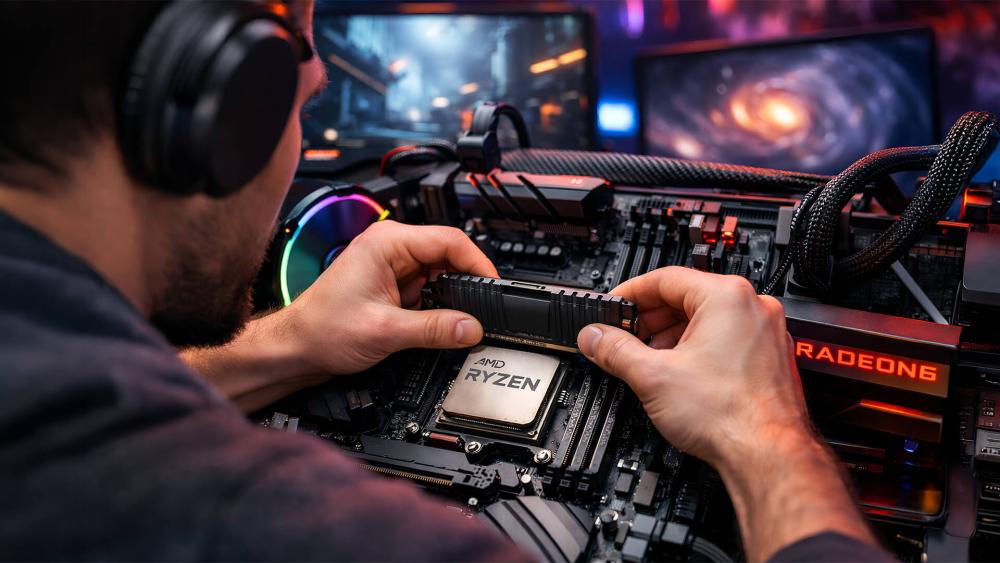
Choosing the right graphics card is just as important as selecting the processor when checking AMD Ryzen compatibility. A balanced system ensures neither component holds the other back. While minor imbalances are normal, pairing a very high-end GPU with an entry-level CPU can limit frame rates, particularly at lower resolutions like 1080p. On the other hand, using a powerful CPU with a very weak GPU may leave gaming performance underwhelming. Resolution, refresh rate and game type all influence how important CPU–GPU balance really is.
What GPU Should You Pair with a Ryzen 5 CPU?
If you are planning a gaming build around Ryzen 5 5600X and wondering what GPU for Ryzen 5 5600X you should buy, we will explain it for you without overdoing anything.
Sensible pairings include:
- Entry-level gaming: RTX 3060 or RX 6600
- Mid-range performance: RTX 4060 or RX 7600
- Upper mid-range: RTX 4070 or higher (particularly for 1440p gaming)
For most 1080p and 1440p builds, these combinations maintain excellent balance. When selecting components, your goal must not be to match price to price, but to match performance tier to performance tier.
Will My Ryzen CPU Bottleneck a New GPU?
If you are planning to get a new GPU for your current gaming PC, you will need to check out the compatibility first and then bottlenecking. The term bottleneck simply means that one component limits the performance of another.
In practical terms:
- At 1080p high refresh rates, the CPU matters more.
- At 1440p and 4K, the GPU usually becomes the limiting factor.
Let us give you an example of the above concept: a Ryzen 5 3600 paired with an RTX 3060 is generally well-balanced for 1080p and 1440p gaming. Minor CPU limitations may appear in highly competitive titles at very high frame rates, but for most players, the difference is small.
When to Upgrade: GPU vs CPU
If you are unsure which component to upgrade, simple monitoring tools can help.
Consider upgrading the GPU first if:
- GPU usage stays near 95–100% during gaming
- Frame rates are low, but CPU usage remains moderate
Consider upgrading the CPU first if:
- CPU usage frequently hits 100%
- Frame rates drop significantly in CPU-heavy titles
If you are upgrading, make sure you check the AMD Ryzen compatibility before making any purchases. If you are running a gaming PC, upgrading the GPU first is a pragmatic approach. However, older CPUs, such as early Ryzen 1000 or 2000 models, may limit newer GPUs more noticeably.
Should You Upgrade Your Ryzen CPU, Motherboard or Platform?
Upgrading can feel confusing, especially if your current system still works fine. When assessing AMD Ryzen's compatibility with other components, the key question is whether your existing platform can support a meaningful performance jump without replacing everything.
Ryzen users benefit from relatively long socket lifespans, particularly on AM4. Many older systems can gain significant improvements with just a CPU swap. However, moving to newer platforms such as AM5 introduces DDR5 support and longer forward compatibility, but at a higher upfront cost.
The right decision depends on your current CPU, workload and budget.
Is It Worth Upgrading from an Older Ryzen 5 or Ryzen 7?
If you are currently using Ryzen 5 CPUs and wondering whether you should upgrade Ryzen 5 3600 or Ryzen 5 2600 to a newer CPU? The right choice for you will be to move to Ryzen 5 5600X or Ryzen 7 5700X on AM4. Doing this will bring a very noticeable performance boost in gaming and productivity.
When Do You Need a New Motherboard for a Ryzen Upgrade?
Socket compatibility determines whether a CPU upgrade is simple or requires a platform change.
- AM4 CPUs (Ryzen 1000–5000) share the same socket, though BIOS updates may be required.
- AM5 CPUs (Ryzen 7000 and 9000) require a new AM5 motherboard and DDR5 memory.
If you are upgrading within AM4, check your motherboard manufacturer's CPU support list and ensure the BIOS is updated before installing the new processor.
Please note that motherboard support is central to AMD Ryzen compatibility, as even a compatible CPU will not function correctly without proper firmware support.
Should You Upgrade to an AM5 Ryzen Platform Now or Wait?
Moving to AM5 offers several advantages:
- DDR5 memory support
- PCIe 5.0 connectivity
- Longer future upgrade path
- Improved power efficiency
However, it also means buying:
- A new motherboard
- DDR5 memory
- Potentially a new cooler (depending on compatibility)
If your current AM4 system still performs well, upgrading within the same platform may offer better value. If you are building new or planning long-term upgrades, AM5 provides stronger future-proofing. Also, it is worth reading our processor buying guide before making the final call.
Final Thoughts
Getting your setup right comes down to understanding AMD Ryzen compatibility across Windows support, graphics requirements, memory standards and upgrade paths. Once you know your CPU generation and platform, most decisions become straightforward.
Whether you are checking Windows 11 support, confirming if your processor needs a GPU, choosing the right RAM speed, or planning an upgrade, focusing on platform balance will help you avoid wasted spend.
Match your Ryzen CPU to the right motherboard, memory and graphics card, and you will have a system that performs reliably today while staying flexible for future upgrades.
Frequently Asked Questions
Is My Ryzen CPU Compatible with Windows 11?
Most Ryzen 2000 series and newer processors are compatible with Windows 11, provided TPM 2.0 and Secure Boot are enabled. Ryzen 3000, 5000, 7000 and 9000 series CPUs are fully supported. First-generation Ryzen 1000 models are not officially supported.
Which Ryzen Processors Have Integrated Graphics?
Traditionally, Ryzen CPUs with a "G" suffix (such as 5600G) include integrated graphics. Most Ryzen 7000 and 9000 series desktop processors also include basic integrated graphics. Standard AM4 models like the 5600X do not.
Does AMD Ryzen Need a GPU for Gaming?
If your Ryzen CPU does not include integrated graphics, you need a dedicated GPU for any display output. For gaming, a dedicated GPU is strongly recommended even if your CPU has integrated graphics, as it delivers far better performance.
What RAM Speed Is Best for AMD Ryzen?
For AM4 systems using DDR4, 3200–3600MHz is the ideal range. For AM5 systems using DDR5, 5600–6000MHz is generally the performance sweet spot. Staying within these ranges ensures stable and strong performance.
Is 3200MHz RAM Enough for a Ryzen Gaming PC?
Yes, 3200MHz DDR4 is sufficient for most Ryzen 3000 and 5000 gaming builds. While 3600MHz can offer slightly better minimum frame rates, the difference is usually modest in real-world use.
What GPU Should I Pair with a Ryzen 5 5600X?
A Ryzen 5 5600X pairs well with GPUs such as the RTX 3060, RTX 4060, RX 6600 or RX 7600. For 1440p gaming, an RTX 4070 can also be a sensible match without major bottlenecks.
You can pay with:
*PayPal Credit Representative Example: Assumed credit limit £1,200, Representative 23.9% APR (variable). Purchase rate 23.9% p.a (variable).Terms & Conditions apply.


PayPal Credit and PayPal Pay in 3 are trading names of PayPal UK Ltd, 5 Fleet Place, London, United Kingdom, EC4M 7RD. Terms and conditions apply. Credit subject to status, UK residents only, Five Tech LTD acts as a broker and offers finance from a restricted range of finance providers. PayPal Pay in 3 is not regulated by the Financial Conduct Authority. Pay in 3 eligibility is subject to status and approval. 18+. UK residents only. Pay in 3 is a form of credit. Check if affordable and how you will repay. May make other borrowing more difficult or expensive. See product terms for more details.
Copyright © 1996-2026 Fivetech LTD | Terms and Conditions
box.co.uk & Box are trading names of Five Tech Limited. Registered office: Box LTD, Unit 10 Woodford Trading Estate, Woodford Green IG8 8HF