


 Menu
MenuMenu


Get Sales Advice from Mon - Fri 9am - 5:00pm:
020 3337 8950LAST UPDATED: July 06, 2026
Xbox Game Pass Prices, Plans, Perks, Best Value & Conversion in 2026
Xbox Game Pass has changed a lot over the past few years. What used to be a simpler gaming subscription is now split into different plans for console, PC, cloud gaming and extra perks. That means choosing the right plan can feel confusing, especially if you are trying to work out the real value.
If you are asking how much does Xbox Game Pass cost, the answer depends on which plan you choose. In 2026, the main options are Xbox Game Pass Essential, Xbox Game Pass Premium, Xbox Game Pass Ultimate, and PC Game Pass. Each plan gives access to a game library, but the number of games, day-one releases, cloud gaming quality, online multiplayer and extra perks vary.
This guide explains the Xbox Game Pass price, the differences between plans, which option gives the best value, how Xbox Game Pass conversion works, and what to consider before subscribing.
What Is Xbox Game Pass?
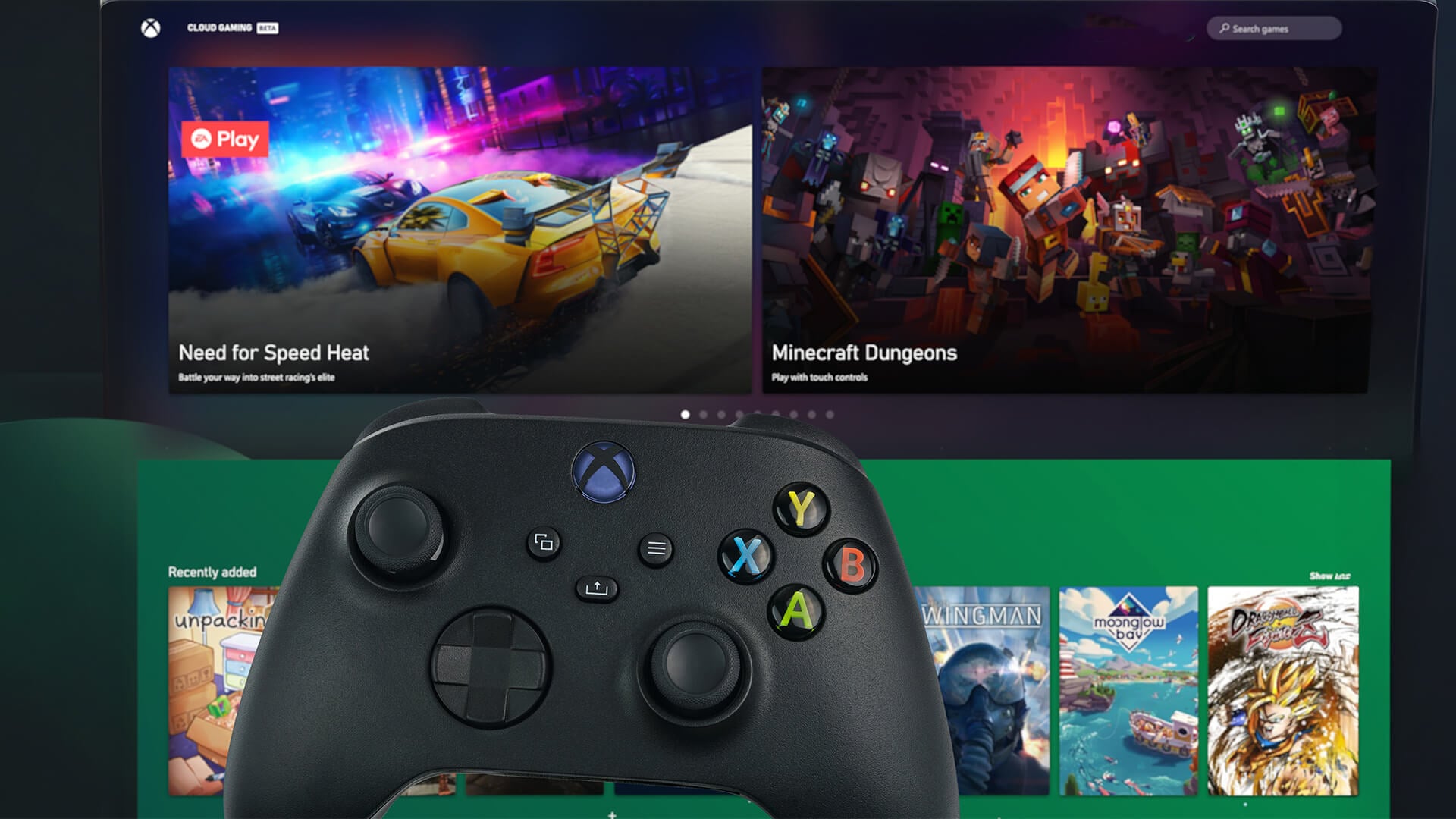
Xbox Game Pass is a gaming subscription from Microsoft that gives you access to a rotating library of games for a monthly fee. Instead of buying every game separately, you pay for access to a catalogue of games that you can download, stream or play depending on your plan and device.
Game Pass can be used across:
- Xbox Series X|S
- Xbox One
- Windows PC
- Handheld gaming PCs
- Mobile devices through Xbox Cloud Gaming
- Supported smart TVs and streaming devices
- Web browsers through cloud gaming
The main benefit is choice. You can try more games without buying each one individually. This is useful for players who enjoy exploring new releases, indie games, multiplayer titles, family games and big Xbox franchises.
You can also improve your setup with gaming gear for Xbox-ready setups and accessories for console and PC play
Xbox Game Pass Price in the UK 2026
The Xbox Game Pass price depends on the plan. Prices can change, and Microsoft may run offers for new or returning subscribers, but the main UK monthly prices in 2026 are:
| Plan | UK Monthly Price | Best For |
|---|---|---|
| Xbox Game Pass Essential | £6.99/month | Basic Game Pass access, online console multiplayer and a smaller library. |
| Xbox Game Pass Premium | £10.99/month | A bigger library without needing the full Ultimate tier. |
| Xbox Game Pass Ultimate | £16.99/month | The most complete plan for console, PC, cloud gaming and perks. |
| PC Game Pass | £10.99/month | Windows PC players who mainly want Game Pass on PC. |
So, how much is a Game Pass in the UK? It starts at £6.99/month for Essential and goes up to £16.99/month for Ultimate.
The right choice depends on how you play. A casual console player may be fine with Essential. A regular console player may prefer Premium. A player who wants console, PC, cloud gaming, EA Play and extra perks will usually get more from Ultimate. A PC-only player may find PC Game Pass better value than Ultimate.
Xbox Game Pass Plans Explained
Microsoft Game Pass is now easier to understand if you split it into four main choices.
| Plan | Simple Explanation |
|---|---|
| Essential | Entry-level plan with a smaller game library, online console multiplayer and cloud gaming access. |
| Premium | Mid-level plan with a bigger library and more value for regular players. |
| Ultimate | Full plan with the largest library, day-one games, PC access, EA Play, Ubisoft+ Classics, Fortnite Crew and cloud gaming benefits. |
| PC Game Pass | PC-focused plan for Windows gamers who do not need full console benefits. |
The biggest difference is not just the number of games. It is also when new games arrive, which devices you can use, how cloud gaming works, and which extra perks are included.
Xbox Game Pass Essential
Xbox Game Pass Essential is the lowest-cost plan. It replaced the older Xbox Game Pass Core name, so if you are searching for difference between Game Pass Core and Ultimate, this is the key point: Core is now part of the newer Essential tier structure.
Essential is best for players who want basic access without paying for the full Game Pass library.
What You Get with Essential
Xbox Game Pass Essential gives you:
- A smaller Game Pass library
- Online console multiplayer
- Cloud gaming access
- PC and console support for included titles
- In-game benefits
- Rewards points opportunities
- Deals and discounts
This plan makes sense if you play a few games regularly, want online multiplayer and do not need day-one releases.
Who Should Choose Essential?
Choose Essential if:
- You mainly play online multiplayer on console
- You want the cheapest Game Pass option
- You do not need the biggest library
- You are a casual player
- You do not care about day-one games
- You want basic Game Pass access at the lowest monthly cost
Essential is the cheapest route into Xbox subscription plans, but it is not the best choice for players who want the full Game Pass catalogue.
Xbox Game Pass Premium
Xbox Game Pass Premium sits between Essential and Ultimate. It is designed for players who want a larger library than Essential but do not need all Ultimate extras.
Premium is often the best middle-ground plan. It gives access to more games than Essential and still includes useful features such as cloud gaming, online multiplayer, and Game Pass benefits.
What You Get with Premium
Xbox Game Pass Premium gives you:
- A larger game library than Essential
- Console and PC access for included titles
- Cloud gaming
- Online console multiplayer
- Game Pass perks and in-game benefits
- Deals and discounts
- Rewards points opportunities
- New Xbox published games added later after launch
The main limitation is day-one access. Premium does not offer the same day-one game access as Ultimate.
Who Should Choose Premium?
Choose Premium if:
- You play regularly but do not need every new release on day one
- You want better value than Essential
- You want a larger Game Pass library
- You play on console and sometimes PC
- You use cloud gaming casually
- You want online multiplayer included
For many everyday players, Premium may be the sweet spot because it gives a good mix of games and features without the higher Ultimate price.
Xbox Game Pass Ultimate
Xbox Game Pass Ultimate is the most complete plan. It combines console, PC and cloud gaming benefits into one subscription. If you want the widest access, this is the main plan to consider.
Ultimate is also the plan most people mean when they say Xbox Ultimate Game Pass or Xbox Game Pass Ultimate.
What You Get with Ultimate
Xbox Game Pass Ultimate includes:
- The largest Game Pass library
- Console games
- PC games
- Day-one access to many major releases
- Online console multiplayer
- Xbox Cloud Gaming
- EA Play
- Ubisoft+ Classics
- Fortnite Crew
- In-game benefits
- Game Pass perks
- Rewards points opportunities
- Deals and discounts
Ultimate is the most expensive plan, but it also includes the most extras.
Who Should Choose Ultimate?
Choose Ultimate if:
- You play on both Xbox and PC
- You want day-one games
- You use Xbox Cloud Gaming
- You want EA Play included
- You want Ubisoft+ Classics
- You want Fortnite Crew included
- You want the biggest library
- You play often enough to justify the monthly cost
Ultimate is best for heavy players, multi-device players and anyone who wants the full Game Pass experience.
PC Game Pass
PC Game Pass is designed for Windows gaming. It is a strong option if you play on PC and do not need console multiplayer or the full Ultimate package.
This plan is often one of the best-value options for PC gamers because it gives access to a large PC game library for a lower price than Ultimate.
What You Get with PC Game Pass
PC Game Pass gives you:
- A large PC game library
- Access through the Xbox app on Windows
- Many day-one PC releases
- EA Play on PC
- PC-focused Game Pass benefits
- A lower price than Ultimate
If you mainly play on Windows and do not use Xbox Cloud Gaming often, PC Game Pass can be better value than Ultimate.
Who Should Choose PC Game Pass?
Choose PC Game Pass if:
- You mainly play on Windows PC
- You do not need Xbox console multiplayer
- You want a PC gaming subscription
- You like trying new PC games
- You want good value without paying for Ultimate
If you play on both console and PC, Ultimate is still more complete. But for PC-only gamers, PC Game Pass is a strong option.
For players planning what to play next, our Upcoming Games 2026: Complete Release Calendar highlights the biggest confirmed releases, launch windows and games to watch across Xbox, PC and console platforms.
Xbox Game Pass Ultimate vs Premium vs Essential
The easiest way to compare the plans is to look at the type of player each one suits.
| Plan | Best For | Main Benefit | Main Limitation |
|---|---|---|---|
| Essential | Casual console players | Cheapest monthly option | Smaller library |
| Premium | Regular players | Bigger library and good value | Limited day-one access |
| Ultimate | Heavy players and multi-device gamers | Full Game Pass package | Highest monthly cost |
| PC Game Pass | Windows PC gamers | Strong PC value | Less useful for console-only players |
If you want the cheapest plan, choose Essential. If you want the best balance, choose Premium. If you want everything, choose Ultimate. If you only play on PC, choose PC Game Pass.
Xbox Game Pass Deals: How to Save Money
Many players search for Xbox Game Pass deals because the monthly cost can add up quickly. The best way to save depends on offers available at the time.
Ways to save include:
- Checking official Game Pass promotions
- Looking for new subscriber offers
- Watching for prepaid code discounts
- Comparing one-month and three-month codes
- Using Rewards points where available
- Turning off recurring billing if you only want short-term access
- Choosing Premium instead of Ultimate if you do not need all extras
- Choosing PC Game Pass if you only play on Windows
Be careful with unofficial codes. Only buy prepaid codes from trusted retailers, and always check the region, expiry terms and conversion rules before redeeming.
If you want better value across your wider setup, browse gaming deals for better value.
Xbox Game Pass Conversion Explained
Xbox Game Pass conversion is what happens when you upgrade from one plan to another and Microsoft converts your remaining prepaid time into the new plan.
This matters if you buy prepaid codes or already have months left on a lower plan.
Here is a simple view of the current Game Pass Ultimate conversion rate examples:
| Existing Plan | Upgrade To | Current Conversion |
|---|---|---|
| Game Pass Essential | Game Pass Ultimate | 45% of remaining time |
| PC Game Pass | Game Pass Ultimate | 60% of remaining time |
| Game Pass Premium | Game Pass Ultimate | 65% of remaining time |
| Game Pass for Console | Game Pass Ultimate | 50% of remaining time |
| EA Play | Game Pass Ultimate | 25% of remaining time |
| Game Pass Essential | Game Pass Premium | 3:2 conversion ratio |
The important thing to remember is that Game Pass conversion rates can change. Always check the current conversion terms before buying prepaid codes or upgrading.
Xbox Game Pass Ultimate 3 Months vs 12 Months
Many users search for Xbox Game Pass Ultimate 3 months or Xbox Game Pass Ultimate 12 months because prepaid time can sometimes be cheaper than paying monthly.
In practice, the value depends on:
- The current monthly price
- The prepaid code price
- Whether the code is for Ultimate or another tier
- Whether conversion applies
- Whether recurring billing is on
- Whether there is an active promotion
- Whether the code is region-compatible
A 3-month Ultimate code can be useful if you want a short-term subscription for new releases, holidays or a gaming season. A 12-month setup can be useful if you play all year, but make sure you understand whether you are buying direct Ultimate time or converting from another plan.
Before buying, check the total yearly cost. At £16.99/month, a full year of Ultimate works out at £203.88 if paid monthly. If a prepaid option costs less and is valid for your region, it may offer better value.
Difference Between Game Pass Core and Ultimate
Older Xbox players may still search for Xbox Game Pass Core. In the newer structure, Game Pass Core has effectively been replaced by Game Pass Essential.
The difference between the old Core-style experience and Ultimate is large.
| Feature | Essential | Ultimate |
|---|---|---|
| Online console multiplayer | Yes | Yes |
| Game library | Smaller (curated 50+ titles) | Largest (400+ titles) |
| PC access | Yes (limited to library) | Fuller PC access |
| Cloud gaming | Included | Best-quality cloud experience |
| Day-one releases | No | Yes |
| EA Play | No | Yes |
| Ubisoft+ Classics | No | Yes |
| Fortnite Crew | No | Yes |
| Best for | Casual console players | Heavy and multi-device gamers |
If you only need multiplayer and a small library, Essential may be enough. If you want the complete Xbox ecosystem, Ultimate is the stronger option.
Is Game Pass Worth It for Console Players?
For console players, Game Pass value depends on how many games you play each year. If you regularly try new games, play online multiplayer and enjoy access to a large library, it can be worth the money.
It is especially useful for:
- Xbox Series X|S owners
- Xbox One players
- Families with mixed gaming tastes
- Players who enjoy multiplayer
- Players who try many genres
- Gamers who want cloud streaming as a bonus
If you only play one paid game all year, buying that game outright may be cheaper. But if you play several games, Game Pass can offer strong value.
For a better console setup, consider controllers for Game Pass sessions and HDMI 2.1 monitors for Xbox Series X|S.
Is Game Pass Worth It for PC Players?
For PC players, PC Game Pass is often one of the strongest options. It gives access to a large PC library at a lower price than Ultimate.
It is good for:
- Windows gaming
- Trying new PC games
- Day-one PC releases
- Players who use the Xbox app
- Gamers who do not need console multiplayer
- PC-first players looking for value
If you play on both PC and console, Ultimate is more complete. But if you only play on PC, Game Pass PC is usually the better-value choice.
You can also explore PC and console gaming upgrades to improve your setup.
Xbox Cloud Gaming: Who Needs It?
Xbox Cloud Gaming lets you stream supported games to devices such as phones, tablets, PCs, consoles, smart TVs and web browsers. This can be useful if you want to play without downloading a full game or if you want to continue playing away from your console.
Cloud gaming is helpful for:
- Trying games quickly
- Playing on mobile devices
- Streaming on supported TVs
- Using handheld devices
- Playing when storage space is limited
- Accessing games across devices
However, cloud gaming depends on your internet connection. A strong, stable connection gives the best experience. If your internet is slow or unstable, downloaded games will usually feel better.
For more detail, read our guide on how Xbox cloud play works.
What About Free Xbox Game Pass?
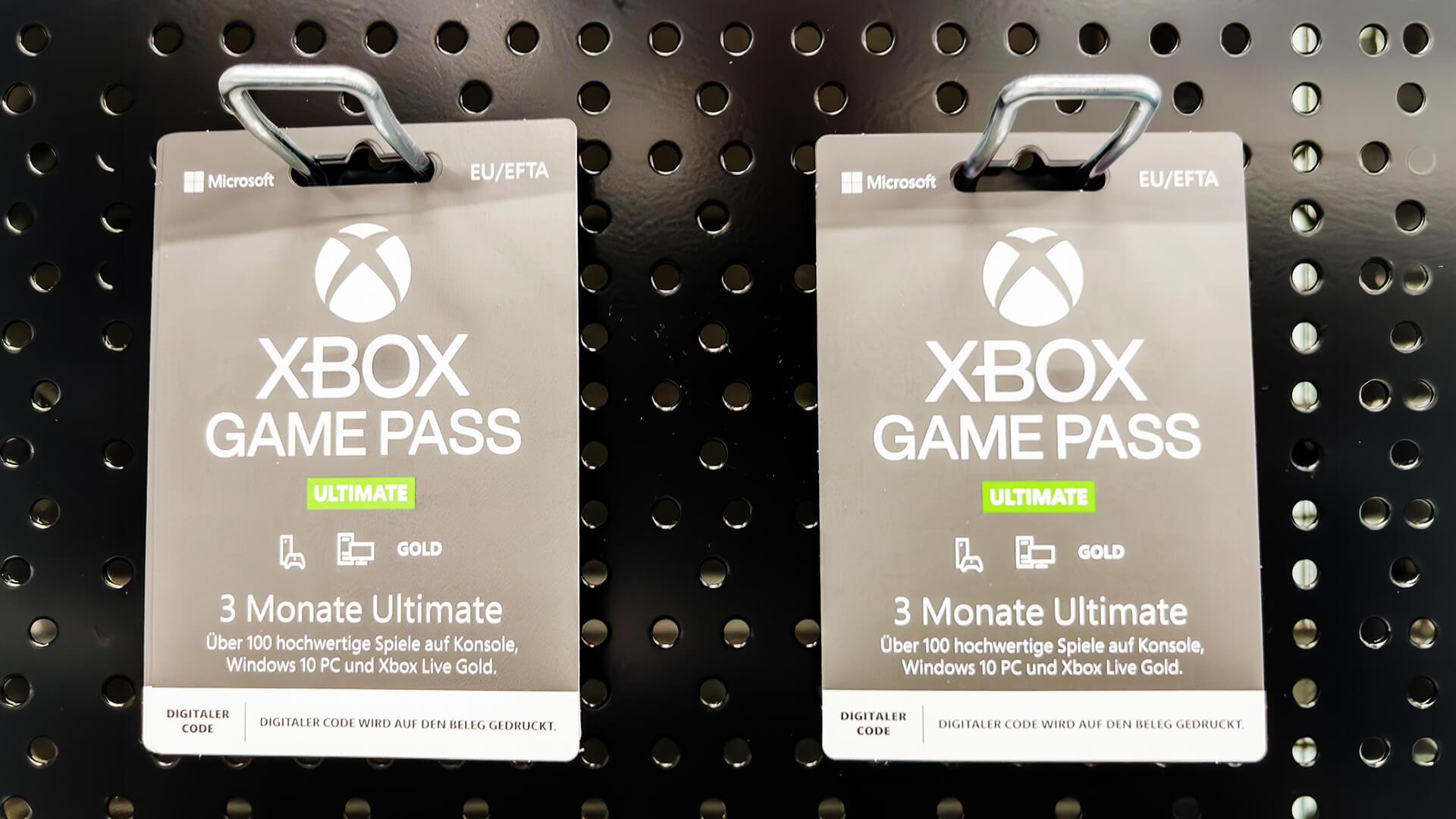
Many players search for free Xbox Game Pass, but a completely free full subscription is not something you should rely on. Microsoft sometimes runs promotional trials, and some devices or bundles may include limited-time Game Pass offers, but these change often.
Ways you may get Game Pass cheaper or temporarily free include:
- New subscriber trials
- Console or PC bundle offers
- Rewards points
- Promotional codes
- Retailer offers
- Limited-time campaigns
You can also play selected free-to-play games through Xbox Cloud Gaming with a free Microsoft account in supported regions, but that is not the same as a full Game Pass subscription.
Avoid websites promising unlimited free Game Pass codes. Many are unreliable or unsafe.
Can You Cancel Xbox Game Pass?
Yes, you can cancel Xbox Game Pass through your Microsoft account or Xbox console. You can also turn off recurring billing if you want to keep access until the end of your current paid period but avoid being charged again.
To manage your subscription, go to your Microsoft account services page or open the subscriptions section on your Xbox console.
Cancel if:
- You are not using the library enough
- You only wanted one month for a specific game
- You are switching plans
- You want to avoid recurring billing
- The cost no longer fits your budget
Before cancelling, check whether you have active prepaid time, saved games or perks you still want to use.
Which Xbox Game Pass Plan Is Best Value in 2026?
The best value plan depends on your gaming habits.
| Player Type | Best Plan |
|---|---|
| Cheapest access | Essential |
| Best balance for console players | Premium |
| Best full package | Ultimate |
| Best for PC-only players | PC Game Pass |
| Best for cloud gaming fans | Ultimate |
| Best for multiplayer-only console players | Essential |
| Best for day-one games | Ultimate or PC Game Pass |
| Best for families on one console | Premium or Ultimate, depending on use |
If you play a lot, Ultimate may be worth it. If you play casually, Premium or Essential may be smarter. If you only play on Windows PC, PC Game Pass is often the best value.
Final Thoughts: Which Xbox Game Pass Plan Should You Choose?
Xbox Game Pass is still one of the biggest gaming subscriptions available, but the best plan depends on how you play. The cheapest option is Essential, the best middle-ground option is Premium, the most complete option is Ultimate, and the best PC-only option is PC Game Pass.
If you want the full Xbox experience across console, PC and cloud, Xbox Game Pass Ultimate is the strongest plan. If you want good value without the full cost, Xbox Game Pass Premium is a sensible choice. If you only need the basics, Xbox Game Pass Essential keeps the price lower. If you play on Windows, PC Game Pass may be the best-value choice.
Before subscribing, check the latest price, compare the library, review the perks and understand conversion rates if you are using prepaid codes.
For more buying advice, read our PS Plus and Game Pass value comparison, explore upcoming Xbox games and release dates, check new Xbox and Game Pass reveals, or learn how Xbox cloud play works.
FAQs
How much is a Game Pass in the UK?
In 2026, Xbox Game Pass starts at £6.99/month for Essential. Premium costs £10.99/month, PC Game Pass costs £10.99/month, and Xbox Game Pass Ultimate costs £16.99/month. Prices can change, so always check before subscribing.
How much does Xbox Game Pass cost?
The cost depends on the plan. Essential is the cheapest, Premium is the middle option, PC Game Pass is for Windows players, and Ultimate is the most complete plan.
How much is Game Pass Core?
Game Pass Core has been replaced by the newer Game Pass Essential plan. In the UK, Essential costs £6.99/month.
What is the cheapest way to get Game Pass UK?
The cheapest standard plan is Xbox Game Pass Essential at £6.99/month. You may also find promotional offers, prepaid code deals or new subscriber discounts, but these change over time.
Is Xbox Game Pass worth the money?
Xbox Game Pass is worth it if you play several games each year, enjoy trying new titles or use online multiplayer, PC access or cloud gaming. If you only play one or two games, buying games individually may be better value.
Can I share Game Pass with family?
Some Game Pass benefits can be shared on a home Xbox console, depending on account and console settings. However, full subscription sharing across multiple users and devices is limited, so it is best to check Microsoft’s current sharing rules.
Why is Game Pass so expensive?
Game Pass includes a large game library, online multiplayer, cloud gaming, day-one releases on some plans, partner services and in-game perks. The more complete the plan, the higher the cost. Ultimate is the most expensive because it includes the most features.
How to get a free Xbox Game Pass?
Free Game Pass is usually only available through limited promotions, device bundles, trials or Rewards offers. Be careful with websites offering free codes, as many are unreliable. Some free-to-play games can be streamed with a free Microsoft account, but that is not the same as a full Game Pass subscription.
You can pay with:
*PayPal Credit Representative Example: Assumed credit limit £1,200, Representative 23.9% APR (variable). Purchase rate 23.9% p.a (variable).Terms & Conditions apply.


PayPal Credit and PayPal Pay in 3 are trading names of PayPal UK Ltd, 5 Fleet Place, London, United Kingdom, EC4M 7RD. Terms and conditions apply. Credit subject to status, UK residents only, Five Tech LTD acts as a broker and offers finance from a restricted range of finance providers. PayPal Pay in 3 is not regulated by the Financial Conduct Authority. Pay in 3 eligibility is subject to status and approval. 18+. UK residents only. Pay in 3 is a form of credit. Check if affordable and how you will repay. May make other borrowing more difficult or expensive. See product terms for more details.
Copyright © 1996-2026 Fivetech LTD | Terms and Conditions
box.co.uk & Box are trading names of Five Tech Limited. Registered office: Box LTD, Unit 10 Woodford Trading Estate, Woodford Green IG8 8HF