


 Menu
MenuMenu


Get Sales Advice from Mon - Fri 9am - 5:00pm:
020 3337 8950LAST UPDATED: July 06, 2026
Game Pass Conversion Guide: Best Ways to Maximise Value
Game Pass conversion can help you understand what happens when prepaid Xbox subscription time is moved into a higher-tier plan, such as Game Pass Ultimate or Game Pass Premium. It is useful if you already have subscription time left, or if you are thinking about redeeming subscription codes before changing plans.
The important thing to know is that this is not usually a 1:1 swap. Xbox applies the current Game Pass conversion rate, so your remaining time is adjusted based on the plan you are moving from and the plan you are upgrading to.
This guide explains Xbox Game Pass conversion in simple terms, including upgrade rules, code conversion, extension limits and how to maximise subscription value.
Disclaimer: Xbox Game Pass subscription prices, conversion rates, and extension limits can change. Always check the latest Xbox Support rules before buying or redeeming codes, as prepaid time conversion is final and non-refundable.
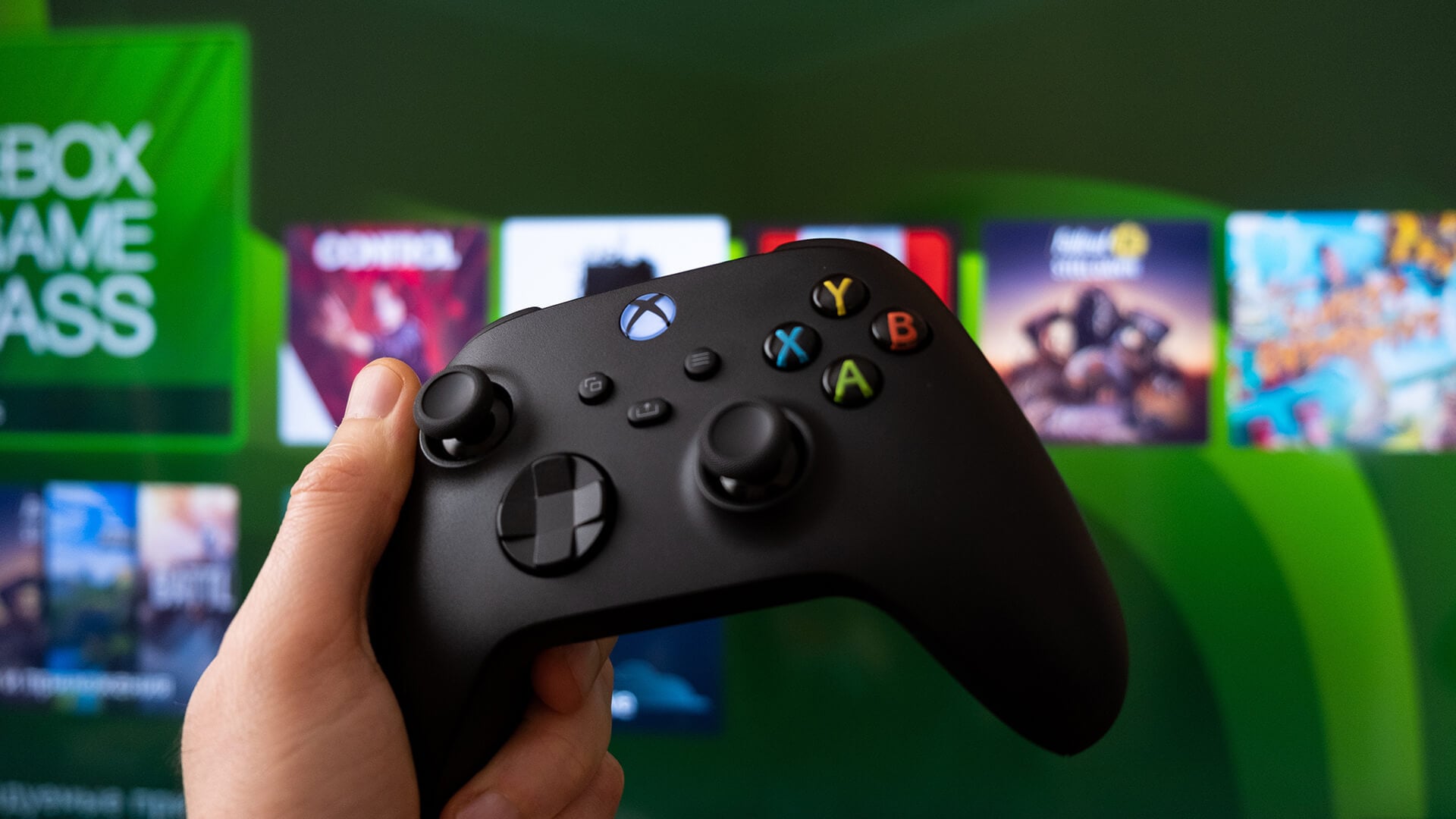
Quick Answer: How Does Game Pass Conversion Work?
Game Pass conversion means Xbox takes remaining prepaid time from an eligible lower-tier subscription and converts it into time on a higher-tier plan. You still get value from the prepaid time, but it is adjusted using the current conversion rate rather than always moving across as a 1:1 swap.
| Situation | What happens | Key warning |
|---|---|---|
| Upgrade to Game Pass Ultimate | Eligible prepaid time converts into Ultimate time | Conversion is not usually 1:1 |
| Upgrade to Game Pass Premium | Essential time converts into Premium time | Premium upgrade conversion is capped at 13 months |
| Redeem a lower-tier code while on Ultimate | The code converts into Ultimate time | This can give less time than upgrading after stacking |
| Redeem a lower-tier code while on Premium | The code converts into Premium time | The Premium code conversion table applies |
| Try to go past the extension limit | Code redemption may be blocked | You may see a “Hold off extending this right now” message |
The key point is simple: prepaid time conversion is final, non-refundable and based on the current upgrade ratio. If you are comparing Xbox Game Pass prices, plans, and perks, remember that Ultimate is not automatically the best value for everyone. The better choice depends on how you play, which devices you use and whether the extra benefits are worth the higher monthly cost.
Xbox Game Pass Plans and Perks at a Glance
Before looking at conversion details, it helps to understand which plan or benefit you are dealing with. Game Pass Ultimate conversion only applies to eligible subscriptions that Xbox includes in its conversion rules, so perks and separate subscriptions should not be treated the same way.
| Plan or benefit | What it is | Conversion relevance |
|---|---|---|
| Game Pass Essential | Entry-level Game Pass plan | Can convert to Ultimate or Premium |
| Game Pass Premium | Mid-tier Game Pass plan | Can convert to Ultimate |
| Game Pass Ultimate | Top Game Pass plan | Receives converted time from eligible subscriptions |
| PC Game Pass | PC-focused plan | Can convert to Ultimate |
| Game Pass for Console | Older or existing console plan | Can convert to Ultimate |
| EA Play | Included with Ultimate and PC Game Pass benefits | Can convert to Ultimate |
| Ubisoft+ Classics | Included as an Ultimate perk | Not listed as a prepaid conversion route in the official Xbox conversion tables |
EA Play can also be used to redeem subscription codes or upgrade to Ultimate. Ubisoft+ Classics is different. It is an Ultimate perk, but it is not shown as a separate subscription that converts into Game Pass time.
If you are comparing the wider value of each plan, compare Xbox Game Pass and PS Plus subscriptions before choosing. The right plan depends on whether you play on console, PC, cloud-supported devices or a mix of them.
Xbox Game Pass Conversion: Upgrade vs Code
There are two main types of Game Pass conversion: upgrade conversion and code conversion. They sound similar, but they can give different results.
| Conversion type | When it happens | What to know |
|---|---|---|
| Upgrade conversion | You move from a lower plan to Game Pass Premium or Ultimate | Existing prepaid time converts into the higher plan at the current upgrade ratio |
| Code conversion | You already have Premium or Ultimate and redeem a lower-tier code | The code converts into time on your active plan |
| Direct subscription change | You buy the higher-tier plan from Microsoft | You may be charged straight away, and the converted time is then added |
For most users, the order matters. If you are stacking prepaid codes, redeeming subscription codes before you upgrade to Game Pass Ultimate may give better value than redeeming lower-tier codes after Ultimate is already active.
Game Pass Ultimate Upgrade Conversion Rates
When you upgrade to Game Pass Ultimate, Xbox converts eligible remaining prepaid time into Ultimate time at the current conversion ratio. This can include prepaid time from Xbox Game Pass subscriptions or EA Play, up to a maximum of 36 months of Ultimate.
The converted time is rounded up to the next full day, so small decimal differences are not left as partial days. For example, 90 days of Essential converts at 45%, which becomes 40 days of Ultimate.
The table below explains the different Game Pass Ultimate conversion scenarios for anyone planning an upgrade to Game Pass Ultimate. The best option depends on which prepaid subscription you already have and how much time is left before upgrading.
| Current prepaid subscription | Ultimate conversion rate | Example |
|---|---|---|
| Xbox Game Pass Essential | 45% of the remaining time | 90 days becomes 40 days of Ultimate |
| PC Game Pass | 60% of the remaining time | 90 days becomes 54 days of Ultimate |
| Xbox Game Pass Premium | 65% of the remaining time | 90 days becomes 59 days of Ultimate |
| Game Pass for Console | 50% of remaining time | 90 days becomes 45 days of Ultimate |
| EA Play | 25% of remaining time | 90 days becomes 22 days of Ultimate |
Game Pass Premium Upgrade Conversion Rates
When you upgrade to Game Pass Premium, Xbox converts remaining Xbox Game Pass Essential time into Premium time at the current ratio. This prepaid time conversion is capped at a maximum of 13 months. The Game Pass conversion limit varies by region. So, it is important to check the latest information from official sources before doing a Game Pass Premium upgrade.
The current upgrade ratio is 3:2, and the converted time is rounded up to the next full day. For example, 90 days of Xbox Game Pass Essential convert into 60 days of Game Pass Premium.
Code Conversion for Active Game Pass Ultimate Subscribers

If you already have Game Pass Ultimate and redeem a code for a lower-tier subscription, Xbox converts that code into Ultimate time. This is different from upgrading after stacking prepaid time, so the amount you receive may be lower than expected.
The table below explains how subscription codes are redeemed on an active Ultimate account. It also explains why Game Pass Ultimate conversion is not always the same as an upgrade path. For example, a 12-month Game Pass Core, Essential or Gold code becomes 105 days of Ultimate when redeemed by an active Ultimate subscriber.
| Code type | What Ultimate subscribers get |
|---|---|
| 1 month Game Pass Core or Essential | 14 days Ultimate |
| 3 months Game Pass Core or Essential | 33 days Ultimate |
| 6 months Game Pass Core or Essential | 53 days Ultimate |
| 12 months Game Pass Core or Essential | 105 days Ultimate |
| 24 months Game Pass Core or Essential | 209 days Ultimate |
| 1 month Game Pass Standard or Premium | 20 days Ultimate |
| 2 months Game Pass Standard or Premium | 39 days Ultimate |
| 3 months Game Pass Standard or Premium | 59 days Ultimate |
| 1 month Gold | 14 days Ultimate |
| 3 months Gold | 33 days Ultimate |
| 6 months Gold | 53 days Ultimate |
| 12 months Gold | 105 days Ultimate |
| 24 months Gold | 209 days Ultimate |
| 1 month Xbox Game Pass for Console | 15 days Ultimate |
| 3 months Xbox Game Pass for Console | 45 days Ultimate |
| 6 months Xbox Game Pass for Console | 90 days Ultimate |
| 12 months Xbox Game Pass for Console | 180 days Ultimate |
| 24 months Xbox Game Pass for Console | 360 days Ultimate |
| 1 month PC Game Pass | 18 days Ultimate |
| 6 months PC Game Pass | 108 days Ultimate |
| 1 month EA Play | 8 days Ultimate |
| 6 months EA Play | 45 days Ultimate |
| 12 months EA Play | 50 days Ultimate |
Code Conversion for Active Game Pass Premium Subscribers
This table is relevant when Game Pass Premium is already active on your account. In this situation, Game Pass Core, Essential or Gold codes do not add their full original duration and are instead converted into Premium time.
| Code type | What Premium subscribers get |
|---|---|
| 1 month Game Pass Core or Essential | 23 days Premium |
| 3 months Game Pass Core or Essential | 60 days Premium |
| 6 months Game Pass Core or Essential | 108 days Premium |
| 12 months Game Pass Core or Essential | 183 days Premium |
| 24 months Game Pass Core or Essential | 365 days Premium |
| 1 month Gold | 23 days Premium |
| 3 months Gold | 60 days Premium |
| 6 months Gold | 108 days Premium |
| 12 months Gold | 183 days Premium |
| 24 months Gold | 365 days Premium |
This is useful for checking whether a code is still worth redeeming after you already have Premium. A longer code can still add useful time, but it will follow the Premium code table rather than the original length printed on the code.
Game Pass Conversion Limits and Subscription Extension Limits
Game Pass conversion rules are not only about rates. They also control how much prepaid subscription time you can stack on an account. These subscription extension limits vary by plan and, in some cases, by country.
| Subscription | Maximum extension limit |
|---|---|
| Game Pass Ultimate | 36 months in all countries where available |
| Game Pass Essential | 36 months in all available countries, except Argentina, Brazil, Chile, Colombia, Mexico, Singapore, Taiwan and Türkiye, where the limit is 13 months |
| PC Game Pass | 36 months in all available countries, except Argentina, Brazil, Chile, Colombia, Mexico, Singapore, Taiwan and Türkiye, where the limit is 13 months |
| Game Pass Premium | 13 months in all available countries, with longer limits possible in select countries |
| Game Pass for Console | 13 months in all available countries, with longer limits possible in select countries |
| EA Play | 36 months in all available countries, except Argentina and Türkiye, where the limit is 13 months |
If redeeming subscription codes would push your account beyond the allowed limit, Xbox may block the redemption until enough time has passed. In that case, you may see a “Hold off extending this right now” message.
These limits are separate from the prepaid time conversion rate. The rate decides how much time you receive after conversion, while the extension limit decides how much subscription time your account can hold.
How to Get Xbox Game Pass Ultimate at a Discounted Price
The old 1:1 Game Pass conversion deal is no longer the same, so this should not be treated as a guaranteed loophole. A safer way to look at it is as a value calculation: if eligible lower-tier codes cost less than paying for Ultimate directly, conversion may still help reduce the monthly cost.
In the UK, Game Pass Ultimate currently costs £16.99 per month. That means paying monthly for 17 months would cost £288.83.
Example saving using three 12-month Essential codes at £49.99 each:
- Cost of three 12-month Essential codes: £149.97
- Cost of one month of Ultimate to upgrade: £16.99
- Total setup cost: £166.96
- 36 months of Essential converts into about 16 months of Ultimate at the current 45% Game Pass conversion rate
- Add the paid Ultimate month, and you get roughly 17 months of Ultimate
- Paying monthly for 17 months of Ultimate would cost £288.83
- Estimated saving: around £121.87
- Effective monthly cost: about £9.82 instead of £16.99
This saving only works if the codes are eligible, UK-compatible, bought from a trusted source and redeemed in the right order before you upgrade to Game Pass Ultimate. If the code price changes, the saving changes too.
To keep it safe:
- Check the latest Game Pass conversion rate before buying codes
- Use trusted retailers and avoid region-mismatched codes
- Redeem eligible lower-tier codes before upgrading
- Stay within the current Game Pass conversion limit
- Treat the savings as an example, not a guaranteed result
- Remember that conversion is final and non-refundable
If the maths works, this can help maximise subscription value. If it does not, paying directly for the plan you actually need may be the cleaner option.
You can also put the savings towards the setup you play on, such as better gaming gear, more comfortable joystick controllers, clearer headsets used for gaming, networking devices for Xbox cloud, or extra storage for games.
Best Ways to Maximise Game Pass Conversion Value

The best way to handle Game Pass conversion is to plan the order before redeeming anything. Conversion rates can change, and prepaid time conversion is final, so a few checks upfront can prevent lost value.
For better results:
- Check the latest Xbox conversion table before buying prepaid codes
- Redeem eligible lower-tier codes before upgrading, if that gives a better conversion outcome
- Check your current subscription status before redeeming anything
- Stay within the extension limit for your plan and country
- Compare the converted time against the price you actually paid
- Choose Ultimate only if you will use the extra benefits
- Treat the conversion as final once it has been applied
Should You Upgrade to Game Pass Ultimate or Premium?
- Upgrade to Game Pass Ultimate if you play across console, PC and cloud, and you will actually use extras like EA Play, Ubisoft+ Classics, select day-one releases and wider device access. It can also make more sense if you use prebuilt gaming PCs or laptops for gaming alongside an Xbox console.
- Choose a Game Pass Premium upgrade if you want a bigger Game Pass library than Essential but do not need every Ultimate benefit. It is the simpler option if you mainly play on one setup and want to keep the monthly cost lower.
Final Checklist Before You Convert Game Pass Time
Before using Game Pass conversion, check:
- Your current subscription status
- Whether you are upgrading to Premium or Ultimate
- The latest Game Pass conversion rate
- Your country’s subscription extension limit
- Whether your code type appears in the correct conversion table
- The real cost per converted month
- Whether the extra plan benefits are worth it
- That prepaid time conversion is final and non-refundable
Frequently Asked Questions
Does the Xbox Game Pass conversion trick still work?
Yes, Game Pass conversion still works, but it is not the old 1:1-style deal. Xbox now uses current conversion rates, so check the latest table before buying or redeeming codes.
How does Xbox Game Pass conversion work?
Xbox converts eligible prepaid subscription time into time on a higher-tier plan. The amount you receive depends on the current conversion rate and the subscription you are converting from.
Are Game Pass conversion rates fixed?
No. Xbox says conversion ratios are subject to change, so rates should always be checked before upgrading or redeeming subscription codes.
What is the maximum Game Pass time you can stack?
Game Pass Ultimate can be extended up to 36 months. Other plans can have different limits, and some countries have lower extension limits.
Can you lose value when converting Game Pass?
Yes. You can lose value if you redeem codes in the wrong order, go beyond extension limits or assume every code converts at full length.
How much does 12 months Game Pass Core convert to Ultimate?
For an active Ultimate subscriber, a 12-month Game Pass Core or Essential code currently converts to 105 days of Ultimate. If you are upgrading from remaining Essential time, the current upgrade conversion rate is 45%.
You can pay with:
*PayPal Credit Representative Example: Assumed credit limit £1,200, Representative 23.9% APR (variable). Purchase rate 23.9% p.a (variable).Terms & Conditions apply.


PayPal Credit and PayPal Pay in 3 are trading names of PayPal UK Ltd, 5 Fleet Place, London, United Kingdom, EC4M 7RD. Terms and conditions apply. Credit subject to status, UK residents only, Five Tech LTD acts as a broker and offers finance from a restricted range of finance providers. PayPal Pay in 3 is not regulated by the Financial Conduct Authority. Pay in 3 eligibility is subject to status and approval. 18+. UK residents only. Pay in 3 is a form of credit. Check if affordable and how you will repay. May make other borrowing more difficult or expensive. See product terms for more details.
Copyright © 1996-2026 Fivetech LTD | Terms and Conditions
box.co.uk & Box are trading names of Five Tech Limited. Registered office: Box LTD, Unit 10 Woodford Trading Estate, Woodford Green IG8 8HF