


 Menu
MenuMenu


Get Sales Advice from Mon - Fri 9am - 5:00pm:
020 3337 8950POSTED: July 10, 2026
eSIM for Mobile Users Benefits, Setup and Best Uses
An eSIM is a digital version of a SIM card. Instead of inserting a small plastic card into your phone, tablet, smartwatch, or laptop, your mobile plan is activated digitally on a chip already built into the device.
This guide explains what eSIM means, how it works, why it is useful, how to set it up and when a physical SIM may still be the better option. It also covers travel eSIM plans, dual SIM use, compatible devices and common setup issues.
Quick answer: An eSIM is an embedded SIM that lets you activate a mobile plan digitally without using a physical SIM card. It is useful for travel, switching plans, using work and personal numbers on one phone, and connecting compatible tablets, smartwatches, or laptops to mobile data.
What is eSIM on a Mobile Phone?
An eSIM is short for embedded Subscriber Identity Module, or simply, embedded SIM. It is a physical SIM alternative that works like a normal SIM card, but it is built into the device instead of being removable.
A normal SIM card is a physical chip that stores the information your mobile network needs to identify your plan. An eSIM is a virtual SIM card that stores that information digitally. Your network sends you an eSIM profile, and your phone downloads it during activation.
For most users, the main benefit of a digital SIM card is convenience. You can activate a mobile plan without waiting for a SIM card in the post or swapping tiny cards between devices.
How eSIM Works

An eSIM works by downloading a mobile network profile onto the built-in SIM chip inside your device. Once activated, the network recognises your phone, tablet, smartwatch, or laptop in the same way it would with a physical SIM.
Digital Activation Explained
The setup usually happens in one of three ways:
- scanning a QR code from your network
- using carrier activation during device setup
- adding the plan manually through device settings
After activation, the eSIM connects your device to the mobile network for calls, texts, and mobile data, depending on the plan.
Some travel eSIM plans are data-only, so they may not include a normal phone number, calls or SMS. Always check the plan details before buying.
How Mobile Networks Connect
Your eSIM contains the profile that tells the mobile network who you are and which plan you use. Once active, your device connects to the network using available mobile coverage, such as 4G or 5G.
The experience depends on:
- your device
- your mobile plan
- network coverage
- carrier support
- local signal strength
- roaming settings
- whether the eSIM is data-only or includes calls and texts
Why There’s No Physical Card
There is no physical card because the SIM hardware is already built into the device. You still get mobile service, but activation is handled digitally.
That means:
- no SIM tray swapping
- no lost SIM card
- no waiting for a replacement SIM
- easier plan switching
- simpler travel data setup
- more room inside devices for manufacturers
eSIM vs Physical SIM: Which Is Better?
An eSIM is better for convenience, travel, and switching plans. A physical SIM is better if you often move your SIM between devices or use older phones.
| Need | Better Option |
|---|---|
| Fast digital setup | eSIM |
| Travel data plan | eSIM |
| Work and personal numbers | eSIM or dual SIM |
| Older phone compatibility | Physical SIM |
| Moving SIM between phones quickly | Physical SIM |
| Fewer small parts to handle | eSIM |
| Backup if eSIM setup fails | Physical SIM |
For most modern users, eSIM is more flexible. For people using older devices or networks without eSIM support, a physical SIM still makes sense. If you want more information on this, we have a dedicated guide on eSIM vs physical SIM you can refer to.
What Are the Benefits?
The biggest benefit of eSIM is mobile flexibility. It makes it easier to activate, manage and switch mobile plans without handling a physical card.
Easier Setup and Switching
With eSIM setup, you can usually activate a plan by scanning a QR code or following your network’s setup instructions. This can be quicker than waiting for a SIM to arrive.
An eSIM can help if you want to:
- switch mobile plans
- add a second number
- activate a new phone
- test a network with an eSIM free trial
- avoid visiting a store
- manage mobile data digitally
- replace a lost SIM more easily
Some networks offer eSIM free trial plans, but availability changes by provider and country. Always check the plan length, data limit, and whether it renews automatically.
Better for Travel and Dual SIM Use
A travel eSIM is one of the most useful eSIM use cases. Instead of buying a local physical SIM abroad, you can buy a digital data plan before or during your trip.
A travel eSIM can be useful for:
- maps
- ride apps
- hotel bookings
- translation apps
- messaging
- travel documents
- mobile payments
- cloud saves and gaming updates when away from Wi-Fi
Dual SIM use is another strong benefit. Many eSIM phones let you use one number for work and another for personal use. You can also keep your UK number active while using a travel eSIM for data abroad.
More Flexibility for Modern Phones
Modern phones are built around digital services, and eSIM fits that pattern. It makes mobile activation feel more like setting up an app or account.
eSIM can help with:
- faster setup
- less physical waste
- easier plan switching
- multiple stored profiles
- cleaner device design
- easier travel connectivity
- better support for compact devices
If you are upgrading soon, compare eSIM supported phones to make sure your next device supports the mobile features you need.
How to Set Up eSIM on a Phone
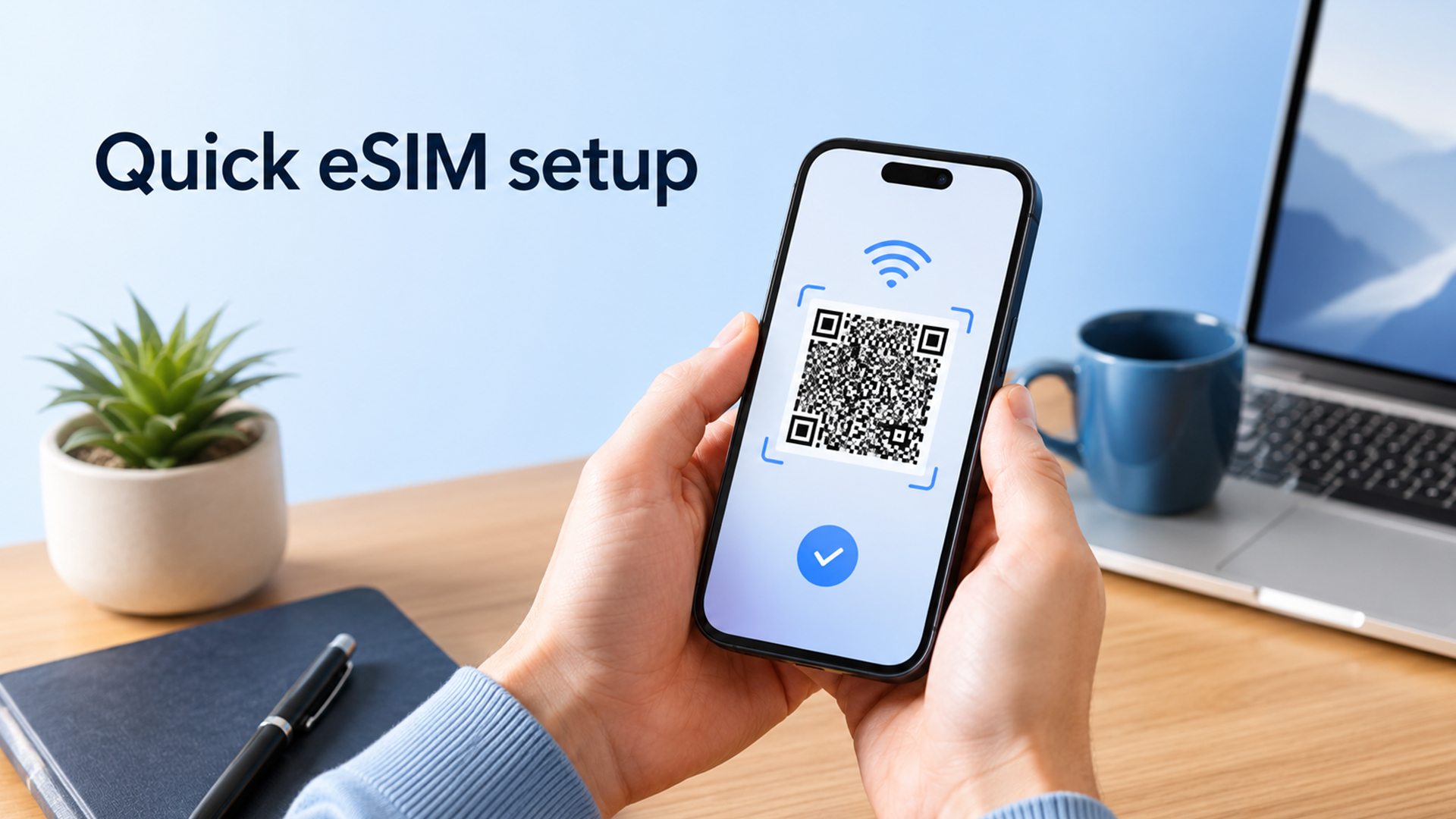
The exact steps depend on your phone and mobile network, but the process is usually straightforward.
What You Need Before Activation
Before setting up eSIM, check that you have:
- an eSIM compatible phone
- a mobile network that supports eSIM
- an active mobile plan
- Wi-Fi connection during setup
- a QR code or activation details
- your network account login, if needed
- an unlocked phone, if switching networks
- enough battery or charger connected
If you are moving from a physical SIM, check whether your provider supports converting your SIM to eSIM.
QR Code and Carrier Setup Steps
Typical eSIM setup steps:
- Connect your phone to Wi-Fi.
- Open mobile network or SIM settings.
- Choose Add eSIM, Add mobile plan or similar.
- Scan the QR code from your network.
- Confirm the mobile plan.
- Wait for activation.
- Choose default line for calls, texts, and mobile data.
- Test calls, messages and mobile data.
On some phones, the eSIM may be assigned automatically by the network during setup. In that case, follow the on-screen steps.
Common Setup Issues to Watch For
Common eSIM setup problems include:
- phone is not eSIM compatible
- network does not support eSIM
- QR code has already been used
- phone is locked to another network
- Wi-Fi connection drops during setup
- roaming settings are incorrect
- old SIM line is still selected for mobile data
- carrier activation has not completed
If activation fails, contact your mobile provider before deleting the eSIM profile. Deleting it may mean you need a new QR code or fresh activation.
Who Needs eSIM?
Not everyone needs eSIM, but it is useful for people who want easier connectivity across devices and networks.
Frequent Travellers
Frequent travellers are one of the biggest eSIM audiences.
A travel eSIM can help you:
- avoid expensive roaming charges
- get mobile data abroad quickly
- keep your UK SIM active
- use maps and transport apps
- stay connected without public Wi-Fi
- switch between local data plans
- avoid buying SIM cards at airports
For travel, check whether the eSIM plan includes data only or also includes calls and texts.
Users Managing Work and Personal Numbers
eSIM is useful if you want two lines on one phone.
For example:
- one number for work
- one number for personal use
- one SIM for calls
- one eSIM for data
- one UK SIM plus one travel eSIM
This is useful for business users, freelancers, students, creators, and anyone who wants to keep work and personal life separate without carrying two phones.
People Buying New Smartphones
If you are buying a new smartphone, eSIM support is worth checking. It makes the device more flexible and better suited to future mobile plans.
This matters if you:
- travel regularly
- change networks
- want dual SIM support
- use mobile data heavily
- want an easier setup process
- plan to keep the phone for several years
eSIM Supported Devices

eSIM is now common on many modern premium and mid-range devices, but support is not universal.
Smartphones with eSIM
Many newer iPhones, Samsung Galaxy models, Google Pixel phones and other Android devices support eSIM. However, support can vary by model, region and network.
Before buying, check:
- device model
- UK version details
- carrier support
- dual SIM support
- whether it supports one or multiple active eSIMs
- whether it still has a physical SIM slot
If you want mobile flexibility, eSIM compatible phones are the best place to start.
Tablets and Smartwatches
eSIM is also common in mobile tablets and smartwatches.
It can be useful for:
- using a tablet away from Wi-Fi
- streaming on the move
- taking smartwatch calls without a phone nearby
- tracking fitness outdoors
- using maps while travelling
- staying connected without tethering
You can compare mobile tablets if you want a tablet that can work away from home Wi-Fi.
Laptops and Other Connected Devices
Some Windows laptops support eSIM or cellular data, especially business and travel-focused models. These are useful if you want laptop connectivity without tethering to your phone.
Laptops with electronic SIM support are useful for:
- remote workers
- commuters
- field teams
- students
- business travel
- backup internet
- secure mobile data away from public Wi-Fi
You can browse eSIM supported laptops if mobile connectivity is important for work or study.
Other connected devices can also use eSIM-style technology, including some routers, cars, trackers, and industrial devices. For home or office connectivity, you can also compare networking gears at Box.
Are There Any Downsides?
eSIM is convenient, but it is not perfect for every user.
Carrier Compatibility
Not every mobile network supports eSIM on every device. Some providers support eSIM for phones but not tablets, watches or laptops.
Check:
- network support
- device support
- country support
- roaming support
- whether your plan allows eSIM
- whether business accounts have restrictions
Setup Limitations
eSIM setup is simple when everything works, but it can be awkward if you are locked out of an account, changing phones quickly, or dealing with a failed activation.
Possible issues:
- you may need Wi-Fi to activate
- QR codes may be single-use
- transferring eSIM between phones can depend on carrier support
- deleting an eSIM can remove your active plan from the device
- repairs or replacements may require a fresh activation
Before selling, resetting, or repairing a phone, check how to remove or transfer your eSIM safely.
When a Physical SIM May Still Be Better
A physical SIM may still be better if you:
- use an older phone
- often swap SIMs between devices
- need quick emergency device changes
- use a network without eSIM support
- do not want app or account-based activation
- prefer a simple removable card
For many people, the best setup is having both: one physical SIM and one eSIM. That gives you flexibility for travel, backup data and dual numbers.
eSIM and Travel: What to Know Before You Go
Travel is one of the clearest reasons to use eSIM.
Before buying a travel eSIM, check:
- country coverage
- data allowance
- expiry date
- whether it is data-only
- hotspot support
- speed limits
- roaming settings
- refund rules
- activation timing
Some travel eSIM plans start as soon as they are installed. Others start when they first connect to a supported network. Read the terms before scanning the QR code.
Should You Turn Off Roaming When Using a Travel eSIM?
Usually, you should turn off data roaming on your home SIM to avoid unexpected charges. Then set the travel eSIM as your mobile data line.
However, some travel eSIM providers require data roaming to be turned on for the travel eSIM itself. The safest setup is:
- Turn off data roaming on your home SIM.
- Set the travel eSIM as your mobile data line.
- Follow the travel eSIM provider’s roaming instructions.
- Keep your home SIM active only if you need calls or texts.
- Check charges before receiving calls or SMS abroad.
Is eSIM Secure?

eSIM can be secure because there is no physical card to lose, remove or steal from the device. Activation is handled digitally through your network and device settings.
That said, security still depends on good habits.
Use:
- strong phone lock
- secure email account
- two-factor authentication
- trusted Wi-Fi during setup
- official carrier instructions
- careful QR code handling
- account protection with your mobile provider
Do not share your eSIM QR code publicly. Treat it like access to your mobile plan.
Final Thoughts: Is eSIM the Future?
Yes, eSIM is likely to become more common because it is easier for modern devices, travel plans and multi-device connectivity. It removes the need for a physical SIM card and makes mobile activation more flexible.
For most mobile users, eSIM is worth having even if you do not use it straight away. It gives you more options for travel, dual SIM use, switching plans and connecting compatible devices.
Choose eSIM if you want:
- easier mobile activation
- a travel data plan
- dual SIM flexibility
- fewer physical SIM cards
- better mobile flexibility
- a future-ready smartphone
- laptop or tablet mobile data support
Stick with a physical SIM if your device or carrier does not support eSIM, or if you regularly move your SIM between devices.
The simple answer: eSIM is not complicated. It is just a digital SIM card that makes mobile connectivity easier when your device and network support it.
FAQs
-
Can I use my eSIM in my laptop?
Yes, but only if your laptop supports eSIM or built-in cellular connectivity. Some Windows laptops can use an eSIM for mobile data, but you still need a compatible data plan from a mobile operator.
-
Can I convert my SIM to eSIM?
Yes, if your mobile provider supports SIM-to-eSIM conversion. Some providers let you do this through their app, website or customer support. If your provider does not support it, you may need to keep using a physical SIM.
-
Does eSIM drain battery faster?
eSIM itself should not noticeably drain your battery faster than a physical SIM. Battery drain is more likely to come from weak signal, roaming, 5G use, hotspot use or constantly switching between networks.
-
Does eSIM give you a phone number?
It depends on the plan. A normal mobile eSIM plan can include a phone number, calls, texts and data. Many travel eSIM plans are data-only and do not include a phone number.
-
Can I activate it myself?
Yes, in many cases. You can usually activate eSIM by scanning a QR code, using carrier activation or adding the plan in your phone settings. If activation fails, contact your mobile provider.
-
Do I turn off roaming when using an eSIM?
If you are using a travel eSIM, turn off data roaming on your home SIM to avoid unexpected charges. Then set the travel eSIM as your mobile data line. Some travel eSIM plans require roaming to be on for the travel eSIM itself, so follow the provider’s instructions carefully.
-
Is eSIM better than a physical SIM?
eSIM is better for digital setup, travel, and dual SIM flexibility. A physical SIM can still be better if you use older devices, switch SIM cards often or rely on a network that does not fully support eSIM.
You can pay with:
*PayPal Credit Representative Example: Assumed credit limit £1,200, Representative 23.9% APR (variable). Purchase rate 23.9% p.a (variable).Terms & Conditions apply.


PayPal Credit and PayPal Pay in 3 are trading names of PayPal UK Ltd, 5 Fleet Place, London, United Kingdom, EC4M 7RD. Terms and conditions apply. Credit subject to status, UK residents only, Five Tech LTD acts as a broker and offers finance from a restricted range of finance providers. PayPal Pay in 3 is not regulated by the Financial Conduct Authority. Pay in 3 eligibility is subject to status and approval. 18+. UK residents only. Pay in 3 is a form of credit. Check if affordable and how you will repay. May make other borrowing more difficult or expensive. See product terms for more details.
Copyright © 1996-2026 Fivetech LTD | Terms and Conditions
box.co.uk & Box are trading names of Five Tech Limited. Registered office: Box LTD, Unit 10 Woodford Trading Estate, Woodford Green IG8 8HF