


 Menu
MenuMenu


Get Sales Advice from Mon - Fri 9am - 5:00pm:
020 3337 8950LAST UPDATED: January 27, 2026
Upgrading from an Older Tablet to a 10-Inch Model: What You’ll Notice
If you've been using an older or smaller tablet for a few years, moving to a newer 10-inch model can feel like a bigger upgrade than you might expect.
A 10 inch tablet upgrade isn't just about a larger screen; it often brings noticeable improvements in speed, multitasking, battery life, and long-term software support.
Whether your current tablet feels slow, struggles with modern apps, or simply isn't comfortable for everyday use anymore, this guide explains what changes when you upgrade and what benefits you're likely to notice straight away.
Here's What You'll Notice Upgrading to a 10-inch Tablet
10 inch tablet Upgrade delivers meaningful enhancements in processing power, visual clarity, and overall versatility. Below is a summary of the key improvements you'll encounter:
1- Speed, Multitasking and Screen Size Differences
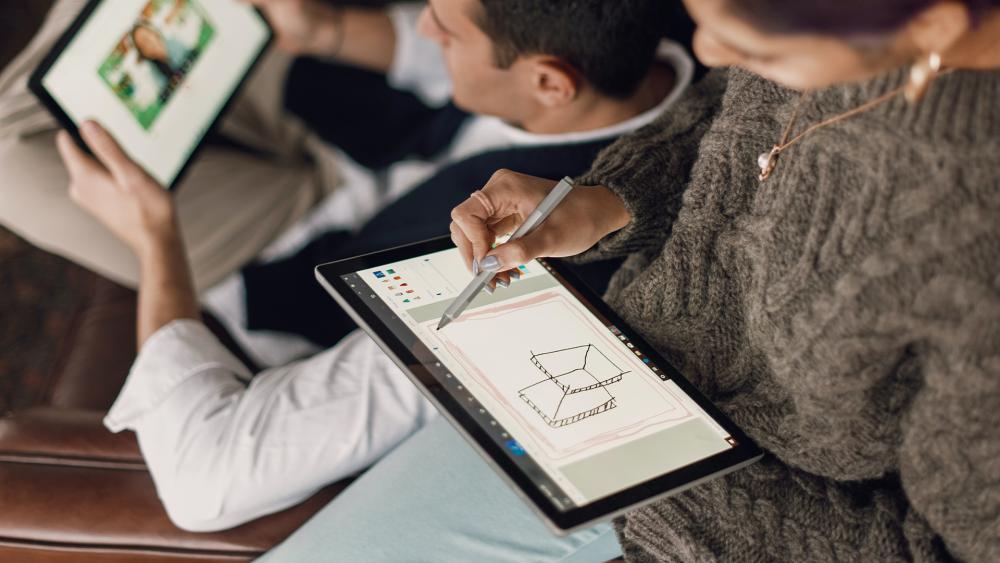
One of the first things most people notice after upgrading to a newer 10-inch tablet is the overall performance boost. Modern tablets use newer processors, faster memory, and improved graphics handling, which makes everyday tasks feel smoother and more reliable than on older devices.
App Speed and Responsiveness Changes
A newer 10-inch tablet typically delivers a noticeable performance boost thanks to faster chipsets (such as newer ARM-based processors), increased RAM, and quicker storage. Apps open more quickly, animations feel smoother, and actions like scrolling through websites or switching between apps respond almost instantly.
For example, tasks that might cause delays on an older tablet like opening large web pages, loading streaming apps, or handling image-heavy documents are handled more easily on newer hardware. This improvement in 10 inch tablet performance is especially noticeable if your older device struggles with modern app updates or longer load times.
Multitasking Improvements and Stability
Multitasking is another area where upgrades are immediately obvious. Older tablets often pause or reload apps when you switch between them, especially if memory is limited. Newer 10-inch tablets manage memory far more effectively, allowing multiple apps to remain active in the background.
With improved tablet multitasking improvements, features like split-screen mode, picture-in-picture video, and app switching feel far more reliable. You can browse the web while watching a video, reply to emails while referencing a document, or jump between apps without losing progress; something older tablets often struggle to do consistently.
| If you're ready for a faster, more responsive experience, it may be time to shop newer 10-inch tablets from top brands like Samsung and Apple. |
Screen Space and Reading Comfort
The move to a 10-inch display brings more than just extra size. Higher resolutions, improved panel technology, and better scaling mean content fits more naturally on screen. Text appears clearer, layouts are easier to follow, and apps designed for larger screens feel less cramped.
This screen size change is especially noticeable when reading articles, viewing spreadsheets, or joining video calls. You spend less time zooming in and out, and the overall experience feels more comfortable for longer sessions. For everyday use, studying, or light productivity, the added screen space reduces eye strain and makes the tablet far more practical.
2- Battery Life and Charging Improvements
Battery performance is another area where a 10 inch tablet upgrade often delivers noticeable gains, even though the device itself may be larger. Advances in processor efficiency, battery technology, and charging standards mean newer tablets are designed to last longer day to day and age more gracefully over time.
Battery Endurance Expectations
Newer 10-inch tablets use more efficient processors built on smaller manufacturing processes, which means they consume less power while delivering better performance. Combined with improved operating system power management, this leads to meaningful tablet battery improvements in real-world use.
In practice, this means longer screen-on time when browsing the web, watching videos, or reading, as well as significantly better standby performance when the tablet isn't actively being used. Even with a larger screen, many users find a modern tablet lasts longer between charges than an older, smaller device that struggles with background apps and inefficient hardware.
Charging Speed and Port Standards
Charging has also improved noticeably on newer tablets. Many modern models support faster charging speeds, allowing you to regain a large portion of battery life in a much shorter time. This is particularly useful if you use your tablet throughout the day and don't want it tied to a charger for hours.
Upgrading often also means access to updated charging standards, reducing reliance on older proprietary chargers. Using a common charging port makes it easier to share chargers with other devices and replace cables if needed, improving everyday convenience.
Battery Health and Long-term Use
Battery health is something many users only notice once it becomes a problem. Older tablets often suffer from reduced capacity, meaning they drain faster even after a full charge. Newer tablets start with a fresh battery and include improved charging controls that help reduce long-term wear.
Features such as smarter charging cycles, background optimisation, and better thermal management help maintain battery capacity over time. This means your tablet is more likely to deliver consistent battery life for years, rather than gradually becoming dependent on constant top-ups.
3- New Operating System Features Gained

Upgrading to a newer 10-inch tablet almost always means moving to a more recent operating system, and this can be just as important as the hardware upgrade itself. Over time, tablet operating systems evolve to take advantage of larger screens, faster processors, and modern usage habits. If your older tablet is no longer receiving updates, you're likely missing out on features that improve how the device works day to day.
Productivity Features and Multitasking Tools
Modern tablet operating systems are designed to make better use of larger displays, which is where a 10-inch tablet really benefits. Newer OS versions introduce more refined multitasking tools, such as improved split-screen modes, floating app windows, and smoother picture-in-picture video playback.
In practical terms, this means you can keep a web browser open while taking notes, watch a video while replying to messages, or switch between apps without them constantly reloading. Improved file handling also makes it easier to manage documents, downloads, and shared files, turning a tablet into a more practical device for light work, studying, or everyday organisation. These tablet OS features help bridge the gap between casual use and basic productivity.
Security and Privacy Improvements
Security is one of the most important reasons to upgrade an older tablet. Newer operating systems receive regular security updates that fix vulnerabilities discovered over time. If a tablet stops receiving these updates, it becomes more exposed to security risks, especially when connected to the internet.
Modern operating systems also offer better privacy controls. You'll often see clearer permission settings that let you decide exactly which apps can access things like your location, camera, microphone, or files. For users who check emails, access online accounts, or use banking and shopping apps, these improvements provide peace of mind and better control over personal data.
App Compatibility and Updates
As operating systems evolve, app developers optimise their software for newer versions and gradually stop supporting older ones. This is why older tablets often struggle with slow apps, missing features, or apps that no longer update at all.
Upgrading ensures ongoing app compatibility, meaning you can install the latest versions of apps and benefit from performance improvements, bug fixes, and new features. This also helps keep the tablet feeling responsive over time, rather than becoming increasingly limited as software moves on.
4- Moving Data Safely to a New 10-inch Tablet

One of the biggest concerns when upgrading to a new tablet is making sure nothing important gets lost along the way. Photos, documents, apps, and account settings often build up over years of use, so it's completely normal to want a safe and reliable way to move everything across. Fortunately, modern tablets are designed to make data transfers far simpler than they used to be, as long as you take a few sensible steps.
Backup Preparation and Account Checks
Before setting up your new tablet, the most important step is creating a full backup of your existing device. This ensures that even if something goes wrong during setup, your data is protected. A backup can be created using built-in tools or through a local backup transfer, such as copying files to a computer or external storage.
It's also worth checking that you know the login details for your main accounts, such as your app store, email, and cloud services. Making sure these are up to date avoids delays during setup and ensures your data can be restored smoothly.
Transfer Options and Cloud Syncing
Most modern tablets offer guided setup tools that handle tablet data transfer automatically. When you sign in during setup, the tablet can use cloud sync to restore apps, photos, contacts, and settings from your backup. This is often the easiest option, as it requires minimal manual effort and works in the background while you continue setting up the device.
For larger files or users who prefer more control, combining cloud sync with a local transfer can be useful. This approach allows you to restore essential apps and settings automatically, while manually moving larger folders or specific files afterwards.
Post-transfer Verification Steps
Once setup is complete, it's important to carry out setup verification before resetting or passing on your old tablet. Take a few minutes to open key apps, check that photos and documents are present, and confirm that accounts are signed in correctly. Verifying everything at this stage helps catch any missing data early, when it's still easy to restore.
Only once you're confident that everything has transferred successfully should you consider wiping or retiring your old device. This final check provides peace of mind and ensures your upgrade experience starts smoothly.
Recommended 10-inch Tablets for You!
Each option offers a different balance of performance, display quality, and durability, so you can focus on value rather than paying for features you don't need.
Samsung Galaxy Tab Active4 Pro (10.1") - MPN: SM-T636BZKEEEA
The Samsung Galaxy Tab Active4 Pro is built for durability and reliability, combining a responsive Snapdragon processor with a rugged design that's made to handle demanding environments. Its 10.1-inch display, solid performance, and enterprise-focused features make it a dependable choice for users who need a tablet that can cope with everyday knocks and heavy use.
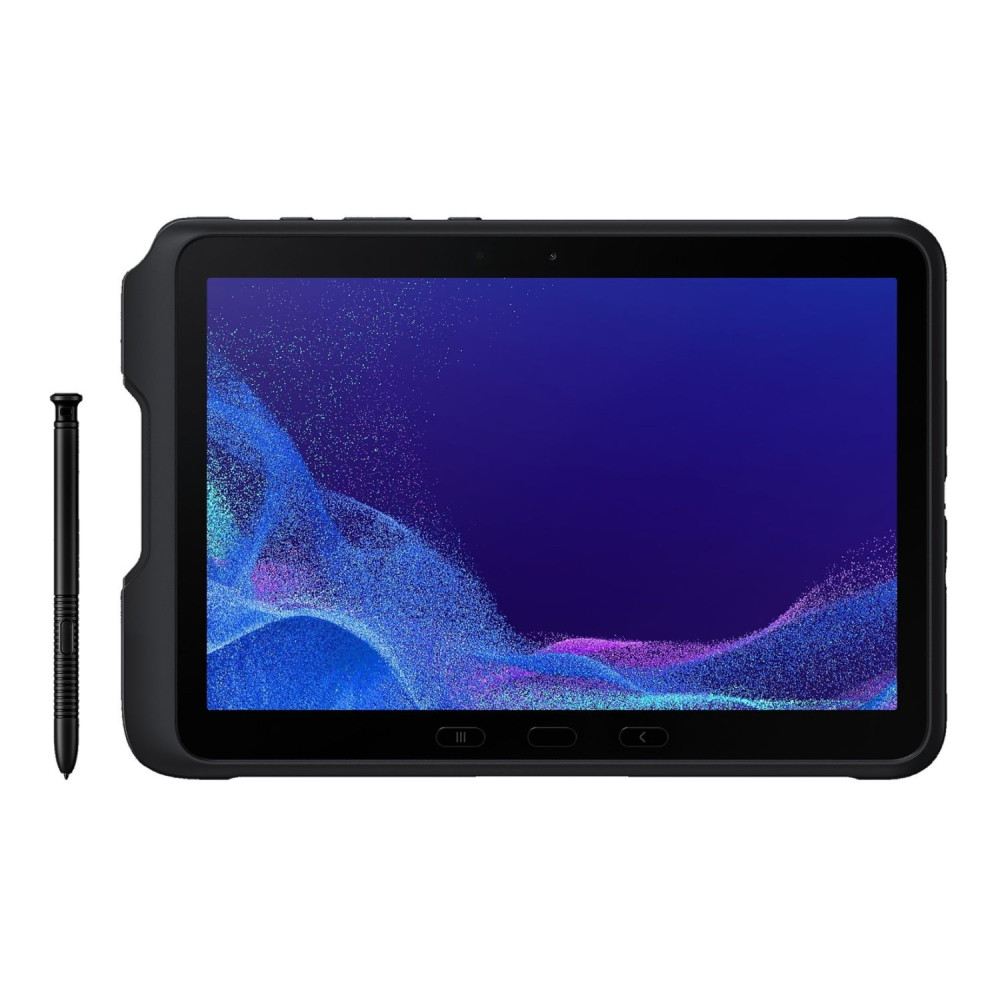
Best for: Professionals, field workers, and business users who need a robust 10-inch tablet for work environments where durability and long-term reliability matter.
TCL NXTPAPER 11 (10.9") - MPN: 9466X4-2CLCGB11
The TCL NXTPAPER 11 focuses on eye comfort and productivity, using a specialised display designed to reduce glare and eye strain during long reading or working sessions. With generous storage and a large 10.9-inch screen, it offers a comfortable experience for document work, browsing, and media without the harshness of traditional displays.
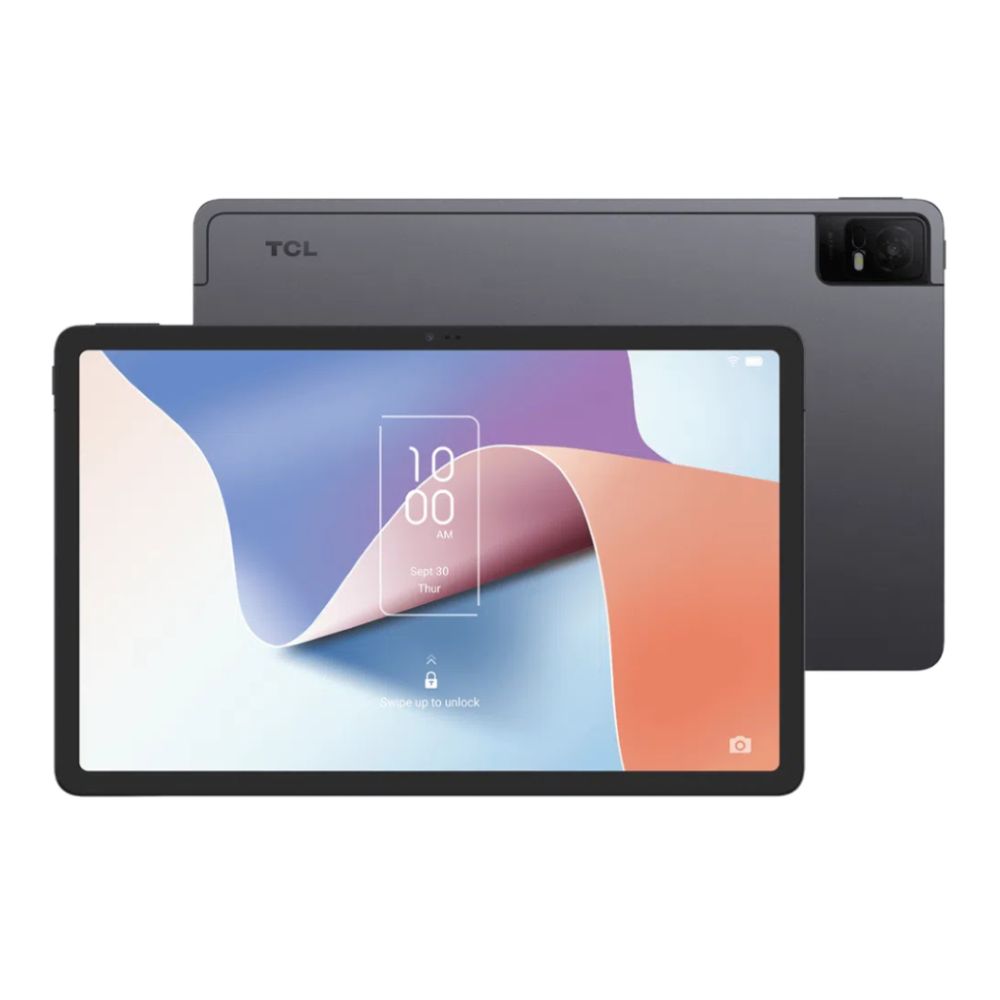
Best for: Students, office users, and readers who spend long hours on a tablet and want a more comfortable screen for everyday use.
Thinking about Upgrading?
If you're planning a 10 inch tablet upgrade, you can browse and compare the latest models at Box.co.uk, where you'll find a wide range of newer 10-inch tablets from leading brands in one place. Box makes it easier to compare specifications, prices, and availability, helping you choose a tablet that suits how you use it.
If you're unsure which model to go for, Box also offers helpful buying guides to support your decision, including advice on how to choose your next tablet and the best time to upgrade your tablet in the UK. And if your current device is acting up, comparing troubleshooting vs upgrading can help you decide whether a replacement is the better long-term option.
Frequently Asked Questions
What differences are most noticeable when upgrading to a 10-inch tablet?
Most users notice a larger, more comfortable screen, faster performance, smoother multitasking, and better battery life almost immediately.
Does a newer 10-inch tablet improve multitasking and speed?
Yes, newer tablets use faster processors and improved memory management, making app switching, split-screen use, and everyday tasks feel much smoother.
What battery and charging improvements are typical with newer tablets?
Newer models usually offer longer battery life, faster charging, and support for modern charging standards that reduce downtime.
Which new features are gained when moving to a newer tablet OS?
You gain improved multitasking tools, better security and privacy controls, and continued app compatibility with the latest updates.
What's the safest way to transfer data to a new 10-inch tablet?
Creating a full backup and using built-in setup tools with cloud sync is the safest and easiest way to move your data.
You can pay with:
*PayPal Credit Representative Example: Assumed credit limit £1,200, Representative 23.9% APR (variable). Purchase rate 23.9% p.a (variable).Terms & Conditions apply.


PayPal Credit and PayPal Pay in 3 are trading names of PayPal UK Ltd, 5 Fleet Place, London, United Kingdom, EC4M 7RD. Terms and conditions apply. Credit subject to status, UK residents only, Five Tech LTD acts as a broker and offers finance from a restricted range of finance providers. PayPal Pay in 3 is not regulated by the Financial Conduct Authority. Pay in 3 eligibility is subject to status and approval. 18+. UK residents only. Pay in 3 is a form of credit. Check if affordable and how you will repay. May make other borrowing more difficult or expensive. See product terms for more details.
Copyright © 1996-2026 Fivetech LTD | Terms and Conditions
box.co.uk & Box are trading names of Five Tech Limited. Registered office: Box LTD, Unit 10 Woodford Trading Estate, Woodford Green IG8 8HF