


 Menu
MenuMenu


Get Sales Advice from Mon - Fri 9am - 5:00pm:
020 3337 8950LAST UPDATED: July 14, 2026
Samsung Galaxy S25 Ultra Battery Life & Charging: What You Need to Know
The S25 Ultra’s battery life remains one of the phone’s strongest everyday qualities. Its 5,000mAh battery works alongside an efficient processor, adaptive display technology and Samsung’s power-management tools to balance performance with all-day use.
However, battery results can change depending on screen brightness, mobile signal, gaming, camera use and apps running in the background. The Samsung Galaxy S25 Ultra also supports 45W wired charging, wireless charging and Wireless PowerShare, giving users several ways to top up throughout the day.
With the newer Galaxy S26 Ultra now offering faster charging, it is worth looking at how the S25 Ultra still compares. This guide covers real-world endurance, S25 charging time, battery health, power-saving tips and the key battery differences between two of Samsung’s premium Galaxy phones.
Quick Answer: Is the S25 Ultra Battery Good?
Yes. The S25 Ultra battery life remains strong for everyday use, with a 5,000mAh battery, efficient hardware and enough endurance to suit most users through a full day. Actual results will still depend on brightness, signal strength, apps, gaming and camera use.
| Question | Quick answer |
|---|---|
| What is the battery capacity? | 5,000mAh typical capacity |
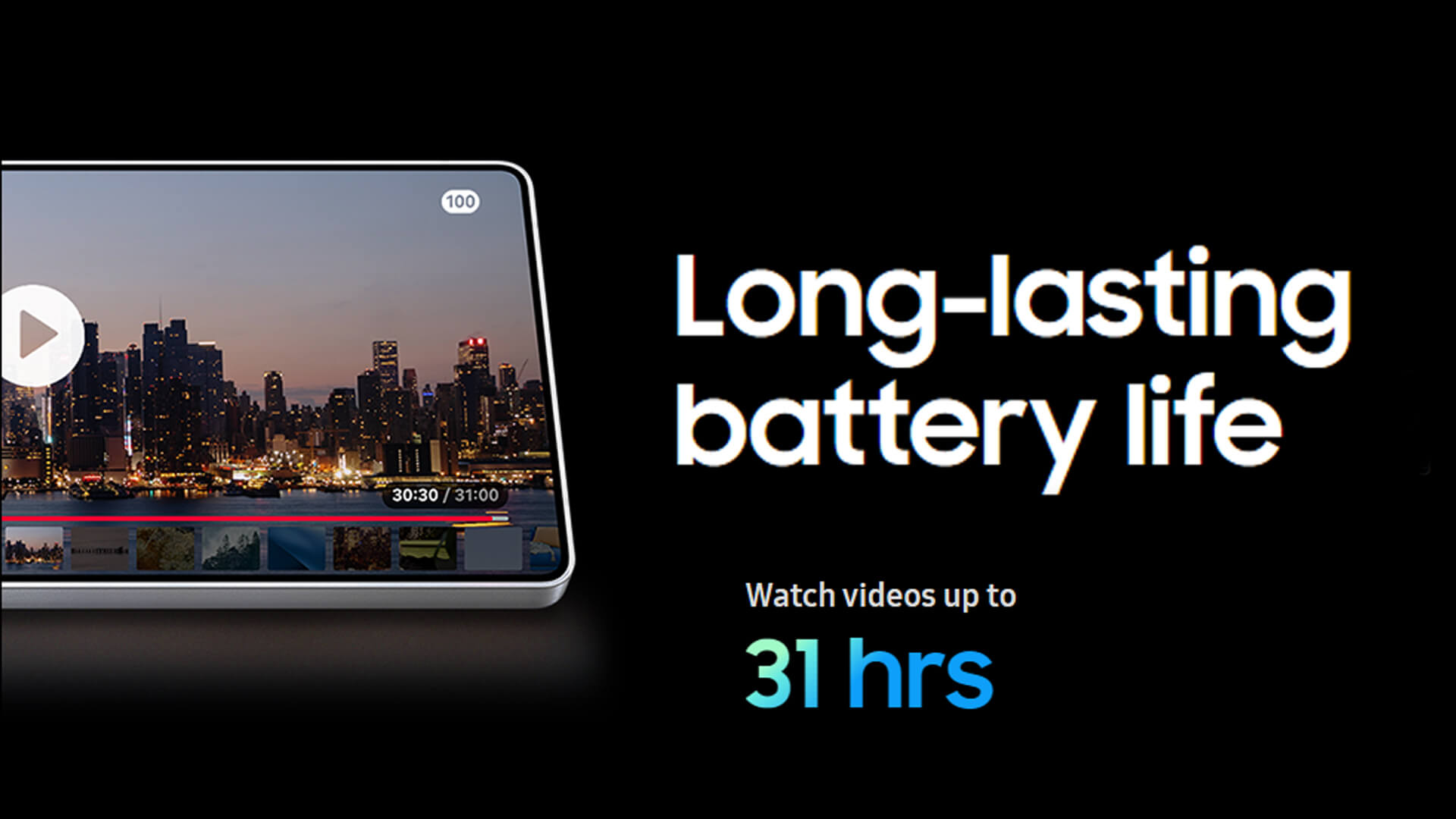
| How long can it play video? | Up to 31 hours under controlled test conditions |
| What is the wired charging speed? | Up to 45W |
| How much can it charge in 30 minutes? | Up to 65% with a compatible 45W adapter |
| Does it support wireless charging? | Yes, through Fast Wireless Charging 2.0 |
| Can it charge other devices? | Yes, through Wireless PowerShare |
| Is a charger included? | No, the 45W adapter is sold separately |
The official video figure is useful for comparing Samsung Galaxy S25 battery performance, but it should not be treated as a guaranteed mixed-use battery life. Navigation, high brightness, gaming, weak mobile signal and demanding apps can reduce the Samsung Galaxy S25 Ultra battery backup time considerably.
Overall, the phone offers dependable endurance and flexible charging. Its biggest strength is the balance between the large battery, efficient performance and practical wireless features rather than the fastest charging speed available.
Samsung Galaxy S25 Ultra Battery Life in Everyday Use
The Samsung S25 Ultra battery life will vary with your apps, display settings, signal strength and workload. Its efficient processor and power-management tools help control consumption, but demanding tasks will still use the 5,000mAh battery more quickly.
Light and Everyday Use
- Messaging, calls, browsing and music place a relatively light load on the battery.
- Adaptive Battery can restrict power use from apps you rarely open.
- The phone may take a few days to optimise apps and learn your routine after initial setup.
- Lighter users are more likely to finish the day with plenty of charge remaining.
Work, Streaming and Social Media
- Email, video calls, navigation, streaming and social apps create a more varied daily workload.
- High screen brightness and mobile data can increase battery use.
- Background syncing from email, cloud storage and social apps can also reduce endurance.
- Some Samsung S25 AI features use on-device processing, so frequent use may affect consumption depending on the task.
Gaming, Cameras and Demanding Tasks
- High-refresh gaming and extended video recording draw more power than basic everyday use.
- Navigation keeps the display, GPS and mobile connection active at the same time.
- Recording high-resolution video can increase both battery use and heat.
- The phone may temporarily manage performance or charging speed when temperatures rise.
For a closer look at its photography hardware and real-world uses, check out our Samsung Galaxy S25 camera guide.
What Can Cause Unexpected Battery Drain?
- Weak mobile signal: The phone may use more power while repeatedly searching for a stable connection.
- High brightness: The large AMOLED display consumes more energy at stronger brightness levels.
- Background apps: Location, syncing and notifications can continue using power when apps are not open.
- Recent setup or updates: Restoring files and optimising apps can temporarily increase consumption.
- Unused connections: Leaving GPS, Bluetooth, hotspot or auto-sync active can add unnecessary drain.
Overall, Samsung Galaxy S25 battery performance remains strong, but no single runtime applies to everyone. Adjusting a few S25 Ultra features can make a noticeable difference when you need the phone to last longer.
How Long Does It Take to Charge an S25 Ultra?
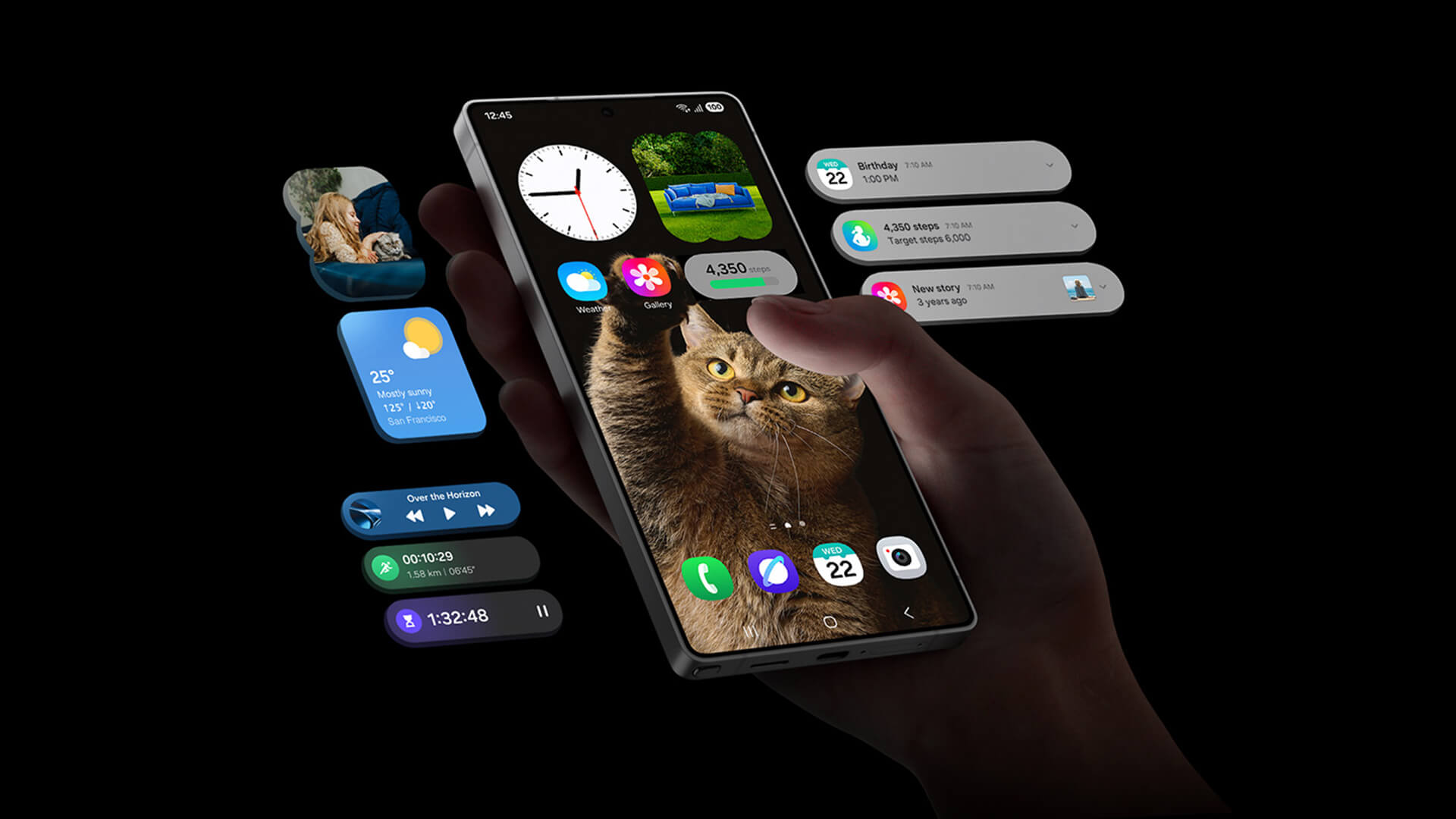
The Samsung Galaxy S25 Ultra charging speed is usually 65% in around 30 minutes under suitable charging conditions.
If you are wondering about the S25 Ultra 0 to 100 charging time, it usually takes an hour or slightly longer. This is only a practical estimate, as charging slows near full capacity to control heat and protect the battery.
Wired Charging
- First 30 minutes: Up to 65% with a compatible 45W adapter
- Full charge: 60 to 70 minutes in favourable conditions
- Required equipment: A compatible USB Power Delivery adapter and suitable cable
- Final charging stage: The last part takes longer because power is reduced as the battery approaches 100%
Wireless Charging and Wireless PowerShare
- Fast Wireless Charging 2.0 provides a convenient cable-free option
- S25 wireless charging normally takes longer than a wired setup
- Thicker cases can increase wireless charging time
- Wireless PowerShare is useful for topping up compatible earbuds, watches or another device
- Reverse charging is intended for smaller top-ups rather than quickly charging another phone
When Charging Can Take Longer
- Using the phone for gaming, streaming or navigation while it charges
- Charging in a hot or cold environment
- Using an incompatible or lower-powered charger
- Fast charging being switched off in the battery settings
- Dust, moisture or damage around the USB-C port
- Battery Protection limiting the maximum charge level
- Heat generated by a thick case during wireless charging
For the quickest Samsung S25 Ultra charging, use a suitable 45W charger, leave the screen off and charge the phone at a comfortable room temperature.
Galaxy S25 Ultra vs Galaxy S26 Ultra Battery and Charging
For buyers comparing both premium Android phones, the main difference is charging speed rather than battery size. Samsung kept the same 5,000mAh capacity and 31-hour video playback estimate on the Galaxy S26 Ultra, so the newer model does not promise a major endurance jump on paper.
Instead, the S26 Ultra focuses on shorter top-ups. Its 60W charging can reach up to 75% in around 30 minutes, while the S25 Ultra charging speed is usually 65% over the same period with a compatible 45W adapter. Here is a quick comparison of the top two models in the Samsung Galaxy S series.
| Battery feature | Galaxy S25 Ultra | Galaxy S26 Ultra |
|---|---|---|
| Typical battery capacity | 5,000mAh | 5,000mAh |
| Official video playback | Up to 31 hours | Up to 31 hours |
| Maximum wired charging | 45W | 60W |
| Charge after around 30 minutes | Up to 65% | Up to 75% |
| Wireless charging | Fast Wireless Charging 2.0 | Fast Wireless Charging 2.0 |
| Reverse wireless charging | Wireless PowerShare | Wireless PowerShare |
For buyers mainly concerned with battery endurance, the S25 Ultra remains competitive and may offer better value. The S26 Ultra makes more sense if you regularly rely on short charging sessions and want to recover more battery before leaving home or work.
How to Check Samsung S25 Ultra Battery Health
Battery performance gradually changes as the phone ages. If charging becomes more frequent, runtime drops sharply or the phone switches off unexpectedly, you can run a built-in diagnostic before considering a repair.
Run a Battery Diagnostic
- Open the Samsung Members app.
- Tap Support.
- Select Get started under Phone diagnostics.
- Open Battery status once the test finishes.
- Review the result shown on screen.
The diagnostic may show:
- Normal: No battery issue detected
- Weak: Battery efficiency may have declined
- Bad: Battery performance has degraded significantly and should be inspected
Menu names may differ slightly depending on the software and app version.
Check Which Apps Are Using the Most Battery
- Open Settings > Battery
- Review battery use by app
- Look for unusually high background activity
- Restrict or remove apps you no longer need
- Run device optimisation if excessive use continues
Can You Check the S25 Ultra Battery Cycle Count?
Yes. On a UK Galaxy S25 Ultra, you can check the battery cycle count and other battery details from the phone’s settings.
Go to:
Settings > Battery > Battery information
This screen can show:
- Battery health: The battery’s remaining maximum capacity as a percentage
- Cycle count: The number of complete battery cycles recorded
- Manufacture date: When the battery was produced
- First used date: When the battery was first activated in the phone
One battery cycle does not necessarily mean charging from 0% to 100% in one session. It represents cumulative battery use equal to 100%, such as using 50% one day and another 50% after recharging.
The wording or menu position may change slightly following software updates, but the Galaxy S25 series supports this battery information feature on compatible UK software versions.
When Should You Consider a Battery Replacement?
- Battery life has dropped noticeably
- The phone shuts down unexpectedly
- Charging has become unreliable
- The device becomes unusually hot
- The diagnostic reports a weak or bad battery
- The battery shows signs of swelling or physical damage
How Much Does an S25 Ultra Battery Replacement Cost?
For UK users, the Samsung S25 Ultra battery replacement cost is roughly £60 to £120, depending on the repairer, part type, warranty and service method.
- Lower-cost independent repair: Around £65 to £70
- Higher-priced repair service: Around £119
- Authorised repair: Price confirmed after inspection and booking
- Typical repair time: Around one hour, subject to parts and workload
The final Samsung S25 Ultra battery replacement price may be higher if the phone has other damage or needs additional parts. Back up your data first, compare the warranty offered and check whether the repair uses genuine or approved components.
Top Tips to Maximise Your S25 Ultra Battery Life
A few adjustments can help extend the S25 Ultra battery life without removing the features you use most.
- Use adaptive brightness: Let the phone adjust screen brightness to your surroundings. Keeping the display brighter than necessary increases power consumption.
- Shorten the screen timeout: Reduce how long the display stays active after you stop using the phone, particularly if it is frequently left unlocked.
- Check battery-hungry apps: Open Settings > Battery to find apps using excessive power. Restrict background activity for apps that do not need constant updates.
- Put rarely used apps to sleep: Sleeping or deep-sleeping infrequently used apps limits their background activity while keeping them installed.
- Turn on Power saving mode: Use it when you need extra endurance. It can limit CPU performance, reduce brightness and restrict background activity.
- Disable features you are not using: Location services, hotspot, Always On Display and continuous syncing can add unnecessary drain when left active.
- Keep software and apps updated: Updates may fix abnormal battery use, improve app compatibility and refine the phone’s power management.
- Use Battery Protection: Basic, Adaptive and Maximum modes help manage long-term charging. Maximum protection can stop charging at 80%, while Adaptive mode adjusts charging around your routine.
- Avoid excessive heat: Gaming, streaming or navigation during charging can raise the temperature and slow charging. Charge the phone at a comfortable room temperature where possible.
- Use a suitable charger and cable: A compatible, good-quality charger helps provide stable charging and reduces the risk of slow or inconsistent top-ups.
- Avoid leaving the battery empty: Regular partial top-ups are fine for modern lithium-ion batteries. Keeping the charge broadly between 20% and 80% can also support long-term battery care.
Who Should Buy the Galaxy S25 Ultra?
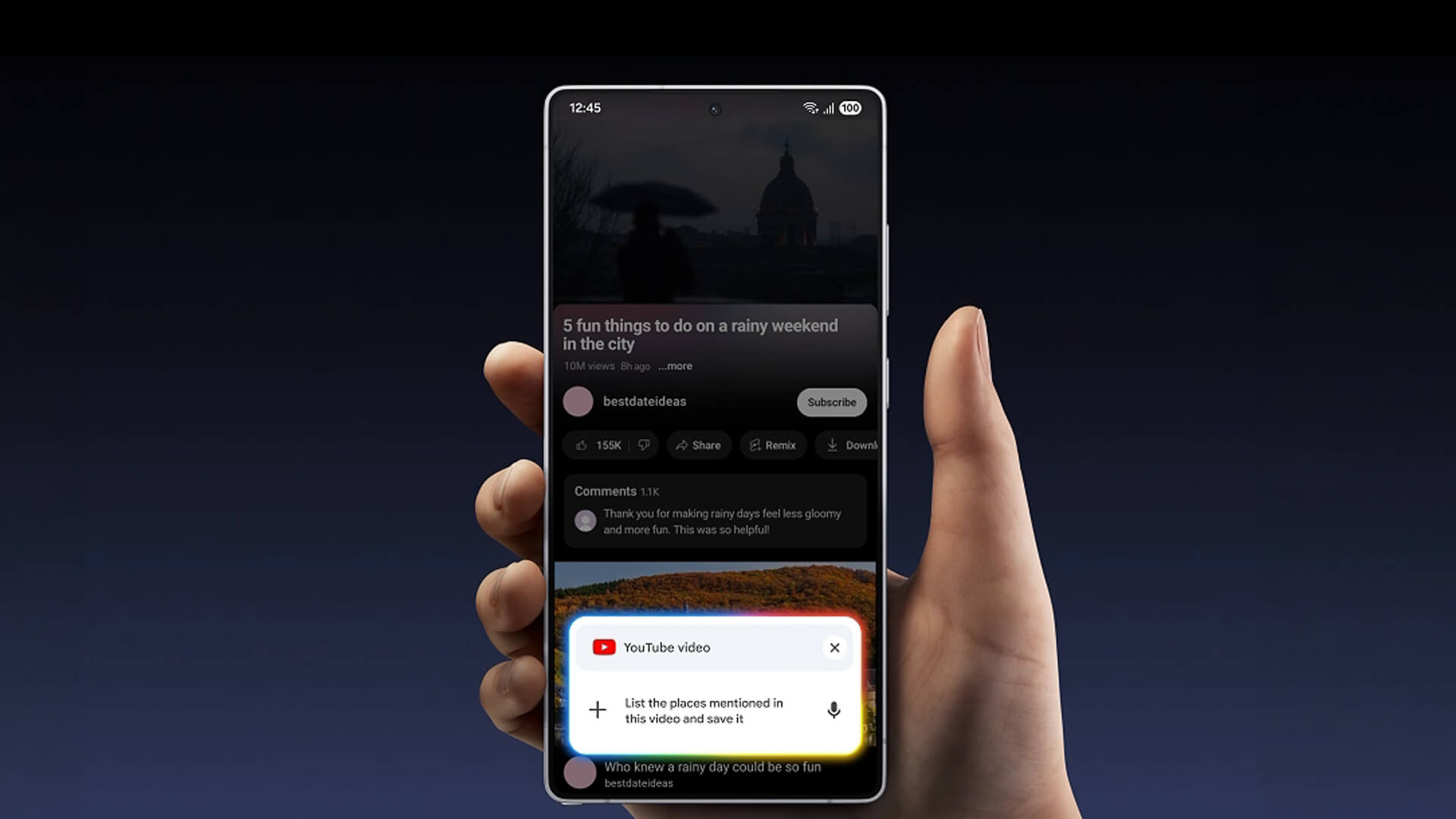
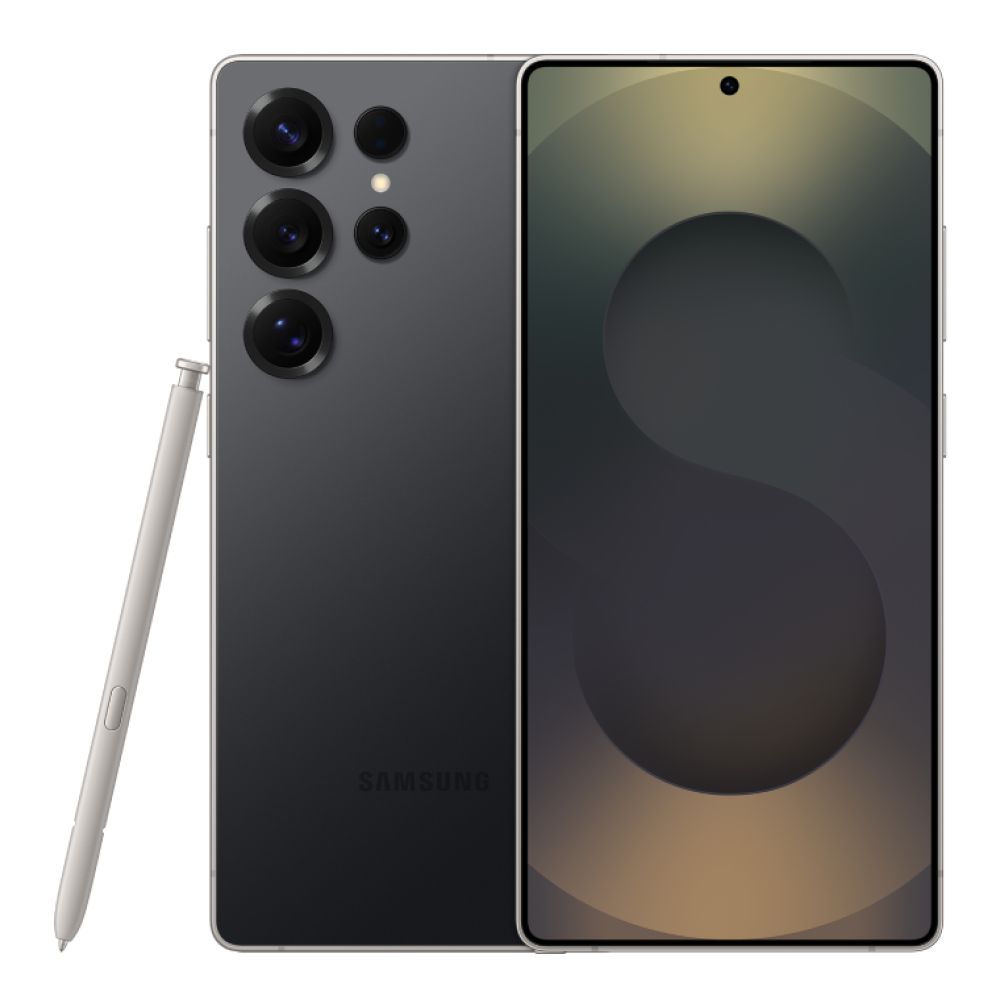
The Galaxy S25 Ultra is best suited to buyers who want strong battery endurance alongside a large display, advanced cameras, premium performance and a built-in S Pen.
Choose the Galaxy S25 Ultra If You Want:
- Reliable all-day battery life: The 5,000mAh battery is well suited to work, streaming, navigation and general daily use.
- A large premium display: The 6.9-inch QHD+ AMOLED screen provides plenty of room for media, gaming and productivity.
- Advanced photography: The 200MP main camera, 50MP ultra-wide and dual telephoto setup offer more flexibility than the standard S25 models.
- An integrated S Pen: It is useful for handwritten notes, precise editing, document signing and creative tasks.
- Powerful performance: The Snapdragon 8 Elite for Galaxy and 12GB RAM can handle demanding apps and multitasking.
- Premium features at a lower current-generation cost: It may offer better value now that the S26 Ultra is available.
Consider Another Phone If:
- You want the faster 60W charging available on the S26 Ultra.
- You prefer a smaller or lighter handset.
- You do not need the S Pen, large display or advanced zoom cameras.
- A standard or Plus model would meet your needs for less.
Samsung Galaxy S25 Ultra Full Specifications
If you are planning to buy the Galaxy S25 Ultra, battery life is only part of the decision. The table below brings together the main S25 Ultra features, including its display, performance, cameras, storage and charging hardware.
| Specification | Samsung Galaxy S25 Ultra |
|---|---|
| Display | 6.9-inch QHD+ Dynamic AMOLED 2X |
| Refresh rate | Adaptive 1Hz to 120Hz |
| Processor | Snapdragon 8 Elite for Galaxy |
| RAM | 12GB |
| Storage | 256GB, 512GB or 1TB |
| Main camera | 200MP wide camera |
| Ultra-wide camera | 50MP |
| Telephoto cameras | 50MP with 5x optical zoom and 10MP with 3x optical zoom |
| Front camera | 12MP |
| Battery capacity | 5,000mAh typical capacity |
| Rated battery capacity | 4,855mAh minimum |
| Wired charging | Up to 45W |
| 30-minute charging claim | Up to 65% with a compatible 45W adapter |
| Wireless charging | Fast Wireless Charging 2.0 |
| Reverse wireless charging | Wireless PowerShare |
| Official video playback | Up to 31 hours |
| Water and dust resistance | IP68 |
| Dimensions | 162.8 × 77.6 × 8.2mm |
| Weight | 218g |
| S Pen | Built in |
These Samsung Galaxy S25 specifications make the Ultra a strong all-round flagship, particularly for buyers who want a large display, flexible camera system, built-in stylus and dependable battery capacity in one device.
Get the Samsung Galaxy S25 Ultra at Box
Ready to upgrade? Browse Samsung mobile phones at Box to compare current Galaxy S25 Ultra storage and colour options. You can also check out the latest phone deals if you are looking to compare phones from other top brands.
The Galaxy S25 Ultra remains a strong option for buyers who want dependable battery life, a premium display, advanced cameras and a built-in S Pen in one flagship phone.
Frequently Asked Questions
How long does the Samsung Galaxy S25 Ultra battery last?
Samsung rates the phone for up to 31 hours of video playback under controlled conditions. In everyday use, the 5,000mAh battery should comfortably cover a full day for most users, while lighter use may leave enough charge to continue into the next day.
How fast does the Galaxy S25 Ultra charge?
The phone supports up to 45W wired charging and can reach approximately 65% in 30 minutes with a compatible charger and cable. The power adapter is sold separately.
How long does the S25 Ultra take to charge from 0% to 100%?
A complete charge generally takes around 60 to 70 minutes in favourable conditions. The exact time can change with temperature, charger compatibility, phone use and Battery Protection settings.
Do you have to charge a brand-new S25 Ultra before using it?
You can use the phone immediately if it already has enough charge. Samsung recommends fully charging a new device the first time, but you do not need to drain the battery to 0% before recharging it.
What battery capacity does the S25 Ultra have?
The Galaxy S25 Ultra has a 5,000mAh typical battery capacity, with a rated minimum capacity of 4,855mAh. The difference is normal and reflects how typical and minimum battery values are measured.
You can pay with:
*PayPal Credit Representative Example: Assumed credit limit £1,200, Representative 23.9% APR (variable). Purchase rate 23.9% p.a (variable).Terms & Conditions apply.


PayPal Credit and PayPal Pay in 3 are trading names of PayPal UK Ltd, 5 Fleet Place, London, United Kingdom, EC4M 7RD. Terms and conditions apply. Credit subject to status, UK residents only, Five Tech LTD acts as a broker and offers finance from a restricted range of finance providers. PayPal Pay in 3 is not regulated by the Financial Conduct Authority. Pay in 3 eligibility is subject to status and approval. 18+. UK residents only. Pay in 3 is a form of credit. Check if affordable and how you will repay. May make other borrowing more difficult or expensive. See product terms for more details.
Copyright © 1996-2026 Fivetech LTD | Terms and Conditions
box.co.uk & Box are trading names of Five Tech Limited. Registered office: Box LTD, Unit 10 Woodford Trading Estate, Woodford Green IG8 8HF