


 Menu
MenuMenu


Get Sales Advice from Mon - Fri 9am - 5:00pm:
020 3337 8950LAST UPDATED: July 08, 2026
How Norton 360 Helps Protect Gamers from Scams, Phishing and Malicious Downloads
Gaming now goes far beyond simply launching a game and playing for a few hours. Many players use the same device for downloads, launchers, mods, voice chat, streaming, browsing, shopping and account logins, which is why Norton for gaming can be useful for protecting more than just the game itself.
Scammers often target players through fake offers, unsafe files, suspicious links and downloads that look like useful game content. A good gaming PC antivirus can help reduce those risks, especially when your setup is also used for everyday browsing and personal accounts.
This is where Norton for gamers fits in. It can help protect your gaming device, files and online activity, whether you play on a desktop or need stronger laptop security for a gaming laptop. If you are comparing Norton 360 Deluxe laptops, the main benefit is having extra protection around the wider gaming routine, not just the moment you press play.
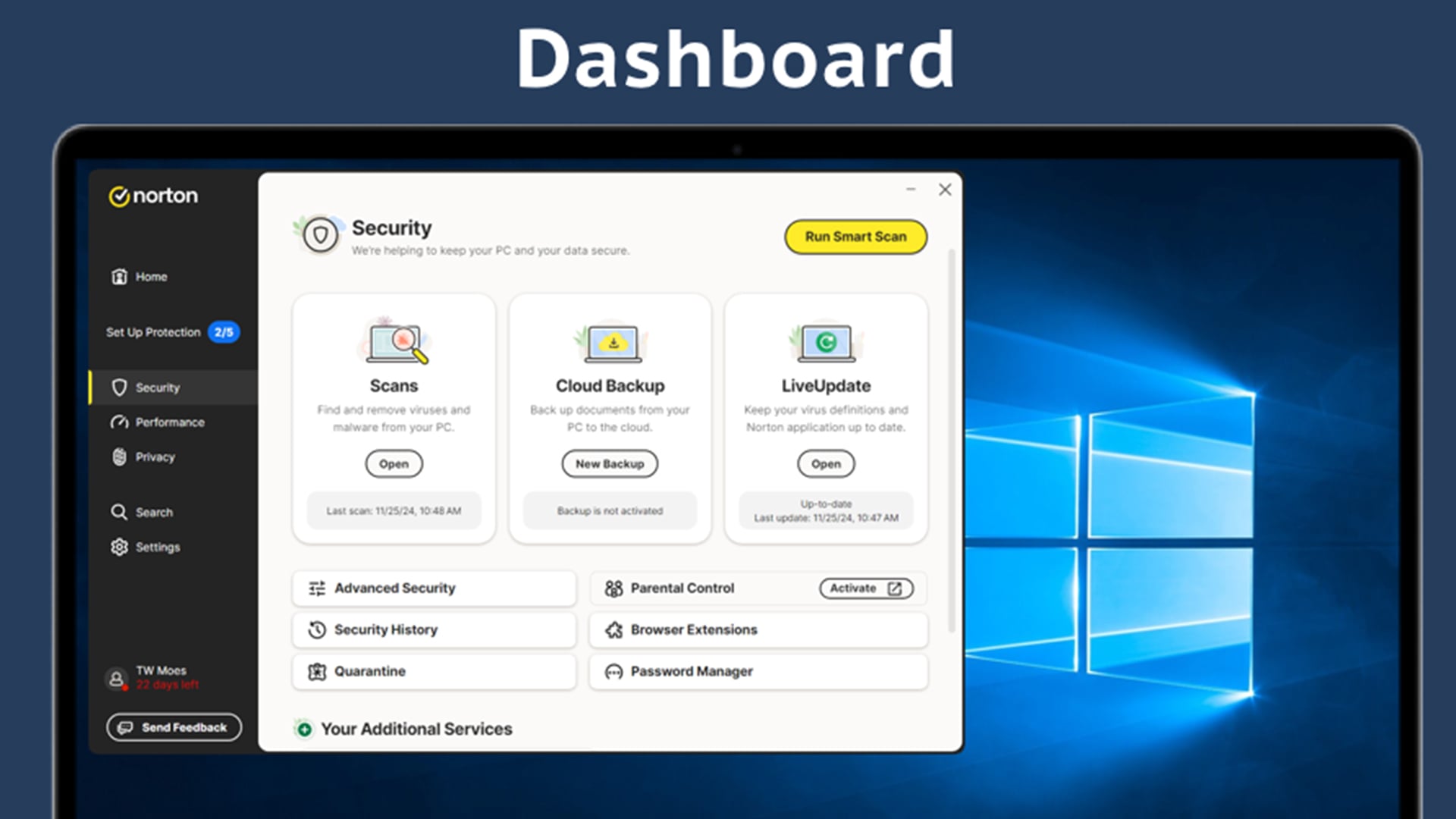
Quick Answer: How Does Norton Help Gamers Stay Safer?
Norton for gaming helps protect the wider gaming routine, not just the game window. It can support safer browsing, scan downloads, help block online threats and add protection around the same device used for gaming, streaming, shopping and account logins.
| Gaming risk | How Norton can help |
|---|---|
| Scam websites | Helps warn about unsafe or suspicious pages |
| Phishing links | Helps identify risky links before you interact |
| Malicious downloads | Scans files and downloads for threats |
| Unsafe mods or tools | Adds a security check before files run |
| Everyday browsing | Helps protect the device used for gaming and web use |
| Performance concerns | Norton Game Optimizer can help manage gaming performance on supported plans |
A good Norton gaming antivirus setup is useful because many threats start outside the game itself. With Norton 360 for gaming, players can get protection for devices, game accounts and digital activity, while still following safe habits online.
This is why antivirus for gaming should focus on more than malware scans. When comparing Norton antivirus software, look for protection that helps with links, downloads, browsing and everyday account safety.
The Online Risks Gamers Face Today
Gamers are often targeted because gaming accounts, digital purchases, skins, payment details and online communities all have value. This is where Norton for gaming can support safer play by helping reduce risks around links, downloads and suspicious websites.
Scams Disguised as Game Content
Some scams look like normal gaming content at first. They may appear as beta invites, free skins, early access downloads, cracked games, fake DLC or bonus currency offers.
Be careful with:
- Fake game downloads that ask you to install unknown files
- Free reward pages that ask for account logins
- “Too good to be true” offers shared in chats or comments
- Download links sent by unknown users
Phishing Links in Communities and Messages
Scammers often use gaming chats, forums, social posts and direct messages to push fake login pages. These phishing links in gaming can lead to account theft risks, especially if they ask for platform logins, payment details or two-factor codes.
A safer habit is to avoid logging in through links from messages. Go directly to the official site or launcher instead.
Unsafe Downloads Beyond Official Stores
Risk can also come from downloads outside trusted stores. Mods, patches, launchers and tools may look useful, but unknown files can hide malware or unwanted software.
This is why antivirus for gaming matters. It adds another check before risky files can affect your device, but it should work alongside smart habits like using official stores, trusted mod pages and verified download sources.
Why Gaming Setups Need Better Online Protection
A gaming device is rarely used for gaming alone. Most players also use the same PC or laptop for streaming, browsing, voice chat, shopping, email and account management, which creates more ways for scams or malware to reach the system.
Gaming, Streaming and Browsing on One Device
One device can quickly become the centre of the whole gaming routine. It may be used for:
- Game launchers and updates
- Streaming platforms and video guides
- Voice chat and community servers
- Online shopping and account logins
- Browsing mods, patches and gaming news
This creates streaming and browsing risks, especially when players move between game stores, community pages, chat links and download sites. A gaming PC antivirus helps protect more than the installed games, as it also covers the wider activity around them.
How Everyday Use Expands the Risk
A gaming setup may also store or access:
- Saved passwords
- Payment details
- Screenshots and clips
- Personal documents
- Email and social accounts
- Saved login sessions
That is why gaming setup protection matters. With Norton 360 for gaming, protection can extend across browsing, downloads and daily device use, not just the moment the game is running.
Why Threats Often Start Outside the Game
Many issues begin before the game opens. Common starting points include:
- A risky link in chat
- A fake installer
- An unsafe mod page
- A suspicious download mirror
- A compromised community post
For players using secure gaming desktops, protection should cover the full routine: browsing, downloads, accounts, chats and files.
How Norton 360 Helps Protect Gamers

Norton for gaming is useful because many threats appear while players are browsing, downloading, chatting or logging in, not just while they are in-game. Norton 360 adds protection across those everyday actions.
Safer Browsing and Link Protection
Norton Safe Web can help warn about unsafe websites, scam pages, phishing attempts and risky links. This supports safer browsing for gamers when checking forums, offers, guides, community pages and download links.
It is especially useful before you:
- Click a link from chat or a forum
- Enter login details on a gaming-related page
- Visit a giveaway or reward site
- Download files from an unfamiliar source
Download and File Threat Detection
Norton 360 for gaming can help scan downloads and files for threats before they cause problems. This matters when players download mods, launchers, patches, tools or files from outside official stores.
A good antivirus for gaming should help with:
- Suspicious files
- Risky downloads
- Malware hidden inside installers
- Unsafe tools pretending to improve gameplay
Added Security Across Everyday Use
A gaming device often handles much more than games. It may also be used for browsing, shopping, banking, streaming and account management. A Norton 360 Gamer setup can help add protection across that wider routine.
This is also where laptop security matters. If you game on a laptop, the same device may travel, connect to different networks and store personal files. Using the right PC protection tools helps protect the device beyond gaming alone.
Where Gamers Are Most Likely to Run into Trouble
Gaming risks often appear in the places players use every day, such as mod pages, launchers, chat apps, forums and giveaway posts. This is why Norton for gaming should support the full gaming routine, not just the installed games.
Mods, Launchers and Third-Party Tools
Mods and tools can be useful, but they need careful checking. Malicious game mods, suspicious launchers and unsafe gaming tools can hide malware, unwanted software or account-stealing behaviour.
Watch out for:
- Mods from unknown sources
- Launchers that ask for unnecessary permissions
- Tools promising cheats, free currency or unfair advantages
- Installers that bundle extra files
Giveaway Scams and Fake Offers
Scammers often use free skins, beta access, bonus currency, cracked games or limited-time offers to push players into clicking quickly. A Norton gaming antivirus setup can help add protection around links and downloads, but players should still be careful with offers that feel too good to be true.
Chat Links, Forums and Community Downloads
Gaming communities are useful, but they can also spread risky links. Fake support messages, download mirrors, shortened links and compromised posts can all lead to unsafe pages or files.
For gamers, this is where link checking, safer browsing, and download scanning become useful. Even if a game itself is safe, the community content around it can still create risk. If you are using Norton for gaming, your devices can stay safe and free from such risks.
What Gamers Should Look for in Security Software

Good gaming security should protect the full setup without making the experience feel awkward or interrupted. It should help with browsing, downloads, accounts and personal files, not just virus scans.
Look for security software that can help with:
- Checking risky websites, scam pages and suspicious links before you click
- Scanning downloads, installers and files before they run on your device
- Protecting account logins, passwords and personal details used across gaming platforms
- Covering everyday browsing, shopping, streaming and chat apps on the same device
- Supporting laptop security if you game on a portable device or connect to different networks
- Offering a gaming-focused mode, such as Norton Game Optimizer, to reduce unnecessary interruptions on supported plans
- Providing wider protection like Norton 360 for gaming, if you want security for gaming, browsing and digital account safety in one package
- Helping protect important files, saves, clips and screenshots, especially when paired with sensible backup storage or cloud backup
Security software should support safe PC gaming habits, not replace them. Keep downloads trusted, avoid suspicious links, use strong passwords and stay careful with unknown tools, mods and launchers.
Conclusion: Safer Gaming Starts Before You Launch the Game
Safer gaming is not only about what happens inside the game. Many risks start earlier, through fake downloads, unsafe links, suspicious tools, community posts and everyday browsing.
That is why Norton for gaming can be useful for players who want protection across the full setup. A good Norton gaming antivirus can help with browsing, downloads and device security, while safer habits reduce the chances of clicking or installing something risky.
Norton, a strong protection option against scams, phishing attempts, suspicious downloads and online threats, can be a sensible addition to a safer gaming setup. For Norton for gamers, the value is not just in protecting the device during play, but in helping secure the moments before the game even launches. If you are a student with casual gaming needs, the best student laptops with free Norton can also be worth considering.
Frequently Asked Questions
Do gamers need antivirus software?
Yes, especially if they download files, use mods, browse gaming communities or play on the same device they use for everyday browsing. Antivirus software can help reduce risks from malware, phishing links and unsafe downloads.
Can antivirus software slow down games?
It can if it is poorly optimised, but modern security tools are designed to run in the background. Gamers should choose software that balances protection with performance and avoids unnecessary interruptions during play.
Can Norton help with fake game downloads?
Yes, Norton can help scan downloads and warn about unsafe sites, suspicious links and malicious files. Still, gamers should avoid unofficial sources, cracked games and downloads that look too good to be true.
Is Norton useful for gaming laptops?
Yes. Gaming laptops are often used for browsing, streaming, downloading, shopping and account logins as well as gaming. Norton can help protect the wider device, not just the games installed on it.
What is the safest way to download mods?
Use trusted sources, read community feedback, check the file before installing and keep security software active. Avoid mods, launchers or tools that ask for unnecessary permissions or promise unfair advantages.
How can gamers avoid phishing scams?
Avoid login links sent through messages, check website addresses carefully, use strong passwords and enable multi-factor authentication where available. Be extra careful with free skins, fake giveaways and urgent account warnings.
You can pay with:
*PayPal Credit Representative Example: Assumed credit limit £1,200, Representative 23.9% APR (variable). Purchase rate 23.9% p.a (variable).Terms & Conditions apply.


PayPal Credit and PayPal Pay in 3 are trading names of PayPal UK Ltd, 5 Fleet Place, London, United Kingdom, EC4M 7RD. Terms and conditions apply. Credit subject to status, UK residents only, Five Tech LTD acts as a broker and offers finance from a restricted range of finance providers. PayPal Pay in 3 is not regulated by the Financial Conduct Authority. Pay in 3 eligibility is subject to status and approval. 18+. UK residents only. Pay in 3 is a form of credit. Check if affordable and how you will repay. May make other borrowing more difficult or expensive. See product terms for more details.
Copyright © 1996-2026 Fivetech LTD | Terms and Conditions
box.co.uk & Box are trading names of Five Tech Limited. Registered office: Box LTD, Unit 10 Woodford Trading Estate, Woodford Green IG8 8HF