


 Menu
MenuMenu


Get Sales Advice from Mon - Fri 9am - 5:00pm:
020 3337 8950LAST UPDATED: April 17, 2026
MacBook Pro Fan Noise: When Is It Normal and When Is It a Problem?
If you've noticed your MacBook Pro fan noise getting louder at times, it's natural to wonder whether something is wrong. Many users associate loud fans with overheating or hardware issues, but in most cases, fan noise is simply part of how the system manages performance.
MacBook Pro models are designed with an active cooling system, which allows them to handle demanding tasks without slowing down. This means the fans will spin up when needed to keep temperatures under control.
The key is understanding the difference between normal fan behaviour and signs of a potential issue. In this guide, we'll break down what causes fan noise, when it's expected, and when you should pay attention.
Why Does MacBook Pro Fan Noise Occur?
Fan noise on a MacBook Pro is closely linked to how the system manages heat and performance. These laptops are designed to deliver high performance when needed, and that performance naturally generates heat. Instead of letting temperatures rise too much, the system uses its cooling fans to keep everything running safely and efficiently.
In simple terms, when your MacBook Pro is working harder, it produces more heat—and the fans respond by spinning faster to remove that heat. This is a normal part of how active cooling systems work in high-performance laptops.
How the Cooling System Works
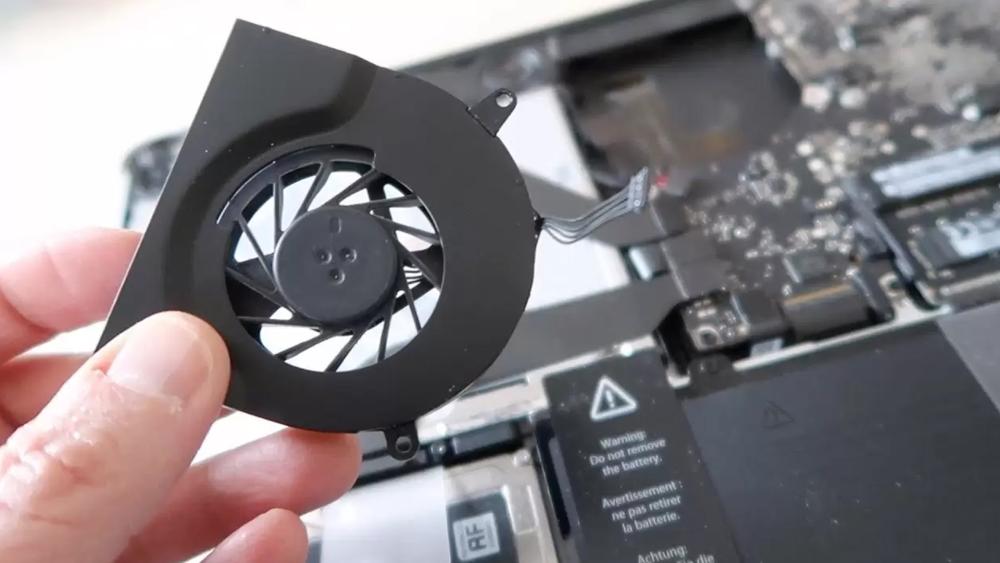
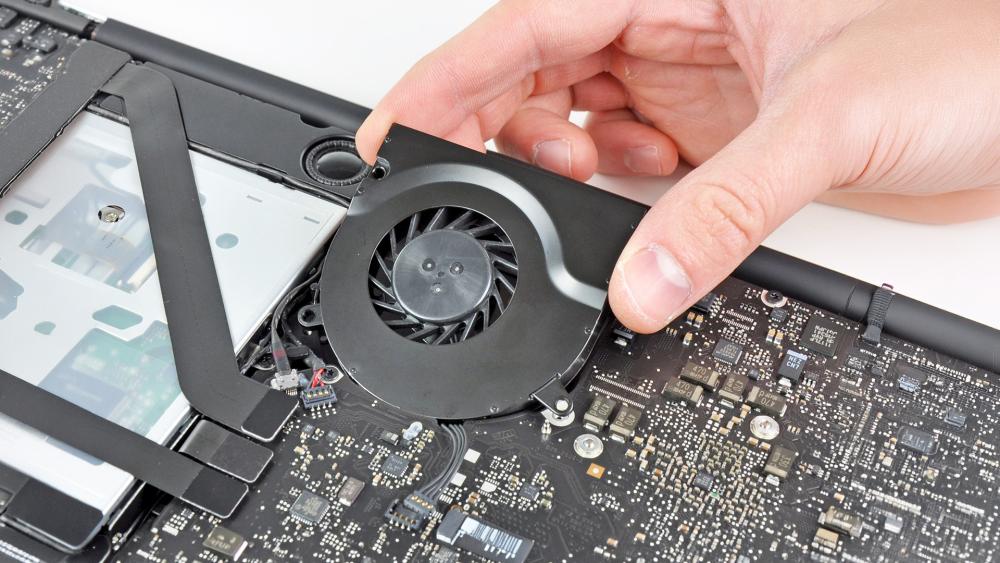
MacBook Pro models use an active cooling system, which includes internal fans, heat pipes and carefully designed airflow channels.
When the CPU or GPU starts to heat up, the system transfers that heat away from the components through heat pipes. The fans then push hot air out of the laptop, allowing cooler air to circulate inside.
This process is fully automatic and controlled by macOS. The system constantly monitors temperature and adjusts fan speed as needed, ensuring that performance stays stable without risking overheating.
What Causes the Fans to Spin Up
The fans spin up when the system detects that more cooling is needed. This usually happens when the laptop is handling tasks that put pressure on the CPU or GPU.
For example, fan speed may increase when:
- You are running multiple apps at once
- You are using demanding software like video editors or development tools
- The system is processing large files or complex tasks
As these activities increase the workload, they also increase heat. The fans respond by spinning faster to improve heat dissipation and maintain performance.
Why Fan Noise Levels Vary
Fan noise is not constant because your workload is constantly changing.
During light tasks like browsing or writing, the system generates very little heat, so the fans may stay quiet or not run at all. However, as tasks become more demanding or last longer, heat builds up and the fans gradually increase in speed.
The system adjusts fan behaviour based on:
- Current internal temperature
- Type and intensity of the task
- How long the workload has been running
This is why your MacBook Pro may be completely silent at one moment and noticeably louder the next. The fan noise simply reflects how much cooling the system needs at that time.
When Is MacBook Pro Fan Noise Normal?
It's important to understand that MacBook Pro fan noise is often completely normal. In fact, in many situations, it's a sign that your laptop is working as it should.
MacBook Pro models are built as high-performance devices, which means they are designed to handle demanding tasks. When performance increases, heat also increases and the fans respond to keep everything running safely.
So rather than seeing fan noise as a problem, it's better to see it as part of how the system balances performance and temperature in real time.

During Heavy Workloads
Fan noise is most noticeable when your MacBook Pro is handling demanding tasks.
Activities such as video editing, rendering, coding or running multiple applications at once put a heavy load on the CPU and GPU. As these components work harder, they generate more heat.
To manage this, the cooling system increases fan speed. This helps remove heat and allows the system to maintain performance without slowing down.
In this case, louder fans are simply a result of the system delivering higher performance.
While Charging or Under Heat
You may also notice increased fan activity when your MacBook Pro is charging or being used in a warm environment.
Charging the battery produces additional heat, and if the surrounding temperature is already high, the system has to work harder to stay cool. This can cause the fans to spin faster than usual.
This is normal behaviour, especially if you are charging your device while using demanding applications at the same time.
During Long Performance Sessions
Fan noise becomes more consistent during long-running tasks.
Unlike short bursts of activity, sustained workloads such as exporting videos, running builds or processing large files generate heat over a longer period. As this heat builds up, passive cooling is no longer enough.
At this point, the fans stay active to maintain stable temperatures and prevent performance drops. This is a key part of system temperature control and ensures that your MacBook Pro continues to perform reliably over time.
When Should You Be Concerned About Fan Noise?
While fan noise is usually normal, there are certain situations where it may indicate an issue.
The key difference is whether the fan behaviour matches the workload. If the fans seem unusually loud for what you're doing, it may be worth investigating further.
Loud Fans During Light Use
If your MacBook Pro becomes loud during simple tasks like browsing, watching videos or working on documents, it may suggest that something is using system resources in the background.
This could include apps, browser tabs or system processes that are increasing CPU load without you realising it.
Constant Fan Noise Without Load
If the fans are running loudly even when your MacBook Pro is idle, it may indicate a deeper issue.
Possible causes include:
- Background processes consuming resources
- Software bugs or inefficient apps
- Cooling inefficiencies due to airflow or dust
In this case, the system is working harder than expected, even though there is no obvious workload.
Signs of Overheating or System Issues
You should be more concerned if fan noise is combined with other symptoms.
These may include:
- The laptop feeling unusually hot during light use
- Slower performance or lag
- Unexpected shutdowns
These signs may indicate overheating or a system-level issue that needs attention.
How Performance and Workload Affect Fan Behaviour
Fan behaviour on a MacBook Pro is directly linked to how the system handles different types of workloads.
Understanding this relationship helps explain why fan noise changes depending on what you're doing.
Short Tasks vs Sustained Workloads
Short tasks, such as opening apps or browsing the web, don't usually generate enough heat to trigger the fans. The system can handle these using passive cooling.
However, sustained workloads behave differently. Tasks that run for longer periods generate continuous heat, which builds up over time.
As this happens, the system activates active cooling to manage temperatures, which results in increased fan speed.
CPU and GPU Load Impact
The intensity of your workload also affects fan behaviour.
Tasks that heavily use the CPU or GPU—such as rendering, 3D design or compiling code—generate more heat. The higher the load, the more cooling is required.
This is why fan noise tends to increase during performance-heavy tasks.
How macOS Manages Cooling
macOS uses intelligent thermal management to control how the system responds to heat.
It constantly monitors factors like temperature, workload and power usage, and adjusts:
- Fan speed
- CPU and GPU performance
- Power consumption
This ensures the system stays within safe limits while maintaining the best possible performance.
How to Reduce Fan Noise on MacBook Pro
While fan noise is a normal part of performance, there are ways to reduce unnecessary noise by improving efficiency and cooling conditions.
- 1- Manage Apps and Background Processes
One of the most effective ways to reduce fan noise is to limit unnecessary workload.
Check for apps that are using high CPU resources and close anything you don't need. Tools like Activity Monitor can help identify which processes are causing increased system load.
- 2- Improve Airflow and Usage Environment
Cooling efficiency depends heavily on airflow.
To improve this:
- Use your laptop on a flat, hard surface
- Avoid blocking vents
- Keep your environment cool where possible
Better airflow helps the system manage heat more efficiently, reducing the need for high fan speeds.
You can also consider using accessories for MacBook that improve airflow and overall usability.
- 3- Optimise Settings for Better Efficiency
Adjusting system settings can also help reduce heat and fan activity.
For example:
- Use Low Power Mode when performing light tasks
- Avoid running multiple heavy applications at once
- Keep your system updated for better optimisation
These small adjustments can make a noticeable difference in reducing unnecessary fan noise.
Final Verdict: When Is Fan Noise Normal and When Is It a Problem?
MacBook Pro fan noise is usually a normal part of how the system manages heat and performance. When the laptop is under heavy load or running for long periods, louder fans simply mean the cooling system is doing its job.
In most cases, fan noise is not something to worry about. It helps maintain performance and prevents overheating during demanding tasks.
However, if the fans are consistently loud during light use, or if noise is combined with overheating or performance issues, it may indicate a problem that needs attention.
Understanding how fan behaviour works can help you get the most out of your high-performance MacBook Pro devices. If you're exploring Apple MacBook laptops, it's also worth learning how MacBook Pro cooling affects performance and how it relates to MacBook Pro battery life in real workflows.
FAQs
Do MacBook Pro fans get loud?
Yes, fans can get loud during heavy workloads. This is normal and helps maintain performance.
How do I stop the fan noise on my MacBook Pro?
Reduce system load, close background apps and improve airflow around the device.
How to tell if a MacBook Pro is overheating?
Signs include excessive heat, performance drops and frequent fan activity during light tasks.
Can I turn off my MacBook fan?
No, the fan is controlled automatically by the system to ensure safe operation.
When should I worry about fan noise?
You should be concerned if the fans are always loud without heavy usage or if performance issues occur.
You can pay with:
*PayPal Credit Representative Example: Assumed credit limit £1,200, Representative 23.9% APR (variable). Purchase rate 23.9% p.a (variable).Terms & Conditions apply.


PayPal Credit and PayPal Pay in 3 are trading names of PayPal UK Ltd, 5 Fleet Place, London, United Kingdom, EC4M 7RD. Terms and conditions apply. Credit subject to status, UK residents only, Five Tech LTD acts as a broker and offers finance from a restricted range of finance providers. PayPal Pay in 3 is not regulated by the Financial Conduct Authority. Pay in 3 eligibility is subject to status and approval. 18+. UK residents only. Pay in 3 is a form of credit. Check if affordable and how you will repay. May make other borrowing more difficult or expensive. See product terms for more details.
Copyright © 1996-2026 Fivetech LTD | Terms and Conditions
box.co.uk & Box are trading names of Five Tech Limited. Registered office: Box LTD, Unit 10 Woodford Trading Estate, Woodford Green IG8 8HF