


 Menu
MenuMenu


Get Sales Advice from Mon - Fri 9am - 5:00pm:
020 3337 8950POSTED: 17 April, 2026
MacBook Pro Cooling Explained: Does Active Cooling Really Improve Performance?
Modern MacBook Pro models are known for their strong performance, especially with Apple Silicon chips like the M5, M5 Pro and M5 Max. But one feature that often gets overlooked is the active cooling system.
Unlike the MacBook Air, which uses passive cooling, the MacBook Pro includes fan-assisted cooling. This allows it to maintain performance for longer periods but how much difference does this actually make?
The answer depends on how you use your laptop. For some users, it's critical. For others, it may not matter much at all.
What Active Cooling Means on a MacBook Pro
To understand its impact, it's important to first understand how active cooling works and why it exists.
How the MacBook Pro Cooling System Works
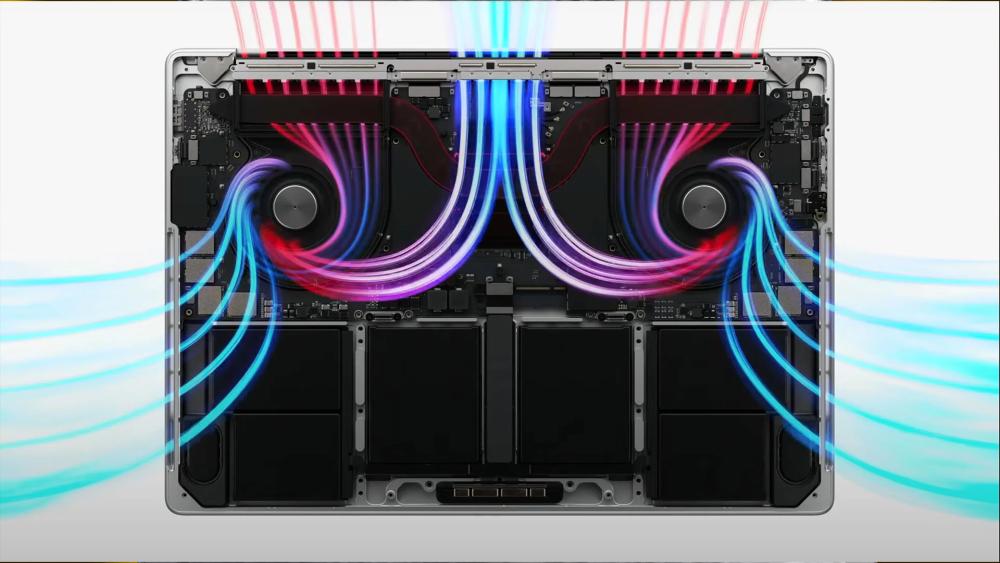
MacBook Pro models use an active cooling system, which includes internal fans and heat pipes. These components move heat away from the CPU and GPU, helping the system stay within safe temperature limits.
As the workload increases, the fans automatically adjust their speed to keep temperatures under control.
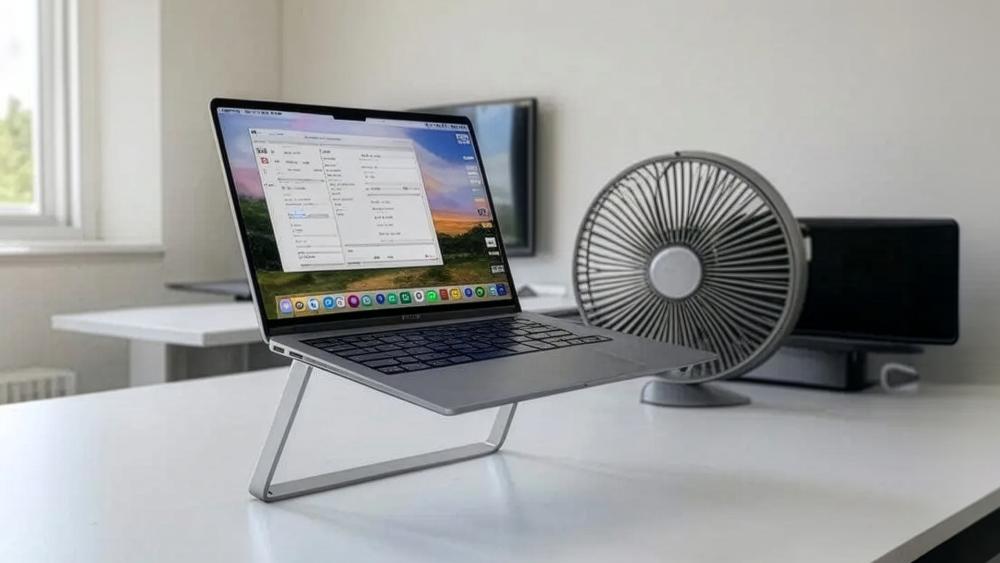
The Difference Between Passive and Active Cooling
Passive cooling relies on the laptop body to dissipate heat. This works well for light tasks but struggles under heavy workloads.
Active cooling adds fans into the system. This allows the MacBook Pro to:
- Maintain higher performance for longer
- Reduce heat build-up
- Handle demanding tasks more efficiently
Why Cooling Matters More During Long Workloads
Cooling becomes more important during sustained workloads, not short tasks.
For example, opening apps or browsing the web doesn't generate much heat. But tasks like video editing or rendering can push the system for long periods.
Without active cooling, performance would drop quickly as heat builds up.
When MacBook Pro Active Cooling Actually Makes a Difference
Active cooling doesn't make a huge difference during everyday tasks like browsing or watching videos. However, it becomes very important during long, demanding workloads where the system needs to maintain high performance for extended periods.
In these situations, heat builds up over time. Without proper cooling, the system would slow down to protect itself. This is where the MacBook Pro's active cooling system makes a clear difference it helps the laptop stay fast, stable and consistent under pressure.
Video Editing and Export Sessions
When working with video editing software, especially with high-quality formats like ProRes, the CPU and GPU are under constant load for long periods.
During exports, the system is pushed to its limits. Without active cooling, performance would drop as temperatures rise, leading to longer export times.
With active cooling, the MacBook Pro can:
- Maintain high performance throughout the export
- Complete tasks faster
- Avoid slowdowns caused by heat build-up
This makes a noticeable difference for creators who regularly work with large video files.
Coding, Builds and Virtualised Workflows
For developers, tasks like compiling code or running virtual machines require sustained CPU performance.
These tasks may not seem demanding at first, but they often run continuously for several minutes or even hours. As heat builds up, systems without active cooling may start to slow down.
With active cooling, the MacBook Pro can:
- Maintain consistent speeds during long builds
- Handle multiple processes more efficiently
- Reduce delays caused by thermal throttling
This leads to a smoother and more reliable workflow, especially for complex projects.
GPU-Heavy Creative Tasks and Rendering
Tasks such as 3D rendering, motion graphics or complex visual design rely heavily on the GPU.
These workloads generate significant heat, especially when rendering large scenes or high-resolution assets. Without proper cooling, performance may drop mid-task, affecting output time and consistency.
Active cooling helps by:
- Keeping GPU performance stable over time
- Preventing performance drops during long renders
- Ensuring consistent results from start to finish
For creative professionals, this means fewer interruptions and more predictable performance during intensive tasks.
What Happens Before the Fans Ramp Up?
One of the key things to understand about the MacBook Pro's active cooling system is that it doesn't rely on its fans immediately. Instead, macOS first tries to manage heat passively, keeping the system quiet while still delivering strong performance.
This is why, during light or short tasks, your MacBook Pro often feels fast without making any noise. The system is designed to use its thermal headroom efficiently before activating the fans.
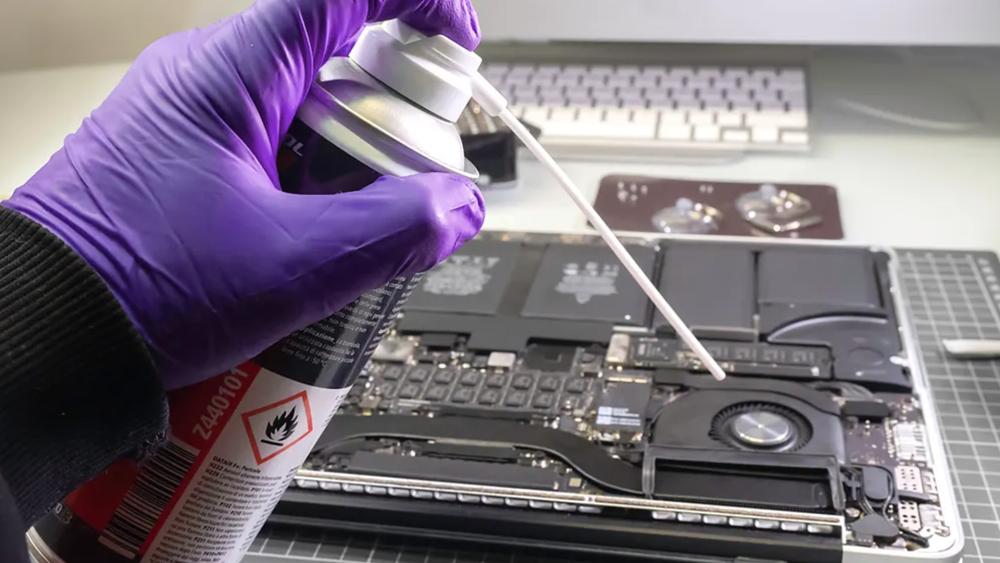
Short Burst Performance vs Sustained Performance
Modern MacBook Pro models are built to handle short bursts of performance very efficiently.
When you open apps, load files or perform quick tasks, the CPU and GPU can run at high speeds for a short time without generating enough heat to require active cooling. This is why the system feels:
- Fast and responsive
- Quiet during everyday use
- Smooth when switching between tasks
However, this behaviour changes during sustained workloads. Tasks like video exports, long code builds or rendering require the system to run at high performance for extended periods. Over time, this generates more heat than passive cooling alone can handle.
How Heat Builds Up Inside the Chassis
As the workload continues, heat gradually builds up inside the laptop's internal components.
At first, the aluminium chassis helps dissipate this heat. But as temperatures rise, the system reaches a point where passive heat dissipation is no longer enough.
At this stage:
- Internal temperatures increase steadily
- The CPU and GPU begin to approach thermal limits
- The system prepares to activate the cooling fans
Once a certain threshold is reached, the fans start spinning to actively remove heat and stabilise performance.
When Passive Heat Handling Is Enough and When It Isn't
Passive cooling works well for lighter tasks that don't generate continuous heat.
For example, it is usually enough for web browsing, office work, streaming and media consumption and light photo or video editing.
In these cases, the MacBook Pro can stay quiet while still delivering smooth performance.
However, passive cooling is not designed for long or demanding workloads. Tasks such as:
- Video rendering
- 3D modelling
- Software compilation
- High-end multitasking
generate sustained heat that builds up over time. Without active cooling, the system would need to reduce performance to stay within safe limits.
This is where the fans make a real difference. By actively cooling the system, they allow the MacBook Pro to maintain higher performance for longer periods, rather than slowing down as temperatures rise.
To better understand daily usage, it's helpful to explore real-world MacBook Pro battery expectations and how performance impacts battery life over time.
Does Active Cooling Reduce Thermal Throttling?
One of the biggest advantages of the MacBook Pro's active cooling system is how it helps manage thermal throttling.
Thermal throttling happens when the CPU or GPU reduces performance to prevent overheating. While this protects the system, it can also slow down your work if it happens too often. Active cooling helps delay this process, allowing the system to run at higher performance for longer periods.
How Throttling Affects CPU-Heavy Workloads
CPU-heavy tasks such as video exports, compiling code or running simulations generate continuous heat over time.
As the temperature rises, the system may start to throttle the CPU, reducing its speed to stay within safe limits. This can lead to slower performance, especially during long tasks.
With active cooling, the MacBook Pro can:
- Keep temperatures lower for longer
- Delay the point at which throttling begins
- Maintain higher CPU speeds during extended workloads
This results in faster and more consistent performance, especially for tasks that run over several minutes or hours.
How Throttling Affects GPU-Heavy Workloads
GPU-intensive tasks like 3D rendering, motion graphics or complex visual effects also generate a large amount of heat.
Without proper cooling, the GPU may reduce its performance mid-task, which can slow down rendering or affect overall workflow efficiency.
Active cooling helps by:
- Keeping GPU temperatures stable
- Reducing performance drops during long renders
- Allowing the system to maintain steady output
For creative professionals, this means more predictable performance and fewer interruptions.
Why Sustained Performance Matters More Than Peak Benchmarks
When comparing laptops, it's easy to focus on peak performance numbers. However, these only show how fast a system can run for a short time.
In real-world use, sustained performance is far more important. Tasks like editing, rendering or compiling often run for long periods, and consistent performance matters more than short bursts of speed.
Active cooling ensures the MacBook Pro can maintain performance over time, rather than slowing down as heat builds up.
Power Modes, Fan Behaviour and Real-World Performance
macOS includes different power modes that directly affect how the system balances performance, heat and fan activity.
These modes allow users to prioritise either efficiency or performance, depending on their needs.
When Low Power Mode Changes Fan Behaviour
Low Power Mode is designed to extend battery life by reducing system performance.
When enabled, the MacBook Pro:
- Limits CPU and GPU performance
- Reduces heat generation
- Keeps fan activity low
This is useful for everyday tasks or when working on battery, but it may reduce performance during demanding workloads.
If you're unsure about fan behaviour, read our guide on when MacBook Pro fan noise is normal to understand what's expected during different workloads.
When High Power Mode Is Worth Using
High Power Mode is designed for maximum performance, especially during heavy workloads.
When enabled, the system:
- Allows higher sustained CPU and GPU performance
- Uses fans more aggressively to manage heat
- Maintains performance during long tasks
This mode is particularly useful for video editing, rendering or other intensive workflows where performance is critical.
Why Fan Noise and Cooling Are Tied to Workload Type
Fan behaviour is directly linked to how demanding your tasks are.
During light use, the system relies on passive cooling, so the fans remain quiet or inactive. As workloads become more demanding, heat builds up and the fans start to spin faster to maintain performance.
This means:
- Quiet operation during everyday tasks
- Increased fan noise during heavy workloads
- Better performance when cooling is actively engaged
Fan noise is simply a sign that the system is working to maintain performance under load.
Who Actually Benefits Most from MacBook Pro Active Cooling?
Active cooling is not equally important for all users. Its benefits depend on how you use your MacBook Pro.
Video Editors and Creators
Users working with video editing, motion graphics or large creative projects benefit the most from active cooling.
These workflows involve long, demanding tasks where performance needs to remain stable. Active cooling helps ensure faster exports, smoother editing and consistent results.
Developers and Technical Users
Developers and technical users also benefit from active cooling, especially when working with:
- Large codebases
- Software builds
- Virtual machines
These tasks require sustained performance, and active cooling helps prevent slowdowns during long sessions.
Buyers Who May Not Need to Care
For users who mainly use their laptop for browsing, office work or light tasks, active cooling may not make a noticeable difference.
In these cases, the system rarely reaches temperatures that require fan use, so performance remains consistent even without heavy cooling.
Recommended MacBook Pro Models for Sustained Performance
If you're planning to take full advantage of MacBook Pro active cooling, choosing the right model is just as important. Higher-end configurations not only offer more power but also benefit more from advanced cooling systems during demanding workloads.
Apple MacBook Pro M5 (10-Core CPU, 10-Core GPU, 24GB RAM) – MDE64B/A
The MacBook Pro M5 14.2-inch is a strong option for users who need reliable performance for everyday professional tasks and moderate creative workloads. With 24GB of unified memory, it can handle multitasking, editing and productivity work smoothly.
Its active cooling system helps maintain consistent performance during longer sessions, making it a great choice for users who want a balance between power, efficiency and thermal stability.

Apple MacBook Pro M4 Max (14-Core Chip, 36GB RAM) – MX2K3B/A

The MacBook Pro M4 Max 14-inch is designed for more demanding users who regularly push their system with heavy workloads. With a higher core count and 36GB of memory, it is well suited for video editing, 3D work and complex creative tasks.
This model benefits significantly from active cooling, allowing it to maintain high performance during long rendering sessions or intensive workflows without noticeable slowdowns.
Final Verdict: Does MacBook Pro Cooling Really Improve Performance?
Yes, MacBook Pro active cooling does improve performance, especially during long and demanding tasks.
For everyday use like browsing or streaming, the difference is small. The system can handle these tasks without needing much fan activity. However, during sustained workloads such as video editing, rendering or coding, active cooling becomes very important. It helps the MacBook Pro stay fast for longer, instead of slowing down as heat builds up.
In simple terms, active cooling doesn't just boost performance; it helps maintain it under pressure.
If you're exploring Apple MacBook Pro models, it's worth considering how cooling affects real-world performance, especially for professional use. You can also compare across the wider MacBook range to find the right balance between performance and portability.
For users building a full setup, pairing your device with professional laptop accessories can also help improve airflow, usability and overall efficiency.
FAQs
Which MacBook has active cooling?
MacBook Pro models have active cooling with built-in fans. MacBook Air models use passive cooling and do not have fans.
Does the MacBook Pro M4 have active cooling?
Yes, MacBook Pro models with Apple Silicon chips, including newer generations, include fan-based active cooling systems.
How do I get my MacBook Pro to cool down?
Place it on a flat surface, keep vents clear and avoid blocking airflow. You can also reduce heavy workloads or use Low Power Mode when needed.
Is active or passive cooling better for laptops?
Active cooling is better for performance and long workloads. Passive cooling is quieter and works well for light everyday use.
How hot is too hot for a MacBook Pro?
Temperatures above 90°C during long workloads are high but can be normal. Consistent overheating or shutdowns may indicate a problem.
You can pay with:
*PayPal Credit Representative Example: Assumed credit limit £1,200, Representative 23.9% APR (variable). Purchase rate 23.9% p.a (variable).Terms & Conditions apply.


PayPal Credit and PayPal Pay in 3 are trading names of PayPal UK Ltd, 5 Fleet Place, London, United Kingdom, EC4M 7RD. Terms and conditions apply. Credit subject to status, UK residents only, Five Tech LTD acts as a broker and offers finance from a restricted range of finance providers. PayPal Pay in 3 is not regulated by the Financial Conduct Authority. Pay in 3 eligibility is subject to status and approval. 18+. UK residents only. Pay in 3 is a form of credit. Check if affordable and how you will repay. May make other borrowing more difficult or expensive. See product terms for more details.
Copyright © 1996-2026 Fivetech LTD | Terms and Conditions
box.co.uk & Box are trading names of Five Tech Limited. Registered office: Box LTD, Unit 10 Woodford Trading Estate, Woodford Green IG8 8HF